I have just found the perfect tool for learning. If you have an exam coming up, if you have an assignment and you want to prepare for that, if you want to learn any concept in general, this free tool is the perfect way to get started. Hi everyone, I'm Ishan Sharma and today we'll be talking about probably the best tool in AI that is free to use and helps you learn anything that you want in the best way possible.
I'm talking about Notebook LM. It's a free tool by Google which is literally made for you to understand things better. And in this video, I'll show you all the cool things you can do with it and the latest update which is called Mind Maps, which is truly going to blow your mind.
So, make sure that you watch till the end, hit the like button and subscribe. And let's have a look at notebook LM by Google. So, as you can see, I just want to show you an example of what you can do with it.
For example, I have this entire website, right? This website talks about the different types of machine learning. You have all the different three types, supervised learning, unsupervised learning, and reinforcement learning.
I don't want to go through all of this. It's too long and it's too complicated. I want a simple version or maybe I want to revise my concepts.
What do I do? I basically just go in here and I add a source. Now, what what will truly blow your mind is the latest update from Notebook, which is this.
This is a mind map which was generated from this website for completely free for you to learn and revise any topic that you want. So it basically looked at all of this text and created this amazing mind map that you can actually go to, you can download it, you can print it out and you can even go deeper into this. Right?
So it says types of machine learning, you have supervised machine learning, you have unsupervised machine learning and you have all of these different types. Now you can go deeper into all of these. You can learn about every single part of this complete blog in a visual format.
visual learning. That's what I like to do. I have spent so many hours creating these particular mind maps from scratch, but you can now do it for completely free and in a couple of seconds using notebook LM.
And that's what truly blows my mind. So you go to unsupervised machine learning and you get even more data from it. You go to reinforcement machine learning and you get more data over there and you can basically let's say I want to learn about let's say labeled data set.
So I can click on this and it gives me the exact data from this complete website that I need to learn for this particular topic. So for example, the source states that supervised machine learning is defined by the fact that the model is trained on a labeled data set. So that is basically me learning a specific topic from this entire website all thanks to this amazing mind map which was created for me.
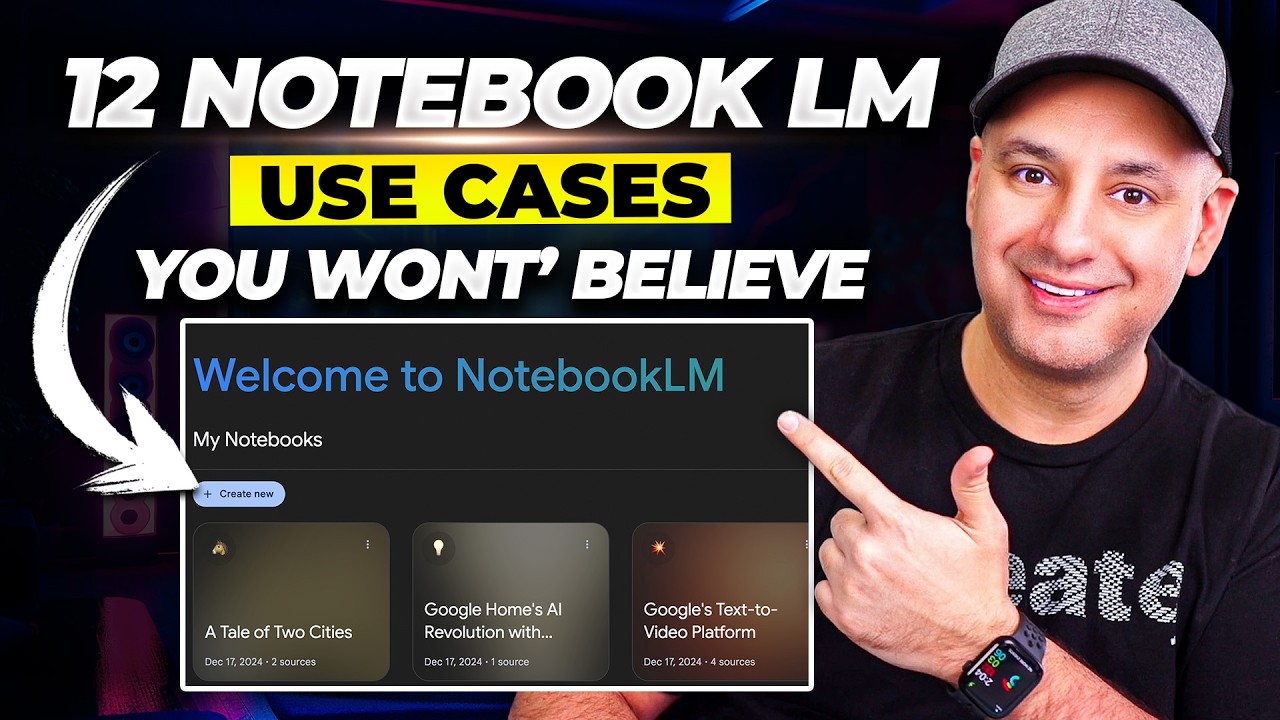
But let me show you how to do this from scratch. If you have no idea about Notebook LM, all you have to do is to go to notebookm. google.
com. So you just have to go to this website. You do a simple login and you will have this interface.
Just login with your Google account and this is what you will see. All you have to do here is to click on create new. So I just click on create new.
And here is a screen which is asking me to add all of the sources that I have. I'm researching about some topic. I'm learning about let's say cryptography.
So I'm I'm I'm reading some documents. I am looking at some websites. I am reading some YouTube videos, watching some YouTube videos.
And I even have some reports about cryptography. Now I can pull in all of that data right here in my sources and it will compile all of those learnings from the YouTube video, from the PDF, from the website and will give you all of the insights in front of you and you can ask any question that you want from it as well. So let's actually do that.
I will fast over this video and get some resources around cryptography. Okay. Okay.
So in about couple of minutes I've pasted a website link, a YouTube video and a document, a PDF and now I can ask any question about all of this to notebook LM. Right? So what I can do is I can basically say create a mind map right here.
So if I click on this, it will generate a mind map for me. I can also create a audio overview which I think is the coolest feature of notebook LM. So essentially it's a podcast between two people who are trying to talk about all the learnings, all the insights from the sources that you've shared.
It's a great way for you to revise anything that you want. It's also a great way for you to get a summary of all the resources that you've added on this notebook. So all you have to do is just click on generate.
You can even click on customize if you want to add specific you know instructions for it. So let's say for example I want to say that only focus on the most basic concepts or don't focus on basic concepts and explain me the most complex topics and assume that I am someone who has a PhD in cryptography. So in that case it would skip the basics and we'll focus on the more advanced stuff.
So you can give it instructions but I'll basically click on generate and it'll take some time but we already have our mind map open which we can just click here and learn about crypt cryptography from scratch. So I'll go and click on AI agents. It it talks more about that.
I can go and click on cryptography and it talks about the core concepts of cryptography and it will get back to me with all the core concepts that I need to learn in this space. So this is the response that we get from it. I can go here.
The first one is symmetric key cryptography. And we can go down. Now you will see that this has these numbers, right?
17, 14, 15. What are these numbers? These are basically references to specific parts of the sources that I've shared.
So let's say for example, I want to learn about digital signatures. So I can click on 13 and it will take me to that part of that source where this concept has been talked about. So if I want to really dig deeper into the topic, I can go and look at exactly where was this mentioned and get a deeper insight if that is what I want.
And while you're asking it questions and getting these responses, you can also save all of these responses as a note. So I'll just click on save and it will be saved with me in my studio notes itself. So I can click on this and I can anytime access these notes that I have gotten as a response from notebook and we are barely scratching the surface.
We can even create a briefing doc which basically is going to be a summary of everything from these sources. We can get a FAQ. So basically this is going to be all the questions from these sources that you need to understand.
Right? Right. So if I click on the FAQ, it basically creates all the most important questions that can be created from all of these sources.
Now imagine you're preparing for an exam. Imagine you want to ensure that you learn everything in this particular concept. You can literally create the FAQs and just read through all of them and one by one you will get a deeper understanding about how this topic is explained and you can explain it to anyone and you can even give an exam on that.
How cool is that? It's a perfect tool for researchers or even students for that matter. So you can go through all of this.
What else can we do? You can go and look at the briefing document which is going to be the main summary PDF, right? And you can again download all of this stuff.
You can do whatever you want. And while I was talking about that, this notebook LM just created a 21inut podcast for me in which I'll be able to get the basics of cryptography using all of these sources but in just 21 minutes. I can download it if I want to.
I can even share it. I can just start playing it and I can learn from it in real time. Everywhere you look these days, AI is popping up, getting more and more woven into our lives.
Yeah, it's really remarkable how quickly it's all happening. But lately, the thing that really has my attention is AI in the world of crypto and decentralized finance. You know, DeFi, that's a huge area for sure it is.
I was reading this abstract of this paper, AI. Yeah, absolutely. We want to make sure everyone listening can follow along.
Context manipulation. Okay, that sounds a bit, I don't know, vague. What does that actually mean in this context?
Well, it's actually pretty broad. It's any attack that targets the So, as you can see, they're basically talking about all the concepts and they're making it very simple for you to understand. It's just a normal conversation.
You could be going for a walk and listening to this. You could be hitting the gym and listening to this and learning concepts on the go. Now, I can take this further and go into the interactive mode.
Now, this is what will truly blow your mind. So, I'll just click on allow by visiting this site. Watch what happens now.
It seems like everywhere you look these days, AI is popping up, getting more and more woven into our lives. Yeah, it's really remarkable how quickly it's all happening. But lately, the thing that really has my attention and now I will interject between them.
Crypto and decentralized finance. Oh, wait. Someone wants to join.
Hey, go for it. Hey, u I wanted to understand the difference between web 3 and crypto and how do you think web 3 can be clubed with AI agents? Like is there a combination there?
That's a great question. Let's unpack this a bit. Yeah, it's fundamental to what we're talking about today.
So crypto, short for cryptocurrency, is really about digital or virtual money that uses cryptography for security. Think of Bitcoin or Ethereum. Those are cryptocurrencies.
And web 3 is a broader idea for the next evolution of the internet. It's envisioned as a more decentralized and userowned version often built using blockchain technology. So crypto is a key component of web 3, but web 3 includes other things too, things like NFTTS, decentralized applications, and yes, AI agents could definitely play a role in this decentralized landscape.
Absolutely. The paper we're looking at AI agents in cryptoland really dives into how these AI agents can interact with the open and what you just saw is two AIs talking to each other and me stopping them in the middle and asking them a question and them replying to me in real time. I can have realtime conversations with them and ask any question that I have, any doubt that I have and I can get explanations in real time by them.
Honestly, I don't know if there is a better app or feature that I've seen in the world of AI that can help me learn faster. If you are someone who struggles to learn something yourself, if you are someone who has too many doubts about something, you can literally go on notebook LM, you can create a notebook for yourself, add all the sources. Could be the notes that your your teacher is giving to you.
It could also be some YouTube videos that you're watching about it. And it will generate a podcast explaining all of those topics to you. and you can stop them in the middle and join the conversation and have a real-time conversation with an AI and learn the topic and clear all of your doubts just like I did right now.
This is honestly the craziest feature of Notebook LM and I want you to try it out yourself. Don't believe on me and what I'm saying. You can literally go on to notebookm.
google. com and start experimenting with this today. Right?
I can even click on timeline and it will probably generate another document that will help me learn things faster. But if I want to ask any question about this this doc that I can just ask it right here. So I can just say you know um give me the 8020 of this of this topic in five bullets for example.
So it's basically the 8020 rule is you can basically get 80% of the knowledge by just 20% of the time or 20% of the text. And this is basically a summary of of cryptography and the source that I've added. So I can go into this.
I can even save this to note and I can use it whenever I want whenever I want. How cool is that? So in this entire video we learned about notebook LM and now it can help you learn anything that you want and it's it's a free tool that you can use by Google.
The craziest thing is you can add any source you want. It could be a YouTube video, could be sheets, it could be slides, it could be website links and then you can generate real audio overviews. These are podcasts that can help you learn anything that you want.
And you can even join the conversation and ask any doubt that you might have and get a insight and reply live. This is basically having like a AI tutor, a free AI teacher available to you 247. That is what is the best part about it.
And at the last you have access to mind maps. Mind maps enable you to visualize everything that you've learned at one place. And I've just shown you how to do it.
You can go in as much depth as you want in these mind maps and learn everything from scratch. Like look at this. I can go into much more depth and have a visual understanding of everything.
So this is what the mind map looks like over here. You can create mind maps for YouTube videos, for website links, for PDFs, for anything that you want. And that is the best part about it.
Another thing is you can create FAQs. You can ask any questions that you might have. You can clear your doubts.
And that is what makes Notebook LM pretty much the best tool for learners around the world. Go try it out yourself. Tell me in the comment section what do you think about it.
And if you have any questions around Notebook LM, let me know about that as well. But honestly, you should try it out. Share it with a friend of yours.
Hit the like button and I will see you all in the next video. to subscribe to this channel because I'll be sharing a lot of videos around AI and how it can help you become a better person and just execute things faster. Thanks a lot.
I'll see you in the next one. Bye-bye.