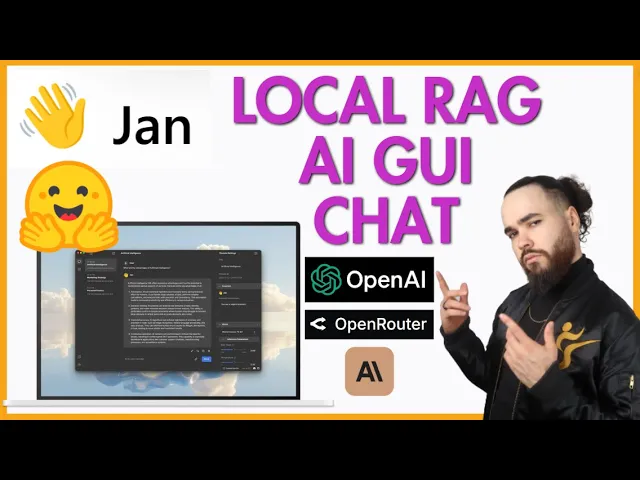
what's going on everybody Josh pook here and in today's video we're going to be looking at a tool called Jan it's an open-source alternative to chat GPT maybe llm Studio it's essentially a tool that runs 100% offline on your computer multiple engine support llama CPP tensor RT llm you can use Gro you can use open AI you can use uh uh anthropic you can use hugging face and local models we're going to show you how to set up in a very very simple way you don't even have to run one command line let's dive right into [Music] it all right guys so this is Jan turn your computer into a AI computer and I'm not going to go through the whole Nvidia here link for it will be in the description down below you can see the different uh PCS uh different PCS and gpus architecture that it can run on different quick links and some more information here um but we're going to look at their website so it's actually a lot easier than I mean it's very easy to install than you know maybe different other tools right a lot of the videos you've seen on this channel if you if you're not new to the channel uh you may have to run a couple command lines maybe spin up a Docker uh container whatever the case may be this is very simple you can literally go to gen. a which will be linked down below and you just just click download right here and you can download for Mac Windows Linux Etc so I already got it downloaded you can see apparently 1. 5 million downloads free and open source so um yeah also to there's their GitHub hugging face and Discord so local remote API so this is really cool you can connect to apis like uh open a grock mol API and whatnot 100% offline crossplatform um and then extensions so there's custom extensions and this is actually what I I thought was talking about fully open AI equivalent API so jam provides open a equivalent API server at Lo localhost 11 or 1337 and can be used as a drop in replacement for compa with compatible apps so you could actually use this API into uh you know building an app and here's the API reference right here not going to go through it but yeah pretty cool stuff and I'll show you that in just a second and how you can get that set up so once you have it downloaded it is going to look like this well it may not look exactly like this I just went to the settings and changed the appearance to dark dimmed because I like dark theme and before it was um it was whatever it was it was transparent so it was really hard to see so it wouldn't have worked out well for this video okay so make it a little bit bigger there we go okay so um first things first let's talk about adding a model and and then we'll go over some of the UI here there is a lot of features actually within this tool so okay so on this section right here we have threads we have Hub so this is threads this is Hub um threads are essentially the chat interface uh we can go over here we can uh program a prompt for our assistant instructions we can select a model so if we go here we can see different types of models Claude um coh here Gro m open AI open router local models Etc you can see the inference parameters such as Max tokens temperature top PE stream stop uh frequency penalty and uh presence penalty and we can also see um I'm going to show you how to turn this on in just a second but on if you turn on some of the advanced features we can see retrieval so retrieval helps the assistant information this essentially rag retrieval augmented generation we have embedding models so embedding models crucial for understanding the processing and the input so you can select an embedding model Vector database so um yeah uh some some more advanced options right here you can toggle these on toggle them off Etc and then time weighted retrieval top K chunk size and chunk overlap so this is all to do with Rag and you can even PL plug in a retrieval template here so really cool stuff that they have this um yeah so let's go ahead if we click on Hub here this is where you'll be able to this is one place where you'll actually be able to um import mod or download models so as you can see it has a bunch of different models here that you can download you can go featured or downloaded uh or sorry uh all models there we go and you'll see different ones the gigabyte size and what I really like too is that it even says like Which models you shouldn't download like for example here it would say slow uh slow on your device this is basically saying because right now uh maybe running low on RAM which could affect the speed of the model so that's pretty cool then chose ones that are recommended so I do like that now the one thing to be honest that I at least to my knowledge from even looking around in the uh GitHub repo issues and bit on the Discord I don't like that it's it's it seems like it's a challenge to connect a hugging face it's not as simple as just like it being able to see hugging fa or sorry not hugging face AMA so you know I've done a lot of videos about using AMA uh goys so in terms of that you know you may want to look into something like web UI or whatnot um for llama but this is really good for you know other models the whole thing is though that you would have to download the model and like it's not showing my AMA local models that I already have downloaded these would be different um downloads right so it's just taking up essentially space right so and you could p S A hugging face URL and import a model so that's pretty cool now if we go to settings so this is the settings um we can see a bunch of different settings I'm not going to go over every single one but we have my models right here so if I go to like a mo uh actually if I click on like anthropic the gear icon right here this is where I can plug in my API key all right as you can see boom and then we get access to uh those models and let me see import model okay so you can import GG UF models uh we have Co here yeah you can just go to like grock put in your API key and boom it should work and yeah so we got the model providers right here we got open router open AI we got extensions here so can plug in your hugging face uh API token we have system monitoring we have extensions here so you can toggle on or off different extensions and core extensions model providers and then advanced settings so this is where you would want to toggle on experimental mode so this will allow you to use things like Rag and other features um there's some other advanced settings here I'm not going to go over every single one of them we got like https proxy ignor SSL client or certificates um Jan quick gas clear logs Etc we have keyboard shortcuts appearance which we covered and and that's about it so if we go over here and I go ahead and go to um model I could select what model I want right now let's say like Claude Sonet 3.
5 and I say hey what model is this and we should get model from anthropic is this CL Sonet 3. 5 okay well it should be claw 3. 5 sometimes model say this I don't know it's I was probably just doing that I'm assuming just saying that but um yeah usually like I've got this before where you ask a model if it's like a specific thing and it says no or it just says it's like whatever so but anyways yeah you can see that you can pretty much use whatever model you hook up the API to or if you download the model offline and um we could go ahead and use Gro which is pretty cool because Gro has uh free API credits it's just very rate limit so if I say hi and you can see super super fast we can see token speed right here of the uh response we can go here system monitor we can see the CPU the memory use so um currently I'm at almost half of my memory um we can see the uh GPU and all that good stuff we can see running models right here so you can stop model run model Etc and then also too if you go over here to local API this is where you can actually start a local API server so if I go ahead and start server and then you should on Port uh 1337 you'll get in uh fast uh Swagger um API reference right here open API uh AI API so we can see like get models get download model ID you know all these different API endpoints chat message not going to go through the mall but you have all that good stuff and you could use this really anything if you're building out a specific app or um some code whatever the case may be um pretty cool that they have this like I said it's 100% local um the only downside is the whole llama thing other than that I think this a pretty cool and useful tool um but if you like videos like this and you got some value from here make sure to smash that like button smash that subscribe button I'm also going to be doing more videos like this and I really do like how they have rag so you could upload a PDF you could upload a document and chat with the document ask it questions about the document um so pretty cool and also too if you don't if you're someone that doesn't like having to run a bunch of commands when installing a tools like this you know maybe you're just not Tex sa you or whatever the case may be this is definitely a tool for you in terms of just downloading an executable file very very simple other than that guys I'm going to be doing a lot more videos like this and got some more videos to come so if you're new to the channel we upload videos every single day on AI automation business growth Marketing sales Etc all the cutting Edge technology anytime I'm learning something I always like to share with you guys so if you have any suggestions on specific tools you want me to cover take a look at any video topics you want me to create let me know in the comments down below if you already let me know in a previous video and I haven't done it yet um I could just be in the backlog I got a lot of suggestions so I'm always just you know working on different videos and whatnot other than that guys um if you haven't already joined our free community stri community.