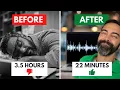
whether you have an audio podcast or a video podcast or maybe you are about to start one what I'm about to share with you is going to save you hours of time because here's the thing bring it in podcasting can be sneaky with exactly how many tools and things you might need to get one up and running right you have your recording equipment and then your recording software your editing software not to mention if you're going to be doing remote interviews you need a software for that as well and if you're going to be adding
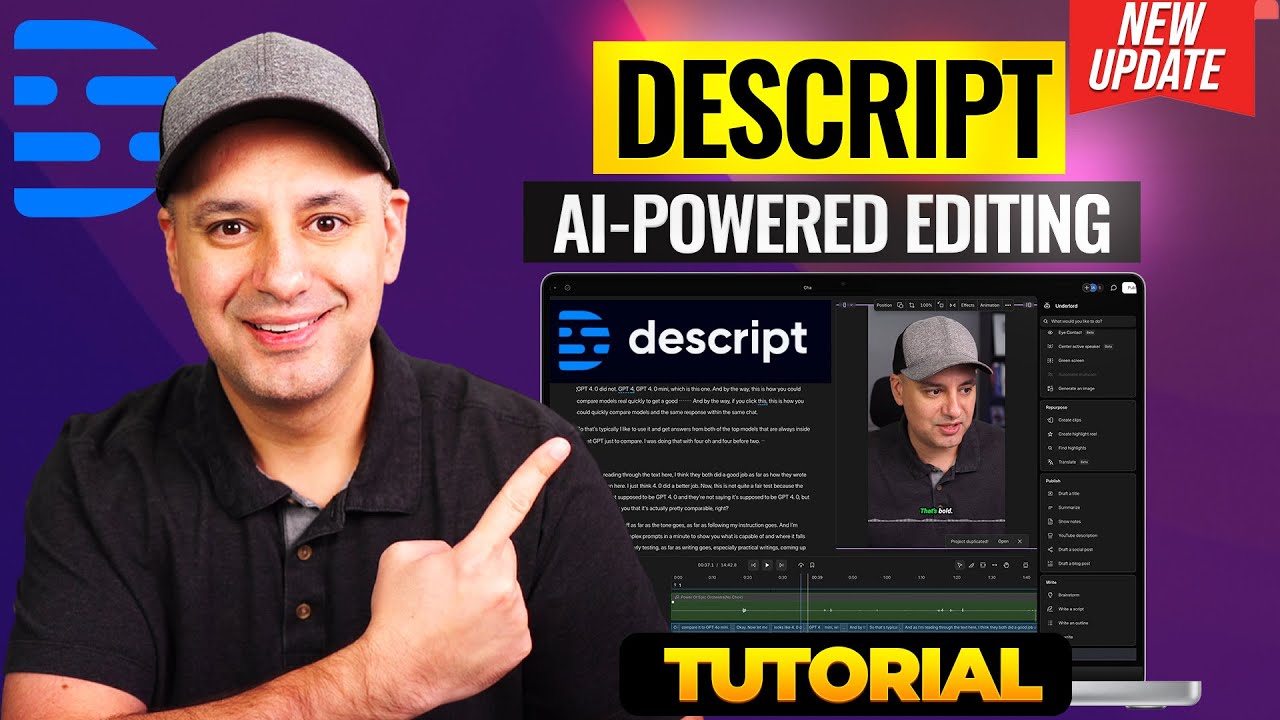
video that's another layer of things right your video equipment your video editing software and then uploading all this to a host so you can distribute it that's a lot what's really cool though there are two tools that have recently combined forces actually one acquired the other and now as a result of this it's like a dream come true for podcasters because all of these different requirements are now Consolidated to just this this is the new descript combined with squadcast and I'm going to show you exactly what this means and how much this helps out us
podcasters so much all right here's a quick little video project I want to share with you you and some of the most powerful things that I love about descript so I'm going to hit play on this and you're going to notice something interesting in the middle hello my name is Pat Flynn ABCDEFG and today I'm going to be talking about podcasting and descript all right so the ABCD thing is weird so I'm going to go in the transcript and delete that and hit play from the beginning watch this just in an instant it changes hello
my name is Pat Flynn and today I'm going to be talking about podcasting and descript yes it edited both the audio and the video with simply a change in the transcript that's just it continues to blow my mind not to mention the idea that I can just quickly put captions on this and then share it on social media hello my name is Pat Flynn and today I'm going to be talking about podcasting and descript and if I want to add b-roll just simply separate this area here at the end and I'm going to highlight that
go to view media and use their library of videos to add to that just like this talking about podcasting and descript crazy and now with squadcast a part of this thing I mean everything you need for podcasting is right here and anything you need for remote recording to have it in script I mean it's just I mean it just works so let me show you now here in the script I can click new and hit remote recording if I know that on the Fly I'm going to do remote recording somebody's like yeah I'll go on
now that's the way I would go about it just to create this squadcast room and then be able to get right into it right and I can get the invite link from here and send it to my friend and we can get on a call and record it from there but I prefer to actually use squadcast and again if you have descript you will get access to squadcast and here you can set up a new session and schedule it and have it send reminders out to your guests and all those kinds of things but what's
really powerful here is either way when you record a show using squadcast you can with just a couple clicks of a button immediately begin to edit that inside of descript and do some very powerful things for example I recorded an interview today here in squadcast with a friend of mine Jason Fifer and I want to get the files so I'm going to hit get all files go down to our first take we only did one take which was great and hit select all this will select both myself and Jason's separate video and audio tracks and
as you can see here on the right hand side there's a button now that says edit in descript so I'm going to hit that and I'm going to edit all MP4s which is the video file I could do the files or the mp3s for audio only but I want both the audio and video to come along with it and squadcast does record the highest quality video These are the file names from squadcast myself and Jason's track create project and import files that'll put it directly into descript now you'll see here there is a webbased version
of descript that you can edit in however I prefer the desktop app and so I'm going to open the desktop app center this for you and it's just going to take a minute it's going to actually download the files and then properly put the transcript in there automatically you'll see it in just a moment okay that took a total of about 2 minutes of course results will vary based on your internet speed as far as the downloads but we have the transcripts now as you can see there's Jason's track and my track track one I
can change the name of these things and go okay track one let's actually rename that to Pat Flynn and go from there it changed it throughout the whole thing let's do the same thing for Jason's here Jason's let's rename to J ason Fifer boom all right now the transcript is ready and I could actually export this if I want and put it in a PDF file or on my website but as you'll notice that as I click through even when Jason is talking it's still me that's really a question of whether or not I should
like try up and that's because in the layers here my video layer or track one is above Jason if I move Jason above me now we see Jason maintain eye contact with the camera whole time so how do we go about having multicam so that the AI knows when to place myself and Jason on camera when we're speaking very simple I'm going to go back to the top here I'm going to click into Jason script and hit multi-cam and then instead of going script Json or script track one I'm going to hit active speaker now
when I press play watch this um do you use the video uh I may use the video or at least pieces of it but I uh not going to so as you can see it switches back and forth now depending on who is speaking the AI knows how to do that which is really amazing now a lot of this first part of the conversation here is just us sort of getting ready for the podcast I'm going to scroll down to when we're ready to go right here it says here we go 3 2 1 right
here we go three two and one Jason welcome back to the SPI podcast okay so I wanted to start right here so I'm GNA hit up and scroll up and delete everything before that all right Jason welcome back to the SPI podcast thanks for joining me today man oh always great to be here and it's exciting because we're going to be talking about your involvement now in SPI even so that's one way to go about doing it but as you can see I didn't have to bring it into a video editing software and mess with
the tracks and you know switch cameras on you know command uh it just does it automatically which is really amazing now what's really neat about this too is you can create templates your own branded templates for your podcast or your videos so that when these things get imported from squadcast again they can be automatically placed into some design that you already have now I have an old one I'm going to hit choose template and I'm going to hit this template right here the ask Pat template and you'll be able to see in just a moment
there we go we're both side by side the cam is doing what it needs to do than already you've been a guest here on our Friday episodes with Matt and our round table with Terry how awesome is that so you can design your own templates and then with this a click of a button your interviews are already in the format that they need to be and of course you can get as creative as you want with those designs same rules apply here you can remove the filler words just one or several if you'd like uh
there's 251 across this now in a conversation like this I would would likely keep the filler words just because it sounds more natural it's just how we speak sometimes but if you wanted to do this with your solo episodes or some videos that you create for YouTube removing those can make the video a little bit more engaging and more professional and then from here once I'm satisfied with this whole thing I can hit publish um of course I can always edit an intro and add it to the beginning or an outro to the end and
when I hit publish I can export it or even publish it to different places YouTube buz Sprout for a podcasting host uh various places I typically export it and then just have my team take it from there speaking of Team you can also have other team members here as well working on this project as well with project access anyway this descript squadcast marriage is absolutely awesome big congrats to the team at squadcast I was an adviser for that company and I'm very proud of the team there and I'm happy uh that the script is is
is is improving and it's just awesome just in so many ways for us podcasters so definitely check it out if you want to go through my affiliate link to check out descript and get access to squadcast at the same time time hit up pin.com descript again that's pin.com descript and check out some of my other videos here that go over some of the other AI tools like overdub which allows the software to copy your voice and actually insert it into a podcast or video as well pretty wild go ahead and check it out right here