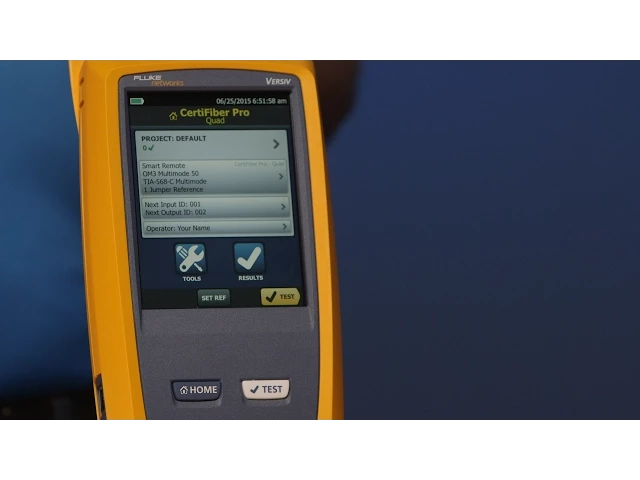
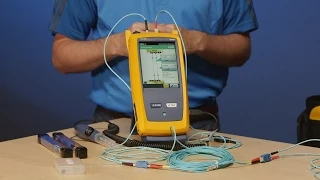
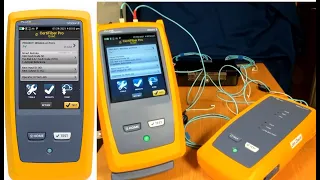
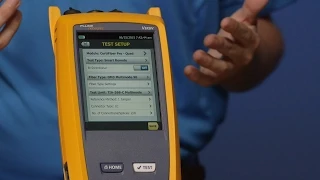
(Adrian Young) Hello, my name is Adrian Young and I work for Fluke Networks. And today, along with my colleague Amanda, we're going to talk you through the CertiFiber Pro. What is the CertiFiber Pro?
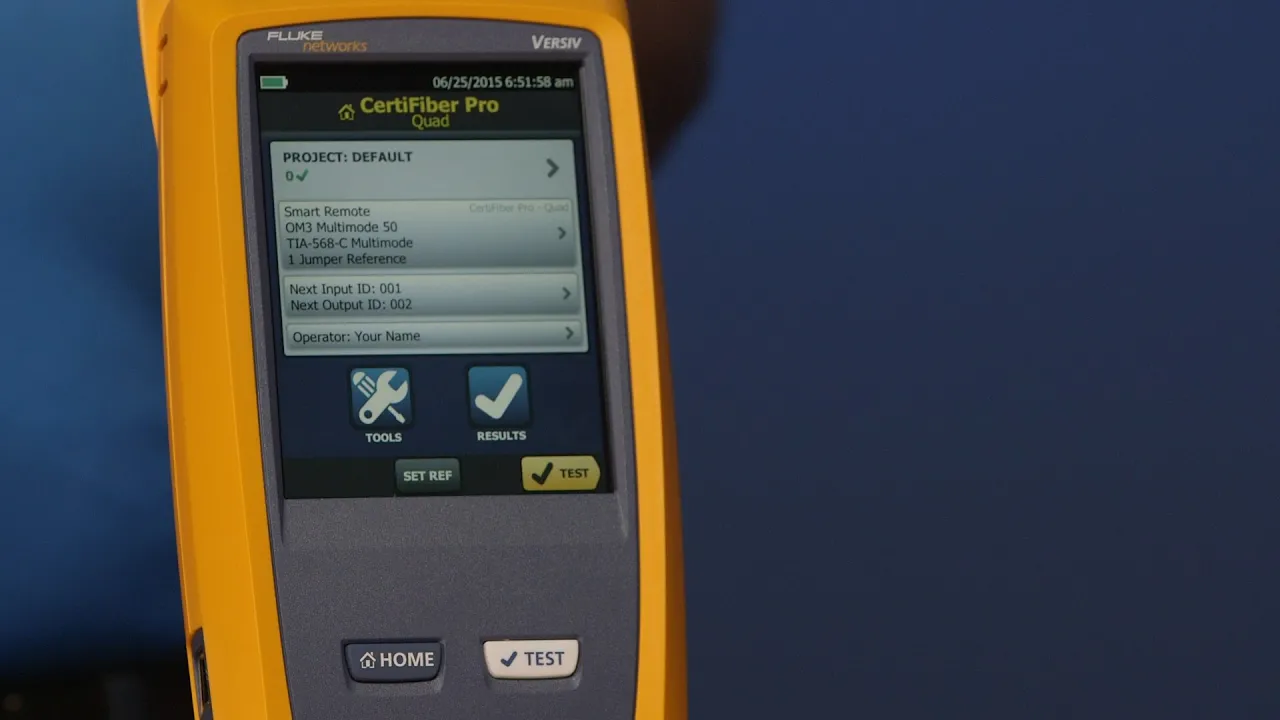
CertiFiber Pro is actually part of the Versiv family. With the Versiv family, what you're talking about is the mainframe. That's what we call Versiv.
What makes it a CertiFiber Pro is the module that goes in the back. Inserting the module is quite easy. There are two little guide points here and I'm gonna get Amanda to slide that in there.
Drp them in, push down, click, push down the ears, and now you have a CertiFiber Pro. The advantage of going to a modular platform is that at the moment, we can test OLTS, our tier one testing. But I can grab my OTDR module and turn this into an OptiFiber Pro.
And we'll have a video on OptiFiber Pro as well. Likewise, I can grab my DSX modules and turn it into a full-blown, copper certification tool. (Amanda) So what's that RJ45 on the side for?
(Adrian Young) Great question, Amanda. This allows you to connect to an internet connection. And what you can now do is use our free LinkWare Live service.
And so that would allow you to send results to the cloud. And then you can download the results from anywhere, even from a truck. As long as you've got a WiFi connection.
Likewise, on the other side here, we have our power port here. And don't forget to charge these things. It's very important.
When they're shipped from the factory, we're not allowed to ship them fully charged. So the first thing you do when you get this, plug them in and charge them all the way to 100%. There is a larger USB port here.
And you can plug one of these little WiFi dongles in there. And the list of the approved ones are on our website. And you can connect that to your favorite hotspot, whether you're in a coffee shop, a hotel, or as a lot of people are doing, and I do, which is a lot more reliable, is I turn my phone into a hotspot.
And then I connect through my phone. And then those results go up to LinkWare Live. So when you get your tester, in addition to charging it, one of the first things you're going to want to do is check the software version.
To do that, you simply tap "Tools. " Go ahead Amanda. And then just swipe up a little to see "Version Information.
" And then we'll tap "Version Information. " What you're seeing on here is the information related to the mainframe. So here's our serial number and the software version we're running on there.
You can check that against our website. And later on, you'll see that when we go to download results off the instrument, it will check to see if you've got the latest software or not. What about the module in the back here?
Go ahead and tap the module there for me, Amanda. Great. So what we see there is the serial number of the module.
But now we see the calibration date. (Amanda) Well, how often should I calibrate? (Adrian Young) It's a very good question.
You should calibrate every 12 months. Now, bearing in mind, that calibration date is going to appear on every test report that you do. So it's important to keep on top of that.
When you download results to the LinkWare Software PC, it is going to check for that calibration date to see if it's current. When it becomes within 60 days of its due date, you are going to get a warning in the LinkWare Software. So we're going to help you keep an eye on the calibration date.
Remember, the calibration date is really important if you're submitting results for a warranty application. If the cabling vendor spots that the calibration date is out, then there's a real possibility they're going to reject those test results. So make sure you keep an eye on that.
The other thing to note is that this machine is actually made in Everett, Washington State. So the time and date is going to be set for the West Coast. So don't forget, before you start testing, make sure you change that date and time.
That's also found under the tools menu. Now I'm going to do a little cheat here. I'm going to press the "Home" key.
Now Amanda, tap the "Tools" again for me. And then go and find that date and time selection in there. There we go.
And go ahead and tap on the date there. So in the instrument here, you can set your date and time. It's very important to do that at the location you're at.
Because that date and time is stored with every test result. And it cannot be changed later on. And we've known customers to reject test results when they don't match the security log of the building.
So that's also important to note. The other thing to note in here is the internal memory on this is far superior to what was in the previous generation tester, the DTX. We talked about in a previous video, where your copper results with plot data, you can store 12,000.
In here, with these types of tests for fiber, you're into ten-- tens of thousands of tests. So there's no need to worry about additional little memory cards anymore. Okay, so that's the basics for the CertiFiber Pro.
Now what I want to do is talk about test reference cords. And with the CertiFiber Pro, we do ship the test reference cords with it. You'll get Multimode and Singlemode.
And these are LC ready out of the box. (Amanda) So what's the difference between a test reference cord and a patch cord? (Adrian Young) You know, Amanda, that's a very good question.
It's a question I get a lot. We can make some jokes about the difference in cost. But really what it's about is the technical aspect of those cords.
When we talk about test reference cords, we're talking about using reference-grade connectors on the ends of the cords here. When you buy a patch cord from a distributor, typically the performance is going to be up to about a half dB loss on those connectors. When we talk about reference-grade connectors, we're talking about what the standards require.
And the standards, both in TIA and in ISO/IEC, define reference-grade connectors for test cords as being better than . 1 dB for multi mode and . 2 dB for single mode.
So when you see that kind of variance in test reference cords, that can sometimes mean the difference between passing and failing a cabling system. The other quirky thing about these test cords, if you'll notice, is this little puck on here. And this is part of a tuning thing that we do in the factory.
Because we guarantee that this is Encircled Flux compliant at the end here. So each one of these is tuned to this CertiFiber Pro. So these cords can only be used with this CertiFiber Pro.
And then we guarantee Encircled Flux. You've probably heard about Encircled Flux. What is it?
In simple terms, it's about producing your measurement uncertainty. If you're using an optical source that is not Encircled Flux compliant, your measurement uncertainty between different testers could be up to 60%. By being Encircled Flux compliant, you're now bringing that measurement uncertainty down to 10%.
What that means is, if you get into a contentious argument about which test is right, the one that is Encircled Flux compliant is the one that's right. If you're comparing it to another tester that's not Encircled Flux complaint, then that tester has to be dismissed. Remember, Encircled Flux was added into the TIA and ISO/IEC standards way back in 2010.
So this is something that's not particularly new. One other thing to mention is the bag of goodies that come in the tester here. And the one thing that I do want to point out, there's various straps and cords and CDs and what have you.
And here is the headset. Another cool thing, just like the copper testing, is if I'm connected to this tester at the far end there, over a fiber link, I can actually chat with Amanda at the far end. Now, if Amanda wanted to chat with me, she would simply press the "Talk" button to initiate the phone call.
You'll notice on the main unit here, there's no "Talk" button. The way that you'd initiate the talk is by pressing the little button on the headset here. And that would allow me to talk to Amanda at the far end.
So Amanda could be on my fiber link 20 miles away, 36 kilometers away, or whatever, and I'll be able to have a conversation with her. So kind of an interesting thing. And there is one more important thing, is when you're unpacking, you're going to find this little red card that says, "Stop.
" It's really important that you register your unit, particularly if you purchase our Gold, which is our major support program, along with your instrument. Make sure you register that Gold, and then you'll have free, 24-hour technical support, talking to a live person, free next-day loaner, and all the other wonderful things that get to go with it. So that's the basics of the CertiFiber Pro.
In the next video, I'm going to talk about setting it up for a successful, tier one, OLTS measurement.