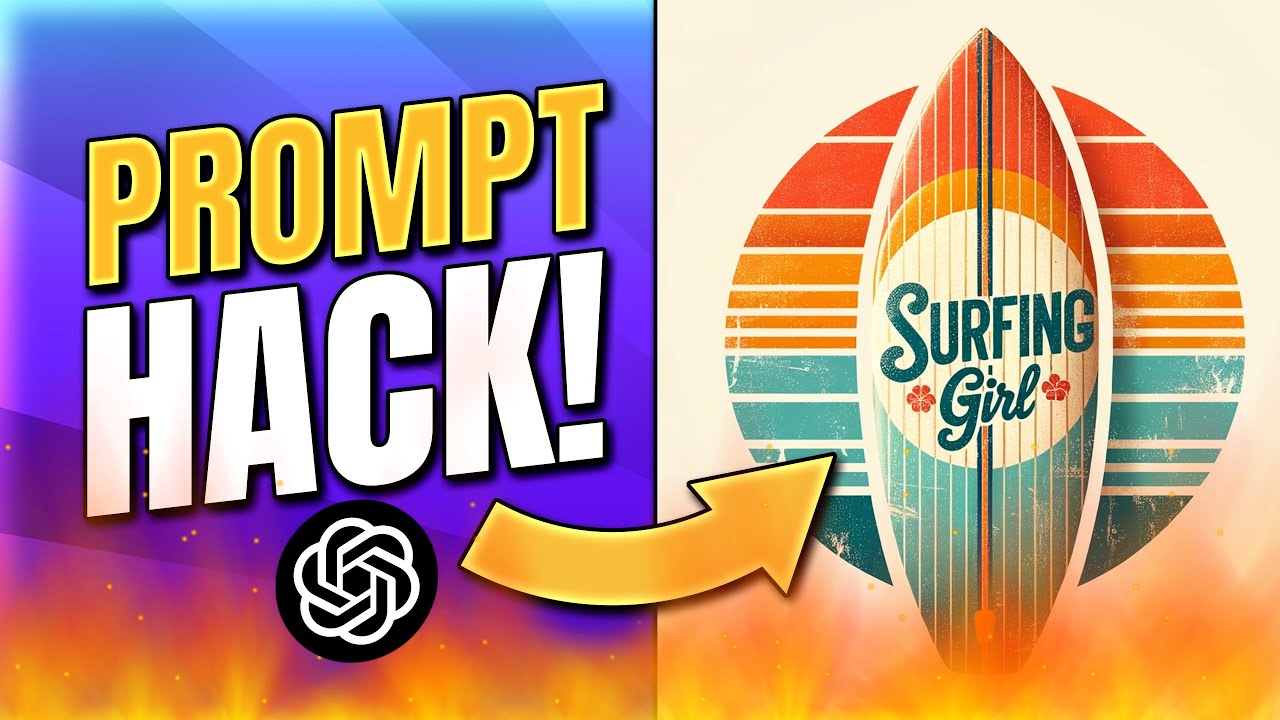
Are thousands of fake AI gurus in the market who are out there to take your money giving you basic course in the name of that is exactly why I have created this full free course on YouTube where I'll be teaching you how to create images like this this and this so that you can boost your marketing game without paying anything to anyone So let's get started in this video we'll be using Dolly 3 by open AI and Dolly 3 is undeniably the best image creator that I have come across in terms of accuracy image production
and the kind of editing magic that you can do in this course I'll not just show you the basics of image prompting but I'll also give you seven but I also give you 7 use cases that you can use to Build great graphics create ad creatives many things in your marketing so without any further ado let's get started so this course will be divided into four parts where first I'll show you what exactly what tools you'll need for yourself a basics of image front engineering I'll show you some advanced front engineering especially when it comes
to image And I'll also show you how exactly to use Dali 3 for marketing purposes to get the best results out so first things first you can use whatever I'm gonna teach you in Dollar Tree or even probably Mergerney will be using these two tools right now now you need charge GPT4 this will not work in charge GPT3 or in the basic version because GPT4 has all the capabilities And honestly charge GPT itself is one of the best tools out there to get you any kind of marketing assets that you will ever ever need right
so I have also created a Charity GPT prompt engineering course if you haven't watched that here's the link you can go ahead and watch it after this particular video but you'll definitely need GPT4 For this particular exercise now how exactly to get GPT4 it's pretty simple I mean if you log into Charity GPT um I'll just show you here now if you simply log in to chat GPT with a basic account which is GPT3 it will give you an option to upgrade to GPT4 right but it says upgrade to plus and can click here and
pay for the plus version now the best thing about plus version is You don't just get GPT4 you get access to browsing with Bing Advanced Data Analysis where it can read your files plugins and well our favorite that will be using Dali 3 for this particular thing right so you'll get m access to everything right now and at the time of creating this particular video chat GP is just ruling out uh dial 3 it may not be available to all the users but if you are watching it after a few months probably you have access
To dietary and you can absolutely use it to create assets for yourself right now first things first I'll teach you some basics of image prompting so image prompting has two part one is the element I have divided these elements into 20 different parts image front engineering has is it's honestly an art in itself just like an art it is definitely a little bit more complex but I'll try to make it as simple as possible for you Now it has basically two parts which is 1 the element that you'll need an image right the things that
you need the mood the lighting the setup and the formula in which you need to ride the particular prompt honestly formula is not that important but you need to have enough idea about what are elements and how exactly to use this right so I'll open it up now other told you there are like 20 elements out there and remembering all 20 elements is not an easy task So I've divided it into seven layers and will expand on each of this element I'll tell you the basics and towards the end of this video I'll show you
how exactly to use a GPT for hack to train GPT on all these layers all these elements and ask GPT to create the best prompt for you right so let's get down into this but it's important for you to understand all the elements so that you can grasp what exactly you need Or you can create the best quality of images uh with this particular tool right now out of the 7 layer the first layer is subject setting and atmosphere so if I open this up these are the three things subject the subject is basically the
star of your artwork you can choose how literal or abstract you want to be with your interpretation for example time could be a literal depiction of a clock And abstract representation of passing of seasons or even more conceptual piece about aging but if we have to go on the other way where we become very very specific let's say we are doing photoshoot for a shoe brand then shoe by default becomes the subject of your particular um you know your particular image right now there are multiple types of subjects you can use love Time nature urban
life portrait I mean like it's up to your imagination how you want to use right so totally up to you what do you want to use a subject you can use fantasy underwater scene sports music food seasons superheroes anything that you might want The second thing is called setting as with other categories this setting should serve at the starting point and allow for a wide range of interpretation for example a forest could be a realistic or it can be an enchanted forest from fairytale where exactly that photograph is taking place right now different types of
settings can be Forest Cityscape Beach Mountain you can add your own zing to it Medieval Forest or Ancient Indian Mytology Forest you can add more uh zing to the kind of setting that you want it can be countryside outer space now what I've also done is I have pulled all of these into a different Excel sheet or Google sheet which I'll be giving access to you if you comment below comment below elements I'll give you access to that particular Google sheet that you can use to draft all these prompts now third is atmosphere you can
think of atmosphere as the inherent feeling or vibe of the scene of the artwork it's an unspoken emotion that is felt but not seen right and different types of atmosphere you'll know in a minute What are they sitting turbulent enchanted spooky somber intense loving surreal celebratory stressful soothing these are more like emotions but what sort of atmosphere your subject is an N and what type of setting is a subject N like let's say I call um You know I tell um a Pikachu in loving atmosphere in an enchanted forest the Pikachu becomes your subject setting
becomes your enchanted forest and atmosphere becomes loving atmosphere you can use any of these right so you can mix and match different different elements to you know Bring this image to life now this is No. 1 second layer is mood colors or color scheme so I'll you know reduce this to its best bets the mood in general is the emotion or emotional atmosphere that your artwork creates its oral tone like tranquility eeriness percent the backdrop of your work And influences how it's perceived percent the backdrop of your work and it influences how it is perceived
some examples of mood can be like anxious reflective joyous some somber intrigued right these are different different types of moods colors well it's pretty simple these are the actual colors that we Predominantly want in that particular image right you can also use the exact hexagonal core if you are a graphic designer to add to that particular image right now types of colors can be you know anything that you can imagine red orange yellow green blue it's totally up to you how it works and color schemes are basically it focuses on oral hues and arrangement of
the color words that fit in this category is described how color interact and compliment each other in a piece Now different different color schemes would include monochrome polychrome pastels neons earth tones or triad uh we can call it constant contrasting colors complimentary colors uh analogous colors anything if you have a little bit of knowledge of graphic design you probably know what type of color to use But I also show you a hack towards the end of the video where you know GPD can do all of this for you right now third layer is camera and
material now camera is basically the kind of cinematography you want in your particular um prompt or any particular artwork now different types of cameras are there like birds eye view worms eye view Point of view from a character's perspective high angle low angle these are typical photography short photographers use this particular terms to define different different photography angles can be long short panoramic tilted over the shoulder tilt shift totally up to you how you want to use you can also use Examples like national geography photography right Associated Press photography product photography Unreal render you can
use any of these to give AI the idea what sort of picture it wants to create next is material material and art refer to physical substances used in the Used to create an artwork which can have a significant impact on the appearance in the texture of the piece that you are creating it can be something like oil paint acrylic paint watercolor charcoal graphite photo realistic hyper realistic enamel paint anything can work pencil ink Anything can work right now what material are we using to clear this particular artwork is what it covers now level number layer
No. 4 artist texture and emotion now if you are trying to replicate a certain popular artist Let's say Dalvin C or Bangkok then this kind of element helps you a lot to create that particular vibe of that particular artist now each artist represents different approaches techniques and teams that is unique to that particular uh old artist That we have seen like examples of famous artists include let's say Leonardo da Vinci Vincent van Hogh Pablo Picasso or you know Doctor Seuss why doesn't he anything was anything works here right um if And also add texture to
it and the texture is the tangible quality of your artwork it's how the art feels not like it feels papery it feels crumbled what is exactly how do you want the oral art to look like and it's basically a game of shadows To be honest but it adds a physical dimension to your artwork and enhances the viewer's experience now types of textures include smooth rough grumpy grainy glossy silky wet dry however you want to make it right Now these textures enable you to add that depth to your work of art and level 2 1 is
emotion the emotion in an artwork can refer to the feeling or the mood that the artist aim to convey or evoke right If let's say you want to do a premium photo shoot of a shoe brand it needs to convey the feel of that premium thing right it should feel like it's like it's meant for something like great what This is basically emotion and branding packaging photography artist thing anything artistic you know it's it's all emotion at the end of the day right so there are different types of emotions that we can ask at Al
Tool to gender for us something like joyful sad angry calm excited fearful surprised disgusted confused curious peaceful hopeful everything right there are so many different types of emotions that you can use next layer is culture Time period or theme culture is you guessed it it's basically uh the cultures of different different word it can be ancient Indian culture American Indian the Red Indian culture Mexican culture Renaissance culture and Saint Egyptian culture modern Indian culture British Indian culture you can use any sort of culture to Create an image of that particular era right when I say
ancient Indian I like create a picture of ancient Indian guard then it'll probably have the Smukert and everything right so this is pretty much what do we mean by culture and if you want to go even granular then you can use something called last time period time periods have their own distinctive artistic styles themes and techniques right like for example Renaissance Peter has its own technique You know art artistry also evolves over time like pictures of 1900s are very different from pictures of 1800s right the type of time period that you're looking at is prehistoric
it can be ancient Indian ancient Egyptian mediaval retro 1800s 1900s 1990s you can use any of these to bring the sense of that particular time period To your particular artwork 14 the team right the team of an artwork refers to the central topic subject on the concept of that artwork explores teams can be broad or specific and can provide an unifying idea or message for that particular image types of teams can be nature love death this is like the core idea right the transformation adventure childhood memory power mystery These are the teams around which we
haven't know we have the art setting by the way I totally understand that lot of these things do overlap with each other if you have noticed and it's normal that is art you know a lot of things do overlap with each other to you know that's what makes it so unique that you know that is you cannot have like a 0 and 1 and black and white and artwork You can have grays and lot of things overlapping on top of each other to bring in the best results right the next layer is medium aesthetics and
shape or form right what medium are we using what sort of aesthetics we want in our image and what side of shape or form do you want our subject to have right the medium is a physical substance that brings you art to life it can be canvas paper screen oil Olives right each medium has its own unique quality that can dramatically shape the outcome of your work types of medium can be ink pastels uh graphite you know it is very similar to the kind of texture that we look for right uh but here we are
typically going for the exact kind of um I would say the exact kind of medium that is used to draw that artwork if it is a photography You can that's also medium if it is a sculpture the wood is a medium right so what type of media are we using to clear that artwork is something that we have to define if we use a cardboard box or cardboard art it'll use probably cardboard to make the art that's the whole point aesthetics is the overall visual harmony of your artwork it's about creating that consistent look or
vibe Uh like vintage modern rustic anime futuristic these are different different kinds of aesthetics as you can see this is like a huge list of aesthetics I have doubled for you and you can get access to this with the Google sheet that I promised right Now after aesthetics there is something called last shape or form shape and form are tangible elements we see in art the lines patterns and geometry that structure a piece the range from simple concept or simple complex real to abstract this building blocks balanced are to a creating its oral character and
even conveying moods or ideas right Types of shape and form can be circle triangle rectangle web line oval diamond hexagon you can name it right blob gooey shaped flowery shaped you can use any kind of shapes or forms here to bring the structure to your artwork I would say right that is the 6th layer And the 7th layer is all about style technique and aspect ratio the style is the signature of your artwork it's unique flare of flavor minimalistic after surreal photorealistic and more and these are different different types of style cartoon manga pixel art
surrealism Impressionism Gothic Renaissance you can use any of these to add a certain flare of style to your uh the artwork that you develop the 19th one is technique the technique is how you you're using the tools to create you can use brush strokes uh carving methods digital art Uh the technique reveal your skill and creativity adding complexity and depth to your artwork their techniques can be uh let's say shading sketching uh layering blending so pencil art or you can say origami line art glitchy so or doodling Or finger painting we can use any of
these techniques to bring more depth to that particular artwork that we are trying to develop and finally the kind of aspect ratio we're using now this is honestly something that I've stolen from mid journey so we are saying that hey you know The aspectation basically the shape of the canvas it can be square 16 by 9 9 by 16 vertical horizontal five's 2 4 three's 2 2 whatever right it can be either portrait where we say in mid journey like aspect ratio one is to 3 The first number is smaller than the last number it
can be a square which is 1 is to 1 or it's a landscape which is like you know this horizontal sort of thing where uh that aspect is the first number is larger than the second number This is how I remember it right now these are the 20 different types of elements that we use in our art to bring that art to life it is not just typing you know random things right now if this is the case how exactly we Use this layers so we have a different different sort of formulas that have created
that you can use a subject color and aspect ratio if you want a certain kind of subject let's all you can use a famous artist Aspect ratio color subject you can use any of these tools let me show you one by one let's say we use the first formula subject color and aspect ratio we will pick one random subject from here We will pick one random color from here and we'll pick any sort of aspect ratio right I'll just pick let's say we go to uh GPD4 make sure you enable dial 3 we can say
create me a picture of animals let's see and outer space That is the kind of subject that we are going with the next one is color which is types of color let's say um the animals are pink in colors and make sure that the canvas is of 16 by 9 this is aspect ratio that we are going with right obviously it's probably something that looks weird but well we have added some prompts I let it peel the images boom we have some pink animals in outer space now you can see that is a variety of
images that we can see this image is still taking some time to load pink Animals and outer space this looks fantastic by the way but let's say let's add some texture and setting to the same thing let's not change anything let's just add texture and setting to the same particular um you know same particular image let's say we use um soft texture of funny texture we can add to this funny animals or we can say the texture Texture of the image should be I don't think for you look good okay let's go beyond that okay
texture we got setting I think setting we have already use outer space here um yeah outer space we have added let's use medieval castle let's instead of outer space we can use this and save and summit let's see what happens intrigue to see the kind of resort it delivers here all right we are here we got funny animals All right not bad this is this is very unique I love this video image let's go beyond this right let's say I want the pictures to be you know I want the pictures to have what technique do
you want let's pick a technique random technique we can use um to have a use a lot of cross hatching technique yeah technique And what is the next thing technique time period uh they should look like they are from Renaissance Peter we can add what is the Renaissance the time period here you go right uh Renaissance Speedyard and finally we can add the mood right let's mood is gonna be this um the the should show a joyous move and the subject should portray choice mode let's see what sort of results we get from this one
Look at this all the bunnies are eating now very different different types of animals pretty cool hmm alright now it looks like a Renaissance painting haha this is so so good it definitely matches everything that we are asking it to create right we can also add more styles time period we can have multiple styles camera aspect ratio you Can kind of play around with this particular formula use the element that we have covered in the big you know earlier section of the video and you can start creating some artwork for yourself and this is actually
a lot of fun right now I can also do advanced front engineering but before that let me show you how exactly you can use Challenge EPT to create these prompts for your own use cases like obviously the ones that we created we are just having fun right but if you actually want to use strategypity To develop really good pictures then we'll need to take it up a notch right now the best thing about strategypity is that you can use multiple tabs and multiple places so I just duplicated this tab by click clicking on this duplicate
button here I'll just open up a new chat now here I will create something called Advanced Data Analytics now what I've done is that um from this particular course I have exported all the subjects All the settings and all the moods everything into this particular Excel sheet or in the Google sheet and you can simply click on download and click on Microsoft Excel or Commerce separated values anything works all you need to do is NGBT4 select Advanced Data Analytics and here on this plus icon click and upload the Excel sheet that we developed right and
simply ask GBT can you go through This document and explain me what it is I don't want to input this I want to see what Chad GPD understands right Dali 3 jesume a version of Evolution open a Dali nuel network that creates these images all right awesome go deeper into uh I just want you to understand the elements the definition of each element and types of elements and then I will ask you to create uh some creative Creative brief for a project that I'm working on so I want charity pity to get trained on this
particular document and then I will ask charity pity to give me the prompt that I will need to create this particular image this is so fantastic and you can use this particular prompt anywhere you can use it in mid journey you can use it in what is that you can use it in Dali 3 you can use it in any other AI image generator tool And it works right so let it finish this particular plant and then we'll give it the creative brief that we want to give now you can say perfect I want to
create an image of image that portrays is the idea of intermittent fasting this work of art should move people to look beyond to should move people from food addiction to using fasting as a tool for better health Create a creative brief for me that I can give to art artists so that they can start working on it simple right now here it'll create us create the brief for us right see objective this target audience this we can also input the target audience by the way if you want alright the materials we got it the style
surrealism we wanted this technique aspect ratio landscape radical to do this here's the key message additional notes Alright cool now what we'll do is give me a brief paragraph that I can give to my team so it will give you like a paragraph to use now either we can use this this also works and uh I know but uh uh Dollar Tree as well so we'll just use this and we'll open up a new chagpty window I live I'll go with this this is actually pretty good I'll copy from here And additional notes and here
I will change from Advanced Data Analytics to dial 3 now create me and create some images for me that visually represent the transparently journey from food addiction to the environment of intermittent fasting for better health now everything else stays the same and hit enter right now Dollar Tree will use this entire prompt to create the kind of image that we want awesome Now we are ready see how it goes oh this is this is beyond what I expected this is a lot okay so it's going from all this vibrance of all this sort of food
and goes towards this alright so artist trick expression let's see how this works I think we can change a few of the prompts here to see what sort of responses we get but not bad to be honest it has definitely captured Let's actually see what sort of artists you know imitating the mood to transition from angious to perplexed colors mixed meteoristic imaging abstract element shape curbs and spirals to for the indulgent side are to represent chaos and lack of control straight lines of structured shapes okay so this is what it has shown okay that's interesting
let's see if we use the smaller brief what sort of results we bring to the table not bad okay This is much better we should be using this too many information is not good this is actually pretty good this is a good artwork that shows like all sorts of food here and here there is a lot of you know people and I'm so sitting and everything but I don't like these people look like ghosts to me haha but this looks nice This looks really nice uh we got a lot of food market delusions and here
we have a set you know set realistic sort of thing yeah I like this particular image to be honest so yeah this is how you can use uh my journey to this is how you can use charity pity combined with the knowledge that you have just gathered to create your own from this is really easy now that we have Learned the basics of image fonting Let's also understand the advanced features that you can have right for that I will use one of the used cases that I have created you can zoom in and zoom out
of images you can edit and recreate the image change the scene change everything just with the help of your prompts right now first I'll use this particular prompt right uh I think we have already uploaded our thing Uh uploaded the file and I'll so this one right I uploaded the file as the GPT to not read it for us now let's go ahead and paste this prompt I want to create packaging image of a let's say coffee brand you can use change the number of kind of brand you can you want to use well let's
say we are sticking to coffee brand Alexa fruit juice brand it needs to look rich and premium can you pick the elements needed in the image And create a brief I'm gonna give it to my photography and design team to bring your vision to life this is what we do right so let's create this particular um fruit juice brand premium fruit juice brand all right we got main fruit depicting flavor example orange apple and everything setting quite park or the rooftop at night can be suckly hinted in the bank trough to give a sense of
calm luxury Beautiful atmosphere serene and enchanting mood shape or form we got main shapes accent shapes as girls technique aspect ratio additional instruction okay not bad so let's use this to see what kind of result it brings for us so just create a new chat there's no need but it's just cool I want to get the photography done for a premium fruit juice Brand then I'll paste the brief let's see what sort of results it brings otherwise we can simply ask for a brief give me a a paragraph brief that's easier or R B let's
use this awesome this is also pretty good media such as glass satin or velvet should be used to emphasize the richness and luxury of the product let's just wait for these images and we can obviously compare them with this paragraph brief right I'll actually use this add this to my prompts and that particular case in case the third prompt is not that group so this is how I keep optimizing my prompts I keep adding new prompts to make the old one better alright not bad cool it's giving like more often artistic style of things let
me use this pretty little thing create a brand by catching image and follow the following by using the following beef Let's go mostly is portrayed like an artwork and it's not bad but I think we can still improve on this so it says realism with art noir touches employing techniques like layering blending and clearing for depth and texture the presentation should be an important orientation allowing for the elongated form of the bottle and fruit to shine let's see how this works all right we got it honestly I would not bad to be honest this one
I like But this is not brand packaging so I'll just change this brief I want a modern photography sort of of brief more than artistry my photographers would be needed so let's see whether it gives us okay nice now it has given like photography sort of a brief let's use this because it's more like it looks like a painting to be honest But we want more of a photography sort of thing it looks good but it's not like the best best here all right now we are talking this is actually good so this fourth one
is awesome let's talk more about let's edit this particular image this will be like really cool right I love the fourth image can you place this product in a rich man's palace let's see let's take this particular product and put it in a rich man's palace that's something that we can definitely do To changing the setting of this particular image let's see how it goes I love this I really love this ones because they are more photography so this is the kind of thing that I wanted so let's see haha alright this looks good uh
let's change this to I love the 4th image uh product on top of a luxurious stable without changing anything with the previous composition Let's do this I think this will give us a little bit better idea so what do we do is we're asking is like however it looks just use this with the same composition just place it on a rich or luxurious table let's see how this looks like awesome now this looks very very nice now let's say I want to change the name of this particular brand the name of this fruit brand is
Giant Tango Tango Fruits can you change the name and the packaging let's use this I love this one though like this looks like a very very cool for product photography honestly I love this happy birthday to you alright thank wow look at that great now this is how you can use to edit this now let's say I want to Add even more zing to this particular product right let's say I want the camera to zoom out can you zoom out the camera by 10 x and show me how and expand expand the background add more
such uh bottles and images of our brand but with different fruits in the same pictures this time make make the keep the aspect issue expect ratio 16 is to 9 and skip we have just added a new aspect ratio asking to zoomer the camera and add more bottles Now see the magic simply command and your wish will be fulfilled alright see wow this is so nice fantastic it has zoomed out really behind and we have multiple such bottles this is awesome and now we have covered how exactly we change different different elements like the name
of this particular um brand the scene zooming out zooming in copying And we can do all sorts of thing right here right this looks awesome and we can pretty much use this particular image and use it in our marketing uh works our branding works right now now that you understood the basics and little bit more advanced of this image prompting let me show you different different use cases of this I mean you would have already guessed the different different use cases but I have created multiple prompts that you can deploy inside Chat cheapity to get
the kind of results that you want right so let's get started with that all right now that you know the basics of you know the image creation and tragedy pity with Dali Tree along with some advanced stuff that I showed you in the last segment of this video in this particular segment will deep dive into some use cases of another some marketing use cases of this particular tool right so these are some 7 use cases One of which I have already shared how exactly use charity pity itself to create the prompt this is something that
we are gonna be using as the fundamental use case for everything else in this particular list right after this my favorite one is like presentations because as an agency owner what we do we do craft a lot of proposals Sometimes we craft a lot of I know images graphics for websites what happens is we usually are in need of good graphics right so because of which we need some presentation pictures all the time so first things first we'll use this prompt as the basic prompt where I'll upload the file to charge EPT so I'll copy
this first prompt so for this Like I mentioned you will need uh two tabs of charity pity um so let me go ahead and show the two tabs to you yeah so you can see I have this is one tab where Dali is an advanced analytics is activated I like to wear Dali in this particular tab and here I'll no use the Advanced Data Analytics part right now here we can click on plus button and upload the you know the Dali tree The document that we prepared where we have list of all the scenes all
the photography and everything and paste this have glorified that you know contains sorry different elements I'll need to create an image this include everything I need in an image can you describe the sheet for me right then we'll go into this so here we can add like the prompt so we'll change the prompt to this Act like an expert graphic designer who work with target audience so let it keep running so let's say we want to create you know presentation images let's say we are producing a pitch deck and we are like hey act like
an expert graphic designer who works with um let's say D2C brands I work with uh D2C brands and I work with little C brand that manufacture So obviously of wicked based on the brands that you have cheers um premium coffee uh for for uh premium coffee for uh corporate business owners out let's let's business owners and rich family let's try that a further presentation to deliver for a meeting but I don't have good graphics to go with it can help me with the graphics if I gave you the content right So let's do this okay
awesome now uh for this brand we are presenting Facebook ad marketing plan Facebook and Instagram ads marketing plan I need a graphic that represents uh you know how ads online ads can grow the companies it's revenue this is the content that we need I also add a few more um elements to this particular plant where I can say don't add any texture or any text Keep it or say I can add create a brief that I will send to my graphic design team so that they can get started with creating these files or assets of
files is fine do not add any text keep it simple and visual use our brand colors so let's use our brand colors from let's say Pixel track.net so this is a brand I use a plug in called KOF Colorzilla to pick the main branding colors that we have this blue and this And then this light blue which is this then green which is um where did it go well here we go the screen will add this and will add black and white which are basic right okay this color will need why this pretty simple but
I'm lazy right so let's hit enter and let's pull out the brief here you can add your brands color alright keep it simple alright give me a paragraph brief on The same let's use this awesome so let's try this with Dali 3 simple so I use both for best results or you can simply use this particular prompt which I gave so if you just want to use a basic prompt we can we can also do a comparison with the prompt given by Chat GBT versus our additional prompt right so let's see how it goes alright
this does not look as great to be honest um let's see oh shit the Prompt is wrong create graphics altitude vector graphics okay this is pretty good right um I like this one can you add a B end and start around logos somewhere let's see if you can incorporate this one looks pretty good I can use this as a part of the diagram it looks complicated and looks like a structure oh think of it this is better nice it's the first time It has given me this particular weather to be honest alright now we have
here this is fantastic okay we can use this this also we can use now now it makes sense alright you know you can use I would honestly use this or probably this remove the background and use this image as is as part of my graphic this is fantastic so yeah this is the first use case the next one is social media images Now this is also pretty good um let me show you how exactly to create this so let's not go with this particular image or you know given by chat GPD I think we can
simply use our own um let's say act like an expert graphic designer who works with dentists dentists I work with dentists that help um people with dental problems fix them and create awareness about dental hygiene whatever I don't know hygiene spelling oh dude Oh G I E N E all right forgive my errors in English all right so this is good um I'll use this particular prompt here I'll not add graphics so let's take a dental court dental advices right this is pretty good uh breast treat twice a plus and daily between teeth to remove
dental plaque okay hmm Okay so it's a demographic designer create Instagram Instagram posts for the for me please here's the content uh let's see 1 2 3 4 5 5 tips to avoid bad gums let's say right and we can remove these dots alright the will not will need to add text here use our brand colors and the graphics of the content let's use this let's see what follow responses we get out of this right excited To be honest you can even use these even create like content like these in charity pretty those are fantastic
hopefully we got good results here all right now we have some things oh wow this is good flush daily fluoride mouthwash inclesia Calcium intake this is pretty good brushed regularly and properly obviously we'll need to give it to a graphic Designer to change these things because something that I've seen um you know the the texts no matter how great they look sometimes they kind of are not the best graphics that we have seen right but the format is definitely something that we can take inspiration from right uh let's say we want to change this I
like um I like image too image 2 can you create four graphics Promoting each point point other each points in the content so that I can use it in an Instagram result let's see it has added its own colors so which is not right I think I should have like mentioned that only use this colors and don't use anything else then it would have given the better results awesome breast regularly pretty curly flush daily uh alright this is pretty good Increase your Calcium content this part we can remove and say you can have milk regularly
or something like that so yeah this is how you create Instagram worthy graphics you can use this and give it to your graphic designers make them better obviously some graphics don't really go with it we can you know cut out these things but overall this looks fantastic right this is the first use case the second use get sorry Then next one is add creatives so this is absolutely awesome we can use this let's say we promote the coffee brand itself right now I can say act like an expert graphic designer who works with let's say
no R d to C brands I work with I know I'll take this particular statement hmm now from here same thing I'm running an ad that asks their target target audience To click on and buy our products and the second web here we say make it so click worthy that any target audience would be interested in clicking on it don't put any text on the image the context of the ad should be obvious by looking at the image have a hero of the image without viewer focuses on first it takes the viewer only 0.13 seconds
to click on um the image and check our website So make it damn clickworthy have contrasting or complementing colours among the background and the hero in the image so this is something that you can add you can obviously add even more detail saying that we want a coffee cup a coffee packet any sort and sort of thing right so this is also awesome alright so here we have images oh wow this look good I think instead of these we could have gone Uh with creating good packaging images first and we can use those packaging images
as art creatives this don't I think we have not given enough context to charge Liberty for this so let's open up a new chat and we'll use the next use case and based on that you know there is something called US Packaging design um nor Alaska GPD itself I want to shoot some branded packaging okay for a kitchen photograph for a coffee brand Named Tango Coffee let's see okay and then we can say um does the prank serves premium and luxury uh coffee it's roasted at the highest quality and we serve you know people who
love luxury plants rich and luxury brands create a creative brief for me to give to my photography team the brief should be taken from the document you can take references okay You can take references from the document I uploaded let's do this we can probably use these um and now let's change it oh shit okay dial 3 is on you can say I want you to produce some images and then you can add this project aims to do this and then target audience you can add these now let's see what sort of responses we get
out of this the great Tango fruit juice yesterday No I guess we can obviously add the brands of default colors that can also help us alright good this looks much better now let's add this particular plant see if it works um let's say I'm saying I am running an ad that asks my target audience to check click on my click on on the ad to visit my website and help me graphics create some more images that attract this audience this audience make it so clickworthy That any target audience of interest in click on it don't
put any image so let's not use this have a hero this thing as same just click on a link on the ad based on the image to make it damn clickworthy have contrasting or complementing colors this is good now let's see if it work I am in these look awesome by default I think if this is actual packaging of this Tango coffee then people will by default click on this This is already awesome I like this one the best to be honest if I was promoting a coffee brand this would be the best because there's
background there's this premium feel to it alright this does not look good but this is pretty good with the you know with the savings and everything I like this one I like image 3 can you add a packaging photograph half next to the coffee cup and remove all the other food item Make make it feel luxurious let's see how it comes out I think this will be really nice but indulge yourself written and everything could have said I like the first image uh this looks awesome I love this packaging now this this we can run
and add on right given that it's the same you know packaging of the brand we can also mention what kind of packaging we want So that it creates the same feeling but this also helps your graphic designers or if you are a graphic designer it helps you visualize how this picture would look like earlier what used to happen is if you are a graphic designer you start with a blank slate now you don't have to do this so this is obviously a step further than this so there's that now I also use YouTube this for
YouTube thumbnails So I'll use this particular front and this is my favorite one of all when it comes to building YouTube thumbnails here so first front says do you know who is Mr Beast so with judge Duty Force dataset they already know who Mr Beast is so great will take the next one and say act like Mr Beast YouTube thumbnail designer clear the thumbnail for my next YouTube video titled whatever Let's say we call it the reality behind AI and job loss make it clickworthy so that any professional um any marketing professional let's say any
professional would be interested in clicking on it they are target audience don't put any text on the thumbnail the context of the video should be obvious by looking at the thumbnail have a hero of the thumbnail where our viewer focuses on first sub hero subject or hero Of the thumbnail it takes the viewer only 0.13 seconds to click on a video based on the thumbnail so make it damn clickworthy have a contrasting a complementing colors among the background and the hero of the thumbnail so let's do this let's see whether we get good thumbnails or
not by the way when you are giving any prompt to charity sometimes it will not accept negative words like dark or let's spam scam Fear any of this sort of negative words charge GP does not consider I think that is a policy we probably have to jailbreak it with some other prompt but I think it's fine we can use this right let's see what sort of response we get out of Tali got it not bad I would say it's not like the okay this is awesome I think I can replace this guy from with my
face and it would look just the same Maybe I can shoot like a picture looks that looks something like this or I can say I like uh picture number two like pick No. 2 can you make it more gritty and for more driven let's see and make it like even better than what it is this also looks like good thumbnail maybe we can add humans here instead of rewards but it has already given us a reward so fine this is also pretty nice I like this one though Where like AI and humans are working together
this is also good I think we can turn down the background a little bit but overall it looks nice but I like this one much better I don't think GPD has you know gotten my exact context maybe it needed more details but overall I mean the kind of emails that we get are pretty good let's change this to a different title let's see what sort of response we get In a different title instead of jobless we can add like um the best gold email for business growth and we can also give it context to it
the video is video provides the viewer with a great water tried and tested cool email template that helped uh the creator generate uh $1 million so it um demon try not to try your best not to put any thumbnail so in this case maybe we can have $1 million written somewhere but let's see what our responses we get here Haha this is nice I it oh wow this is good this is actually good I can swap this with my face and probably put like a glow light here and everything else can even the same maybe
the background I can say 1 million so let's actually create this thumbnail maybe sometime maybe I'll create a different tutorial while I edit the thumbnail but this is a good start I can swap this face with my own face and then in the background I can say 1 million and that should be enough let's let's let's just create it now I'm intrigued to create now I'll use Canva for this right and then we'll probably go with uh something else alright so let's go with this image here I'll paste it I'll duplicate this image and the
first image I will remove the background using Canvas Background Remover So so that you can replicate this process yourself done so I overlap them and make it bigger now I just need to change the face of the sky with me so what is my face okay we can use this one this picture with this but how do I okay removing my face is a challenge so let me just quickly edit some basics let's see we use background remover with this alright and I'll remove my beards okay and I'll increase the breast size to remove this
entire thing This looks surprised these expressions are pretty good alright so this is awesome but this looks so weird alright so again in the shadows I'll probably move the shadow to like none right and I was I'm I'm in a lot of hurry so I'll just change this to my face looks so funny and then we can use like a golden this thing so this light we can change from this to more fat golden colors Okay I'll change the color from here to golden okay probably my lighting doesn't fit this lighting so it's fine it's
just a test I think if you are a good graphic designer you can go ahead and edit a lot of things here but for just for this video sake let's just go with it and let's put 1 million in the background so color of this is this we can put one million And we can change it to Futura this is my favorite font and we can probably expand this oops not this this and put it in the background like this no like this and what I can do is I can drag this image right behind
this head now we are good effect may I can add a little bit of shadow okay and boom good nice image obviously the my head doesn't fit right here I probably have to do a good photoshoot while I'm looking down and everything but overall you can create thumbnails like this as so my bottom line is it's not like you get like the final end product with AI and Chad GPD and tally and everything but it does help you with a good starting point that you can use for your graphic design work right so you can
use something like this right now the next one I think I have already shared uh one of the use case which is packaging right You can also use to create logos here so it's a little bit different here so not be using the 2 step prompt so let's create a different chat and I'll show you how exactly to create logos using Dolly 3 and Chat DVD it's also pretty good cool so in this particular case we'll simply go with this prompt where we say act like an expert graphic designer who works with let's say coffee
brand I work with Tango Coffee Let's say what is that Tango Coffee coffee and I think we had a um okay so this will use that helps that serves premium coffee to African individual family as well as high end coppers and businesses that appreciate crowd quality and experience Tango Coffee offers design a type of logo so we can either ask uh what kind of logo would look good just give me the logo type Give me a few options few options of the logo type I think so logo type means minimalist take like minimalist luxury so
this is something that we can go with right hmm that's the minimalist luxury will go with this and we can say vector go for Tango coffee coffee uh will not use any subject let's see what sort of subject it comes up with representing what sort of emotion or transformation um emotion Rich premium and rich and premium of and and premium vival let's say let's see what sort of response we get here alright let's oh wow this is actually I like this one a lot so we have a nice little bit golden brownish Coffee Bean and
Tango coffee written so yeah so this is awesome so let's create the branded packaging imagery so let's use this hmm is to brief let's create um I want to shoot some pictures for Tango Coffee with the above logo and create images for me here's the brief let's use this and we can take reference material out um focus on how subjects and style can workers can relax situations and exclusivity awesome I hope this will give us a pretty good sort of detail oh we have not picked the Louis yet shit we should have done that awesome
Nice it has used a different logo use logo 3 from above I can write use logo 3 from the above images let me just the images you crafted before so let's see if it can use like that but this logos are also not bad to be honest like I like this one a lot with this but yeah pretty cool photographs yeah I did not use I think it forgot about that Maybe this is one of the issues with delity yet but dude the packaging is pretty good I mean you can give this to a graphic
designer and ask them to like shoot it or a photography team they can probably put this logo and everything here and make this graphics pretty good so yeah um this is all I have to share about um you know Dali 3 and how exactly to use Dali 3 to craft the kind of images that you want I hope this course has been really helpful for you And I hope this gives you a basic idea so that you don't have to buy another basic course later on to just learn basic prompting and whatever you Learned basically
it's not just limited to value 3 you can use it in mid journey you can use it and stable the fusion models and craft anything that you want but this course I hope create like a foundation for you that you can take and use it in your Future and your graphic designing work so let me know what you like about this particular video in the comments and if it did help you do share it with your friends thank you very much for watching and see you in the next video