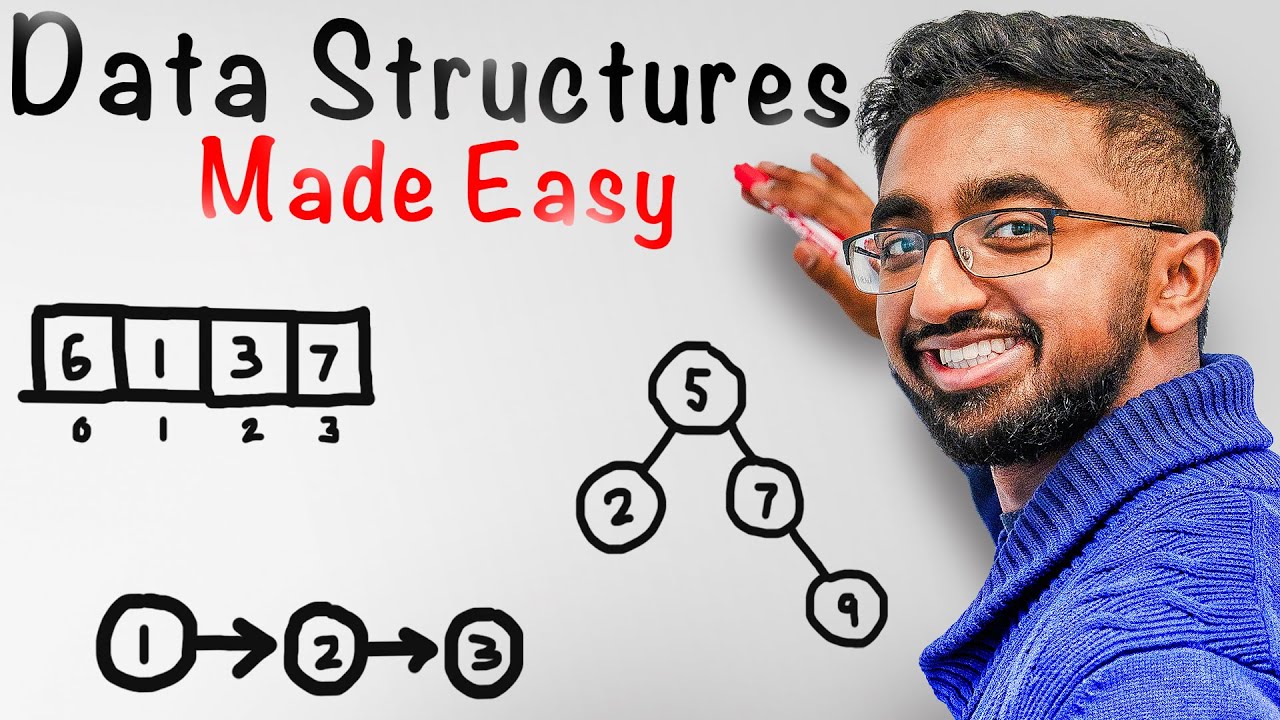
Hey everyone, I hope you all are safe and doing good. So from this lecture we are going to start array that is a the simplest data structure. So we'll be discussing our first data structure that is array. First we'll see some basics of arrays. Although we have discussed basics of arrays, what is array? How to declare array? How to initialize array? Memory representation of array in our Java course as well. But we'll see Briefly in this lecture also and then we'll move further like uh how you can uh what operations you can perform on array
and then we'll write them the algorithms and programs and we'll calculate time complexity and space complexity as well right so let's start what is an array I hope now you know this thing in simple terms I can say it's like a collection of homogeneous state items right but first let's see what why we need array see obviously When you are writing some programs or when you uh dealing with applications or developing application software. So every program needs some data to process. We know data is very important right how to store data now now to process
that data that application or that program and that data should be present in RAM we know we have two memory types like we have RAM and one we have is that hard disk you can say that Uh secondary memory this is primary memory and uh whenever you are going to execute a program that program must present in this RAM and the data as well on which the program is working. We know this thing and basically this is how like the organization of the how the arrangement of data here in the main memory is the data
structure is like taken care by the data structure you use. So we use the best data structure so that uh we can process the we can Perform the operations on the data in efficient manner. You can access the data easily. We can insert delete modify or whatever you want to perform you can easily do on that data. So that thing is managed by like the data structure. Which kind of data structure you are using. So there are so many data structure. The very first is array. That is the simplest one and it is linear data
structure we know because elements are stored in in a sequence. Okay. Now Uh if in short I say now why the how the data is to be stored in RAM because obviously if you want to add two numbers like five and 10. So how we are going to store you need variable we know. So it's like simply I can say int a is equal to 5 and int b is equal to 10 something like this simple. So in memory there is like uh we have these are local variables because we are writing like suppose in
main or suppose we are having another method add and within this we Are having these two local variables for this ad. I'm not writing the exact code maybe some syntax error can be there. I'm just giving you a brief intro. So these are local variables to this ad. So we know how the memory is to be used basically like uh in memory we are having like two parts stack part stack area or the heap area as well. So heap area is used to dynamically allocate memory for objects for arrays or for Objects these kind of
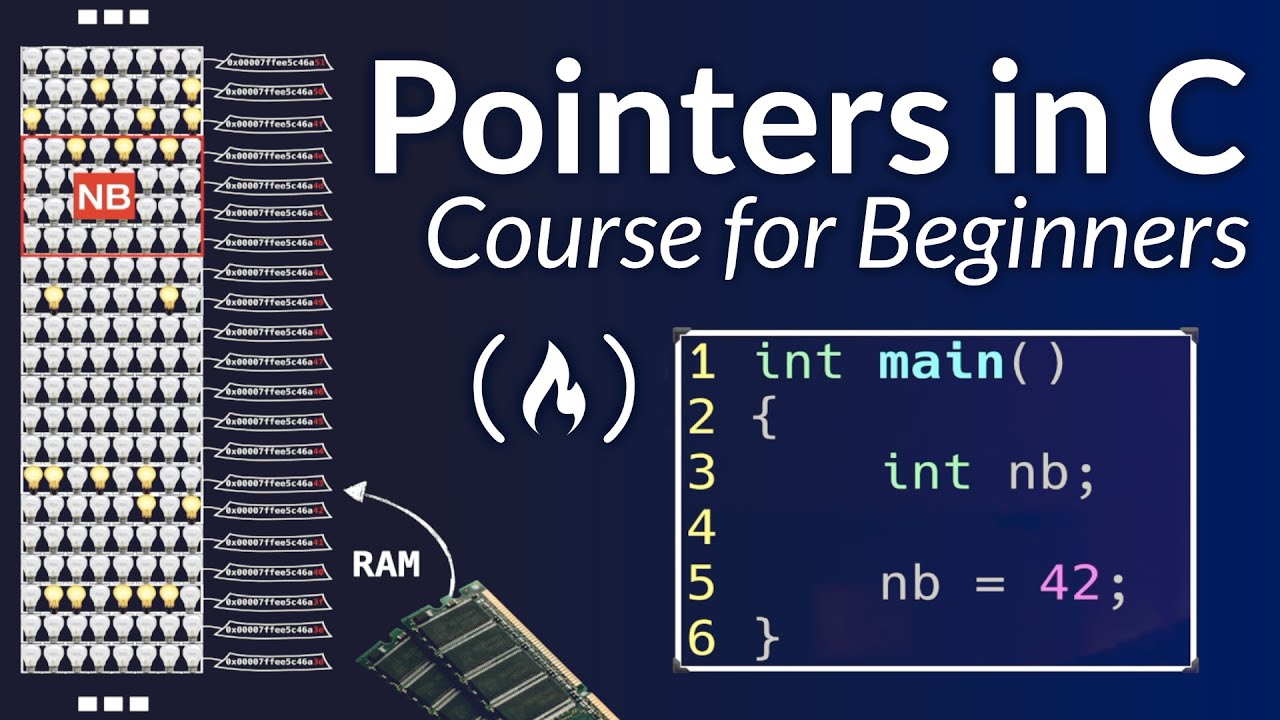
thing or stack is deal with method calls or it stores the local variables of these uh methods. Okay that is stack. So we know like RAM is something like this. We are having this there are so many uh memory you can represent something like this like these cells each cell represent one bite and there are so many bytes from starting suppose zero to how much memory you have RAM 4 GB 8 GB. So till then like 0 1 2 3 4 5 and up to like how much Memory you have that depends it depends on
that thing but that memory is also divided into some segments some portion. So when you are going to execute a program some segment is given to you in that segment your data is program and that will be stored and the application is going to run within that memory kind of thing. Okay. And uh uh we can generally like uh yeah we have because we are not going to into we are not going into that much deep but like the RAM address starts from zero. So yeah in some operating system it happens but these lower addresses
are used to store for some system functions only for BIOS and these kind of thing. We can't directly access these things. So we deal with like higher uh addresses exactly. We don't know what is happening behind the scene but it's just like I'm just giving you a general idea right so something like this each cell is like a bite and each cell bite means it can Store eight bits so something like this we can if you want to arrange you can arrange something like this also so uh this is like 0 1 2 3 4
5 you can say that address of the cell and here we can store eight by eight bits eight bits in every cell we can store eight bits and every cell is having some address like it is in hexa decimal form. Uh generally we consider in program like address is 100,000 1024 this kind of thing but Actually we know these are some hexa decimal form address and we don't directly deal with addresses. So we just assume a simple value for simplicity purpose. So I'm assuming that the address start from zero of each cell and go till
whatever memory you have at the maximum of that thing 4 GB 8 GB 16 GB and 32GB RAM or based on that right so if I take one segment so we can take like six from 0 to like we can take 655 35 something like this it's a small segment of the memory so we'll deal with the segment only we'll not take the complete memory okay each cell I know is having eight bits Fine. So, so when you want to store this int a is equal to five. So, some memory would be allocated. How much
memory? How many bytes? Int will take four bytes. So, four bytes would be allocated. Okay. Now, this is one bite. This is second bite. This is third Bite. This is fourth bite. So, these four bytes suppose these four bytes would be allocated. We don't know anywhere in the memory. But we are supposing these four bytes. Now this data is to be converted into 32 bits every number and this is how this is to be stored. 8 bits here 8 here 8 here 8 here. Okay. And we can see like address is somewhere suppose for this
byte address is 100. So we basically take that in General I'm not representing this in four bytes. I'm I just generally represent we are having some one cell one box. Here we have this five and address is suppose 100. That's it. But here basically we are having memory space of four bytes. Yes. So these are four bytes. Complete these four bytes. Or you can represent we have a RAM something like this. It's a sequence or sequence of these bytes. Something Like this. It's a long tape of bytes. One bite second bite third bite something like
this. And these suppose these four bytes would be allocated 1 2 3 4 to store this five. So within this this five would be stored converted after converted into 32 bits in binary form. Okay. So generally we don't represent this we represented only one box and this bite address is 100. So obviously the base address is 100. This bite address would be 101 1023. So we take the address of this five is 100 because this is the base address the address of the first bite. Okay. Now this is happening how like we are dealing with
memory and all but all this is stored because these are local to this. So these are stored in stack memory. There is a part or you can it's a area in that memory that is stack. Okay. Logically you can have but physically it's not like that there is a Particular lines divided in that memory. Memories in two parts. This is stack this is heap. No but virtually you can imagine there is one area which is known as stack. One another area which is known as heap. Okay that was like handled by memory manager and JVM
in Java. We don't need to deal about these things but mainly stack and heap are I think clear to you. So these are allocated in stack. Now what happens? This is one Variable. Now I want to store 50 variables. Suppose then it's not like that I cannot store 50 variables without taking any obviously the base thing is you need to take variable and there we can store that value. This is name of the variable. This is data type. This is the um you can say uh value whatever you want to store int value int, float,
boolean or any value we can store. So What about can we take 50 variables a b c d a1 b1 c1 and store 50 values maybe you can take this but suppose I want to store uh thousand values so it's not not at all a good idea to take thousand variables and store these things okay that's why the concept of array came into picture under the one variable name now we can store 60 or 100 or thousand same type of data and that is Array. Okay. Now suppose let's take one example uh a simple example
take in my class I have 60 students. So I want to store row numbers of 60 students. Okay. So I cannot take like 60 variables and store a role number of 60 students. I just take an array. So how to declare all the data type of the array and then the symbol in Java? I'm just telling now because we are dealing with Java only. The name of the array. Name of the array I'm taking ro number. Row numbers is equal to or let's take just equal to only. We are just declaring the array here. Name
of the array. Data type of the array. What type of value you want to store and the symbol. So this symbol is of these brackets uh indicate that this is an array. This row number is an array basically. Okay. Now under the one variable name I can store polymers of 60 students 60 uh values 100 values thousand values as many values you want To store you can store you don't need to take different um variables so that's like beauty of using array we know like why we need array so this is thing I think clear
to you now so but array is of fixed size once you fix the size of the array I want to store ro number of 60 students so at the time of declaration this is just declaration So in Java if you are dealing then arrays this is not the you can say that array are Not the primitive type like int float double like this. No array is a special class and whenever you write something like this so this is considered as simply a reference to the array. See we have a class in Java. uh we have
a class in Java student and if you want to here we have name of the student two fields we are having and role number. So how to create object of this student? This student class we simply write down this class Name like this student and S1 simple and uh obviously this is just the I told you this is just the reference it is not storing the actual data to create to allocate memory for this for for this name and ro number we need new keyword in Java to allocate memory new then the constructor We are
calling student. That's it. Simple. Yes. So student s1 is just a reference. Actual object will be created Where in the heap dynamically when you're using new keyword means you are creating some object and that actual object would be created in heap memory and this reference would be created in stack. We know I hope this is clear to you if you have watched those basics of Java lectures. Same arrays are also objects like array is a class and when you create this thing so we are creating like objects basically because array is a class. So same
you are creating Something like this. So so you are creating object of this class. So we are creating object of like arrays class. So this is just a reference. No memory has been allocated to this right now. This is just a reference right and by default in a reference in arrays we are having if this is instance field or uh in the class level then this will contain the reference is null because there is no actual array Object right to create actual array object you have to write something like this you have to instantiate this
array so ro number so here we are something like this this the name of the array is suppose ro number role numbers is equal to we use which keyword to allocate memory new in C++ as well as in Java new and after new you will write sorry not student because the type is here student but here type is int int so int and give the size 60 that's it this is instantiation of The array we have instantiated this array. Now memory has been allocated. Now actual array has been created and size is how many bytes?
60 you want to store every uh type is in. So into four. So how many bytes would be allocated? I guess 240 240 bytes would be allocated. Okay. So this is instantiation of array. This is just Declaration semicolon. So this is just just declaration. So this role number this uh role number is just a reference reference variable role numbers this array name I'll show you how the in memory it is to be represented it would be in stack and actual array would be in heap and this will be pointing to that array okay so now
we have fixed the size now I can store only maximum 60 values 60 int values not more than that. So Dynamically array cannot grow and shrink. Like in Python we have vectors. At starting I have declared vector size 60. But at runtime I just want to store 61 elements. So it will automatically grow. You don't need to do anything and handled by the compiler itself. But in Java it's not allowed in arrays. These are of fixed size. If you want to store if you want to increase the array size you can do one thing. After
that you can write a col numbers is equal to new int And 65. So this array would be discarded. A new array will be created and the elements of the previous array would be copied here and there is a lengthy process. Same array cannot be uh you know uh grow cannot grow at the runtime. Arrays are of fixed size at the time of creation only you have decided the array size. So that's why it is saying array is a fixed size data structure. Array we know it's a linear data structure that stores a sequence of
Elements of same data type. In this array we can store only int value. If you want to store float value, string value, you will get some error. So it will contain homogeneous data items. Right? It's like a you can say container holding a set of values organized in a specific order. And in memory arrays are stored in contiguous memory locations. Okay, how these are stored? I'll tell you that thing also. So you Can say like array is something like in theater we have those seats. So there are like this row, this row, this row there
are so many seats. So this row one is known as array. Arrays are of many types. 1D array, single dimensional array, multi-dimensional array. This is single dimensional array. 1D array only having one row but multiple columns. So this one row of seeds is like a array. We can say right stack of books on a shelf. These are also known As like array. Maybe you say that it is a stack. Ma'am, you told that it is a stack. But I have told you that there are two types of data structure. Physical and logical. Logical data structures
are just like we can say if you want to implement that kind of discipline then those are logical data structure. Those are conceptual organization actually to implement logical data structure physical data structures are used in memory and Physical data structures are arrays and link list. So if you want to implement stack principle leo principle then you can use either array or link list actually in the memory. So stack implementation using array stack implementation using link list. So that's why ultimately internally those stack of books is internally an array itself. That's why the example is given
a stack of books on a shelf. So these are some real life example Of arrays in your classroom also like or in your seminar hall that one row of those chairs or seats are you can consider it as an array. These are in sequence sequential order. Right? I hope basics are is clear to you. Now we have done declaration of array, instantiation of array. Now how to initialize array? Let's see that thing also. And how these are represented in memory. So why we use array? Efficient data structure, Simplest data structure, efficient data storage. arrays provided
a compact and organized way to store the data and definitely if if data is stored something like this one after another. So in array actually data is stored in sequential order. So if I have an array suppose int and I have an array is equal to new int having five numbers. So the memory would be allocated in a sequence right one number is suppose 10 0 1 5 2 so all the numbers Are stored in a sequence one after another it's not like that this 10 is somewhere in the memory this zero is somewhere else
in the memory this is somewhere else in the memory no these are in a sequence in this data structure so obviously after this if you want to access this it would be easy because these are in these are the closest with each other if suppose in This this is you can say that grid of memory having cells RAM. One data is here. One data is At the uh 500 cell. Once you want to access this data then you need you need this data. So definitely this will take some time to access this data. Although it
may be nanconds because the computers are nowadays really fast. But second situation is data is here and next data is at the one location only. So definitely to access this data less time would be required rather than accessing The data which is at 5,000 location. So that's why it gives you an efficient data storage uh structure because objects data are contiguous with each other in in a sequence right direct access you can directly access the data because we have a indexing kind of thing. So our index starts from zero 0 1 2 3 4 something
like this. If you want to access any element you can directly access using index we know. So just you have to write Down the array name here. Array name is ar a ar a ar a ar a ar a ar a ar a ar a ar a ar a ar r r r r r r r r r r r r r r r r r r r r and just index here. I want to store this I want to access this data. So you simply write the index number two and it will give you
one. How the address is to be calculated? I'll tell you that formula also. This thing is clear. Arrays are starting from zero. And why zero? Uh I Have told you in the Java course also there are two reason historical as well as technical. So um the very first language we know like mother of all the languages is like basically C. So the designers of C uh you know used this concept that they have started array with a zero because in C we were having pointers and in pointer arithmetic operations. It is easy if you start
arrays or the list with a zero rather than one. They Analyze this thing. So they started arrays and list with a zero. And Java is we know heavily dependent on C language. So makers of Java also followed that same syntax that let's uh do let's follow this consistency only. Let's start arrays with the zero only. Otherwise there are some languages I guess for Lua R in these languages arrays start from one. It's not like that in every language array started from zero. But They followed that his so this is like historical reason. They started that
thing only. They followed that thing only. Let's start let's keep it as it is. Arrays are started from zero only. Okay. To make it consistent and like list are also started from zero. So they want to make it consistent with other data structures also. So they make it something like this. Technical reason one more reason I'll tell you when you are going to calculate the formula to Access any individual element in that case also there is one reason that is also a reason why they kept this kept it as it is that it started from
zero only. But now for now you have to remember these are zero indexed means arrays start from zero index. So you want to access then you can directly access. So there is direct access or random access directly you can access any data you don't you don't need to go like if you want to access one. So It's not like that you have to go from here like first access 10 then zero then one. No you can directly access this one. There are like uh some uh in there is some shelf and there are some books
in the shelf. So I can directly that if you want to pick I can directly pick one book. So randomly I can access anything right. Okay fine. And we can traverse the arrays with loops and iterations. So uh I'll show you this Point also how to use loops. Now characteristics of array. I guess till now you're familiar with array. So you can easily tell what are the characterist characteristics of array. Fixed size arrays can store data homogeneous data items like data items are of same type and arrays items are stored in contiguous memory locations one
after another homogeneous data items. Index based access we can directly access any Element. Random access is possible using index and arrays are zerobased indexing means index start from zero. So these are few characteristics of arrays. Now we have array declaration. This thing I have told you how to declare an array just write data type. Two ways are there data type name area name of the array and these brackets or the second but in Java we generally pref prefer this thing. In C and C++ we write this thing. Okay. And in Java we recommend that you
Use this thing. You can use this also the syntax also. It's fine. It will not give you any error. Instantiation of array I have told you. Now array name is equal to new and data type and the size. So numbers is equal to new and int and the size. So this is instantiation means right now memory has been allocated. In the previous case in declaration no memory has been allocated to actual array. This is just a reference variable to the actual array object. This is not Actual array. Right? Like if you take int a simple
variable so we know that I'm writing int a so we know that this a will store the actual data right but this is not the case here the numbers is not going to store the actual data no numbers is this numbers this name it's just a reference to the actual array Somewhere in heap actual data Would be stored and this numbers is just a reference. It contains the reference or you can say address of this actual array. This would be in stack area. This would would be in heap area. Heap memory. That's the difference because
arrays are objects in Java. These are not primitive data types. Int is primitive data type. Right? Now instantiation is clear to you. Now memory has been allocated. to this array and how let me just show You the memory representation also. So uh we are having this kind of thing actually uh I guess you remember the JVM architecture OS will give whenever you run some uh memory or some part to that JVM and JVM handle that memory RAM memory that part internally. So there in JVM we are having heap stack uh native method area native you
can say that method stack PC registers four five things right so we are just you know um we can say uh we just deal with stack And heap so we don't know any other thing we don't you can so uh give some uh attention to those fields so it's like we are having mainly three things you will deal with mainly three So this is like code part or the code segment. This is stack and this is heap how that segment is particularly divided visually just uh I just remember I just want to show you it's
not actually that there are some this kind of books and divided and all. So in Stack we are having that executed by code that would be loaded of that program in stack. Now whatever variables those would be local variables or the method calls that would be handled by stack and dynamically allocated memory this is heap. So if you want to create any object then those actual objects would be created dynamically in the heap not in stack right. So in main we are writing simple suppose we are having Main function string asks and here we are
having an array this array int. So uh there are some statements but uh let's see this thing only. So whenever you execute JVM will first go to main. Main is a method obviously. So that bite code for this would be loaded here in this code segment of that memory in the RAM because obviously to run this to execute this program that program has to be in or that machine code of the program or here in Java we know we call It bite code of that program should be in a RAM then we are having the
whatever data you need that should be in RAM. So that is like byte code of uh the classes or the program here. Now in this we are having array. Suppose you are having one one variable int is equal to five. This is a simple local variable. So in stack this is one frame or you can say main stack frame or main activation frame or activation record for main Method main method. For every method one stack frame would be there in that stack would be pushed in that stack. So here we have this local variable. So
we have a and five would be stored something like this is there in binary form. Next we have an array. Array we are creating dynamically because we know there is new. So whenever you got new keyword dynamically this is an object and the actual object would be created for sure in heap when you use new Keyword. So array is our object. Now how many bytes would be allocated? 5 into 4 20 bytes. Numbers this is reference. So this numbers would be here. This is numbers and actual array would be created in heap 1 2 3
4 5 for uh like uh to store five values and this number is going to point here. Something like this is happening Inside the memory. Now whatever value you store those would be stored here. Right? The local variable is stored here only. But arrays are like you can say these are objects. These are not simply local variables. So for that heap from heap memory data is to be located in heap and reference is here. So suppose the base address is 100. So for the next it's 104 it's 108 1121 1 6 because this is a
four by every data will take four bytes. So next is address Is 104. So here 100 is to be stored. So it is pointing to here. Now not only the data you have to be very uh precise there is some header also which stores some metadata about this array like array size and any other information as well but we don't actually care about those things. So we just know we just uh say that this is the array would be stored and the reference is here something like this we don't need the header and all so
just leave it but Actually header is also there in heap containing some metadata about this array right but just leave that so this is the case this is the you can say memory representation of array right now next array initialization. So now there are many ways to initialize array. First is array initializer we can use. So this is known as array initializer. The values in these braces. So this is array initializer. While declaring the array in the same you can just write down this thing. So array initializer is just like a shortcut shortand to instantiate
this array as well as initialize this array and declare this array as well. You don't need to write new and all simply you can write down this thing. Okay. If you want to write now new so you can write down something like this. This is instant Instantiation of array because see while creating an array three steps are there. First is declaration. Next instantiation of this array and next is initialization. Declaration I have told you simply if you write like int and this name of the array a ar r r. This is declaration. Instantiation of the
array is int ar r r r r r r r r r r r r r r r r r r r r and you allocate the memory int new and give some size five. Initialization is you initialize you give the value. So here if you have done this thing so directly you can write down here. We cannot simply write down error is equal to the list. No this will give error. You have to write down here ar is equal to new int and simply here the list. Whatever value you want to give you can
give or individual you can give this. So the first number we can access The name of the array with the zero index is equal to 1 at first it's two at second it's three. So individually you can assign these variables or at runtime only we can assign we know we have a for loop and we can just run the loop from zero till the array length. So array length is there is a field in arrays length. So you can just direct click all to get the size of the array here. You don't need to give
here file uh Sorry five. It will give you numbers.length will give you what is the size of the array. It will give you five. And directly in numbers of I you can store here we are storing here I + 1. You can use here scanner as well. Okay let me just show you now first till now whatever we have done practically declaration initialization in sensation of this array and how to use array initializer and all memory representation. I have told you stack Memory heap memory it stores the reference variable that points to the array object
in the heap and in the heap there is actual array object where the value is to be stored. Okay. So this is how actually now basically somewhere I have just uh represented something like this. Here we have stack and this area is like heap. This is heap area and this is stack. So here we have like this is like main frame main stack frame. So this is For numbers and here we have actual array. So it's not like that these are in different different parts or all you can represent something like this as well as
the previously I have given you one more diagram. Here we have code part code segment. Here we have stack here we have heap. So you can represent something like this or this both are same right? How to access array elements? This also Using indexing. Indexing we can directly access array name and just give the index. Now uh before going to practically let me just uh one thing is remaining. Let me just give you the formula to element formula for this element address. have to this the address of this element would be calculated. So there is
numbers and this is pointing to this. So containing suppose 100 actual this is some hexa decimal value but we are just taking 100. So whenever you write something like this, whenever you write numbers and two means you want to access this index number is two. Then how you get this? Obviously this address would be calculated first then at address whatever the value stored that would be given to you. But how this address is to be calculated? We know the base address. Base address is stored in this number because number is the reference to this. So
there's a formula. The formula is base address plus index into size of the data type. So in this case base address or whatever there numbers is 100. So it's like 100 plus index number you have given is two two into size of each element. You know the size because this is of the type is int. So we know the size for each element size is four bytes into four. So 108. So what is the rate of 108? Just access that and it will give you five. And that's the exact value we have five. Okay. So
this formula is there to calculate the address of that particular element if you want to access with the index. I hope this is not like that much. So now that's it. Let's do some practical uh for this array declaration initialization and how to access array element. So in this project data structure and algorithm you have a Package. So in this package let's create a new Java class and the name I'm taking is array demo. So in this we are having simply suppose uh in main we are having an array. So how to declare int and
same we get numbers we are having is equal to int. So this is just the declaration we have declared this array. If suppose you you uh think that let's print whatever is there in numbers Let's print numbers this thing. So it will give you error might not have been initialized this numbers because this is we know that this local variable to this main so local variables don't get initialized by default. If this is a class level suppose I'm taking rather than this let's cut from here and paste it here in the class this is now
class level variable okay now here okay you have to make it static to access it without creating object of this class in The main now there is no error you can print this numbers but what value would be printed let me just show you let's run this and uh see this would be given the default value and default value for this for references is null. So see here we have null because there is no actual object created it's just the reference variable so it is null right now let's just uh take here only arrays so
let's now in the second line Let's instantiate this array means allocate the memory new int and for five numbers now you can print numbers because actual object array object object has been created in heap and that memory. Now this numbers is referring to that actual object. So in numbers we are having some now um address kind of thing. So it will not give you the proper address. It will give you some hexa decimal hash table hash code type of value. So brackets so it's an array. I means integer type array at the rate at this
you can say address the average. Okay. Now what what are the values if you want to access if you want to access numbers whatever is there at at zeroth index in this array you haven't initialized this array so by default the array has been initialized with zeros because default value for int is zero right for arrays for objects it's not like that in main we are having int A and that would be initialized by default zero. No, if you print this a it will give you some error a see the red line variable a might
not have been initialized. So simple local variables these are not being initialized uh by default. If this is instance variable that would be given value default value zero. You can check here if you want to check default value of in Java. So you can go to this Oracle help center this website and there you Will get default values for these data types for bite zero short 0 int 0 for long 0 l for float 0.0 f for double 0.0 0 D for string or any object see array I told you it's an object so for
string or any object it will be null for boolean by default it's false but local variables see here just me show you this local variables are different compiler never assign a default value to an uninitialized local variable so this thing you need to remember let's delete This a now by default here we have zero so it will print zero See it's zero. So all the variables all the five variables are zero. Now initialize these variables. So third step comes initialization. So how to initialize? Numbers is equal to new int and here just give the list.
Suppose these are the variables. Now Number zero at zeroth location we have one. So it will print now one. See it's one. Now we can do all the three steps in one step itself. You don't need to write the three steps. How you can do? Let's just comment out this thing and let me just show you. So simply this is declaration int. At the same line I can write new int. Rather than giving here size simply we just give the value. What whatever value you want to give you can Give here. That's it. So this
is error initializer and if you are if in this case if you write here the size you will get an error. If I'm writing here five see the error. Can you see the red line here? Semicolon expected this. If I run this let me just show you the error. What is the error here? So array creation with both dimension expression and initialization is illegal. This is Initialization and this is dimension expression means you are giving the dimension the size as well as well as the array initializer. So this thing is not allowed. You cannot create
array with both the things because with the array initializer Java will automatically handle or calculate the size of the array. So you can't take give both the thing at the same time. Either you do this thing or you can do this thing. This is also allowed. You don't need to give that new and all. This array initializer will handle everything. Right? So, so this array initializer it's like a shorthand way to declare instantiate and initialize an array in just a single step. Just give the values in this curly bracket. That's it. So, this thing is
allowed. But this is not allowed. If I write here new int and I give the size five semicolon and here suppose numbers Is equal to this you think that let's instantiate here and just use the error initializer and uh assign the values. No so this is assignment you are assigning in numbers this value this is not allowed numbers is just a reference variable. So see the error here. Array initializer is not allowed here. Again you have to write here new and and then it's allowed. Okay. Now you want to print. You can directly access this
thing using this 0 1 2 3 4. If you want to access the array index out of bounds. Suppose I want to access sixth index. Index is 0 1 2 3 4. And I want to access six. Let's just run this. It will give you some exception. array index output bound exception. See in this array index outputbound exception at line number six the length is five. In array demo dot main if you click here you will get the cursor at This line. See this is not allowed. So in uh I guess C and C++ there
is no uh bound checking in arrays. It will give some garbage value. But here yes there is bound checking. So it's a great point for security and safety point of purpose in Java. That's why Java is like more secure and if you do not initialize I've told you the values are initialized with zero and in C++ there the some garbage value would be initialized. So that is also not a good Part. If you do not initialize automatically it will initialize with zero and that's great. Right? So this is all about declaration and initialization of the
array. Uh now third point okay at runtime if you want to initialize or direct directly if you want to initialize suppose uh I don't have this array initialized. Let's delete it and delete this line itself. So I want to initialize individually. So numbers 0 is Equal to suppose 8. So numbers access first is equal to five only two I have um assigned at zero index at first index remaining index would have value zero. So at zero now we are having eight. So it will give you eight. So individually also you can assign the values to
this. Now third is at runtime. See eight at runtime uh we know from user you want to take value. Oh, we know we have a scanner Class. So, input is here from system.in because standard input we are taking from keyboard. So, there's a scanner object. Now, we are we are not assigning individually. So, delete this. We have an array this. So, now let's have a loop. We know from zero let's start from zero till I less than whatever the size of the array. So, we don't know if the size it's okay. You have a uh
field dotlength. See it's a field. It's not a function. It's just a field static Field. You cannot write here something like this. Sorry, it will give you error. If you make it function, there's no such kind of function there in arrays. So this is just simply length and I ++. Now I know you are aware about loops and all. We have discussed this thing. So we'll traverse from zero till length of the array and we will have numbers whatever the I at index is equal to whenever you take input from the user. So scanner dot
next int I want to Take int as an integer before that let's just print here enter array elements that's it simple and here I want I just want to access at zero index what is the number so what is the value so let's run this now first you have to enter the value see enter area elements so we have entered five and it is giving you numbers at zero index we have zero sorry two so it is giving you two so like this you can at runtime also we can Um you can say uh initialize
the array now let's pause the video and think what is the time complexity for this program time complexity see here these are some simple lines having constant time right so you can see order of one order of one while creating the scanner object and uh uh this array for this array order of one order of one that's it. So we don't much you know we um don't care about these things constant time complexity now this line okay enter we Are just taking this operation would be performed only one time now we have loop this loop
will run till zero two numbers dot length length means the size of the array and that is in general case here we have five but if it's 10 so it will run till 10 times if it's 50 it will run 50 times. So we take general n. So it will run till n. I mean this statement would be executed till n number of times till the lof is true. I mean till the length of the array. So Order of one sorry order of n. For this we are just printing this. So this operation would be
performed order of one. So everything is order of one. This is order of n. So order of n plus plus 1 2 3 you can say something like this or four n + 4 you can just ignore those we know the constants. So the time complexity would be bigger of n only for this program. Okay. So now whatever program you write you have to calculate space Complexity and time complexity. Now what is the space complexity for this? Just a scanner object. So order of one only. Now it is array numbers how much space or memory
would be allocated for five int values. So it's order of n. If it's 10 then for 10 elements. If it's five so it depends on the you can say the uh size of the array. So basically space complexity here is also order Of n and here we are having one. This is input. This is input space. This is for input space. Auxiliary space is we are taking what extra space you are taking to solve the problem. We are taking simply one extra I variable to solve this problem. So for I simply constant. So that is
order of one only. It doesn't depend on the input size. It's simple one variable. It's order of n plus order of 1 n + 1. So we can ignore one. So it's order of n. So time and space complexity for this is order of n only. I hope now it's not that much. It's easy. So you can easily calculate this thing. And here if you want to assign suppose not next int I'm just taking next double so it will give you error see provided is double but required is int. So whatever the type of the
this array you can store that that type of uh variable only. So you have to take here Int right but if array is something like this I am having this thing I'm having here numbers int numbers is this let's just comment out this thing so we have an array this and numbers is equal to new int 1 3 5 7 and if I just write here 0.9 see the error it's double and required is int. But the thing is let's change it to double. It's double now. So new here Also you have to change double.
Now it's fine. These are double but these are int. So it's not like that if you are taking an array of double. So every element should be double. See we know that promotion is allowed here by default. So data type promotion is allowed. So int is smaller and double is larger. So when you take here int, it will be Automatically promoted and it will become 1.0 3.0 5.0 7.0 that's it. That's why internally these would be considered as treated as double as well. So if you access at zero element what is have what is there?
So it will give you 1.0 zero because it will automatically be promoted to double. See, so these should be compatible. If I say float then it's not like that everything should be float Here. You can't take here int. No, int can be basically promoted to float. If I take here L. Suppose this is long one L long is allowed because long is smaller, double is larger. So long would be promoted to double. It's okay. So it will give you 1.0. See still 1.0. So this thing you need to remember this should be like compatible uh
data right not exactly double but compatible. So you can take int here Short bite long float if I take here 1.1 f so float is smaller double is larger right in the hierarchy first comes float then double so it's okay float would be uh promoted to double and it will give you one point something like this in double right in so now you are aware about arrays so you can easily solve I guess these exercises in the first there's an array you have to find out The largest element the next you have to reverse the
element of the array then search for a specific element in the array and the next is calculate the sum of all the elements in array so these are exercises for you plus as well as calculate time complexity and space complexity for all the programs right now now one more thing there is a enhanced loop for each loop So that is better than for loop traditional for loop in some cases Especially in traversal of the list or collections like arrays list. So if you want to just traverse these thing traverse means you want to print all
the values of the array then rather than using traditional loop use for each loop or enhanced loop. We have discussed this thing also. So the syntax is this is traditional loop. How to traverse an array from zero till array length. So array name dotlength we have a field. So it will directly give you the size of The array and simply print the array array of indexes I but this is enhanced loop enhanced for loop or you can say for each loop here different from this don't need to take a control variable like here we have
I is a control variable it is controlling this loop plus and all there is no control variable no need to do plus and all mod this updation and all just take a variable variable name is here element The type of this variable should be same As the type of your collection. Here collection is array. So my array is of type int. So this type should be int followed by colon followed by your collection name. The list name or array name array name here. And simply print the element. That's it. You don't need to take care
about the size of the array or plus kind of thing and all. So that's why it's simple one. it will just traverse the array. So the first element of the array at first would be assigned To this variable and that would be printed. Then the next element would be assigned to this actual this variable and that will be printed. So this element is not the control variable. This this will deal with the actual array data. Right? So we will see now how to use this for each loop to print the array. Okay? Now uh there
are some already in the libraries some methods to sort the array. We have a method sort or Sorry you can directly use this and the array would be sorted. If you want to fill the array with a particular value you have a method fill just array name and the value. So it will fill the array with a specific value. If in the array you are having 50 elements the size of the array is 50 and all the 50 elements you want should be zero or one. So rather than writing individually 00 0 50 times you
have a method in arrays you can say you can call this This is a class fill method array name and value it will fill 0000 50 times in the array copy of if you want to uh copy an array to new size it will create the copy of an array with a specified size binary search I told you there are two searching algorithm linear search binary search. So if you want to do binary search on the array, you just call binary search, pass here the array name and the element you want to search And you
don't need to do anything. It will directly give you the result using binary search. So these are already there in the libraries but we will not use these because obviously in interviews if they ask you do binary search kind of thing. So it's not like that you directly call this in one line that's it. No, they want that the logic. So we will first discuss all the searching sorting algorithm. We will implement our own logic. We will see the Time complexity, space complexity. Then after that like when you are um dealing or if you you
got selected and you are working on a project and that kind of thing then you can use these libraries or inbuilt functions for that kind of thing. But as a beginner only if you start using these things obviously if you're using the sort. So you don't need to implement don't need to write down the logic for sorting it will automatically sort then What is the use of the sorting algorithm. So first we will see how to write down the logic ourself and after that you can use this. So right now I'm just uh uh giving
you just a brief uh you know I'm just telling you that okay these kind of things also exist. You can directly call this. You don't have to write down your code. But don't do this. We will write our own logic for all the things. After that you can use these things. But later we'll discuss all the Things. Right? Now first let me just show you for each loop and then we'll see. Now arrays. Arrays we have discussed int array. There can be float array. There can be double array. There can be short array byte array
boolean array. So these are primitive types. So we can have arrays of primitive type as well as you can have arrays of objects. Objects we have a class we create object of that class. So we can have array of objects as well. That Thing also I'll show you. But first let's just get familiar with for each loop. Okay let's update this array only. Uh so let's just comment out this thing and uncomment this. So we are taking initializing the array at runtime with this. Now we are just we want to print all the elements of
the array. So again we obviously either you can print something like this individually you can print number at zero index 1 second third fourth Fifth something like this. And before that let's just uh print one more line array elements are. So if I run this, it will give you the output. It will first ask enter the array elements and then these are the array elements. But obviously this is not a great idea. Individually we want to print this thing. So we can put in this in a for loop as well. Okay. Now we will take
we will use enhanced for loop for each loop. So what you can do this type Of the array is int. Just take element or we can take any you can write here element as well or you can write here ABC or I or anything. So let's take I only colon the name of the array name of the array is numbers simple and here simply print rather than zero going to print whatever the sorry not numbers I see uh here if I write something like this let us delete these things numbers and this I let's see
what Happens Enter values. Okay. See, so 1 2 3 4 5 array elements are it is giving you the exception index out of bound exception. See index 67 out of bound for length five. But we haven't given any index 67. 67 is the variable. Now 67 is the variable in the array. I mean the value in the array not variable value in this array. So if you write Something like this. So I would be 67. Now see numbers in numbers first element was we have given 67. So the first element would be assigned to this
I first. So now I become 67 and you are writing numbers 67. So obviously numbers is of size five. So there's no index 67. So that's why this I is here not the index. This I is containing the actual value of the array. 67 so and exactly I want to print 67 at first so rather than writing index kind Of thing directly print I here that's it so this I is not a control variable like this here it is not index it's the actual value that's why we take here so you don't get confused element
or data or item this kind of you can say that name you can take I also but you have to remember this thing I is not index in for each loop now let's run this now see array elements are these are the array elements right okay so It's very simple now you don't need to remember I ++ or the size of the array nothing else just take an element of the same type as the numbers colon the name of the array and simply print whatever the element is. But this for each loop is mainly to
traverse uh the arrays or the collections. It will not give you the access to the index. It will not keep track of the index in this array. So uh we can't use it when uh you need to modify elements based on their Position based on their index. We can't use in that case. There we use traditional for loop. But if you simply traverse the array or the list, use this loop rather than traditional for loop. This wood is much more simpler than the previous one than the tradition traditional loop. Okay. Now let's see arrays of
objects. So we have seen arrays of primitive types but arrays of objects are also allowed. Suppose you have a class student and there we have Simply two fields name and ro number. That's it. Or you can have a method as well like display. And here we will simply in system.out.print ln we are just simply displaying the name and this role number. That's it. Now how to create object of this? For a single student I want to store the information name ro number marks or everything. So just put there and for a single student you want
to store then simply we can create the object. We know simply the Name of the class is student and the name of the uh variables s1 new and student. simple and if you are using that constructor I hope you are aware about constructors so we simply write here the name of the student is Jenny suppose and the role number is suppose 22 that's it but now in my class there are 60 students now it's not like that I will create 60 variables of class student type S1 S2 S3 no I'll not create 60 Objects I
will create array of objects So yeah that's thing that is allowed how to create same when you create array of primitive type we are write the data type then this brackets then the name of the array same here the type is student it's not int or anything it's student so class is like we can say the user defined type so student then it's an array then name so just name of the array I'm taking Students Any name you can take is equal to same new and student. Now you have to give the size as well.
So here the size is suppose 60. Simple. So this is array of objects. It's not that much. It's same as here. Here also we take like numbers is equal to new int and we give here five. So same new but here it's not int the data type is int but here the data Type is what kind of object I want to create student type object so the type is student so that's why student and 60 okay now internally what is happening so in stack in this case like we are having like uh students so main
this is main activation frame and here we have students a reference variable And there is an heap part. It's a dynamic memory. So that's why we are Showing something like this. It can grow and shrink. So here we are having array of uh like 60 students or let's take only five right now only three. Let's take only three. So so array of three students 1 2 and three we are having. So it is referring to this. But now what is happening? It is reference to this actual arrays here. But it's not like that. Here only
the data is stored Like name and role number for first student, name and role number for second student, name and role number for third student. No, these are array of object. So this is itself object we know. So actual array is somewhere else. Actual array you have to create somewhere else. to store what name and role number. So name here here role number name and role number. Here we have name and role Number. So actual array you have to create sorry again in the heap and this is now referring to this. This is referring to
this. This is referring to this. This is actually happening when you are creating arrays of objects. Right? So basically this is this students is the array of references of the objects. Array of references. So these are simply references not actual objects. So if This is a reference array of reference 1 2 3 reference are there. This is at zero index 1 and two. So this will refer to the very first object when you create to actually store the store the data. And to create this thing you need again a new keyword. So you access this
thing here we have at first if you haven't created anything. So here null null null at first right in the references. Now you Have to create. So what you write here is you will write something like this here student sorry it's like students the name is students of this reference at zero index. So it's students at zero. Now for this create actual array I mean actual uh object sorry not array actual object to store name and role number. So now to create obviously we need again new and type is type is student. So Write here
student. If you execute this line when this line would be executed then here one object would be created actual object which will store name and role number and now this would be assigned this would be referring to this right now these two are not available because we haven't created anything this is still null null suppose address of this is 1,000 so here we have 1,000 address of this is suppose 5,000 so this is here We have 5,000 base address 5,000 base addresses of this is 5,000. Okay, this is the thing happening. Now for again if
you want to create for second student so students add one location is equal to new same the name is so the type is student that's it now one more has been created here we have name and the role number and this would be here so internally this is happening when you are creating array of Objects this is basically student is arrays of you can say more precisely if I say arrays of references ES for student objects for student objects three references are there. So three references and actual objects are three you create and there the
values are to be stored and now if you want to access this name how you access because at first level we only have this 5,000. So go here access this then access this. This is how you access. So how you access you will write students zero students zero. So you will get here now this then dot name I want to access at this name at zero role number I want to access. So dot ro number you want to access this then students this is at index one. So students one dot name students in subscript one
dot ro number like this you want to Access. So arrays are flexible. You can create array of primitive type you can create array of objects. Okay let me show you this thing practically. So uh within this only uh let's create a new class. We have a class student. So we have just name RO number and we have one method to display this thing and uh there's no excess specifier I'm using. So these are by default having default. So package private Within this package we can use this in any class. Okay, these are not private. So
we have this class student. Now I want to create we have a main. This is our main. So in this main I want to create let's just comment out everything else here. And after this I want to create object of this student array of this So we have created an array of uh objects. It's like this is a reference. So it's array of basically references of Uh student objects. Okay. Now you do one thing. If you want to print this students, let's run this and see. So in students what we are having right now is
see this bracket then l then com dot jenny's lectures dobbasics dot I mean the name of this uh class student in jennis lectures do.basics basics of student then at the rate something okay so this is like bracket or this is like array of objects so it's L so array of objects okay now if you think let's just print here students and zero simple what is that student zero so let's run this I don't want to print students but student zero so here we got that would be null see null Because student zero itself a reference
it is array of references. So student 0, student one, student three at this arrays we are having references to the actual arrays but you haven't created those those actual arrays. So now create First those actual arrays. So it's a students zero is equal to now create at this location allocate the size new memory using new keyword and student simple. Now if you go for student zero you will get some uh memory address because we have created actual object and see the name of this student at the rate some memory address is there so there is
some memory address now there's no values so values you can assign Something like this like students zero dot now you can access see name and role number and display as well so name at first name name is equal to Jenny and RO numbers if I don't want to uh initialize role number I just want to initialize with name only so student zero dot name access this as well as role number what do you think what it will be printed here what will be printed let's pause the video and try this out think About this so
name is Jenny but role number is nothing so ro number is zero by default int value is zero So that would be initialized. Those objects would be initialized or these are instance fields. So instance field would be initialized because these are class level variables with the default values. For string it's null. For int it's zero. So ro number is ro number is in this case zero or you can assign role number here. Now it will give you uh name is Jenny and ro number is n. See same like for all the three uh objects you
can assign student one dot name is this again now create it's not like that you can write here students like one dot name is equal to let's assign something here let's assign here praep and I want to print this also students one name let's run this see null pointer exception here Cannot assign field name because the student one is null right so this is null pointer exception if you click here you will the cursor will be here at this line here see the student One is still null only student for student zero you have initialized
you have created the actual object for one you haven't created this is still null so first you create like This for student one allocate actually create the object of like creating how to allocate memory using new keyword and the student the name of the obviously the class now you can assign here now it will be fine in and it will give you uh name of that student also. See. Okay. So this is how we can create uh arrays of objects. Uh so here if you calculate time complexity in this case so uh we Are not
iterating over any loop and all. So time complexity would be every statement would take constant time to execute. So it would be order of one only. Okay. And the space complexity here is we are creating an array. So it depends on the size of the array. So definitely it would be order of n only. So we're done with arrays and objects. Now uh what are advantages of array? If I ask you then I guess you can easily tell the advantages of arrays. Performance arrays offer efficient memory access directly. You can access any memory location randomly.
So definitely it's good. It's simple. It's linear data structure. So it's not that much complex. You can easily study this. So it's simple to you you can say uh understand it would provide a simple and straightforward way to manage the data. Flexibility arrays of primitive type arrays of objects you can create. So these are flexible. But if I ask you Drawbacks of arrays I guess that also you can easily say like arrays will have elements of same layer type. You cannot store mixed air type like in Python we have but it's Java it's not Python.
Then we have arrays are of fixed size. Okay. Next insertion and deletion in array it's really tough. I'll in the next video we'll see the operations on array then you will get it like insertion and deletion are why I'm saying it's tough. So fixed size Memory overhead. Now obviously it's a fixed size. Now if suppose you have allocated an array of 60 arrays of size 60 of end type. So 60 into four that much memory would be allocated memory for 60 elements would be allocated at first. Now actually you have used only you have stored
only 10 elements. So you have used only 10 into 4 that is 40 bytes allocated word 16 into 4 bytes. So the remaining 200 bytes are wastage of memory. So that's why because initially we don't know array size we generally take the maximum size but maybe we don't use that all the size and the complete size of the array we don't store 60 elements or whatever maximum size we have given so that is wastage of memory rather than you use dynamic kind of thing so based on your requirement array the size of the array should
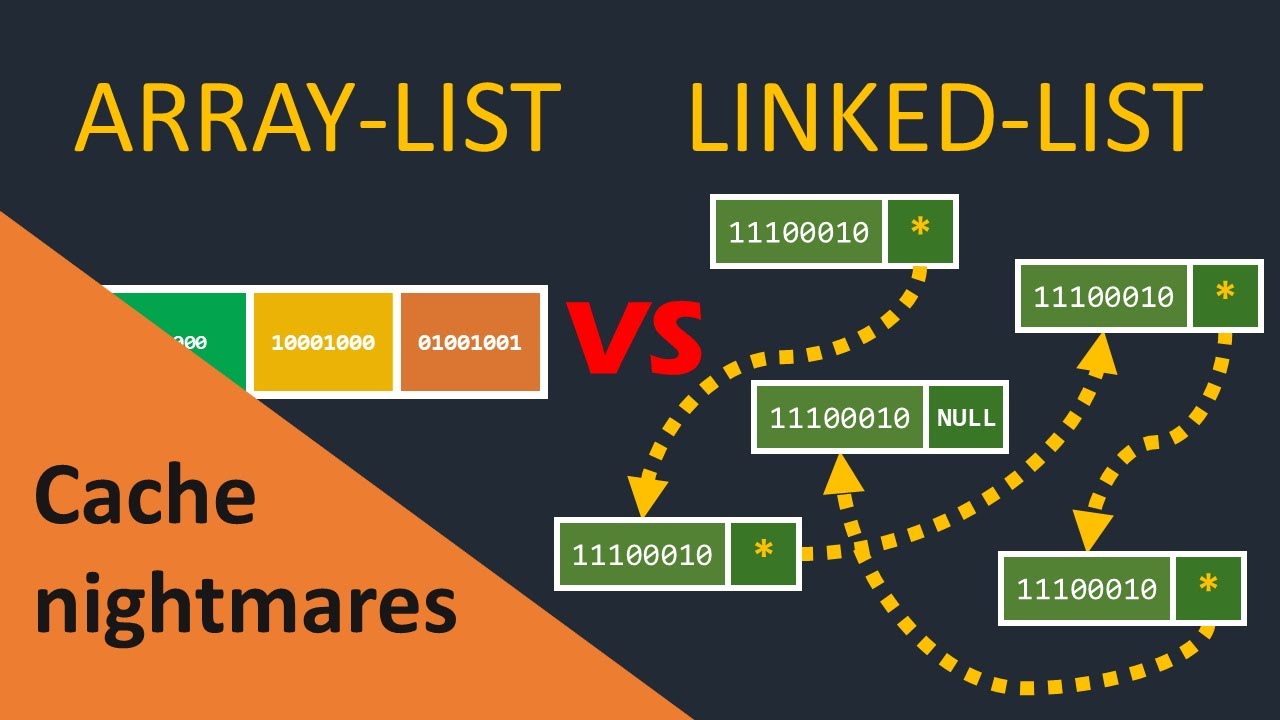
grow and shrink so that is array list or the link list okay so see that's why inefficient For dynamic ic data dynamic data means when you are dealing with the data that changes in the size then arrays can be inefficient. So for that we have different alternative that also we'll see alternative of arrays array list we can use we'll see that thing also it's a dynamic array that can resize automatically at runtime link list also there this is also good to uh store dynamic data hashmap these are also Great thing so we'll see one by
one all the things in later section don't worry okay and in many of the uh lead code questions or whatever question you the interviewer will ask many of the question DSA will use array list or like hashmap to get efficient time complexity or less time complexity right now choosing the right data structure. Now why to use arrays? Now you know the size of your data is of fixed size and randomly you want to access the Data. If you need that I want to randomly access the data then use arrays that's good but for dynamic data
it's not good. And if you want to insert if you want frequently insertion and deletion in your data then also array is not suffic not efficient for that link list is better. We will see this thing insertion and deletion. So I hope now arrays are clear to you. These are some basics of arrays. In the next lecture we will see operations you can perform on Arrays. insertion, deletion, traversal, searching, reverse uh reverse of array and these things and the time complexity and space complexity required. Okay, mainly we'll focus on time complexity not on space. Right?
So that's it for this lecture now. I hope you got this. Now I'll see you in the next lecture. Till then bye-bye. Take care.