What's up, folks? If you've ever wanted to become a Typescript wizard. If you've ever wondered what kind of arcane tricks can take you to the next level, then well, this video is for you.
It's a compilation video of a bunch of tips that I've put out over the past couple of weeks in celebration for my Total Touchcript course being on sale. You can check it out wherever the links appear on YouTube. But for now, let's get into it.
We have a whole bunch of tips organized by difficulty, starting with the more beginner tips and finishing with some really wild stuff. So, enjoy. Here's something that it is incredibly important to know about if you're working with TypeScript using LLMs.
That is the difference between key optional and value optional. In this file, we have three functions. We have this main function and inside the main function, we call do thing and do another thing which are both declared in this file.
This main function is the only one that's exported out of the file. In other words, we can think of main function as the public API for this module. Now, each of these functions take in the same parameters.
They take in a single trace ID. This trace ID might be used in open telemetry. For instance, if you're viewing like a graph of everything that happened in your application, the trace ID would be the parent that this all sits under.
But you'll notice that each of these is optional, denoted by this little question mark here. That's because we might need to pass the trace ID in production. But if we're unit testing this code, we don't want to bother with all of the telemetry and like observation and stuff.
We just want to run it. Now, if you've seen this before, you know that LLMs love to add this little question mark. Whenever you're adding any property onto any object type, the LLM seems to think, "Oh, yeah, I'll make that optional.
It wasn't there before. Now it's here. Yeah, let's make that optional.
That seems to make sense. " But for certain situations, this is not the right thing to do. For instance, inside our main function, we can omit the trace ID from do thing.
This means that now in production, we're not going to get any telemetry information from that function, which could be real bad if that function fails and we don't know why. The same of course is true for do another thing down here. So now we're passing in a trace ID to our main function, but nothing's happening with it.
The way we can make this work is to go up here into do thing and do another thing. And instead of making the trace ID key optional, we make it value optional. You notice now that trace ID is required, but it can be undefined.
In other words, it must be passed to that object even if it might be undefined. This means now that we're getting errors on do thing and do another thing until we pass in the trace ID from ctx. trace ID.
Value optional then is really really good when you have a value that you need to be passed down a chain of functions. We could even make our main function here value optional too. But then if we zoom down, if we were to call this function, we would have to call it with trace ID undefined.
This looks a little bit ugly, but it might be the right call for some situations. However, I would prefer to leave trace ID as key optional. In other words, go back to just the question mark here because it means that the main API of our module just ends up looking a little bit prettier.
So, think about key versus value optional in the context of either make your API look pretty with key optional or guarantee that a value is passed even if it's undefined with value optional. And honestly, in application code where I mostly don't care about the prettiness of the API, I will pretty much always choose value optional. Let's talk about four of TypeScript's most used and most useful utility types.
These are available globally in any TypeScript project, so you can just use them right now. These are pick and omit and exclude and extract. Pick and emit work on object shapes and exclude and extract work on union types.
Let's start with pick and omit. Let's say we have this big object type here called album. And let's say we want to create a new object with only the title and the artist properties from that album type.
Well, what we can do is we can pick from album, which is we're essentially calling this pick utility type, passing in the object as the first argument and then the keys we want to pick as the second argument. Notice that we pass the keys in here as a union type. We can either pass in a single key or multiple keys.
And what we end up with is an album that just has title and artist on it. If you want to do the reverse operation to pick then you can use omit where here we are getting everything from the album except ID release year or genre. Again calling emit here passing album as the first property and then passing the keys to emit as the second property.
We can hover over album data here too to see that we end up with almost the same thing. If we remove genre from this list then we notice that genre has now been added to the object. So pick includes keys and omit removes keys from the object.
And of course, this doesn't mutate the original object in any way. It's a pure function that just takes in the album and then returns a new album. What would happen if you were to use, let's say, extract in the place of pick?
Well, you don't get an error here, but if you hover over album data, it turns out to be never. The same is true if we use exclude down the bottom instead of omit. Or funnily enough, we don't get never here.
We still get the entire object, but it's not exactly doing what we thought it was going to do. Emit and exclude are always sort of confused by TypeScript developers. and pick and extract also have the same issue.
But this isn't working here because extract and exclude are supposed to work on union types. We can see exclude working here on an album state. This is a discriminated union where we have a type here released, recording or mixing with different properties on each one.
What if we wanted to get the type of recording or mixing but not released? Well, to do that, we could use exclude. We're calling exclude here, passing in the union type of album state, and then passing in a description of the type we would like to remove.
And if we hover over not released, we can see that now we have type of recording and type of mixing. And if we look back at the original type, yep, recording and mixing and no released in there. We could do exactly the same thing by taking this release date for instance, and zooming down to the bottom and then putting this instead of the type of released.
If we hover over not released, we can see we still have type recording and type mixing here, except we're now using the release date as the exclusion device. So exclude takes in a description of what you want to remove from a union and then removes it. Extract does the exact opposite.
If we have an example type here that contains some strings and some numbers, then extract takes in that union type and a description of what you want to extract. So haha, I've added this as numbers, but in fact it should be strings. And if we hover over this, we can see that yes, it is all of the strings here.
If I add a new string into this, let's say C, now we're going to see inside strings that it's A or B or C. And if I change this to an exclude instead, now it's just one and two here because it's excluding all of the strings. But if I put, let's say, omit on here, we don't get any errors, which is the confusing thing, but we do get this sort of random output.
And I think pick might end up giving me an error because pick is very slightly stricter than omit, which is a detail we can look at in a future tip. So exclude excludes something from a union. Extract extracts something from a union.
Pick creates a new object from an existing object via inclusion and omit does the same thing via exclusion. So hopefully that gives you a decent idea as to what pick, omit, extract, and exclude are doing. Let's talk about one of my favorite type helpers that doesn't currently ship with TypeScript.
This is the Pritify type helper. Let's say we have a type here which is composed of multiple intersections. If we hover over this on show me here, we can see that it just reads out the intersections.
If we were to express this as a type helper instead and the type helper would just literally be added into this readout. This can get pretty gnarly here too if we add like a random omit in here. And suddenly we have a really really gross type that we can't even introspect properly by hovering over it.
Well, enter the pritify type. This takes in a type of T and via some interesting magic which I still don't quite understand. So if you do understand this, please comment below.
You can wrap your complex type in Pritify and then it will resolve everything. So you just get this beautiful output. This is extremely useful in library situations where you have a really really complex set of types that the user is expecting just to see as a simple object type.
So the pritify type is just goated for those situations. Let's look at one of the coolest and weirdest TypeScript tricks out there. If you know it, you love it.
And if you don't know it, you're about to get your mind blown. It is the loose autocomplete trick. Let's say we have a set of model names here.
These are models that we're going to pass to some thirdparty API. And because of how quickly AI moves, we know about some of the models but not all of the models yet. So it turns out in this little area here, we want to be able to write any potential model that might come up.
This is a problem that the AI SDK has where if we look where we're getting this Google import from, it's from the AIDK Google. And in the first argument here, you can pass in any string, but you also get autocomplete options for all the models it knows about. So if I clean up this code here, we can see that our version is not doing that.
We can only pass in the models that we know about, not any others. The obvious way to do this would be to add or string here because then we could pass in GPT40, 03 mini, claudit, or just any string. But if we look inside the string here, we can see that we've lost our autocomplete options.
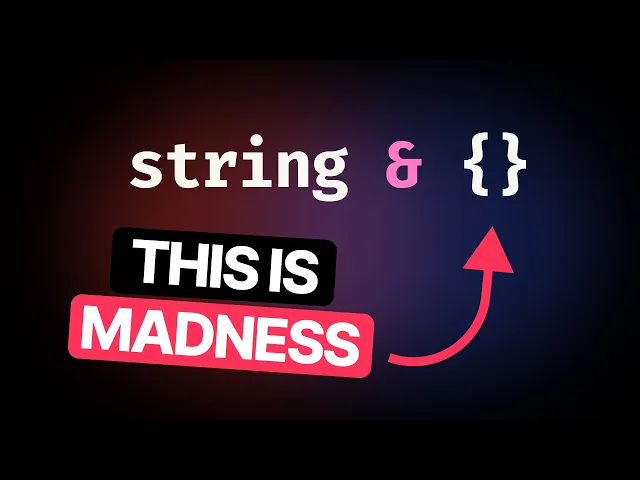
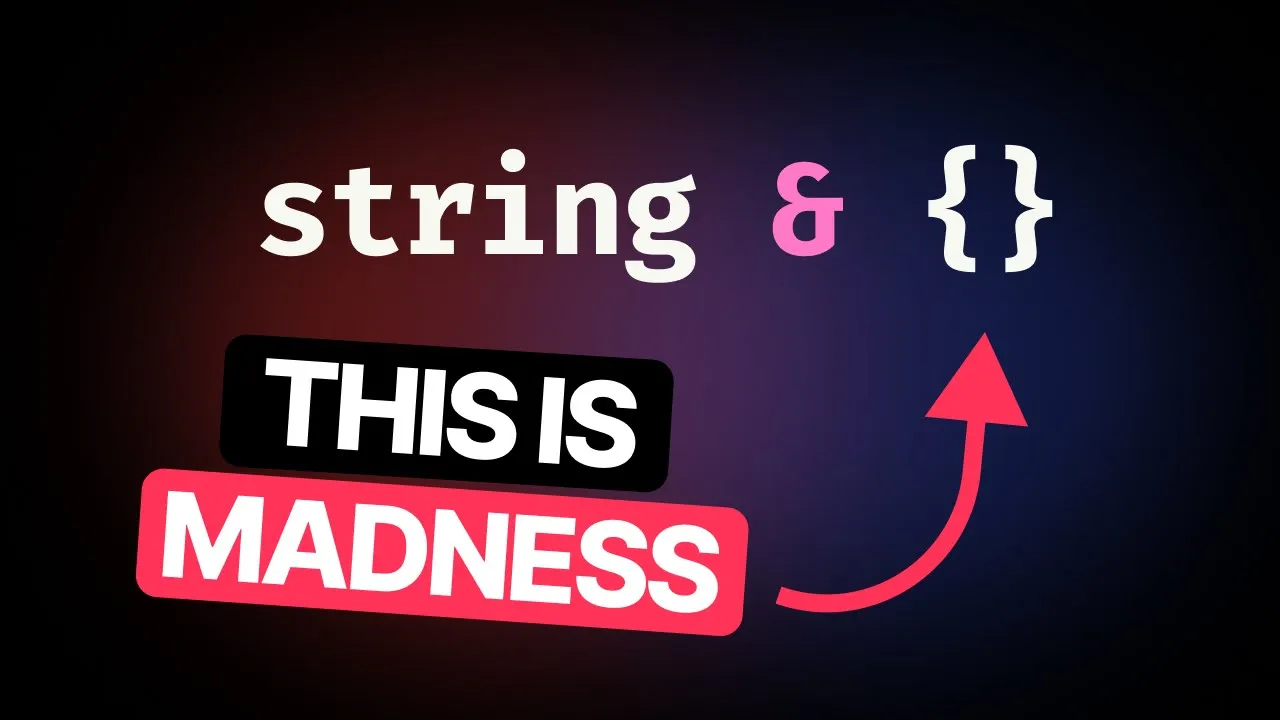
This is annoying because we want the autocomplete but we want the flexibility of being able to pass in any string. The way we do this is pretty crazy. We take the string, wrap it with parentheses and then say and empty object.
And now if we look inside here, we still get the autocomplete and we can pass in any string. The reason this works is that this intersection defers the collapsing of this union into a single string. This means that if we hover over model names here, we can still see all of the members of the autocomplete.
But if we don't do this and just return back to string, now model names is just a string. And since it's been eagerly collapsed into a string, it can't then contribute to autocomplete later in the program. This little genius invention is now used in many, many, many libraries.
React uses this. The AI SDK uses this. Anywhere that you need this combination of autocomplete and looseness, you will see this weird sigil.
Let's walk through some of the amazing things you can do with mapped types. With a map type, you can take in an existing object type and do any kind of transformation to it. For this setup, we're going to use a user and then a user transformed below.
The setup for a map type is that we basically add in this syntax here where we add a kind of index type with these brackets and then say K in then some union type. In this case, the union type is key of user which is going to be ID or name or age. K then represents the member of that union type that we're currently iterating over.
So a map type acts as a kind of loop where you map over each member of this union. Then for the value of that property, you then have access to the current key that you're on and of course the user that we're currently iterating over. In this case, our user transformed is going to be an object where ID has ID next to it.
Name has name, age has age next to it. We can do anything we want inside this property. We can grab that and put it in a tupole for instance.
Now we have ID is a tupole with ID inside it. Name is a tupole with name inside it. to grab the current value of the thing that we're on.
We can take that key and we can use it to index into user. So now we've done a funny thing which is we've taken our initial object up here and we've recreated it. ID is string, name is string, age is number.
We can even do things like make this read only if we want to or read only and key optional. So if we look at user transformed here, we now have readon and the optional being added. You can even do really funky things inside map types by remapping the key.
We can say K in key of user as capitalize K. Capitalize here is a global utility type kind of like pair, commit, exclude and extract. But this one is just for strings.
So now with capitalize in place, we have ID, name, and string all capitalized. We can even add template literals inside here. So we can say this is get then the key capitalized.
And now user transformed is now get ID, get name, and get age. If I zoom out a touch here, we can then add a function onto user here. And then we hover over user transformed and we can see that get ID is now a function that returns string.
Get age is now a function that returns number. So map types are extraordinarily powerful not only for being able to map over the key but also being able to remap the key and also having the value available there too. Okay, let's go back to my roots for this one.
The first tip I ever posted back in February 2022 was about turning an object like this into a discriminated union. We're going to start this off by creating a new type called action as disco union. Next, I'm going to turn this into a map type by mapping over key of actions.
And for now, we'll just make the value an empty object. If we hover over action is disco Union, we can see that we now have login, log out as objects. We're going to add a discriminator here, which is going to be the type of K.
Now, we can see that we have type login, type logout, type update in the corresponding objects here. We're then going to take the value of these actions objects and combine them with these types here. So login should have a type of login and then two other attributes of username and password.
We'll do that by zooming down here and using an intersection to say type K and this actions K. In other words, we're using the key of the action that we're currently on. Let's say login to index into this actions type and grab this object.
This is exactly the same if we do something like this actions login. And we can see that the example is username and password. Now if we zoom down to the bottom and hover over to action as disco union, we can see we have login type login and username password string logout type logout reason string and type update with an ID of string just at the bottom of the screen there.
These type hovers are looking pretty ugly here. And if you saw my tip from the other day, you know we can fix that. We're going to go back here and wrap this with a pretty helper.
So I did that pretty fast, but you can see that we have the type of K object here and the actions K being passed into Pritify. And now hovering over action as disco union, we have login as type login, username, password, logout, and update all beautifully laid out. But you're probably noticing something important here, which is this is not a discriminated union.
How do we take this keyed object here and just grab all of the values from it? Well, we can use a trick that I like to call the immediately indexed map type, otherwise known as the imp. The way this works is we go down to the bottom of our map type and we add in key of actions just there.
And now through a little piece of magic, it turns this into a discriminated union. The thing that's happening there is kind of subtle. So I'll show you with a more obvious example.
If we go back up to actions here, imagine if we just wanted to grab a union type of all of these values for some reason. Well, one thing we could do is grab these just as this values here and then pass in actions login or log out or update here. So, we're passing in a union into this indexed access type.
If we only wanted login and log out without update, we could just remove that and then we end up with just the stuff from log in and the stuff from logout. But if we just want to grab all of the values irrespective of what the keys actually are, we can say actions key of actions and we end up with username, password, reason, id data unknown, and it's there as a union type. So with the int below, we use the same trick, but we do some mapping inside the map type to transform the object before we turn it into this union.
So if we rewind a little bit, if we remove that final index there and we just have action is disco union has these object keys to get our final discriminated union. We just want to grab the values of the object here. So the keys of the object are still login, log out and update and we can then just pass in key of actions which we have already available and we end up with our beautiful discriminated union.
This is one of the tricks that made me fall in love with Typescript. And I chose to express that love by writing a book that took 9 months of my life that is now available for free on my website. Making an absolute ton of courses on total TypeScript which are available now at 30% off and spending a bunch of my spare time and a bunch of my work time now doing this creating tips talking about TypeScript.