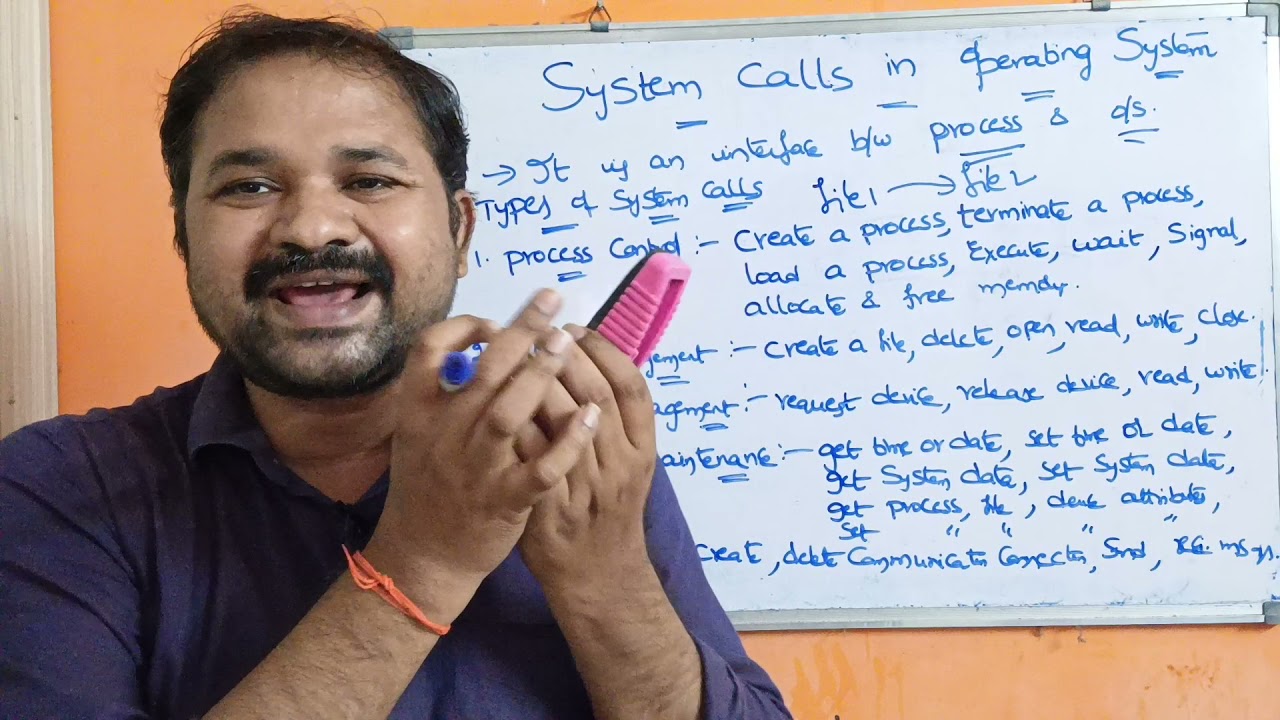
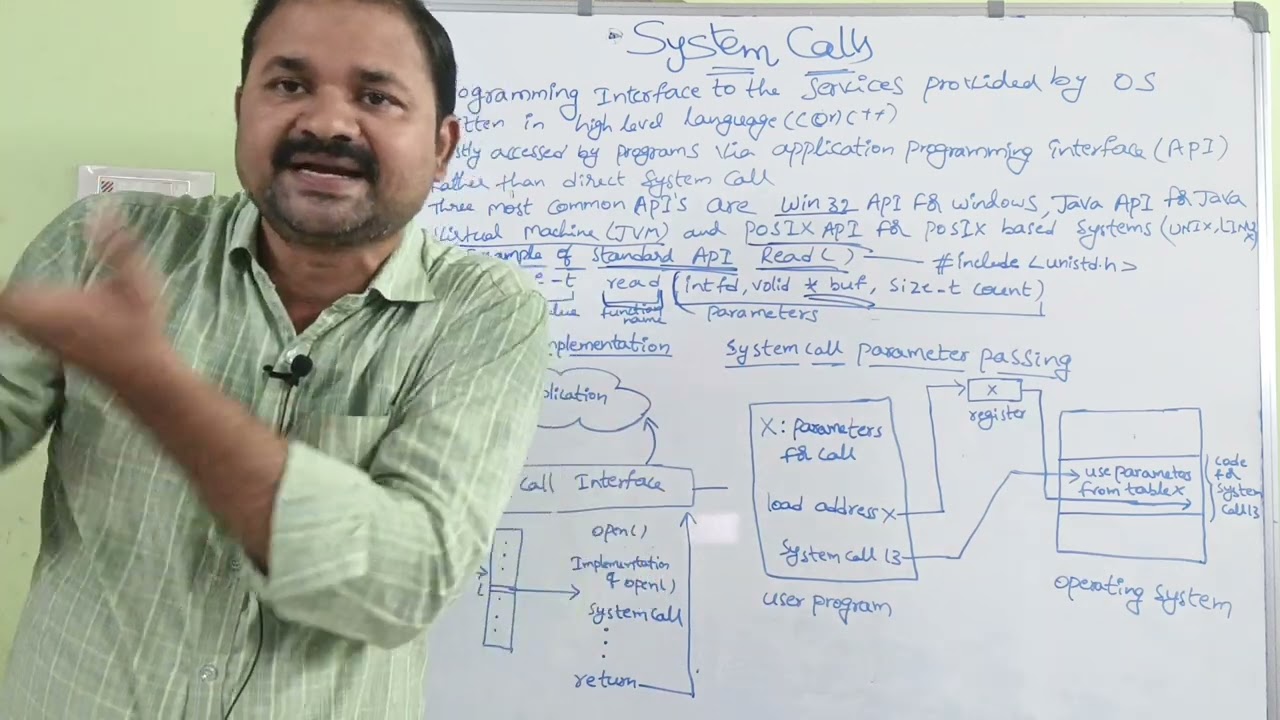
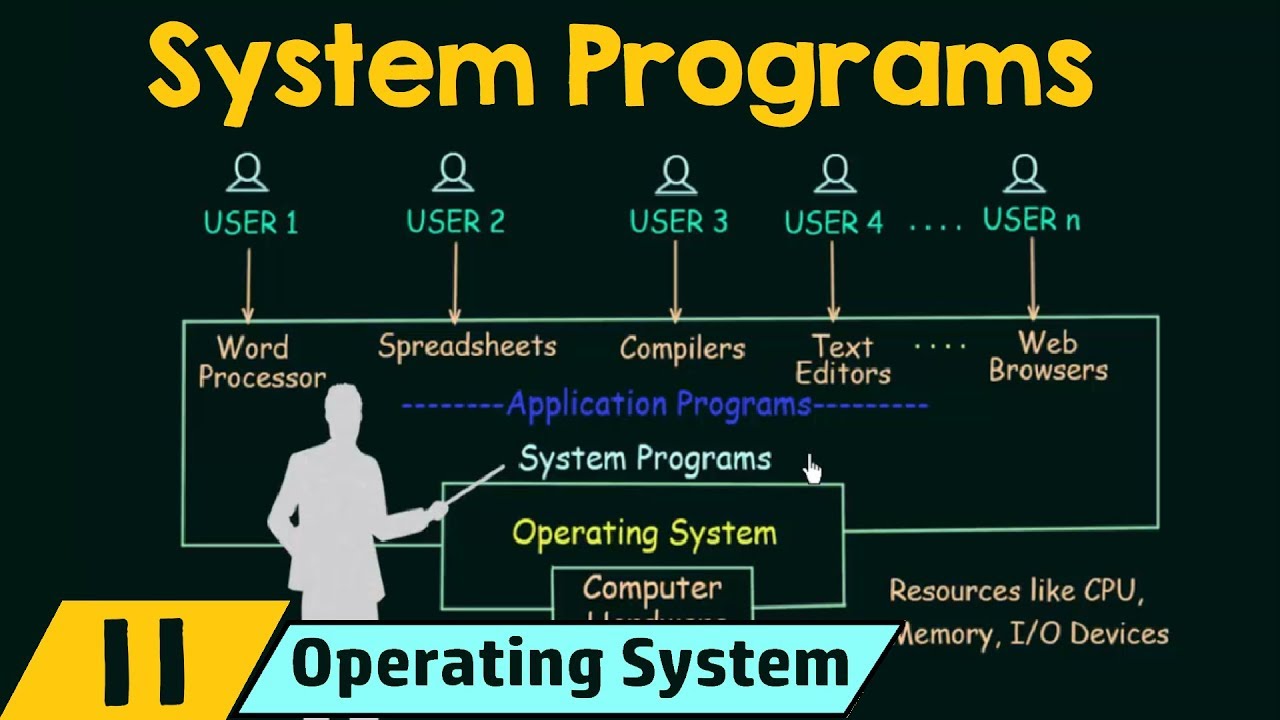
in this lecture we will be studying about system calls so we will be trying to understand what our system calls and what are they used for now it says here that system calls provide an interface to the services made available by an operating system so we know that our operating system provides us with certain services now the system calls what they do is they provide an interface to the services that are available by the operating system so before we try to understand system calls in a more detailed way there are two important points that we
need to know about which is the two modes of operations in which a program can execute which are known as the user mode and the kernel mode so let us try to understand what is this user mode and kernel mode so this user mode and kernel modes are two modes in which a program can execute so if a program is executing in user mode then that program does not have direct access to the memory to the hardware and such resources but if a program is executing in kernel mode that program has direct access to the
memory and hardware and such resources so we say that if a program is executing in kernel mode then it is in a privileged mode because it is having direct access to many of the resources but the problem is that when a program is executing in kernel mode and if that program happens to crash during its execution then the entire system would crash or your entire system will come to a halt so that is one problem of kernel mode but if a program is executing in user mode and if it happens to crash then the entire
system does not crash or the entire system does not come to a halt if the program is executing in user mode so user mode is a safer mode of operation though kernel mode is a privileged mode so these are two modes of operation in which a program can execute so we see that user mode is more safe and because of that most of the programs they execute mostly in user mode but when a program is executing in user mode it may need a to some of the resources like your memory or your hardware and so
on so when the program needs access to these resources it makes a call to your operating system telling that I need access to certain resources so it makes a call and when it makes that call what happens is that for an instant the program is switched from a user mode to kernel mode so that it can use those resources so there is a switching that is happening so when a program switches from user mode to kernel mode that is known as context switching and even when it switches back to user mode from kernel mode that
is also known as context switching so when the program makes a call to the operating system saying that I need to use this particular resource the context switch happens where the user mode is switched to the kernel mode so that the program can use those resources and then the call that I was talking about the call that the program makes in order to access those resources or to go into kernel mode that call is known as the system core so we see that system calls are made by the programs when it needs to access certain
resources so when a program executing in user mode needs to be switched to kernel mode for a particular time this system call is made so this is one way in which we can understand system calls so we can say that system call is a programmatic way in which a computer program requests a service from the kernel of the operating system so this is what I already told you when it wants to request a service from the kernel of the operating system the service could be anything like accessing some resources or something like that so a
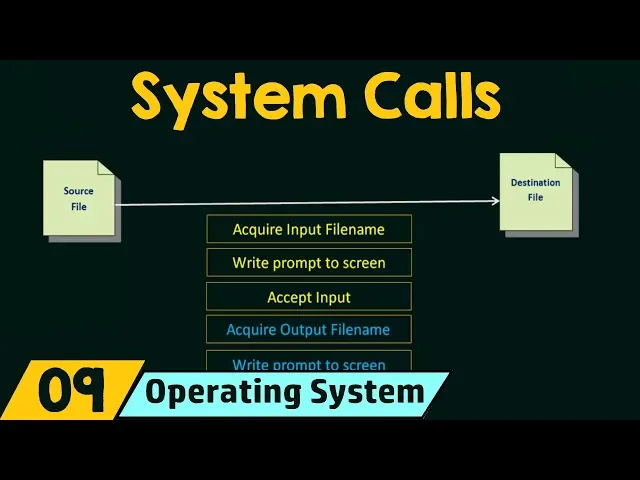
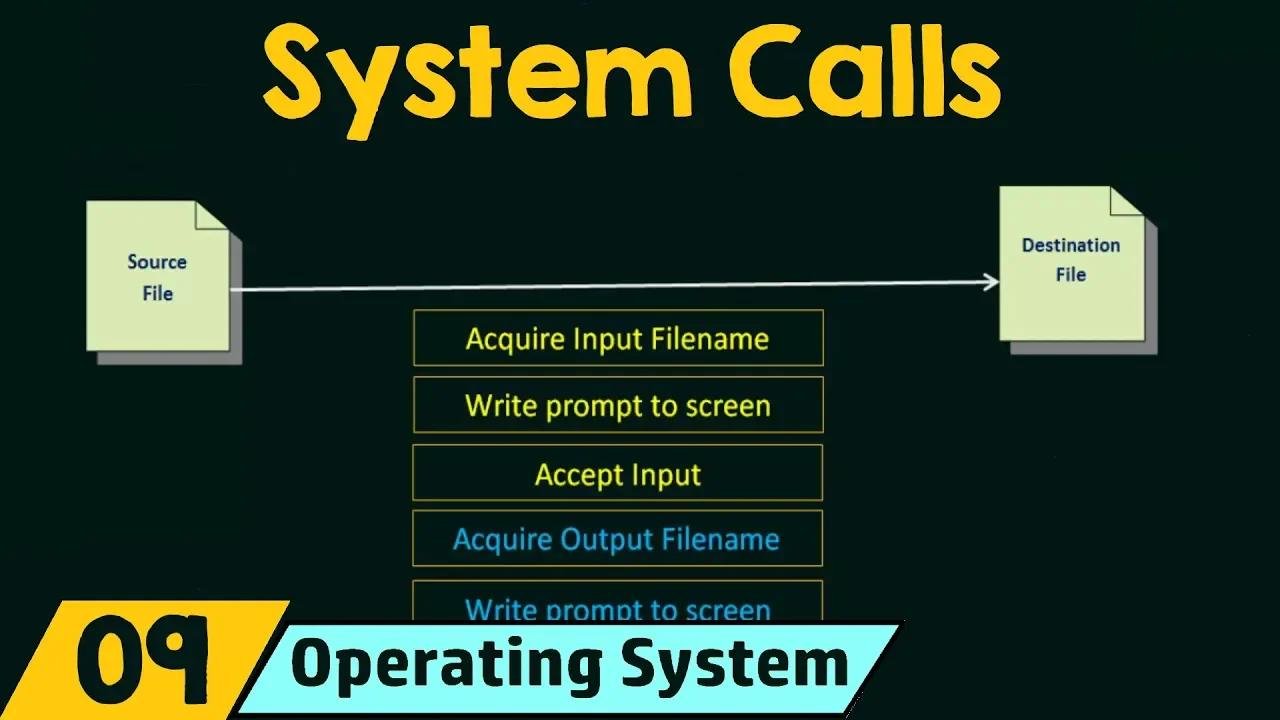
system call is made for doing so and these calls are generally available as routines written in C and C++ so this is the way we can define a system call now in order to understand in a more clear way let us take a simple example in which we will see how system calls are made and how system calls are used so let's say that we have a simple example here where we want to copy the contents of one file to another file so here we will see the example of a system called sequence for writing
a simple program to read data from one file and copy them to another file so here we have a source file and we want to copy the contents of this source file to the destination file or the output file so we will see how the system calls are made for this simple task so here are the first sequence of system calls that will be required so first of all in order to copy the contents of an input file to an output file we need to get the name of the input file we need to know
which is our input file from which we are going to copy the contents so the first step is to acquire the input file name so we need a system call in order to acquire the input file name and then we write a prompt to the screen that means you are displaying a prompt on the screen asking the user to enter the name of the input file so for writing the prompt to the screen you need another system call and then you need to accept the input that the user gives you so for that you need
another system call so all this boxes they represent individual system calls now let's start from the beginning again we need to first acquire the input file name so for doing that there are two ways one ways we can ask the user to enter the name of the input file otherwise in the second option we can display the files that we have in our system and we can ask the user to browse through those files and select the input file using his mouse or other clicking or pointing devices he can just select the files so in
either way for acquiring the input file name and for writing the prompt to the screen that means asking the user please enter your input file name and for accepting the input we need system calls so as I told you system calls are made when we want to access some resources of your system so for acquiring the input file name we need a system call so for writing the prompt to the screen you know that you have to display the prompt on your screen on your monitor so your going to use the hardware your output device
so you need a system call for accessing that hardware and then for accepting the input you need to take the input using either the keyboard or the mouse so your keyboard and mouse are the input devices for that also you need a system call because you are accessing the hardware which is your input devices all right so these are the first three system calls that are required for this process now after we have got the input file name we need to get the output file name that means the file to which we are going to
copy the contents this destination file name so for that we need to acquire the output file name so for that also we need a system call and then we have to write the prompt to the screen that means you have to display on your monitor asking the user please enter the name of your output file so for that to display that on the screen you need a system call and then we need to accept the input that means when the user enters the name of the output file using his keyboard you need to accept that
input so for accepting that input you need another system call alright so moving on now we got the input file name and also we got the output file name now what we have to do is we have to open the input file so that we can start copying the things from the input file so for opening the input file you need to access the input file which is there in your memory so for that you need another system call again now if the file doesn't exist then you have to abort so there can be errors
that can occur there may be a case that the input file that the user entered does not actually exist in your system so if that file doesn't exist then you need to abort you need to terminate your execution even for doing that also you need a system call now in the same way you have to then create the output file so the output file name that the user entered you have to create an output file using the file name that the user entered now if the file exists then also you have to abort why because
you are trying to create a new file into which you are going to copy the contents of the source file to the destination file now the name of the output file that you provided or the name of the destination that you provided if it already exists then you cannot create that output file you have to create a new file you are not allowed to create a file that already exists so if you find that the file already exists then you have to abort so for that also you need a system call so for creating the
output file you need a system call and if you find that the output file already exists so if you find that a file with the same name already exists then you have to abort or you have to terminate your execution so even for that you need a system call so moving on we were over here and then now let's say that the input file that you provided it exists and the output file that you provided it's a new file and there is no other files with that same name let's say that everything is fine so
now you are ready to write the contents of the input file to the output file that means you're ready to copy the contents of your input file to the output file so for that you need to run a loop and why are we running a loop because we have to copy all the contents of the input file to the output file so we start reading from the input file and we write to the output file so this is the copying process and this is a loop which runs until the read fails so until read fails
means until there is nothing left to read so you have to keep copying and keep writing it until there is nothing left to read from the input file here also there can be errors that occur so if there are any errors that occur like Hardware errors or anything at that time also you may need to abort and even for that also you may need a system call and of course for reading from the input file and for writing to the output file you need a loop of system calls over here and after everything is copied
from the input file to the output file you have to close the output file so for closing the output file again you need a system call and then write completion message to the screen that means you have to display a message on your screen saying that the copying process is complete so that you can let the user know that the copying process is complete so for displaying a message to the screen also we need a and then we terminate normally so even for terminating normally also we need a final system call so here we see
that just for a simple task like copying the contents of one file to another file also we had to run a lot of system calls so we see that many system calls were executed in the process so we see that even for simple tasks there are lots of system calls involved and we may keep in mind that there are thousands of system calls that are executed per second during the execution of certain programs in your system so system calls are always being executed so I hope you could understand the meaning of system calls and how
system calls are used for performing certain tasks in your system so now you must have understood how system calls provide an interface to the services made available by the operating system so all the services that are there in our operating system those services are made available to the programs by using this system calls so the program gives the system call whenever it needs to use any of this services or resources so I hope you understood the meaning of system calls with that we'll be discussing more about system calls and the types of system calls in
the coming lectures so I hope this was great to you thank you for watching and see you in the next one [Music] [Applause] [Music]