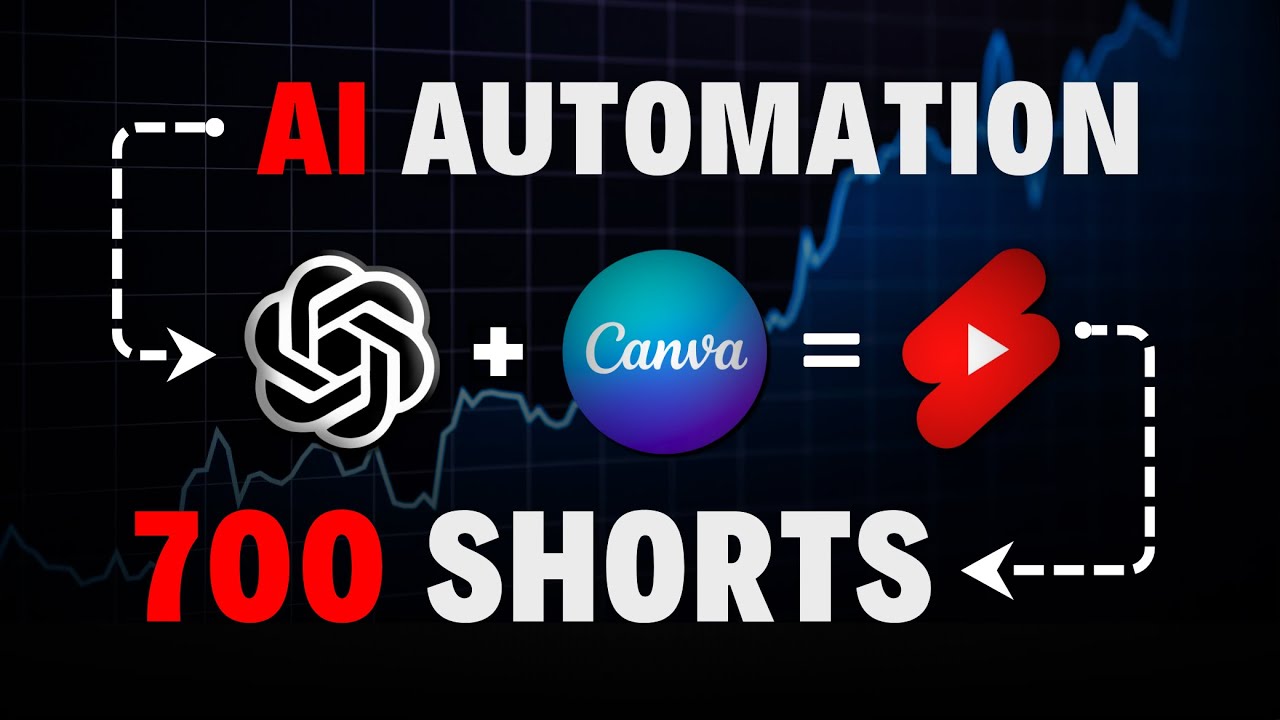
I challenged myself to make a brand new YouTube automation Channel and post AI generated shorts on it for 30 days straight the goal was simple I wanted to see what's really possible when you start a channel from scratch and let AI do all the work start to finish I had been thinking about this kind of video for a while but I just couldn't make it happen first off there are so many gurus out here spreading BS showing fake earnings and flexing fake YouTube Studio screenshots it's all about getting your money nothing more then I ran
into some technical issues too honestly like 90% of AI tools out there just aren't good enough for what I needed but recently I got early access to a tool that changes the game so in this video I'm going to show you my brand new AI powered YouTube shorts Channel along with the real insight straight from YouTube Studio after a month of consistent uploads I want to make this experiment fully transparent from the start so I'll be documenting and sharing all the current data views subscribers average view duration you name it then we'll dive into the
earnings tab in YouTube Studio where I'll break down the current metrics how close we are to getting monetized and I'll explain how you can actually monetize with YouTube shorts including the thresholds you need to hit to start collecting ad Revenue next I'll show you the AI tool that makes all of this possible literally with just three clicks for real this AI tool does everything script writing voice over and visuals the only thing we need to do is upload the video to YouTube Studio optimize it and schedule it I'll walk you through that too sounds crazy
right to wrap up this intro My ultimate goal is to get this channel monetized using only AI generated content no matter how long it takes but more importantly I want to show you the entire process with real results so you have a reliable place to get accurate info on this topic if you're into this idea drop a comment and I'll do a part two on day 100 Oh and before we jump into YouTube Studio to check the numbers don't forget to join my free telegram channel it's where I share updates early announcements tutorial teasers and
live updates it's a great way for us to stay connected so check it out below all right let's jump right into the first part of the video where I'll introduce the newly created Channel after that we'll head over to YouTube Studio to check out the numberers so here's the channel it's called Fun Alish fact don't read too much into the name it was randomly generated by chat GPT same goes for the description and the logo everything was done through chat GPT start to finish if you're curious about how to create a channel or design logos
using chat GPT check out my 10-hour YouTube automation course where I cover different methods for various niches anyway as you can see the channel has just over 700 subscribers at the time of recording which honestly is a pretty solid start so if we head over to the shorts feed and take a look at the content the niche I'm going for is fun facts interesting facts stuff like that I'm aiming for a broad audience to give the channel the best chance to go viral with that in mind I'm posting videos on all kinds of topics as
long as they include an interesting fact right now the most popular videos have 18,000 and 10,000 views which is pretty realistic and not bad at all for a brand new channel remember Guys YouTube is all about patience and compounding just for perspective it took my main Channel 5 months before I started seeing any serious ious traction all right now let's jump into YouTube Studio let's break this down step by step I'm currently in The 90day View mode the channel was started on August 20th so it's been up for about 6 weeks a little over a
month in that time the channel has gained over 300,000 views and more than 700 subscribers which is pretty impressive for such a short period on the right side you can see that it's consistently getting around 14,000 views every 48 hours with a lot of the shorts pulling in regular views now if we check out the view chart growth looks pretty wav like with random spikes that's because when your channel is still small the algorithm doesn't really know your audience yet these random spikes are the algorithm testing your videos with a wider group of people to
figure out who your real Target viewers are but as your channel grows it becomes easier to rack up more views over time and growth starts happening exponentially all right now to really break this down let's head over to the earn on YouTube tab YouTube does allow you to get monetized earlier and start memberships but honestly that section isn't worth much and isn't very lucrative so let's skip that and get to the good stuff the section we're interested in is watch page ads and short feed ads once you hit the criteria here you'll start collecting ad
revenue from YouTube to give you some perspective I'll attach a screenshot of my own Channel's earnings from the last 28 days now there are two ways to unlock ad Revenue both require at least 1,000 subscribers first you can post long form videos accumulate 4,000 watch hours and get monetized that way but that's a conversation for another time today we're focusing on shorts to get monetized through shorts you need to to hit 10 million views as you can see here the channel has already hit 279,000 views which is just under 3% of the target this is
where my strategy comes in all we really need to do is post consistently and let the views compound over time momentum builds and these numbers can take off quickly naturally the more followers we gain the easier it becomes to get views in general here's my take we'll keep getting a steady flow of views and eventually one of the videos will catch fire and go viral this exact thing happened with my channel and plenty of my students in the AI guy Academy so it's a common practice on YouTube so like I mentioned at the start of
this video we're going to use just one tool to create every single part of the video and that tool is called Big motion AI if you don't have an account yet check out my custom link in the description I've worked directly with the team at Big motion to set up a special $1 trial for you guys so you can try it out at almost no cost you're welcome as always once you're logged in let me walk you through how to create your first video it's super easy literally just a few clicks but first let me
explain how the tool Works basically it lets you create a series depending on the plan you choose it can generate either 12 or 30 videos per series based on how much content you want to produce you can also go to the upgrade screen to increase the number of series if you want to crank out even more videos it all depends on your preference and budget there's no limit to how much you can spend or create but no matter what your budget is I recommend keeping it to 10 shorts per day to avoid getting flagged by
YouTube's algorithm as a Spam account all right now let me show you how to actually create a video after that I'll walk you through how to upload the video to YouTube and schedule it in advance first head back to the home screen and on the left side where it says my series click the plus icon then select your Niche from the drop- down menu as you can see here I'm currently running horror and fun facts series I'm doing three series on each topic to hit the volume I'm aiming for but for this tutorial I'm going
to try the urban legends Niche so let's select that next choose the style of your video you've got three options here anime style photo realistic style or big mod motions custom AI model I'm going with big motions model so I'll select that and click next now it's time to pick the voice over listen to a couple of options pick the one you like the most and then move on to selecting the music due to YouTube's copyright policies I can't play the music for you here but it's available so make sure to choose a track you
like and that's it click generate wait a few minutes and boom your video is ready now click on download right here all right guys before we check out the final product we need to upload and schedule it on YouTube so first head over to YouTube click on upload and select your video now go back to Big motion and you'll see it provides a lot of the data we need first copy the video title from here and paste it into the title box on YouTube right below the title box you'll see the caption copy that and
paste it into the description box on YouTube you can also copy the script and include it in the description as well for SEO purposes now lastly head over to the finalizing Tab and simply schedule your video ahead just like that that's it let me know if you're into this approach and whether I should do a part two at day 100 and don't forget if you want to check out big motion AI grab my custom $1 offer down below and if you enjoyed this video make sure to subscribe to my channel see you in the next
one