The expand feature is a powerful tool that allows you to create a set of rules [music] and instructions. Then flow will follow this instructions every [music] time you write a prompt. When you go to your create tab, at the very bottom you have the expand.
This is the one. Now you only have it on the text to video and you don't have it on the frames to video but you do have it on the ingredients to [music] video. For now I guess I will go to text to video.
If you click on the expand, you will get a few options and you can create uh a new expander. So, you can create your own. [music] This function almost works like a smart template.
Let's say just to give you an example, I'm going to go right here and just paste [music] a prompt. A 30-year-old man discovers the cure for mortal disease. Now, this prompt lacks details about the visual style, the location, the camera work.
It's just missing a lot of details. So this is a perfect job for the expand. The expand feature can take my prompt and use a predefined style and apply all those rules directly on your basic idea.
You will see this in action. You have three default presets that you can use. Cinematic is just the classic cinematic type of, you know, preset.
Film noir is a little bit more, let's say, recognizable. I guess that's a good word. As soon as I click on this, [music] it will read my prompt, process it, and it will add a lot of the details based on that very specific style.
In this case, film noir. If you go over the prompt, it will use a lot of the different rules created [music] for that very specific template. And notice how wild this is.
It's just pretty pretty detailed. Now, I'm going to show you how to create your own expander. [music] It's just very simple.
So, I have this prompt, right? I'm going to run it and see what I get back. >> [music] >> I got to say the output is pretty pretty good.
It's giving me this film noir type of style. Now beyond the presets, you can write your own expanders. Going to go here to expand and click on create new expander.
Of course, you need to provide a name and then [music] you need to describe what is the style or whatever is that you want to create. Also notice that it says [music] Gemini. I'm going to create something simple.
I'm going to say West for Wes Anderson [music] and I want to create something maybe an expander in the style of Wes Anderson. [music] Turn everything into a Wes Anderson style. Once you create your instruction, Gemini will take this and [music] create the expander for you.
At the very bottom, you have the enhance. And this is what Gemini will do. will read everything and create all the different set of a set of rules based [music] on a Wes Anderson type of style.
Okay. So once we get it back, we can see that it's adding all the different rules that fit within the Wes [music] Anderson style. So once this is done at the very bottom, you just click on save and this will save the expander to your own presets.
And every time that you [music] want to create something in West Anderson's style, you just use that expander. Now remember that the simpler your instructions are, the more Gemini will try to fill the gaps [music] for you. If you want something very specific, you need to be as detailed as possible in your custom expander in your instructions.
In this example, I used Wes Anderson style because the look and the style is so distinct that it's very easy for Gemini to create a set of rules of Wes Anderson. Still, my recommendation is always try to go to the expander and when you go to the edit, you just read whatever is that Gemini is giving you [music] back. If you find something that you don't like, well, you know, you can go right here and just edit the expander as much as you like.
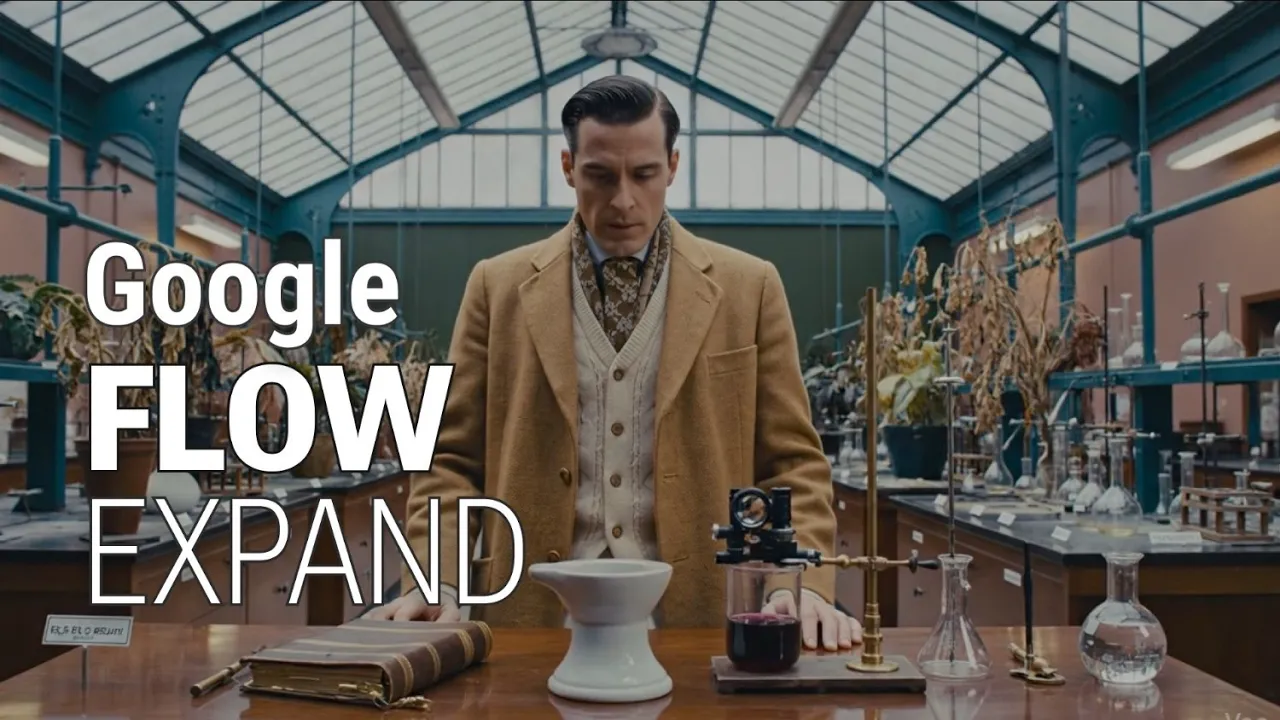
Now, just for fun, I'm going to run the same exact prompt, but in this occasion, I will use the Wes Anderson uh expander. Once we get it back, we can see that we get a pretty long prompt. I'm going to run it and, you [music] know, hope for the best.
Okay, so it's done. So, of course, we get that [music] Wes Anderson style right from the start. Let's just play it back and see if it's good or not.
>> The problem, it appears, was purely a matter of symmetry. >> So, how easy was this? I mean, my prompt was just do this in Wes Anderson [music] style, and it just did it perfectly.
Okay, so that's it. If you found all of this helpful, please like and subscribe. This channel is supported entirely by viewers like you.
If you have the money and you want to support my work, you can buy me a coffee through PayPal, YouTube thanks, or Patre, or maybe enroll in one of [music] my courses. You will find all the links at the description below. >> [music] >> Hey, [music] hey, hey.