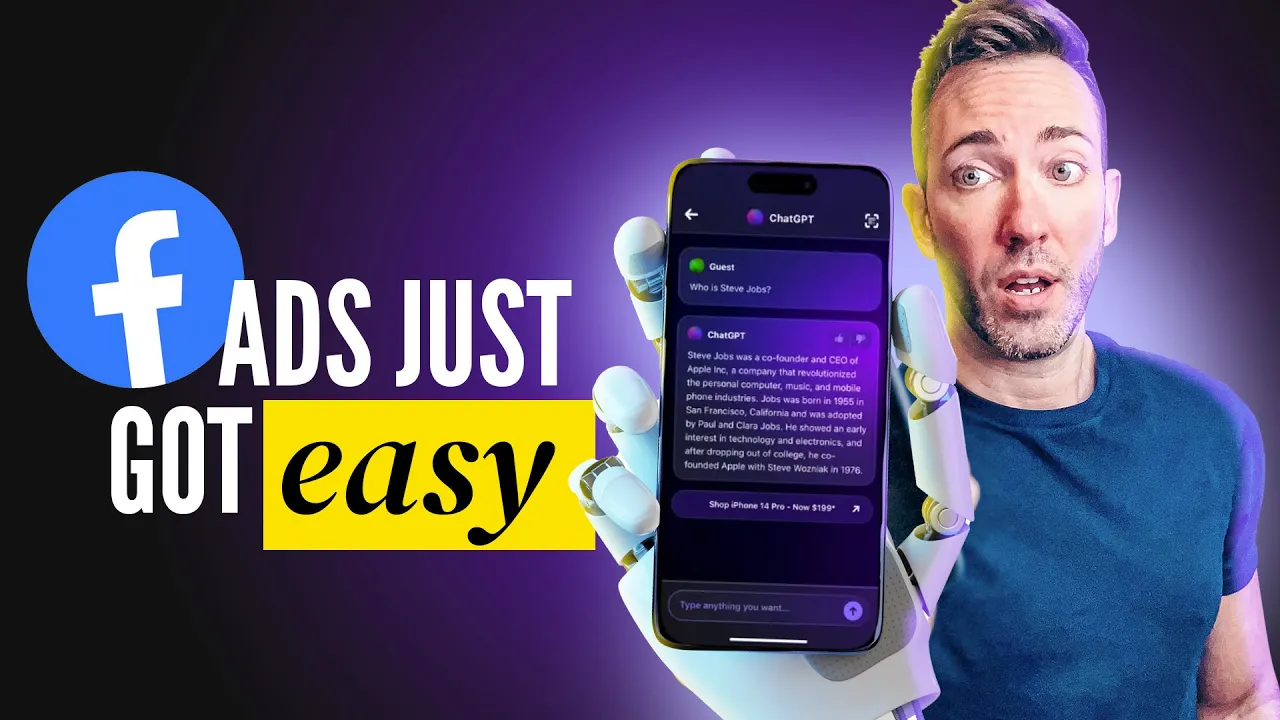
these are highly converting Facebook ads that would take even an experienced copywriter all day to brainstorm right and refine but using chat GPT along with the right prompts in the right order you can now do it in literally 10 minutes and you'll have a wide enough variety that you can see for yourself which ads will work best mastering this skill is the future of creating profitable ads but only the businesses and entrepreneurs who know what to ask for are ever going to see that success using chat GPT so let's just jump right into the step
by step I'm not going to leave anything out here okay so I'm going to be showing you this in two different ways first of all we're going to create a traditional text based ad I'm also going to show you how to use chat GPT to help you create a video script as well so and if you already to use a video script I'm actually going to show you how to uh a little bit later turn this script into a fully finished uh video ad as well so stick around for that and I should tell you
all the prompts that I'm including today plus more are going to be in my free guide It's called Marketing in minutes with chat GPT and to get that for free just go to West mcd.com chat GPT okay so before we get into actually writing the ad there's a few things we need to do to to lay the groundwork for it these are things that most people when they're using chat GPT for this purpose will not do and that's why those people's ads are going to convert less and they're going to be way less profitable so
with a prompt what are some powerful or evocative words assoc associated with then put in your industry um it could be you know tutoring it could be whatever whatever you do whatever you're trying to to advertise here I'm just going to make this for Simplicity sake for the sake of this video I'm going to pretend we're doing a Facebook ad for a pizza joint so we're going to start right here coming up with those power words really to get people um people's brains in on it okay so we've got some great words here that you
may not have uh chosen to use on your own so now it's time for you to make a choice here in terms of what you're offering is it about solving a problem or satisfying a desire right um and if it's both It generally tends to work better to emphasize kind of solving that problem like pain points get people to move more than just moving toward um some kind of Desire they have you know so let's start off here by saying um Let's Pretend This pizza place um was really solving a problem I would argue it's
more um satisfying a desire but I'm just going to go ahead and type in here what problems might Pizza solve for its customers and here's where we're going to nail out the demographics who are mostly single males from 21 to 45 living in Chicago um you would fill in the blanks here for whoever your biggest customer segment is so let's see what it comes back with so it's generating a lots of problems that it solves here um and we're just going to let it do its thing go to the next step which is what desires
might Pizza solve for the same customer so it's really helpful to ask both of these questions um even if you think your what you offer um Falls more into the desire or or the problem category okay so let's go ahead and see which of these we like best so I think um you know Cravings is you know probably a big one so I'll say I like number one um I think number eight is good and number nine so let's just say okay so I said focus on numbers 18 and n and using the power words
you generated earlier remember we did that write five compelling Facebook at headlines for Mike's Pizza for our ideal customers which we've already um we've already outlined who those customers are and now it's important you need to say what the offer is because you don't just want to say make an ad for Mike's Pizza right it has to actually advertise a specific offer um that's what works best with Facebook ads so I said the offer is two for one pizzas for firsttime customers so we're going to let it do its thing and come up with five
unique headlines okay so they're pretty good they are a little long so we probably should have said this in the beginning but um rewrite them to be no longer than 40 characters each that way they're not going to get cut off okay so now we can just choose whether we like one or multiples we can let it know which ones we like I think I like number one and number three the best okay so I said I like one 1 and three now write the copy to support those headlines using a variety of proven ad
copywriting Frameworks write five versions okay so let's see what it comes back with for that and it's letting us know for version one which copyrighting framework it's using which is the problem agitate solve then we have attention interest desire action so it's really taking what I said which is use a variety of these Frameworks so you can just test all of them and see what one is going to work best in your case so just read through all these you may not want to run with all five um you're going to get your own little
intuition and say okay this one seems okay this one I might want to do a light rewrite to it or this one just isn't going to work at all then you're going to want to test the ones that work best but I did let you know that we're also going to be doing this for video ads as well so the way we would do it is pretty much the same I'm just going to say now do it again except make each a script for a 15 to 30 second script to be used as a video
ad write them in first person as the owner of Mike's Pizza so that's an optional step but generally helps to write it as someone in the business not just as chat GPT so let's go ahead and see what we get here okay so same deal here you just read through them decide which ones you want to run with which ones you want to do a a little bit of a rewrite to and which ones are good to go and then you can test all of them so and if you are going to do a video
at I do want to show you my favorite tool this video is sponsored Ed by nid and this is going to be your secret weapon when it comes to actually creating the actual videos based on these scripts super easy so let's check it out so that takes care of the written part of your ad whether it's text that's meant to be read like a text ad or a script for a video ad but what are you going to do with that text once you've gotten it written that's where today's sponsor comes in in video lets
you create eye-catching Facebook video ads in minutes even if you don't know how to edit videos so I'm going to get to that complete tutorial how you can use it right out of the box in just a second but first I just want to tell you what you'll get because it's a pretty huge bang for your buck you're going to get over 6,000 completely customizable templates including more than 2,000 that are not only super specific to creating video ads but they're actually based on the most recent Trends and guidelines so you know they're going to
convert you're also going to get access to their stock video library of more than 8 million assets from premium sour like Shutterstock and iock you'll get 247 live chat support to help you with any questions in real time while you're creating your video and you're going to get access to the inv video community of more than 30,000 marketing experts and video creators to get inspired learn from and get feedback on your video ads before you take them live that's huge when you're just starting out and you're not really sure what's going to work best and
in video graciously agreed to pass along a discount to my viewers 25% off all you need to do is go to West mcd.com envido and use promo code west2 and that'll all be down in the description below so now let's just jump right in and create our video ad in just minutes so the first thing is you're going to start with all of these great templates and you'll notice that under the filters I've pre-checked everything that's Square simply because um that really helps stand out in the feed square is a good size for the the
Facebook or Instagram ad feed and then I've also done ads so that just gives us all the templates that are specific to ads themselves now you can start by typing in whatever your industry is if you want to make things easier and you want to have less um swapping in different videos and photos you you could type in like pets if you did if you wanted uh if you're in that kind of industry or dentist if you're a dentist right that's just going to cut down on you having to um get new images but the
thing is you don't have to worry too much about that cuz it's super easy to swap those in and out what I actually recommend is just trying to find the layout that you like the best from there you just pop in whatever uh video you want I'll show you how to do that in a second um but for our pizza example I'm just going to make the super easy for our our example and I'm just going to type in pizza and then I'll just choose this first one I think that looks pretty good and it's
already set on Square here so I'll click on use template now here's the timeline you're going to be dealing with it's super easy and like I said easy to swap out another video maybe we don't like this one all we have to do is go over to videos and here's where you get access to all those premium uh ice stock and shutter stock videos so just type in Pizza see what they got for us here I'd love one with like a person eating a slice I think that would be uh the best thing oh here
we go so I'm just going to click on the plus to add as a layer and then I'll click on ADD and I'm just going to click on show layers now we've got all the different layers here including um the first video which I want to delete I'm just going to click on it and delete then I'm just going to resize this guy make it fit the whole screen just like that now we can change the text just as easily so just click on it and if you wanted to change what it says you just
double click on it and you do it over here I might just change the sizing of it so it all kind of fits on three lines there I'm actually happy with the tagline but if we wanted to change it super easy to do but down here I'm going to get rid of this I don't feel like it's necessary to have the website here just because the button going to take you to the website so I'm going to change this to our deal that we're offering it's two for one for new customers I'm just going to
resize it so it's a little bigger and easier to read think that looks good and if you want to change the fonts you just click it go up to font and then you've got all these to choose from but I actually think this looks pretty good as is and if you wanted to add your logo you just click on it and add your logo pretty simple now something that's really cool is you can actually add a voiceover so remember you know let's say you made a script not so much a text ad all you need
to do is go over and click on voiceover and then automated text to speech this is really cool so I'm just going to paste in my text here that I got and then just choose like there they've got all these different voices you can choose from between mail and female just going to choose this one generate voice over and then the AI gets to work and does a custom voiceover for you so you never have to record anything if you don't want to and I'll click on ADD and then now we've got all the major
pieces here but we just have to make sure this voice over track is is dragged all the way to the beginning this is the the This Is Where It Starts let's just go ahead and play and see what we've got are you ready for some mouth watering easy goodness okay so the obviously the the music needs to be uh lowered down a little bit in volume so um this is the music track I would just click on volume and fade and then I'm just going to bring the volume down to about there let's see what
that sounds like mouth watery cheesy goodness we're offering first time C great and you can if you don't like that music track you can choose a new one just go over to music and then you can select by mood or genres and just choose whatever you like best Maybe playful you just do little previews of them find one you like and then just click on the plus icon drag it right on over now one last thing we need to do and that's just to make sure everything is set to be the right length so our
voice over this is our voice over track we want to make everything else be the same length otherwise it's just going to keep on going um too long so kind of condense this a little bit so it's easier to see now all we need to do is simply drag each track to match up with this super easy to do and then we've got the text and one more now it is all the right length it's 16 uh roughly 16 seconds and once you're happy with it you're just going to click on export full quality and
then click on export and you're good to go now you've got a video ready for Facebook and as easy as this is it's about to get a whole lot easier because Nvidia is just about ready to release their new AI video creation tool where you can create a fully produced video just using simple text prompts I honestly can't wait to start playing around with that um and they've also just launched their new AI text to video feature too now there is a free plan you can use to try it out but you're going to need
to upgrade to a paid plan to be able to download and actually use your video ad but when you go to West mcd.com envido and use promo code west 25 you're going to get that 25 5% off and when you upgrade to that paid plan that's when you're going to unlock all of those amazing high quality premium stock images and videos that you can use in all your ads trust me the right videos make all the difference in your ads and this is actually a huge discount over you know going directly to shutter stock or
iock to get videos from them that's a lot more expensive this is your much cheaper option so once again just head over to West mcd.com envido to get started creting the video ad that's going to help you win way more clients without needing to know the first thing about editing videos and don't forget to use the promo code west 25 to lock in that discount