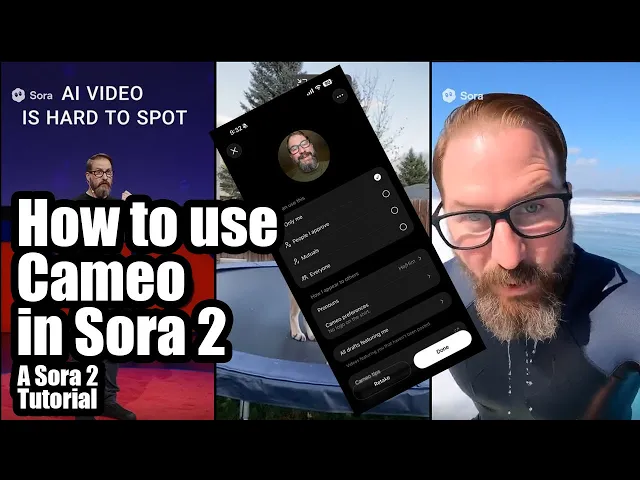
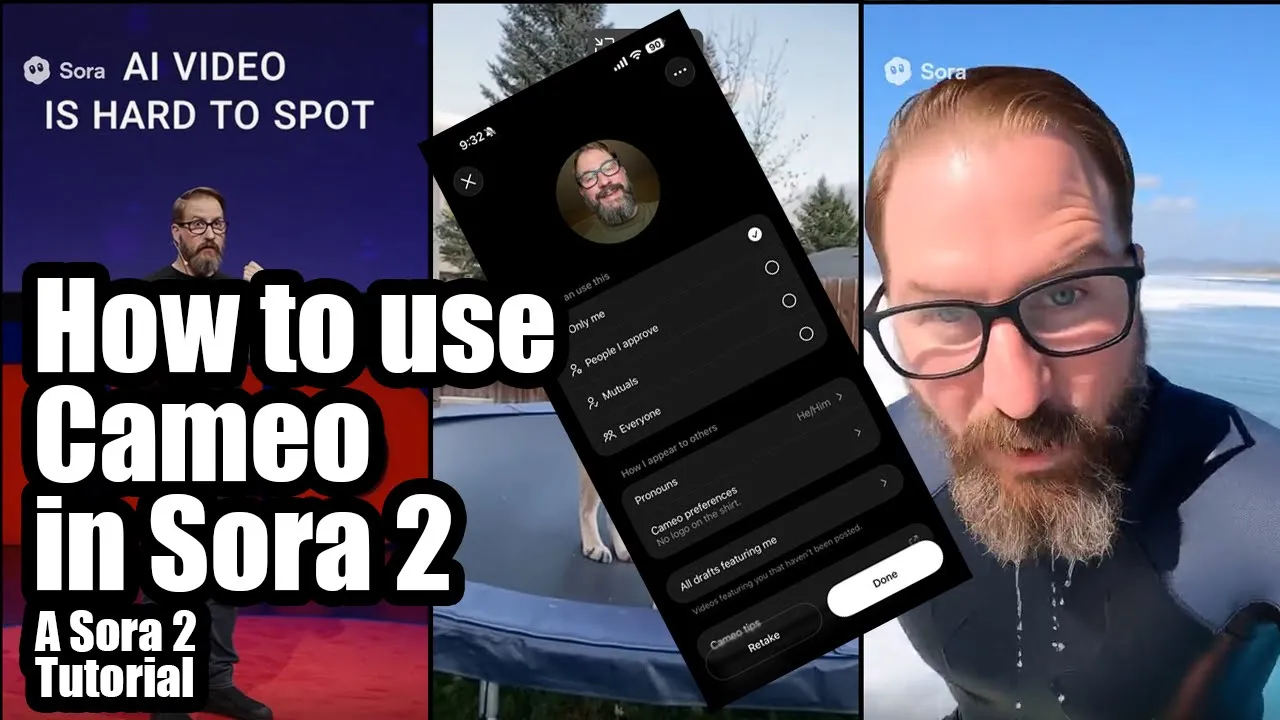
All right. So, I want to do a video on Sora 2 and how you use Cameo. So, I already set mine up before, but I'm going to retake it.
So, I've got my phone down here uh on one side of the screen and I've got the Sora uh web page open here and then my webcam overlaid over everything so you can kind of see what I'm doing real time. Um so, what I'm going to do is I'm going to go ahead. I'm going to edit Cameo because I already made mine.
Um, now when you make your cameo, um, that's how it knows who to put in the video. So you're going to do at@ and then whatever your name is on here and then that knows to put you in the video and it's going to use whatever you capture here as the source. So um, you know, you want to use decent lighting.
You want to have a variety of facial expressions. So you know, if you if you don't smile and then you prompt it to smile, uh, you're going to get a weird not looking like you smile in the result. So, uh, you want to try to do a variety of things.
And then it's also going to it's going to have you move your head certain directions. And it's going to have you say a series of three two-digit numbers. Uh, you want to speak clearly.
You don't want to have a lot of stuff going on in your room or your where you're capturing this. You want to have decent audio. Um, because again, this is the source of what it's going to use to generate the videos.
Now, it'll it'll adjust the lighting and stuff as you've seen in some of these Sora 2 videos, but for the most part, you want to have clean stuff to use. So, I'm going to go ahead and retake this Okay. Start recording and say the numbers on the screen.
All right. So, you want to hold your phone out uh let me see out kind of far from you a decent amount. And you want to take the full screen here.
So, I'm going to start recording. Oh, maybe it won't let me do this. I I don't think I can do it while I'm mirroring.
Dang it. Okay. Well, anyway, I'll retake that in a minute.
Uh let's see. How can I show you? Um, well, actually, maybe I'll unhook my phone and then I'll I'll uh hold on a second.
Let me re reposition here. Okay, so I've unhooked my phone. I've got it here.
Uh, and you're going to see it says start recording and say the numbers on the screen. You're going to hit start recording down at the bottom. The numbers it wants me to say are 26, 53, and 84.
Now, here's the trick. You only want to say the things that it tells you on the screen. So, I can't talk while I'm doing this other than saying the numbers that it's asking me to say.
So, let me just fix my fix my hair here. All right. Now, the other thing, too, is that if you've got a shirt with a pattern on it, uh, or anything like that, it's going to include that in a lot of your videos.
Uh, unless you're doing something where you have like a wet suit on or no shirt or something. Um, so keep in mind, you want to look the way that you're going to look in your videos. So, that's about as handsome as I get, folks.
Let me start recording here. 26. 26.
Oh, wait a second. I screwed that up. I got to start recording again.
I got to say it quicker. You There's three little bars go across the top. Um, I don't know if you can see that.
Probably not. There's three little bars go across the top. Um, and it wants you to to do this stuff as you as you as it times you.
So, all right. I'm starting again. 26 53 84.
Turn your head to the left. Turn your head to the right. All right.
26 53 84. Turn your head to the left. Turn your head to the right.
26 53 84. All right. So, it's it's going to process that.
Uh, let me plug this all back in so you can kind of see what that looks like. All right. So, this says great.
You're all done. I'm going to hit continue. And it's going to take a moment for this to kind of bake in.
And you can see, okay, it's ready to go. There I am in the little window. Now, you have this option.
You can say, I only want it available to me, only me. People I approve. So, you can put it up there and people will request, I guess, access.
Um, you can have mutual. So, if you're friended with somebody or connected with somebody, they can use it. Or you can do everyone.
If you do that one, anybody can do at and then your username and then they can use you in a Cameo. So, uh, also you have your pronoun preferences. So, I have he him.
Um, you can also say, "I prefer not to say if you're weird about stuff. " Uh, cam uh cameo preferences. I put no logo on the shirt.
So, you can put things in here. So, if you always wanted to have like a birthday hat or an eyele or something, you could put that in there. Um, and then all drafts featuring me.
Um, oh, these are all the ones I made. So, these are all the different ones. So, if you had cameos that other people made, they would show up in that list as well.
Um, and then Cameo Tips. That's a little website that tells you all the ins and outs of filming your Cameo. So, let's go ahead and finish this.
Um, I'm going to go to the main site here. Um, put my phone down for a minute. And I'm going to say, um, this is how you do it.
You do at@ and then your name. You'll see that you've got it right there. I've got 10 followers.
Woohoo. All right. So, I'm gonna put that in there.
And I want um, let's see. Floyd Bishop is riding a American bison through the uh west near Monument Valley. Um let's see what happens then.
Uh, he stands up on its back and does a backflip. All right, I'm gonna go ahead and send that. Now, you got these little buttons down here for settings.
You can tell it landscape or portrait. I'm doing this for um the web, like a YouTube thing, so I'm using landscape. You also have duration, so you can do 15 seconds or 10 seconds.
So, I've got it set to 10 right now. That's new as of yesterday. I didn't see that before.
Um, I was locked out for a little bit. I made like a hundred videos last night in the first hour and then it locked me out for a full day. So, I haven't had a chance to do too much of this.
But, I'm going to go ahead and uh pause this so you can see the result. But over here, you got you got your drafts and you got your main section. So, here are videos that I made the other climbing the ropes.
What's he thinking here? Flying elbow. And then in your drafts, these are all videos I have drafts of that I haven't posted yet.
um varying reasons. Some of them didn't come out good. Some of them I'm going to throw away.
Some of them I redid a few times. Um not that kind of painter. You can click on it and see it.
So, are you going to come over and help me paint my living room for the 10th time? It's really chugging. I'm not that kind of painter.
So, that's a no. All right. Um but yeah, so as it's making your drafts, it'll show up here.
You'll see this little spinner wheel. It takes a little bit to cook these. So, I'm going to go ahead and pause this and then we'll we'll check back in in a minute.
All right. So, I also noticed that I also have the Sora 2 and Sora 2 Pro. I'm a prolevel subscriber, so I'm going to do one with Sor 2 Pro.
Uh, let's see. Can I look at the prompt that I just wrote? Let's see.
Let me do this. Um, Floyd Bishop rides an American bison through the west near Monument Valley. Um, he stands up on its back and does a backflip.
Um, now I have the options here because it's a higher thing. I have standard and I have high. I'm going to keep it at high.
duration. I'm gonna do 15 seconds and let's see what the difference of that is. I'm gonna pause it again and then when we unpause, we'll look at both versions and see what y'all think.
All right, so the the low quality one finished. Let's see that. All right, let's ride.
Time to stand. Here we go. Stuck it.
All right, let's ride. All right. So, it did a little bit of weird stuff to my face and the pattern on my shirt.
Weird. Here we go. I can't pause it because that gets in the way.
But, uh, yeah, it's also a front flip, not a back flip, but, you know, I'm flipping off his back, so maybe that counts. I don't know. Um, but yeah, let's see.
The high-res one is still rendering. I I'll unpause it again when that's done. All right, so the render finally finished.
Uh, let's take a look at it. Let's see. Can't beat that.
All right, here we go. Just me, the bison, and a whole lot of desert. I'm going to try something wild.
Back lift time. Yes. Stuck it.
You can't beat that feeling. Nothing but red rock, blue sky, and a little trust in a big animal. Incredible.
All right. So, the likeness falls apart a little bit there at the end. And I don't know what I did to my knee, but uh yeah, I thought if I used the pro version, it would let me download this without a watermark, but there's still a watermark there.
So, maybe that's coming. I don't know. On the old Sora, if you're pro user, uh you can download it without the watermark.
So, we'll see what happens. Maybe at this beginning bit, they're just trying to get uh you know, make sure everybody knows what you used to make the video. So, yeah, that's it.
Go ahead and uh make some cool stuff. Drp a comment in the in the uh comment section below and let me know what you think of this video, what you think of Sora, too, and where you think it's headed. Uh I can't really use it for anything professional until they get rid of that watermark thing.
Uh I know I know I could go in and edit it out, but that's pretty lame. Uh so anyway, let's see what you make. Go ahead and drop a comment below.
See you. All right. So, I want to do a video on Sora 2 and how you use Cameo.
So, I already set mine up before, but I'm going to retake it. So, I've got my phone down here uh on one side of the screen and I've got the Sora uh web page open here and then my webcam overlaid over everything so you can kind of see what I'm doing real time. Um so, what I'm going to do is I'm going to go ahead.
I'm going to edit Cameo because I already made mine. Um, now when you make your cameo, um, that's how it knows who to put in the video. So you're going to do at@ and then whatever your name is on here and then that knows to put you in the video and it's going to use whatever you capture here as the source.
So um, you know, you want to use decent lighting. You want to have a variety of facial expressions. So you know, if you if you don't smile and then you prompt it to smile, uh, you're going to get a weird not looking like you smile in the result.
So, uh, you want to try to do a variety of things. And then it's also going to it's going to have you move your head certain directions. And it's going to have you say a series of three two-digit numbers.
Uh, you want to speak clearly. You don't want to have a lot of stuff going on in your room or your where you're capturing this. You want to have decent audio.
Um, because again, this is the source of what it's going to use to generate the videos. Now, it'll it'll adjust the lighting and stuff as you've seen in some of these Sora 2 videos, but for the most part, you want to have clean stuff to use. So, I'm going to go ahead and retake this Okay.
Start recording and say the numbers on the screen. All right. So, you want to hold your phone out uh let me see out kind of far from you a decent amount.
And you want to take the full screen here. So, I'm going to start recording. Oh, maybe it won't let me do this.
I I don't think I can do it while I'm mirroring. Dang it. Okay.
Well, anyway, I'll retake that in a minute. Uh let's see. How can I show you?
Um, well, actually, maybe I'll unhook my phone and then I'll I'll uh hold on a second. Let me re reposition here. Okay, so I've unhooked my phone.
I've got it here. Uh, and you're going to see it says start recording and say the numbers on the screen. You're going to hit start recording down at the bottom.
The numbers it wants me to say are 26, 53, and 84. Now, here's the trick. You only want to say the things that it tells you on the screen.
So, I can't talk while I'm doing this other than saying the numbers that it's asking me to say. So, let me just fix my fix my hair here. All right.
Now, the other thing, too, is that if you've got a shirt with a pattern on it, uh, or anything like that, it's going to include that in a lot of your videos. Uh, unless you're doing something where you have like a wet suit on or no shirt or something. Um, so keep in mind, you want to look the way that you're going to look in your videos.
So, that's about as handsome as I get, folks. Let me start recording here. 26.
26. Oh, wait a second. I screwed that up.
I got to start recording again. I got to say it quicker. You There's three little bars go across the top.
Um, I don't know if you can see that. Probably not. There's three little bars go across the top.
Um, and it wants you to to do this stuff as you as you as it times you. So, all right. I'm starting again.
26 53 84. Turn your head to the left. Turn your head to the right.
All right. 26 53 84. Turn your head to the left.
Turn your head to the right. 26 53 84. All right.
So, it's it's going to process that. Uh, let me plug this all back in so you can kind of see what that looks like. All right.
So, this says great. You're all done. I'm going to hit continue.
And it's going to take a moment for this to kind of bake in. And you can see, okay, it's ready to go. There I am in the little window.
Now, you have this option. You can say, I only want it available to me, only me. People I approve.
So, you can put it up there and people will request, I guess, access. Um, you can have mutual. So, if you're friended with somebody or connected with somebody, they can use it.
Or you can do everyone. If you do that one, anybody can do at and then your username and then they can use you in a Cameo. So, uh, also you have your pronoun preferences.
So, I have he him. Um, you can also say, "I prefer not to say if you're weird about stuff. " Uh, cam uh cameo preferences.
I put no logo on the shirt. So, you can put things in here. So, if you always wanted to have like a birthday hat or an eyele or something, you could put that in there.
Um, and then all drafts featuring me. Um, oh, these are all the ones I made. So, these are all the different ones.
So, if you had cameos that other people made, they would show up in that list as well. Um, and then Cameo Tips. That's a little website that tells you all the ins and outs of filming your Cameo.
So, let's go ahead and finish this. Um, I'm going to go to the main site here. Um, put my phone down for a minute.
And I'm going to say, um, this is how you do it. You do at@ and then your name. You'll see that you've got it right there.
I've got 10 followers. Woohoo. All right.
So, I'm gonna put that in there. And I want um, let's see. Floyd Bishop is riding a American bison through the uh west near Monument Valley.
Um let's see what happens then. Uh, he stands up on its back and does a backflip. All right, I'm gonna go ahead and send that.
Now, you got these little buttons down here for settings. You can tell it landscape or portrait. I'm doing this for um the web, like a YouTube thing, so I'm using landscape.
You also have duration, so you can do 15 seconds or 10 seconds. So, I've got it set to 10 right now. That's new as of yesterday.
I didn't see that before. Um, I was locked out for a little bit. I made like a hundred videos last night in the first hour and then it locked me out for a full day.
So, I haven't had a chance to do too much of this. But, I'm going to go ahead and uh pause this so you can see the result. But over here, you got you got your drafts and you got your main section.
So, here are videos that I made the other climbing the ropes. What's he thinking here? Flying elbow.
And then in your drafts, these are all videos I have drafts of that I haven't posted yet. um varying reasons. Some of them didn't come out good.
Some of them I'm going to throw away. Some of them I redid a few times. Um not that kind of painter.
You can click on it and see it. So, are you going to come over and help me paint my living room for the 10th time? It's really chugging.
I'm not that kind of painter. So, that's a no. All right.
Um but yeah, so as it's making your drafts, it'll show up here. You'll see this little spinner wheel. It takes a little bit to cook these.
So, I'm going to go ahead and pause this and then we'll we'll check back in in a minute. All right. So, I also noticed that I also have the Sora 2 and Sora 2 Pro.
I'm a prolevel subscriber, so I'm going to do one with Sor 2 Pro. Uh, let's see. Can I look at the prompt that I just wrote?
Let's see. Let me do this. Um, Floyd Bishop rides an American bison through the west near Monument Valley.
Um, he stands up on its back and does a backflip. Um, now I have the options here because it's a higher thing. I have standard and I have high.
I'm going to keep it at high. duration. I'm gonna do 15 seconds and let's see what the difference of that is.
I'm gonna pause it again and then when we unpause, we'll look at both versions and see what y'all think. All right, so the the low quality one finished. Let's see that.
All right, let's ride. Time to stand. Here we go.
Stuck it. All right, let's ride. All right.
So, it did a little bit of weird stuff to my face and the pattern on my shirt. Weird. Here we go.
I can't pause it because that gets in the way. But, uh, yeah, it's also a front flip, not a back flip, but, you know, I'm flipping off his back, so maybe that counts. I don't know.
Um, but yeah, let's see. The high-res one is still rendering. I I'll unpause it again when that's done.
All right, so the render finally finished. Uh, let's take a look at it. Let's see.
Can't beat that. All right, here we go. Just me, the bison, and a whole lot of desert.
I'm going to try something wild. Back lift time. Yes.
Stuck it. You can't beat that feeling. Nothing but red rock, blue sky, and a little trust in a big animal.
Incredible. All right. So, the likeness falls apart a little bit there at the end.
And I don't know what I did to my knee, but uh yeah, I thought if I used the pro version, it would let me download this without a watermark, but there's still a watermark there. So, maybe that's coming. I don't know.
On the old Sora, if you're pro user, uh you can download it without the watermark. So, we'll see what happens. Maybe at this beginning bit, they're just trying to get uh you know, make sure everybody knows what you used to make the video.
So, yeah, that's it. Go ahead and uh make some cool stuff. Drp a comment in the in the uh comment section below and let me know what you think of this video, what you think of Sora, too, and where you think it's headed.
Uh I can't really use it for anything professional until they get rid of that watermark thing. Uh I know I know I could go in and edit it out, but that's pretty lame. Uh so anyway, let's see what you make.
Go ahead and drop a comment below. See you.