hello and welcome to our second faculty institute day presentation um i'm your presenter mr theodos garth and i am one-third of the ctre moodle online support department here at chicago state university today um in our second session we're going to discuss uh level up this is a already integrated uh feature or application that we have installed on our moodle learning management system and it's just today we're going to go over brief introduction on how to use level up in your course to encourage activity participation the purpose of this application is basically to uh kind of
leverage a competition per se within the course to encourage activity to you know come in uh you know go through the activities in a timely manner and students receive uh activity badges or we could call them star points or experience points xp points as they progress through the course and they they choose and complete activities this is a free option and i'm gonna go right into the presentation as we speak okay level up here's the overview of what level up is uh basically what i want to display in this presentation uh how to use it
in the course how to add the application to your moodle course how does it work also a few of the settings under the level up uh option menu for instructors on how to set up points and more advanced features can be covered in a one-on-one session if you decide to use this application in your course but everything that i'm going to cover today is just to introduce this feature and this new activity uh to bring some more engagement uh in the 2022 semesters here at chicago state uh we understand with the pandemic that uh most
of our courses will be taught online or some aspects will be online so to add some type of activity or you know like experience points or notifications to your students that they are progressing in the course it just adds a little bit of enthusiasm throughout the semester okay so let's go right into it like i said this is going to be a brief overview i'm not going to go into more of the advanced features into later sessions but what is level up okay level up is a customizable block which a teacher can add to a
course to give experience points to students as they progress through a course all right um it adds an element of game gaming level up i guess you can call it a gamification application application uh it's very customizable and the experience points will encourage uh activity completion throughout the semester as i mentioned before okay first uh before we go actually into moodle uh what i'd like to do is you know basically show you how to set it up and add it to your course but we do what i want to do is i do want to
show you a live uh you know demonstration of how to add the block how to set up some of the configuration options and uh just give you a good look and feel excuse me of how a level up can be incorporated into your courses in a nutshell basically level up is added to each course on a course level by the instructor by adding a block and i'm going to display that here shortly um as a matter of fact let's go right on over to moodle as i speak i'm going to install it into a course
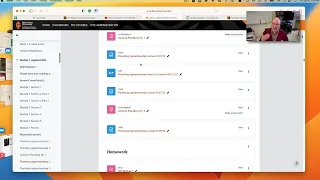
show you some of the configuration settings show you how to monitor your experience points and how to send notifications to students okay so now we're currently in uh our moodle application uh hope everybody can see the screen pretty pretty good um what i'm gonna do here this is basically our faculty development 2022 course and i'm going to use this course as an example of adding level up to encourage course activity because we do want faculty members to uh come in the course as well as uh you know click on some of the many many uh
you know options we have in here uh you know for course development as well as uh you know adobe sign leganto uh respondus e-portfolios so we want to encourage course uh activity so what we're going to do as an instructor you want to first make sure when you go into your moodle course that the editing option is turned on i currently have mine turned on as you can see it's opened up all of the editing options in the course so to add level up what you want to first do is scroll all the way to
the left well to the bottom left corner and you're going to see a section called add a block if you click on add you'll be greeted with a lot of activity options and applications for this specific course but what we're going to focus on today is level up so we're going to scroll down until we find level up and we're going to select level up once moodle refreshes the screen you'll be greeted in your menu bar to the left with a level up configurations block okay in order to activate the block we must participate in
the course to gain experience points and level up so let me go into the settings info and report options and ladder options here at the bottom so we can dig in a little bit deeper to show you what level up is all about now before we go into the settings and the ladder board and all of the reporting features and level up i want to briefly explain how it works as a student progresses throughout the course and takes part in activities then gain more xp or experience points and these experience points relate to a set
of levels the instructor or the teacher in the course can decide the number of points to levels in the levels tab and students can view this from the information link all right students can see their progress by clicking the ladder link okay and they can also view their level and progress in the block itself and when they move up a level students get a notification um and teachers also get a notification letting them know that this student has progressed such far thus far in the course so in a nutshell it kind of works like an
old-fashioned putting a star on the board uh for exceptional student participation so if you imagine being in a face-to-face course and you're taking attendance or you know you're doing a progress report and we can even take it to the you know k-12 level where there is a board on the wall where each student in the course name is listed and their stars placed behind their name based on their activity level in your face-to-face course depending on what kind of course we're discussing here is a brief example uh on my presentation of how the ladder board
works it's called the leader ladder board um instructions instructors can use the level up class leader ladder to encourage competition between course participants you can limit uh the appearance to other students um you can make this anonymous where their names don't appear but what i would encourage instructors to do is to use this as a way to encourage course activity so for example in the the illustration here we have aubry howard she has a total of 1203 uh experience points uh so she's the leader and her progress as you can see is tracked so if
i was a student in this course and i was to come in and look at the leaderboard just for example like if i'm in the face-to-face class and i go to the to the board and i see that my name is not at the top it's going to encourage me to want to work harder in the class so now that we've uh discussed what the the leader ladder board is about i'd like to go back to the moodle course and kind of briefly show you where to go in as an instructor to uh configure uh
level up as you insert it into your course so here we have the level up block right here in the left hand corner as an instructor you have access to information so we're going to click on the info tab and this gives you a brief um i guess you could say overview of what each point level is worth and as an instructor you have the capability to customize the levels so you can you know for your stars as your students uh gain experience points you can set how many points each uh level is worth okay
and then we're going to go into the ladder uh as you saw on the illustration the ladder board is basically uh who is leading in activity uh experience points in your course uh as of right now we have no activity in this course because i just added the block so we're going to have to go back and configure a few things also as an instructor you have access to course reports um i did make a slide in my presentation to display with this uh this section is for but basically what it does uh for everybody
that's a participant in your course you have the capability to click on uh i believe you can see how they are gaining their activity points uh as well as the progress for each individual so this is basically a course outline of the level of activity based on students participation then we could dig a little bit deeper there's nothing to display at this point but this log screen it gives you um even more details i can't display anything now i wish i had an active course but it gives you time stamps dates of which specific activity
your student access to gain the experience points okay then under the levels tab this is uh basically where you can customize the logarithms uh within moodle to calculate points based on activity participation uh i would advise faculty to leave these alone unless you have mapped out a strategic strategic a logarithm in you know experience points for your activities and resources that you uh you know put into your course by default moodle has already set this up so level one is zero level two is 120 as you can see as we scroll through and the numbers
go up and up based on the level that your student reaches based on their activity completion within the course so this is a extra layer of customization we also have a rules section um students can receive points for completing courses and activities or even receive points according to their grades so this right here is basically a section where you can set up uh based on events that uh you know activity within the course how your students uh you know basically accumulate points to level up very very advanced i'm not going to go into that in
this discussion but what i will do is leave a few resources uh within within our presentation so you can always come back and look at some of the videos and setting up rules now the visuals uh basically you can you can upload your own images for the level up uh basically each level of points so instead of you know the the default stars you have the capability to upload customized images and badges right here under the course visuals now settings uh these are basic uh course level settings uh that enables certain things to notify and
i guess you could say show students their progress in the course so as you can see here these settings are default and they're set up the way they're supposed to go but you as the instructor you can come in and you can tweak some of those settings like for example enable level up notification what that basically mean is when you set it to yes students will be displayed a pop-up config congratulating them for the new level reached so as they progress through the course they'll get a pop-up saying hey you've reached this level that is
there to encourage course participation uh actually you can also set up the latter to uh display uh uh anonymity if you don't want participants names to be displayed uh you can see each well basically if i log into the course as a student i will not be able to see the student's name it'll be anonymous and what it will be is it will show progress based on their uh you know name and avatar without displaying their names so that's a great option so you can tur you could take on and take off certain things that
you do not want to be displayed within level up and the last tab is the plus tab um these are add-ons for level up which we're not going to dive in but this will unlock its full potential with the additions of rules grade-based rewards so you can reward students for their performance their grades can directly contribute to their to their you know student level up experience points you can also have team leader boards you could rank groups of learners based on their combined points so if you have group activities within your course you can assign
uh you know certain compatible groups in a cohort and you can collaborate and actually students can gain experience points based on their uh combined group activity level uh there's also mobile app support you can see your current level in progress as a student and as a faculty member you can access the leaderboard and cheating um this this option basically limits your students rewards per day so if there is a vacation like spring break coming up you don't want your students possibly if this is how you you run your course you probably don't want your students
to just click on activities that they've completed and gain experience points uh that that's not being honest so if there's a vacation or there's a lapse in between uh activity due dates you can customize that option as well um there i mean email support we have uh i don't really know what the dongle or carrot is i guess it's to motivate a student to do more additional work and then you can add um different levels of badges as well so i think that about covers the technicalities of level up like i said this is a
brief overview we're not going to go into detail but i wanted to really highlight out of this the ladder board okay the reports course reports and the log so i hope that uh explains how level up is set up from the instructor course level at this point in our presentation i'd like to say thank you for uh participating in this is basically a basic overview of how level up is added to your moodle course how it works how to set up different custom levels of experience points and uh we really enjoy introducing new applications to
our faculty and we look forward to getting you know requests for you know more of an in-depth one-on-one uh zoom session or face-to-face if you're on campus as an instructor and learning more of the intricate details of how to configure level up the ctre department these are new applications for us as well so this is basically like an active learning type of environment we learn as you learn as our campus environment grows so we want to say thank you again for joining us in our second presentation of the day for uh level up moodle gamification
course applications and if you have any further questions please feel free to contact the e-learning department at elearning csu.edu and you can also reach us at our website www.csu.edu backslash ctre for more uh moodle instruction and we do encourage faculty members to uh go to the faculty development course for our 2022 semester we have a lot of uh tutorials that we're going to be adding as well as important announcements and information that faculty uh will need for their online learning experience so have a great semester and if you have any more questions feel free to
email our department uh as well as contests contact us via the website have a great 2020 semester