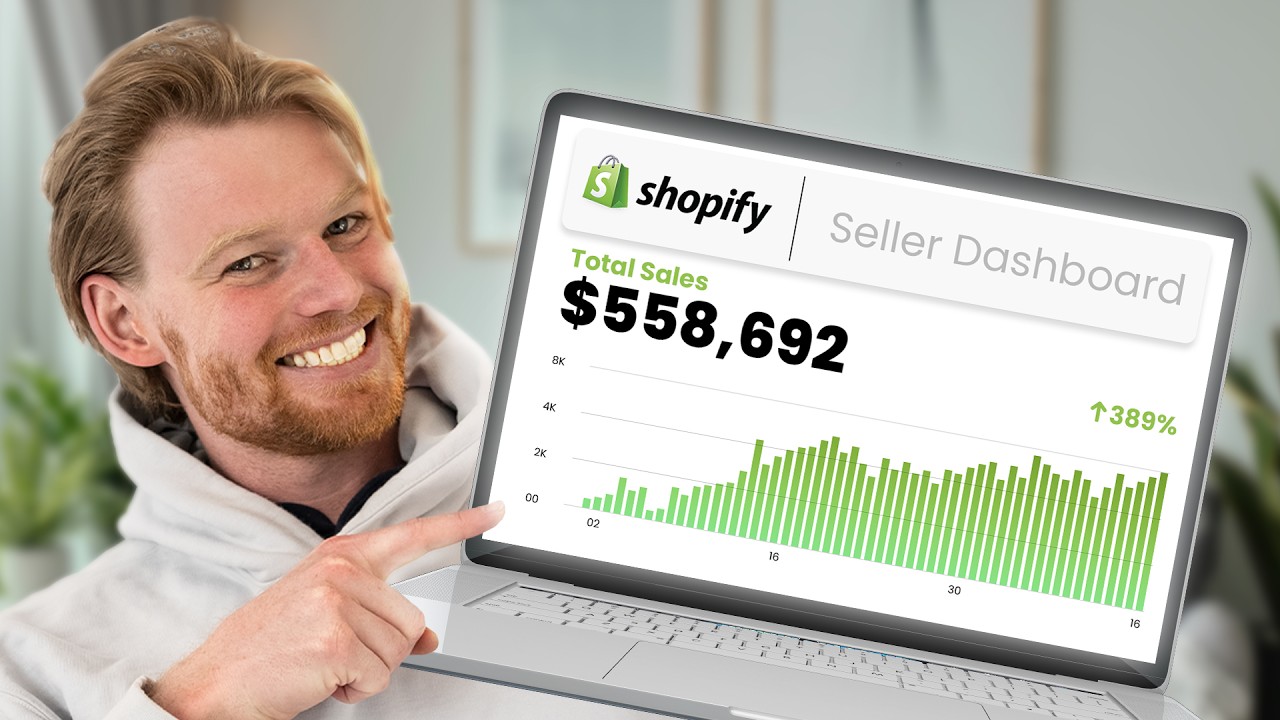
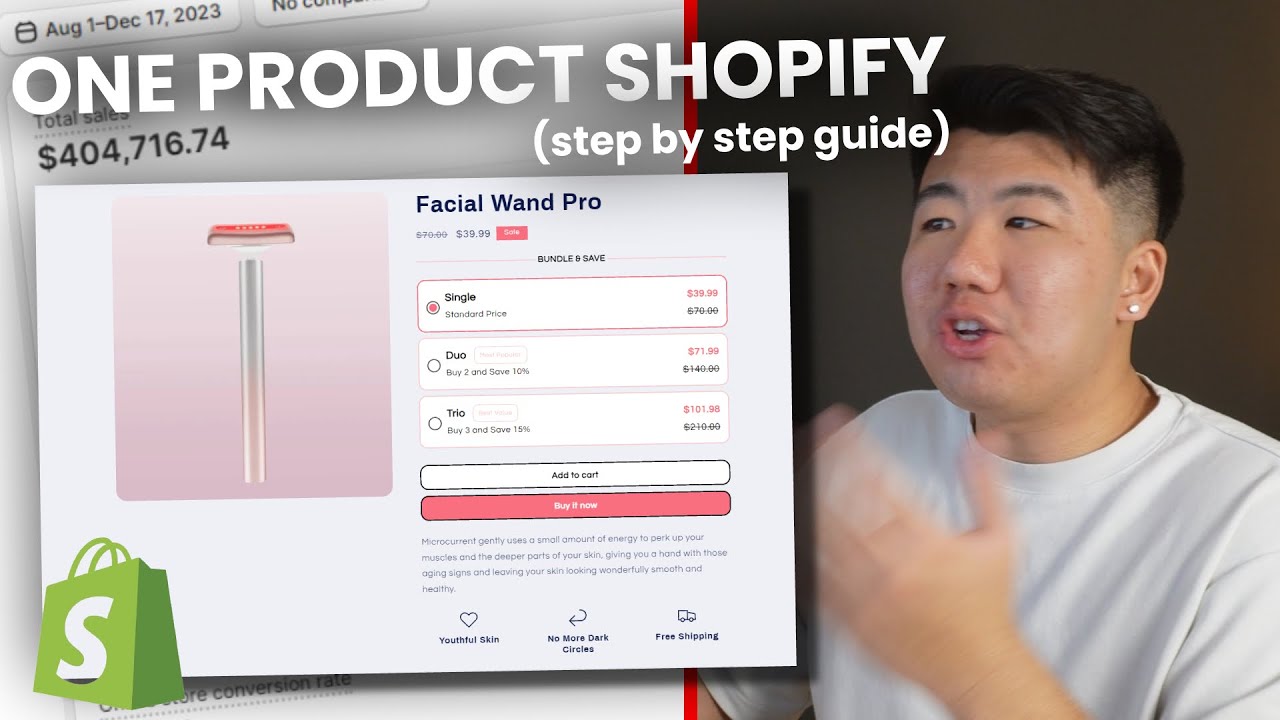
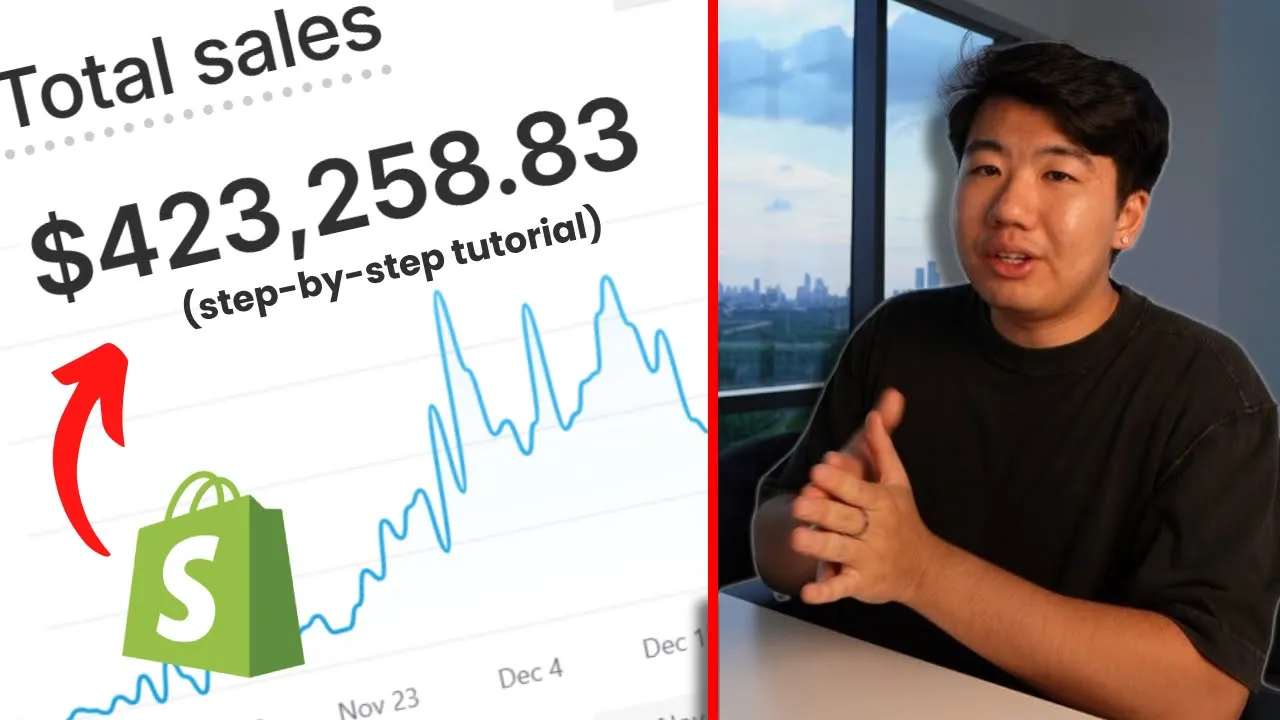
So $398,000 is what Google ads has been able to generate for one of my Shopify drop shipping stores the funny thing is it's actually under tracking because if we go to our Shopify store as you can see sales by traffic volume our search is actually at 423 so just like Facebook Google does under track a little bit but that means we are well above a two row ad for our Google ads which is really Profitable for this store considering our break even row ads is around a 1.35 anyways going back here let me go ahead
and re refresh this really quickly so you can tell that this is actually a Google ads account and we do a refresh over here as well for our Shopify store so you can see and there we go but anyways going back to Google ads I literally launched this campaign and I haven't touched it ever since it's been launched like literally I launched it And I don't have to go ahead and edit the budgets I don't have to go ahead and add new campaigns new keywords nothing I literally launched it and that's all I did and
it has been able to generate around 400k revenue for one of my stores by the way the profit breakdown is probably going to be on the screen right now how much revenue was generated from Google ads how much it costed me and the cost of goods for my products so the total profit from Google ads is going to Be on the screen right now so in this video I'm going to go ahead and explain to you guys how you guys can go ahead and get started and actually do Google ads for one of your drop
shipping stores or even start up a new Drop Shipping Store and utilize Google ads as one of your main sales channels from product research to choosing the best product for Google ads how to set up your Shopify store with with SEO so you rank basically one of the top few on Google As well as launching your Google ads with a $500 free credit that I will show you later on in the video so keep watching and the funny thing is actually one of my students did the exact same setup on Google ads for a Drop
Shipping Store they were already running and made some decent profits so imagine all the revenue he missed out on because he didn't go ahead and launch Google ads also if you're interested in working with me oneon-one like this student over Here to help start or scale your existing Drop Shipping Store go to the link down below and book a call with me cuz I've helped multiple people scale their stores to 1K A Day 5K a day 9k a day and even more so if you're interested in that just go to the link down below and
book a call with me anyways going back to Google ads so this is a good example of why Google ads work and there's something called Google bleed basically pretend you're this Person selling this product called the bloody bath mat basically whenever somebody steps out of the shower and water hits the mat it becomes red so it seems like you're bleeding but let's just say you want to sell this product and this is your Drop Shipping Store now somebody that goes into your website they might think oh okay let me make sure that this person is
the legit person so they're going to go into Google they're going to type in bloody Batm and guess what you are not even shown up on Google ads as you can see this guy is showing up so if they go ahead and click this this is not even your store it's actually your competitor's store so there's a lot of people that will go to your website and then verify by going to Google and searching the product up to make sure that you are the legit retailer now obviously when that happens people tend to trust Google
more so they think that This guy is actually the official retailer selling it especially if their Google ads Say official retailer now a second example could be if somebody was on your store and they're on the train maybe they're driving honestly they shouldn't be using their phone while driving or maybe they're at the office at work and they don't want to buy stuff during that time they might remember the product bloody bathmat but then when they go home they forgot your store your So for example this store canas stores.com is not really that easy to
remember but they are going to remember bloody bathman so they're going to Google bloody bathman and guess what this is the guy that's going to be getting the sale and not actually you so those are two good examples of why Google ads are important and why this strategy works because a lot of people don't set up their Google ads which leads to something called Google bed and People that have the Google ads set up are going to take advantage of the customers that left your website now if that being said it doesn't mean you can't
be profitable even though somebody is already running Google ads if you scroll down there's still other people here such as the one right here called uh blood.com so as you can see you really want to be good at SEO and basically rank first the number one determining factor is going to be your Url as you can see it's called blood matat and this one's called bloody bath matat so this guy owns the domain that has a product name so he is going to rank first but that's not the only Factor there is SEO involved as
well as well but a huge factor is going to be the domain name and that's where the sponsor of today's video comes in store domains so when setting up your Shopify store having the right domain is vital because without one you have a hard URL For your customers to remember so imagine if you're this guy and you have canest stores.com instead you want to go for something way more straightforward Like official bloody bathmats dosto or even just bloody bathmat do Store the store domain not only clarifies what your store is but also improves the Discover
ility on Google when someone searches it up that's pretty much where do store domains shine because they communicate that you are a shop ready to Offer something to sell and even notable figures like Mr Beast and Melle Obama have moved their online stores to a DOT store domain Studies have shown that if your website is on a DOT store domain it could receive up to a 87% increase in traffic making them the wise choice for boosting visibility and attracting customers now securing your doore domain is pretty simple whether if you do it to Shopify name
cheap gold daddy or another platform but there's a special offer for My viewers if you go to the link down below you can grab your first domain for just 90 using the code Andrew store so pretty much don't miss out on this opportunity to grab your first domain link for just 99 cent to stand out even more and drive more traffic anyways before you go ahead and actually buy a domain and launch your Shopify store you're going to need a product to go ahead and run so the first thing you want to do is actually
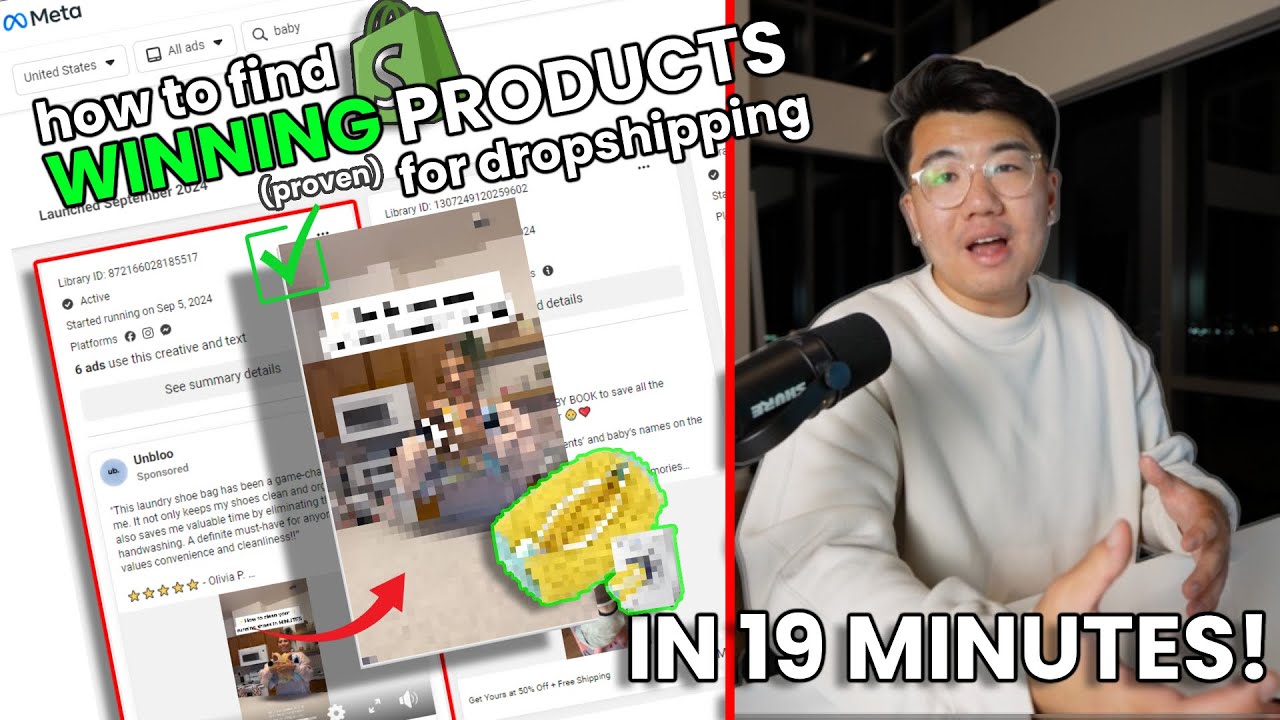
go to Facebook Ads library or any other product sorder such as Tik Tok creative censor or even searching through Tik Tok themselves but right here we are on Facebook ads Library if you don't already know there's a link down below to go ahead and go to Facebook ads library but this is basically from Facebook and you can search up anyone that's currently advertising with Facebook ads so for example an easy keyword to search up is just shop now because a lot of people Use shop now when it comes to advertising and the next thing you
want to go ahead and open is something called Google Trends now if you don't know what Google Trends is it's basically Google's way of showing you how popular or how much interest a certain subject is now we can use that to our advantage because we're not guessing what products are doing well and we're not guessing what products are doing bad we're just going to straight up search the product name Into Google Trends and then it'll tell us hey there's a lot of interest here or there's no interest here and obviously we want to run Google
ads only for products that have a lot of interest or at least seems like it's going up in interest so anyways going to the ad Library if you want to go ahead and look for some products for example something like this The Nostalgia stick we can go ahead and copy going into Google Trends and go ahead and paste it here as you Can see the first thing you do is that there's not enough data here but that's fine sometimes you have to go ahead and play around with it so from the past day to the
last 90 days and it still seem like there's not enough data and that's going to basically tell me it's not good to run this search term as a Google ad or this product as a Google ad so let's go ahead and go to the next one go ahead and go down and let's see what else we can do with this one uh a lot of Inactive ads here so the first thing I would do if there's a lot of inactive ads is actually go to filters go to Media types switch it to videos only and
then go to active ads the reason why I choose videos is because a lot of ads nowadays are video ads I'm not saying that image ads don't work but a majority of the time I've seen that video ads do better anyways we're still on Facebook let's go ahead and search on the next part that we see which is now the tummy Control dong uh may can just search a tummy control cuz it's more generic and people might search that up instead of the whole word so let's go ahead and do tummy control and go ahead
and search that up the past 90 days so it does seem like there is some interest when it comes to this product as you can see people are searching it up on a daily basis let's go ahead and do the past 12 months and as you can see it looks like this is going up and up and up because It is summertime so I believe people are trying to buy this product to look fit and to look slimmer let's go ahe and do the Last 5 Years and let's see as you can see it's on
a rising Trend usually around this time May is when tummy control is in season and it looks like this could be a good product to go ahead and use the search term now the only thing is this product seems like it is a little bit saturated because there's such a big Niche tummy control you're Going to be bidding and competing against a lot of people when it comes to Google ads which should be okay if you have great SEO a great domain name and just overall a better website but it does decrease your chances in
making it work for us I want to go ahead and find an unsaturated Tred untapped products that doesn't have this long of a track record so for example if we go ahead and scroll down we will try to find a product that meets our validations in Terms of it's not too saturated and it recently just started so the next thing we found right here is a spray cooling fan going to go ahead and copy that as well and then paste it into the Google Trends as you can see there's not much things happening here there's
not really that much interest Over The Last 5 Years let's just go ahead and do the last 90 days and there's really not much going on over here so we are going to go skip this product cuz we don't want to run Google ads for a product that's not really selling anyway so all I'm really doing is scrolling and making sure that it's a Drop Shipping item and then going ahead and searching up some of these items on Google by the way if you're wondering how to do this method more efficiently you're going to want
to use different and better keywords now I do have an entire training on my Discord if you're interested in a more advanced version and if you're interested in Checking it out the link to my Discord should be in the description down below this method is obviously the free method it's a lot harder because you're searching up keyword now we have the keyword shop now but you can still go ahead and search up keywords like pup or baby or other keywords that are related to a niche that you want to follow but even here it's going
to be a bit harder because you're only searching up keywords Facebook themselves are not Telling you hey this product is scaling up or this product has the potential to scale up it it's going to be a bit harder doing it the freeway but it's not impossible so for example we have this product here called the pup Jet and let's go ahead and take a look at their website we want to see if they're running Google ads right now or if there's a lot of interest on Google as you can see for this product it seems
like it's up and down up and down up and Down there's some days a lot of people are searching it up and some days there aren't this chart to me is unstable I wouldn't really want to go ahead and Target this especially because this guy is the main competitor and he already owns the pj.com now if you can secure pup jet. store or pj.com and you know this guy is generating a lot of interest then that's going to be different except that we don't know because there's such an unstable interest on this product Some days
there a lot of people searching it up and some days they aren't but this guy definitely does have some Google bleed if he's not running Google ads so you can still take advantage of that especially if you own the domain name and use SEO so you can rank first on Google but that is the free method of searching it up I do have some paid methods like this tool right here called after lib if you want to use this tool go to my link down below and Definitely use code Andrew for around 10% off but
this tool is great because not only does it give you validated products it also has a lot of features and tools to tell you if this product is possibly scaling up or not anyways let's go ahead and log in here all right now that we're logged in I want to go ahead and go do filters for you so the filters I like to use is number one technology I want to always make sure they're on Shopify going into the country I just do United States and then languages I do English display format video publisher platform
Facebook and Instagram and then the call to action is shop now and that's pretty much it there's other things you could play around with I do suggest you to play around with these filters they have something called the trend filter the performance filter but the good thing about after is that it basically shows you data on whether or not the product could be scaling up or Not so for example if you click here you can see that this person only had five ads around a month ago and now they have 147 ads now I'm not
saying it's a direct comparison on whether or not they're scaling but usually who is launching more ads if they're not making enough money right so that's pretty much a good validator off on its own after Li offers that under software but what we're going to do is go ahead and search up some of these products because a basically did The hard work for us and showing us winning products already that might have some Google bleed so for example if we click shop now on here and search up this one right here called Daddy to us
and search it up in the last 30 days it does seem like there's a lot of interest on this product and it started recently so before May 23rd there was nothing here 00 0 but now I I'm guessing the competitors started running around that time and now there's a lot of interest So it's possible that they have some Google bleed and you might want to go ahead and run your Google ads off of this product because of that reason now going into after lib let's go ahead and see if there's any other Drop Shipping products
available so maybe this one right here as you can see this one's a little bit different because they named their product the breed buddy so that means people might remember the easy to remember name which is breed buddy so Let's go ahead and search it up so we just searched up the breed buddy and it seems like it just started doing well as you can see before that it was a zero and now it is at 100 which means a lot of traffic is currently generated off of breed buddy so that means it's possible that
they're running ads right now and also leaving some traffic out for people that are running Google ads so for example if you go here they don't even own the domain name called brief Buddy.com or brief buddy. store so that means someone could possibly take over them in the SEO for Google ads let's even go into their Niche to see if this Niche is actually really good or not so as you can see NE is the product name and the actual product that they're selling so let's go ahead and search up nebulizer and it seems like
there's a lot of interest in this products so I see the last 12 months as you can see there's a lot of interest let's do even The Last 5 Years for nebulizer and it seems like every single time it hits around I would say the summer until January or even December so as you can see a huge Spike again November to December another huge Spike from November to December so it seems like these kind of products do really good at towards the end of the year and this guy maybe just start launching ads now for
this product called the breath buddy so if we are going to launch Google ads for This product we're not going to Target nebulizer because as you can see it's going towards the downtrend meaning that the product is not generating that much interest also there's just so much interest here you're going to be competing against a lot of people because I'm assuming that nebulizer is a generic term for that product but we will go ahead and search up breed buddy and as you can see it just started becoming really really popular so we are Early to
the trend and that's something you can capitalize on off of especially if the original competitor keeps running their ads on Facebook and forgetting about Google ads but anyways going to after live again you see how good this software is when it comes to kind of winning products or even scaling products because they already have the data to back it up that was our second product that were shown so we will go ahead and try to search up some new Products if not we will start running Google ads on breath buddy but let's go ahead and
scroll down see what other Drop Shipping products there are and see if it makes sense so another product right here let's go to their website there something called The Snug pack Pro so go ahead and write that into Google and as you can see there's not much things going on with snug pack Pro even if we do the last 30 days there's no data available so we are not going to go Ahead and run this product or run this product for Google ads so we're scrolling down there's another product right here that looks like it's
Drop Shipping this called the link pherone bracelet so I'm going to go ahead and copy this and go to Google ads and see if there's anything good for this product so going to the last 90 days for the link Fone bracelet it doesn't seem like there's a lot of traction for this product so we're also not going to run It let's actually try to go ahead and search up phone bracelet all right as you can see right here it's very different when you search up link phone bracelet and fairon bracelet because I'm guessing when people
look at this ad they forget about this right here which is the brand name called link instead it's a fairon bracelet so they forget about it or they Google FAL bracelet and it seems like it is on the uptrend right now so it is possible to run ads for This products because if this competitor keeps scaling we could Bank off of that Google bleed that they're going to have let's go ahead and find one more product before I make this tutorial about how to actually launch Google ads with the product that you chose but even
here we have another product for babies let's go ahead and see Tiny exploring let's just search it up now obviously tiny exploring is not the product name but at least we have a brand name to see if They actually make sense or not and the brand right now it seems like it's on and off on and off on and off so I wouldn't really run Google ads towards the brand name because it's such on and off doesn't really make sense even if we do the last 30 days it doesn't seem like much has happen happening
it's not an exponential chart and it's even going down toward zero so it's not really that good but I do want to see what the actual product name is called so it Seems like sock shoes for toddlers let's actually go ahead and search that up and possibly that might be an interest okay I guess not so there is something for this one let's go ahead and do the last 90 days and there's no data so we are going to go next for this one the chances of us running Google ads is not that great for
a product that is not doing that well so there's another product right here called the magnetic lashes let's go ahead and just copy this And go into Google and search up magnetic lashes and it seems like it is up and down let's go ahead and do the last 12 months as well and the last 12 months there's a lot of interest here that means if you're going to run Google ads off of magnetic lashes it's going to be hard to compete because there's so much interest but let's actually see this brand to see if people
are actually searching up portify there's not much unfortunately there's another product That we can't really Bank off of because magnetic lashes is too broad of a niche and the name portify apparently doesn't mean anything to anybody so we're not going to run that as you can see what we're really looking for is not choosing the generic and Broad keywords cuz it's going to be hard to compete with everybody else everybody knows if you search up magnetic lashes there's going to be a lot of competitors we're basically doing either product names or Specific names given to
products that was made up such as the bloody bath matat is a product name and then the breed the buddy is also a product name given to a generic product called the nebulizer so that's exactly what we're looking for so there's another product right here it's called the prume defined curling brush obviously if you search up curling brush there's going to be a lot of interest for that product but let's see if we search Up pruned if it makes Sense as you can see going to the 12- Monon chart when you search a pruned it
does look like there's some traction 100 being the latest as well that means we could also go ahead and try this product out for Google ads because people are probably searching up the name pred to make sure if it's a legit brand or we can go ahead and search up pred curling brush and see there's a lot of interest when it comes to this product unfortunately though they already own The domain name pr.com unless you can do pr. store and make a better website than them it doesn't really make sense to run Google ads for
this one you could still make money but your chances of success are going to be a lot lower but anyways that's it for after lib if you want to use this tool because it makes product research a lot easier I actually did use this tool a whole year ago and I still use this tool now so you want to make sure to go ahead And use this tool go to the link down below and use the code Andrew for 10% off your subscription but I am going to go ahead and go all the way back
up here cuz I want to run Google ads for this product that we just found it was called the breath buddy the reason why this is perfect for an example tutorial is because number one if we search Up nebulizer we know that this product is always in demand as you can see even you do the Last 5 Years people want to buy This product except they're not searching up nebulizer when this competitor is running ads they're searching up a name that was given to it called the breed buddy so we search up the breed buddy
and then go ahead and do the last 12 months we can see that people are searching up breed buddy because of such an easy name to remember that means there's Google bleed from this guy because people go to his website remember the name called brief Buddy and they search it up on Google or they forget about it and they remember it later on and search it up on Google so that's a primary example if this guy keeps scaling on Facebook which it seems like he's not doing too bad according to afterlip as you can see
right here that means we can go ahead and hop off his Google bleed especially if he's not running Google ad another reason is this guy's name is called enr.com he doesn't have the SEO necessary for us can do Brief buddy. Store and take over the SEO especially when we go ahead and put a lot of keyw on our website called brief buddy because that is the search term that we are going for anyways let's go ahead and make this website and launch this Google ads a toz so you can see exactly how you can go
ahead and do the same and possibly even generate 400k Revenue off of 200k Aspen just like how I did for one of my stores exactly launched this way so now that I actually Want to go ahead and run this product I want to go to AliExpress and and actually see if we could sell this product or at least find it um they named the brief buddy but I know that that it's not the same product name that Ali Express uses so I know the nebulizer and I'm going to go ahead and do portable nebulizer and
let's see if this shows up so it seems like there a bunch of different kinds but we want to look for this one specifically it doesn't Have to be the same color but I do want to look for something that matches this one because there are so many different types so I do want to find that and it seems like I just found it so this one right here is the one that they are selling or possibly even this one over here so this is an AliExpress and that's good because we can sell this product
if it's not an AliExpress unfortunately we're not going to be able to sell it but anyways now that we know that this Product is sellable let's go ahead and create the Shopify store for this product so to create our Shopify store I do have a link in the description down below so you can start Shopify for free for only $1 a month and you also get $50 in credit for the Shopify app store which we will need to use for certain apps like the bundle app app that we will install to our Shopify store so
make sure to go to the link down below and actually use it in order to get your $1 month Shopify free trial and an extra $50 so you can use it in the Shopify App Store to download apps like the bundle app as you can see right here once you sign up using the link in the description you can either answer these questions or go ahead and click skip all and then continue setting up and once it's going to be setting up it's going to say building your store the next thing you have to do
is make sure you to select the plan for your first month for $1 and get your first $50 for for free from the shly App Store so let's go ahead and do that and the cool thing is it's $1 for any of these plans if you're just starting out you can go ahead and just choose the basic one as you get more sales you probably want Shopify and in advance because you do get staff accounts and additional features but as of right now I think basic is just fine so we are going to use it
for $1 I am going to go ahead and write my credit Card information in now but I will see you guys in a bit because I do want to claim this $50 store credit and get my first month for only $1 all right I just filled my card information out and we should be good for the $1 trial and getting our $50 app store credit so let's just see what happens and looks like we're good to go and then I'm going to go ahead and add this later and we're all caught up so let's go
ahead and add our first product into the store by Going into products all right so I completely forgot to record this while I was recording the video but the first thing you have to do is actually buy your first domain name so you want to use my link in the description to buy your first domain because you basically get your domain for around a dollar so for example go ahead and do official um breed buddy. store get yours and as you can see it is available so we want to go Ahead and click proceed it
says $37 but after my promo code you can remove this and do Andrew store or just use a link in the description it actually becomes a lot cheaper and I do recommend you add privacy protection for $8 if you don't want to add it it actually is going to be just $1 as you can see for the year so uh for me I am going to go ahead and add this so add the Privacy protection and then go ahead and click pay online so after you buy your domain the next Thing you want to do
is go to your Shopify store click settings and then go ahead and go down here click domains and then you want to click connect existing domain so go ahead and do that and then you want to go ahead and write your domain in and once you write your domain in there should be some instructions for you to set up and then even after you connected I would wait around like 30 minutes to an hour maybe or even less time because sometimes it does have Errors like SSL not connected or other errors that usually fixes himself
out um but yeah that's pretty much it the first thing you want to do is have your domain name readying add product and then writing breed Buddy portable nebulizer for kids something like that that makes sense with the product and then we're going to go ahead and not even add a description just yet we do want to add some media files and looking at our competitors he has one really good image And then after that it looks like images that are not too too good but it doesn't really matter all you really need is just
the initial first image which you did edit right here and we are going to make a similar photo to this one so in order to do that let's go into AliExpress and find it so this right here looks like a decent image we are going to take a screenshot of this image right here and once you take a screenshot you can go ahead and upload The image to this website called remove.bg remember all the links are down below if you're looking for it and actually choose a background that they already have for you or you
can actually choose a color for the background I think I'm going to go with this blue right here click done and then going to download this picture so we can upload it to our Shopify store all right right so we go ahead and click upload new and I will add the picture in as you can see This is going to be our picture if you want to add more from AliExpress you definitely can so in this listing here if you scroll down and actually zoom out there are some more pictures you can go ahead and
add which we will take a screenshot of right now and use it on our Shopify store all right now all three are in let's go ahead and click done and that's pretty much it we are going to set the price exactly where our competitor is selling it as it seems Like they're selling it for $34 so we can do the same thing and compare at Price could be like $45 or $50 it doesn't really matter too too much and for the track quantity you can go ahead and uncheck this one and then if you have
variants like size or color you can start adding it here I believe this product do have other variants so we could go ahead and add that as well as you can see there's a white one there's a green one I guess there's only green Blue and white so you could go ahead and add that as well but it seems like our competitor is only selling one I guess the color doesn't really matter for this specific product but if you do you can definitely add it here anyways let's go ahead and save this product go into
our online store and start making our store so we can run it on Google ads by default Shopify makes you download the dawn Dee which is okay but in my opinion the refresh theme is a lot better so we Are going to click add the refresh theme and then once this theme is finished installing then we can go ahead and click publish so we can put it into our store and while it's doing that you want to click manage password here and actually go to the check mark and make sure this check mark is unchecked
and then save it honestly right here it's telling me to add my store address this is just a tutorial so I'm not going to do that but for you you definitely Should add your store address uncheck this save it or else nobody can visit your website make sure you do that option what's going on so if you do enjoy these videos step-by-step tutorials there's a lot where I came from from my paid Discord so go to my link in the description go to my Discord check it out but we have people over here making 2.7k
this week we have one at 5K Revenue someone's at 500 we have 2K we have somebody at 100K um we have $1,000 $1,000 $6,000 uh 1.8k if you want to go ahead and have results like this or want to learn more about it because we do have live trainings we do have case studies and we even have a chat right here where you can go ahead and ask me any question I go ahead and answer it every single day as you can see how many questions we get but I still answer these questions every single
day so if you are interested in joining Community as well As getting answers from me and getting more tutorial videos like the ones you're seeing now make sure to join my Discord down below and I'll see you guys there anyways let's go back to see the refresh theme is done seems like it is Click publish and now we should have the refresh theme and the next thing we want to do is start changing the colors let's start changing the color to a color that looks like the background for this product so let's go ahead and
do that And change this color it's more of a darker right here this kind of blue if you actually want to know the exact color code of this product which is exactly what I'm going to do I'm just going to take a screenshot of this go into photo P paste it and I'm going to use this tool right here and see exactly what color combination this is copy this go back into my store and we're going to change the color one more time in order to do like that and then also the Background as well
okay this background is a little bit too crazy let's go ahead and make it white again go to color scheme 2 and change the color scheme of the background for this one and there you go now it doesn't look too good right now but we are going to change that as we edit the store more let's go ahead and click remove we can remove this one as well and then we're going to start changing these colors up here here from scheme 3 to scheme 2 and then this One we can change into scheme one so
it looks a lot better we can also change the announcement up here to something else so click announcement bar we can basically just start changing it around Welcome to our store to be official retailer of the breed Buddy portable nebulizer for kids and then save that change the thing down here to scheme 2 as well just change everything to scheme one or two and it's looking a lot better already but we're also not done the next Thing you want to do is add a bundles option just like our competitor has right here they have a
buy two get one free as well as a buy one and we are going to do that by going to the Shopify App Store and downloading an app called Prime bundles which should be free for the first 14 days and because you use the link down below you get $50 in the Shopify App Store completely for free so that's really really good go into apps right here search up Prime bundles and We are now in Prime bundles we are going to install this or go to the link down below to install Prime bundles as you
can see we have a 14-day free trial and we have the $50 store credit but even after the trial is over it is going to be for quite some time once I install this I want to add a new bundle just go ahead and click create and now we can start editing our bundle we're going to keep it very simple just click design and change it to custom and we are going To go ahead and change it to the color that we like as you can see adding the color to everything like the text as
well the buy now button as well and it really looks pretty good so we could even either leave it like this or we can go ahead and change it even better and move it to a lighter color like this and this one looks pretty decent we do want to change the bundle option um from offer two and offer three to remove this offer and then we can do buy Two get one free just exactly like our competitor and then we just go down here and click this discount type to buy two gets one free we
change this to you save $163 the next thing you want to do is select the product to make sure it looks all right for our product $34.68 our competitor has 34 68 as well so we are good to go let's go ahead and click save and now we have to activate Prime bundles so we're going to click activate and it should show up in our Deam right now or it takes a second let's go ahead and click save and there you go now Prime bundles is now installed in our steam so we also have a
bundle option for our store the next thing you want to do is start editing the blocks down here and let's actually go ahead and put a collapsible roll let's add some more and then let's go ahead and add some sections down here as well so I like to do rich text and then I'm going to add add some more sections So image with text add another image with text down here but I actually make this one the image second and looking pretty good so far and we're going to add one more section for us and
we can go ahead and put that section as multicolumn section and there we go it's looking pretty good already let's go ahead and save this one and what you want to do now is actually get some images that matches here and also change the text around for here just like how Our competitor has an image and a text image and a text I'm going to go ahead and utilize chat gbt and actually rewrite everything because I don't want to get dmca or come into trouble when it comes to copying my competitor but I definitely recommend
you to get some images that make sense with this product before launching it another thing I like to do is remove these buttons as well over here but anyways this video isn't a tutorial video to how to build a website So if you do want a full explanation on how to build a branded website for Drop Shipping you want to go ahead and go to this video right here the link is also in the description so I will do it off camera to save you some time and then I'm going to go ahead and show
you the final results on how the website looks like because the main point of this video is just to launch Google ads and as you can see I started this video when the sun was up and now the sun's not Even here anymore so I'm going to edit this website really quickly and then show you how I can launch Google ads for this product right here so I'll be right back all right our store is now done as you can see I do have a logo up here called brief buddy we got the bundles going
on over here we have some drop down menus like easy to use quiet operation portable and compact we have a text here we have an image image and text another image and text and then we Have some basically uh testimonials and that's pretty much it that's really all you need in order to run Google ads and basically for a customer that comes from Google to trust your website if you do want a full one product website tutorial there is a link down below cuz I have done a video in the past on how to build
a Shopify store step by step anyways that's pretty much it let's go ahead and actually launch Google ads now but before we do that there is a link in the Description down below you can basically get a free $500 on Google ad credits it's basically a partnership between Google and Shopify so if you scroll all the way down here it does say start selling on Google and YouTube uh to help get started with Google ads enjoy $500 and AD credit when you spend $500 within 60 days so let's just say you spent 500 bucks on
ads you get an additional $500 in free credits so even if you spend 1,000 bucks and only make back $1,000 in Sales technically you won't be profitable because obviously you have to pay for inv and product cost but with this it is very possible to be profitable because half of your ad spend was basically for free so the first thing you want to do is go to the link below and press install Google on YouTube app and it should go to Shopify store go ahead and click install and we should start from there all right
now we're in the Google And YouTube app on Shopify now we can connect our Google account so I'm going to do just that all right we are now connected as you can see the next thing you want to do is basically fill out everything here which is exactly what I'm going to do and then you click complete setup so let me do that and I'll get right back to you guys all right so I basically just finished setting up Google so you want to click complete setup and there we go and now We can start
advertising with Google so we are now on the Google ads platform let's go ahead and get started with our campaign it's actually really really easy but I will still go through step by step exactly what I mean so go to continue this step is going to ask you about your business I select no and I select yes we pay for Google ads directly save and continue and we should be inside of the Google ads platform now the first thing I want to do is Click Create click campaign and we're going to start with our Google
ads this this name just put your store name so breath buddy edit website just put your store URL so mine is breed buddy. store and then go ahead and click next all right one more thing that I forgot is make sure you add your product page URL and not your homepage so for us it's going to be this right here how you would be able to go ahead and find it it would be go to your Shopify dashboard click products go Ahead and click your products and then you can click View and then you just
go ahead and copy your url at least after.com go back into your Google your Google dashboard and then just paste it into here and that's how you would set your website URL um because you don't want to send people to your homepage especially if you're like me and you don't really care too too much about your homepage you want it directly to your product page now the next thing you Want to do is you want to make sure you're choosing the right one so right here I always choose sales because none of these really makes
sense for me maybe website traffic but ideally we want to make sales so go ahead and click sales and then scroll down now here is where it gets a little bit confusing because a lot of people do performance Max campaigns but I personally do search because it is the easiest and it's basically what this guide is for Performance Max does work and it might have a tutorial about that next time but right now we are just doing a search campaign meaning whoever searches up our keyword on Google our ad will show up so go ahead
and click search next thing you want to do is check off website visits and then put your url over here and then you want to check check off purchase and then the campaign name it could be whatever You' like but I'll just do testing breed buddy search and then go Ahead and click continue so the next thing you want to do is make sure it's on conversions and you could set a CPA if you want to but I personally just leave it open and then you want to click next and then I go ahead and
actually exclude the Google Display Network and exclude the Google search partner scrolling down here the location you want to set it to whatever your competitor is running in so if they're running in United States you do United States if they're running in United States and Canada you want check this one or if they're running the top five countries the US Canada Australia New Zealand and the UK then you would want to go ahead and add all of them here but for this example we're going to do United States and Canada languages we're going to leave
it as English and then you want to go ahead and click next and here is the fun part we are going to add keywords related to our product so right Here you want to click create myself and here's actually where you want to add keywords related to your product so for us it's going to be number one breed buddy second one is going to be portable nebulizer and then you just mix it up breed buddy nebulizer and the last one could just be nebulizer for kids now these keywords you don't have to think about it
too too much and that's what's cool about Google ads they will figure out if there's better keywords for you Or not for now just add what makes sense to your product especially your competitor's name now you can go ahead and scroll down right here and here is where you start adding headlines so you could either make this up yourself or go into chat gbt and ask it to come up with headlines for you even Google is recommending some headlines for you I personally like to go ahead and do something like this and then even official
retailer and then something Like portable nebulizer for kids and this is a preview of how it's going to look like when people actually search up breed buddy they think you're the official retailer so they may buy from your first so exactly what you want to do and you want to go ahead and scroll down description you can ask chat gbt as well or just click view ideas from Google and it seems like they don't have any suggestions right here but that's fine we're going to write our own or we Can actually go to our website
and take it from there so let's just go ahead and do that boom there you go two out of four descriptions and then that's pretty much it that's really all you have to do some people get extra with it and add call outs and site links when I start off I actually don't add that I might add that if it starts performing and it actually gets good row ads and good performance for me but basically what happens you add site links is that you Can go ahead and add a all product section contact us you
know stuff like that which I personally don't really think it matters too much cuz cuz you're a one product store anyways but I'm going to leave it like that and then that's pretty much it we'll click done right here and then you click next and here is the budget now this is actually very confusing for people coming from Tik Tok or Facebook because a budget on Google ads does not work the same if you Give it a budget it's not going to spend your entire budget it'll only spend if there's actually people searching up your
product so for example if I set the budget to $74 74 cents if no one searches up breed buddy that day it's not going to spend my budget or if a very small audience searches it up it might only spend like 10 bucks or five bucks or whatever so my recommendation here is just put something that you're comfortable with if you don't mind Google spending your money and if you go ahead and see that Google is spending a lot of your budget like half the day in or in the morning and it's giving you good
performance then you can go ahead and raise it but I usually just go ahead and set a custom budget and just put $100 a day like I said put whatever you're comfortable with all right while launching our campaign it seems like there is an error it says that there's no conversion tracking which basically You have to go to settings admin and go to goals and go to measurement and then attribution and once you're in this page we can create a conversion setting so click this and then go ahead and click website and then domain name
you want to go ahead and add your domain name so for us it's going to be breed buddy. store and then once you're in you want to set the conversion goal to purchase and then basically add that so you actually want to go ahead and click add conversion Manually go ahead and do purchase uh scroll down just put purchase and then go ahead and use different values for each conversion scroll down all right so I did catch a mistake when making this video I put $1 right here which was the default you actually want to
go ahead and put the closest Value to whatever um your product selling prices so for example if your product selling price is selling for $35 you could go ahead and put $35 and that's why there is a Discrepancy between my stats and Shopify stats but you wanted to get as close as possible um there is way to do a dynamic checkout but I will go ahead and leave a link in the description if you want to set that up yourself that will get a closer value but for us just put whatever is closest to the
product selling price and then go ahead and click save click done and then you should be able to go ahead and save and continue so after that you want to set Up a Google tag so you want to set that up basically what you need to do is just copy this right here or click this button up here go into your Shopify store go into deem click this little button right here click edit code so once you're in here here you're going to go ahead and click de. liquid and then you're going to see a
head tag and what you want to do is just paste code that Google gave you anywhere inside here and then click save and you should be ready To go after that click test installation and you should be set up and yeah that's pretty much it that's how easy it is to set up your search campaign and after that you should have a keywords tab right here and you basically can track what keyword is doing the best as you can see over here I have some keywords that do really really well that are turned on and
some that have not worked anymore in the past last few months I have went ahead and paused it or even Went ahead and turned it off as you can see there's more keywords that I choose down here it's basically just different variations of the first one so for example instead of brief buddy do buddy breed it doesn't really matter just play around with it as you can see a majority of my sales came from the top three or four keywords anyways so it doesn't really matter too much remember to go ahead and monitor your Google
ads the day or two after the launch because if It's spending unprofitably or it's not spending at all you might as well turn it off before you get a surprise bill from Google but if it's spending profitably you want to either raise the budget so it spends more at that performance or go ahead and experiment with more keywords so you can basically dominate the search market for that product but that's pretty much it if you guys are interested in a one-on-one with me make sure to go to the link down Below or if you're interested
in joining my page Discord called Prime go to the link down below as well um until next time I'll see you guys later peace out