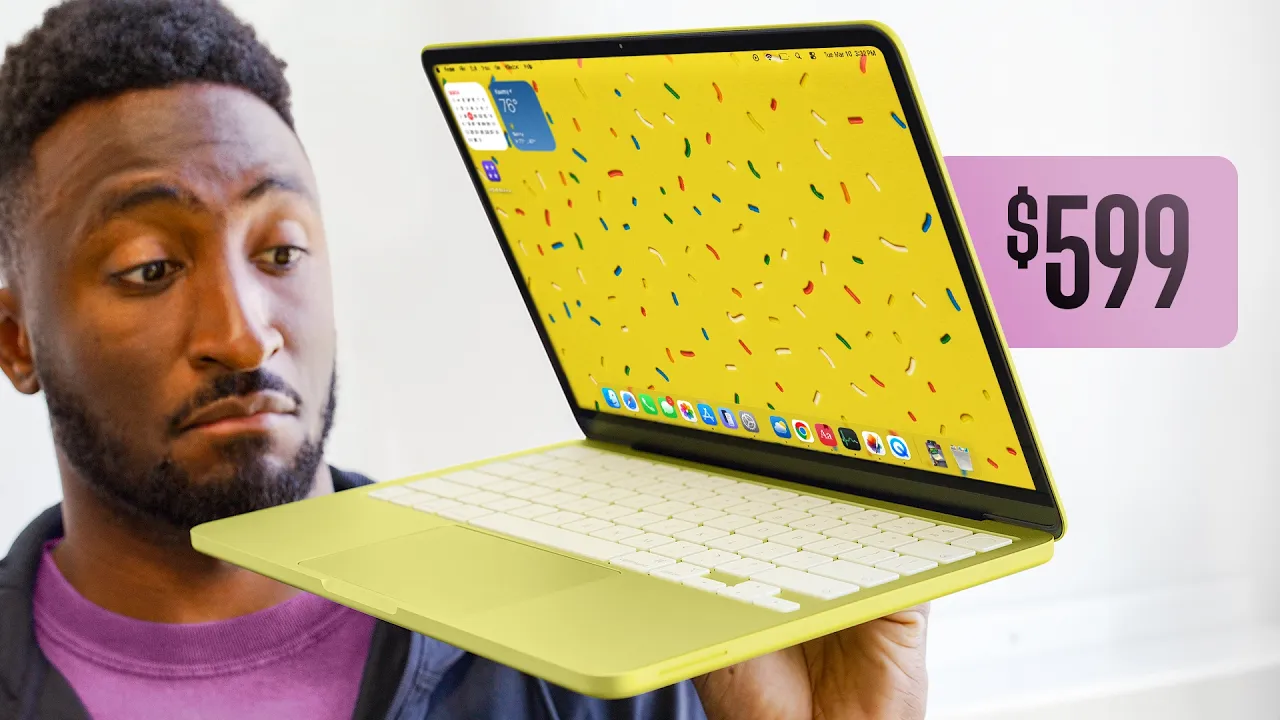
Okay, so Apple's newest laptop is $599. Actually, $4. 99 if you have a student discount.
And now that I've used it for a week, not only is this really good, I think it's potentially Apple's most disruptive product in the last 10 plus years. Not the iPhone 10 or the Vision Pro or some other crazy advanced super high-end tech, but actually the exact opposite. Nothing in this MacBook Neo is fundamentally new or something we've never seen before.
But it's this combination of things that is about to make the entire Windows and Chromebook laptop industry very nervous. Cuz here's the thing. Yes, this is an entry-le laptop.
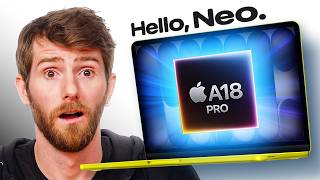
And yes, it's running an iPhone chip, the A18 Pro. And yes, it's meant for basic tasks, web browsing. I even said in that original impressions video, like if you're watching a tech video on YouTube, if you're subscribed to this channel, this probably isn't meant for you.
But it turns out this Neo is better than you think. Even better than I expected to be honest. So, here's the context you need.
The cheapest MacBook you've been able to get for the past couple years has always been a MacBook Air, which typically hovers around a,000 bucks new. This year, I got the M5 chip bump and it's $1,100 to start. But a,000 bucks is still pretty pricey for a laptop.
So, a lot of places have continued selling older MacBook Airs at discounts for years since it came out in 2020 cuz it's still that good. Walmart, Costco, refurbished on Amazon. Basically, thanks to the huge leap from Apple Silicon for a few years now, you've been able to get into a good enough MacBook for around $600.
So, now it's 2026. And not only has Apple Silicon gotten better and better all the way up till M5 that we have now, but the iPhone chips have gotten better and better up to the point where this one is about as good as M1. Like, look at my benchmarks.
Geekbench on my MacBook Neo is over 8 and a half thousand multi-core. That's right around the same as the M1 chip from that MacBook Air. Open CL and Metal Benchmarks for GPU are right around M1 numbers.
And single core is actually its strongest dimension where it's even stronger. It's closer to M3. Same thing in Cinebench.
It's right around M1 levels of performance. This is a very capable chip, which I guess shouldn't be a surprise since it was in the iPhone 16 Pro, which can literally edit 4K videos, but it is still just crazy to see it in a Mac running Mac OS. So, how does that translate?
Well, super well, especially if you use Apple's native apps. So, a great single core performance generally means lightweight stuff opens quickly, things are responsive. All the bursty stuff is literally just like any other Mac.
web browsing with a bunch of tabs, spreadsheets, music, emails, word processing, all literally no problem. You can do them all at once. I'll also note there is no performance mode like on M series laptops, just a low power mode that you can switch to.
Now, web browsing is slightly more interesting because on a Mac, there's Safari web browsing and then there's Chromium web browsing. So, browsing in Chrome will famously fill up those 8 gigs of RAM a bit faster as you open more tabs. But here's the thing.
Kind of no matter what multitasking you do, you get to filling up that RAM pretty fast, which is when it flips over to swap memory, meaning it starts to use the SSD as well for quickly accessing things just like any other Apple Silicon Macs do. These drives read right around 1,500 megabytes per second. So, not quite as fast as the higherend machines, but still plenty good enough for swap.
So, on this laptop, 8 gigs of RAM is not a lot. Uh, but because of swap, the same way it was on M1 MacBook Air, which also had 8 gigs of memory, swap makes it generally okay for regular use. The only thing I worry about on these laptops is as they get older and you start to fill up the SSD, then they tend to chug.
But this is definitely going to be faster than any Intel Mac, which is more than good enough for the average person, and that's still the point. And the crazy thing now is this is so easy for Apple. Like, this is what really gets me.
They can just crank out millions of these chips at scale. They already know they can because they've been making millions for the iPhone already, bringing their unit costs ridiculously low. In fact, you know how easy it is for them?
They needed a chip to control the webcam and the speakers in their new studio display. And so instead of spinning up some new custom silicon for that, they just threw in an A19 Pro. They just print these things in the millions.
And yes, that means that that display has 12 gigs of RAM, which is more than this laptop. So, they get ridiculously low unit costs for these chips that's just as powerful as M1. And then they just build a perfectly reasonable budget laptop around it.
13-in LCD at roughly 1440p, 60 Hz, 500 nits, it's plenty bright for indoors, and an excellent real clicking trackpad. two USB type-C ports on the side, one USB 3 and one USB 2, a headphone jack in a sort of weird new place, and some barely average stereo speakers, and a 1080p webcam that's good enough for video calls. And then the aluminum chassis, which is really the Apple Touch, it makes this the best feeling, best built laptop in its price class.
There's none of that keyboard deck flex you might get from a plastic laptop. And it also means you can open the lid with one finger with this perfectly balanced hinge. And then they even get a little playful with the design, like these colors.
This one's called citrus, for example, which I guess actually makes perfect sense since it's basically the exact same color as lemon lime Gatorade. So citrus indeed. The keyboard is basically exactly the same that's in a $3,000 MacBook Pro.
Same switches and everything, but minus the backlight. And then it's this off-white slightly tinted color to match the color of the aluminum. So yeah, barely yellow keys.
And if you pay the hundred bucks to upgrade to the 512 gig, you get Touch ID in the corner as well instead of just a lock button. And then the little nub feet at the bottom of the laptop are also yellow to match. And then even out the box, the wallpaper and the software accent colors are all yellow to match your choice color.
So on the blue laptop, these are blue accents in the software. And on the pink one, they're pink or blush as they call it. The battery on paper is rated to be just shy of the MacBook Air and that's close to right.
It's a little bit short of that, but the funny thing is it does that with a much smaller physical battery. Apple correctly decided to use a cheaper, smaller lithium ion battery instead of lithium polymer. The chip is just so ridiculously efficient and low TDP that it sips battery for the most part.
Similar to the phone, if you do a bunch of heavy stuff in a row, then it'll light up the performance cores, especially at high brightness. then you can push through battery a bit more quickly, but it's generally really good. It also comes with a 20 watt charger in the box because that's about all it needs.
I charge it from zero to 100 with the included charger. It took over an hour, but you can actually plug it into a higher power charger and it'll charge a bit faster. But then you're good for almost a whole day of writing and browsing, video watching, emailing, tweeting, whatever light stuff you're doing.
How good would the battery life have been if they decided to fill up the whole chassis with a battery the same size as a MacBook Air? I guess we'll never know. So, yes, I did simplify quite a bit in my initial impressions video that if you're watching this video or someone who would, then this probably isn't the laptop for you.
But now that we know how capable this is, what if you're still considering it? What if you do maybe want to do a little bit more with this thing? Well, perfect.
I've uh I've built this handy rating system that I think if you're in one of these groups of people and you are considering a laptop, then this will help you decide if you want to go with this or something more premium. First up, students, A+, you should just get this one. This laptop was literally made for you.
You got Apple out here making Tik Toks trying to get your attention. They want you to buy this laptop. If you get to spend the 500 bucks, I probably wouldn't opt for like a Chromebook or something over the Neo.
though. Then again, at this age, it's probably the school system making that choice for you. Anyway, next up, college students.
So, again, this is you making the choice. Now, a little nuance is probably just what major you are and what software you'll need, but if you do want a Mac, hey, this should do it for you. So, next up, writers.
Uh, as a bit of a part-time writer myself, like for these videos, I did all my writing on the MacBook Neo for this video, obviously, and it was pretty easy. It was basically made for you. word processing, emailing, web browsing, it's everything you need.
Same keyboard as their most expensive machine, minus the backlight. Book it. So, okay, next up, photographers, I'm giving this a B minus.
Performance-wise, this can handle the edit. Pixelmator, yep. Lightroom, yep.
Photoshop, a little tougher, but it should be okay. But as your work gets more serious, so does your display. And this display is bright enough, but it's not the best for color.
It doesn't cover the full P3 color space, so you're going to end up using one of those USB type-C ports to plug into a better display. As long as you have that, then this thing can handle that serious photo work. Next up, coders.
Okay, so I'm not a coder myself, but I'm going to give this a B. If you want to code on a Mac, thanks to the performance, this is a surprisingly good option for basic stuff. You're probably not going to be running a ton of heavy local LLMs and stuff like that because not enough memory.
Uh, but if you have no idea what I just said or what that means, then you're in the right place. Okay, next up, editors like what I do. So, okay, let's be real for a second.
I did say the iPhone can edit 4K video. So, why isn't this an A? Well, thing is the iPhone also has faster NVME SSDs and actually a shockingly good display, a high refresh rate OLED.
Now, that being said, I have been running this through its paces and I have been impressed that you can legitimately open Final Cut Pro and do basic 4K edits, no problem. drop in LUTs, chop it up and smoothly move around and export. So, if that's the style of edit you're doing, great.
But the second I tried to do a little bit more than that, especially when it came to plugins, that's when it started to chug and hit the wall. I suspect Premiere would probably feel around the same. That's really when you start to look at the MacBook Air, M4, M5 MacBook Air with the better multi-core, better display.
That's a machine that's going to handle edits better. But hey, you can definitely do, you know, cap cut any mobile video edits literally no problem. It is better than expected.
Okay, next up, podcasters. So, I have a pretty serious podcast of my own. Link below.
We wouldn't use it for this, but if you have a pretty basic podcast, one or two mics, well, then this feels like about a B+. There's only two USB type-C ports on the side of the laptop, and so you're probably looking at dongle land to get more stuff attached to it. And then once you're editing, headphones, please.
These speakers are not very good. Otherwise, solid. Ben, gamers, surprised you made it this far in the video.
So, small display, 60 Hz, limited RAM, Mac OS. It's not It's not for gaming, okay? But the thing is, there's casual games, too, that you could play.
And to some people, that's all that gaming is. Just a casual 60fps game. I just want to experience what powerwashing is like when I'm on an airplane.
But if you're trying to play Counter-Strike or something, you you're never going to get this one. Uh, lastly, uh, Grandma. Oh, hey, grandma.
Uh yeah, you you should probably just get this one. I I feel like it's this or Chromebook for you. Uh we'll talk about it later.
Prediction, I do think the next version of the Neo does have more RAM. I think as early as next year, they throw like an A19 Pro in this thing and it's 12 gigs of RAM. Boom.
Done. Probably also I'm going to say add the ambient light sensor to add true tone to it and a backlight to the keyboard. Those are like the biggest quality of life things that I think this is missing.
But yeah, the reason this laptop is so good is because it's easy. It's the easiest laptop for them to make and it's now the easiest laptop for reviewers to recommend because that's been the MacBook Air for years. And this is 90 something% of the same machine for hundreds of dollars less.
Well played, Apple. Now, if you've ever wondered what a MacBook might look like if it was made in 1984, check these out. Channel sponsor Dbrand has been cooking on these retrostyled MacBook skins, and I got to say, they look pretty sweet.
They've got these classic multiolor Apple logos from the 80s and 90s, and they actually painstakingly color matched the shades and hues for nearly every MacBook. Space black, starlight, midnight, silver, and yes, even the new MacBook Neo. So, this is the citrus one, but they've also made a version for the blush and indigo as well.
And if you guys have watched the Waveform podcast, you've seen the Dbrand Area 51 skin on my personal MacBook Pro for years now. Not just because they've been a sponsor for a decade, but because it's actually a really good product. Adds no thickness, protects it from scratches, and it's actually very durable.
So anyway, if you want to check out anything in Dbrand's MacBook collection, I'll have a link down below in the description. Thank you for watching. Catch you guys in the next one.
Peace.