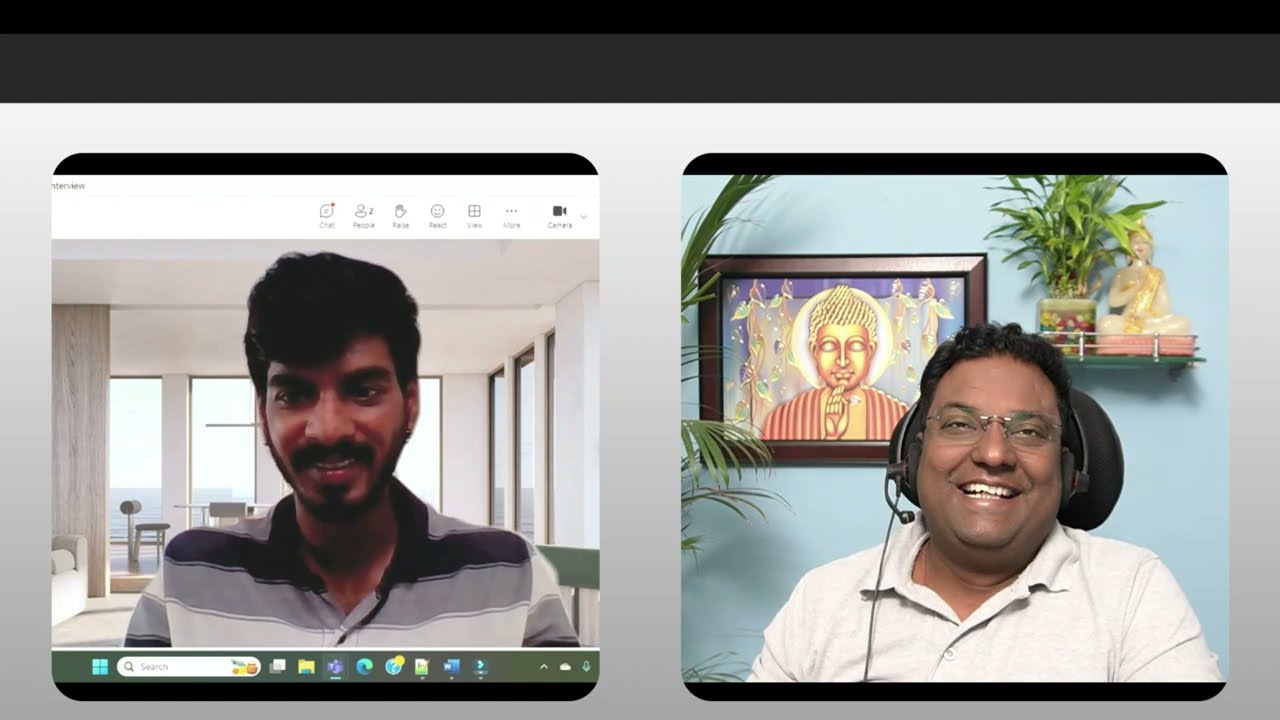
Tava good afternoon so welcome to the mock interview okay and uh just be comfortable relax okay and uh just you can brief me about yourself okay uh the current roles and responsibility okay you can go ahead and you can give an introduction about that one yeah yes uh hi abishek uh actually I am from uh Andhra Pradesh so I have completed my uh masters from bits and I have completed my graduation uh in 2018 uh from uh I mean in the Stream of uh Bachelor of Computer application so I have uh I mean I have
totally 5.8 years experience in IT industry and uh as a Linux admin I have 4.5 years so uh my roles and responsibilities are like managing L1 and uh L2 Priority tickets uh so I mean configuring I mean uh lvm I mean managing lvm and file system creations and user management and Disk Management and uh Hardware Replacements and uh uh upgradations and updates and uh installing packages through M uh by using M and RPM and uh yeah and so on okay okay so kavya uh I can see you have extensively work on this uh right Linux
admist so there is almost you said 4.5 years of you have worked as a Linux administrator and before that like you total you are having 5.8 years of experience Tav right yeah so during that period means what what roles you are doing in the previous organization yeah Yes actually I worked uh as a monitoring I mean I worked uh in Oracle monitoring team so it was a non-technical part so it was like managing uh incidents work orders and uh uh changes so my role was like assigning them uh to the respective RBS and okay okay
so it's more of a monitoring are you using any kind of a tool tool for that one for monitoring tool yeah yeah yeah yeah it was remedy MH so you are extensively work in uh I would say in Linux administrator how about the other Technologies s scripting any automation have you done it or uh any Cloud do you have any experience no no no other uh experiences I have abish so so I have attended aure 900 training but uh yeah yes but I didn't do any certification on that MH any any knowledge or like you
have hands-on experience on any of the devops tools right like GitHub or genkin or anything like uh Docker kubernetes any any of these open source yeah yes I worked on uh genkins okay so pipeline somewhere somewhere you have idea on the T of tools okay but since since I can see uh from your resume okay if I go through your resume I can see it's mostly related uh Linux administrator uh position right correct yeah yes okay so uh you were managing some boxes or all like virtual machines or how it's is it's physical machines and
all no no it was uh like completely virtual machines MH mostly it's a virtual machine right so you are using the platform VMware right uh yeah yes okay okay so I'll ask you few questions in this uh because since you said it's mostly from the Linux Administration so I'm not going into the shell scripting or any of the tools okay or in the cloud part okay so how much you rate yourself out of five in uh Linux so as of now I can rate myself as four okay good good so have you done any kind
of lvm configurations yeah yes uh yes abish okay so what exactly lvm is all about why we use lvm why we can't use some other uh you say mechanism or a technique instead of lbm yeah yeah yes uh lbm is basically called logical volume manager why we are using in the sense we are I mean we are using lvm uh management like uh for efficiency of data and managing diss properly and all for organizing uh data efficiently Okay so got it so just try to elaborate more into this one that what is the main purpose
of lbm right you can grow shrink right uh as per your requirement that is what the lbm is all about so you can add delete right or extend lbm at any point of time right those things also you need to little bit just explain those one okay so suppose uh I have a data directory okay and I'm giving you a scenario okay where this data directory is full and it is mounted on your lvm okay so what you are going to do now I just wanted to know your approach how you are going to troubleshoot
this issue or how you are going to resolve this one yeah first first I would like to check uh you said SL data directory right so first IET utilized yes completely yeah yeah if it is completely full first I would like to check whether I mean if we have any unwanted or unnecessary files so if it is there and if I found them so I would like to delete them uh so otherwise I would like to extend uh the I mean extend the directory by file system by using the command uh LV extend mhm mm
you don't have you are running out of lvm then what you are going to do so running out of lvm yes you don't have anymore yeah okay so I mean uh so I I try to create another I mean another uh directory I mean uh so another extended partition for that no no you see what I'm telling is you don't have any suppose if you have 20 GB of lbm out of that 10 GB you have already used okay for the data directory which is already fold okay again the next time also you have seen
okay you have extended that one okay so the question here is 20 GB is fully utilized for that lvm cave okay now where you need to look back so you need to look towards VG right volume group okay yeah yes yes volume group yes so you need to look after the volume whether I have volume is there or not okay but if your volume is also fully utilized then what you are going to do we have yeah yes we have to I mean import another primary disk so from through yes you need to request from
add a primary dis again and then through that we have to uh gain some space uh to the uh VG and then through that we have to gain some space through uh to the LV good okay so you know there is two commands when we uh suppose when you extend lvm okay so you see we run a command called resize to FS R correct normally to correct and there is called mkfs so what is the difference between mkfs and resize 2fs why we use mkfs where we use mkfs and where we use reiz to FS
so mkfs is mkf is where we are using in this means to formatting a file system MK I mean uh for formatting a file system we use like mkfs do uh uh and the extension and I mean ext4 or ext3 and the directory name and whatever the file system we are using uh we are uh when we are formatting that so we have to we we are using like mkfs and resized 2fs is nothing but updating file system or else we can say organizing uh data very good very good okay so have you done any
kind of a reducing in your lvm in your production environment no no no I haven't done it but I know the procedure okay now listen this question very carefully because this question can be asked to you to you in two different ways kavya okay so the first question is like suppose your PV is faulty okay your PV is failing then what is your approach how you are going to resolve this issue so physical volume physical volume is fa so okay uh we have a command like f disk uh command to check I mean any file
system uh errors so we have an utility called ft I sorry fstk fstk is an utility to check file system errors okay no so the approach is like that you need to give a solution for this one okay so in that case you need to do a PV move straightforward cavia okay so normally suppose SL d/ SDA A1 is which is faulty where you have created the PV okay now you have to migrate that PV to a different pv/ d/ sda2 okay so this is like I could have asked this question in a straightforward how
to do a PV move right but I am asking like if it's get faulty then this kind of a question will be asked to you okay in that case we can use a PV move uh command also PV move and the uh PV which we want to move and the destination PV correct correct so like uh when you create a physical volume or a volume group can we create a volume group directly from your uh disk no first we have to uh I mean uh like uh if we uh import any disk means we can
create maximum I mean four primary partitions and one extended partition in that extended partition we have to do I mean vs and LVS correct we can create cavya okay this is what uh if you go through my playlist I have explained over there okay so PV you can bypass okay so in suppose PV is there so that you can directly bypass to VG so by default see whenever you create a VG from a dis SL d/ SDA 1 or sda2 right from this if you created so by default your PB will be gets created so
you can bypass that one okay that can be done okay normally we do in production environment when we have less time all okay so okay so this is all about lvm so how what what all commands you have executed in uh Linux like you are come on a regular basis on a daily basis have you executed any command so okay regular basis we use LS command cat command CD command and DF H to check dis space and F dis command and LSB LK command we use and DMI Cod checking hardware and uh uh yeah like
we use top command and uh uh to check CPU info we use /r/ your CPU info we use and if free Command we use in a daily basis okay so you said LS command so I'm going to take a very basic example for you okay so if I have to find a file which is starts with uh ample okay uh the starting character I don't know okay the end character is like the end word I would say the characters are like ample a okay and the starting character I don't know I want all the files
in uh the data directory okay has to be listed how I am going to do this one okay we can use GP command GP pipe and the I mean uh whatever the file ample file right so you don't know the starting so we can give asri symbol and the ample MH MH yeah yes if you give that so all the ample files I mean all the ample files which ending with the ample V so it will list out all the files correct so grap is basically to search a pattern but what you have said earlier
it's absolutely correct LS and Then star you can use okay there is also one option question mark also you can use it with the ls command so you'll be able to find out those files okay you also said like you have used du and DF Command right so what is the basic difference between du and DF command Okay DF uh is a command uh to check I mean dis space I mean how much uh space is utilized and how much space uh is there for the uh directories like SL Mount SL data or slash whatever
so du is basically to check what are the files I mean for check individual files in the under the directory so du is basically called disk usage and DF is for uh disk free Command MH MH good okay now I have to find a file with the do log extension okay and I don't know these files uh and I have to grip the errors in that file okay so in the entire like Linux operating system I don't know the location also okay and uh those DOT log files I know okay whether it's say Splunk log
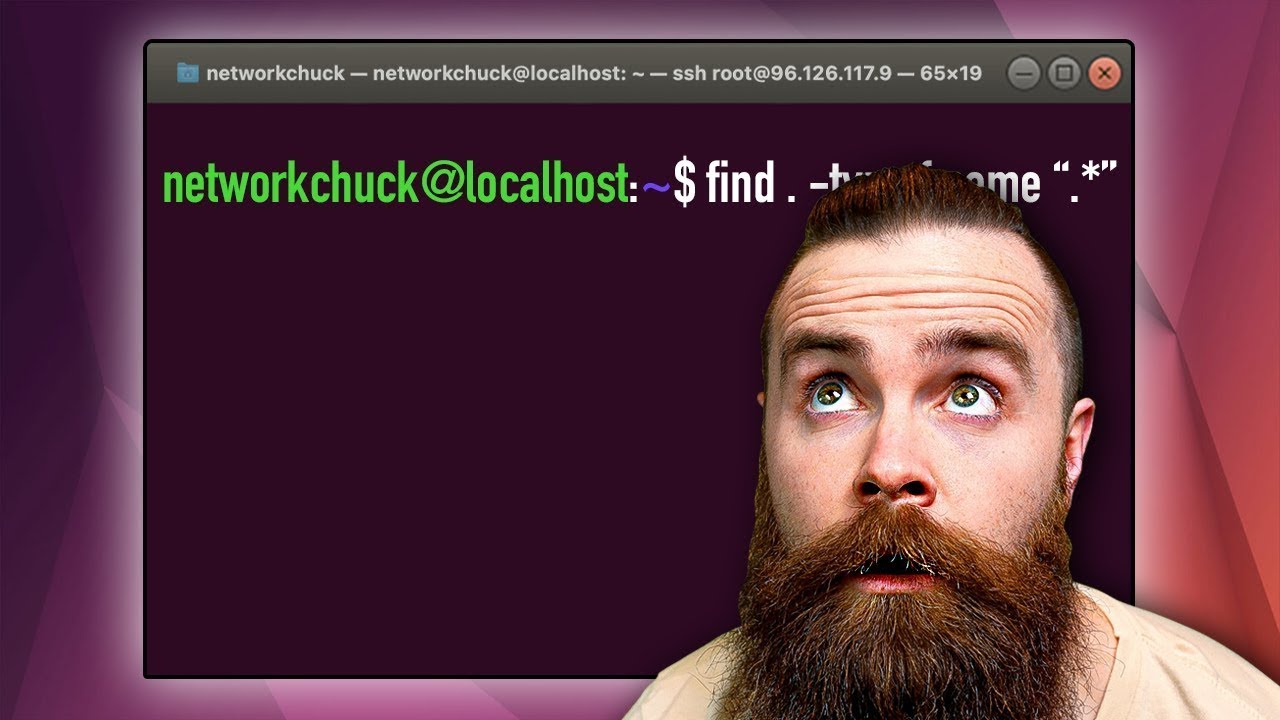
or a Kiana log or a Gana log right basically these are the logs are there so do log is extension and I want the error to be find out okay so with the find command how you are going to do it can you write it down this uh command uh okay so you don't know the directory also right so okay we can we can uh go like find do/ uh hyen name uh F Type and then in exclamatory C uh in exclamatory marks DOT log and then space pipe and then ex EC execute ex EC
and then errors right so in single codes errors and the space and FL FL can I write it down FL brackets and exclamatory Mark FL brackets and then exclam please go ahead you can write it down also it's it's good okay okay if I miss anything please let me know sh please no worries okay seems I'm missing something but no it's hyphen type okay it's fine uh F also it's fine hyphen name and uh then the extension is also fine okay execute and then you are giving uh right error and then butterfly bracket and then
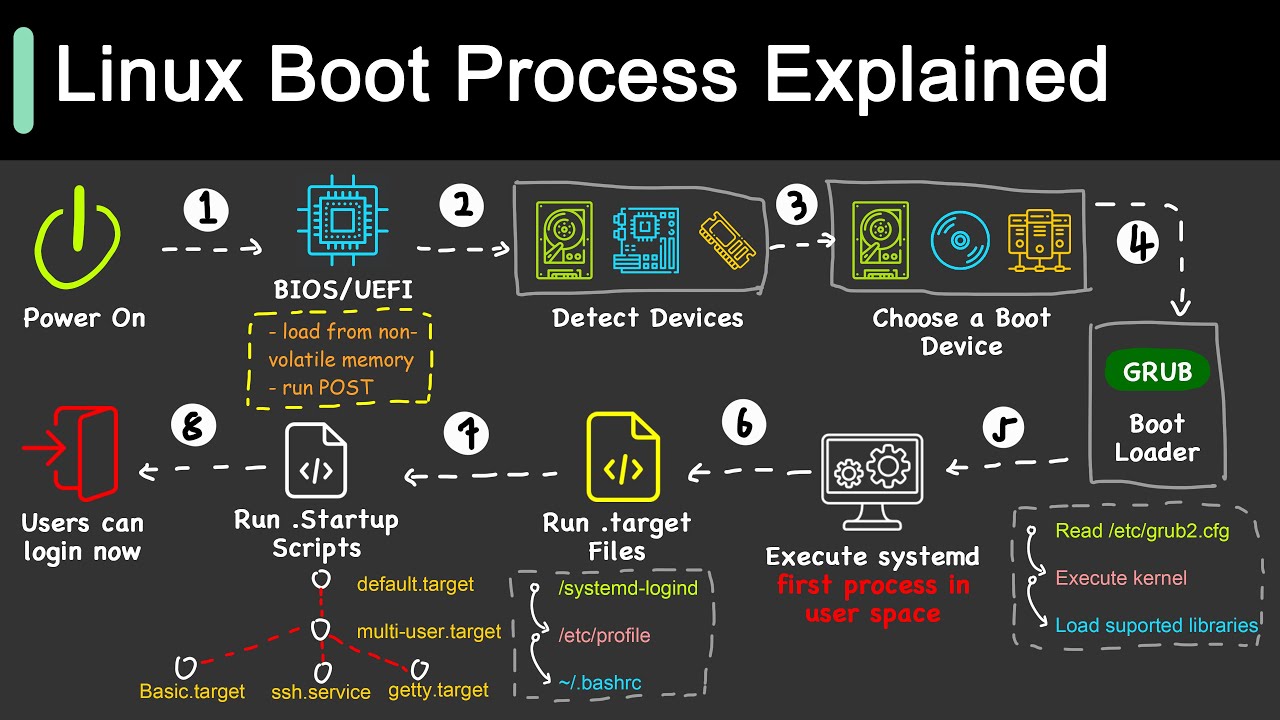
uh semicolon it's absolutely correct one uh forward slash you are missing that's it okay uh okay okay immediately after that one that is fine okay now uh you know what is the booting sequence in Linux operating system yeah yes I yeah please go ahead okay yeah boting sequence uh starts from uh like uh bios bios and the MBR bios MBR and the grab uh and then kernel and then in it and the uh run levels so you want me to explain brief or yes yes please go ahead yeah okay so it starts from bios bios
do bios what bios do like it will do some system Integrity checks and Hardware checks and then bios gives control to the MBR so MBR uh uh uh it is the first sector uh of the booting process m is the first sector of the booting process so in M uh we have a 512 uh bytes so first uh 512 so 446 or something is for primary uh primary uh device and then uh it goes for primary and then 12 byes and then zero byes uh so 512 bytes it divided into three uh three three parts
I'm unable to recollect exactly now and then uh so MBR gives control uh to the graub so grab uh graub is like a grand unified uh uh boot loader so uh so what uh I mean grub loads I mean grub loads uh kernel and then kernel um yeah yes kernel um will Ex and will execute executes some scripts I mean which are necessary for booting process and then it will goes to init uh init level and then uh it goes to the Run level okay okay so what is the main purpose why we are using
kernel over here what kernel does exactly okay kernel uh kernel is like core component of the Linux everything I mean uh kernel is nothing but a like operating uh system uh only okay so basically the function of Kernel is it's going to Mount Your root file system so whatever root equal to something it will be there okay so it's going to mount the file system but before that there is something called init Rd okay what is that init Rd init Rd is like a temporary directory for the uh root file system no it's a initial
Ram disk is not a directory okay that is yeah it's initial it temporary file for the uh SL root file system correct correct it's absolutely correct so you see you said that init okay so uh what is the P ID of init in it we have like zero I mean six levels we have right no okay so whenever the kernel will execute the things basically uh it's going also going to execute the init process okay so if you grab that in it process its p is one that is the first process which is going to
execute and in rhl 9 cavya it's going to be not in it they have replaced in it with the system D okay so now if you can grab the same thing you are going to get the p as a one okay so you have any idea about the file permissions or Access Control list or anything like that yeah yes okay so what is the difference between small t and a capital T capital T in sticky bit why we use small T in a sticky bit and a capital T no sticky bit is like giving a
special permissions to a file or directory only I mean only when a uh root user uh root user and the I mean the other user which we are giving access like through sticky bit only they can uh I I mean uh Delete uh the file so hyund T and small t uh I'm unable to recollect okay so small T is basically it's uh with execute permission and capital t is without execute permission okay that is there okay so if you want to same thing like uh have you done any kind of a Access Control list
for a directory or a file uh no we do I mean uh we do I mean we do access giving access like uh Comm by using commands like say mod say CH and all so in ACL I know set ACL commands will be there but I never done with that okay okay no worries no worries kav okay so you also said like there are some commands when you execute a w command Okay so normally it will give you a j CPU and pcpu what is that J CPU and pcpu so JCP is like uh JCP
tells like all the processes I mean uh total process uh process running time and when come to uh pcpu it will give you I mean uh current uh process uh running time current running process time M okay these things and all you can go and uh see in those 100 plus of interview question and answer you are going to get it now uh one more scenario okay this is a common uh we face in our production environment whenever you are trying to mount directly okay and you are getting device busy error right so how you
are going to troubl shoot this one okay uh device busy error normally we get like if uh any users using that uh I mean other users uh might be using the same directory in that case uh I mean we use uh to get uh the error like device busy so in that we can uh list how many users are I mean what are the users or uh I mean how many users are using uh the directory by using LS off command M FS is the command okay that we can use FS hen hyphen CU or
okay and should use f is there any other other reason like it's it's a one reason which is genuinely we are getting yeah yes so like sometimes we are trying to unmount a directory when we already in the same I mean we are in the directory and then we try to unmount the same directory in that case also we are not able to uh unmount the directory so in that case we have to come out from the that directory and we have to try uh to unmount it okay okay so uh Slash data directory again
okay so in that directory I'm trying to create a file uh kavya okay and I am getting permission denied alert okay the where there is no space issue there is no permission issue what could be the reason okay so if you are uh trying to create a file in any directory and if you are getting error means one it might be a space issue or second it might be a permission issue if uh two or not means it might be an i node uh issue so in that case I mean uh user is running I
mean uh running out of uh iode MH okay okay what do you mean by iode so iode uh is an address of of a file I mean iode is an unique number for uh every file so there will there will be an uh so okay when we created a file so iode number will get uh uh assigned for that file okay so basically it is an address of file okay basically it's an address of a file okay so I am creating a backup file okay uh across the partition uh or you can say I'm creating
a soft link okay across the partition so I node number will be same or different uh in case of soft link I not will be different in hard link I not will be same how to create a soft link kavia so the command is like Len hyphen s Ln space hyphen s MH MH so have you done uh any kind of a patching no I have already no patching I have never done but uh I'm getting little bit information about ping you can ask me questions I can uh try abish Okay one package I have
installed and I can see my application is not working properly when I do a post validation right so I have to roll back that one so how you are going to do that one okay okay if you want to I mean roll back the packages means we can uh do a history and history undo we can do so first we have to do like M install history in M history info we can uh do so it will list uh all the packages so we can undo the Same by using uh M history undo so kabya
I done with your interview okay anything else you want to know okay uh feedback and all I'll send you okay through the mail yeah and what are the areas I need to uh uh improve and all I wanted to know and yeah yes and what are the areas I have to be in a more confident that also I wanted to know so yes okay the feedback I'll definitely I'm going to give you plus uh also I want you to add few more things okay uh as per the current uh Market Trend and all okay so
within that time you can go through my playlist okay you will get lot of okay I I would suggest please go to the uh that shell scripting part also okay so mostly if you are going for a Linux administrator role 100% they are going to ask you about the automation part okay yeah yes asking about shell scripting and either anible or asking about shell scripting those two are mandatory mandatory okay because everybody is looking for Automation in their current environment uh ultimately it's a value addon to their organization okay and uh it's a win-win situation
for you for the client and for the organization yes okay so I hope uh kabya today's interview right it's gone well for you okay uh anything else you wanted to ask uh as of now noish I uh would okay so thank you kavya for joining this mock interview till then Baba take care of yourself your love thanks byebye yeah yeah thanks thanks abish thank you