do you want to know how to use Pinterest ads to make six figures a month on your Shopify store if the answer is yes this video will give you the exact strategy to make over 100k a month on your Shopify store using a lowbudget Pinterest ad strategy my goal for this video is to make sure at the end you completely understand how to set up your ad campaigns and how to scale them profitably I will share my proven lowbudget advertising strategy that made me 5 million in sales in the last 3 years when I started
Pinter first ads back in 2020 I lost over 20,000 trying to figure out myself so make sure to watch this video Until the End to prevent wasting a lot of money in this video you will learn how to structure a lowbudget testing campaign what kind of ads you should use in 2024 how to analyze your data and finally how to scale your campaigns profitably let's dive into the first part on how to set up your test campaign all right so we're in our Pinterest account and of course you go to reporting because this is where
we create our campaigns so we click create create campaign and of course we're going to create a manual campaign because we want to choose all settings ourselves and the goal for the campaign is to create conversions we always test with a conversion campaign I have tried many strategies and for all people that are doing low ticket e-commerce I can only suggest to start out with conversion campaigns and the reason for this is because the traffic is already super cheap the first thing of course we need to give our campaign a name so usually I'll just
do product name and then maybe the margin the date campaign state is to active we never plan our campaigns um because we use a low budget and let's say we create our campaigns late at night usually we'll see that it doesn't spend all budget anyways we're going to uh set the campaign budget to daily we're going to make sure to tick this box right here and we're going to choose five or $5 we can go even lower five is already very low and again the reason why we do this is because on pinteresty traffic is
extremely cheap so we actually don't need to use a very high budget to uh test our products and then finally we're going to uh make sure to run continuously and that's it for uh the first screen all right next we go to add group details and the first thing we can do is to choose an add group name now uh we can actually just skip this because we're only going to create one ad group and then for the targeting strategy we're going to select choose your own and the only difference here is that when you
select choose your own you get to select all the settings that you want and next we go to audience lists we're going to skip this because we're going to test our products with interests which is actually the next thing but first we skip to demographics because we are going to set up the right demographics which is important because as soon as we're going to select our interests we're going to look at the audience size so uh right now it's set to Netherlands which is where I'm currently located but we want to for example sell in
the US and let's say we have a product that's applicable to all ages and all genders then the audience size right now is 80 million and we can also leave this as well and then we're going to select our interests and for the interests what I like to do is I like to select interests that are relevant to the product that I'm selling and for every product that's different and for every product that's a little bit harder and sometimes a little bit easier because they're are more interest related to what you're selling so let's say
we are selling a skincare product first I'm going to take off this box right here uh we can just go to beauty and then we have the skincare interests which we can all select one by one here and um now we're going to look at the audience size and the audience size that I'm looking for is at least at least 1 million there's no real maximum but it has to be at least 1 million and try to stay relevant to what you're selling so obviously if we're selling a skincare product and we select the skincare
interest that's closest to what we're selling people that want to buy our product are within that audience and you know some people will tell you to just select all interests but I personally don't see any benefit in targeting something like architecture if I sell a skincare products all right once we've selected our interests we're going to move on to placement and tracking we don't need to select anything here but if you want you can save this uh as a template so if you're going to create your next campaign you can easily select the template and
it's going to be a little bit faster budget and schedule is already set at the campaign level and then we go to optimization and delivery which is uh where we going to select the conversion event and there you want to select checkout if you're just starting out sometimes checkout doesn't appear here um then you can select add to cards but as soon as it's available you want to select checkout and bidding we're going to keep it on automatic all right the final step of setting up the campaign actually takes us to the second part of
this video because here we have to select our creative our video or image and right now we're going to look at what kind of ads you should be using in 2024 and what better way to decide what kind of ads we should use then just looking at what kind of ads perform best in the last quarter which we can do with pin spy so right now I selected the ads that lead to a Shopify store and I select the time frame of the last quarter and here all the best pins so the pins with the
most amount of saves show up on top which automatically tells us which kind of ads we should be using so let's take a look at this first ad right here and this doesn't look like like an ad that leads to a product page however we can check this so here they are selling all different kinds of products on this Shopify stores so they actually do sell something but not specifically the uh product in the ad and you know this ad really just is a very entertaining video so for people who like to do DIY stuff
and are interested in weddings uh this is a very interesting video to yeah see what the end result will look like which is is a very entertaining type video a video with a before and after and it's a very good way to maintain people's attention throughout the video and it's totally not focused on selling a product all right the second pin is actually just an image as you can see so it's a very simple image just showing the product and actually showing the product being used which is probably why this is so popular because you
can just see what the product does in one second you immediately see hey is this something for me or is this not something for me and also it's probably an product that's very interesting for a lot of people otherwise it wouldn't get so much engagement all right for the third ad again we have an image and this image as you can see is an image where you can um select multiple products people can click on it they can engage with it this is uh a special type of pin and yeah there's probably something again in
this image that attracts the s here again we have a image this pin is not existent anymore um but again a very simple image of the product and apparently it just attracts a lot of people and what all of these images have in common maybe this one is a little bit more special because you see the product being used so actually in in here you see it too you can visualize what it would look like in the setting where it's used uh this product doesn't have it but this product just probably has a big uh
what we like to to call a while factor it's very unique uh and that's probably just the reason why it gets so many saves let's take a look at this video right here all right so basically what they're doing here is well it's very interesting because you see uh it says the best travel camera of 2022 and then you see an object that doesn't necessarily look like a camera and what they're doing throughout the videoos so they're constantly showing a new design so they are showing the multiple designs they have Without Really focusing on that
too much and in the meanwhile they are mentioning all the benefits so obviously the biggest benefit of this product is that it's extremely small and can easily fit into your pocket so you know the thing when you're traveling if you ever traveled with a big camera then you know that it can be quite heavy and annoying to take to a lot of different places so that's clearly what they're focusing on with this product and they're just mentioning the benefits and then they are uh showing some images because one of the questions you'd probably have is
hey does this product even have good quality so that's kind of what they're covering with this um so it's a very interesting product that solves a big problem and um yeah how they've structured the video is really focusing on the the benefits and this actually does focus a lot on the product I would say most of the the ads that are in here are not so much focused on the product uh right now in 2024 uh with Tik Tok with influencers you'll see that a lot of the ads are more kind of ads that are
naturally looking like a normal video not necessarily an advertisement which helps to maintain someone's attention because they don't immediately feel like something's being sold to them here again we have a video ad again same thing while Factor looks really unique stands out from her feet so that's why it gets so many uh saves and here we see a normal picture of a fashion product and yeah just probably a fashion item that appears to a lot of women in this case uh let's take a look at this last video uh to see what this ad looks
like okay so here they immediately start with the solution of a problem a big problem a lot of people deal with nowadays mentioned in text in the screen and on the video they show almost like a user manual of the product being used and you can see this is not in some fancy Studio it's not in some kind of you know high quality camera setup uh it's just someone who's filming using the product in their bedroom so that's what I mean it looks very natural and also as you can see it is pretty short that's
something that you'll notice as well uh most of these ads they are not much longer than 10 20 seconds um and from my experience what I've seen most of the people also don't watch more than 10 seconds to quickly summarize this what we've seen are images that look really unique and videos that are mostly in a private setting look naturally not too much focused on selling but still show the benefits of the product now for finishing our campaign what you'll do you go to create a pin here you will put your image or video you
add your link your title uh you select your board and then you can duplicate this and for our campaign for our testing campaign we want to use two to four creatives I suggest using four because the more creatives you have the higher the chance that your campaign will be profitable and finally when you've added those pains all you have to do is Click publish and your test campaign is launched all right now that our test campaign is launched we're moving on to the third part of this video it's time to analyze our data after we've
launched our campaign we're going to wait for a couple days and then then we're going to check in and see if we're getting sales and what the statistics are on our campaigns and first of all I just quickly want to show you what kind of numbers we want to be looking at when we're going to analyze our data so here you can see how I've structured my kpis um we're looking at the spend the budget the CPM The Click rate the cost for a click the CPC the uh clicks themselves the average video play time
and then we have the total CP the costs of uh a checkout and the uh CPA for the add to cars as well and then the RAS and then the total sales and the order value so these are the things that we're looking at when we first analyzing our campaigns and after a few days the first metrics that we'll be looking at is the metrics that are about our campaigns not so much about the sales or at to cards yet so after a few days as you can see we have these campaigns right here we're
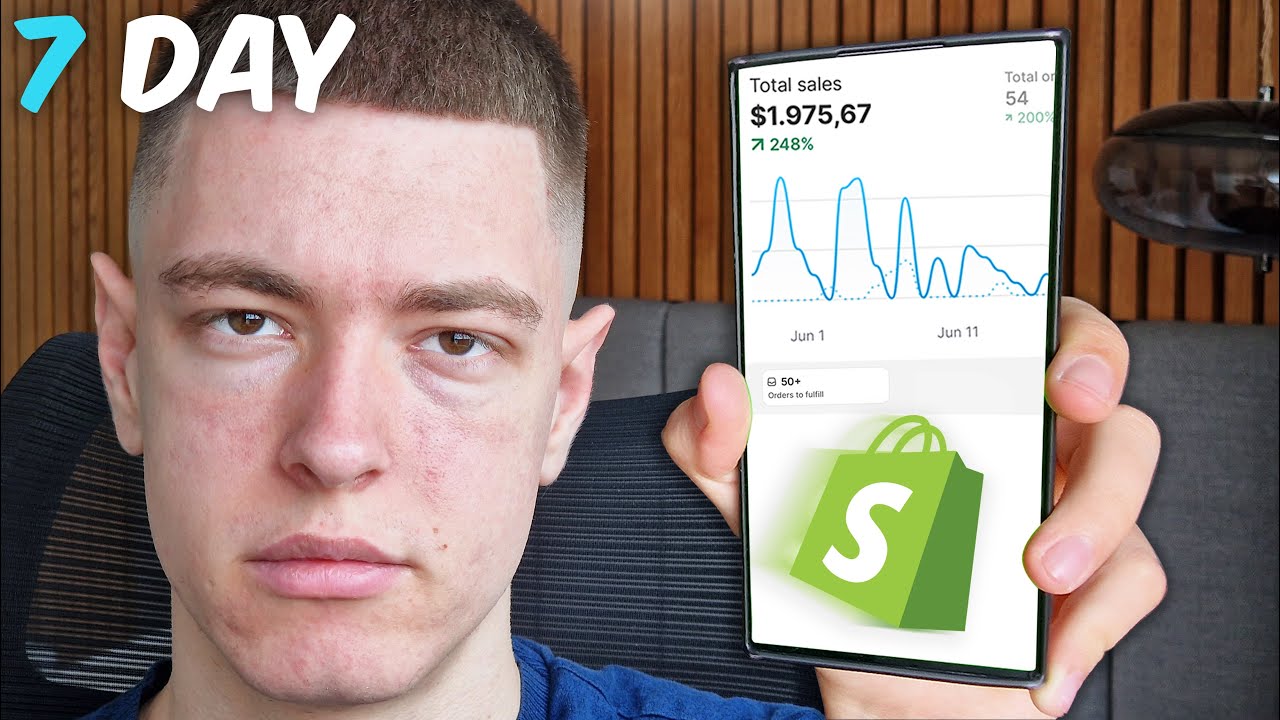
currently only in the middle of a 7-Day challenge so that's what this account is being used for and you can see that these are the campaigns that are running for 3 days and these are already turned off after 2 days because the clicks were too expensive and we didn't get any add to cards or any sales and that's basically what we're looking for when you're testing a lot of products then basically what you're looking at is you want to keep the products with the highest potential to become profitable products you want to let them run
one product's actually got a sale already as well um and you're going to turn off the ones that have the highest costs because those are the least likely to become profitable products those need to have the highest conversion rates in order to be profitable but that's not the only metric you're looking at if any of these would get a sale then I would definitely still let them run because as long as something's profitable you're not going to turn it off so this is for when you're testing multiple products but if you're testing only one product
because maybe you have a brand and you will be getting low clickthrough rates and high CPC C then you would have to test new ads and you can actually just let the campaign run but add new ads in there and turn off the Bad performing ads now this you can already do after a few days and the ones that do show good numbers so here the uh cost per clicks are actually pretty cheap you can see the average cost per click is 23 cents uh and for this one it's only 9 cents sometimes you'll even
have products that only have one cents cust per click and that only really happens on Pinterest you won't see that on any other advertising platform that's why we use such a low budget because we still get a decent amount of visitors to see if our products actually can become profitable products so after a few more days you're going to keep turning off the bad ones and keep running the good ones and after a full 7 Days on 5 after spending €35 if you still didn't get any sales you can turn off that campaign and for
the ones that did get sales you're obviously in the meanwhile going to continue to optimize the conversion rate and after 2 weeks all products that are not profitable you can turn them off and the ones that are profitable you can start scaling them and that actually takes us to the last part of this video hopefully when you've created your campaigns and you optimized them you get to a point where you can scale them and right now I'm going to show you guys how to do that so let's assume this product right here it ran for
a couple weeks it's consistently getting sales it has a good uh profit then it's time to scale our campaigns and all we have to do is click this campaign right here and click duplicate this is pretty much always the first step of scaling that I like to take so I duplicate the campaign I don't change anything except the budget which I usually set to €20 and this is kind of the next step of testing the product as well we are scaling it to €20 which is still relative ly low budget and we're going to see
if this campaign is also going to be profitable and if it is we can continue to duplicate our campaigns you can duplicate it to 100 from there to 300 or 500 and at some point you can start scaling by increasing the budget as well but the first step is very simple we're just going to duplicate our campaigns now if you get to a point where you want to increase the budget instead of duplicating them because maybe you're at a point where if you would duplicate them the steps would become too big then what you need
to keep in mind are two very important rules so let's say we are going to increase the budget we uh need to first of all keep in mind that we can't scale past 100% so the maximum is to double our budget otherwise it would reset the optimization of the campaign if we would double in this case we would scale to €1 we can't do anything with this campaign for at least 72 hours now if you are scaling with 49% % or less we can do that too so in this case we would go from 5
to 7 then we'd have to wait 48 hours before we make any change again and you can actually scale this way from 5 as well from 5 to 7 or from 5 to 10 if your profit margin is not very high but you still want to scill so at this point hopefully you have a clear understanding of how to test your campaigns what kind of ads you should use how to analyze your data and how to scale your campaigns if you want to learn more about Pinterest ads we have a 7-Day challenge regularly it's super
cheap to participate and it's a very good way to get a better understanding of Pinterest ads to see if this might help your business or if this is something that you want to start a business in so check the link in the bio for now thank you for watching this video If you enjoyed it please leave a comment leave a like subscribe to my YouTube channel and I'll see you in the next video





![Pinterest Marketing [My Strategy That Gets 10M Monthly Views]](https://img.youtube.com/vi/NzN9EunFiNs/maxresdefault.jpg)