hello doers my name is oig nasio now in this video we're going to learn more about lead generation for those of you unaware lead generation is the process of finding new potential customers for a business as you can imagine finding new customers is crucial for the expansion and success of any company here at stealthy wood we use a few different methods to generate leads for our sales teams in this video we're going to take a closer look at online forms and email aliases but don't worry I'm going to be covering more methods in another video
video so be sure to check that out okay so let's say that we sent out a marketing campaign encouraging people to check out our company by going to our website and signing up for a free trial once that they're on our website they'll fill out a form and then the information they submit on that form can be turned into a lead for our sales people the same can be accomplished if we provide potential customers with an email Alias to contact if they want to learn more about us once they send their email ODU can use
that message to generate a lead for that potential customer immediately that's pretty cool so enough chucha let's Jump Right In all right before we get started it's important to remind you that you're going to need to have the leads feature activated in the CRM settings that's just because you need it in order for any of these lead generation methods to work so once that you've done that and check that box you'll be ready to go and as you can see we got our leads feature locked and loaded so let's jump over to our free trial
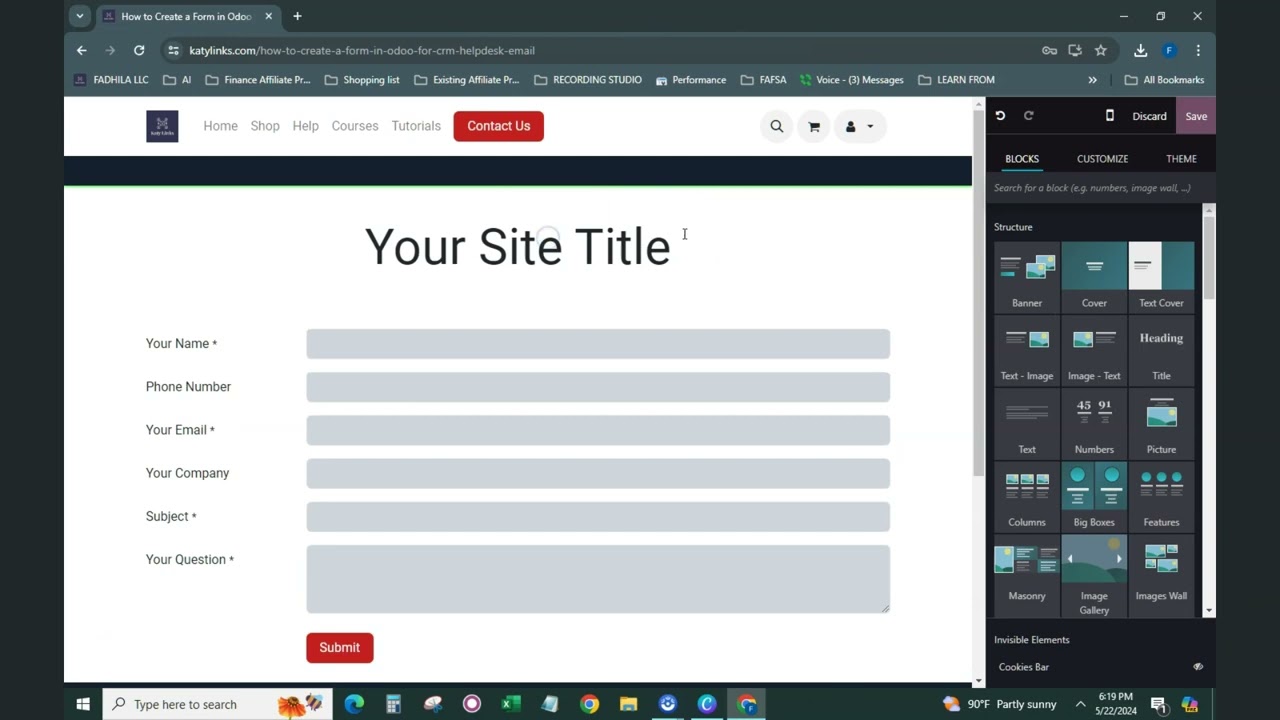
page on our website so on our website you'll see a simple form we created for potential customers to fill out if they're interested in starting a free trial with us now we've also configured it so that ODU will create a lead in our CRM app as soon as somebody hits this little button right there and that's going to be based on all of the info they provide on our form now of course like any other aspect of our website we can customize the look feel and function of it with ODU so let me show you
how to create a basic form like this to generate leads for your sales team so first click edit in the top right corner and you'll notice we have a new menu now scroll down all the way until you reach Dynamic content over here now we built this page by dragging and dropping the form over here I just wanted to show it real quick and then we customized it to fit our needs as you can see we have three required Fields over here name email and subject how do I know they're required well they have a
little asteris right there and then once that these are filled out somebody hits that get a free trial button and we have an instant lead in our CRM app now in order for this form to actually submit and create a lead we need to configure it properly so if we actually click anywhere in the form you'll notice we swapped over to the customize section the very first one I want to draw your attention to is the action part right there it's set to create an opportunity right now this lets o to know to create an
opportunity whenever one of these forms is filled out and submitted and since we have the leads feature already activated like we did in the settings that means it'll become a lead first before it makes its way to our opportunity pipeline now below the action field you'll notice something else we have the option to assign the lead to a specific sales team or salesperson and once those configurations are complete all you have to do is hit save but I'm going to discard this in case I touch anything now let's imagine one of our campaigns or advertisements
let a prospective customer to this page and they're interested in signing up for a free trial awesome in that case all they have to do is fill out the fields which are already filled out and then they just click get a free trial and just like that everything is done ODU then lets us know the form was submitted successfully with this nice little thank you page perfect now let's jump back to our CRM app so I can show you what this looks like on the back end so back over here in ODU we're actually going
to click on leads up here on the top header and boom look at that our very first one right there I'd like a free trial and it's perfect and once that we've opened it we'll see that information from the online form is fully present and the title of the lead is the free trial option as the subject field our customer filled out on the form at this point the assigned salesperson or sales team would follow up with our customer gauge their interest and hopefully convert this to an opportunity because once it's converted to an opportunity
that's when it'll appear in our Pipeline and that's when we'll do our very best to close that deal and that's how easy it is to generate leads from an online form it's pretty simple that's just one of the ways that we can generate leads with ODU CRM let's see how we can generate leads from an email Alias shall we okay so let's say that we have a customer who's not sure if they're ready for a free trial but they are sure that they want more information about our company that's when they'll likely reach out to
a contact email that we have listed on our website now configuring Odo to create a lead whenever an email is sent to a sales team's Alias email is super easy so let me show you how it's actually done though so inside of the CRM app right now we're actually going to click on configuration and sales teams and this next part is actually pretty important because from here we need to select the sales team like in our case we're going to pick us sales and then from the sales team form you need to ensure that both
you have the email Alias set up as an option over here so all you actually have to do is just fill it out and then we can customize the name of our email Alias to be whatever we want we also want want to ensure that the leads box is checked off for the sales team and that's going to be up at the top underneath the actual title of the team so make sure that's there with that check Odo will automatically create a lead for this team whenever anyone sends an email down to this Alias so
you need both but let's see how this looks in action so to do that we're going to hop over to our email account so here you'll see that we already have that address up at the top in the two field that's just to save you time so let's give this a very short subject and then some info text right there and once it look good we hit send over there great and now I also want to make a quick note that ODU offers Gmail and Outlook plugins that allow users to integrate their email inboxes directly
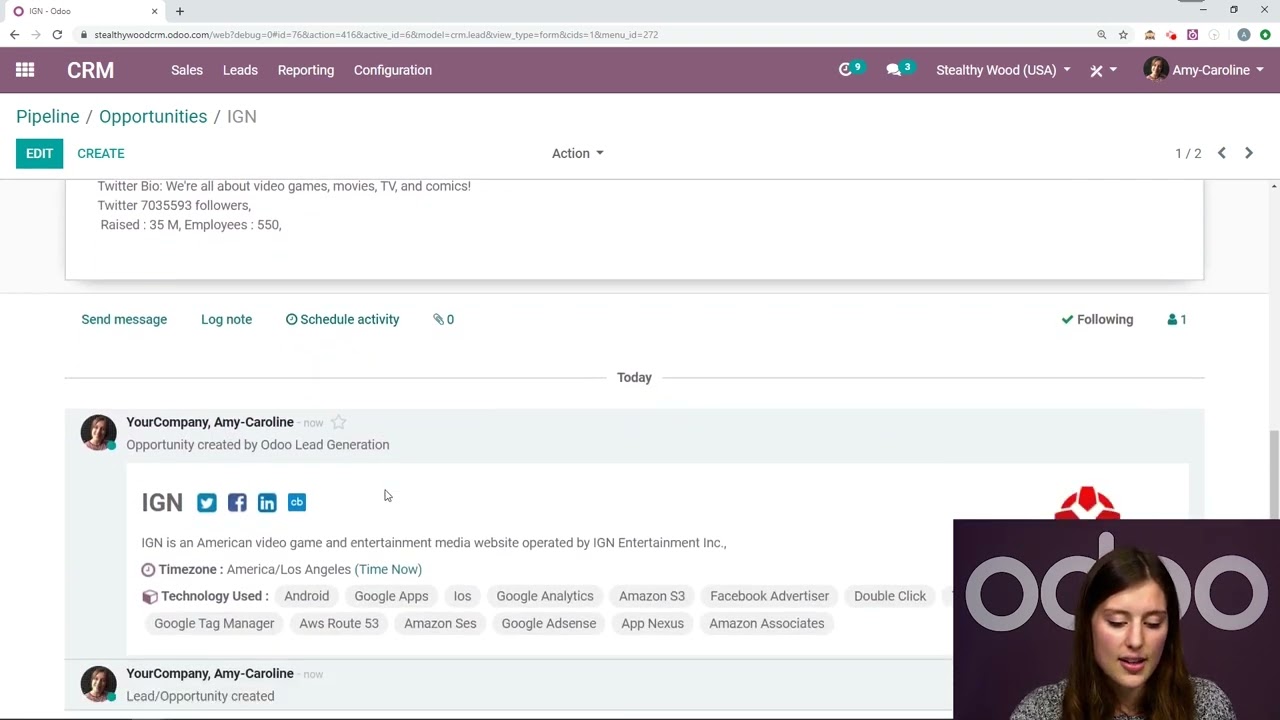
into ODU but I have a whole other video about that so feel free to give that a watch if you're interested right now I want to hop back over to our CRM app to show you what this email generated back in the CRM app we've actually generated a lead so we're going to go naturally up the leads in the top header and voila there it is right there info needed and if we check over over here in the email section it's the email address it was sent from and when we look at the chatter over
here we can actually see the body of the email that was sent now again from here our sales team would follow up with this lead and hopefully nurture it to becoming an opportunity and eventually a closed deal and it all started with a simple email Alias how cool is that all right OD doers there we have it that's how leads can be generated using online forms and email aliases like I mentioned before I'm going to be going over a couple other lead gen methods in another video so be sure to stay tuned for that it's
going to be a good one see you there o doers go grab a snack