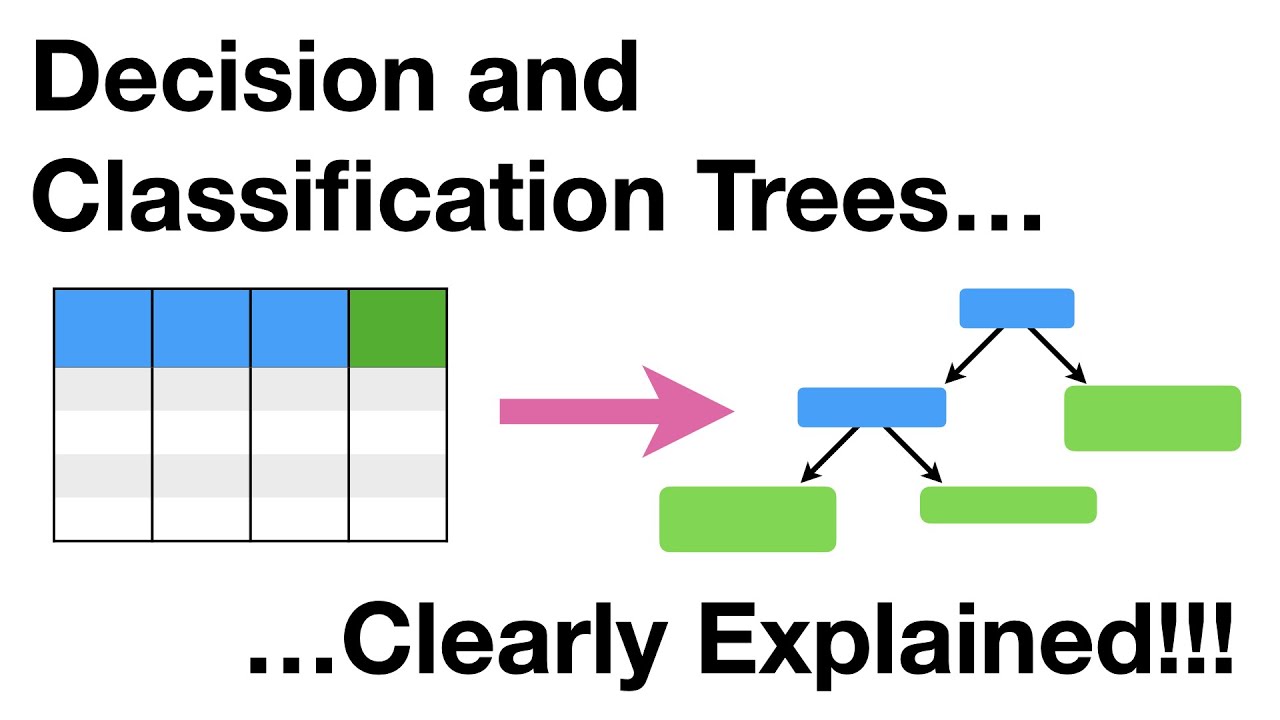
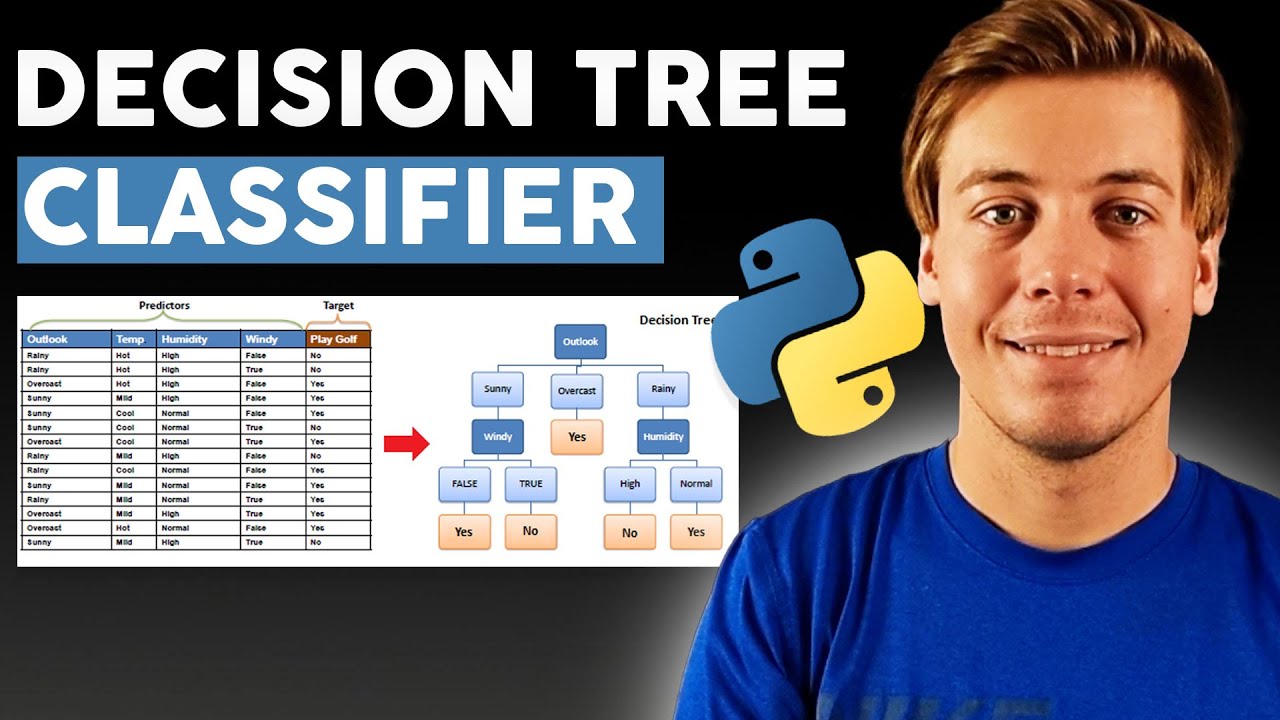
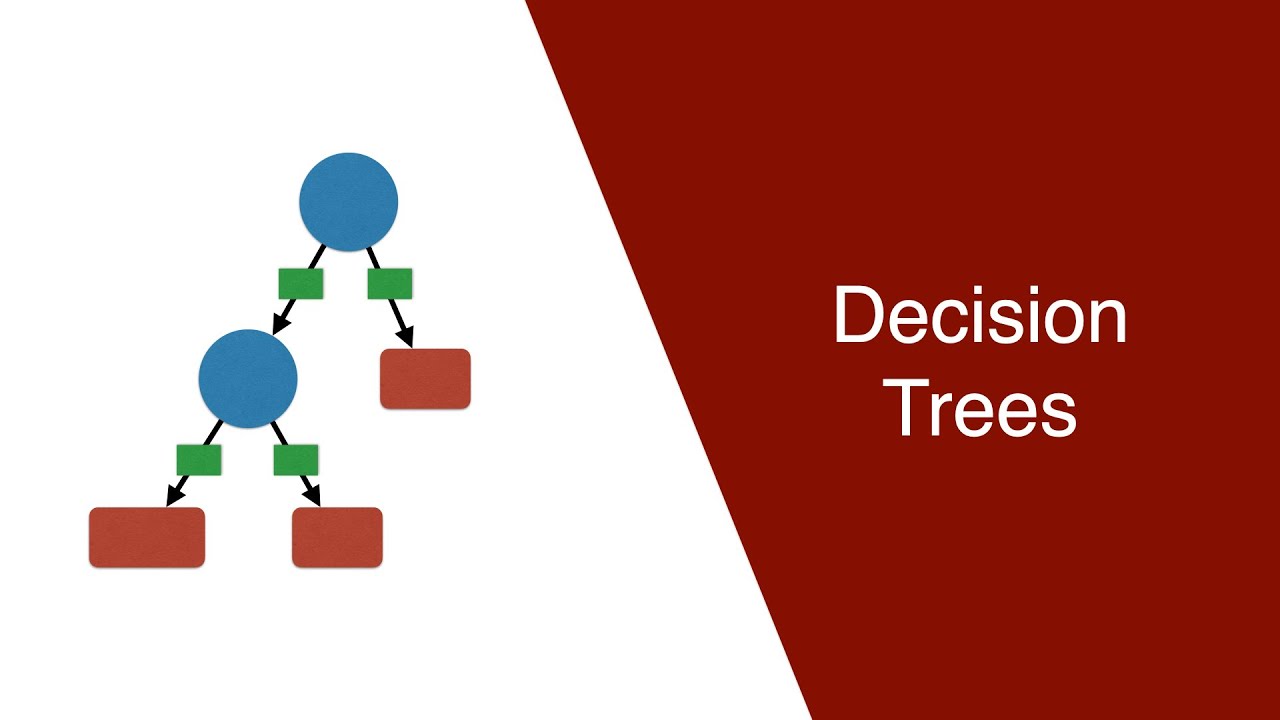
[Music] hello everyone I welcome you all for the session on decision tree algorithm in machine learning today we are going to demystify the inner workings of this algorithm in the context of solving both classification and regression problems not only that but we are going to show you how it can be implemented using the scikit-learn framework in Python but before we get started with that I'd like to request you guys to enable both the Subscribe button and Bell icon so that you'll never miss any update coming from intellipath YouTube channel first of all we shall look into the agenda for this session we'll begin this session on a friendly note by getting introduced to the term known as decision tree after that we'll cover the overview of important terms related to decision tree and finally we'll cover the Hands-On implementation of decision tree algorithm I hope I have made myself clear with the agenda so without any further Ado let's dive into the first topic of our agenda that is what exactly is this decision tree all about basically you guys can gauge what it really stands for from its nomenclature itself it's something like a tree used to make some sort of decisions whether it is classification or regression you can see that there is a degree of correlation between the data features we get and by leveraging the same we are able to build a pattern and predict the future outcomes decision tree algorithm is completely built around this fact itself decision trees create a tree-like structure by comprehending the relationship between features it begins with different classes at the root node and then it creates decision boundaries or branches to split the items into the respective classes at the final Leaf nodes let me give you a sample example of how this algorithm looks like so let's say we have multiple fruits over here brought fresh from the market and we want to keep them inside the fridge by categorizing them into their different own categories you can see that we have oranges mangoes watermelons and grapes over here so initially all of this will be assumed at the root node then we'll put down the condition to split these fruits at the next level now let's say we'll check whether the shape of the fruit is round or not if it is round then it will go to the left side of the tree and if it is not then it will go to the right side of the tree now you can see that all the mangoes have been separated over here next we'll just move ahead in the direction of the left node next condition will be to check whether the color is orange or not with this condition we'll have oranges separated from the lot now the next decision boundary we'll put across will be to check whether if the diameter is greater than 10 centimeter if it is greater than 10 centimeter the fruit will be watermelon and if not the fruit will be grape now here you can observe that with each node after the root node we're actually classifying the data into its labels successfully the last nodes such as this node representing oranges watermelons mangoes and grapes are called as Leaf nodes and yes no decision boundaries you see over here are called as branches now this was kind of a classification problem but besides this decision tree algorithm can also solve regression problem just in the conditions there will be influence of numbers instead of classes in case of regression each decision is made based on the sum of squared error that being said let me tell you a few advantages of this algorithm First Advantage we have here is that the decision tree algorithm is quite easy to understand interpret and visualize once you create the model by using decision tree classifier or decision tree regressor you can visualize how the classification is achieved after processing your training data through the model and this makes the visualization of classification increasingly simple we'll see that through our coding implementation part as well second Advantage we have here is that there is no assumption that this algorithm makes about the data it can work well with the both continuous as well as categorical data which makes it a very special algorithm that's the sole reason why this algorithm is also termed as cart or classification and regression tree next advantage of this algorithm is that its performance doesn't get affected by non-linear parameters now that we have learned about the advantages let me tell you about few limitations or disadvantages of this algorithm as well first disadvantage is overfitting decision trees can easily overfit the training data especially when the tree is too complex or when there is noise or irrelevant data in the data set this can lead to poor generalization performance on new data I mean this algorithm might not make right predictions if it is trained over the noisy data second disadvantage appears in terms of bias decision trees can be biased towards feature that appear earlier in the tree or have more splits leading to sub-optimal Performance next downfall of this algorithm is that it can become quite unstable with little variations even the small variation in data can lead to different tree structures which in turn can make things difficult for interpreting the results or even for comparing models another thing I want to make clear is that this algorithm is not meant for huge data sets with a multitude of important features it has very limited expressiveness decision trees are not at all well suited for complex problems or problems with continuous data as they have limited expressiveness they work best with categorical or discrete data and are less effective for problems that require more sophisticated modeling approach all right the reason behind telling these disadvantages is that I want you guys to know that this algorithm is not really best suited for complex data sets but by putting it to use and doing little changes here and there all of these disadvantages can be removed successfully we'll discover all those Advanced algorithms named as random Forest pruning xgboost gradient boosting trees Etc down the lane but for now let's just focus on this basic notion of decision tree algorithm next thing we shall look into is about the important terms related to decision trees we'll start with a term called as entropy in simple terms entropy is the measurement of Randomness or unpredictability in data set I mean the more the classes in the data set more the entropy it will have this image over here represents the sample with high entropy you can see different types of animals clubbed and mixed together in this image also you'll have to consider features of each and individual animal to segregate them into their categories so we can say that there is definitely some unpredictability and Randomness in this sample but now let's say we use the logic of decision trees first we'll check for the color of animals if the color is yellow then animal will arrive at the left hand side otherwise they'll go to the right hand side here we only have two two different types of animals so definitely the entropy at this stage is much lesser compared to the previous state now we check for neck length if the neck length is more than 5 then the animal move to the left side and other animal will go to the right side similarly we'll check other group for length if length is more than 10 feet animal is going to be elephant otherwise it is going to be zero now at these Leaf nodes we have got the distinct classes and there is no Randomness at all so definitely the entropy for these Leaf nodes will remain Zero from this you can see that entropy is a kind of learning strategy that helps in making decisions the goal with the strategy is to reduce into copy such that the overall entropy reaches the least possible value with the help of optimal decision making the formula to calculate entropy is h i is equal to negative summation of p i k log 2 p i k now here the base for log is going to be 2 and Pik is the probability of positive and negative class I at the particular node let me show you how this work in real time so basically what we have to do is calculate the entropy for each stage for this given sample over here so the entropy at root node or beginning stage will be something like this so in this sample at root node we have three different giraffes two tigers two elephants and one monkey so overall we have eight animals out of which three are giraffe so three by eight log base 2 3 by 8 plus then we have two tigers so two by eight log base 2 2 by 8 plus then we have two elephants so two by eight log base 2 2 by 8 plus then we have one monkey so one by eight log base 2 1 by 8. now if you calculate this the output that you will get is 5. 8 now here the entropy that we are getting is quite substantial generally in an ideal machine learning setup the entropy is measured between 0 and 1.
it should not go above one but all of it is quite data dependent depending upon the num number of classes in the data set it can be greater than one what that simply means is your data has a very high level of disorder and this algorithm is not at all good fit to get the classification job done but for just examples sake we are considering this calculation over here as a valid one now moving ahead for this rightmost node at second level the entropy will be around 0. 91 whereas it will be 0 for all the samples at Leaf node the computation for them is given on the screen as well now the next term we have is Information Gain it represents how much entropy was removed during splitting at a node higher the information gain more entropy is removed hence during training the decision tree best splitting it chosen which have maximum Information Gain now the formula to get Information Gain is entropy T minus summation of TV divided by T into entropy of TV here entropy of T is entropy at node before split that is parent node entropy of TV represent entropies after the split that are the child nodes T represents total number of instances before split and TV represents number of instances after the split is done basically you can consider Information Gain as a difference between entropy at the parent node and entropy at the child nodes all right now this is pretty easy to understand the next one strategy that we have on our list is ginny impurity Genie impurity calculates the purity of the split at nodes of decision tree the mathematical equation of gini attribute at ith node is given by GI is equal to 1 minus Sigma p i k Square Pik is the ratio of Class K instances among the training instances in the eighth node unlike entropy the value of gini impurity varies between 0 to 0. 5 a node is pure when gini attribute is equal to 0 that is all instances are of a same class now let me show you guys the competition for Journey impurity for our previous example itself now here add the root node the genuine can be calculated by 1 minus Sigma Pi Square all right so we'll have to consider the probability of getting giraffe probability of getting Tigers probability of getting monkey and probability of getting elephants so that's what we have done here so 1 minus 3 by 8 square plus 2 by 8 square plus 1 by 8 square plus 2 by 8 square which equals to 0.
75 right which is again exaggerating the range that we have been talked about previously and 0. 75 is quite substantial than 0. 5 now the reason behind we are getting this kind of number is that we are just considering few features and samples whereas number of classes is quite substantial basically the data we have has a high degree of Randomness so just for understanding sake let's say this is a valid example now let us consider the genie imperative values for few more samples now for this particular write node where we have two elephants and one monkey the genie impurity will be 1 minus 2 by 3 square that is the possibility of getting elephants plus 1 by 3 square that is the possibility of getting monkey so the value we are getting over is 0.
45 and at the leaf nodes we are getting 0 all right that's almost everything you need to know before implementing a decision tree algorithm I hope this information is clear to all of you guys let's move ahead and develop a working decision tree classifier model for this purpose we'll be using a medical reports data set that we have over here this data set basically entails which drugs work on patient given certain parametric reports now for clarity let us imagine that you are a medical researcher compiling data for a study you have collected data about a set of patients all of whom support from the same illness during their course of treatment each Patient responded to one of five medications drug a drug B drug C drug X and Drg y now the part of your job over here is to build a model to find out which drug might be appropriate for a future patient with the same illness the features of this data set are age sex blood pressure and the cholesterol of the patient and the target is the drug that each Patient responded to all right now I hope you guys understand that this is basically a multi-class classification problem and we are going to solve this using the decision tree classification approach now here is the Excel file of our data set that contains different features such as age 6 blood pressure cholesterol sodium to potassium ratio and the name of drug which is again a label so we have around 200 records over here so let us import this data to our collab notebook and get us started to begin with we'll upload the drug data to our collab notebook so I'll go here go into the upload section and I'll load this drug data over here all right so we have successfully uploaded the drug data on collab environment so all we got to do is import this data into our collab notebook and for that purpose we are going to require the pandas Library so first of all let me import this Library framework and then I'll store my data inside data frame named as TF using the function PD dot read underscore CSV and inside it I'll pass the name of my data file that is drug dot CSV now let us check if our data has been saved inside this data frame or not for that purpose we'll simply type DF and run the block and it shall return our data set all right so here we can see that our data has been successfully loaded into a collab notebook I mean we can see that there are 200 rows and six columns in our data set which is we already validated in our Excel sheet overview as well now moving forward we are going to require multiple functionalities so let us load all of those functionalities such as import numpy as NP we are going to require C bone for visualization purpose as well so we'll load it here import c bond as SNS we'll import matplotlib as well and we'll run this block okay now it's time to move on to the next stage called as data preprocessing so with this stage we are supposed to deal with duplicate records missing values non-numeric values available in our data set because these things this can impact learning of our algorithm tremendously first of all if data is not provided in meaningful manner the model won't be able to learn pattern at all so pre-processing is quite a critical step of machine learning problem solving roadmap let us deal with null values for first the nand filled in data set represents that there is no record of particular feature in that specific row and the function that allows us to check that is is an a this function Returns the Boolean mask of our original data frame where it highlights true for the missing value field however the magic happens when we put if and a club together with the sum function when we do this we can have a nice list of non-null values that to column wise so if I run this block of code you'll see that there are no null values available in our data set and all of the columns have some sort of values I mean there is no null record available in our data set the next thing is checking for duplicate records in data and for that purpose we are going to use duplicated function so this duplicated function basically returns a Boolean series of the same length as of our data frame where each element is true if the corresponding Row in data frame is duplicate of a previous row now let me show that over here so if I pass DF dot duplicated you can see that it is creating series object where you are getting all the false record that means there are not really duplicate records available in our data set but to make it more understandable if I put it inside the data frame object it will only return the record which is truly duplicated and here you can see that there is no record shown on our screen or console so that means there is no duplicate record present inside a data set for now next moving forward let us visualize the contents of our data set so let us first use the df. info function to know about different data types of our features so we'll use DF dot info and once I run this block you can see the data types of our columns so each column has 200 non-null values and the data type for this particular feature is integer for drug we have objective for sodium to potassium ratio we have float tape so basically for whole of our data four features are of object type that means the categorical type and then we have one float and one integer type feature as well now for visualization sake we'll look into the sex and Drg column graphs we are going to use Bob plot for that purpose so first of all let us add a new coding block and here what we'll do is will save X is equal to DF Dot six dot value underscore counts so basically this will return the tally of different values available inside the sex column so basically we just have two values that is male and female so it will represent how many mail records are there and how many female records are there and we want to print that so we'll use print X over here after that we also want to represent this data with the help of count plot so we'll use p is equal to SNS dot count plot and inside it our data will be equal to DF and the titles that we want to give are definitely will be the records of sex that is male and female all right and I'll use PLT dot show function to present this graph inside my console now here you can see that we have 104 mail records and 96 female records now next we also want to visualize drug column as well this drug feature is again a categorical feature so what we can do is we can copy this code above and just change few parameters to get the graph for drug column so what we'll do is we will set the titles to drug and instead of sex will count the different values for drug column and this shall do it so once I run this block we'll see that we have 91 records for drug y 54 for drug X 23 for drug a 16 for drugs C and 16 for drug B and here is the graph representing the same statistics all right now next we'll do one complex graph over here with this graph you can visualize the relationship between the feature age and the drug classes but in order to create this graph it is critical that we know all the classes available in our Target feature so what I'll do is I'll print all the unique values of the column drug using the unique function in Python so what I'll do is DF drug return all the unique values okay this should be capital all right so we have five different records available inside our data frame such as drug y drug C drug X drug a and Drg B now next what we shall do is we shall create a figure size to create the graph so I'll create the plotting area that is PLT dot figure and we'll set fixed size to 10 cross 10. for this complex visualization we are going to use the function named as dist plot available in c bond and inside that we are going to pass nested conditions so what we'll do is we'll use DF and again DF drug if DF drug is equal to equal to drug y then we would like to print age records and the color that we want to set for these samples will be equal to Green now I'll copy this line and I'll paste it five times because we have five features or five different categories in our drug column all right now I change this to drug X and the color I'll set for this particular sample will be red then drug a drug B and Drg C for this we'll set color black for this we'll set color Orange for this we'll set color blue and the title that we want to give to this graph will be H versus drug class and we'll simply show this graph on our console now here you can see this complex visualization from this particular graph you can comprehend which drug work for which age group and with what probability it work for them so basically from this graph you can understand how the feature named as age is contributing our model to learn towards the label named as drug all right I hope this visualization part is clear to all of you guys now let's come back to the under part of our pre-processing phase that is dealing with non-numeric values so as you guys must know we can use encoding techniques to convert the categorical data samples into the numeric ones so here we'll use ordinal encoder to achieve this conversion but before that I'll have to load that ordinal conversion onto our collab notebook so I'll use the command from sklearn Dot preprocessing import ordinal encoder now I'll create the instance of this ordinal encoder OE is equal to ordinal encoder so basically guys ordinary encoder is a data pre-processing technique in machine learning that is used to encode categorical variables into ordinal variables it assigns a unique integer value to each category in the variable and transform it into numerical data now we will transform our non-numeric features into numeric ones using this ordinal encoder itself so what we'll do is will change the records of column known as BP blood pressure and we'll use ordinal encoder and we'll use the function named as fit underscore transform and to this function will pass 2D object of our BP column so guys while passing column as an argument we are making sure that we provide input in two dimensional format because ordinal encoder will return error if you provide series type of object so just make sure you provide your data frame column inside dual boxes which will convert it into two dimensional data now we'll copy this particular line of code and we'll just change the parameters all right so next will transform the column named as sex which contain male or female record and here we'll have to pass X again similarly here we'll do cholesterol and next we'll transform our label column that is drug now let me run this block of code okay so let us visualize if this transformation has had happened in our data frame or not so simply we'll just print our data frame and here you can see that all the categorical records has been converted into numerical ones all right with this step the pre-processing stage is over now we'll perform the splitting of our data set into input and output format using ilock indexing all right so let us get the new block of code and here we'll create input and output format so X and Y all right so X will basically contain all the features of our data set and why will basically contain the label parameter so first let us put the label over here DF dot I log and will provide the last column and for data part will provide all other features except the label feature and for that purpose we'll use indexing from 0 to -1 now let me run this block of code and here you can visualize the X and Y as well all right so there is no presence of label column over here and let's print y to see the label okay so we have successfully converted our data into input and output format now we'll import the train test split function and we'll simply break our data into training and testing samples and for this purpose we'll import the train test split function from sqln dot model underscore selection import train underscore test underscore split and now the training split extreme comma testing split X test comma y underscore train comma y underscore test will be train underscore test underscore split here we'll pass the input then output then the random state and we'll set test size as 20 percent of our data so 0.
2 now let me run this block of code let us visualize the X strain here you can see that we don't have label in this sample and if we check for X test we'll just found the label and if we check for y train we'll get our label all right so we have successfully done the splitting of our data set into input output as well as training and testing samples now we have converted our data into something that can be fed to the machine learning model so without wasting any time let's import the decision tree classifier and get to the business of making prediction for that purpose I'll have to import the decision tree classifier for first so from Escalon dot tree import decision tree classifier first of all what we'll do is we'll use gini impurity criteria so let us name the classifier object that we are going to create in next line adds classifier Genie and will create the instance of decision tree classifier and inside it will set our criteria as Ginny okay there is one spelling mistake over here decision tree classifier okay we'll set criteria at Ginny and we'll set random state equal to zero all right now what we'll do is we'll fit our training data with the help of this object of decision tree classifier so clf underscore Ginny dot fit X underscore train comma y underscore train from this command our model will pick up the pattern from our available training data set and next what we'll do is we'll make the prediction and we'll store those prediction inside y underscore thread underscore Genie named variable and we'll use clf dot clf underscore Genie dot predict function and inside it will pass our testing sample that is X underscore test now let us run this part of code all right okay so we have made mistake over here in the spelling of classifier so I'll have to add IE over here and I over here as well now let's run this block again all right now let us print the predicted results vibrate underscore Genie so these are the predictions made by our model all right now next thing we'll do is we'll check the accuracy of our model using accuracy underscore score function so first of all we'll have to load that functionality from SQL on dot matrix import accuracy underscore score and we'll print this accuracy score by making comparison between y underscore thread underscore Ginny and Y test and here you can see that we are getting hundred percent accuracy all right now I hope you guys must be very curious about how decisions were made in the background well I do have a solution to fulfill your curiosity we'll put out a snapshot of background mechanism using the plot underscore tree functionality available in decision tree classifier but for that purpose first of all we'll have to import the tree module in our collab notebook so we'll do from Escalon import tree will create the plotting area that is PLT dot figure function and will provide fixed size as 10 cross 10.





![Visual Calculations in Power BI - DAX Made Easy! [Full Course]](https://img.youtube.com/vi/JITM2iW2uLQ/maxresdefault.jpg)




![Beginner to T-SQL [Full Course]](https://img.youtube.com/vi/cACat4KNncg/maxresdefault.jpg)