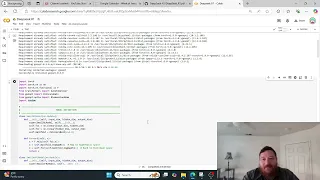
deep seek R1 is available in the olama models library in six sizes 1. 5b 7B 8B 14b 32b and 70b it's also available in a 671b size which is too large to run on a personal computer all models work on Windows Linux and Mac OS the 1. 5b model can run on most computers even with very limited resources the simplest way to run deep seek R1 is by installing a llama Docker and open web UI on your computer links to Windows Linux and Mac OS installation tutorials are in the description let's see how deep seek R1 performs on my 3-year-old laptop with an Intel i5 processor 16 GB of RAM and an Intel UHD graphics card with no dedicated vram I'll get the download link for the 1 5B model and speed up the footage of the download process then I'll run the 1.
5b model in open web UI the answer generation time has not been sped up the response time is 15. 79% second and it took the model 19 seconds to generate the answer next I'll follow the same process to test the 7B model but this time I'll speed up the generation process so we don't have to wait too long the answer generation was considerably slower at 4. 03 tokens per second taking the model 1 minute and 17 seconds to generate the answer now as we move to the larger models we'll test them on a more powerful computer with 30 2 GB of RAM and an Nvidia RTX 360 GPU with 12 GB of dedicated vram first we'll download and run the 8B model I'll speed up both the download and the answer generation process the response time was 42.
4 41 tokens per second and the model took 8 seconds to generate the answer the last Model I'm going to test is the 14b model I'll speed up the download and generation process again the response time was 18.