hello everyone this is Bama deli from the lower studios you're welcome to another episode of Android programming today we'll be looking at how to extract an Android source code from its apk in a nutshell now to decode an Epicure files actually before we can be able to achieve this arm tax we are going to follow four steps no in order to really extract the source code from its epic a our step one will be looking at the applicator self and let's see what we're going to do with it let's start working with the apk app
on my desktop of my computer I have an epic a code for Lister's apk you can see right now that is the epic aid I need to extract the source code from it so for me to go on with this I will create a new folder now right-click I'm using the Windows operating system Windows 10 to be precise you can also do that on Mac and Linux but this is the Windows ARM version of extracting an Android source code from its apk so I created a new folder I call it the name of the app
which is police the police application I copy or drag and drop the police apk into the folder a double click to open the folder so are we going to rename the extension of this epic a file to is zip you know let us be a zip so I click on it I right-click rename so I like on the to are extensions actually if you found out you couldn't are like change the extension you can easily go to the permission settings that will enable to our full control on the change of any file in a folder
but I've done that earlier so it can be I can easily change the the file name and which is extension so the angle of naming Billy is dot sick since does the extension that I need it to be I click on my arm on my old boy quick one before I do that I would like to click on no I like to copy this somewhere else because I was to need it force I copy it on my desktop okay let's bring copied somewhere so let me continue with the renaming which is - the same process
I went through actually I copied because I might need it and the cost of the teacher via zip I click enter so it's going to tell me that if you change your file name extension the farm i'ts become unusable fine I need it that way I click on my yes so if you notice on your screen right now it's a zip file it has been sick so the next step is to extract the zip file let's extract it just the name is CC 8 a normal step or the number way in which you extract a
zip folder and click on extract or so that is going to sit on the same directory okay it's actually extracting their word is if for dinner okay here we go this is the folder of the zip this zip folder so from here we'll need to download the Dex to jar the Dex - jar you can get it from this particular website sourceforge.net slash Bridget's slash Dex chuja / files within with the false lash so with this you can easily download the latest version of the Dex teacher which is up to 2.4 MB once you download
that are you get you get a zip file this is my windows for you get a zip file just like this particular one you seen on your screen and you extract it just like the way we've extracted our police application so once you extract once you extract it you're going to have something of this nature so we're going to copy ok let me minimize this because actually don't need it right now ok this is the arm the extracted application which will be turned into a zip our folder and afterwards we extracted it into files now
we need one particular file in this folder which is called a classes dots Dex so this class is the Dex we're going to copy it into the folder of the Dex - jar so let me just do that I click on copy and comment to the folder of Dex teacher I paste into these so I'm going to run a command prompt I go to my Start menu and search for my CMD ok I run it as an administrator ok yeah alright so chin directory I need to change it today now I'm going to I'm going
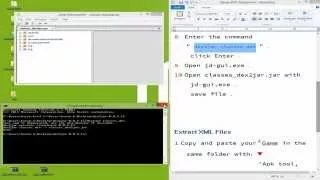
to point to the directory to the Dexter jar right now is sittin on my desktop so I'll quickly do that CD ok use this share the texture CD Dex to jar let's read cinema Dexter okay you have that writes it in there so are you going to write a line of code right now which is going to be g2j I think Dex - Joe Dex true jar okay with the space and the filename the classes.dex that you copied right into the folder classes dot Dex that's the extension you click on your enter ok just watch
what happens are in your command prompt and also in a folder of the Dexter jar ok that should be a jar file created which is quite important if you can look vividly at the dextra gr the folder of the Dex teacher we have the classes I think Dexter Jar Jar it is an executable jar file which is very very important now you move further from that we are going to download the java decompiler we actually need that to decompile this jar file you can get the java decompiler you can actually get it from this URL
called JD dot Ben Oh W dot see a so you have this kind of interface you click on your download okay if you are using Linux Mac on Windows I'll use Windows so I downloaded this particular file the J do the JD - GUI GUI rather - Windows I think one point four point zero dot zip so you extract you extract it up and you have something of this nature okay DJ D GUI windows so with this now you're going to launch the application okay I've launched it as a java application now a lot of
files being openly and there but you just have to follow it's one after the other it's not something too complex sorry for that okay now you're going to click on the file menu to open up they are the class the class Dex jar which is resting on my desktop the Dexter jar folder okay the classes have index to jar you open it up in the arm java decompiler let me expand this for you to notice if you can see a lot of packages i've been extracted you know mg come police you know a lot of
authentication signpost that we use the teacher 4g as well but now for it to update again you can pick a class and you can visualize what the class is really into you've been able to decompose the Java now you need to save this up you have to click on save all sources you click on save all sources don't to do that don't click on save alone once you click on save all sources you go to your deck strip are let me let me go let me let me pick the file the folder of the application
so it's the name is classes have indexed to jar dot zip is going to be in a zip file so let me save it into the folder so let's wait for you to save actually gonna save all the Java classes and the directories that you need in the application just like the weight one's been developed Martin is going to be taken away okay let me launch the police which is the root of the apk which were converted to arm to zip so we'll notice that the class is dead - Jack you know which we sent
to our Java GUI is been saved in a zip folder so we can have all our Java classes in need so now I can easily extract all of this again click on it extract ok after this finishes we're going we have one more step to finish up in the extracting or the compiling of an android apk ok this is greener okay that finishes up and you can easily get the Java files in your application the curl which is always rather Facebook okay you can easily see this these are the Java files used in the application
but there is something that is not always visible in once you finish up using the GUI arm you're the the res folder trying to search for the restful that we see some the example of the application they are not usually readable there is a tool called the epical - you can actually get it from this link the applicants you getting from the iBot speeches that get up that I will slash época - slash install from their unit we extract amusing windows in particular F to get the época - dot jar and the epic a truth
that birds these two files are very very important you can get your epical to the jar from the HTTP four slash bits buckets that are like I birthed peaches slash epic eight to /downloads that's what the jar once you get those two files you're going to keep it in a folder called I've actually gotten it so I kept it in a folder called extract you can see the época to the batch file and the implicit - executive with Java so with this now you also download the framework rest apk which you can see right now
or you can download these from this link called our www Android file host is rest shown on your screen you can your EPPICard your framework race I can rest at implicit you can download it from this link right there once you finish downloaded that you save it or you you keep it in the folder with the Advocate to batch file and the época to executable Java so for us to be able to decompile the epoch a and get our eczema folders from it we need to run a command which is going to go down to
our command we're going to actually push lists okay this shuddhi next stop is right on the deck strip so I'm going to go into the extracts fro there okay in the extras folder our running command for the frame work underscore album four slash reps so I'm going to run a PK to Eve frame work - yes that's a PK click enter okay we have our framework installed to the four to the UL directory from now from the NL we can be able to issue our Kampai it's going to be FP k 2d the name of
the arm of the application so for us to be able to do that i need to copy the police application into this directory so can see it's being copied right there so that I'll be able to finish up with decrement or D or the name of the application release such a picky alright I click my entry you notice the apk is going to be the compile and I OBE I'll be able to get my XML files the order the compiling from Julia was able to extract are there the Java classes but this time I need
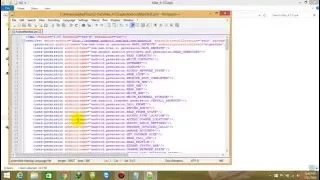
the XML so a folder copper list is ready created but it's 2d compiling trying to decode some XML files so I need to be patient for it to finish up once it finishes up we'll be able to open the folder called police ok it's finished so let me double-click on a public folder called police can you see your Android manifest already and you can easily read it let me edit it with notepad plus plus okay that's the manifest you got a manifest sitting right on your screen now you are having your application back on the
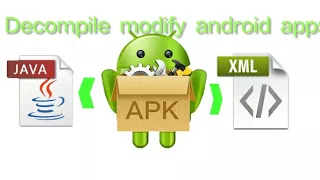
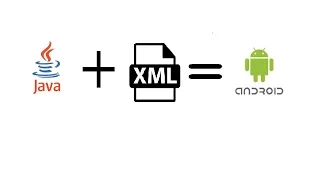
assets ok does SQLite being use the rest folder very important the layout because all XML files where an intern is that exemplifies the way used in the course of the application you know with this now you can pick up the exam oh and pick up the Java classes combine them together and you have your for working application on the fly because in Java you need the Java class for logic you need the eczema and probably some other frameworks you've been used you know which can serve as the MVC oddly for the application but mostly you
already always need the Java classes and the eczema but now we have the Java classes brindis compiled from the GUI Java GUI and also now we've been able to extract the XML from the apk itself using the applicator tube if you have any question or you feel that this arm steps and not so clear for you you can easily give a comment or or or just explain on just let us know the issues or let's know the challenges you might be facing you know I'll be glad and happy to appearance with them No thank you
very much for listening and I want you to stick to the lower studios don't forget to subscribe to my channel for more Android development and programming tutorials thank you very much bye-bye and Merry Christmas and a prosperous new year bye-bye