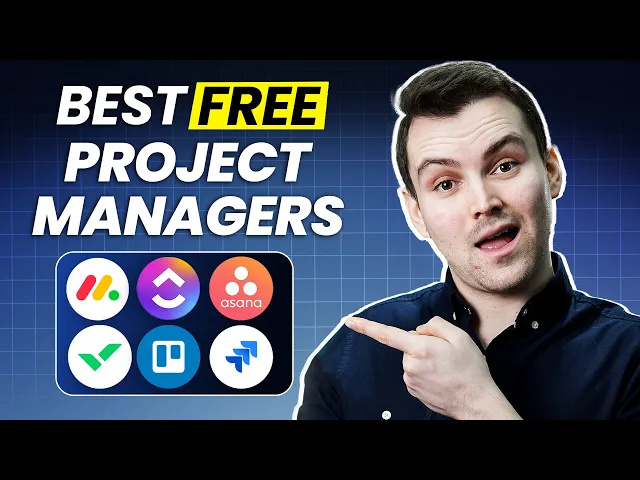
so you want to enjoy the benefits of project management software but your wallet is screaming no way well don't worry because in this video we'll be exploring the top five project management software options that are absolutely free yep you heard me right now you might be wondering are these free tools any good are there important features missing well it's true some Advanced features might be locked in the premium plans but we put on our detective hats and reviewed more than 30 software options compared their features side by side and then found out the six best
options and even though they are free they're loaded with features that you'll be managing your projects like a pro and as a bonus we've added official links to all these providers in the description section of this video so you can jump start your journey right away so without any further Ado let's Dive Right In oh and yes we will be covering our top picks one by one in descending order so stick with us till the end to see which one makes the top of our list so let's begin so the software that holds our number
six position is jira jira was originally made by atlassian company back in 2002 as an issue tracking solution for software developers and now it's used by teams from all kinds of Industries even non-it ones so as you set up your jira account you'll encounter a blank interface with no preconfigured boards or demo data and in jira we do things a bit differently we don't call them tasks or items we call them issues but here's the twist you don't get pre-made templates handed to you nope you've got to roll up your sleeves and create those issues
from scratch then in the free version you can see your issues in in five view that includes summary board list calendar and timeline firstly the summary view is the solid View and also one of my favorites it gives a quick snapshot of progress in your project then the board view shows your work in various status columns and when they are ready you can simply drag these issues into the next status now keep note that in jira's free version you can add up to 10 users amp unlimited boards plus you'll have 2 GB storage and five
different views but if you ever feel the need to include more than 10 users and additional views and user roles and permissions then you can switch to their paid plans which ranges from $8 to $15 for the standard plan so at the end two things personally bothered me about this software first it doesn't provide pre-built templates in fact it offers a completely blank interface so if Jiro were to offer some templates for different business teams they would be very helpful next I found the interface to be quite average like if a project management software's interface
isn't visually appealing you will not feel any enjoyment while working right but on good side this software is best for coders and programmers as it is inclined towards issue management so when dealing with software products if coding teams encounter a bug or glitch they can simply go to jira create an issue and assign it to the relevant person so if you manage a coding team be sure to check out jira now coming down in my list ranking at number fifth is a sa a has been around since 2008 and now the application is used by
over 25,000 paying customers including companies from a number of Industries and because of this hype I tried it myself and I indeed found it to be an awesome project management tool first off Asana makes it absolutely easy to add recurring tasks let's say you have a weekly team meeting you can easily create this task assign it to the right person set the due date and time and make it repeat every week month or at any time interval you want now let's take a look at how this works on the calendar imagine our task is here
as you can see it's set to repeat every Monday so let's say we complete this task when I mark it as completed Watch What Happens surprise it magically disappears from today and reappears on the calendar for next Monday so this is a really time-saving because you won't have to type the same thing over and over isn't beautiful then of course you can continue to flesh out this task add any description you need and any subtasks and don't get me started on calendar view I just love how it shows you what you need to do each
day plus you can see what you have already accomplished I also really love coding so as you create all of your projects you're going to assign a color to each of them so for me it just makes it a lot easier to understand and a lot more fun visually additionally collaborating with a team in a SAA is a breeze you can easily assign tasks set deadlines and provide all the necessary details to your team members all in all Asana is a very strong contender in project management World particularly suitable for simple project management it's excellent
because it's clean easy to understand and provides good value in terms of pricing even the free version offers more than essential features all right so next we have monday.com taking the fourth spot now this is the software that giant companies like canva Coca-Cola and Uber use to manage their projects but its highlight isn't just its stamp of approval from the big players it's the Simplicity of this tool and with that I mean that you can sign up and have your projects up and running within minutes plus they have over 200 templates to choose from which
means you can launch your board very quickly on top of this if you like vibrant colors and neat visuals then you'll love these cool graphs and infographics that they have incorporated as they make tracking the progress of Team absolutely a breeze and you're not just stuck with one view you get various widgets and Views in the free version like main table view filtered table view can ban charts and so on Additionally you can add up to 1,000 projects in free version with the nice collaboration features like you can write comments and notes on cards mention
teammates share attachments and communicate through direct messages and if you are a privacy friendly person then you will love to know that Monday has also taken user privacy into the consideration like you can set up both public and private boards based on what suits your team's needs so far with all that we've covered about monday.com their free plan might seem quite generous and it is to some extent however there's a significant drawback to this tool it only allows you to add a maximum of two users I mean it's suitable for Freelancers but if you have
a team that's growing this could be a problem but you can easily solve this issue by considering one of the premium plans which begin at at just $10 per user per month these premium plans not only offer increased storage space but also come with Advanced features such as Automation and integration options with other essential business tools all in all if your team is just a couple of people and you love a vibrant interface and prefer Simplicity over Advanced features then Monday's free edition could be your ideal pick next up on the third spot is Trello
well Trello is something like having a virtual whiteboard where you can jot down all your tasks move them around and keep track of everything in one place and let me tell you that it is genuinely a very simple tool in fact Trello is famous for its interface which is known as kban it's a pleasure to the eye and easy to work with all you have to do is drag and drop tasks from one place to another and the best thing is you can add unlimited users and projects even in its free plan I mean this
is a rare feature that you won't find in every tool out there not even in teamwork and monday.com plus there is also no limit on storage as well additionally Trello doesn't stop at just task management it's also a Powerhouse of colle collaboration tools you've got the ability to mention team members right within your cards effortlessly share files and even give your project a Personal Touch by adding essential details and even though Trello is designed for beginners it still has quite a few automation features in its free version so instead of manually moving tasks through stages
or sending reminders Trello can do it automatically for you but a huge drawback of this tool is that it's not very customizable as you get a limited number of views which are quite basic so if you need a software that's easy to sign up and has a simplistic design or in other words if your project management needs are very basic then Trello is a great option so getting over with Trello next up on the second rank is Reich now if you like working on spreadsheets then you should definitely give Reich a shot because it offers
the same adaptability as a spreadsheet that lets you track every detail of your tasks through its columns then talking about the basics you can add unlimited users projects and tasks into it and you can try a really userfriendly can band board for managing your tasks additionally by default Reich sorts tasks by status so you can easily see what's active and what's already completed plus you can set the status of projects to green yellow red on hold or canceled making it easy to create your weekly project status reports while you can do a lot with reich's
free plan some of its other features like time tracking Gant charts and integration do require a Premium plan that starts at $10 per user but it requires at least two users and no more than 25 users so if you're someone who enjoys working with spreadsheets and doesn't need fancy automation or integration options and you don't want to spend a dollar then Reich could be a great option now getting over with Reich it's time to reveal our number one pick so let's have a drum roll please our highest rated best free project management software is none
other than clickup now let me tell you that out of all 15 plus Services I reviewed clickup is my highest rated pick and for good reasons firstly one of the biggest highlight of clickup is that it lets you add an unlimited number of users and projects which is something only a few companies are offering and next what I personally love is clickup diversity in views like usually free versions of other softwares only provides just two or three views but clickup generously hands you 11 different views in its free plan honestly I haven't found any competitor
even coming close to this offering so apart from basic views like timeline calendar and Gant chart you will get mind mapping which allows you to visually organize and connect ideas and tasks it's like drawing a tree of your thoughts moreover there is an embed view which is a way to add any web page or app to your workspace for example you can embed a YouTube video a figma design a Google sheet and more and you can watch read and edit the content from those platforms right inside the platform so you'll have not one not two
but 11 different ways to visualize and manage your projects and to keep the entire team connected with the projects clickup has loads of collaboration tools like chat and comments shared views and guest permissions to include clients and team members in specific tasks while giving them limited access and don't get me started on click UPS reporting dashboard it shows you all kinds of data and metrics about your tasks like how your projects are going in real time how much time you spent how many tasks you finished and so on so to sum it up clickup is
our top rated choice for the best free project management software and it's a clear winner for several reasons like you can add unlimited team members and create unlimited projects which is something you won't find even in the paid plans of most other companies plus While most tools on free plans offer only two to three views clickup generously hands you a whopping 11 different views to work with quite impressive right and what's even better is that clickup also includes a Time tracking feature so you can easily keep an eye on the performance of your hourly employees
and you know what's the best part this all comes in a very userfriendly interface making it easy for teams to get full grasp of the software so if clickup seems perfect for your team you can sign up through the link from the description section below so there you have it gang these were our top six free project management software look at the end of the day it's all about what are your needs for managing your projects which will decide which software is best for you and just because it's free doesn't mean you should jump on
it make sure it Vibes with what your team really needs so you don't face complications later on so take your time think about what you need and pick the best one for you and with that said I would like to sign off thank you so much for sticking with me till the end and as I always say your feedback is valuable to us so drop your thoughts and stories about any of the project management software in the comments below








![ClickUp for Project Managers [The Ultimate Guide]](https://img.youtube.com/vi/Alxgyb1JkD8/maxresdefault.jpg)