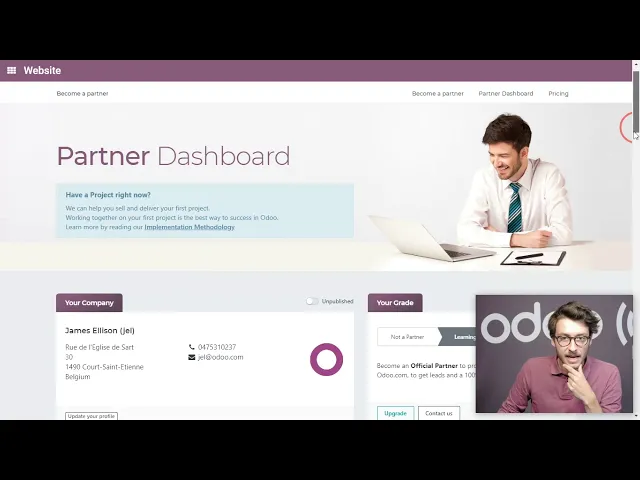
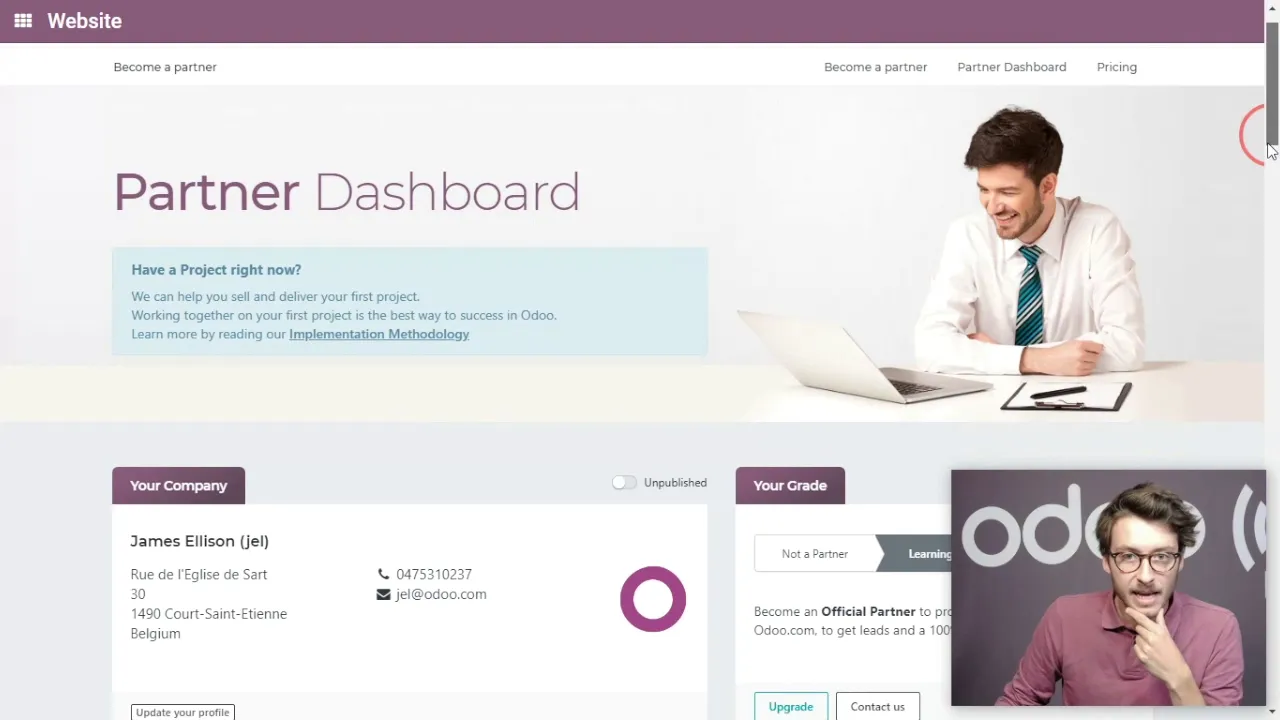
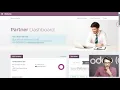
hello everyone and in this video we will go through what you need to do to get going as a new Oda pod first of all most importantly is to update your own websites indicating you are now an Oda partner and will publish it on our website then you will have to train your team we have different training possibilities that will be explained in more details in the next video but before training though it's very important to get familiar with what we call the partner dashboard now the partner dashboard is a central point of your partnership
it's where all relevant information about your partnership can be found it's therefore very important to know what it is and how to navigate it and what's on this page so first of all let's have a quick look at it I'm now on oh do calm I'm logged in with my normal account and I will go to my partner dashboard now first of all what you see here is your company information so the most important point is to update that company information and indicate which sectors you have expertise in which eventual projects you've already worked on
you can also see your actual grade okay and the number of users you have under your belt now here it's important to define who inside your company will need access to this dashboard okay so they will create an account on oakum and your account manager will give them access now we're not going to see everything on this page or you'll explore that on your own but the most important like I said is to see the level of partner you can also have a look at your Commission's okay based on the projects you sold you can
see which leads and opportunities were assigned to you in the past couple of months and it should gonna work them all to work with them on up you can also have an overview with your own contracts where the auto enterprise internal use partnership contract through my accounts up here and most importantly you can have access to the e-learning platform the partner knowledgebase okay and see who's been satisfied now you can also add your github users right here if you need support please contact your account manager and you'll explain everything now most importantly down here is
to see who your account manager is now a very important part of being a successful partner is a good and frequent communication with your account manager when the admin part is over signing of the documents etc the contract you'll have a first contact with your account manager it's very important to define precise communication channels phone email Skype and you must also inform him or her of any potential customers you're working on now so he or she can provide the correct help you may need on this project ok you can also have a look at our
online documentation ok it goes through different aspects overdue enterprise it will go through technical people facing documents also focusing more on the back in Nevada how to manage an eventual database how to upgrade from version 8 version B there will be some documents also aimed at the end users ok so focusing more on the front end part load the functional side explanation of each application and its functionalities how to configure them and activate them for example will also have documentation related through API you can find all sorts of legal documents a lot of answers can
be found in these resources whether technical or functional but if you have any questions you can always contact your account manager or your point of contact at Odum now we can also have a look at our webinars ok we have a YouTube page channel full of interesting webinars they either focus on a specific application on a specific flow or in a specific industry ok we also have webinars aimed at partners specifically for example mistakes to avoid as new partner or how to become very good successful partner in a couple of steps these webinars hold a
lot of valuable information and are definitely worth your while watching so it's important to say that before you start any formal training it's important to know what's available ok understand what resource you can use as a partner and therefore try and find the information that a lot of Dean's initial information you'll need can be found in those resources whether it's the partner dashboard the online documentation all the webinars we just spoke about thanks for watching this video will now go through the different training possibilities you have as an o2 Enterprise part