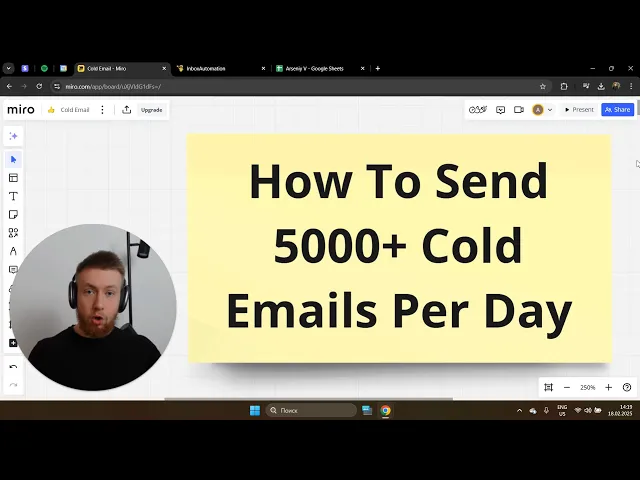
okay so in this video I'll teach you exactly how you can send thousands of called emails every single day without them being marked as spam and if you set up the system properly there's literally nothing that stops you from making 10 20 30k plus per month just from this system alone and uh I don't know how much exactly I have made with this but definitely over 50k over the past uh probably year and a half like 14ish months so this system works it works right now when you're are watching it so let's go straight into the system and I'll show you how to set it up so uh we probably should start with the main tool that they will use and this tool is called instantly. a this is the tool I use I've been using for probably close to two years right now um it's very cost-efficient it's pretty cheap and it actually allows you to send big volumes of uh emails and every single one of them almost every single one of them will actually go straight to the inbox of your potential customer uh so uh it helps you send thousands of emails every single day uh there they got some more features but um and I know obviously there are different tools that are out there on the market however in my opinion especially if you don't off for called email as a service this will be by far the best one so um first what you'll need to do is you'll need to go to instant. and create an account I don't have an affiliate link for you I mean that's the tool I use myself so you just go to instantly uh oh that's something thing instant Ai and then you click on this one and then you just click on uh get started right and then log in you can see the pricing so I would recommend to go for um let's see here those are monthly so I I use this one right now uh and then obviously you can like pay them slightly more to send more emails and like to upload more context but but like the second plan will be more than enough for you the first one I would recommend to go with that just select the second one it's 97 bucks per month and the AWI like it's pretty insane what you can get from that so this is the first step just go ahead and create this account now the second what we'll need to do is we will need to purchase the domains and the domains is pretty much the only upfront investment that that could be a bit costly depends on depends on how much money you have so relatively it's not that much uh but the cool part about this is you you'll literally need to pay every single year so it's like more like a one time fee so this will depend on how many emails um you need to send so so it will depend like how many Dems you should buy uh so you just need to do your math right to give you some some numbers uh what I'm doing right now and what I recommend for you to do as well is to send 20 to 30 call emails per day per email account and then have three email accounts per one the main right so then you can basically just do them Ma so for example um like let's say I need to send 1,000 emails right so I send 1,000 emails and so I need to divide that by um 30 emails per day if I'm sending 30 emails per one account so which means I need to have 33 email accounts right and then I just do 33 I divide that by three and that'll be 11 so I need to purchase 11 domains so the mathod is pretty simple and the coolest part is if you want to send 2,000 you just buy 22 instead of 11 so uh when it comes to buying the the mains I will strongly recommend you to use either gold daddy or pork bun uh so um and obviously if view it as an investment right because once again it will be a bit costly like it could be know 150 200 bucks to start with but trust me it'll be way worth it even if it close one client and I've probably closed I don't know how many tens of clients from this definitely over 30 I would say um so when it comes to domains uh don't use name cheap because obviously you can um buy domains cheaper there but this is kind of um the thing that uh you know most people that are not that honest like scammers and people that are selling some will buy the main from which means it will generally have worse deliverability even though the domain might be U like five bucks less right so I would suggest to pay a little bit more by using gold daddy pork Bon and using Doom domains but it will be way worth it in the long run because no one wants to you know see their domains getting shut down getting blocked restricted in any shape of form Etc so I haven't even used pbon I just know it's good I always use gold daddy so you just go to go um Go Daddy I mean it's pretty straightforward and then basically just look for the mains now when it comes to the the the main names uh I like to choose something that is um related to the industry right so I'm kind of in Home Improvement space so I just make sure my domain sound like something that those people could resonate with like for example it could be five projects.
com I think I have a domain like this right so it kind of is relatively related to the industry right and you can see like a list of my demands here right so you just can get an idea obviously I do have some some uh some orc domains but that's mostly to test it right just to see what's deliverability and actually theom ones are getting a I getting better results in that org not not just because of the technicalities but also because of the trust from the prospect so this is that just go ahead and buy the main you click on search the mains and then um um just buy like like if you want to send th a th000 emails generally you'll need to about 11 domain so you just do the math now obviously this domain is is taking because I bought it and so you just buy the maze you check out you purchase them you get uh you get access to them that's that's very straightforward so let's go to the next app um and this is email accounts so the game changer uh when it comes to this system is not buying email accounts from directly from the Google workspace but buying them from the resellers because back then um when I used to run this system like a year ago or something um like all you all you could do was buy a domain and then pay s . 2 per account per month uh to send emails so what that means it adds up to like for a th000 emails you needed to send like probably you needed to pay like 250 300 even more um bucks per month that's not even including instantly an out of fee so that was pretty costly but right now what you can do is instead of paying 7. 2 bucks per account per month uh you can buy the boxes directly from resellers and for the same accounts you'll cost you two bucks per Google inbox and then 2.
5 per Ms Outlook inbox which means four times cheaper so this system right now is very cost efficient so I'm sending around 12,300 um actually let's see how many I'm sending right now per day so let me log in and I'm literally paying 200 bucks per month for this whole system right so I'm paying like you can see the math here right 1 1200 1200 1200 Etc right and so what that means is I'm only paying 200 bucks for this whole system per month so it's 97 per bucks uh 97 bucks per month to instantly and then about 100 bucks to the email um account resellers so which means like it's insanely cheap even if I close one CLI per month that's like a huge huge Roi right so um I only know one guy that kind of does it pretty well that I can recommend so is is these guys so it's inbox automations automation. um those guys what you can do is you just you can just go to the um website you can either book a demo with them or you can I think that you can directly place your order here so as you can see Google workspace is two bucks per month and then Ms out look is 2. uh per month and then obviously uh there's also a setup fee that you can pay which is $1 per email account per email per email account and I strongly recommend you to buy that because what they will do and I'm kind of going a bit too fast but what we'll need to do is we'll need to make sure that the SPF dke DeMark um forwarding Etc are set up for each email account and trust me guys I've done it myself personally and it's just not worth it it took me probably 20 hours and I realized it's like it's basically just a waste of time uh like literally if you just pay them $1 per uh per account and you go and do Uber rates it will still be worthwhile so definitely don't set it up yourself like you could do it I did it myself personally first but I never do it anymore I I only just pay them $1 because it's always always worth it right so on top of that you need to pay them if you have 30 accounts you need to pay whatever like 30 30 bucks one time trust me it's worth it uh and so what you'll need to do is they'll send you like an onboarding form like this uh looks like this right has on all the instruct uh instructions Etc so what you do is you just go to this uh order sheet and then you just submit every single domain you have um and then you basically just fill it out so for example I have like a half of them are from for Google half for Outlook I'm also testing night name sheep don't do this I'm just testing right now um and then you basically just fill it out you set up forwarding URL um names of the accounts basically all the basic stuff and then once you do that you pay them uh their fees and you tell them that it's done so that they can now um access your GoDaddy profile or whatever use by the main and they can set it all up for you now the coolest part is they can also set up the instantly warm up for you which is I also recommend you to do uh now I'll still tell you how to do that yourself but once again it's just not worth the hassle so you also provide them the access to your instantly account um they'll have it and that's pretty much it so this is that uh then you'll need to give them access so they have all the instructions um right here right so all the Loom videos on how you can get them access to you know your call D account Etc um and then then um you need to uh ask them to set the following warm-up settings for all they account now let's talk a bit about warm-up so what we want to do is as soon as we buy the main we can't just start sending C demos because we will get shut down pretty uh like pretty pretty quickly pretty easily instead what we'll need to do is we'll need to warm them up and warming them up meaning like we'll send a gradually increasing numbers of number of emails between our own accounts so that like the the the Google or or Al or whatever we use will perceive that as us being real humans and not just marketers that are trying to sell stuff from cemo I know it's a terrible way to explain that but I hope it makes at least at least some sense so basically what they'll do is like those accounts will be sending emails between each other between like other um instantly users which means you will build up reputation like it will remove other emot from spam Etc so just basically warming up your accounts now the way you do that you'll just need to well send those instructions to to these guys um so what you do here is well once again if you give them access they'll set it all up they'll connect every single account instantly so it should look like this and then what you do is you just go to each one of them you can also select them in bulk uh like this what the hell yeah select all and then you can do bulk settings so what you do here and I'll not mess with this too much so I'll just show you an example on this one uh so what you do is go to settings and then make sure that the campaign limit is 30 and then your warm-up increase per day is two their daily warmup limit need to be at 20 reply rate I'll suggest 70 and then you enable re emulation open rate 90% uh spam protection 100% and Market B 50% so those are the settings that you'll need to send them uh you can also see them here open rate is 80% 7% doesn't matter too much but you can just screenshot that and like just basically send them uh as an instruction and so as soon as you do that they'll set up the warm up for you they'll connect every single account to the instantly and so it should look like this uh you can see all the accounts and the one last step you need to do is you'll need to just enable this little fire um icon and that's that's pretty much it as soon as you do that or basically they do that um don't touch it for 10 days right so we need to make sure that the accounts are warming up and we don't touch it we don't send any call emails which means yeah it does take some time for you to start sending emails but once again it's worth it uh so just completely don't touch it let it warm up another thing is um as you well as as I said already they will need to install some things into your domains and into your email accounts and that's basically I wouldn't go too in depth in the technicalities but this just to make sure your deliverability is on point meaning like you don't get sent to spam and so what they'll need to set up is they'll need to send the DNS settings such as SPF DK and dmark sounds complicated I also I also also know about that I just know that you need to have it now once they set it up what you want to do is you want to make sure that they did it properly because obviously they're human so they can miss something so what you do is you just go to MX toolbox and you say SPF Lop then you just go here oh not there my bad just go there and so here you just submit your domain name and you click here and you see if everything is set up properly well as you can see there is no uh no record here but let's uh which one they I use let's say to this one okay there we go so you see it's working right now so it's install you got all the all the green ticks TI boxes and then um basically just then do the same with the dkim and D Mar B you go dkim Lop um just log in and you should basically do the same so you go more quotes.
CL because it's my domain and then selector should be Google right or it should be Outlook if you're using Outlook so you click diim look up and then boom you see it's set up it's set up now right and then it should be the same for the dmar so once again that's just making sure your domains are good to go and your deliverability will be good so you just do it like this click look up believe this how you do that ah yeah perfect you see it's install as well so it should look like this and if it's not then just reach out to them and say hey forgot to do that and they'll make sure that they do that but you sure they just do it so okay this is pretty much it when it comes to uh warmup so now let's talk a bit about scraping so obviously for you to be able to send called emails you'll need to send you'll need to have a list of emails to send it to uh now here it will depend on what kind of businesses are you going after right so uh my personal favorite especially when it comes to local businesses meaning meaning like gyms roofing companies dentists uh whatever chiropractors Etc real real estate agents I will be D7 Lea finer especially for the US this is great I've used it a lot of times sub s probably I don't know hundreds of thousands of leas from it and it still works very good till this day um and if you're using different ises such as for example something more professional like I don't know lawyers maybe agency owners e-commerce businesses Etc then probably your go to will be Apollo because Apollo scripes from U from LinkedIn right but let's uh see an example of D7 so you just go to D7 thead finder so you go for this one and then you go for view plans and then this is about 100 like 130 bucks something like that and so you buy it for one month and then you immediately cancel it and you only use it for one month but the thing you need to remember is you need to log in Daily because they allow you to set to do like 30,000 daily leads but if you don't don't scrape the leads today then you just have no more option to do that so it just burns right so you need to log in Daily and scrape leads so you can scrape up to like crazy amounts of leads but then what you do is once you scrap the leads from them you'll need to download the list because a lot of the businesses you'll get where will be like not exactly the type of business you want to have because if you go for gyms it'll send you a bnch it also scrape a bunch of like I don't know chiropractors dentists even contractors restaurants Etc so you'll need to go over each list manually and then then just uh filter it and make sure that it only has the businesses that you would like to Target so the list will be way smaller but it still will be more than enough for you to send emails trust me so you do it this way you scrape your leads uh but then U the next important part that you'll need to do is once you scrape it is you'll need to verify it because um if you don't do this step because a lot of these emails that you scrap there will be broken it will not work anymore it will be shitty then um your accounts are at high risk so this app is absolutely mandatory but I think right now even instantly will not allow you to do that because uh if you don't verify your list you'll have uh what the was that so your bounce rate will be very high and bounce rate meaning like it tries to send an email to a particular inbox but uh it just can't send it and so it bounces back and so the higher is your bounce rate the uh more at risk are your accounts so you'll need to verify um now I have two websites for you so I personally use this one uh bulk emot Checker but then you can also do this one mil verifier right so what's the difference they pretty much do the same things but this one is just cheaper uh but it's way slower right but this one is a bit more expensive but it's very fast so you can scrap you can verify the whole l in like one day oh sorry 1 hour but this will to this to will take you like one day but then it's also very cheap so I think you pay them per validation it's like I mean you can see it for yourself it's very cheap so I think you'll only need to pay them like 20 bucks probably even less than that because obviously they they only charge you per one successful validation so if the email doesn't work then they'll not kind of you know use their credit so you can still have it so this pretty much it so you scrape your list you verify your list you make sure you have a nice uh little list of emails and uh from there let's talk about scripts a little bit so you need to create your script obviously and here it really depends like obviously like you I can make a whole video on like how you how you write successful scripts but I'll tell you a few Like rules of Thum thumb to follow uh so first of all is use one custom variable especially when you scrape from D7 or a you either have like a company name or a city where they are located and so we just want to use it kind of make it semi- personalized right U I don't know if I can show you an example I probably can't because you would just steal my script so I'll show you an example in a second basically use one custom variable um and then you make a script pretty short and straight to the point uh I would suggest to sound lowkey meaning like sound conversational you can definitely use like lower case um words right you can you can say LOL hey Yol Etc um because obviously we want to come across as a human and also be a little like interrupt the pattern a little bit because I mean you can you know that every single person that does called email they they do some like I hope this email finds you well um and just make it professional and no one res the so you need to make sure you interrupt the pattern but also it's not conversation and here I also even have an example for you I actually rot this script specifically uh for you know my my inner circle um and I basically just followed the same uh kind of framework that I used but I made it for real estate because I'm not in real estate it's just an example so as a subject I like to use something like reference because it will assume that they need to like they already know something about that and then you go basically you just list something that they would want for example I know Realtors will want listings they will want to increase their GCI contractors will want jobs uh dental clinics will will want patients right so you just say reference patients in city right and this is basically the reference right so this is the custom the custom variable that you insert that you will have once you scrap your list and this this thing is very very powerful like I can literally I'll show you in a second how many replies um I'm getting from that I'm getting like up to tell uh 10 15 responses per day just because like they it comes across as as as personalized right so hi there are you only licensed in state or do you work with homeowners Nationwide and this is once again just a line to to see like that it's personalized and we also like we also list their state bear in mind that is completely completely automated the reason I ask is because we are looking to partner with one realtor in your area to get them 3 to five lens per month on 100% pay pay as you profit basis so I just made it as an example uh but here you basically insert your offer and then you can add a social proof uh for example we've help helped Ryan from X1 Z estate triple their GCI in 90 days of working together um what you can do as well is uh you can uh tell them more about your system right so meaning like no tire kickers only homeowners that are actually serious about selling right instead of social proof and then I I really like this kind of short call to action which is worth a chat you think are you open sometime this week to discuss uh you know would you like to chat basically pretty simple something that is very easy for them to say yes to uh this pretty much it and then another tip is you can use Hemingway editor for proof reading um and also making any compliance so compliant meaning like you need to have an subscribe button at the end and also you need to you are legally required to have um your company name your company address Etc so don't don't don't with that too much because uh like if you don't follow it like you can actually get a bit screwed so make it compliant and then when I say hingu uh reader let me show you what I mean by that so it's hway app so what you do is you just go there and it kind of analyzes your text depending on how complex it is to read because that's actually very important when it comes to call email because most people they don't even finish reading your email so you better make it uh like very very simple to use uh sorry simple and like easy to read and so here this tool just allows you to kind of um you know to test that let me actually install and like check my own script think yeah I can copy it okay so let's just test it right so I remove that and I paste it okay so as you can see the greatest five which means it's good to go right so it will just analyze it and then for example this sentence could be even better when it comes to like making sure they can understand that because a lot of people in the US and just all across the world they reach to a level of like a third degree um you know student right so make sure you make sure it's straight to the point it's very easy to read and they can understand your message very clearly okay so that's it when it comes to the scripts then also you can write your follow-ups uh I'll show you that in a second so those are the examples of the ones I use you can also use memes you can also use DFS um and some some other stuff right um and then put put your Campaign together so what you do is you go here you uh go to campaigns and then you just create your campaign so you can name it whatever you want uh you add some leads so this is where you upload the leads that you actually got from your um like once you verify it right um and then once you upload them you go to sequences this is where you write your script so this is you like you just past paste it here your subject goes there so it should look something like this and then you can also add some variations here you can obviously install some custom variables it will be empty right now because you don't have any leads but you get an idea um once again to make sure you know it comes across as personalized then you go to schedule uh schedule is pretty much when uh and what are the time frames for you to send emails I usually do Monday to Saturday and then you do from like 8:00 a. m. to 6:00 p.
m.