this is your coral a dashboard to get started first click upload file and select a file that you'd like to upload coral a works with 25 plus file types some of these file types include docx PowerPoint txt audio and video files you can use Coral aai to chat with multiple documents or one document click chat and the document will show up on the left and the chat box on the right we have some AI generated prompts that you can use or you can use some of our starter prompts at the top here I'll click detailed
summary if you ever want to summary or a more detailed comprehensive response increase the references to 300 then you can try out different models if you're an executive subscriber you can try out GPT 40 or 3.5 Sonet you'll see inline citations in your answer you can click them and the document will jump to that page you can also hover over parts of the answer and click them and see a highlighted part of the document that the answer is from you can save a prompt by clicking the save button next to the prompt and then clicking
The Prompt Library button at thep top where you can see all of your save prompts when you click on one it autop populates it into the chat box you can also use Coral aai to analyze images graphs and charts simply click the image button next to the prompt Library button and select the image you want to analyze this will put it into the chat box then you can type your prompt and ask for what you want here I'll ask it to analyze this chart you'll see it give an in-depth detailed analysis of what's going on
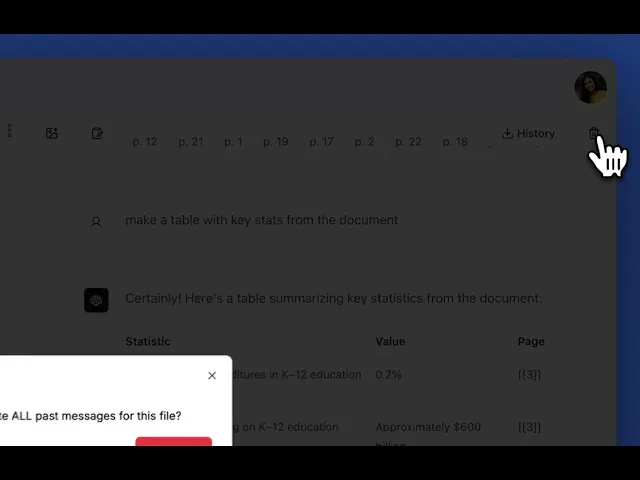
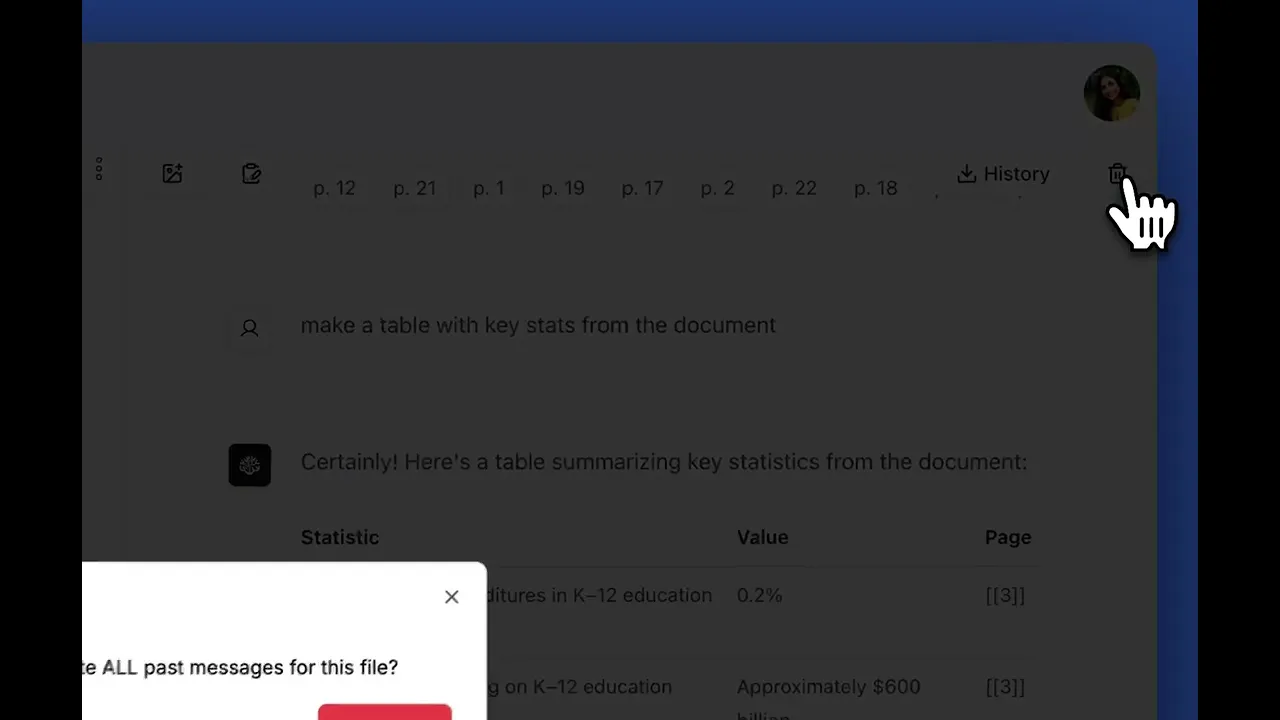
in the image you can also use Coral AI to extract data from your file for example I'll ask it to create a table with key stats from the document you can customize the table with any columns that you want Coral AI generates the full table with all the information that I asked for if I want to export this to Excel or Google Sheets I can just hover over it and click the grid button and it'll copy it to my clipboard and make it so that I can paste it in to export your chats click the
history button and then download it as a PDF or a text file to delete your chats press the trash can button you can organize files with tags to tag files select them then click tag in the bottom right hand Corner type in your tag and click create then save changes to search through your files and find a specific one simply use the search bar at the top and type in the file name you can also display files by tag by selecting the tag from the dropdown to chat with the group of documents click chat group
and select a tag from the dropdown this will pull up all the documents that are tagged with that tag here you can see you're chatting with three documents all tagged biology frequently asked questions why isn't my answer high quality if you're not satisfied with the quality of your answer try including in the prompt more information about the detail that you want in the answer for example you could say write a comprehensive detailed summary also make sure to try out the models GPT 40 or 3.5 Sonet for more high quality answers why isn't my answer comprehensive
enough for comprehensive detailed answers like summaries you need to make sure to increase the references to 300 the references tell the AI how many different parts of the documents to reference for your answer so the more references the more comprehensive how can I ask a follow-up question Coral AI used uses information from one message at a time to ask a follow-up question hover over the response and click the arrow next to it this will put your original response into the chat box then add your follow-up question to the chat box and generate this will give
you an answer that includes context from the previous response does coral AI work with scan files first you should check to see if your PDF is a scan file open up the PDF and try to search for a word if it's able to highlight the word in the document it's not a scan PDF if it is a scan PDF you you will need to check the OCR box when uploading the file to Coral aai if you have any other questions about how to use Coral aai check out our tutorials page or email us at hello
at get.com