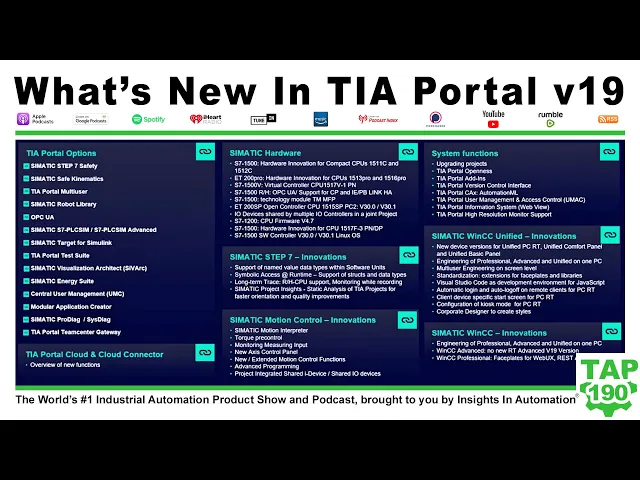
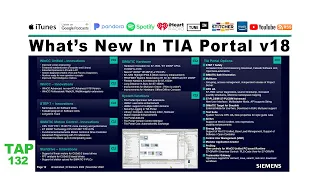
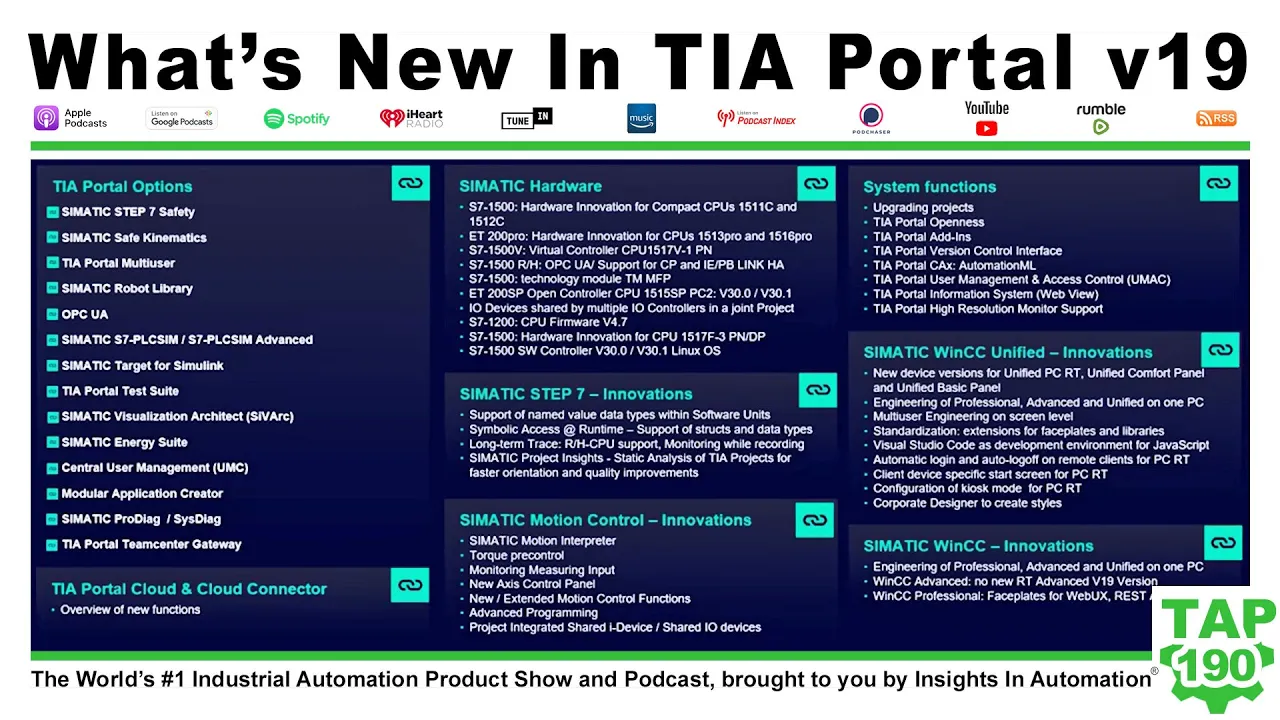
welcome back to the automation podcast the world's number one Industrial Automation product and Technology show thanks to you our audience of Highly skilled automation professionals thank you for being a member of our audience and thank you for tuning back in this week now if you're new to the show my name is Sean Tierney from insights and Automation and each week I invite a new vendor to come on the show to tell us about their products and Technologies and during their presentation I take on the role of the audience asking questions I think you might have as well as questions I have and given that a quarter of our audience doesn't watch but listens to the show during the presentation I'll try to call attention to any visuals that I think the listen only audience will want to know about with that said I want to welcome John Dell from seamons Back to the show to bring us up the speed on what's new in Tia portal version 19 John how you doing I'm doing good thanks for having back on to do the update for the ti portal version 19 release that was dropped in November it was fundamentally the 24th around Thanksgiving time but um I I know we we talk a lot about totally integrated automation or TI portal um but it is comprised of several components within it um for engineering the plc's controllers the hmis the drives um and a variety of other things so in this case you know when we drop uh T portal v19 it's going to be based on step 7even wi CC so step seven component v19 that's the part number you order for the PLC side and then the wicc in this case I like to promote the latest and greatest stuff is going to be known as the wicc unified um so those are the two primary topics that we'll kind of cover today as far as um the what was new in the release of the v19 and what's on the road map uh in the next few months are on the automation side of it uh and again it's a coordinated release so all these things come together the other things that come out at the same time uh as the step seven and the W youc are the options that kind of set the the framework um and those options support these variety of different task Beyond just program the PLC such as team engineering or multi-user engineering working together um on one project uh simulation of the PLC hm um and then virtual commissioning is tying it to other uh uh mechanical model modeling in the digital twin Realm uh we also have uh components related to version management and Val validation such as the VCI and the test suite and team Center Gateway I I don't I won't touch on those Soo much today um user management is another component of all these things coming together getting away from that that old school password that we all have in our head I'm going toward Ms uh user management uh where we manage you as Shan Tyne uh and Grant your access to whether it's PLC safety uh HMI drives motion uh and kind of limit what you have um authority to do uh that's another topic that's rolled into all these components and then of course the other topics I'm not going to kind of cover today is automatic generation of um some of the solutions opcua and prodag those are all other components around this uh just giving the users more tool sets around that automation engineering one thing that's pretty significant pretty consistent with what we've done with all the versions is uh even I'm working on a version 17 with my projects or my machine today uh I can download v19 and it is sidebyside install installable on my workspace uh they actually cleared up a couple uh situations with the wicc uh professional and wicc advanced or unified um being simultaneously installed mv9 as well which I won't cover we'll we'll try to get HMI team on here to cover some of that stuff with the wicc but from the from the the basic core of the V v19 with step 7 our objective is that I can have multiple versions installed on my workstation so that I can work at multiple versions at the same time now for the audio audience this goes back to version 13 sp1 the side by-side install correct yeah okay and and the other thing is pretty significant if I am on a software update service on my project like I said I'm pretty stable at v17 T portal v17 even though if I do get the update I can apply the update and the license running as a v19 is going to activate all of those versions back to v11 uh so that's another pretty significant little point about the fact that if I maintain my software I get the latest and greatest access I get the I get the update to update my v11 license and it still runs the v11 software on my computer so if somebody had a v17 project they had to work on but they didn't own the software they bought v19 they would still get access to v17 and be able to program that system corre they just have to install the media file for the v17 step 7 and it'll run off the currently purchased v19 license um and give them full access to that stufff yeah that's another significant thing if I expand my plant where I have an install base and I need one more license I just buy the latest version and then just apply it to the installation or the image that has my v17 another thing that comes up a lot of times with customers when we do this uh new release of v19 is there's new hardware so the PLC will have a now a new release of a hardware platform 3. 1 and uh firmware 3. 1 and you won't find that in your v17 software but um it is compatible so even though I order a brand new PLC a 1512 compact CPU um and I get the 3.
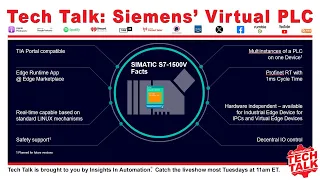
1 firmware that works with the v19 you don't have to do any flash backwards or firmware uh adjustments you just apply that Hardware to your v17 environment with the latest and greatest firmware that's supported in v17 and the hardware runs in compatibility mode um and that's a general standard across all the product portfolios uh another thing it's been a kind of a feedback from some of the guys over the last couple years as they do a lot of engineering with portal is um the high resolution support uh the the T portal uh software was Fally released in 2010 um and over the last four or five years there's been a a recognition that they wanted a little bit more higher resolution capability bigger screen for some of those Engineers that are um doing a boatload of this stuff so that was released in the uh v19 no no plans for dark mode um there's a lot of things that have to be dealt with if we attempted a dark mode and some of that has to do with the color animations that goes on inside the white screen that we have already today with the color of the blocks and the color of the animations related to certain faults that it would be pretty tedious to do and support the dark mode um again one of the key things that happens when we release one of these uh versions of the software is support for the hardware that we've been working on in the in the background um as far as uh the next release of the hardware devices so um in V8 there was a a new hardware platform for most of the controllers basically taking it from a single core uh PLC controller uh to a dual core and splitting off that Communications and this is just the business the way that Communications and data has been driven out of the PLC and out of the automation world into all these other um uh digitalization topics that it kind of came to play that we needed to ensure that there was still power and performance for the execution of the the program code so that's in the uh the core one of the uh processor and then we split out all that Communications pulling data out and put it that in the core tool um so this was done in V8 in the first phase and now it's being introduced in v19 in the second phase and there'll be a of other controllers uh performance enhancements in the v20 which comes out later year now this is all under the hood right just like when your PC went to dual core you didn't have to worry about anything everything's taken care of by the firmware and you just program like normal yes we do a lot of things like that under the a lot of things just taken care of for you so we can focus on car automation side yeah no absolutely this is definitely taking care of us and again there's a there's uh backward compatibility for these devices as well so that they can be installed and and I think you and um Louis and I are set up for a tech talk on some of the controller stuff in February so that' be a good chance to get into the details of some of the plcs and the controllers nice of course the vplc is now um configurable in t portal uh so here uh basically what it is is within the tf4 framework I can go search through the controllers and I can select the vplc uh now the actual um subscription and the package that provides the actual virtual PLC on the edge ecosystem is another purchase and requires um another step of enabling um yourself or the customer on the industrial Edge and on the subscription service on the vplc and the actual vplc is in a limited uh product release where we'll sit down with the customer and evaluate what they're going to do and make sure it's being properly applied in the strategy that fits for the first steps of it but I mean ultimately if I switch over here to my um Cloud instance you can see here I'm running portal on the cloud the same time I'm talking to you I can go to controllers I can select my s7500 and I can scroll down here to find uh the vplc so I can set that up it's standard PLC like we talked about last week in our Tech talk but I can set that up in t portal and drag blocks to it program it um and and uh kind of get a feel of what it looks like inside my tal framework um before we get started into the actual world of setting up in our Edge ecosystem the the other thing that came through pretty um significantly in um the uh um 3. 1 firmware and the um v9 is that user management Access Control uh in the previous versions v15 V8 has evolved in a place project user management uh tool set and a little bit of safety uh user management came into that um but um again following that that mission and that the objective to get away from that that that password that we used to um get into certain Realms of the access of the PLC or um web server and other functionality user management is now um configured inside the plc as well so that that that functionality that was known as user management access control for the engineering and inside TF portal where I configured it or I tied it to UMC or our Windows domain for the users now uh actually if we set it up properly um the PLC actually is now um also capable of uh ensuring that it checks who's logging in and that they have the valid rights and roles to do the features and functions that are part of that PLC so this is the first step in bringing the PLC into that user management and and that's another good Tech top core um uh product podcast that we could get into is the user management Access Control actually if anybody's interested in this uh Lewis and I and gayen Freeman did a nice little webinar on a couple years ago that's still online that also steps through a really nice example of how to set this up and kind of configure a PLC programmer a safety programmer and a readon maintenance guy um and kind of kind of get into this it's it's pretty simple stuff but you got to kind of know how to get started the release of the v19 is more functionality for our redundancy Solutions and systems so there's a lot of guys that are applying um more robust type um plcs with extended temperatures and um uh more ADV Advanced uh ratings as far as the uh uh the ability of the PLC to to uh uh exist in the environment IP67 and also the redundancy there's a big big push for a lot of these different um applications to be configured with having this redundant system set up there so this been another good um discussion uh and dialogue during that Tech talk uh one of the key things that came out of uh a demand from most of our customers that are applying our redundant systems is the OPC capability in the 1500 and that was a big um push to get that released in b19 as well inside uh the program structure where we can organize our PLC blocks traditionally we program inside main obi-1 uh we kind of set up our structure under program blocks but um software unit it is software units is a is another way to segment um control code into a a little unit that is kind of more objectoriented with the type of functionality that may be maybe module one is conveyor module two is uh the robots and I kind of organized a lot more structure to my breakout of my program and then I can program these things independently and download changes to one without affecting the other uh so software units has kind of evolving over the last few years uh with more and more uh functionality to help the user apply this concept uh it kind of has to be planned out in the beginning that this is going to be my Mainline stations under a unit uh fail safe can be a completely separate uh the robots the N conveyors those the tanks could all be individual ones um but in um in v19 uh or v18 we introduced name spaces which was an additional field that helped manage that environment and in um v19 we introduced the ability to Define these um named value data types inside um the software unit so this is just another programming tool I think call it's that's used in certain environments where you define um text based um or name value values instead of using a value so here I could have a positive negative um as a as a value type uh another example is a red light green light yellow light in the case that you have an error you just um generate the fact that you want to red um so that's kind of a a standard in the IEC and we brought that into the software unit so that there's more programming power inside of that and then also in v19 we introduced the ability to link the motion or the technology objects out of the traditional motion control side of the PLC so that it can be integrated into on the software units uh for kind of more better organization and advanced programming Trace uh has been part of the the 1500 since the Inception basically of version one uh fundamentally that was a uh a trace that's real and running against the real main program or the cylic cyclic OB and capturing the measurements or the values of the tags related to the PLC um the over the years we've extended it to support the ability of combining measurements or signals from one PLC to another plc to a drive because the drive also has the same uh userdefined uh configurable Trace functionality uh but in V8 we introduced the ability to do it without loading it in the PLC and to basically um store it in a longterm term format on the actual engineering environment so I have the capability doing a little bit more functionality or debug troubleshooting uh than I would if I was trying to do it in inside the PLC uh as I mentioned that was kind of fundamentally overview of the hardware the controllers sub seven uh here's a whole breath of uh additional things that were rolled out with our wicc unified uh version 19 uh UniFi has been our platform for the hmis it basically evolved um in a nice transition from Comfort Advanced um functionality to what we want to go to the Future which is more of a unified HMI approach where I have HMI capability anywhere um some of the key things that came out of wi unified version 19 was uh the process Diagnostics that we've had in the past is is is being able finalize the configuration of that Pro diag process Diagnostics out of the PLC and get access to the actual Diagnostics that we've configured in the lateral PLC code and actually being able to see the screens or see the logic on the HMI screens um and there's a couple other things um additional family known as the basic unified basic panels which are uh fundamentally the second generation of our um basic panel it's it's that more costeffective HMI that you might apply to s7200 or basic automation without the need to go into all of the the functionality that exists in the unified Comfort um but basically we've we've introduced now uh two Hardware platforms that are now on this win CC unified um portfolio product portfolio for TI portal as we go into the future yeah and I don't mean this as a gcha question but do you get when do you get the unified basic development software for free like we used to get the basic development software free with step seven yeah I used to do that so yeah if you get started with just yeah yeah if you get started with the step seven um that's a good point um again fundamentally it's all installed with step seven um I forgot to drop that screen in here but um the installation is uh when I do step seven I have the option of doing the full install of the uh WCC Comfort Advance unified together it's all part of the one installation um and then I activate a license for the component that I that I'm going to use for example step seven professional but if I drop in a basic in there yeah it's going to be included in um steps of yep and that's the cool thing is that um it's just a matter of getting the license and there's a 21-day trial again on all that stuff another thing that's pretty significant um was rolling the unified engineering into our multi-user support so uh that multi-user project server functionality had been part of the ti portal framework in the past but when we introduced unified there was a slight Gap from One release to the next release in its uh in its feature set supporting the ability to check in and check out changes across multi users uh so v19 really brought forward um that ability to work on a project server um or work by myself and check in my changes and keep track of them with the project server and and multi-user is probably one of our largest purchased options uh for customers to basically set up the project where more than one person works together from that project and checks in their changes or um rolls out an update across the team based on the uh the version management of the project server environment so um one of the we get a lot of feedback from Big customers that are using that as part of their everyday workflows uh for that um project project repository functionality and uh one of the things that we had in the past was if I couldn't edit it in my local session um meaning it wouldn't be marked and checked I had to go and check in and edit it on the server and when I did that that caused a lot of Havoc for the other users uh so in version 19 we introduced a little uh U better way to handle that where I take kind of an exclusive multi-user mode when I want to modify Hardware or other things that aren't part of that um local session editing feature and you'll you'll get a little error indicator edit this in the local session and now you can check it out into exclusive mode and um fundamentally manage that server project better and then all the other users have a better working together so this is another one of those things that kind of evolves based on our customer problems or headaches and um kind of responding to that to kind of uh make things more more efficient for them in the in the long run uh PLC Sim Advanced um PLC Sim uh in version 18 or version 17 I it's been but we kind of rolled those two little uh user interfaces into one uh more modern looking un user interface you can see here that um on the right side I've got the now the dark mode is in the PLC some Advanced because that was a newer development that was easier to move it over to White uh light mode or dark mode and in this one user interface I'm either going to do the traditional PLC Sim which doesn't require a license it's included as part of the ti portal and it allows me to simulate the PLC together with the HMI and the safety and the motion um in this version 19 now I can um keep up and do the things I did before which was Sim tables simulate and input to a value of one or an analog value to a value of 1500 um and I could um do some sequences and I can generate some events and then the v v19 um also includes the PLC some Advance it's all rolled into this one user interface and the two engines exist kind of in the background you just switch between whether you're using PLC Sim included or whether you're checking for a license and using PLC some Advanced it's it's all Cas based on the very top selection where you see communication mode and um you can switch between uh no license required internal only uh PLC Sim or expand that out to the PLC Sim Advanced which is our virtual commissioning tool set but fundamentally the objective of PLC Sim is I only have one instance of PLC Sim or PL PLC Sim Advanced uh for my Tia uh framework and regardless of what Hardware PLC I have in my project I download it into this application and test it and simulate it so I'm not making any changes to my project U changing the device in the PLC the PLC Sim is to simulate anyone of the plc's in the controller which is nice and that includes the 12200 too doesn't it yes yeah it does openness is just uh the real high-end programmers that get out there and want to do things without um dragging the mouse and clicking around TF portal there's fundamentally a whole tool set of apis and Tools around doing things to to generate the program and the application um or execute program uh reconfigurations uh properly uh with these external tool sets so um there I think there's a lot more functionality in v19 that I can possibly possibly cover but some of our big Partners like uh uh copia this is how they do the the things that they uh need to do to manage the environments that they're they're pulling Seamans into to support support their functions and then some of the really high-end uh uh solution partners and um integrators such as our DMC and prism and uh Matt Paulson at AWC those guys are all fluent in taking and making advantages of using TI portal openness to make their more efficient um so it's it kind of gives that answer to those guys that are really getting into the deep of it uh project Insight is another tool set that kind of evolved out of headquarters whereas um so did some analytics on some of the information that exists in the project file um some of the data that's in the database and fundamentally being able to generate um some insight into what is in that um configuration of that application um I haven't played with this but it is a free download right now um so you can see the uh industry online support number on on on the video If you Google it I I just use Google or one of the search engines um to find sematic Project insight and you can download that to your local station and basically apply a project to it and start to see um some of the tools in there but I think this would be a nice tool for um ensuring that we understand what our application is designed um for and what the limitations and um information related to the project before we actually deploy it to the machine yeah some of the things in hear you guys for those people listening things like a a a diagram showing the call structure and then another report showing the UDT DB and tag dependencies signal flow query Builder so a lot of interesting stuff in this uh this one slide uh one of our ae's application Engineers is starting to dig into it it's got that dark mode that those guys the those folks like to see um so it's kind it's it's kind of cool to get it the other thing is pretty significant that the guys that have um been working on it have um linked it to be able to get data out of the New Generation Um PC's as well so the controllers so with this new firmware 3. 1 uh heart uh firmware that's available now for most the um 1500's Hardware platform not all of them you have to have the V8 Hardware um if you get the 3.
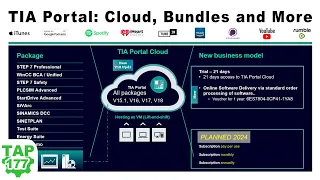
1 firmware um there's some information that can also be pulled and collaborated out of the PLC and this this can help you debug and troubleshoot the cyclic obes that you might have set up set up for safety or motion uh or p and process control you can really get into some of the stuff that helps you um optimize that runtime program in the PLC and understand what the interrupts are set up for so those are kind of the big ticket items uh there's a lot more things on that support website so the sales and delivery release we put that as a link um this has a a slew of information on all the components um all the options there's a nice technical PDF and here you can get to the sales release information on every one of the individual components such as start drive and you can also get to a trial downlo fundamentally all of the ti portal components have a uh install installation and can run for about 21 days without needing a license so I always like to make sure people understand that that's excellent all the links are one place too yeah they did a good job in the last two versions of organizing this so that it has everything in a nice concise breakout um if things aren't quite released yet uh it'll it'll indicate here that it's planned and what date it's kind of available um so they've done a really good job on this one page and and you discovered last week that it's it's our product note entry type right here that's what kind of gets you to the details of uh the key information yeah so if if anybody's up at the sios site um you know there's manuals there's uh firmware there's downloads but new product announcements come into product note and I was not following that so I'm going to stop following it now the other thing is like I I'm working in app in the cloud now I have my access uh for 365 days there's a one- year license anybody that's interested in that tell them talk to send Sean an interested an email or send me a contact that you want to get started on 365 we'll work with you to give you some special pricing yeah we have a host show we did on that with John talking about that Y what I like about it is I have all my versions so I here on my brand new laptop um I don't have to try and install V16 and v17 um and it also has um the options so test Suite um energy Suite uh Cena plan uh plcm Advance they're already all installed so I don't have to struggle with um finding the install files and installing the cloud has it uh there's even a legacy version that allows me to go to back to v14 um and um when I'm when I'm in the 360 V 365 software um I have a cloud connector so I can actually connect uh through the cloud to my local machine set up some secure certificates to verify who I am and who the cloud is and tie it directly to my PLC yeah that's the piece that allows you to work in the Cloud but communicate to the PLC in front of you correct yep now this this type of application is for you know lab environment maybe I'm servicing um a farm piece of equipment where I don't know what software is out there and I'd rather have it in a cloud um but it's it's not necessarily what I would put out there for the maintenance in a in a full-fledged plant environment I would still stick with the traditional Perpetual license but the T portal in the cloud does have it some some value like I said anywhere I'm at I just log in with my user login and click up to it and and run along with it especially For Engineers who are sitting in an office all day or maybe remote working half the week just being able to log into the cloud license and have everything there whether they're at the office or at home would be nice and they're not the type of people who typically have to go out in the field where there's no internet to service a machine like the plant people would so I can definitely see it for engineering firms being a big thing yeah you can wrap it in for a year or two for extra people that you need to um get a project um rolling and you're not paying that that Perpetual license cost associated with buying them a license that lives forever so there's some advantages there yeah too and yeah if you're an oem and you're doing a lot of seamen work you can get the cloud and then um or you get the subscription we talked about that in that previous show too um you don't have to worry about buying everything at the you know Perpetual prices what I like about is we we're we're keeping the options open so stick to the old way the Perpetual no worries we're not taking that away at all um and then move to these other two options to help augment your environment uh the one thing that we do like to see our customers do that have that Perpetual license is to put update service so that you know as a V7 owner uh PLC some advance 4. 0 test Suite 1. 0 I if if I purchase the update service um it I I'm on a contract that ensures that whenever there's a release which has generally been November of every year I automatically get the update so I'm not waiting to find out that there's an update out there and then going and buying an upgrade um I or having to buy a new version uh if I'm on the update service for the different packages that I have they're kind of listed here step seven once you see start drive safety multi-user PLC some Advanced um then when the version 19 uh or the version six of the plcm advance for example releases uh Seamans we automatically send you an update and you get the upgrade license from your v18 to v19 and you get your uh install file to sent to you uh now what we do is even though you missed the date for the release it was in uh usually the cut off for the update is on the release date uh there's a grace period right now so that anyone out there that has licenses on their workspaces uh that are not a v19 um we have until the end of February to place an order uh for that update service and now you get both you get v19 and v20 um so this is just a shortterm offer that will expire uh fundamentally February of 2024 but there's still upgrad after that time for anybody that that is ready to go to v9 and then version 20 we plan for November of this year as well 2024 nice this is the I chart of all the details that kind of get summarized together that's on that uh detailed uh P note uh PDF that's up there so you can get into all these other details um but there's a whole slew of other um components that get updated at the time that v19 FL you know that's the best way to kind of dig into did your problem get resolved in Step seven or when CC there's also pretty significant information on the help file in side TF portal um that was kind of my synopsis for the v19 just to kind of keep it short and simple oh I appreciate you coming on that was excellent It's good to know what was new and exciting in the latest release and and we're already working our ways towards the v20 here it's January and that's coming out in November so and it's good to know about that grace period if you if you don't have your support contract your sus if you grab it before the end of February you'll be able to uh you'll be able to you slide right in there without having to buy the upgrade so that's very cool as well um is was there anything else you want to mention while I have you anybody you know wants to know more reach out to Sean anytime Sean knows how to get hold of yeah if you have yeah if you guys are having any troubles finding somebody at the right person at Seaman I'm more than happy to take uh the the fot on what you're looking for to John and his team they're great and they always try to find the right person for you and uh with that John I just want to thank you for coming back on the show I really appreciate it absolutely Sean any well I hope you enjoyed that episode and I want to thank John the TM of Seamans for coming on the show to bring us up the speed on TIA portal version 19 now if you did enjoy this episode please consider giving us a like a sub and a share that is the fuel that keeps it show on the air and if you want to follow me or get in touch you can do so over at automation.
locals. com you'll also find all my training classes including my training course on the S7 1200 and 1500 over at the automations school.