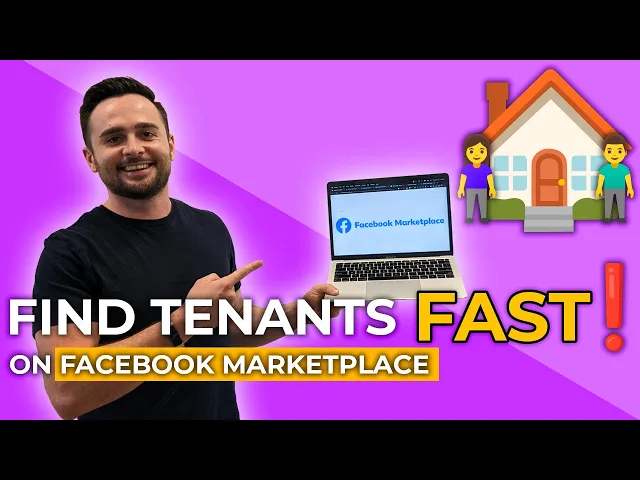
hey everyone in this week's Rockstar minute episode we're going to show you how to find tenants on Facebook Marketplace which is by far the number one best rental listing platform that you can be posting your rental listings on just to give you contacts in the past two to three years I found about 80 different tenants and 85 to 90 of the tenants that actually signed the lease were from Facebook Marketplace I track all my marketing so I know where to invest my time energy and money and just about 90 of the leads in general came
from Marketplace it's overtaken all the other online classified websites like Kijiji or Craigslist anyone with a Facebook account can go on the platform and search up rental listings or other used goods or services and you can post any good or service or rental listing on there as well this video is all about how to post a rental listing from start to finish on Facebook not only that how to boost your exposure and engagement on the platform to get the most amount of views the most amount of clicks stand out from all the competition to get
the most amount of tenants out at your property showings and ultimately get the most amount of money for your properties this video breaks it all down we show you how to share your your properties to groups of tens of thousands of people who are looking for your specific property type in your specific area that you're advertising in we show you how to boost the ad to bump it up in the engagement how to maintain the ad to keep it fresh and updated and get the most amount of views and create the strongest listing possible that
you can this video shows it all so I hope you enjoy it really quick before we get into it if you like this type of training video where we show you how to attract high quality tenants for your rental properties we have an upcoming live 30-minute training happening on Thursday August 24th at 12 p.m it's only going to be a 30 minute class where we're going to show you uh the number one way to get consistent cash flow from your rental properties by following a proven uh tenant advertising and screening system the link to register
for this live training is in the description below just click that link to register hope to see you there thank you okay so we're going to start this video right from the home page in Facebook on desktop how to get to Marketplace you just hover over this icon here it looks like a house and click into marketplace now before we get into how to post a rental listing and then boost the engagement to get the maximum amount of views on the ad I want to show you how the marketplace Works in general so Facebook is
in a Marketplace is an algorithm and what it's doing is it's feeding people the listings for different products services or rental listings that it thinks is going to interest someone now if you see on this page here this is just like the browse all kind of home page for Marketplace what it's doing is feeding me all these rental listings for apartments condos town homes and and homes in Oakville because recently I've been looking at a bunch of these myself so I've just been browsing through so now it's feeding me these different listings trying to get
me to click them because it thinks that I'm interested in these specific items which I have been so it's a pretty smart algorithm and it works well what our goal goal is is to have our rental listings that we post be fed to people the same way the reason I'm seeing these ads is because they're likely the ads for rental listings in Oakville that are getting the most amount of clicks and so that's why I'm seeing them because Marketplace is going to feed it to me because it's most likely I'm going to click these because
they're getting the most clicks out of all the other rental listings on the platform so you can sell anything on Marketplace all sorts of different items you can see the categories here what we're going to focus on is property rentals so if your tenant is looking for rentals on Marketplace they're going to click into this category and then search their specific parameters so the the location they're looking in the price the minimum and maximum price that they're looking for on their budget the number of bedrooms and bathrooms the type of property it is if it's
an apartment or a town home the amount of square footage and they're going to see a map view that narrows Down based on all the filters that they put in for their search they're going to see a map view which shows the listings that they can zoom in and click into and learn more about right so now it's it's also the list view on the side here based on what I just zoomed in on and it's showing all these different prices so that's what it looks like for a tenants perspective I'm going to show you
how to create a listing all you do is create a new listing you click that button you're gonna click home for sale or rent [Music] you're going to add your photos you can add up to 50 photos the more the better for this video I'm just going to add one but the great new feature that Marketplace has is the ability to add a video now you should note on desktop see here it says 600 megabytes Max you're allowed to uh upload a video up to these limits which can be a pretty long video whereas on
Marketplace Facebook uh the mobile app you can only upload a video up to 60 seconds long so it's just a pro tip that if you have a video that's longer than a minute which you're likely going to have for a rental walkthrough video you're going to want to go on desktop and upload the video here you can see this video I'm just uploading now is a minute and 21 seconds so I wouldn't be able to add this video on the marketplace mobile app but I can on desktop so I'm going to put the home for
rent um it's a house let's say there's three bedrooms two bathrooms we're gonna charge 2500 bucks a month it's located let's just pick a random street Queen Street Doral Ontario the cool thing about Marketplace you also don't have to put this specific address like I don't have to put you know 27 Queen Street I can just select the street name if I want to keep the actual location a bit more private rental description I already have written out over here so I'm just going to copy and paste it now one thing is we're going to
see what the ad looks like to the end user tenant after we post this but I just want to point out that in any rental listing but especially a Marketplace you want to keep your ad short Punchy and bullet points are the greatest way to do this it makes it nice and quick reading and especially a Marketplace it kind of squeezes the listing in this elongated format so you don't want to have these long paragraphs because it becomes extremely long blocks of text and hard to read so you want it to be kind of Punchy
little bullet points especially on Marketplace the shorter the better but you still obviously want to do the description some justice so we'll just put some random numbers here I'm going to put the date available as September 1st now let's say for example I haven't found tenants by September 1st probably the day before or a couple days before I'm going to want to go and update my listing and edit the ad and bump up the availability date to the next first of the month otherwise my ad is going to start looking dated so if I haven't
filled it by September 1st and it's now September 15th and people see my rental listing that it was available for the first but we haven't found someone yet people are going to wonder why we haven't found someone yet what's up with the property why aren't people you know applying for what's taking so long to fill as opposed to just keeping the availability date updated so you can select all your different specifics here of uh of the property I'm going to say Central AC central heat we can put pet friendly as well I always like to
put pet friendly because even if I don't want pets in the home I want people to admit to me that they have pets so they're more likely to do that if I put those options on so you're going to click post the listing down here and it's going to take you to a page most likely where it asks if you want to boost your listing so you can post a Marketplace completely for free I've done that for for the past two years I've only posted free listings and like I said at the beginning of this
video I've found you know like 85 to 90 percent of my tenants using Marketplace only using free listings what I've recently started doing is paying to boost the ads and the reason I'm paying extra to boost the ads is because it pushes my ad to more people therefore it's going to get more clicks and then be sent out to more people using that algorithm that we talked about because Marketplace recognizes this as a hot item that it wants to push to people to increase the engagement of users on the marketplace platform so the more clicks
I get on my ad the more Facebook likes it and is going to serve it to more people so that's why I've started now boosting my ad the way that you boost an ad you can set how long your campaign is going to be so you can click one of these off options here or you can select a custom budget and duration for how long you want your ad to run so something I'll commonly do is just put like you know anywhere from five to ten bucks a day and so today is um I'm filming
this video on the Wednesday let's say I'm going to do I'm aiming to do a showing a week from now on Wednesday I can set my ad to go for six days to go to the Tuesday before I plan to do a showing and I'll boost it you know let's pick seven bucks a day maximum it's gonna cost me about 50 bucks and it's going to get more engagement you can also select if you're gonna have your ad placed on Facebook or Instagram I've chosen to only post it on Facebook because I just think that's
where more people are actually looking for rental listings as opposed to someone randomly being on Instagram and then seeing your ad you can have upload your credit card here and once you have your credit card uploaded it's easy all you have to do is promote hit promote now and it's going to upload now if you don't want to boost your ad you don't have to do any of this stuff just click out of here by going back to Marketplace and you don't have to pay anything to boost so now I'm going back the way that
you can update your listing and maintain it is by clicking the selling tab right here on the left side of the screen so you click selling and it's going to show you all of your active listings that you have on the go as well as past archive listings all you really need to know for this menu here is you know you just you need the to go to the your listings page here where you can see the listings and I'll show you seller dashboard in a minute but those are the only two tabs you really
need to to click into that are going to be useful for you so now you can see here I've got a few rental listings actually live right now you can see these are all past archived ones uh so I filled these properties with tenants already so now if I want to um update this property or or make it live again all I have to do is Click Mark as available and it's going to go back as a live listing on the marketplace platform so and then I can go in and make any edits add new
photos change the description if I want so it's really useful to have all your past listings down here to make it available again now here's the one we just posted uh so so you know I didn't boost the listening so it's giving me the option here now if you look below here I actually have already paid to boost this listing down here it's boosted um until about three days from now on August 12th so you can see over there now it's going to show me view insights it's going to show me um how productive this
boost was for me so if I want to check in on that I'm just going to click view insights and it takes me to this page and shows me how effective this boost was so it's showing me the budget that I've set which was six bucks a day the amount of extra reach it had so it reached 299 more people that's how many more people saw the ad and uh it's showing me how many people clicked the link because of this boost so of the 299 people that it boosted it out that sought extra 23
people clicked it and engaged with the post and uh nobody's actually messaged me from it otherwise it would show messaging conversations started so nobody actually messaged me from this boost so this boost wasn't that effect to be honest but often you'll get a few messaging conversations started and I like the fact that more people are just seeing it because I know it's going to perform better in the overall algorithm so I'm going to go back to the selling tab here and show you a few more options that you can do to increase your engagement now
obviously the better rental ad that you put together the more engagement it's going to get in general so if you have an awesome walkthrough video if you have awesome professional photos and a great description you're just creating a better rental ad that more and more people are going to like they have the ability to share the listing with their friends as well and send it which is going to get more views more clicks and more people messaging you so the better ad you create that's the best thing you can do for your engagement but aside
from that you can also pay by boosting it what you're also going to want to do is if you click the three dots here see it has a button that it doesn't allow me to click it right now it's grayed out but it says renew seven days so when you post a listing on Marketplace you have the ability to renew it every seven days which is going to kind of boost it back up in the algorithm it's completely free to renew it's going to boost it back up in the algorithm and get a few more
views so if you look down at some of these other listings I have I just posted that one this morning so I can't renew it for seven days but this one I posted two days ago so saying in five days I can renew it it's going to show you the countdown for each listing you have this one is four days this one five days from now okay uh you can see this listing right here I already boosted it um and it did really well it was a really really really uh strong performance and I've actually
um I'm about to fill this property today uh and I'll probably take this ad down you know at some point today once I sign the lease but if I wanted to I could click this button that says boost again to increase the engagement you can see here this shows you the amount of times people viewed The Details page of your Marketplace listing in the last 14 days so the amount of clicks your listing got so this got a ton of clicks you can see why Marketplace is so popular based on the amount of clicks they're
getting this one I just uploaded a few days ago it's not doing that well so it's only been a couple days um whereas this one was up for like about a week week and a half so it got a lot more clicks so far and these ones are all recent ones like you can see here this one hasn't got any clicks yet but it's very common for your rental listings to get upwards of you know a thousand to two to up to like three thousand View is like this one in any given 14 day period
which is the number that it's giving you here what you can also do on Facebook Marketplace which is cool is you can share your listing um to anyone you want by clicking that link right so you can just send this link to someone who's interested if uh I don't know you you've got a hot lead from a neighbor of yours that wants to rent the property you can send them the link to the listing by just clicking that but what you can also do is share your listing into specific housing groups on Facebook so for
example here's a student property of mine that I'm filling in um St Catharines right now and what I've done is I've gone ahead and I've joined all these different groups for Brock University off-campus Housing so these are Facebook groups that people have put together on Facebook some of these have like you know 5 000 people in there ten thousand twenty thousand thirty thousand and these are all people who have joined the groups these are students at Brock University that are looking for off-campus housing so you're able to put your ad directly in front of the
demographic that you're targeting by joining these different groups so you can see I've joined a ton of Brock ones because I'm just trying to spam the entire Brock Market because I'm looking for Brock University students but I've also joined different groups all around Ontario because I'm constantly posting different rental listings so you can see here Toronto apartments and housing so this group might have you know a thousand members twenty thousand fifty thousand members I'm not exactly sure you can see all the different groups have joined kind of around the province so what I'm going to
do is I'm going to share this ad into the Brock off campus one to get some extra eyeballs on the posting so it's going to just post your listing like this and people can click into the ad to learn more about it and see the full listing with the description and all the details and stuff you can also type up something here like check this out or you know looking for one more student uh what I like to do is um I've already formatted this ad in Facebook so I'm just going to copy and paste
it I keep it in a dock so this is already formatted for Facebook specifically when I share it in groups so I don't have to reformat it every time but I like to kind of use headlines and bold different things and stuff you have the ability when sharing into a group to kind of play around you with your ad this way so I already have it formatted that's why you see the headline and all the the nice Bolding and stuff and then you're just going to click post [Music] right now if I want I can
go into the group and see that listing kind of posted in the home page of that group putting it in front of like 20 000 different students I know in that group I just posted and there's there's actually like 20 000 plus uh Stu or members of that group I'm assuming most are active students who join that group you know looking for rental housing now after you post an ad you're going to get your messages directly from Facebook here in the messenger tab so you can see here one has come in for me that I
haven't clicked into yet you can actually see here nine new messages on Marketplace from my various listings so I click into here and and here's all um messages that I haven't opened yet so what I'm going to do is um open this message here and someone is asking good afternoon is this home pet friendly so what you'll often see is people posting um or the question you get is Hayes is still available because that's the kind of default message so what I do is I type up um pre-written responses to people and I kind of
started off saying hey this is still available and then I like to send people to an online pre-screening Forum to kind of automate the whole pre-screening process for me which we have another video on this channel of how to do that using Google forms but if I need to like this guy asked a specific question about pets so I'll keep my canned response that I just copy and paste but I'll also put yes it is pet friendly I'll just add you know whatever kind of manual answer that I need to and uh fire off that
message and here he can click my my pre-screening form and fill it out so that's basically what I do is once a day or twice a day you know once in the morning once at night I'll just go in I'll fire off all my copy and paste messages to people who are inquiring about rental listings the other cool thing that you can do is uh click into people's profiles so for this person that messaged me the way you can click into the profile to view them is you click that little icon there and you just
hit view profile and it'll actually take you to this person's Facebook profile where you can learn more about them by basically you know seeing what they post on Facebook that's pretty much it for increasing your engagement you can pay to boost it you can share your listing into multiple groups for example this Brock one I will literally share it to all these different Brock uh off-campus housing groups you can see all these different off-campus ones in the St Catharines area that I'll post this ad into to get it directly in front of students or different
people looking for listings and that's pretty much it you want to make sure you keep your availability date updated and you want to renew your ad every few uh every seven days to keep it updated as well after I've renewed it two or three times I'll honestly just delete the ad and repost it because the biggest jump you're ever going to get from your rental listings is within the first few days of posting a fresh ad for whatever reason Facebook optimizes that because it's fresh it's pushing it out to everyone who's been looking for rental
listings on the platform so that's what I personally like to do two quick things I actually forgot to show you what the ad looks like so let's just click into this example ad right here and the way you can see what your ad looks like um if you want to edit it by the way you just click there to edit the the listing if you want to delete it so on and so forth to view your listing you just click that view listing and here it's showing me my listing I can click through all the
photos so this is what tenants are seeing they can see all the details that you would have put into the ad Builder right there they see the approximate rental location they can click that map zoom and zoom out and then it shows the description so one quick note on the description is it only shows this Top Line both on Marketplace uh mobile app which you should know is what ninety percent of the people are going to be looking at your ad on is actually the Facebook mobile app so you want to make sure that your
listing definitely looks good on your phone you can just go to to uh the Facebook app on your phone afterwards click into Marketplace your listings and then check out what your ad looks like there as well but either if you're on desktop or the app the only thing people can see is this Top Line then they have to click see more so I always like to have a you know this is where you would put a headline um that that tries to capture uh people's attention so that's where I always put my headline because I
know those two lines will kind of stick out and then people can hit see more and they can go down and read your listing so the reason I like bullet points is because it's a lot easier to read than big block text because it's such a vertical kind of text box here on the side paragraphs just really don't look uh that good so quick little bullet points are the best way to post on there and that's what it looks like it'll even show tenants looking at properties what the walk score and Transit scores and bike
score based on the location and then nearby Transit as well which is really useful for tenants and then the last other thing I was going to show you was uh seller dashboard so really you can do everything from your listings all you need to do is is Click your ad to Market as rented or to edit the ad or to renew it which you can do here and once it is time to renew an ad it'll actually show you here um it'll say you know would you like to renew your listing you can just click
a button and it'll do that so it's pretty good at at making it obvious you need to renew one note one thing I should note actually while I'm here is when you do want to mark your place as as uh rented instead of clicking here and deleting your listing you can just mark it as as rented which will archive it and you can just select one of these options if you do select yes rent it on Facebook it actually asks you to select the person that you rented to I'm assuming so um the algorithm on
Marketplace can Target that person with other types of rental listings or sorry other types of listings like furniture and stuff which is uh Insight I got from heart togman from rentpanda he was telling me how this whole Marketplace algorithm works I think he's right about that anyways seller dashboard is the only other place you could go I'd never go here but if you have a bunch of listings on the go it's kind of useful because it'll show you in bulk if you have any that need to be renewed so for example there's one that needs
to be reviewed down here of all my rental listings so I'm just going to click here and uh renew that listing and that's going to bump it up but aside from that you don't really need to go here it kind of shows you how many chats you have to answer and stuff but you can already see that by just clicking into the the marketplace tab here and uh see oh you can see here so since I sent that message to that uh to the person that inquired he said I'll fill that out once I'm home
thank you so that's how I automate the whole pre-screening process I'm really glad this actually happened so this is how this is how it's done so instead of having to get the guy's phone number call them ask them all my questions and stuff I just sent him this pre-screening form uh which I do for all property types except for student rentals student rentals I'm just getting all the students out to the property I'm not really screening them and doing credit checks and all that stuff but for uh for rental listings I just have people go
um fill out this form so when he clicks this form when he gets home later tonight it's going to take them to this page where I have 15 different questions here's how I track my marketing and I know that Marketplace is the best is because 95 of people filling out my pre-screening form are coming from Marketplace as opposed to these other websites um but he's going to select how many adults how many children are living in the home vehicles um relationship of everyone living in the home approximate monthly income before taxes um job title and
description uh you know what the approximate credit score is so I have about 15 questions here that people then fill out and they click submit and then it goes out onto a nice spreadsheet for me uh Google spreadsheet automatically puts them on a spreadsheet where I can organize the spreadsheet and book showings with people that are qualified basically what I'm looking for so that's another little tip aside from Marketplace but that's everything for this video thanks so much for watching give it a like if you like this videos hit subscribe if you want to see
more videos like this we're pumping out more and more awesome content all the time for Real Estate Investors and any local Canadian who's trying to live life on their own terms and comment below if you have any questions about Marketplace or if you want to see any other types of videos just let us know in the comment section below thanks for watching we'll catch you on the next video