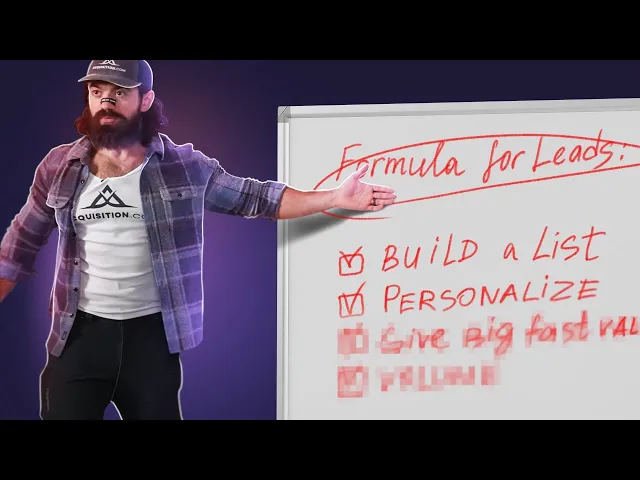
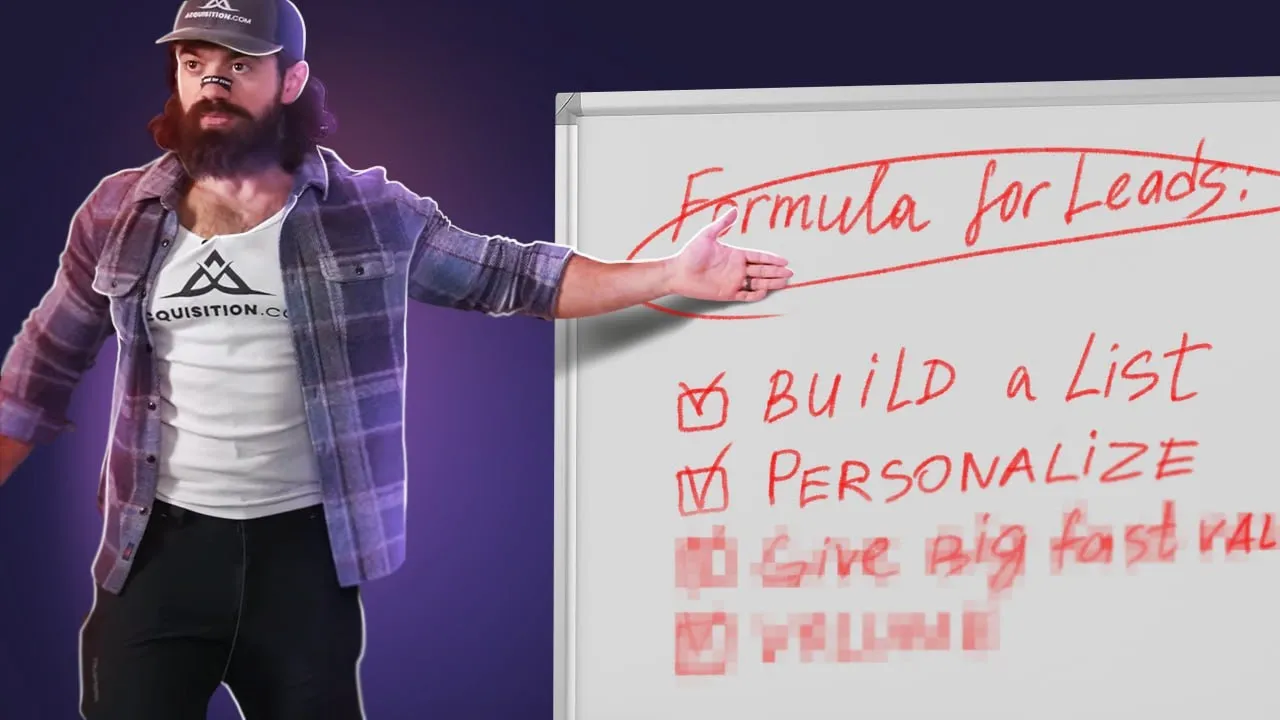
this is Alex heroi I started four businesses that cracked 10 million in a row but did you know that he almost went out of business because he could not generate enough leads in July 2020 Alex was at a really tough spot his wellestablished lead generation methods just stopped working Co was raging obviously so brick and mortar businesses that he was helping started closing left and right and no longer needed his services and with new Apple's privacy update well ads were killed overnight so no leads coming from there at that point Alex had a lot of
employees with families to feed so he needed to act quickly the thing he would do next not only saved his business but made him millions of dollars and made him write a best-selling book about it and that thing was called Outreach so in this video not only are we going to dive into Alex her mosi's exactly generation strategy but I'm going to show you how to actually implement it let's go according to Al there are four main ways to generate leads contacting people you know running ads content and cold Outreach he needed predictability so frankly
content was out of the question we already know what happened to ads and at his scale contacting people directly that he already knew just wasn't possible so call outre it was what this means is that we need to advertise to people who do not yet know us this can be cold calling writing the old school mail or sending voiceless mails as well and the most popular out of them all called email and that's what we're going to focus on in this video the idea here is very simple we need to put an offer people cannot
refuse in front of our ideal customer profile but there are a number of problems that we'll need to solve for the first problem is how do we contact them or rather who do we even contact we need to build a lead list and Alex rosi's $100 million leads book has a few great options option number one is to buy Brokers for leads but that method sounds a little oldfashioned buying leads list come on uh there are hundreds or thousands of companies out there who have been working that list day and night so probably not the
best option for us method number two is something that Alex calls elbow grease method that's leveraging existing groups and communities where your target audience is concentrated and although this method can be extremely effective it's also very timeconsuming and you'll need to figure out that one on your own and Method number three is to use software to build leads list and that's exactly what we're going to focus on in this video and by the way I have a great dedicated video about four ways you can build leads list for free click on this card to watch
it this time I'll use the data scraper method since it's my favorite the idea here is very simple we need to find existing directories online where our target audience is concentrated and the data scraper is going to just extract that information into a nice spreadsheet here's the list of top 100 financial advisors personal injury lawyers in California and real estate agents in DC depending on whom you want to Target for this use case let's extract the list of top 100 financial advisers and I'm going to be using this workflow automation tool goldber de you can
download it in the description of this video and the first thing that we're going to do is we're going to create a new scraper template that extract information from the currently open page we need to extract a list and click on the first two items in the list that we want to extract like this and now let's select the information we want to grab want to get the text and the link here we have the full name we'll have the profile link then let's grab the firm the [Music] location and the team side why not
okay lastly this list is going to be distributed across multiple pages and we only have 10 results show up here so I want to add page ination this way our scraper is going to go through each one of the pages available and extract all of the information let's select click pagination and select the next button let's save this template now our automation has the scraper action that will extract all of the information we can add this data into a spreadsheet so let's add another action that's called add rolls to your Google sheet specify the spreadsheet
that want to add data to every time and finally let's dump all of the data coming from the scraper action into the spreadsheet I'm going to click on use command and click on action one so data coming from the scraper will be added to this new spreadsheet that we're creating that's it let's look on done and let's click on this automation to run it for the spreadsheet I can create a new spreadsheet and call it 100 financial advisors let's run this automation okay and that's our spreadsheet let's check it out and there we have our
lad list [Music] okay we have a somewhat good lead list but it's time for us to make it amazing we know who is on the list but we do not have a way to contact them we need their email addresses thankfully there are tons of Great lead enrichment tools out there my favorite one is Apollo and look at how easy it is Berlin comes with tons of pre-built automations and this specific one we'll find people's email addresses and other information from your lead list in Google Sheets let's go ahead and try it out there are
three arguments that we need to fill out the first one is the Google sheet itself our sheet is called 100 financial advisors next up is the column with the full names and finally the column with the company name it's called company let's run this Automation and now let's go back to our spreadsheet and find all of this additional columns with information found and most importantly here we have the emails I'm going to sort this list to see how many emails were found and it does seem like we have 40 emails out of 100 contacts and
if you want to find twice as many emails from the same list of names check out the waterful lead enrichment method by clicking on the card over here so far so good now what we need to get our foot in the door with a bunch of strangers and no matter how Charming you are people are just too busy to care about you so we need to craft an email so good people would feel stupid saying no and to craft that perfect email Alex suggests to do a bunch of research watch their videos reviews about them
go through their social media profile to essentially turn this relationship from a cold relationship a stranger asking for a favor to a relationship that's more warm that has shared context hey I already know a bunch about you we have this Common Ground now we can talk great if you're selling very expensive products to a tiny a audence and terrible if you don't it's just too timec consuming and frankly not very scalable Alex suggests to send 100 emails for 100 days 3 minute personalization if you're good times 100 emails wait that's like 6 hours of work
uninterrupted for 100 days last time I checked we live in the age of artificial intelligence so let's out Source this task to Chad GPT to get those hyper-personalized AI generated Outreach messages we need to get additional context and the only place where we can get it is from these LinkedIn profile links to do that I'm going to use another Bina automation that will enrich those LinkedIn profile links and get us some additional information such as the data from the about section their current position and so much more let's click on try it select our spreadsheet
financial advisors then we need to point to the column that has all of the LinkedIn profile links and I'm going to save to my playbooks and run it now we have all of these additional Fields such as how many connections the person has their headline and most importantly the about section that contains all the gold all of the additional context that we're going to feed to our AI copywriter we also have the start and the end date of this experience so you can use this fields to further narrow down your search up next let's use
artificial intelligence to generate those hyper personalized opener statements for our email let's call this column personalization statement and to get them created I'll build a quick automation using Bine and here in the Builder I'm going to pull all of the data from the spreadsheet let's add another action select open Ai and create customized text generated by open AI we have a number of arguments that we need to fill out what is the format of the text is going to be first sentence over a called Outreach message and then I'm going to paste my prompt you're
helping me write personalization statements for a code Outreach email make it sound like you've done a lot of research on the person and use the following information for that I'm going to click on this insert variable and provide the context that we've just extracted from LinkedIn let's add the about data and let's add experience summary there we have it there's some additional arguments that we can fill out I'm going to skip it for now and then I'll need to pick the AI model to write those emails GPT 4 is the most reliable one for this
job let's click on done and finally let's update that spreadsheet with our personalization statements new action update Google sheet rows select this spreadsheet then the [Music] tab and finally we're going to update rows with data I'm going to find that personalization statement and map the data coming from open the ey action click on done call it personalization statements and let's run this automation okay and that's our spreadsheet let's check it out and there we have our personalization statements you can check them out and they're going to be just as good as the information that you
provided in the about section and in the experience summary so the more information you extract and the more information you provide to the AI model the better your results are going to be this is our personalization line that will go into this email templ that happens to be the email that generated Alex fosi 7,000 leads for his book launch created by Enzo carasso and this email is pretty genius so Enzo realized that he can Target podcast listeners where Alex Heros had showed up so this is his opening statement great to see that there is another
listener of diary of the CEO which they obviously follow because he scraped them as followers of that podcast or followers of that person and uh look at looking at your LinkedIn profile it seems like you are selling to target audience which you generated with open Ai and what they're selling or what they're helping people with so this statement says hey you can probably sell more or sell better up next is the irresistible offer can I send you the framework that Alex Hermos used to get 20,000 leads per day entirely free of course and a lot
of magic happens in the PS where they can get two special unreleased chapters from the book that Endo will send so all it takes is to just reply yes genius email and that's the exact email that made Enzo the top affiliate for Alex fosi up next we need to bombard our leads with messages through all accessible channels email Facebook Discord pigeon post Instagram whatever to send emails at scale we're going to use this tool called instantly. a let's create a campaign call it financial advisors we need to upload our lead list instantly is going to
automatically map all of the different fields but we want to scroll all the way down and get our personalization statements as a custom variable that we're can use later on then we need to create our Outreach message here I have a template we're going to replace some Fields with variables such as the first name here we have our personalization statement do some magic with formatting and add the signature when you're ready you can click on this preview email icon and there's how it's going to look like here we have our hyper personalized Outreach paragraph in
this case for my taste it's a bit too long but again it's up to you what prompt you want to pick send yourself a test email just to make sure that the formatting is correct and you are up for scheduling this email you can pick the time and date and click on options and select the email accounts from which you want to send the emails you can track open rates and click through it rates and there's some other Advanced options when ready you can click on launch and all of your emails hundreds or thousands of
emails are going to be sent automatically and all of the follow-ups are also going to be sent and you will see everything all of the responses in the Unified Inbox email marketing is also a numbers game so Alex Heros says that the Benchmark that you should shoot for is 3% of your list turning into engaged leads meaning that people who gave you a positive response next up is scaling you'll need to buy a bunch of domains warm them up run some AB pisss on different versions of copy but that's a topic for another day the
time have changed since Alex fosi was starting out and in the way we've gotten it much easier uh number one we can learn from his book and number two there's artificial intelligence and tons of specialized software tools that make this whole game a lot easier however it's still pretty hard and the most difficult part of it in my opinion is building really high quality lids list check out one of this videos next to get that problem solved I'll see you there