hi i'm priyanka vergaria and this is ai simplified where we learn to make your data useful in the last few episodes we have been covering different components of vertex ai to get you familiar with different features in this video i thought we would help a friend of mine get into yoga so we are building a yoga pulse classification model for some simple yoga poses this will help her hone her yoga skills first of all let's see how we will make this happen we need the data to create our models with this would be in the
form of images and let's say we want to focus on five poses the tree goddess warrior two plank and down dog my colleague sarah and i have collected a bunch of images from our yoga practice that we will be using to train this model our first step would be to ingest these images using the managed data sets and then label them appropriately then comes trading the model and since this is an image classification problem it's a good fit for auto ml and as we covered in the last episode you can totally create a custom model
from scratch if you wanted to but auto ml is just the right fit for this particular image classification problem once our model is trained we will evaluate it to understand the quality of our model and indicate areas of improvement now automl ui provides us with easy to understand charts for this that we will demystify when i show you the console then we will need an endpoint to serve our models for predictions after training our automl model we will be able to deploy an endpoint with just one click now that we have laid out the data
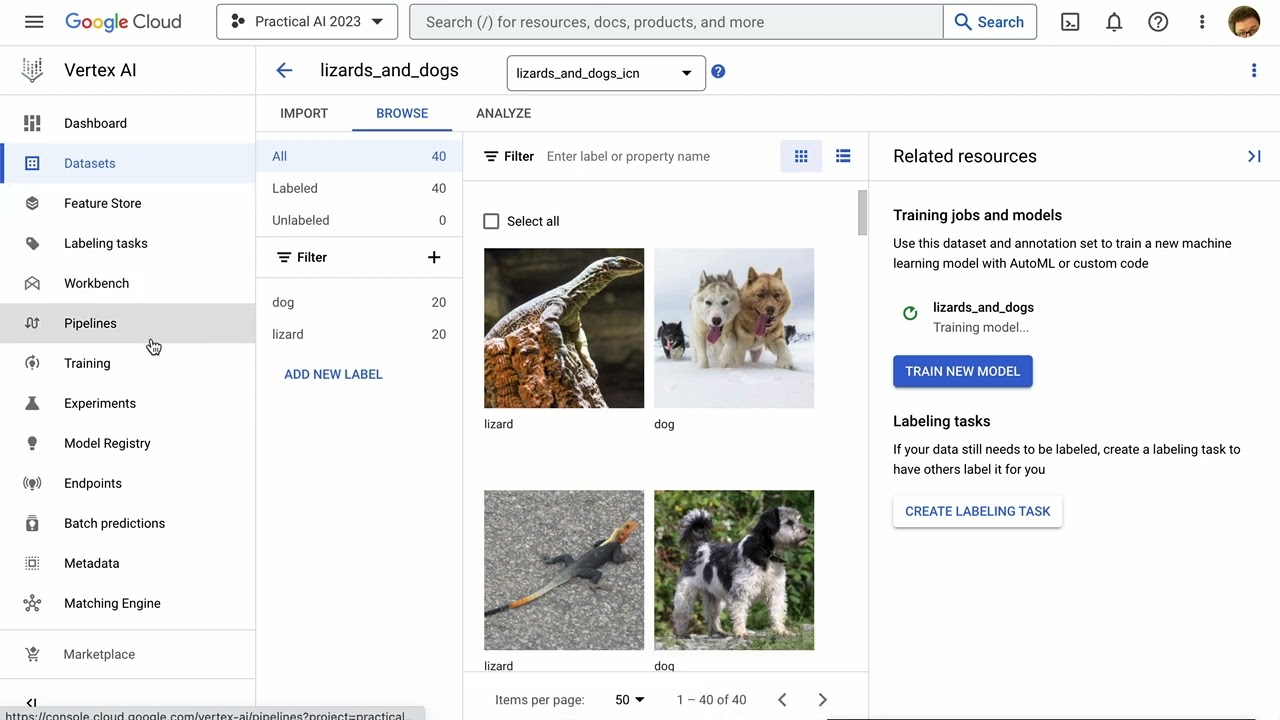
requirements and how we will train our model we are ready to jump into the console and make it happen first thing we need is the data for this step my friend sarah and i collected a bunch of images from our yoga practice and uploaded them into the managed data sets as you see here the images are labeled in five categories i can even upload unlabeled images and label them we can analyze our data set to see that we have enough examples of each categories now we are ready to train our model in here i'm selecting
automl for training method you can also train a model to deploy on the edge or on premise or use custom training if you're writing your own custom model code now we define our model automl automatically splits the data into training validation and test but we can change it if we want to in compute and pricing we get to select how many node hours we want to train the model at this point we wait for the model to train once it is trained we see it in the model tab and can evaluate the model we can
see our model's average precision it ranges from 0 to 1 where a higher value indicates a higher quality model we can see that the confusion matrix helps us understand where our model is confusing to results now that we have evaluated our model it's time to deploy it to an endpoint we can split traffic between two models deployed on the same endpoint if needed allocate the number of nodes needed for this endpoint depending on where your users are select the region to deploy your endpoint and that's it hit deploy and we have an endpoint now we
can test our endpoint and the model by uploading an image and yay it works you can also make predictions using the sdk all right so today we created a yoga pose classification model where we uploaded our data sets in vertex ai labeled our images in the ui and then used automl to train our model then we evaluated it and then deployed it for making predictions with just one clip i know my friend will be extremely happy to use this model to hone her yoga skills stay tuned for the next episode which is all about using
vertex ai sdk in the meantime give us a like and subscribe and share with me your thoughts about this series in the comments below you