If you want to increase your Facebook return on ad spend by 25% in the next 30 days while only touching your ad account four times in this 30-day period, then I'm going to break down a challenge for you that is going to completely transform your return on ad spend. I've driven over half a billion dollars in revenue for direct to consumer brands of all different sizes using Facebook ads. And the structure and strategy that I'm going to break down in this video is meant to be as simple as possible so that you can focus on the thousand other things that you need to do as a business owner, but actually still get a better return on ad spend than you're getting right now.
And when you start this challenge, let me know in the comments below and let me know your ad account status truly without breaking any of the rules I'm going to go through in the comments after that 30-day period. The most wild part about this strategy and structure is that there's only going to be three rules that you need to follow and you're only going to have to do three things every week for the next 4 weeks. The first thing that you absolutely need is you need our core structure.
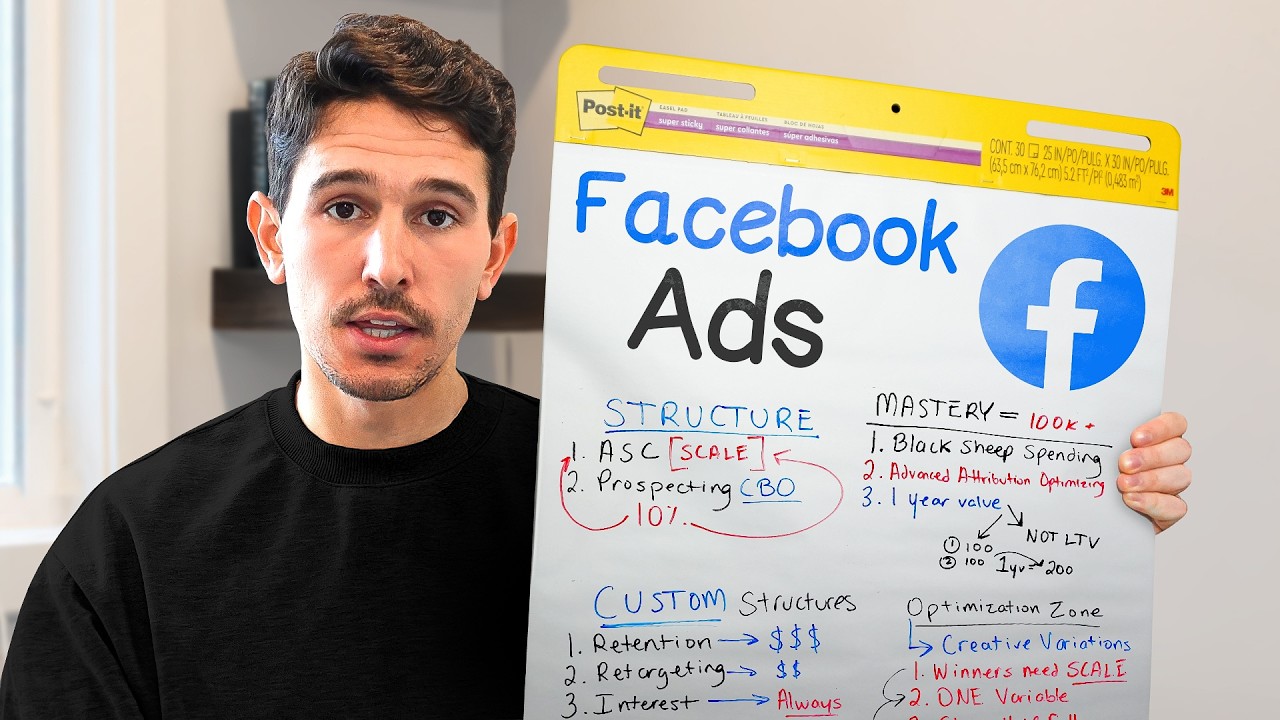
The way that you're going to set this up is fairly simple and we've gone through this a thousand other times in very complex ways, but I want to show you it in the most simple way cuz that's what this challenge is going to focus on. Core of the structure is going to be into four campaigns. The first campaign is a prospecting evergreen campaign.
This campaign is going to have multiple packs or multiple ad sets within them, all with different creatives. All you need to set up is pack number one for right now. Take your best performing historic creatives and throw them into your first pack.
And we can see I've done that right here. We have our first pack of creative. Now, go anywhere from four to even eight ads.
I have seven in this example here. When it comes to the targeting on this prospecting campaign, the only one rule you need to follow is that it has to be completely focused on net new customers. The way that you're going to do this is go into edit your adset, scroll down to your audience section, exclude any site visitors over the last 180 days, anyone who's purchased in the last 180 days, and then if you have your Claio integration set up, exclude anyone who's purchased from Claio over the last 365 days.
The next campaign that you need to set up is a retargeting evergreen campaign. This campaign is going to have two primary adsets, but feel free to make slight adjustments to this, such as combining these adsets if absolutely necessary if you have a smaller brand. Right now, all we're focusing on here is visitors over the last 180 days and add to cart over the last 180 days.
To give you an example of what the visitors actually looks like is if we go down to the audience section, you're going to notice in the custom audience, we are including website visitors 180 days. And we are still excluding purchasers, add to cart, and purchasers over the last 365. The reason we're doing that is because we have a clear funnel that we're creating.
We know at the top we have prospecting focused 100% on new customers. We have retargeting focusing on people who have been to the site but not purchased before. Then you guessed it, the third campaign is going to be an existing customer campaign.
The retention campaign is going to be just focused on anyone who's purchased in the last 365 days. You want to use, as I have here, your purchase 180day from your pixel and then your Claio 365day list as well. The final campaign that you need to set up is your scaling campaign.
This is a 100% broad campaign. It is formerly known as an advantage plus shopping campaign. It has no adsets or just one adset, however you want to categorize it.
And the goal of this campaign is to only host your best performing ads. The craziest part about this setup is you are actually shutting this scale campaign off to start. So on day one, if you're starting right now, you will not have a scaling campaign.
Pause that campaign. We're going to revisit that in a few minutes when we get through what you actually need to do after the first week. However, we do want to set it up.
And the only thing you actually need to set in this is having one adset that is 100% broad, targeting all audiences with no restrictions. Keep this in your primary country that you like to target and let it rip. Now, if you've watched some of my videos before, you've probably seen this flowchart.
You've seen this structure. By the way, if you want this exact flowchart, if you want the download to it, we will include it in the description down below. It's 100% for free.
Try to give away as much as possible here. This flowchart right here is what we're going to be following. I'm going to break it down for you, but just know you have created the foundation of this already.
You've created your retargeting campaign and then you've already finally created your retention, also known as your existing customer campaign. The next thing that we need to be going through are the three rules that you need to follow the entire time. Think of these three rules as the most important things that you cannot do in your ad account.
Rule number one, and this is the hardest one to follow, you must set your budget and not touch it for the next 30 days. That's going to be one that I know a lot of people have a hard time with. So, what I'd recommend doing is have a plan for how much you're willing to spend over the course of the month.
This is a great thing to start on the very first of the month or for a 30-day elongated period. So, the way that I would determine my budget is keeping it as consistent to what it is right now. Don't think you're going to triple your budget today and get a better return on ad spend than you were getting yesterday.
This strategy works for keeping the most consistent budget possible. So, if you're currently spending $500 a day, keep your budget at $500 a day in this system. The second rule is you must introduce creative every single week.
There cannot be any delays on introducing this creative. This is equally an important thing to do. If you do not have the ability to either create, iterate, or change creative on a weekly basis, X out of this video because it's not for you.
If you're a serious media buyer, if you really want to scale your business, you're going to need to find a way to get creative into your account on a regular basis. In this case, we're doing it every single week. I'm not going to be asking for 30 different creatives.
We're going to get to that in a few moments, but all we need is a few new pieces of creative, and in most cases, they're just going to be tweaks of what's working the best. Third, this rule applies to everyone out there that's changing their account every single day, that's going in every single day, changing their budgets, changing their bids, pausing things down, making 101 adjustments every single day. Think of this as the reset for your ad account and actually keep you focused on your business.
And this is going to be the mechanism that you check daily, but you only change once a week max. You know the structure and you know the core three rules. Now, what do you actually have to do?
Now, I've promised to keep this as simple as possible, and it really is. Every week you need to do these three things only once a week. And we are going to call this the optimization cycle.
Think of this as the most critical thing that you need to do every single week. This optimization cycle is how you're going to improve your return on ad spend by 25% or more. The first thing that we're going to do in the optimization cycle is we are going to select our prospecting CBO campaign and we're going to open up all of the ads within this campaign.
If it's day seven for you and this is your very first optimization cycle, then there's a good chance you only have four or five ads that are actively running, it's completely fine. Know that everything I break down here will apply to day 7, 14, 21, 28, and kind of beyond beyond beyond that, 90 days, 180 days down the road. Cuz these principles in this strategy can be ever moving.
They can continuously improve and actually be used all year round. What you're going to be looking for is organizing all of your prospecting ads by amount spent. And what you're going to be looking for is any ad that represents over 20% of the total ad spend in this campaign and has an above average return on ad spend.
So in this case right here, we can see our average return on ad spend is 3. 71. We can see very clearly that we have one ad that is way above and beyond everything else.
We have an ad that has spent $2,700 of the total $3,600 since this campaign has launched and has a four return on ad spend versus everything else with the average of 3. 7. This is the ad we are going to graduate.
The way that we graduate this ad is we hit the hard duplicate button. We duplicate with original setup. We find the existing campaign and in here we are going to find our scaling campaign.
Once you select your scaling campaign, all you then need to do is click the duplicate button. There's a key thing here. If you scroll down just a little bit, you're going to see this button that says show existing reactions, comments, and shares.
This is the reason we hard duplicate and we don't copy and paste this into that adset. We want to keep all of that engagement. That is the driving force for this specific ad.
Now, I know what you might ask, and you're going to be tempted here. You're going to see an ad like this or like this that have little little little dribbles of spend, but crazy high return on ad spends, and you're going to want to take these ads and you're going to want to scale them, right? Wrong.
You never want to scale ads that are not getting increasing amounts of spend. We're only graduating the ads that have the top amount of spend and are above our KPI. Again, this is not a video for us to quadruple ad spend because to be honest, anyone that's promising quadrupling results really hasn't been in this game long enough.
I'm here to increase your return on ad spend today by 25% over the next 30 days. This is how we're going to do it. The second thing that you are going to do on a weekly basis, just once per week, is you're going to be looking for any ads in the ad account that are significantly under your return on ad spend threshold and they are taking up at least 20% of the spend.
This does not mean you just pause down everything that's got $2 or $3. You can see in this case right here, we have dozens of ads literally with cents. 50 cents, 75 cents, so so so little.
But then we have this one curious ad right here that has spent $576 of the total of $3,680 and it has a two return on ad spend. This is an ad that we are going to cut. We are often not cutting ads just because they have two or three purchases.
We want to make sure they always have an adequate number of purchases if Facebook is giving them their appropriate spend. In this case, this ad has 13 ads at a two return on ad spend. I'm completely comfortable cutting this ad.
What I don't want to do is if this ad had a three return on ad spend or a 3. 5 return on ad spend or if this ad only had two purchases, I absolutely don't want to cut this ad. We have to be very, very careful about this portion right here.
We are only strictly cutting ads. I want this to be loud and clear to everyone. We are only cutting ads when they are so clearly the loser of the account that we have to cut them.
In this case, this ad is performing half as well as this top ad and it is spending a good chunk of the total spend. My expectation is that when we pause this ad, we are then going to distribute that cash to the top performing ad and to some of these other ads that have gotten very little spend so far. And now the final step, this is the last thing you need to do here and then I'm going to leave you on your way.
What we're going to be doing is taking the top performing ad that we graduated, only the graduated ad, and we're going to take that ad and we're going to create iterations of that ad. This could be taken in hundreds of different ways. All I want you to focus on is what are the core principles of the ad that you graduated and then go spin up more versions of it.
If you're using mostly static images or if a static image was graduated, fantastic. Throw this into Chad GPT, pay for your pro plan for 20 bucks a month and spin up variations of it on the fly instantly. It's going to be literally nearly free.
It's going to take you about an hour and then you're going to have five to six completely relevant variations. All I want you to focus on is what could be slightly different without completely transforming the ad. Think about different setting, different model, different colors, different product potentially, but keep all the other principles of the ad the same.
If you're using video, if you have the ability to turn those videos around quickly, do it. If this means you getting behind the camera, if this means prioritizing other things in your life to make sure you get this video up and running in the ad account within the next 7 days, this is going to be a key for you. Ideally, we want to take these iterations.
We want to get them into the ad account within the next 48 hours so that there's minimal lag between learning that we found something that works and actually getting more iterations of new ads into the ad account. Now, once you have those iterations, here's exactly how we're going to build those iterations in the ad account so that they are minimizing wasted spend and they're being tested efficiently. Once you have a new ad, you are going to create a new broad pack inside your prospecting CBO campaign.
You can see right here, I have two broad packs that I'm showing you right now. So, we have pack number one here at the top. We then took the best performing ad from pack number one.
We created iterations of it and we launched it into pack number two. The reason this is so effective is because now we're only taking the best performing ads and we're putting them in pack number two. If you perform this optimization cycle for the next four weeks, every single week, just once a week, and you try not to do this too often, you just do this when the data is right for you, then you are going to put yourself in a scenario where you have the best performing ads in a scaling campaign.
You're creating constant iterations of your top performing ads, and you're not checking your ad account every single day. Let me know in the comments below if this is something you're actually going to take on. I try to reply to every single subscriber that drops a comment.
And if you actually want your ads professionally managed way beyond the system that we just went through so that you could actually focus on your business, do the really, really important things that are involved in scaling your business while we help scale your ad account and go to the link in the description below or go to the moonlighters. com/apply to see if you're a fit to work with us. That's all for this one.