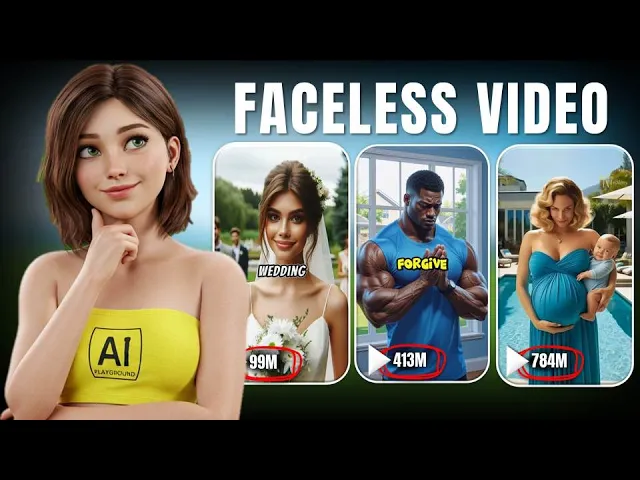
What if you could grow a YouTube channel, get millions of views, and make money all while doing almost nothing? You've seen them. Channels with only a handful of videos blowing up with millions of views and subscribers while you wonder how.
It's like they cracked a secret code no one talks about. But guess what? Now you can crack it, too.
With the power of AI and just a few clicks, you can skip the long grind and grow your channel faster than ever. Sounds crazy, right? But it's real.
Right now, smart people just like you are building channels without editing videos for hours or paying anyone to do it. They just upload, sit back, and watch the views roll in. The secret?
It's one powerful tool that does all the hard work for you from creating videos to posting them. Want in on this secret? It's called Vid AI.
Let's get started. The first thing you need to do is open Google and search for V. A.
I. . .
. . .
. . .
. . .
. . .
. . .
. . .
Click on the first website that appears in the search results. Once the site loads, you'll see the main interface. From here, navigate to the sign-in option and register using your email address.
After you've registered and signed in, you'll see a screen asking what type of video you want to create. You'll have two options, short video or a long video. For this tutorial, I'm going to select the short video option.
Clicking on that will bring you to another interface where you'll be asked what kind of video you want to create. For example, a faceless video, a fake text video, or a split screen video. In this tutorial, I'll show you how to get started with faceless videos.
Once you've chosen that, the first thing you need to do is name your project. Here, I'm going to name the project ABC, but you can name it anything you like. Next, you'll need to choose the topic of your video.
You'll see plenty of topic options to pick from. Just scroll down a little and you'll also find the option to set the duration of your clip. For this tutorial, I'm choosing a duration of 30 to 60 seconds.
After that, select a voice over from the available options. Once you've picked a voice, you'll need to choose the style of your video. You can select from various styles like natural, anime, watercolor, cinematic, Pixar style, and many more.
Once you've selected your video style, you'll notice options for fake text and split screen. Remember, don't select these options because we're only creating a faceless video. So, just stick with the style you chose under the AI image generator section.
Next, click on generate content and wait a few seconds. You'll then be taken to the script editing section. Here, you'll see the script for your video on the left side and the corresponding images for each scene on the right side.
Take a moment to go through the script and the images. If you don't like any image, for example, let's say you don't like the image for banana and strawberry, you can easily change it. Find the matching script line on the left and you'll see a regenerate button next to it.
Click on that and within a few seconds, the image will be replaced with a new one. Once you're happy with everything, click next to move to the final section. Here you'll find different options to customize your video, such as captions, caption colors, transition effects, and a few other settings.
Take your time to adjust these to your liking. When you're done, click on generate, and within a few minutes, your faceless video will be ready. And that's exactly what we just created.
Did you know honey never spoils? Archaeologists found pots of honey in ancient Egyptian tombs that are over 3,000 years old. Octopuses have three hearts.
Two pump blood to the gills while the third pumps it to the rest of the body. Bananas are berries, but strawberries aren't. This botanical twist will surprise any fruit lover.
Wombat poop is cube- shaped. This unique shape prevents it from rolling away, marking their territory. A day on Venus is longer than a year on Venus.
It rotates very slowly on its axis. Cows have best friends and get stressed when separated. They form strong bonds with their peers.
The Eiffel Tower can be 15 cm or taller during the summer due to thermal expansion. Now, let's create another video. Simply click on the home button to go back to the main interface.
Here, choose the type of video you want to create. I'll go with short videos again. Once selected, choose faceless videos as your video type.
Next, name your project. In this section, you'll also see the option to add your own script, but for this example, I'll use one of the ready-made topics. This time, I'm selecting a motivational story.
After that, set the duration of your story and choose the style of your video. Once you've made your selections, click on generate content and wait a few seconds. You'll be taken back to the script editing section.
Go through the script and make any necessary adjustments. When you're done, click next and you'll be taken to the caption style section. Here you can customize your captions and add effects as you like.
Finally, click on generate video and that's it. As you can see, creating videos with Ved AI is simple and only takes about 3 minutes. Now your videos are ready to be uploaded.
So get started today. Create multiple YouTube channels in different niches. Upload your readymade videos and grow fast with VID AI.
If you want to unlock even more powerful features and take your videos to the next level, consider choosing one of Vid AI subscription plans.