so we have tens of thousands of members in full-time filmmaker and one of the best parts about that program is actually the private Facebook Community where you can go and you can post your work and get feedback from 25,000 plus professional video creators many of which are making six and seven figures with their video businesses but today we're taking that feedback element from the Facebook group and bringing it to YouTube now if you don't know who I am my name is Landon I'm actually the owner of full-time filmmaker and I've been making videos for the
past decade and I've actually got three Quick videos from full-time filmmaker members and I want to point out some things that they did well and some things that they could improve upon and by the way these are mistakes that pretty much every beginner or intermediate videographer is making including myself especially in the earlier days so pay attention to what I'm talking about with lighting and composition camera movement editing and so on I would be shocked if after this video is over you don't walk away with a bunch of things to help improve your videos so
let's get into it all right video number one is is from Sebastian I I want to say Sebastian's like 14 or 15 years old inside of fulltime filmmaker and he is crazy talented especially for his age so he told me that he shot this video on the Canon r5c with a 24 to70 lens and then he was shooting in clog 3 edited everything in Da Vinci resolve and by the way just for reference he said that this is an ad it's supposed to support the Amazon listing so let's watch this video life is filled with
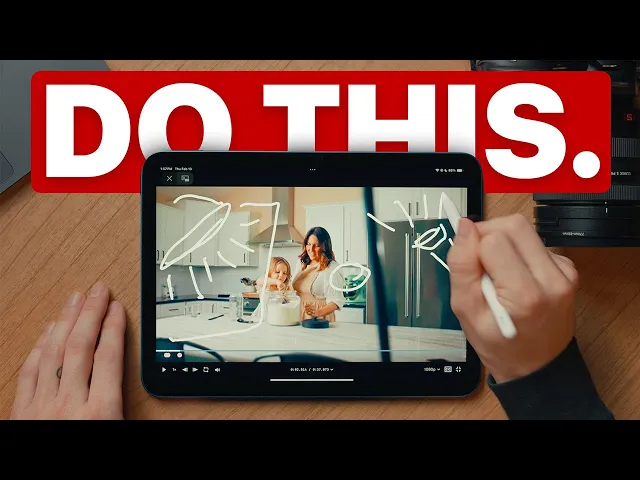
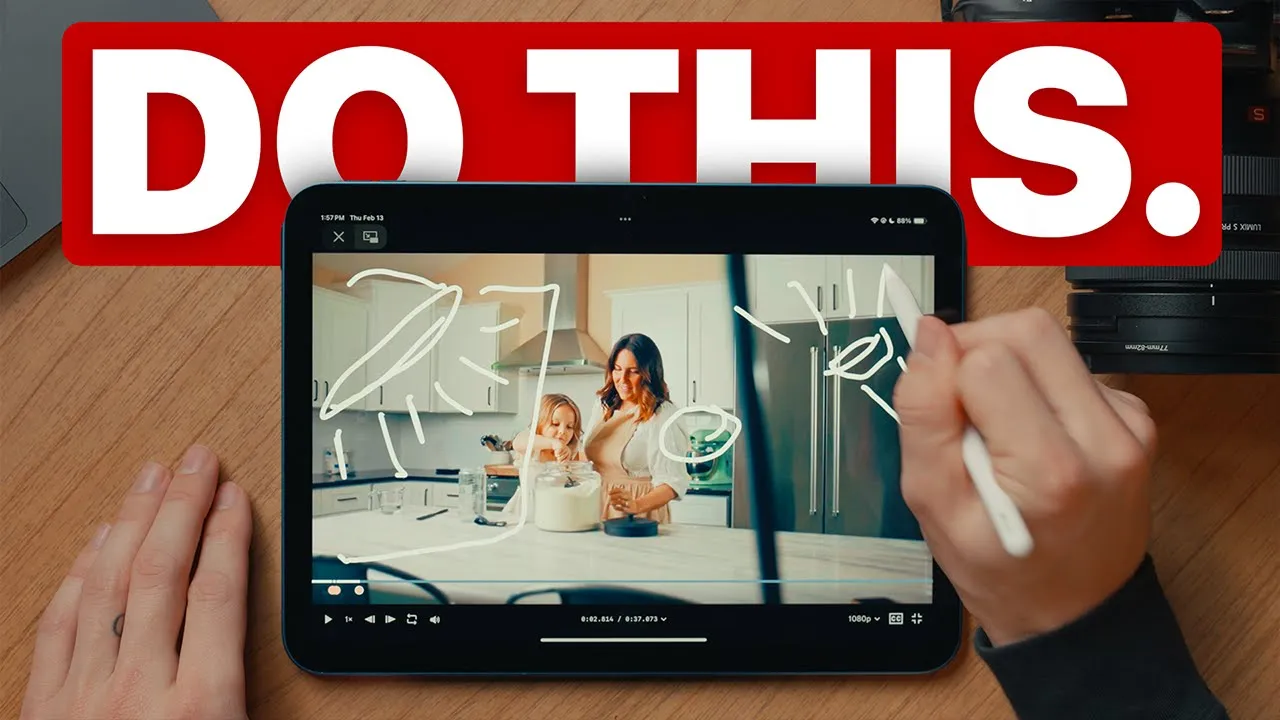
wonderful little moments and each one needs to be cherished at good Len Co we're here to help with tools that make it easy so you can focus on Grandma's famous family recipe it's a cute video good leaven Co sourdough Made Simple honestly great great video like it's actually beautifully shot I like the shot selection that you had I think the vibe is perfect for the product that you're selling let's go back though because I do I do have just a few things I want to point out because this video is good but there are a
few things that would make it so much better all right so first off love the setting I love the kitchen it's nice minimalist I think it probably matches this brand really well but the foreground here right at the beginning kind of threw me off you see you got this chair and I know it's a chair because it looks like the same chair that's down here but it's up so high like it's it's not normally going to be right there so good job like trying to use foreground to for the opening shot for that establishing shot
where you can but I would say that's probably not the most natural use of foreground because it's it's a little bit too forced and sometimes you can cheat it but if I were to do this again what I would do is honestly probably get a wider shot of the kitchen have it be a pushin shot rather than a sliding shot back and forth like we don't need a truck left and right like I would just say simple pushing a little bit wider and if you're going to do foreground maybe grab like a plant or something
you can throw here on the right hand side or the left hand whatever makes the most sense now on the lighting side generally speaking I think it looks pretty good I think it's pretty obvious at least to me having done a bunch of these types of shoots that there's just going to be a key light right here on this side that is just shining right on the talent which totally works I I think that looks generally good and you you could keep that I will say though that I did notice on a few of these
shots you get the glare from that light on the tile here in the back which is generally something you want to avoid it's it's hard sometimes depending on your shooting environment but I do see that reflection there so what I would probably do to fix that and actually give this scene a bit more of that bright and Airy Ambience I would get a really big scrim or just a a nice sheet that you can use to diffuse that light so you can set up a big tall sheet and have the light being blasted through that
and what that does is it gives you a much bigger surface area for your light to shine through you're going to avoid these Reflections and you're going to have a nice better dispersed light throughout the scene so I would say swap that out with some something like a scrim and then what I would do to kind of help bring the details back from these Shadows I would grab some sort of a light right here and you could just blast it up into the ceiling and bounce it off of cuz presumably this is a white ceiling
but if you bounce that off the ceiling you're going to get a nice bright room Ambience something that I like but it also kind of threw me off just a little bit was actually the sound design on this like I love to see the effort of like trying to find the sounds that match the actions that are actually happening on scene but they might be just a little too loud and they probably need to be layered with some other uh cinematic ambient sounds as well here to help with tools that make it easy like I
totally I totally get where you're going for 100% what I would do is turn that down just a bit that the volume of that down and maybe layer it with like a little clink from the bowl or a sound that like that spoon thing that she's using might make right just layer it with a couple of other things and it'll feel a lot more natural to the scene it's a really good practice I think to shoot good audio in camera while you're filming so you have scratch audio to work with but it's also a really
good idea to have a separate audio recorder and specifically grab sounds from the objects and the people who are on set that way you just have stuff to work with right because finding like these specific sounds online and trying to download them is going going to be a pain it's going to be very difficult so getting whatever audio you can high quality on set is going to help a lot all right so another thing I want to point out here are the camera movements generally speaking I think these camera movements are are fine right but
there are a few shots here where the camera movement doesn't really match the movement or the subject on screen right so right here you have this truck from left it's going from the right to the left but ideally you could just have the stove centered I would probably do a nice push in movement to show her opening it up and grabbing that out that way you keep this nice like composition right here you can still have your uh your leading lines like I I think the way that you compose this is good but if the
camera is constantly moving like to the left for example it's going to skew your composition it's not going to look good but if you censor it and you just do a simple push in or pull out motivated camera movements are huge and they will help your viewer actually stay focused on what's happening on screen now another thing I want to point out is that you have this beautiful scene of a mother and her daughter and they're making bread right it's a really good opportunity to actually switch up the camera movement into something different and this
is going to be a stylistic choice but generally speaking I think it just it's going to help convey the message that you want to have for this video but if you were to go handheld for some of these shots and throw on like a 50 mm lens for example with a really low aperture you can get these beautiful intimate shots kind of Bounce Around between what the girl is doing like uh mixing this dough or whatever it is back up to her face back up to mom's face like you could get some really beautiful shots
just to kind of disrupt that sequence a little bit because it makes the video more interesting and it's not taking away from anything that's happening it's just adding a little bit more variation to it so honestly overall this is a great video there's not much for me to critique but if I were to do anything different if I were to approach this shoot myself I would definitely have just a little bit more shot variation just change focal lengths a little bit more often go wide go medium go tight maybe even a little bit of macro
right I think again the 50 mm handheld would add so much to this story the 85 mm or even more macro showing the product itself like the logo of the product would be awesome and then probably the biggest thing for me on this video Beyond just like the cinematography but as a viewer I don't exactly know what the product is or how it'll help me like visually we've we've broken this down and we know some areas that could be improved upon right but if you're making commercial videos like this one and you want to grow
a video business you kind of got to put on your marketing cap a little bit and and think Beyond just the cinematography of the video but does this actually convey the message that we want it to convey I think a really easy way to do that with this video specifically is just more interaction between the product and the talent and again how that product is help helping them make beautiful sourdough bread cuz that's what it's supposed to do so maybe a really tight shot of the bread being pulled off of the mat you see the
bottom of the bread how beautiful it is but just a few shots like that and asking your client before you even shoot what are the most important features that you think we should show in this video like what's really going to sell it and separate your product from everybody else's and see what you can do to actually have that be a part of the content that you're creating so Sebastian great video all right this next one I'm just realizing is 720p so this is from one of our students her name is Jaden and it's actually
a an older video that she's done so uh she's improved a lot since then but she sent this to me so I could actually break it down and give her some feedback 2 years overdue probably is maybe even more so this was shot on a Canon 5D Mark 4 on the 35 mm lens and it's actually a little bit of a longer one so I'm going to cut it up and uh we'll watch just a few parts of it all right mavora Fitness Retreats Jaden allora films what a cute logo so uh apparently she got
paid $11,000 to do this video good job first off leveraging a connection she already had she knew the owner so good job I mean getting your first paid gig is huge before you like start on a video like this especially what I would do is ask your client a few questions it would be who's this video for what platform is this video or platforms is this video going to go on and then what's kind of like that Target duration for the video there's other questions you could ask but like those are probably some of the
most important because if you can Define that you can very easily figure out okay how do I want to frame this video What story do I want to tell how do I want to present it how are we going to structure it are we going to have a intro animation are we going to have a voice over a talking head like if you ask those questions it's going to be a lot easier for you to throw this together and it'll make it feel less like a montage and more like an intentional video design to do
something specific and in their case I would imagine they would want this video to drive conversions it's to actually give a potential buyer of this Retreat an idea of what they can expect at one of these so you you guys probably aren't going to be able to tell because this YouTube video is 24 frames per second but their video is 30 frames per second so presumably it was shot at 30 frames per second and it was edited and exported at 30 frames frames per second so it's okay traditionally though 30 frames per second is actually
reserved for broadcast uh Television right or reality TV some YouTubers like to use 30fps if they're doing Talking Heads and tech reviews and stuff like that but generally speaking if you're going for a more like traditional cinematic look it's going to be 24 or 23.976 frames per second I'm also noticing that the shutter speed on this is just cranked super high presumably no ND filter on the camera's lens which if you're shooting in southern Utah in harsh light trust me you want to get an ND filter for your camera and really where you want your
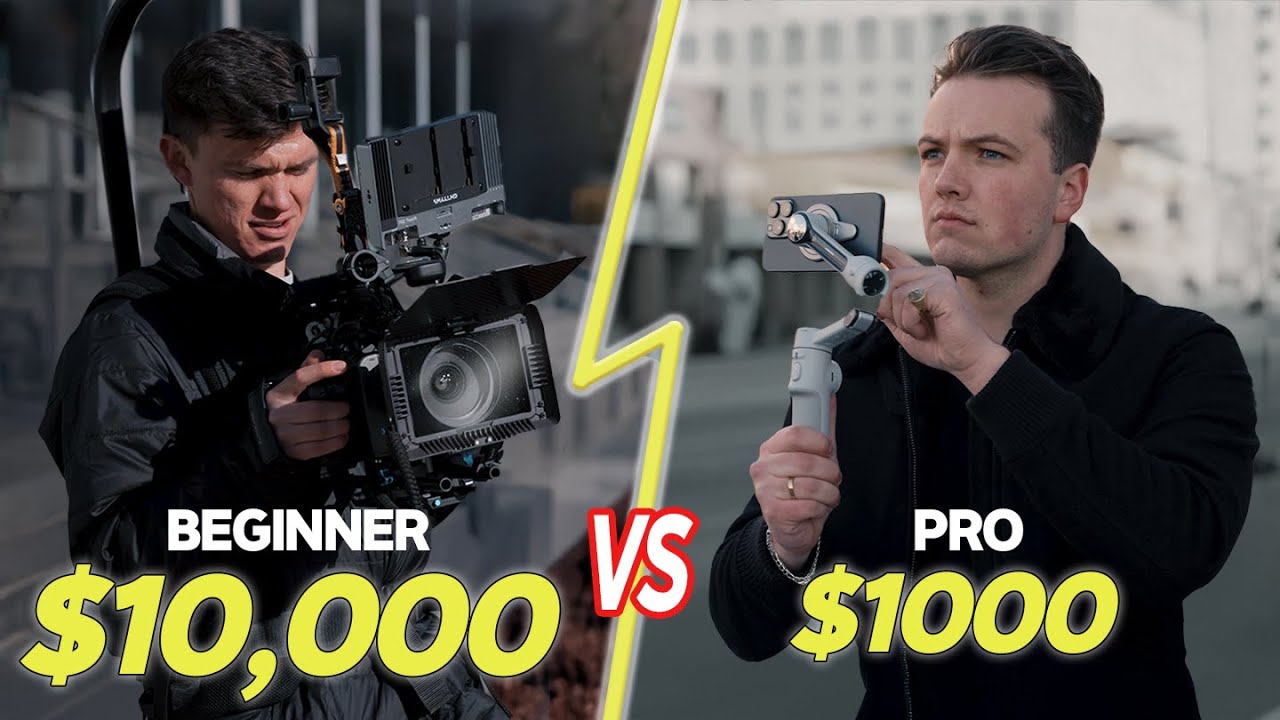
shutter speed to be if you're shooting at you know 24 frames per second you want your shutter speed to be 1 over 48 or as close as you can get that just not below 48 so like 1 over 50 totally works too so you take your frame rate and then you double it it's really as simple as that she definitely was not extracting the max quality out of this camera and it just kind of goes to show that if you give a pro a $500 camera they're probably going to make a much more beautiful video
than a beginner with a $5,000 camera right so the 5D markv that they were shooting on I mean that's a 4k camera but it looks like this was shot in either 720 or 1080 probably ipb meaning they weren't using the maximum bit bit rate that they could have been using and even if you're not going to edit and export in 4k just shoot in 4k so you have that extra resolution and then you can scale that down I'd also say too that I don't know if the 5D markv has log I actually can't remember off
the top of my head but even if it does beginners usually aren't ready for log footage it's kind of intimidating so if you don't want to use log what I would recommend is actually just choosing a different picture profile like a neutral or natural picture profile and lowering the contrast and the saturation if you do that you're going to have a a final image that looks less like the color and the contrast has been baked in and it's not log but you're going to be able to actually manipulate that a little bit better in post
so I'm going to pause it right there because this is again what I said with Sebastian's video but what a beginner tends to do and I'm guilty of this too right you see something that looks cool and you're like I got to add a movement and so you just kind of like pan up or whatever even if even if you're panning into like literal nothingness you just feel like you need to add movement first off you don't need to add movement to make a shot like cinematic a really good practice for any filmmaker videographer is
to let go of your gimbal let go of the handheld stuff and start using a tripod more often because what a tripod does is it forces you to use fixed shots and just focus on the composition right like they're static shots the camera's not moving you're not not moving the tripod you are just setting it down and you're finding symmetry you're finding leading lines and patterns and all these different things to make the image just look visually pleasing by itself practicing that first before you move on to a gimbal is actually super super helpful so
with this rock shot that's probably what I would have done if I were going to use it at all like you could probably take it out and the video would be totally fine but if you really wanted to show off those rocks just set it up so it's a static shot you know maybe Center The Rock and that's pretty much all all you need to do there's a handful of shots like that in this video that you could just make static you could take out completely you could change the camera movement to just make more
sense and be more motivated right but that was that was a big one so overall good video it's not amazing but it's a good video I think you did a good job of capturing the the stuff that was happening the events that were happening and if that's all the client wanted great if they just wanted to recap a a 3 and 1/2 minute recap of all the things that happened totally fine for 1,000 bucks for probably a few days of you shooting they probably got a pretty decent value out of that they could probably repurpose
this footage if they wanted to but I will say you probably could have made this video like a quarter of the length and it would have felt just as complete if not more with a few structural elements to it all right good job Jaden I know again this video is a few years old you guys should see their stuff now it's insane what do we got next though all right so this is a video from Victor also a full-time filmmaker remember he shot this on the Sony fx3 with a few different G Master lenses it
looks like an S Cy tone and it's a quick like I guess social video that the client can post on Twitter or Instagram if they want to so let's watch this holy smokes hi I'm Kent C dods welcome to my dream Studio dude I've got a one wheeel on my wall nice so Victor owns this company it's called dream Studio basically they go around and they revamp people's Like Home Offices so that they can film content there first off great video um I I think it generally does what you want it to do you you
you want to kind of create a little bit of hype and just show the result and how happy your client is but there are a few things I would adjust and potentially add just to make this video feel a bit more complete and actually probably perform better for you on social media too okay so something I noticed right here at the beginning is his lav audio that you have right here is actually pretty muffled like the the highs just aren't there and it doesn't sound super super good so what I would do honestly is take
that open up EQ in your editing software and just bring up those highs if you bring up the highs what you're going to do is actually just open up his vocal range a little bit it's going to sound a lot less muffled another thing I would probably adjust and it's not a huge deal but I would say he probably has a little bit too much Headroom right here and I know what you're trying to do you're trying to get his logo specifically there but I would actually just raise his chair up that way he is
just sitting up a touch higher because right now it looks good like the lighting looks good for for whatever he's doing I like the logo in the background I think some of the practicals you have look great right but if you just raised him up a little bit it would feel less like he's a little kid sitting at the computer and more like he's he's a professional expert and he's here to help you right so it's a small thing but I would just I would raise him up just a touch so right there the before
and after is cool I think especially with this business that you're in like you definitely want to show that and you definitely want to show the final result but a couple things okay so first off the before is it you're like you're almost like halfway or maybe not halfway but you're you've already started the Renault right so ideally the before is showing like what it really really looked like before it could just like take everything out I think it's worth pulling those ladders out of there real quick in that sheet and ideally getting the shot
before paying paint has gone on the wall right and then it kind of caught me off guard because there's no sound effect or any sort of transitional thing to help me realize that it was the before and now here we are at the after image so if you wanted to do a hard cut of that before clip and then the after clip throw like a riser in there so it kind of like and then it goes into that after clip personally what I would do is actually create a mask so you have your before clip
on that bottom layer and then you have the after clip right above it and then on that after clip you can create a mask and you key frame that you animate it so it slowly wipes across the entire screen and you line it up with that previous shot that way you can like see every detail that went into that room from the before to the final version I just I think it makes that last longer and be even more profound I'd also say too I would recommend getting several angles like this like that Main is
good but I would get a few and I would also opt for a wider lens so you can really like really see the difference cuz you're essentially doing real estate shoots at this point yes you're remodeling somebody's office but real estate videographers and photographers they're using extremely wide lenses and so I'd recommend something like a a laa 12 mm lens that would go a really long way and it would actually make the space feel bigger and that's what you're doing you're selling a functional space so if it feels bigger people are going to be more
inclined to hit you up now moving through I'd say some of these detail shots probably aren't crucial to the story if you feel like you need those details I would just crank through them really quick and have them cut to the beat of the song or something cuz yeah it obviously adds to the remodel that you've made but I don't know if you need to like have that be a good 10 15 seconds of the video now on this wider desk shot you can kind of tell that you got these overhead lights on it looks
like this light is on as well but you also have these like really harsh Shadows coming down it's not that crucial right but generally speaking I would say just turn off those overhead lights one of the first things I do when I walk onto a set that I'm going to film at is I'll turn off the overhead lights and I see where my light sources are coming from if it's natural light if we have some artificial lights that we can bring in so turn those off and then really let the artificial or the natural light
do the heavy lifting cuz usually you're just going to get some gross shadows and weird colors from overheads I'd also say too especially if you're trying to like really sell this as a service that you're offering get rid of the cables just make that look cleaner we've put on our marketing cap now we're going to put on our set design cap and just realize that visuals go beyond just your camera settings and the lighting and whatever like you have have to like really look at what's in your frame and can we make a a quick
adjustment just so that looks a bit cleaner too and I think cables that's a really quick thing to fix again if you want to sell more of these I would get a few variations of him in front of the camera doing different things holding different props maybe with a different shirt on or a hat like show him in his natural element doing his job in this setting the scene that you have created for him cuz the results they speak for themselves like people are interested in the behind the scenes and like what the setup looks
like but they especially want to see the final result so milk that like show a bunch of those clips and then that final audio clip dude I've got a onewheel on my wall I like that it's kind of a candid raish audio maybe you told him to say that I don't know but I will say as much as I I like raw audio randomly cuz it makes it more personable I don't know if that line really adds anything to the video so if I were to do a different line instead of like oh I got
a one whee on my wall what I would say is have him say something like my videos are going to look so good now so something like that because it's still like a nice raw candid audio but it leans more into the results that the client is excited about he's not he didn't pay you to put a one whee on the wall he paid you so that his videos and his content and his his video calls look better right so just lean into that all right guys let me know if you like this format personally
I would have loved to have this as a beginner just quick breakdown and just seeing what people have done well what could be improved upon and if you're a beginner and you want to get better at film making Fast and maybe even have your video featured in one of these go ahead join full-time filmmaker full-time filmmaker is a really great place to expand your knowledge to connect with a huge community of creators I threw a link in the description if you want to check that out but that's all I have for you today if you
have any further questions please let me know oh