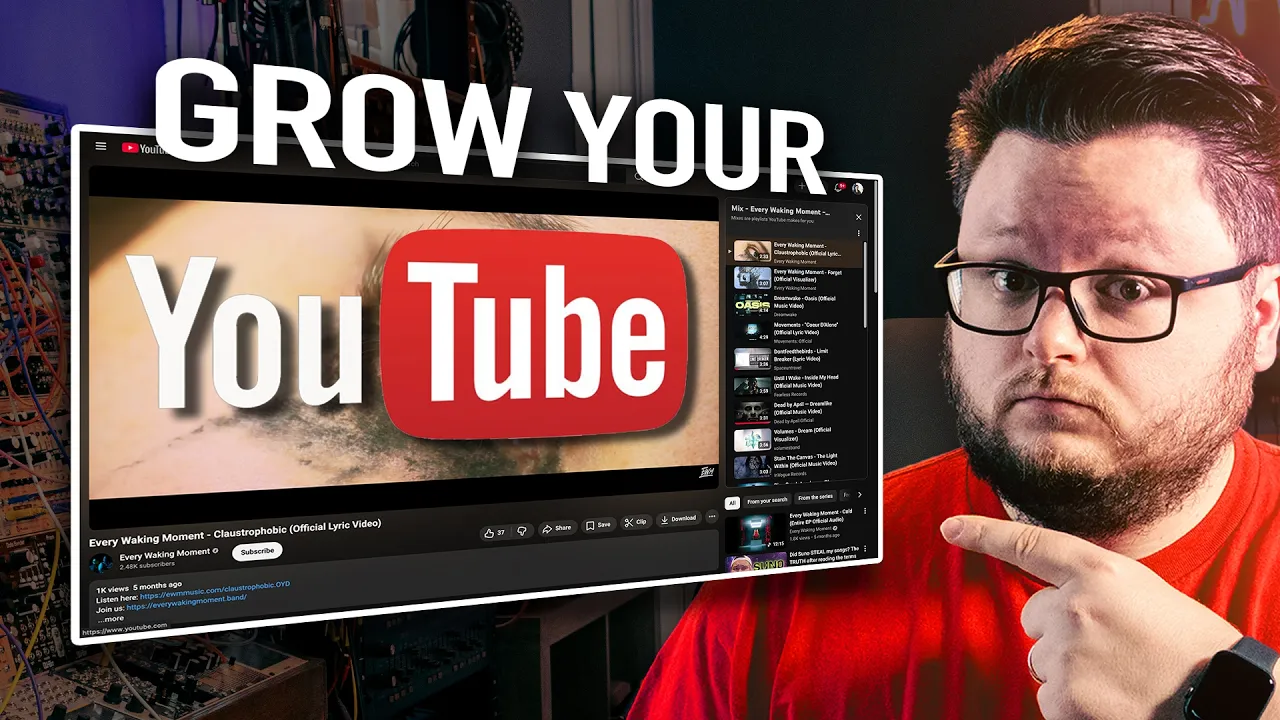
In this video, I'm going to show you how you can use YouTube ads or Google ads to promote your music videos on YouTube or actually get more subscribers on your YouTube channel in the first place. So, I'm going to pull up YouTube and I'm also going to pull up Google ads and I'm going to show you how to run two different types of campaigns to again get more views on your video andor get more subscribers on your channel. So, starting off with the view type of campaign, um we're going to go to Google Ads, which is an ads.
google. com. And you're going to want to go to the campaign section and you're going to want to click this green button to create a new campaign.
And then we're going to want to do new campaign here. You initially will get a bunch of options. What you want to choose here is the awareness and consideration objective.
And this is where you get to set up both the video views type of campaign and the YouTube subscriptions and engagement. So for both of the options, you're going to want to use this awareness and consideration objective. Um, and depending on what you're trying to do, you choose one of these.
Now, what what situation do you use which? Well, uh in my opinion, if you want more if you want better quality like views on the video itself, go for video views. And in my opinion, like if you're going for like raw views and like that's the goal, then choose the video views objective.
Now, if you want to do the subscription type thing, get more subscribers in your channel, that's great. I wouldn't go crazy with this because this will get you a ton of subscribers for cheap, but I've have seen mixed results with how engaged those subscribers can be over time. So, you don't want to go too crazy with it because the video view ones, you still get subscribers, but they're more engaged because like they weren't as as prompted to subscribe to your channel.
They more subscribed on their own accord. Like these people weren't forced to subscribe either, but these people weren't even incentivized to subscribe. Like they there wasn't even like a subscribe button presented to them aside from the one that's normally on the video.
So, that's how I think about these two. I I try to kind of mix them up depending on what I'm doing. Maybe do half and half, maybe do 7030.
It really depends on your goals, but that's how I think of them. Uh, first, let's go into the video view type of campaign, though. So, all I did is I clicked on video views, and then we get this video option down here.
And it used to be that this just optimized for raw video views. Now, what it does, it optimizes for what they call true view views, which is actually way better because what it's doing is in an infeed video ad scenario, which is when people like see your thumbnail, click on it, and go to the video, which is what we're going to be setting up here. Uh, they have to watch 10 seconds for that view to count as a true view view.
So, you get charged no matter what. Like, if people click on your video and watch it, you're getting build by Google, but they're optimizing to get 10-second views, not just to get people watching like two seconds. I wish you could optimize for a minute, but 10 seconds is better than any seconds, right?
So, this is actually improvement for what it used to be. We're going to click continue. I'm going to have to blur this out.
But if you get a popup like this, um, this is them just like letting you know to redo a draft. So, I'm just going to click start new here to start this new campaign. Um, and now we have our empty campaign.
And the first thing you want to do is just name this. So, I would just call this the name of the song or video you're trying to do. So, let's say I was trying to promote this uh lyric video for our song Claustrophobic.
Um, I'll open it up so I have it handy, but I would call this claustrophobic lyric video. And I always put in the title somewhere like this is going to be a infeed video view campaign or VV. And when I said earlier I want to do infeed only, um, this is where this ad formats thing comes in.
So, I'm skipping skippable because skippable ads I found give you like engagement with YouTube ads in terms of comments and stuff like that is never good, but it's way worse with skippable than it is for infeed. But also, infeed gets better likes and subscribers than skippable. So, skippable is like it's cheaper, but it's worse engagement wise.
And shorts is the same thing. So, infeed I found is like the best quality campaign you can get. Keep in mind the engagement is not going to be phenomenal.
You're not going to get a ton of comments with running any YouTube ads. It just kind of is what it is. Um, but in feed is the type of formula that gives you the best results.
Um, now we get to specify our campaign total. You can do a daily budget or a lifetime budget. For YouTube ads, I often do lifetime budget, but it's really up to you.
Let's say, for example, we'll do something like $100 over two weeks just to keep it easy. And it'll give you an estimate for your daily spend here. Now, if as you're going through this, you're like, "Oh my god, I hate this and I don't want to do this.
" Um, I do have an ad agency called Southworth Media where in addition to running YouTube ads for music videos, um, we also run meta ads, smart music on Spotify or other streaming platforms and also pretty much anything. Like, we can help out with ticket campaigns or merch campaigns or whatever. Um, but if you're like, I hate this advertising thing, I need help with my marketing.
Uh, in the description below, I have a link to our agency if that's a thing that you're interested in, amongst other things that I have to offer down there, too. So, that being said, um, next thing we have is our networks. I only run the ads on YouTube specifically because if they're not on YouTube, they can't like, comment, or subscribe.
So, the engagement is going to be even worse. But including this other stuff will actually get your cost per view down. So, if you're only after like dirt cheap views, you can include everything.
In fact, that goes for this ad formats, too. If all you care about is dirt cheap views, turn everything on and let Google just go wild. And that also applies to the countries, which is the next thing.
If you do all countries and territory, I'm running a campaign now where the person just wanted cheap views and we're getting less than a tenth of a penny per view. So, you can get really cheap views. Like, I think that's $1,000 per million streams.
Um, if it's a tenth of a penny per view, just quick mental math. I might be wrong, but um I don't recommend doing that unless that's really your goal. So, like often for my own stuff, I'll do like US, Canada, or I'll go in and I'll do like a subset of English-speaking countries that make sense for my music because my music's in English.
And on a similar note, that's why I would filter in for English as the language. But again, if you want it cheaper and you don't care, you could just do all languages and you could do all countries. So, after that, we get some like disclosure type things.
EU political ads is not a political ad, so I'm not going to choose that. And now we get into our actual audience. So you can name it.
I often don't name my audience because I'll for even though in meta ads I will name everything very clearly. In Google ads I tend to just make separate campaigns if I have separate things I want to try. Whereas whereas in meta I will make different ad groups or ad sets to test them.
And Google I'll just make multiple campaigns a lot of the time. Um for your audience it's going to be very dependent on what type of music you make. Like for example you might do something like 18 to 44 as your age selection.
Um, or if you need a younger crowd, might go younger. If you need an older crowd, might go older. I just wouldn't do 18 to 65 plus, unless the goal is just dirt cheap views.
On a similar note, you can go in and filter by parental status and income status. This will just make your campaign more expensive. So, only use this if it really makes sense.
Like, I did work with someone where the video was like a song for parents. And so, we played around with that as targeting. But the interest is where you can go in and put in some actual targets.
So you could put in very broad interest like electronic dance music fans or rap and hip-hop fans. And you can type in stuff here. If you want to be way more granular, you can click browse, go to custom interests, and then make a new or actually I don't think I need to go in custom interest anymore.
They're always changing this stuff. But I have a new custom interest thing open. And here I can just now it's giving me some random stuff based on uh some other ads I've run.
So it's like music marketing ads. Uh people typing is Ugrow promo legit, which by the way they are. Um I did a video reviewing them if in case you're interested.
But I could go in and I could type in alternative metal. And even if I don't get a keyword down here that makes sense, I can just click enter and add that keyword. But if I were to go in and type in Lincoln Park, usually some bigger things will pop up.
The problem I have is because I've run so many campaigns and different targets, my my thing is based on past conversion performance. So I'm not getting any recommendations that are useful, but I might So in my case, I'm just going to type in keywords. Uh actually, one thing, audience expansion I would turn on.
Um, unless your audience is huge. Like if you're just doing the electronic dance music thing or pop music thing where it's just like huge audience, then um I would turn on audience expansion. In this case, my audience is actually greater than 10 billion impressions per week.
This isn't people obviously because there aren't that many people on planet Earth, but this is 10 billion to one trillion weekly impressions. So, it is a pretty huge audience. So, I probably wouldn't have to use this, but what this does, it allows Google to just target similar things to what you gave them, which will often result in a cheaper cost per view.
But with all the other ways we set this up for higher quality, it's like you're balancing cheap and higher quality. So, you know, consider not using this, but a lot of times I do turn this on just to let Google broaden it up a bit. Now, a quick thing I'll mention.
If you go into placements here, you can actually run ads on specific YouTube channels. So, if you know that you want to run your ad to exact like videos and channels, you can. And it's in the placements tab.
So, like I can go in and I could type in Lincoln Park and I could run ads on their channel and on their exact music videos. Um, one thing I'll say about this often is it's better engagement, but often it's much more expensive per view. So instead of being like let's say 3 cents a view in the US, it might be like 12 cents a view depending.
Um and I would put in like minimum 10 artists and minimum 30 videos or something like that. Put in like 50 plus things. I would say mixture of channels and videos.
Now that being said, um don't use the targeting and the placements. only use one or the other because if you use both, you're kind of like one, you don't you're not going to know what's working, but it's like stacking the two together, which might artificially shrink your your audiences. But moving on, uh the next part is actually just including your video.
So, I can just go grab the YouTube link and I can paste it here. You can also search in this box, but it's easier just to paste in your video. And our final video is going to be the video link as well.
So, we have our video linked here and we have the link to our video as the final destination. We have to do a long headline, which could just be like the title of the song, but like people are seeing this don't know who you are, right? So, it'd be much more useful for you to type in something like new alternative metal music, right?
And that's not a very sexy headline, but it is better than ever breaking moment claustrophobic. doesn't really tell anyone anything about what they're about to click on. In the description, maybe I would do every waking moment claustrophobic, right?
So, it's like we're kind of getting both in here. Or we could do claustrophobic official lyric video and then take the band name out because they're already going to see the channel name which has the band name in it, right? I like doing a call to action here.
Um, actually I don't think this shows up everywhere, but if you do call to action watch now, it just adds a a button instead of them just clicking on here. So, I actually haven't experimented with what the performance would be like for having this versus not having this, but that could be something that might be worth testing. Now, if you want to be sneaky with this, or not sneaky, but clever, you can go into this ad creation window and clone this ad.
So, I could duplicate it. And then in that copy that I just made, I can change my headlines. So, maybe I'll do one that says new alternative metal music and one that says new modern metal music.
Um, and the purpose of this is just to see if one does better than the other, right? Like you might have three different ideas of what headlines to use and how do you know which one's going to be better? And the real answer is you don't.
You don't know until you try it. So, the best way to try it is just to give Google a couple variations and let them rip, right? So, that's how you clone ads and then test different headlines.
Technically, you could also do this to test different videos. Like, if you don't care which video gets the views, you could do multiple different videos on your channel and see what video is better. Now, the last thing you have to do before you publish this is your CPV bid.
And this is a confusing topic, not going to lie. Um, most of the time just come in here and click apply, whatever Google recommends. Uh, if they're not recommending anything, just type in like 5 cents and let it, you know, if you're doing cheaper countries, maybe do like three.
If you're doing more expensive countries, maybe do like six. But let's just say four, five, six cents is like a normal number. Um, essentially, this isn't how much you're going to pay per view.
This is how much you're bidding per view. So, when I put four in here, it's telling me I'm they're estimating I'm going to pay between 1 and 4 cents per view. And in my experience, this is mostly right.
Right? So, if they're telling you your ad's probably not going to run because your bid's too low, like if I type in 1 cent, they're yelling at me and telling me like, "Your ads probably not going to run because your bid's too low. " And if I change this to like 10 cents, the estimate is still pretty low.
It's 1 to six cents now instead of one to four. So, it's like it's not what you will pay, it's what you're willing to pay. And most of the time, you're going to pay less than your max bid.
Now, once you have your bid set, you can click create campaign and publish this whole thing. In my case, uh I'm not actually publishing this right now, so I'm just going to click cancel and then give you some tips of how to do the subscriber campaign. Now, if you want to do the subscriber campaign before you do it, you have to go in and link your channel.
And the way you do that is you go into tools over here on the left, and then data manager, which I'm going to hide my screen real quick because I don't know if there's stuff in here you can't see. And once you're in data manager, you can click on this YouTube section, go to manage and link, which again, I'm going to hide my screen. And this is going to show you a way to link a channel.
I can't show it because I have a bunch of client things linked in here, but there'll be a big button that says new link and you can link a channel. And once you have that, um, you just choose the channel to link and it'll like it'll it'll send the you type in the channel, you type in the email of the channel, and it'll just email a link where you click on it and link the channel to the ad account essentially. But you'll know for a fact that it's working when you can see your channel linked in the back end inside of that data manager area.
And once you have that, you can go back to campaigns here. And we're kind of going to go through the same process now. We're going to go to create campaign, new campaign.
And just like before, awareness and consideration, but instead of video views, we're going to do YouTube subscriptions and engagement. And this is through what's called demand genen, which don't worry about what that is. It's just a new way they're structuring it.
But because of the fact it's a different type of campaign, there were all these little annoying differences that you have to kind of learn. Some of this is the same, right? Like you you have to type in a title.
So this would be something like claustrophobic claustrophobic uh subscriptions. You still set your daily or lifetime budget. Let's say I'm doing $100 over two weeks.
One thing with the demand campaigns is they have a minimum of I think four or $5 a day whereas the video view campaigns I think it's $1 a day if there's even one at all but demand has to have it's like at least four or five. So if I type in $100 a day over two months. Now one problem is uh no matter what it will try to gaslight you into thinking that you have to go raise your budget to $600.
You don't. Right. you you have to spend it's something like $4 or $5 a day.
You won't notice until you publish this. But this isn't them telling you you have to. They're saying your campaign may not perform well because your budget's too low.
And this is kind of their way of them of them trying to get you to spend more money. So ignore this warning. But if you go to publish your campaign and it's giving you trouble, then you might need to actually raise your budget.
All right. So I did two factor and now we're back in. So uh just like before you type in your country.
So do whatever countries you're going to choose. Just like before, you choose your languages. You can choose if you want to do all Google channels or include just YouTube, for example.
But you'll notice the interface is a little different, right? It's not the networks thing like before. Um, it's this new like channels thing.
And this is just the difference between that and demand genen. So let's say I could still do the infeed thing, but if you want to maximize the cost per subscriber, you might just want to include all the YouTube targets. Now, another annoying difference here is the way they do audience.
So, you have to do add an audience and then create a new audience and then this will look very much like what you had before. So, you can go in do a custom segment, you can do um interest based targeting like go in and do the electronic dance music thing and then go do your demographics here like 18 to 44. So, it's all the same stuff.
It's just it's kind of packaged in a different way. I can do EDM 18 to 44 and then I could save this and add it to my audience. So, same stuff just slightly different setup.
And the optimized targeting thing is basically that audience expansion thing from the other campaign. So, this allows them to expand beyond your selected audience. So, consider turning it on, but it is something you can play with.
And now the largest difference here is actually the video or the ad section. So if I come in here, you'll notice this layout is different than before. I can plop in my video URL as my final URL.
And um we can add videos here. So I'm going to paste that video link in again. But here you can actually add up to five videos.
So what they'll do is they'll cycle between them. So before we had to like clone the ad to make different ads. Here we can just straight up add multiple ads.
So we can either add we could add multiple videos or keep in mind if you add multiple your the video you want to get views might not get views. So you know keep that in mind. But instead of adding multiple ads with different text, you can just add up to five headlines, up to five long headlines, up to five descriptions.
Um and you do have to put in a logo and a and a business name or a band name, but it's essentially the same thing. Aside from that, now a few caveats here. I'll mention I turn off this asset optimization because it's not relevant for what you're trying to do.
Like I don't want them to edit my video, resize it, make it shorter. So a screenshot of my landing page. I'm not using a landing page, right?
So um turn that feature off. the logo. You do have to go in and I have to blur all of this out, but you have to go in and choose a logo for the the band, which could be like a logo logo, or it could be like just a your YouTube profile picture, but the methodology behind the headline, the long headline and the description and stuff is my exact same methodology as what we did before.
And once you punch that in, uh, you can go to review and publish this. And, and those are the two different campaigns. Now, one thing I want to mention is when it comes to like how much you spend on YouTube versus meta, like let's say you want to promote your song on streaming, but you also want to promote your music video.
In my opinion, you should do like 90% of your budget on the meta campaign for streaming and only like 10% on the YouTube side. So, if you want to see how you can run that meta campaign, check out this video right here to see that entire process from start to finish. And if you want to see whatever YouTube thinks you should watch, check out this video right here.
And again, all my links in description. If you want to hit up my agency or hit me up for a one-on-one call, that's the link down below. Thanks for watching and I'll see you next video.