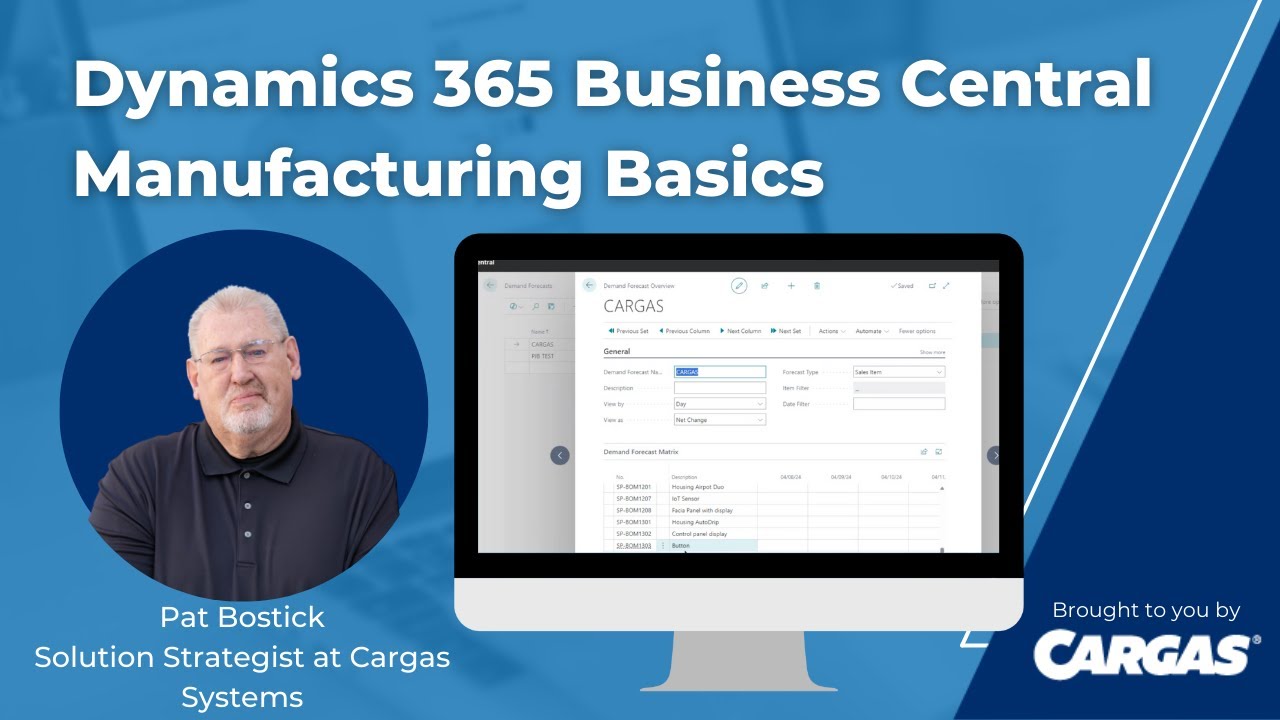
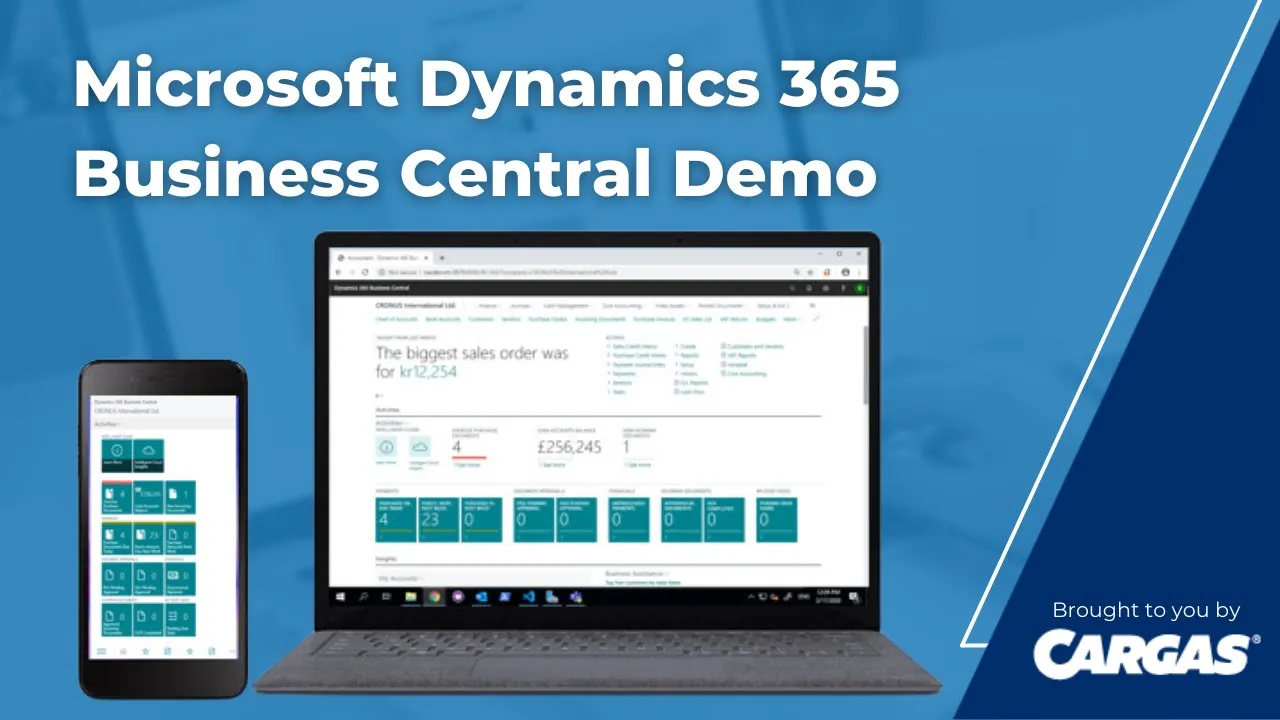
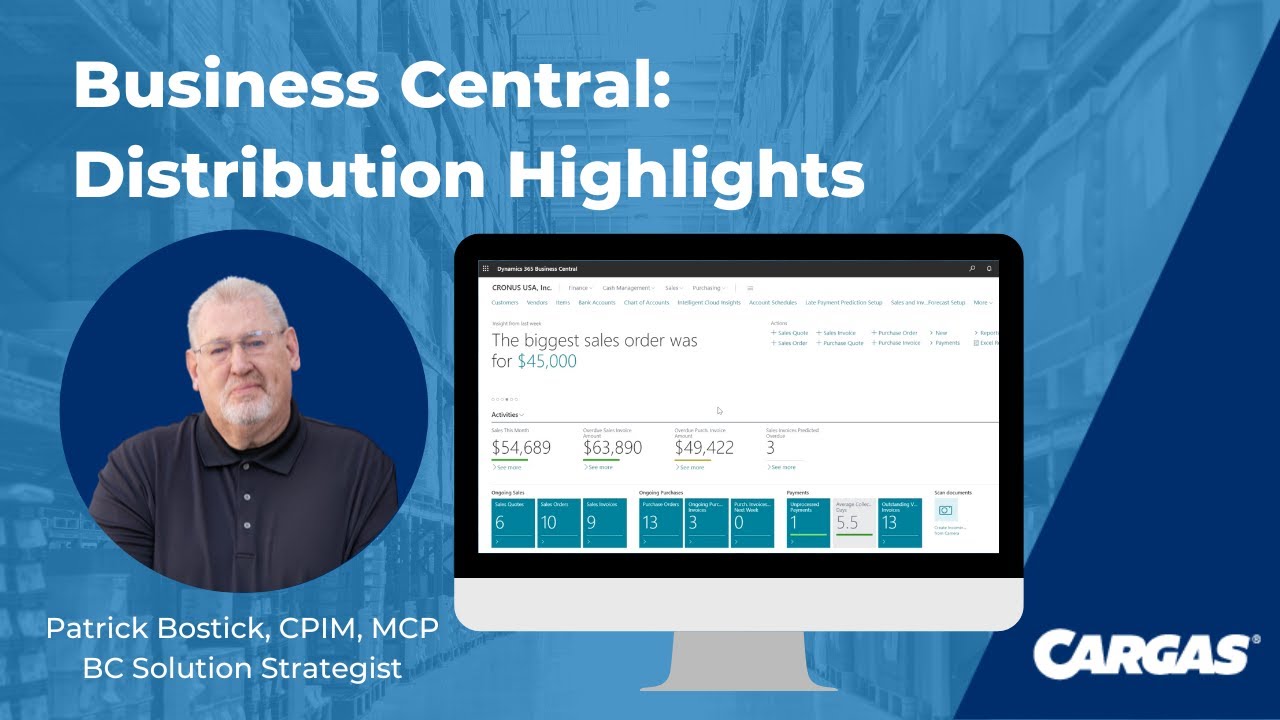
hi there and thank you for joining us today as we give you a little taste of business Central I'm Katie Graham and I'm joined by my partner in crime Pat Bostic and we are your Dynamics Duo here at cargus hey it's great to be here with you today I'm excited to talk to our audience here about what business Central is and what it can do and how it can help their business me too Pat so why don't we get into what our agenda looks like for today so we're here really to help you guys understand
and visualize the amazing capabilities that business Central has to offer we will show you how easy it is to navigate throughout business Central and the native Microsoft Integrations and then the amazing power of Microsoft AI so before we get into the demo let's set the stage for addressing what even is Microsoft business Central that's a great question Katie and it comes up in every sales cycle that we're in that it definitely does yeah first first of all just the term Dynamics 365 business Central uh Rings a lot of bells with a lot of questions because
Dynamics 365 in itself is a product line from Microsoft that contains not only business Central as small mid-market Erp but it also contains Enterprise uh level Erp such as Dynamics finance and supply chain CRM apps like customer engagement sales customer insights field service HR Etc are all apps within uh Dynamics 365 all Dynamics 365 apps including business Central are total Cloud apps that run in the Microsoft's Azure cloud with that all the tools that come with Azure such as things like the Power Platform for power apps for citizen level development low code no code um
powerbi Power automate for advanced workflows and all the integration with the Microsoft 365 tools that you know and love today are all part of the outof the-box solution with Dynamics 365 business Central so it really sounds like it helps small and mid-market companies um you know connect everything like from you know one entirely single easy to use application um allowing them to truly adapt faster work smarter and perform better does that sound yeah that's that's accurate Katie and the other thing with that too is that because it's a Cloud solution because it's meant for the
small bid Market we know Microsoft knows that companies in that small bid Market space have a lot of growth potential and there's and there's a lot lot of movement going on where you know maybe one day you're a you're a $25 million company but you've got a five-year plan to double that get to 50 million some companies even more aggressive may go into three figures well with business Central you've got a solution that is geared to grow with you and scale as you as you grow awesome awesome so while we're talking about some of that
scaling and growing and things like that it's a good time to cover off on some of the uh outof the-box capabilities that come with business Central and I want to make it very clear on how business Central is is sold there are two license levels essential and premium with the essentials license you get everything that you see on this screen from all the core accounting that a company could could could require from GL Gap AR fixed assets cash flow forecasting uh the ability to do Bank wrecks and and all your and all your bank transactions
um all that is included everything with a sales and marketing or I'll called a a a light CRM is included in the application all functions for sales order management and delivery purchasing inventory including WM uh Supply plan supply chain planning and a and availability so total uh MRP and inventory planning project management comes along with it now if you are a manufacturer um you may want to upgrade to that premium license because that will give you manufacturing and I'm talking about full manufacturing here and the ability to to do production orders bills and material IAL
routings um be able to plan that across work centers with resources and you know constrain capacity planning that is all part and parcel of the uh the planning engine within um business Central and then for those products that a company may may make they may also service them so business Central provide service management to do repair orders and repair parts and things like that for any range of customers wow it really is truly a robust system it sounds like so in addition to today's demo that we are going to be performing for you guys cargus
also has a complete demo center with multiple short videos highlighting additional functionality within business Central some of these videos actually touch on the distribution manufacturing functionality that Pat just mentioned as well as Microsoft's powerful business intelligence tool powerbi so let us show you how easy it is to access this demo Center for those additional demo videos yeah so Katie uh I'm just going to click on the link here in the the PowerPoint and you can see it brings us right up into the demo Center and voila I a lot of these I've already recorded that
are out there um we plan to add on this on a regular basis but this is our demo Center and you can access any of the business Central demos that we have out there um as well as I see powerbi you scrolled down too yes and I did do one of them Katie I did a powerbi one as well soome feel free to go in check this out as you please and be happy to hear about your comments and your experience with our demo Center awesome thanks Pat for showing that so Pat there is so
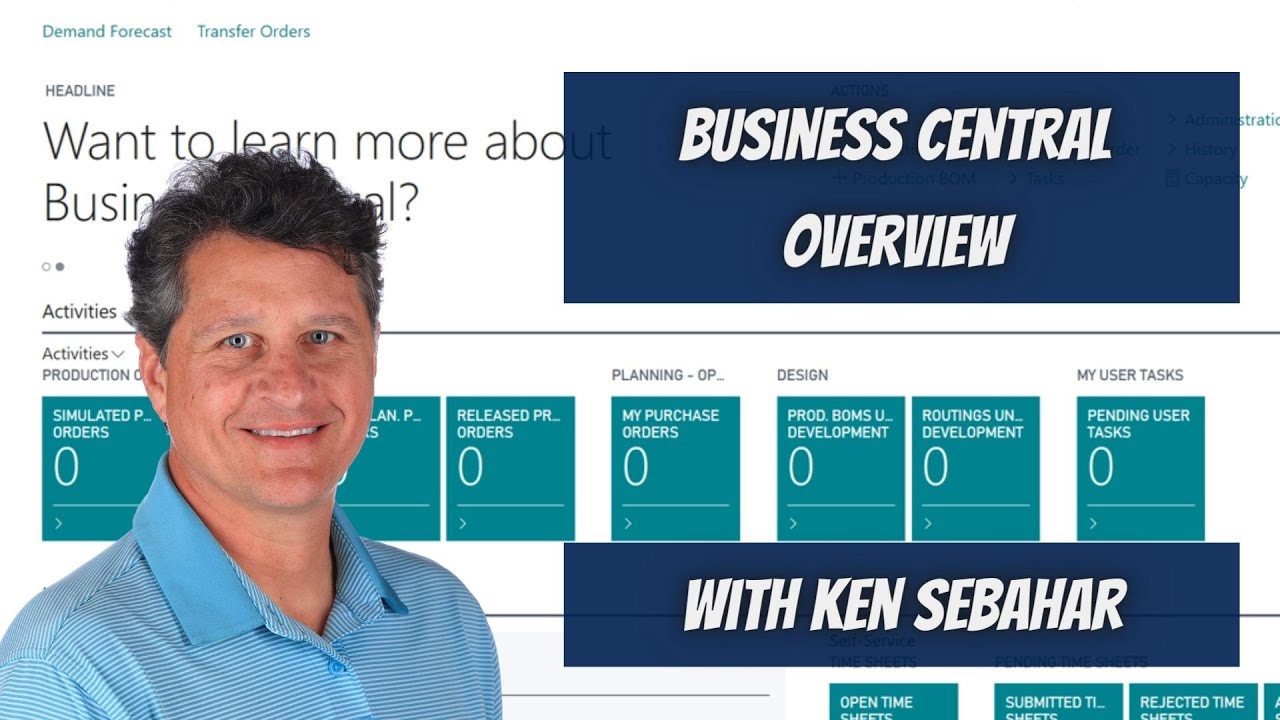
much interest in a cloud Erp system these days specifically around Dynamics 365 business Central one of the first thing every customer says that we talk to is this looks really modern and easy to use can you go into reviewing some of those um features around navigation user experience and personalizing absolutely awesome thanks Pat yeah let's let's check that out um I have got business Central running here because it's a Azure Cloud I can access it through any browser that I want um if you're using Edge or or Google Chrome you know that Firefox they all
work just fine any of the navigational arrows that are already in the browser still work within the app um you know anything from zooming in or zooming out of the screen uh you can certainly do all that uh just like with any app in any browser that you might have now when business Central presents itself um I'm looking here at a nice looking page that comes up that has got a lot of information on it but before we scroll down and get into that some some of that information I want to explain a couple things
about how business Central is constructed for the user um so it is role based and I'm I'm in here as a a a power user like a business manager kind of a role page where out of the box it's giving me access to financial apps cash management apps anything to do with sales orders quotes um invoices same with purchasing um you know they're all of interest to me but if I was maybe an accountant or a shipping and receiving manager rest assured there is a rooll for you as well and you can see all the
different roles that I have here out of the box that I can get into and you know we could take a quick look at one that maybe want maybe we want to take a look at the accountant okay and this is where you know the settings are where I set the role what company I'm in because it's a multi- company system Katie oh wow as well as multi Warehouse multi company multi currency multil language multilocation in terms of accounting localizations for you got companies in Belgium or Germany or Singapore Etc that's awesome so like you
said it really can grow and scale with your business absolutely so I'm just going to bring up the accountant roll page here and you'll see here you know if I look at the things up top they they've changed now I've got journals and you know the ability to do general journal entry and cost accounting if I was going to go there um and as I look at my actions here it's more accounting focused AR AP stuff and even the tiles are showing everything accounting related okay so that's every user has assigned one of these roles
okay does it mean they have to stay there and it doesn't mean that the list of the out of the box can't be extended by yourself to create unique roles okay so I'm going to go back I'm going to bring back my business manager rle page again and we'll get on with the the demo because there a lot of things I want to show you here on how it makes life easy for a user we've been told many times my God this is so easy to use it's like I don't even need really any kind
of user training to be able to be productive out of the box with the system on day one and I'm just navigating around and we've heard that from other customers as well that the ease of use is really key yes yes Microsoft definitely thought of the user when they were creating business Central and that's very evident throughout their search functionality their help as well as their entire learn and documents provided exactly now I'm here on my role page and I'm seeing some you know information coming up tells me my biggest sales order was for $99,000
you know these things are somewhat configurable you know I sold 20 units of the the conference table um other things like and these things scroll through here yeah my largest invoice Etc I've got quick actions here so if I want to go in and quickly enter a sales order all I have to do is click on the quick action and it's going to bring up and pop and bring up the sales order form for me putting customers and items I have things that I've saved here as favorites so I know I go into these all
the time and so at without even having to to look or search if I want to get into chart of accounts it's right there for me to click into I don't even have to click down the the finance card here to see the chart of accounts I saved it as a favorite that's awesome so easy yeah it is and there's no menus in here in business Central if there's something here that I can't that I'm looking for that I don't see on my screen I can always come up here to the search and maybe I
want to do something with um payments and I'll just key in the term payment do I want to create vendor payments or register customer payments or work with payment terms and so just by entering in a phrase it's trying to figure out what I want to do on the current page or where else I may want to navigate to I could definitely see that being very helpful to a user absolutely um now with this being a Microsoft app app you're familiar with the office waffle here from your M365 Outlook themes well when I click on
that you can see here I have access to all the other apps that I've licensed through Microsoft business Central becomes another one of those apps that appear under the waffle oh wow so does it integrate with all of those well it does yes it does we're going to get into that in a minute awesome in in our next next little segment but this is a single sign on system so with active directory if you're a user already in Microsoft 365 you don't need an additional sign on to get into business Central they're all using the
same Azure Azure directory sign up awesome for that um so we've covered a little bit on the role page I want to scroll down this page a little bit because I want to show some of the things that are being surfaced here you know like the analytical information like sales per month well if I want to break that down and see what makes up that 149 I simply click on the number and there's the three invoices that make up to 13,900 I want to detail of any of those amounts and where the transactions went I
can simply click on that and it takes me into the detailed transactions I can actually get right down and and see the source document for that invoice that was created so all these are very clickable drillable um tiles to showing you A visual representation telling me hey you got 22 sales orders out there and again click on that and there's my 22 sales orders I really like how it draws your attention to some of those most important and the fact that you can customize in regards to personalizing it to what meets uh your biggest once
and drive yeah and that's a big thing Katie uh for customers and so if again if I go to my little settings Cog here there's a personalize button there that for instance I'm on my rle page here and if I wanted to hide things on the roll page or maybe move things around drag and drop them around I can do that on the rle page I could even add content to it if I want um and that's that's prob a great thing to be able to do on the roll page but let's look at that
in terms of customers okay like the customer table or it could be the item table or the sales order table first of all I'm going to hide this little information pain that comes up on all these tables and it's really kind of nice because it gives me a glance of what's inside you know it's telling me the current position for School of Fine Art how many orders they've got out there how many invoices are on going out there what were their total number of posted shipments that happened even down to their ar oh wow without
clicking into the record yeah again a nice little snapshot it provides yeah and if I want to look at this you I don't want to look at Tiles maybe just look at a list I can do that I can hide that information pane as well now I'm here I'm looking at a list of all my customers and of course I can come in here and drill down into each one of these and maybe I wanted to find out who the or what the credit limit was for these customers and I don't see it here but
I know that if I click on it it's going to be in the record in there somewhere so if I click on Trey research I can see there's the credit limit right there okay in the actual uh detailed customer form but I'd like to have it on this list when it shows up so I'm going to come in here I'm going to personalize again I'm going to say okay we want to add a field and let's say we want credit limit and I'm going to put that right after salesman wow that is incredibly easy yeah
and if I wanted to do any kind of analytical stuff on this page I can simply click this analyze button which shows up on every every table list sales orders what have you and if I want to do now some pivot table stuff I can do it right here inside business Central and do any kind of sorting and clicking and grouping that I would like to have analytical pages right on my right on within my customer table wow that's really awesome I mean that doesn't even require you to go outside into Excel no it really
doesn't which is something we can do that we're going to talk about in a second here awesome um you know so we also talked about the ability to um to search and you know you saw me come in here I I searched for customer payment um and it comes up and it brings me all that great stuff but I can also if if I did let's say I customer payment Y meent and yeah it shows me all those things related to customer payments but it also will come down here and say hey do you want
to get into the Microsoft help and it will say okay how do I enable customer payments with payment services or create customer payments and when you click on that it takes you right into the Microsoft business Central online help wow on how to do that so basically you could go on vacation forget your entire job and be able to search it right here in this help yes is what I'm hearing that that's that's a pretty good application there for that Katie uh the other thing I really like about the help is I don't need to
search for a function I can search for transactional activity so let let's say I've got a product um oh we'll call it I've got a product that has sauce okay in the description okay and so it's not really going to find anything functional for sauce but when I click on search company data M for sauce now here it comes back and there are two items there that have sauce in the description that it found for me in that search if I wanted to make that search a little bit better maybe I put in the term
Mina and now it's found items that have Mina in it it found contacts and vendors that had Mina in it if I had sales orders or invoices out there it would list those as well wow so it's searching through all the data you've got in business Central with that so no more hunting and pecking yep exactly it's exactly right and you can get to that from using a alt Q hot key or just going right up in here to the uh little magnifying glass within uh business Central so last part about some navigation stuff we
talked about these cues the are showing up uh giving you all access to that great data other things on the role page that are coming up is you know if I've got any approvals through workflow they're coming up here right on my role page any interner company transactions hey Shopify stuff you know that's coming in and then there's also some analytical um graphs and charts that come into play here uh these are real time with the data I've I've even got a section here where I can I can put in as many accounts as I
want be a track my my favorite accounts we'll call it so I'm always looking to see how I'm doing petty cash as an example well there's all the transactions that make up that 76k of petty cash that are in there and then hey I'm a business manager yeah of course I'm interested in seeing how I'm doing from a trial balance standpoint and powerbi is natively linked with business Central and so this is a powerbi report um if I go a little drop down here and go into select I can select the actual reports of powerbi
that I would have created that I want to show on my role page okay and it'll scroll through them wow that's awesome Yep so that is a little overview of how to navigate around business Central well thank you so much for that Pat that really gives a an amazing understanding in regards to just what the very first page full of dashboards and information and how easy it is to have it at your fingertips as a user so Pat you kind of enticed me a little bit with showing me that office waffle and seeing what other
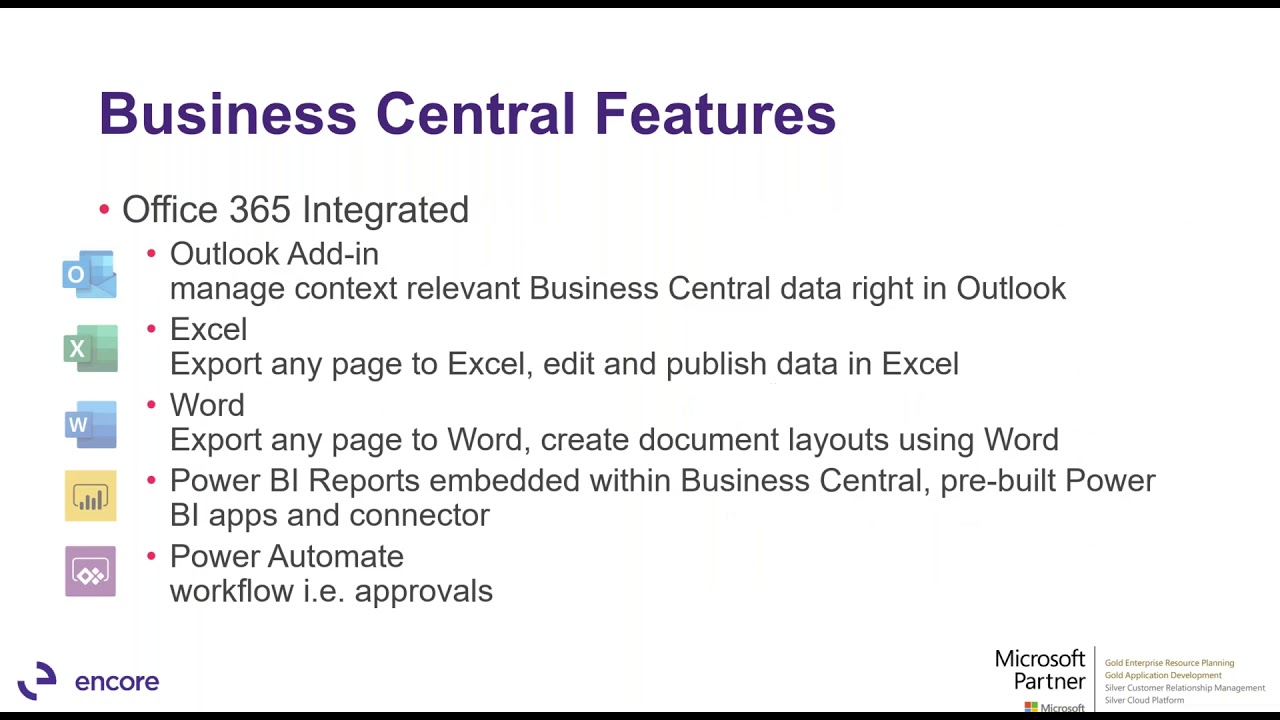
Microsoft programs that I'm using every single day and what we hear all of our users using as well so talk to me a little bit about what it integrates into natively well I think that's really a that's a good leading Katie um the out of the-box integration with M365 apps I think is one of the the key features within business Central because as we all know everybody uses Excel oh yeah no one's no one's not going to use Excel because they got a new Erp system they're going to want to continue to use it but
they've got expectations yes and they want to be able to have their data be in there and be able to navigate to that easily they're also not going to they're they're using Outlook well let's let's look at a way that business Central can extend the use of Outlook and then of course teams now we know not everybody uses teams but a lot of people do and when you have teams you're integrated with business Central within teams in fact if you're a teams user you have direct access to business Central with no additional license oh tell
me more yeah so let's take a look at that I'm going to go back into our friendly uh customer list I'm going to turn off the analyze button here and I just have the list now let's say if I've got thousands of customers you know maybe managing credit limits and do or other things might be better done in Excel well every page you bring up in business Central is going to have this little icon here that says how do you want to share this page do you want to open it in Excel you want to
edit in Excel I'm going to I I said edit in Excel for my choice and you can see yeah do I want to enable editing well if I say yes it adds in the business Central Dynamics addin to Excel and right now it's coming in it's with this addin there's all my customers the addin makes sure that any rules that were applied to me in business Central for my user let's say I'm a salesperson and I can't modify the credit limit I won't be able to modify it in Excel either well that's fantastic if I
was told that you can't even even see the credit limit and if I'm a sales guy and I download to or I open an Excel I won't see the credit limit field I love that it maintains those rules yeah it it's really cool with that and I can go in here I I can edit the data in here if I want to come in and maybe put a uh a new tax code on the customer or things like that I have to if I put one in here that does not exist in business Central when
I click publish it'll it'll give me an error back say we could not we could not publish that change because the taxing body does not exist in business Central oh that's so helpful so I can do this whether it could could have been items could have been you know sales orders what have you uh the Excel integration is throughout Central so it doesn't even when we publish it it look looks like it immediately goes back up to it it's not one of those Excel documents that you have to Import and Export back and forth nope
you're and you're going to see that with the other Integrations as well it is real time when that happens um we'll take a look at something in Outlook here in just a minute but before we go there I I want to go back into this customer table again because I I want to just pick one of these customers here then we'll pick uh pjb Enterprises now I may have maybe you know if it's Katie or or another uh person that I work with in teams maybe I'd like them to I want I want them to
go in and look at this account okay I've noticed some issues well I could call up you know that person and say hey check out this pjb Enterprise account or I can share to teams and what's going to happen is I'm going to get I have a link here now to this customer pjv Enterprises that I want to share with Alicia and check out I want her to check out the payments and credit so I'm going to share that to [Music] teams and now when I go into teams or Alicia there is the customer card
that I was on in business Central I sent to Alicia and if she wants to get the details of that she can simply click on that little uh button in teams and it's opening up the customer card in business central inside of teams for her to go in analyze make changes right from within teams and never leaving teams that's awesome so she can maintain her business and keep working about her day like normal exactly yep exactly so since we are talking about Integrations with M365 let's end with Outlook okay because K everybody uses Outlook oh
yes okay um so I've got outlook here and again you know there's my my office waffle obviously bu Central's in there if I want to let's say I get an email here this says hey we need to buy 20 pieces of these chairs 20 of these chairs um hey I might get all these I might get emails in all the time from C customers and you know maybe I have the EML open in one window and I've got business Central open in another window and I'm just keying in a new order you know going like
that uh let's I'm going to open this in a in its own window just to make it a little bit bigger but let's say hypothetically we get that email in with business Central I can open up business Central from within the actual email the first thing I want to do is I want to find out who this contact is and are they already a customer and so what business Central is doing in it's a little add in here it says okay I've tied that email to pjb Enterprises oh by the way here's their here's their
outstanding AR with us how many orders and invoices and shipments do they have going on with us right now they're customer stats for sales and service payments all that great information what makes this information even better is that I can do more stuff with it so maybe I want to create a sales order and while I'm in this while I'm in Outlook so it read through the body of the email it says Hey I've identified this item as an item that you may want to buy because it was in the email and I you know
yes that is correct oh by the way they also bought at one point in time this other product from you and so maybe you want to maybe you want to think about adding that or not it doesn't matter but we're just going to add the item that's in the email and at this point what it's done is come in here filled in all the header for the sales order header from the customer filled in the item and I'm just going to put in the quantity they want to order of 20 and that's it I have
now created that sales order that if I go back into business Central and let's go to our sales orders sales over 1027 is the last one I just did in Outlook and for a quantity of 20 wow not only how real time but allowing people to work within Outlook and not having to go back and forth within the different systems this is definitely one of the key features that separates business Central from any other small to midmarket um Erp system perect thanks Pat for highlighting all those awesome native Integrations into business Central through the Microsoft
365 so I know business Central also has functionality um built into process like sales orders quotes invoices and customers I saw you clicking around a little bit there uh what if a customer already has a CRM system if K that that's a good that's a good point but nothing to really demo here but to talk about uh if a customer is using Dynamics 365 sales there can there is some integration that can come out of the box that allows you to do quote to cash and there's a I have a video on that in our
demo Center on how that works uh if you'd like to take a look at it awesome I'll definitely check that out yeah and really what you're doing is you're setting up the integration through u a Microsoft uh dataverse setup dataverse is part of the Power Platform allows you to integrate multiple systems but I can integrate and I can synchronize products customers salespeople and I can enter a sales quote in CRM and have it be a sales order to process through ship and invoice in business Central so that way I'm using an integrated system with CRM
and business Central awesome thanks check out the video I definitely will so everything I hear and see these days is all about artificial intelligence or Ai and machine learning yeah the AI stuff is honestly so cool but is it really a practical application and can businesses really use it and benefit from it in their Erp system that is it's the buzzword of today that it is uh AI machine learning in uh all those topics and Microsoft being the innovator they are is building them into that function building that functionality because it's Cloud app in Azure
uh building that functionality into the actual functional Erp systems uh and enhancing it all the time a couple different things excuse me uh I can start on the items and let's take a look at the sales and inventory forecast that comes as part of the outof boox solution with business Central but relies on Azure machine learning and the Azure uh machine Learning Studio to be able to process detailed experiments on cash flow sales and inventory forecasting Etc so when I'm in an item and I scroll down here the item card I'm on this table or
this desk I can see here I've got a forecast going out 6 months it's an inventory forecast telling me yeah you're in a negative inventory position uh yeah there's going to be reasons why if I wanted to look at the associated sales forecast for that over the next six months yeah I'm selling more than what I have okay planning the planning engine is going to take care of that for me and suggest whether I need to make or buy to be able to satisfy that requirement but where did this information come from it's it's real
time it's looking at history okay that's out there so if I want to go into the forecast settings here one of the things I want to point out is you can see here there's the Azure AI Gallery that's out there there's an experiment that I have out there in Azure AI that if you look over here under the machine learning tab I can this experiment is set up for me I can EV evaluate it I can initialize the model I can score the model over time for accuracy and things like that we're not here to
talk to get into detail about that today but the end result was that forecast for sales and inventory showing on the item card and here you can see where I'm setting up some of the parameters for that forecast experiment I'm saying yeah 12 month Horizon stockout warning at three months there's my Azure access key and URL I'm going to accept up to a 35% variance in the forecast and it's going to expire after 7 days and I'm looking at 24 months of history now for those of you in demand forecasting you'll be aware of what
the different time series models are that you can use to generate that forecast um and that's where that magic happens for that so that is built right into the item card to be a to use that information um that's great as you see pit to manage your business now some of the other areas that AI is in there if you remember if I don't if you caught this earlier we have a little tab here or a little i showing here the number of sales invoices predicted to be overdue that also uses Azure machine learning to
do that so when I click into that these are the five invoices that business Central and Azure machine learning predicted would be o might be overdue based on varying parameters and looking back into history and for that tab I can come up here at any point in time and update those payment predictions or it can run on a scheduled basis wow so it's really taking into consideration those customers who have a tendency of always being it's alerting us in advance so that way we can do our planning ahead of time yep exactly and there's a
late payment prediction setup that again looks very similar to what you just saw for the sales and inventory forecast there's a threshold there's a model quality I can enable the predictions or not a enable them and you know what is what Azure subscription is is going to use to be able to do this okay and I can create multiple models when within this that's great um I can do the same thing for cash flow Katie so there's my cash flow setup again hey there's that Azure AI Gallery that's going to open up excuse me one
of these experiments and here again I'm telling it the historical periods the variance that I'm willing to set to accept all on cash flow and so now if I want to go to let's say I want to go into the cash flow forecast um use our handy dandy little you see here I've got a I can have multiple forecast set up I'm going to draw into the default one that I've got and I'm going to say these are all the things that I want to consider adding into my cash flow when I generate the worksheet
and so I generated the worksheet it's also gone out to Azure when I says suggest worksheet lines and as I scroll down here through all these cash flow forecasts I can see they're coming from receivables and payables and maybe sales orders or tax but there's also entries coming in from Azure AI that are figuring into my cash flow forecast okay um so we we hit on inventory and sales we hit on lay payment we hit on cash flow forecast let's talk quickly here about the latest and greatest uh in Ai and that's co-pilot oh yes
I've seen that bit popping up in my Outlook on teams everywhere I hear it everywhere um I want to go to my item card for this um and I'm going to I'm going to select an item that I've used here before and I want to click and go into the detail of this item and you can see here I've got a description called Mina Harissa spicy it's a cooking sauce okay and that's the description I've got but I've also got a lot of attributes here that it's kosher it's soy free it's all natural it's glutenfree
blah blah blah you know all the good things about that product now that's great and if I was selling this on Shopify or I had a customer facing customer portal customers were ordering off of mina heresy spicy just does not do it for me no same here I want to see something a little bit better so what I've got here is I can generate Market text with co-pilot oh so co-pilot I'm I'm going to create a new draft of this product with co-pilot and so it's going to come up and it's right now it's creating
a draft spice up your life with Mina harisa spicy and all the different things that it made up about this description that man I feel a lot better pumping this up to Shopify with this kind of a description and it also looked through all those attributes and put in the terms like vegan and gluten-free and made it really cool and and exciting but maybe I want to change the tone from inspiring to creative okay okay and I'm going to regenerate that text and so now it's come up with a new one and I can I
can do this to my heart's content till I find the one that I want it's the right mix and the beauty about this is now that I have that we'll just keep it and so now if I'm in Shopify which I'll show you later on okay that description goes automatically up to Shopify and that's the description that they see on the product not minus her Isa spicy so I think you just told me that business Central has officially turned me into a marketer correct and it's a lot more creative at least for me than I
can ever be same year you know on my own and and I've used co-pilot to generate emails in because it's an Outlook yeah it's everywhere it's in CRM so yeah it's making its way into Erp for a lot of good functional areas and that's being expanded on every new release that's awesome I I know the new release coming out right now in coming out in April has rolled it into the bankr functionality oh wow so it's definitely expanding and as you can see it's it's very helpful across different Industries and if you don't have the
budget to have a whole marketing department you may even find that aspect very useful so besides everything that you covered so far Pat one thing that you kind of touched on was about e-commerce there and I heard about Shopify so um how has Microsoft embraced the SMB market and its Journey with e-commerce and you know everything it's is being sold online these days and it's complicated and costly to integrate um e-commerce and Erp is is some of the things that I've heard but is that really the case yeah it it it really is the case
Katie and Microsoft has put into business Central the ability to connect to Shopify directly um you're able to come in here in fact you'll see it right here on my home screen I've got a Shopify drop down here that I can enter in my Shopify shop so I happen to have a Shopify account up here that I'm listing as the account that I I want to use and when I drill into that shop I can say yep I'm enabling Shopify integration do I how do I want to sync items do I want to sync them
with attributes do I want to sync them with variants that are there do I want the pricing to come up am I synchronizing uh customers order synchronization so an order that's in Shopify it's going to come back down to business Central and so forth um do I want to include inventory availability in this in this Shopify store so yeah I'm putting that right in there there's the link to my Shopify store that I put in and again other things you know I'm talking about customers and products so these are the here's a list of the
products that I wanted to bring up into my Shopify store okay and once I set these up all these things are going to come in they are going to be synchronized I'm talking about customers products orders refunds and returns um can even do gift cards um and and track transactions and the payouts that are there so yeah it's cool it's there it's out of the box and let's take a quick look to end on this with what it looks like to buy something in Shopify okay and how's it get back down to like a business
Central so let me bring up my Shopify store here and I think you'll remember some of the you know these Mina items that I've got on here Y and different items that I put in that I I might want to sell and Shopify okay this is my actual store so if I click on the Mina harisi Harissa and I want to order a couple of these it's letting me do that it's not telling me that it's out of stock where some of the items on here are already sold out because it knows the stock level
in business Central wow all that real time data flowing back and forth it is real time so let's order two of those I'm going to add it to the cart and I'm going to check out I'm going to put my email address in you notice I'm not on a customer number or anything like that in here yeah put my email address in uh call it I'll put my address in because it's got to be shipped and it's either going to be standard or economy going go to standard shipping because it'll get there a little bit
quicker and I have a dummy account for a credit card so and I'm going to pay so now that order's been Ed into Shopify now in a real life environment I'm going to have synchronizations happening turned on happening automatically for the purposes of of this we can come up here you know we're going to take a look at the orders that that have come in and I'm going to actually come in here and sync these orders so hang on for a second I'm going to go to my shop and I'm going to again this will
all be turned on I'm going to sync my orders and I'm going to sync them from that Shopify store I could have multiple Shopify stores okay and these are different things I could filter down what to import but let's just put the orders in there let's bring what's in there it found one that it processed so now if I go to my Shopify [Music] orders there's the latest one to come in there's the Marissa Harissa spicy sauce or a quantity of two yeah that I had ordered and any shipping cost fulfillment orders or things like
that are cool and I can now it's already created a sales order for it so if I want to go to the actual business Central sales order now I simply click on the order that was generated and there's my business Central sales orders with the associated Shopify order number wow and it added in the standard shipping cost and now I can easy come up and ship invoice this order uh and I'm good to go that is incredibly easy and I I could see how any business would very much benefit if they're doing any form of
e-commerce having that integration being as seamless as it is would be very beneficial y I agree awesome so that's it for today Katie yeah wow Pat you really covered and gave us an great overview in regards to some of the key features that we hear are customers um you know driving their needs driving their searching for looking for a replacement Erp solution and I think just highlighting you know all the different out of the- boox functionality that business Central has to offer is one of the biggest differentiators it has um among other Erp systems so
we hope you enjoyed today's uh demo video and like we showed you in the very beginning we have a whole demo Center if you are more interested please check out the other videos otherwise we look forward to hearing from you thank you thanks



![Hands-On Power BI Tutorial 📊 Beginner to Pro [Full Course] 2023 Edition⚡](https://img.youtube.com/vi/77jIzgvCIYY/maxresdefault.jpg)