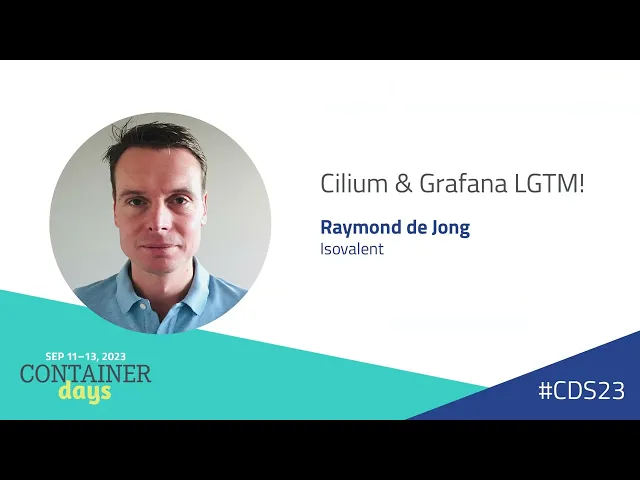
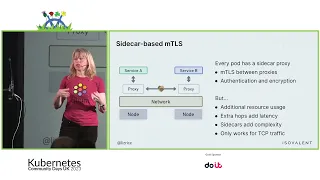
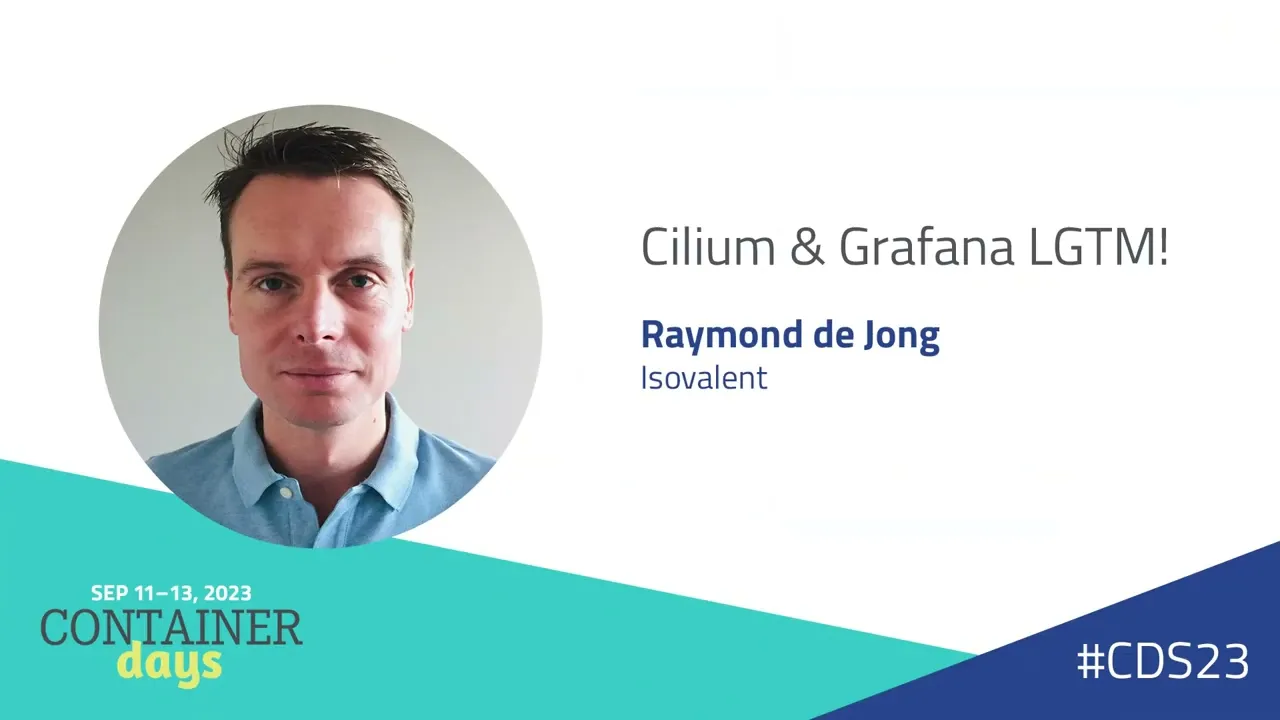
[Music] my name is ridong field CTO at ISO veillance uh happy to talk about how you can monitor celum and workloads running on celium and how ebpf helps to get the best performance of getting metric out of your clusters and your Cloud native applications I need to start with an introduction what celium and ebpf is before I can dive into the grafana specifics how many of you know about ebpf can I see some oh quite a lot already cool and and celium how many of you are using celium and grafana as well all right cool great I hope this will be very useful for you with interacting with celium and grafana so let's do first an introduction for the ones who don't know what ebpf is and how we use it to Monitor and to get metrics first of all isovet is the company who created celium and it's maintained as an open- source cncf project uh with with us in the community we're currently in a graduating phase hopefully we graduate soon as a cncf graduated project and we also maintain ebpf so we uh steer where the technology goes through what features it will have in the future and we do that with companies such as Netflix Facebooks and others um we also have an Enterprise solution for Enterprise customers looking for ha features and advanced compliancy and security requirements so to start with ebpf we like to say what JavaScript is to your browser ebpf is to the kernel what we mean by that is that it makes the kernel extensible in a dynamic and program programmable way without changing the kernel um this allows us to since everything goes to the kernel we can attach ebpf code to such events in the context of today how we use it is if you want to monitor your applications if you want to monitor the performance of your network we can attach ebpf programs to for example an event a kernel event when a network device sends a packet on The Wire we can get metrics out of that we can see the fruit poot the performance and the latency as such and ebpf is under the hoood running in celium for all kinds of use cases you don't have to be an evf expert to actually run celium celium abstracts this technology on the hood So based on the configuration you set so I will show an example in a demo as well um celium mounts the required Pro ebf code on your notes to do the things it must do and then it provides all the networking low balancing security and observability features powered by ebpf this is a 30,000 ft VI um at its score celum is a networking plugin we're also extending this across clusters and also working on a SoCal Transit gateway to even extend this technology across clouds without actually having to run kubernetes right so it will be a Gateway for workloads in the cloud it provides all the network policies all the metrics uh IPv6 bgp for on Prem and it supports all kinds of platforms so you can run on open shift on bare metal on VM based clusters rencher and obviously all the cloud providers as well on top of that we built a observability layer called Hubble and Hubble allows us to provide the metrics we're going to show today but also provides a UI and a CLI to monitor service to service Communication in your namespaces of your applications we also able to EXP export flows to seam platforms such as plunk and so forth we have also talked about surface mesh yesterday in another talk we can also do Ingress Gateway API support for getting traffic low balance through your services into your applications and also do layer 7 path based routing and such um today we'll focus on the observability part mostly um since that's where the integration actually happen with Hubble and grafana so let's start with some of the observability challenges one of this challenge is that obviously connectivity is layered imagine an application get reports from users that the application is slow then the application team wants to investigate why this is right and they have specific instrumentation perhaps why they can see what is lagging maybe a specific surface in an application is slow but then they think it's the network right network is always to blame so they go to the network team and they say it's slow I have latency what's happening but the network team has visibility in layer three layer four maybe obviously Layer Two so you have this finger pointing problem where exactly is this problem why is my application slow and how to solve this another problem especially in cloud and huge scale is the signal to noise problem so imagine you around multiple clusters on Prem maybe in Cloud you're dealing with a ton of information right workloads in kubernetes are ephemeral um you are not able to effectively track IP addresses they come they go when you scale out you see new addresses in some circumstances you may be seeing only node IPS and in Cloud you have different tools right you have a different dashboard maybe in AWS then you have on Prem for example with open shift so it's also the different platforms with all the signal to noise Pro problem with a lot of information which doesn't give you any context of the application itself so you can also monitor flow through TR traditional network devices most of the time that's a bot neck and you only see layer three layer four related information there's no context of the application so that's existing mechanisms which fall short cloud provider Network flow logs provide information about noes um about po IPS but not context of the actual application you may want to monitor your notes specifically you can get real deep statistics but again the nodes themselves don't have any context of your application you can instrument your application you can modify your application code to get metrics that works for certain parts at least at layer 7even for your application specifically that obviously has overhead you have to maintain that you have to uh instrument that effectively and you only see the app metric of the application and obviously side cars service meshes also promise this observability capabilities however side cars have the downside of at least the side car based service measures that you have another tool with operational overhead to maintain it cost memory uh you have proxies running into the network that's obviously more complex so I want to explain why celium is different and how celium solves this problem instead of looking at IPS we are working with identities and to explain this think of a front-end workload with a backend workload obviously your workloads and cuetes have meta data attached and each unique set of those labels are assigned a unique identity for it doesn't matter if you have one pot or 10 or hundreds if they share the same metad data they have the the same identity so imagine if you have 100 front ends talking to 10 back ends those 100 front ends will share the same identity and are allowed for example to connect to the backend based on a network policy which checks for this identity when it receives traffic and that's where celium works all across the metrics the observability but also the security coming back to Hubble we have a UI I will show that in a demo quickly as well it's a service to service communication overview so you will see on Nam Space level what communication is happening within the Nam space what traffic is going Ingress into your Nam space and ESS towards let's say external resources external in your data center or in the cloud CLI is really great for platform Engineers looking for advanced troubleshooting labeling uh filtering capabilities and search to see and to follow specific traffic flows and today we'll show it in a demo how the metrix piece allows you to extend grafana with the information selum provides to get rich metric in grafana and using dashboards to get the metrics you need and even when you instrument your application also to see um traces using exemplars and this is all powered for evf and Hubble interacts for this component with celum on your cluster this is a detailed view of the flow visibility for example where observing a specific label so a specific identity namely a class X-Wing and we can see all kinds of flows first of all we can see the DNS lookup we can see actual https request to a specific fqdn so we can see what it tries to connect to externally and we can also obviously see drops when flows are being dropped by Network policy this is a quick view of the surfice map I will show this in the demo as well so I won't spend too much time what I do want to highlight is that you can see we see layer seven information we can actually see what kind of methods what kind of protocols Sports and layer seven information such as HTTP get post return codes information in there as well so this allows you to make informed decisions if this is normal traffic you can on Gateway or sorry on API level you can secure your workloads using celium layer 7 Network policies as well so as I said the grafana lgtm is obviously referring to looks good to me but also obviously to the Loki grafana mimir Tempo stack grafana provides um is surveillant is working partnering with grafana as well to provide Rich dashboards um both open source and Enterprise to provide you all these metrics uh in a readable way and obviously using ebpf that's the best way to get those metrics with the lowest overhead in there so without instrumentation we can actually follow and see and monitor HTTP golden signals so we can see things such as request rates we can see the duration of requests we can see response codes and error codes in those requests so without instumentation of application by just monitoring layer 7even traffic we can export this metric for example into grafana but we can also detect transient network issues so we will monitor nodes we can see the performance of noes we can see the throughput but also ecmp information such as requests replies um missing sin act in the TCP layer and all the DNS related information so if there's something wrong with DNS and that's happens quite a lot we can see what's happening there as well if you additionally want to instrument your application to for example have tracing that's fine um the benefit here is that Hubble is capable to do detect those traces effectively and Export those traces with grafana and grafana will show these as exemplars right so you're not get overloaded with a lot of tracing information but they highlight specific examples of traffic which were slow or delayed or uh having such latency and you can click on such examplar and query this information with Tempo to see a specific trace and where time has been spent or what what went wrong and I will show that in a bit live this is such an example um you can see the whole Trace where the crawler in this example tries to read through the loader the resumes app um and you can see why that's slow also at scale monitoring day to operations um is important so what I want to point here to is that we have ready to use dashboards ready at the grafana marketplace so we provide agent metrics operator metrics Hubble metrics you can then download them for free at grafana we also introduced uh policy verdicts as well so this is an example of agent metrics this will show health of noes performance of the nodes the fruts of your notes The Hub metrics will again summarize all layer seven DNS uh responses and such and the operator metrics if you use an operator for example in Cloud the C operator keeps track of cluster-wide information such as identities um it really helps to monitor that as well so you can monitor let's see let's say IP address exhaustion or for example um identities being allocated in your cluster uh and which is important at skill and finally what we recently released is a network policy feric metrics um this allows you to see on a nam Space level how much of your network policies are matching actual flows so the goal is here that you have as much as green and purple flows instead of red or yellow what that means is if you have red flows obviously you have drops if you have yellow flows it will not matching it will be allowed all or not matching a specific Rule and if you have green and purple it means that you have matching flows for spefic spefic layer three and layer four traffic and in case of purple you can have matching flows on layer seven that means that you have a matching Network policy so you can really monitor the compliance of your network traffic in that given name space let's move to the demo I see I have plenty of time actually so that's pretty good um what I've done is we have a demo application let me quickly show that so we have a tenant jobs demo application in the tenant jobs namespace Let me refresh this is my Wi-Fi ready it's a bit slow while this is loading let me oh my God this wi-fi let me try again all right let me start with how do you get this metrix right so typically customers run celum through Helm Helm values files I'm running a cluster in for this demo in Google Cloud uh I want to highlight a few of these settings so what's important here on the Hubble the component for the monitoring and the metrics we need to enable metrics and specifically for this demo purposes I want to demo D I want to see flows of DNS I want to see drops TCP ecmp information but more specifically I want to focus on HTTP traffic so um I'm adding a lot of parameters but this gives me um all the layer seven information out of the box um this is also documented at the dashboard which you can download yourself so don't worry it's all out there and then you enable dashboards and you uh add obviously the service monitors to get that metric out [Music] there so this tenant jobs is running in a tenant Nam space can everyone read it in the back by the way can you read it in the back yeah all good so it consists of a multiple surfaces and what we're going to do is monitor the performance of this application so the communication and traffic duration between those services and let's assume that we are an application team and we make changes to this application and we want to monitor the performance of this application all right let's go back to Hubble which is not working okay it's not that important however the dashboard should work um so I'm going to browse let me quickly show the agent metrics live so again this is a small cluster nothing special happening here but we can monitor the health um of the nodes we can also see BPF memory usage all this lowlevel information API calls and such on the operator this has notot a lot of information given this is on gke and this operator doesn't expose a lot of metrics but we can monitor that but better is the Hubble metric this gives an overview of all related flows all the layer seven DNS related flows so if something is for example dropped you can see reasons as well you can filter on it on this and there should also be General HTTP information such as methods and frut but for this example we are going to focus on specific HTP metrics by workload and this dashboard is also under grafana Marketplace and we're now looking at the performance of this tenant job so for the purpose of the demo I'm going to zoom in for the last five minutes and refresh on 5 Seconds as you can see everything is healthy we have 100% incoming requests um let's see what happens when we up update this application given this application is managed through Helm I made a little script to make this demo a little bit easier and this basically step by step updates the application with different values so first of all we enabled a layer 7 Network policy this triggers the layer 7even metrix I'm quickly highlighting let me zo zoom in a little bit is we have an allow within namespace rule to allow communication within the namespace we also have an Ingress Rule and an egress rule so let me check this is the egress rule this allows communication for Port 80 to external resources and we have an Ingress rule for specific Services we want to expose so we can use this application so what we're going to do first is we are going to simulate more requests so we're going to deploy um oh the network is unreachable there is oh my Wi-Fi is killing me yeah okay that's not nice uh oh the speakers that's why Hubble is not responding come on Wi-Fi otherwise I'll get my phone okay now it should be able to actually let me check if this is [Music] reachable okay we've seen this okay we're going to update the application to generate more resumés for this job so we're monitoring the tenant namespace and you can see live we're getting more crawler components in this application so this will generate more requests and don't me don't look at the operator this is a little thing in this demo but it will actually work in in in grafana so let's check what's happening here so this takes a bit but we can already see the request duration is increasing so we have updated application there are more quer components they're hitting the application harder so the duration will actually increase as well but we should also see the request volume rise we can see the duration by source so we can see which component gets slower responses and we can also zoom into to the core API component and here you can already see we get more requests per second all right let's do a Next Step so we're going to deploy a new configuration of our app and we want to see let's assume this application team makes a mistake and there's something wrong right so this app has been updated so let's wait for that as you can see we are deploying a new core API version all right let's see what happens so we're still monitoring we're currently 100% all good obviously this takes a bit for the metrics to appear but what we should see is that the success rate will fall a bit slowly but surely ah there you go you we already see a few requests getting return Cod 500s we see the success Road rate is decreasing we're not 100% successful anymore and we can see Rich return code is actually being created all right so we see the result of this change more errors so that's definitely not good um we're also going to simulate the increase of request duration so for some reason maybe the network is slow or there's latency between notes um so let's check check how grafana picks this picks this up so in this example we're deploying a new core API component um this will respond slower to requests and this will be visible in grafana as well so as you can see we still have more requests per second we have lower request success rates we are getting more and more 500 return codes but we're looking at duration right so the duration should now increase yes again this takes a little bit of time and then again this is without actual instrumentation so out of the box using celium while we're waiting for this I'll do the next step as well so if your application is able to export tracing headers if you use open telemetry or you're using instrumentation Hubble can pick those up and Export these metrics effectively for grafana so we're going to do an um an update of this jobs app to support this traces so we're going to apply a new version let's see that happening in the meantime all right so you see a new crawler new core API new job posting all these services are now instrumented using open Tel and we'll see how this appears in Gra f ah now we can finally see that the duration has been increased what we expected in the previous step and now we have also we want to deeper troubleshoot the communication of this application and we should see exemplars coming in graan and exemplars are time stamps are traces in a specific time which has um which collects data for the specific response and why that is slow and they appear as this little green boxes and if you have cover over them you can actually see already a summary of information I want wait want want to wait a bit for an examplar in the higher duration because that's always a good ex example because for example if I click on this examplar I expect if I query this with Tempo everything is responding within reasonable times um I don't see error codes so this this is good but we're more interested in examplars ah there's one so this is one examplar with a high duration so I want to inspect this specific one let me zoom in so let's query this and here we can see most likely why and where time has been spent and why this took so long u we can see the method we can see the HTP route we can see response codes in this case it was actually a 200 but it took a long time okay this is a good request we still have this longer duration but if there's something wrong you can also see how much it has retried uh a specific request and what went wrong between which surface all right so let's make sure we fix this demo and bring it back to a healthy state so in summary um we without instrumentation you get already Super Rich information with celium with metrics enabled in grafana using Hubble layer 7 information and using this dashboards which are available on the grafo marketplace you can effectively monitor application performance both as a platform engineer but also as a application or devops team you can give access to those teams and they can monitor it themselves so this concludes the demo we're now going back into a normal State and I will show show um the graphs in a minute if you want to try this yourself um I would like highly recommend our Labs we have uh 21 plus amazing Labs at iso. com laabs including this one um so you can try and learn it yourself how to enable it how to uh get the right metrics it's based on instruct so you get a real environment in a VM with a kind cluster with celium so you can really uh check things out how things work you can Al watch um or join the cium community at cium slack um cum. slack.
com all this is documented as well atom. io if you want to know more specifically about ebpf go to ebpf doio actually tomorrow evening there will be an online ebpf Summit as well so if you want to join that you can still register and join that Summit there there are some amazing talks from people um such as companies as Facebook and Netflix how they use ebpf and silly um to get the performance they need so with that thank you for being here I'm happy to take any question questions big congratulations on the complex demo I know it's a feat so we did receive some quite interesting questions the first one is does the celium agent utilize ebpf exclusively to gather data or does it put together the information from different sources oh that's a very good question actually so ebpf for layer fre layer 4 information is being used in celium so the celium agent will be queried by the Hubble component for that information and that's all through ebpf the layer seven is actually the built-in proxy in theum agents which is an Envoy proxy we use for all the layer 7even capabilities so we get that information from the celium agent using the envoy metrix um but yeah yeah that's that's basically how it works the next one is are you collecting any data or is all the data remaining inside the cluster um celium is not maintaining that data right so it has a limited lifespan in that sense if you use Hubble CLI you're looking at live flows um you can filter on it you can see them live but you're not storing that yet right you can export those flows and in our Enterprise offering you can also have a component which does that automat Al for you um Hubble gives you a present view um gives you the um ability to see what's happening right now um but using grafana you can obviously store that maybe for a longer time depending on your grafana environment the next one are you happy to keep taking questions because they are coming in fast as gke uses celium can one use Hubble directly or is it necessary to replace gka celum with a custom um that's a bit of a interesting complex question or it's not complex it's also it's true data plane V2 OS is using celum out of the box or if under the hood I would say but they're not exposing all related celium features and that that's obviously for supporty region and on Google site um so no you cannot use Hubble on top of of Google clusters to get this metric um the demo I'm showing obviously is not data plane V2 it's basically placing um using the old data plane V1 component to run celium uh and then you can manage celium yourself and you get the metrics you need for running on Google cool do we need to be the cluster operator in order to use zbp so I need to be the cluster operator in order Well yeah if you if you're a platform engineer or the operator of maintainer of the cluster um yes I would say because you need to manage and configure celium cluster wide um so if you're not the cluster operator uh and you're not sure if you're if your platform is using celum make sure to talk to the cluster operators your platform Engineers or the team managing your clusters to ask if they want to try out celum and you as an application user def's team can actually benefit from this metric should my application be modified in any way for example to show the trace information if yes is there a guide for this ah okay so if you want to have these examplars yes you need to instrument your application so I think the best source would be open to lorat documentation how to do that um is just you know effectively getting these flows and using hobble we get this flows into grafana the most effective way we understand that we see Trace data so we help make sense of that and reports that to grafana but you have to instrument your application yourself yeah I really like this question is ebpf not breaking a front door into our security why is it safe well first of all ebpf is governed by the ebpf foundation so they govern the rules about what we're going to do and not being able to do uh with ebpf ebpf has also constraints limits think about for example memory size ebf can have in to run in the kernel that's also a reason why for example layer 7 low balancing is not yet done through ebpf but instead using our Envoy embedded proxy um because it doesn't fit the constraints of ebpf and those are for good reason you don't want to have tons of memory running in colal space as you run your operating system so that's one of the the things we can do but you can also use ebpf to monitor ebpf right we have a runtime security component and you can actually monitor and Safeguard ebpf execution or uh privilege escal escalate escapes or namespace escapes as well so you can really monitor itself if you want to can cium and Hubble also be used with Nomad instead of kubernetes yes it can be done um I saw I was pointed to uh a customer with Nomad and and that definitely works it's it's quite new but yes it it can be done cool and the last question does open Telemetry overlap with Prometheus or Temple when using celium and grafana stack or should we be using both um there is maybe some overlap um because what I tried to show here if if you use the layer seven metric you already get this duration you get a response code you get all this information about latency and such open Telemetry part obviously does the same right so but it gives this more uh specific Trace IDs and examplars to see in a specific request what happens um so if that's additional information you need then definitely use open Telemetry but what I'm trying to say here is that obviously you already get a ton of information by actually not instrumenting your applications and that obviously has benefits of reducing overhead management operational complexity and such how much extra resources do the net do the metric need um that's a multi-dimensional answer because this will depend on which metrics you enable how much traffic you are pushing how much filters you are applying uh obviously the more you want to see it will cost some overhead right nothing is free unfortunately um using EV BPF we do it the most effective way but getting more metrics getting more flows will have some overheads right so it really depends on the amount of workloads and amount of traffic and the final final question can one use celium in an aw eks cluster is there documentation for that uh yes and yes yes absolutely you can run celium in multiple clouds including AWS EPS you can run it in different ways as well you can have there are multiple configuration guides on the cum.