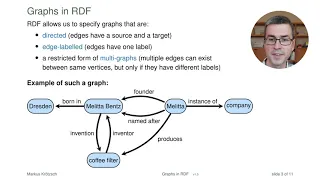
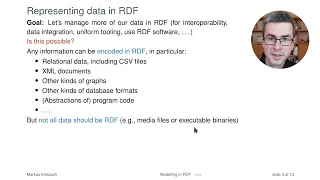
hello and welcome to the star dog academy training on getting started with rdf and sparkle i'm brendan newlin one of the solutions architects at stardog to let you know a bit more about me i earned my phd in the academic study of religions and cultures then conducted research in leadership development philanthropy and the non-profit sector in the course of managing research data for these complex topics i developed proficiency with the r language for programming and data science and became a graph database developer and knowledge graph enthusiast today i'm going to introduce the basics of rdf graphs and the sparkle query language in this training session you will learn the fundamentals of rdf graphs core ideas of sparkle queries common types of queries how to use sparkle to create or update rdf data and how to work with named graphs let's get started this section is about rdf or resource description framework which is a way to describe how things are related resource description framework provides a standardized universal model for representing data and its meaning it can support hybrid varied and changing data models with ease it's easy to represent any change in data or schema and it's interoperable and composable this image represents an rdf graph and it shows that the song with the name love me do has two writers paul mccartney and john lennon let's talk about some of the key terms say for example that the class or category of artist includes both solo artists and bands and a member of a band is also a solo artist the rdf way to describe these relationships is based on how we would express it in speech there's a subject a predicate and an object for example the beatles has a member paul mccartney by a class we mean a type of a thing like a band or an artist a class is made up of a set of individuals like beatles or john lennon and these can also be called instances or objects a class or individual can be the subject or the object in a three-part rdf structure called an rdf triple the diagram here shows how a collection of triples come together to form an rdf graph the middle part of an rdf triple is the predicate which is used in two ways when it describes a relationship between two objects classes or individuals in our model then it's called an object property if the predicate provides data like a number a date a string and so on about an object then it's called a data property describing an attribute taken together these elements make up a graph in a graph points representing objects or data are called nodes while the predicates that connect them either object properties or data properties are called edges the diagram here is an example of an rdf graph it's a small snippet from a larger music data set in this graph we have a node representing the band the beatles nodes representing its members one of their studio albums and a song from that album the nodes have identifiers showing which entity they represent and each edge has an identifier that tells us what kind of relationship holds between those nodes for example the member edge links bands to its members edges are directional so member edges go from bands to the members there's a special built-in edge identifier called rdf type that links entities to special nodes that represent classes the beatles node has the rdf type of band john lennon has the rdf type of solo artist and so on in this graph we also have nodes depicted in lighter shade of green representing data type values such as strings numbers and dates for example we can see that the length of the song love me do is 125 seconds and the release date of the album please please me is march 22nd 1963. let's review there are two kinds of objects classes and individuals or instances classes are sets collections types of objects kinds of things individuals or instances are what a class groups together properties come in two types an object property is a relationship between two things data type properties are attributes of one thing in graph representation diagrams classes and individuals are called nodes while properties are called edges in rdf triples classes and individuals are the subjects or objects while properties correspond to predicates a set of rdf triples is called an rdf graph here are a few more key concepts an iri or irie is a node or an edge with a unique identifier iri stands for internationalized resource identifier they usually resemble urls and they serve the purpose of being a way to unambiguously refer to something so that the iri for john lennon who's a member of the beatles would not be the same as the iri for your colleague who also happens to be named john lennon iris can also be used to identify predicates a literal is a node representing a value like a number or a date and nodes without identifiers are called blank nodes and we'll discuss them more later normally graph resources are identified by their labels which are usually easy to read and intuitive however behind the scenes an iri functions as an internal id that your graph uses to uniquely identify a resource iris are an important part of rdf and essential to addressing the challenge of unifying data iris are a generalization of urls the links to web pages or online files that we use every day the original use case for rdf stemmed from identifying resources on the web and most iris are actual urls however that's not a requirement there are established standards for how a valid iri can be formed one rule for example is that you cannot have a space in an iri as long as your iri conforms to this and similar rules you can use iris that are not urls the only thing that matters for an iri is that it has to be globally unique web domain owners are understood to have the authority for naming urls or iris within their own domains for example as the owners of stardog. com we have the authority to coin the iris in that domain even if you don't own a web domain you can come up with different kinds of namespaces that are not urls to ensure uniqueness all of the examples on this page can function as iris since iris are long and not human friendly when we write them in rdf and sparkle we shorten them by using a prefix here we're declaring the prefix rdf for this long rdf namespace the prefixed name rdf colon type represents the iri that is the concatenation of that namespace with the local name type in rdf and sparkle literals are written in quotes followed by the data type iri like other iris data type iris can be written as prefixed names the xsd prefix you see here denotes the namespace for the xml schema data types where many commonly used data types are defined the data type iri can be omitted for strings so the two string literals you see here are equivalent for some data types like integers decimals doubles and booleans you can likewise omit the quotes rdf serialization means writing out the data of an rdf graph as lines of text triples are serialized by simply writing the subject predicate and the object followed by a period to shorten how you write iris by using prefixes you have to declare those prefixes first when using stardog prefixes can be stored in the database metadata so you don't have to type the declarations in your queries or data files it's worth noting that an empty string can be defined as a prefix that blank prefix is called the default namespace in the example shown here i've set stardog.
com tutorial as the default namespace which means that any iri i write starting with a colon is understood as belonging to that default namespace turtle is a syntax and format for expressing rdf data as simple text here's an example of a turtle file but i'm going to show you a few ways to simplify this first of all the shorthand way to enter an integer like this line about the length of the song love me do is to simply write the number without quotes and without explicitly declaring its data type like this next when we say that love me do has the rdf type song we're really saying that let me do is a song and we can write it that way in turtle notice how each line here is a statement about the same subject let me do rather than write that out each time we can use a semicolon to indicate that we're making a series of statements about the same subjects like this when you've finished making statements about that subject you end with a period of course you can still add additional statements about the same subject later in the file by writing a triple that starts with the same subject we still have some redundancy here because the same predicate is used to identify two writers this can be simplified by ending the first of the two lines with a comma instead of a semicolon and omitting the predicate from the second statement like this it isn't necessary to preserve the kinds of indentations and spacing we've shown in these examples either the syntax and its punctuation are what's essential so your turtle files might look more like this it's still helpful to use some line breaks and generous spacing to make the document easier to look over even though we don't often recommend using blank nodes it's helpful to understand what they are blank nodes are used to describe a pattern of relationships that leave some part of that pattern undefined this example says that the album please please me includes a track we won't assign a name to the track but it's the first track on side two of the album and if you play that track you'll hear the song love me do blank nodes often called b nodes are written out as an underscore followed by a colon and some unique designation like s2 and 1 shorthand for side two number one it's important for each different blank node to have a unique name in your turtle document so that each holds its own place in the relationship patterns connecting other nodes this concludes the section about rdf this section is about sparkle which is the protocol and query language used for rdf graphs the basic building block for a sparkle query is the triple pattern a triple pattern is like an rdf triple statement except you can use a variable in the three positions in other words the variable acts as a wild card matching anything that could appear in its place as the subject the predicate or the object sometimes the variables s p and o with a question mark before them are used as placeholders to mean any subject any predicate and any object however a good practice is to choose variables that will make it easy to understand what you were looking for we could read the first example above is asking what's the band that's a band the result would match everything defined as a band in your data set the second example implies a query requesting a record of each album where the artist is identified along with the identity of the artist bearing in mind that an album with two artists would produce two results however we could be relying upon a mistaken assumption here if the data set also describes the artist of songs or dance performances there's nothing in this line alone that would restrict the results to only albums our results would describe anything that has an artist identified along with the artist the main query form in sparkle is a select query select queries by design look like sql queries like in sql queries we first define the variables we want to be in the results then the query body contains triple patterns to match the result of a select query is a table where each selected variable shows up as a column and each pattern match shows up as a row this query at the top asks for a single column listing every instance of the type album in other words a list of all albums in your data set the example below shows how to use select star to return one column for each variable defined in your query in this case the result would be the same the sparkle parallel to a join in sql is a series of statements that restrict the possible matches for variables that are defined in relation to each other in the top example we correct the mistaken assumption we made earlier by specifying that the variable album must refer to an album and we want a table of results with rows for each album and every artist identified for it an optional join is used to create a space in your table of results for information you'd like to have while you don't want to lose results just because that information is lacking in this example we're asking for a table of all songs in the data set and if available in our data the length of the song by means of the optional left join if we didn't make the triple defining the variable for the length of a song optional we would only get results when songs have a length defined in our data any song that doesn't have a length defined in our data would fail to match the pattern so it would have been omitted from our results sub queries are another method to restrict the final results of a query a sub query is constructed like any other query and the results it produces become a new and probably more restricted data set the outer query is limited to results it can find by searching for matches within the restricted data set provided to it as the subquery's results while sub queries restrict your pool of possible results a union expands the pool of possibilities in this example the triple above the union statement defines a pattern where the variable artist can only refer to solo artists below the union a similar triple pattern says that the artist variable can refer only to a band taken altogether the union of these will produce a table of results with a single column offering the name of every solo artist or band in the data set the filter operator allows you to limit results to ones matching a defined pattern it can be combined with operators like exists or not exists which require or forbid a given pattern in the results in this example we're asking for a list of all songs in our data set then qualifying that request by adding that we don't want the results to include any songs that have a length defined to get a table of your results sorted by some variable use the order by syntax as shown in this example that asks for a table of albums artists and album dates sorted by date by default results are sorted in ascending order so earlier dates will appear first like in sql you can also sort results in descending order with a minor change if you don't need all of the possible results you can specify an upper limit for how many rows your table of results can include if the first set of two results weren't the ones you were hoping for the offset operator allows your query to skip those first two results to return what follows after them results can also be filtered in this example we've asked for a table of albums artists and the album date like before but this time we're restricting the query to only show results where the year in the date is 1970 or more recent binding variables is a way of creating a variable for information that's produced through the query itself in this case the query extracts the year from the dates in our results and binds the year on its own as a new variable called year the resulting table will have a column for specific dates which includes the year and another column for the year of each album the table in our last result probably showed a lot of rows and albums would likely share a release year with lots of other albums if we use a query to select only the year we'd have a lot of duplicate values one row for each album and artist using distinct as in this example gives us a list of years when albums were released but without any duplicate year values aggregations allow us to ask questions about the possible results matching the patterns defined within the query in this example the query finds all the dates but returns only the smallest and largest values in other words the earliest and most recent album release dates in our data set grouping changes how results are displayed as well as what we can display about them our query describes a search for albums and their respective release dates and the year of each date that would produce a lot of rows we use group by to gather together all of the albums for each year and then show a count of how many albums were grouped into each year our table of results will show each year one or more albums were released and how many albums were released in that year in rdf graphs property relationships point in only one direction in triples the default is for the direction of relationships to point from the subject toward the object however we can query in the reverse direction by adding a carrot symbol before the property the part in this example that says paul mccartney carrot writer indicates that the writer relationship is pointing from something else towards paul mccartney who is the subject in the statement now look at what follows a slash and another writer relationship but this time pointing in the other direction the pattern this describes is from the subject paul mccartney who is the writer of something we can assume as a song then along any relationship from that song towards a writer who we're referencing as the variable co-writer we already know that at least one writer relationship leads from the song to paul mccartney because that's how we got here so we filter him out of our results running this query in our star dog tutorial music dataset our final table reveals nine people identified as a writer of a song that paul mccartney was also a writer of in other words who are his co-writers now that we know how to describe the co-writer relationship as a writer of something that paul mccartney was also a writer of we can adjust the query to follow co-writer relationships recursively this example asks for paul mccartney's co-writers and those people's co-writers and so on through any person encountered by that search who has other co-writers this concludes the section about sparkle this section is about sparkle query types an ask query is similar to a select query but instead of returning the results that match the set of patterns defined in the query it provides a boolean true or false answer about whether there were any results found noting here that while this graph form will describe an individual or set of individuals in the graph how they are described as not part of sparkle a construct query is used to return the information requested in the form of a subgraph which is a subset of a larger rdf graph this concludes the section about sparkle query types this section is about using sparkle to create or update data in rdf graphs to add or remove data from an rdf graph we use the insert data or delete data operators insert data and delete data are used to add or remove data from an rdf graph multiple update queries can be delimited by semicolons in a single larger update and the entire sequence of updates will be a single atomic transaction this insert query is looking for any instance in the graph where there's a band that has a member then it's applying to that member a new label in this example an insert query is used to apply the class band member to any individual who matches the pattern of being a member of a band the rdf graph we've been working with defines the length of songs as a number but it doesn't explicitly represent that number as meaning a duration measured in one second intervals in this example we combine an insert query and a delete query together to update the data for song lengths to a standard format for representing a duration measured in seconds other queries used for graph management include load which loads triples into a graph clear which removes them add which adds triples from one graph to another copy which is like add but first clears the target graph and move which is like copy except that it clears the source graph afterwards this concludes the section about using sparkle to create or update data in rdf graphs this section is about named graphs an rdf data set is a collection of rdf graphs there's exactly one default graph and it doesn't have a name and it may be empty or contain rdf triples then there are zero or more named graphs a named graph is an rdf graph identified by an iri graph names are unique within an rdf data set unless your implementation or query specifies otherwise the data available to a query which is called the active graph will be the default graph the default graph is also called the unnamed graph because it contains any triples that are loaded without being attributed to a particular named graph in other words it contains triples not quads rdf data for the default graph as well as zero or more named graphs can be serialized in a single document use graph to specify a named graph followed by its triples a query can use from to override the default graph and temporarily treat the merge of one or more graphs as though they are the default graph from named determines which graphs can be available as named graphs in the query graph directs a query either to a particular named graph or if it's followed by a variable then to any of the available named graphs in this example pattern a results come from the merge of g1 and g4 which temporarily act as the default graph pattern b results can only come from the named graph g3 pattern c results may come from any of the named graphs available to this query g1 g2 or g3 the graph variable will specify the sources of any results this diagram shows which parts of a graph data set will be available to each part of the query the parts of the query not enclosed within a graph clause will return values from the default graph as well as from any named graphs the graph clause limits results either to a specific named graph if when specified or if followed by a variable then to results that can be found within any of the available named graphs this is an example of how to use a named graph query to return a merge of data from two named graphs artist and album from is used to override the default graph temporarily for the current query and to treat something else in this case the album named graph as the default graph this concludes the section about named graphs in this training session you learned the fundamentals of rdf graphs core ideas of sparkle queries common types of queries how to use sparkle to create or update rdf data and how to work with named graphs thanks for following along if you have any questions please review our frequently asked questions page or head to docs. stardog.