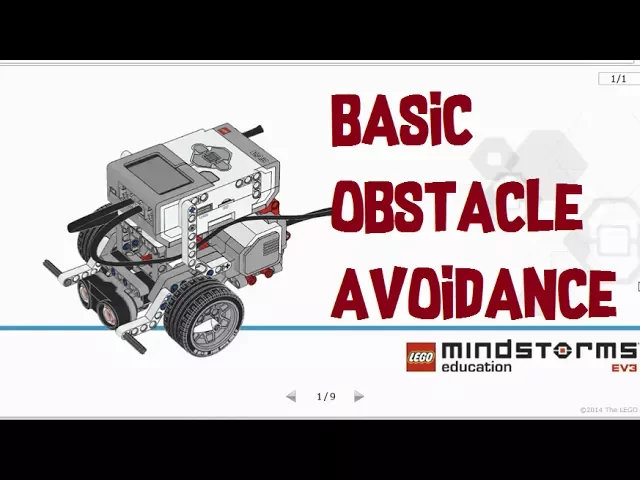
hey what's up guys alright so we are gonna do something pretty basic today I'm going to teach you how to build a robot I mean how to program a robot focus which focuses on doing obstacle avoidance alright so you want your robot to be able to avoid obstacles and that includes walls or any bigger objects so we're going to use the robot educator right here as our guide so you can use the building instructions on getting the robot educator driving these yeah all right you can click open right here hopefully you guys have the mind
some education software I don't think this is available in the home edition of the software so yeah I just built the robot educator model and then you can program it accordingly I will that you on how to program correctly so we have two parts left for Part B and right for C all right so let's close that for now you will need the ultrasonic sensor module as well so be sure to view this and attach it to your robot so there's only about nine slides or nine steps and make sure your ultrasonic sensor is connected
to what for all right so we are using that but for let's standardize it alright so let's get started so we are doing obstacle avoidance one so I'm going to teach you guys two different methods and you will need to use switch and loop if you haven't already check out my previous video on how to use them currently and how to what are they for and the basic functions of loops and switches so you can check out my video on the top right corner of the screen or you can check it out in the description
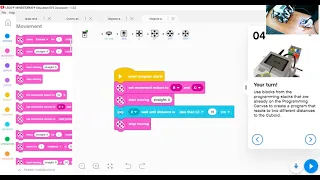
below I'll be sure to include it at the end of the video as well alright so let's close the content editor for now so generally to detect an obstacle in front of you you will want to use an ultrasonic sensor but assuming that your robot is moving forward so let's go for on B and C so generally your robot would need to move forward for on until it will wait for the next parameter which is the ultrasonic sensor which can be found here with ultrasonic sensor comm the distance you can use centimeters of or inches
I'm just going to use centimeters to set an easier example so what for let's put around 15 centimeters so generally there is no much difference between less than or less than or equal to but we are going to use less than or equal to because we want to detect 15 as well all right so if you detect if you put less than it will only detect 14 centimeters and below got that all right so if we do something like this B and C we put four B and C all right so as always make sure
the pots are correct if it's wrong then there's no point in you know your problem at all you will not work correctly so right now if you want to download this program what you were doing is your robot will move forward until the arsenic sensor detects something within fifteen centimeters or below and then it will stop so you can download this program and try it out yourself and see the others if the ultrasonic sensor actually works then I can't speak ultrasonic all right so this is a pretty basic obstacle avoiding program but to make it
to make your robot more sophisticated you gotta add something more than this right so what do we do instead of asking your robot to stop we want your robot to turn in the other direction and in that case we will ask you to turn right you can decide either left or right up to you I'm going to set around forty five and one second so this might or might not turn around forty five around ninety degrees depending on the weight of your robot so if you think that it's not earning enough you can increase either
increase the steering here or you can increase the amount of time you know to turn all you can increase the power whichever fits you so yeah find the exact amount of steering that you want and then we're going to ask it to oh no before it turns it is to do something else it is to reverse alright so we're going to ask our robot to reverse for one second so set it to minus 50 all right so right now your robot will detect you will move until it detects 15 centimeters all below and then you
will reversal once again and you will turn right hopefully at a 90-degree angle all right so this is a much more is a better program it will allow your robot to you know move in the other direction once it actually detects an obstacle instead of it just stopping right there so is this program complete how do we make it even better so we can always add loop to the program to allow robot to be able to perform these tasks consistently so grab everything and put inside so with that look after it turns right you will
move forward again until you take something and you will reverse and turn right and you keep doing that so you will never hit anything in the condition that the utterson sensor actually senses something in front all right so yeah that's how you do a basic a simple and basic obstacle avoidance program so how do we use a switch instead so I'm going to teach you guys a similar program but we are using switch this time around alright so we use the switch to select the switch up here detects for check for aquaponics answer compare distance
centimeters so the same thing we are doing 15 make sure that you guys actually watch my video on switches I'm sure that video will help you out a lot in understanding the benefits of using switches and such alright so we will have to condition either our robot moves forward I'm just copy and pasting because I'm lazy all the robot reverse and turn right so these are the two conditions that the robot needs to meet so there's a true and false so if the robot detects less than 15 centimeter less or equal to 15 centimeter true
it would reverse and turn right if it doesn't it should just move forever all right so now this program has a similar function to this you can use either one but there's something wrong with this program can you guys tell me what it is I'll give you five seconds if you can figure it out then you know you are a pretty advanced student so you will need to add a loop if you haven't figured it already to the switch to be able to for this program to work correctly so that the robot constantly senses the
environment for anything less than or equals to 15 centimeters all right so this is how you should do it always put the switch in a loop so that the robot can actually sense the environment in real time all right I'm always checking for something within the ultrasonic answers distance alright guys hope you enjoyed the video so this is how you shoot how you can program your robot to detect an obstacle it's a simple and basic program you can try it out and have fun with the robot if constructed make sure that your economic answer is
mounted somewhere in the middle of the robot it will help it to detect object easily or easier compared to mounting the other sensor on the left on the right side of the robot alright so I'll see you guys in the next video so yeah let me know what you guys think feel free to leave any questions or physicians in the comment section below have a nice day goodbye