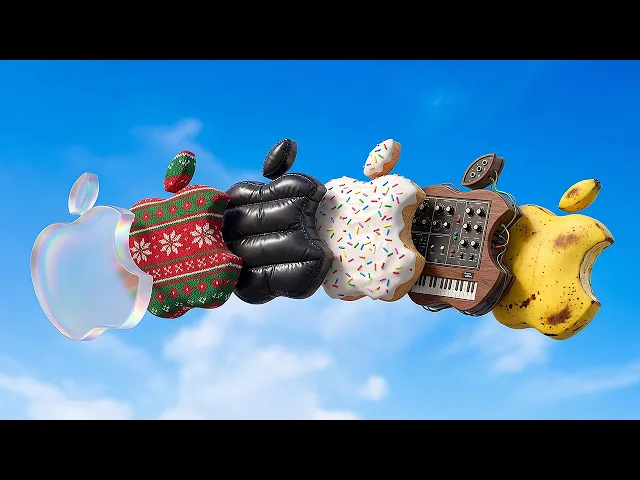
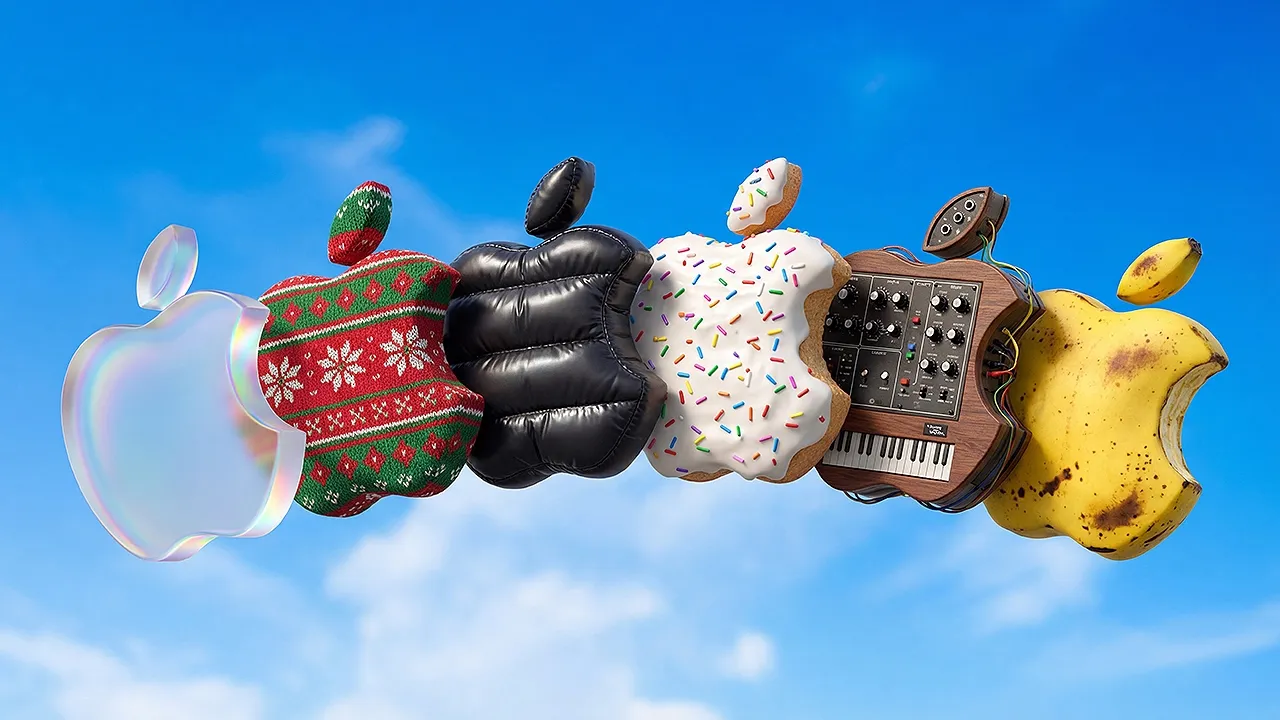
Super quick backstory. Last year I made a pretty popular video about turning logos into 3D illustrations quickly using AI, using MidJourney. Um, that video has done pretty well, but lately more and more there's always this comment that pops up, which is this doesn't work anymore.
And I think there's two reasons for that. I think the main reason is that shortly after that video was released, MidJourney released a new model which doesn't work as well with the um like the reference stuff that I was using in that video. But it's been a year which is about like 5 years in AI land and I feel like there's just better ways to do it overall.
So that's what this video is. So let's get into it. Um, we're using Nano Banana Pro, obviously.
Uh, or not obviously, but it's uh it's an image model from Google. It's not really just an image model, but it's mostly an image model. And I'm using it in Crea right now.
Um, crea. ai. And inside Crea, you can choose from a bunch of these, but um, we're working in Nano Banana Pro.
And all we're going to do is actually I'm going to go in here and there you go. Paste in an image of a logo because the previous video we did the framer logo and I still work at Framer. We're doing it again.
So I've pasted in just a screenshot of the logo from the Framer website. Um and um there's two ways to approach this. In the last video, we had again we had a 3D render that I made in Cinema 4D of the logo and then we used that as our reference image or shape to then have MidJourney be like, "Okay, I'll transform this into something else.
" Nano Banana Pro is totally capable of doing that 3D part and also just like adding textures to it. So, we're going to do it two ways and I'll show you the differences between them. First, we're just going to ask it to turn it 3D and add the texture to it.
And then we're going to also do a version where we turn it 3D and then use that as a reference image and add textures to it. And you'll be able to see like what are the benefits of both. So, um I'm going to use Whisper Flow here to talk to my computer because it's way easier when you're making videos like this.
Create a low left angle of this logo as an extruded 3D logo with soft even lighting, solid black background behind it taken at a long focal length giving it an overall heroic feel. After that, change the texture of the logo to be made completely out of ice. Oh, and then also we'll give it a little bit of style.
Stunning advertising photography style. Okay. So, Nano Banana Pro is interesting because you don't see it here in Korea, but if you were to be using it like over in Gemini, you would actually be able to see that it does it does thinking on the prompts.
It's not necessarily like just executing on what you say. And so, this is actually a great example of like this not working. So, I'm going to leave this in the video.
Obviously, this is not ideal. So, in a scenario like this, when you bump up against like, oh, it's it's not really giving me what I want. Nano Banana Pro does do well if you tell it like not to do things.
So, you could say, do not add any other structural elements to the logo. It's just the logo made of ice. So, we can do something like this, and we'll see how it turns out.
But I think the most the best the the way to get the most consistency out of this, which does matter a lot when you're dealing with logos cuz you want your logo to be faithful to what the actual logo is. Um, is to do this a different way because it's still kind of not it's it's not kind of it is not doing what we want. So, we're going to say like forget all this.
Um, actually, we don't have to forget all of this. We just take the first part of this prompt and we remove all the stuff about making it out of ice and we ask it for that. So those are both terrible too.
How about this? Create a simple 3D version of this logo slightly extruded floating against a solid black background taken from a low left angle giving it a heroic feel. Taken with a long focal length.
Okay, much better. Um, so let's take this one because there's like better there's there's good definition stuff for the model to grab onto. So I'll just copy this image.
We will paste it in and then we'll get rid of this now. Okay, going back. Let's review.
Right, this is what we were getting for the ice stuff. Now we can just say show this logo made out of ice floating against a solid black background. stunning advertising photography with dramatic lighting.
Okay, much better. Like one shot, it looks like the image that we provided. Didn't add extra stuff and uh it's looking super nice.
So, that's pretty much the gist of this approach. But I hear I hear you. I hear you saying, "But Andy, I don't have an account.
I don't have a paid account for Korea. " First off, they do have some free plans. Um, I'm not sure exactly what they give.
This isn't sponsored by Korea. It's just the tool that I decided to use for this. Um, but you can go to gemini.
google. com and you can do the same thing. So, we can just paste in the 3D version.
So, you saw loading Nano Banana Pro. But actually what you can do is you can you can have it show you the thinking it's doing. Which is why at the beginning of the video I said this is an image model but it's not really an image model.
It's it's a LLM and an image model kind of like in both. And it's not just going to take just your prompt and just spit that out. It's going to think through it and do its best to create what you're asking.
So that's pretty that's different than what we saw. The only downside, of course, if you're using the free Gemini version is that you have this little Gemini thing that you're going to have to either Photoshop out, sorry Google, but I I have heard people say it. I haven't had too much experience with this myself, but that once you start interacting with Nano Banana Pro less as like an image model only where you just say like, "Give me this 8K detail, stunning photograph, blah.
" Like, I I still do it, but it does all this stuff. So you can actually maybe give it more of a problem and help it be a collaborator with you as opposed to just having to tell it exactly what you want because it thinks through all this stuff. So you could perhaps be less in a way you could be less detailed or you could just be more specific around maybe the style, vibe, emotion, etc.
that you want to invoke and let it kind of help you along the way. Um, it's a pretty impressive model that I'm continuing to enjoy using. I don't know how to end this video, so we're gonna end it there.
Like and subscribe if you found this helpful.