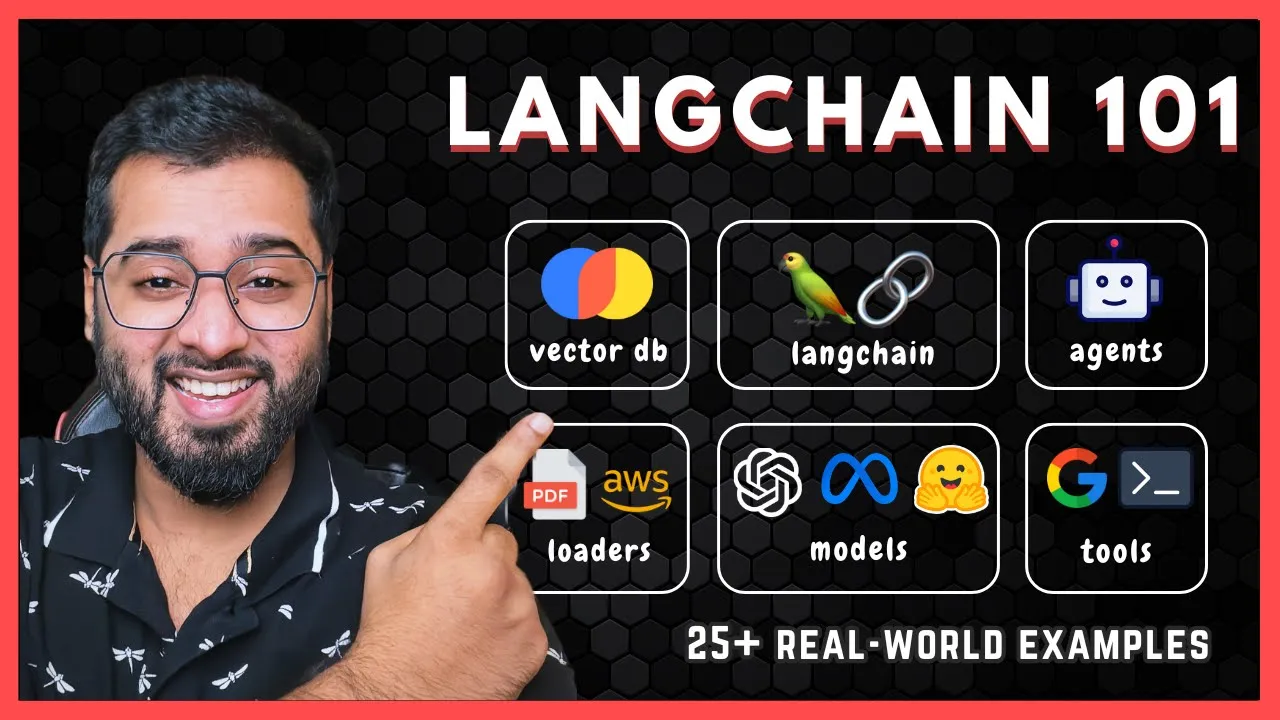
Hey guys welcome to this longchain crash course for beginners if you're curious about building AI applications then you are in the right place whether you're a developer entrepreneur or just somebody interested in AI this course is for you and by the end of the scratch course we're going to solve real business Problems by building our own rack chatbots creating our own agents and tools automate tasks using lra and a lot Lot more if you haven't heard of these terminologies don't worry we're going to be starting from the very basics of L chain write from what
is L chain why is it used and build a way up step by step you can find different sections of the course below the video here and if you ever get stuck all the code that we'll be writing is available in the GitHub repository the link is in the description below if you're new to my channel I'm Harish Neil I've worked in Software development and AI roles at companies like freshworks Zoho Samsung I also have a degree in machine learning and artificial intelligence from bits fani as well and more importantly I love this stuff and
I'm excited to share it with you if you want to connect with me or clear up any doubts or get stuck anywhere I've got a free community where you can find like-minded driven AI developers Founders Freelancers even free webinars on latest AI developments It's really a place where you can Network learn and maybe even Kickstart your next big opportunity the link is in the description below so with that said let's get started uh so here is what we'll be covering in this course first we will talk about what is slang chain why we use it
what problem does it actually solve and then we will set up our python environment so that we can actually start using Lang chain and start Interacting with these apis right so once we have that setup we are then going to start diving deep into the core components of Lang chain first off we're going to start working with chat models meaning uh we'll basically just interact with open AI chat models CL chat models all of that in the first section the second core component of flank chain is going to be prompt templates basically make our prompts
to the AI as templates and add placeholders in it so that it Can take Dynamic values all right the next component it gets really interesting from this point onwards the third component of L chain is going to be chains okay so chains and L chain are like an assembly line each step handles a specific task and passes it to the next next here's a real world example okay so imagine chains like making a coffee right first you have to grind it then Brew it then steam it and then serf it right so that's exactly what
we're Doing here as well so if there is a complex workflow we'll be dividing it into smaller tasks and once the first task is done the result of that is passed to the second task so that is why it's even called Lang chain and even the logo of L chain has a picture of chains because it links various processes like models chat models prompts databases calls into a unified workflow and we have plenty of real world examples for that as well in this course and then we Have Rags this is a pretty huge section in
this course and it's one of those important technologies that are helping businesses to increase productivity so if you've ever heard of custom chatbots trained on a company's private data the data could be in the form of PDFs or it could be from the database or and users can sort of chat with the data then this is what's going on Rags or retrieval augmented generation and finally we are going to wrap up this course with Another critical component of L chain which is called agents and tools basically think of AI agents like a human agent who
can see a problem and use various tools to solve that particular problem it can sort of interact with apis send emails automatically scrape data from a website run a python script or even query a database I'll give you an example imagine an AI agent gets a task to book a meeting just like a human it can check Your calendar it can send an email invite it can update the CRM as well all automatically right so that is the power of longchain Agents they can use the right tool for each and every single step here is
a quick tip if you want to get a complete overview first try watching the whole course at 2x speed then you can go back and focus on the parts that you actually need most that's how I learn it because it lets me see the big picture first and see how Everything sort of fits together in the next section let's talk about what is Lang chain why we even need it I'm pretty excited and I'll see you there all right so to understand what Lang chain is let's start with a very simple problem so imagine you
want to plan a vacation and you want to seek the help of CH so I'm going to say something like I want to plan a trip to Paris the Saturday can you book my flight also book a hotel the same day and suggest Some good restaurants okay so let's actually see what happens behind the scenes I'm not pressing enter just yet so when I press enter this query is sent to an llm model so this chity application might use a lot of models it might use CHD 3.5 Char 40 40 mini a lot of other
models right so these are the large language models that you see on the right side the chib application itself is just an interface for the user like you and me right so when I press Enter let's see what happens right so you can see that it says I cannot make bookings directly but I can help you with planning right so this is one of the biggest limitations of large language models they are smart and can talk about travel but they cannot actually interact with the real world right so on its own the llms are just
the brains right they can be trained on certain data and it will reason with it right but it cannot do Anything outside of it let's say you want to build an application that needs to have the brains basically the reasoning ability of an llm but at the same time it also should have the ability to communicate with the real world right communicate with real world apis databases right send emails if you want to do that we need to have some sort of a framework right in the middle right and that is where Lang chain comes
into the picture Okay so Lang chain acts As a bridge between the llms and the real world so to put it simply Lan chain is by far the most popular framework that helps build applications using llms right so in the future if you want to switch out GPT 40 with let's say a free hugging face llm if you're shot on cash let's say you can easily do so without even touching the code that you wrote with L chain right so with L chain the AI that we working with can do so much more in real
world I'll give you a few Examples so it can access a lot of apis for example it can access flight and restaurant booking API from let's say booking.com or open.com it can access private company databases to answer customer queries it can send emails it can browse Google Wikipedia it can scrape websites and a lot lot more right so Lang chain doesn't just make the AI smarter it gives it the ability to act in the real world this is just a very small example so as we go through the Course we will explore a lot more
use cases so I hope you're excited let's get started all right so let us talk about the prerequisits first to be able to follow along with this course you will need python version 3.8 or higher installed and the second thing is make sure that you have a code editor installed as well I will be using vs code in this course and last but not least you will also have to create an open AI account Because we will be using open AI apis in this course if you don't have python installed I have attached Python 3
installation tutorial links in the description for both windows as well as Mac so once you're done installing you can come back to this video and for vs code you can go to this particular link right here and then you can download visual studio code for whichever operating system that you working with the installation is also pretty Straightforward for this and finally let's go ahead and create an open AI account if you don't have it already the reason why we need that is because we need the API key in order to be able to hit that
API Endo to access open llms right so to do that let's go to platform. open.com okay so I'm going to log in because I already have an account uh if you don't you can just go ahead and sign up right here so once you're in you can Click on this dashboard tab right here on your left side you can see a tab for API keys so we can click on it so if you've never created a key before you might see an empty list right here so let's actually go ahead and create a new one
by clicking on this button I'm going to name it Lang chain tutorial I'm going to leave the permissions as all and let's go ahead and create it all right so we have it right here also please make sure to save It somewhere in your computer because if you lose it you will have to create another one again okay and that's it so far we have installed Python 3 we've installed Visual Studio code as well as we've created an openi account and created an API key as well so in the next section let us actually go
ahead and set up our development environment using python so that we can actually start working with L chain so I'll see you there All right so in this section let's actually set up our development environment so I'm going to create a folder called Lang chain and I'm going to open this folder in my visual studio code so to do that you can simply open Visual Studio code and drag and drop this folder inside of it and you can see that it's been opened right here right so now let us open up the terminal and we
have to create something called a virtual environment So whenever we are installing packages we don't want it to be available globally we only want it to be available inside of that one virtual environment also it is a pretty standard process whenever we are working with python projects so I'm going to say Python 3 I'm working with Mac by the way so I have to say Python 3 right here but if you're a Windows user you can just say python all right and then we have to say Dash M and this is to tell python to
run A specific module so- M and then let's say V NB so this is the module that we want python to run and finally we need to give the name for the virtual environment that we'll be creating as well so I'm going to name the folder that will be getting created as do venv so we put this dot here so that the file that will be created will be hidden but you can also choose not to hide it as well so in that case we can just not put the dot there so let's press enter
And now you can see that we have the virtual environment created so the first step of creating a virtual environment is done the next step is to make the terminal point to that virtual environment right now you can see that it is pointed to base which is the location outside the virtual environment but we need to point it to the virtual environment because we'll be installing a lot of packages for this course right so to change this vs code might Automatically show a popup to accept it right here but if it doesn't show for you
you can just easily click on this button right here and then select the V EnV directory right here and that's it it has been changed to the V EnV path so if I open up another terminal window you can see the V EnV on the left side so we are now in the virtual environment that's it our python development environment is completely Set uh all right so now I've gone ahead and created A very simple folder right here and then a file inside of it as well called chat models starter so inside of it if
I now type uh let's say print let's learn L chain and hit run right here you can see that we have the text in the terminal right all right so our development environment is perfectly done so we actually ready to start working with L chain now in the next section we will look at the first most important component of L chain which is Called chat models so I'll see you there so in this section let us look at the first core component of FL chain which is called chart models okay so let us now look
at the official definition a chart model in lung chain is a component designed to communicate in a structured way with llms right so the llms could be gp4 llm it could be hugging phas and open source llm it could be clot Sonet apis right so chat models and Lang chain offer sort of like an interface that you Can use to communicate with pretty much any llm that you want right so if I go to the official documentation in L chain on chart models you can see that there are different models right here right so there
is a longchain chart model for the anthropic LM there is another one for mistal right here and uh since we are going to be communicating with open AI llms in this course then this is the models class that we will be using and this is the package that we will have to Install you can also see what each and every single model model is capable of we can also use tools using these models tools we will talk about in the later part of this course and then we have the structured output as well and if
the models support Json outputs or not all right so so far we know that chat models offer an interface for us to communicate with so many different llm apis right but now we need to ask ourselves a question why do we need a middleman Right here after all we can directly call them right the answer is yes of course we can but as as long as we're building smaller apps but as we start building more and more complicated apps then you can see it will start getting messy really fast so here are some advantages of
using Lang chain model interfaces instead of directly calling llm apis so knowing these things are important because it gives you a high level overview of why we do certain Things knowing that you can architect your own Solutions better even after this course right so let's look at a few advantages so reason number one consistent overflow Lang change chat models unify different apis saving you from managing each one's unique setup and quirks we will explore all of this pretty soon reason number two easy switching between llms if you want to switch between one llm to another
Lang chains chat models make it very simple Without a lot of code changes reason number three context management working with Lang chain chart models help manage conversation history letting you keep context across multiple interactions seamlessly reason number four efficient chaining you can connect multiple llm calls and tasks in one structured pipeline which can be a bit tricky to set up manually and finally reason number five scalability as projects grow Lang chains Interface supports more complex workflows letting you focus on features and not API management so in this course we'll be mostly working with open AI
apis so we will need the chat open AI model right here so if we click on this you'll find it very easy to understand the documentation on how to set this up so let us actually go ahead and set up a chat model and start interacting with open AIS apis so I'll see you in the next Section hello guys in this section let us actually start working with Lang chains chat models so since we are going to be predominantly working with open AIS apis I'm going to go ahead and install the chart model related to
the open AI right so if you look at this this is what we need right chat open AI so if I click on it and if I scroll down here you can see that this is the command that we have to use to install this particular package Right so we have to install this package L chain Das openai so let me copy this come down to my terminal in vs code and uh let me install it okay it's not installing because uh yeah we we have to remove this particular percentage sign all right now it
should install let's give it a few seconds and perfect it has successfully installed right so let's actually go ahead and import this particular chart model in our file I'm going to say from longchain Open AI so this is the module and from this module we want to import the chat open AI class so this is what we need so we can now go ahead and initialize our model so we can call this llm or model or whatever you prefer so we can say chat open Ai and we want to use a certain model right so
we can pass in this particular keyword parameter and the model that I want to use for this particular uh example is going to be gbt 4 right and uh I'm using this particular Model because this is kind of the latest model that's been released by open aai and usually the latest models can be a little bit expensive because they are the most advanced model but uh if you are a little short on cash you can go you can always go with GPD 3.5 or GPD 4 even so now that we have used a chat model
to initialize an llm for us so this is the variable that we are going to be using to sort of communicate with open ai's apis so to make an API call to Open AI we can just say llm do invoke okay so we can pass in any string that we want inside of this just remember that anytime that we want to make any sort of calls to the llm just remember that this is going to be the magic keyword that you have to remember invoke right so this is going to be used throughout the rest
of the course in rags it's going to be used in a lot of other sections as well so just remember that this is going to be the magic Keyword inv voke right so I can ask pretty much any question that I want right here so I can say something like let's say what is is the square root of 49 right what I'm going to now do is I'm going to store the result of this llm response the API response inside of this particular variable and I'm also going to print this result all right so now
what I'm going to do is I'm going to hit run let's see what Happens okay so we are getting an error here and it says that the API key is missing right so we have completely focused but to provide the API key so let's actually quickly go ahead and create an EnV file in The Parent Directory right here and uh what should be the name of the API key right so what should be the key name right so you can see that if I go inside of this particular model chat open AI uh chat model
if I go inside of here you can see That it automatically requires this particular open AI API key to be available globally right so what I can do is I can go inside of the EnV file put this thing here and I'm going to copy paste my API key that I just copied from open ai's dashboard right here so I'm going to paste this right here perfect now if I come back to this file and if I try to run it we're still going to get the same API key error and that is because just
because we have created It here does not mean that this file has access to this particular key okay we still have to explicit provide the um sort of access into all the contents of this specifically inside of this particular file so to do that we have to install another package so the name of the package is PIP install python Das Dov okay so it looks like it's been installed so I'm going to come up here and I'm going to say Dov import load. EnV okay so this is the Library and this is what we want
to import this is going to be a method so to make the contents of the EnV file available inside of this file all that we have to do is initialize or basically call this particular method okay all right perfect that's pretty much it so if I now again run this particular file you can see that we finally get the entire response so we have the content it says that the square root of 49 is 7 we've also got additional key arguments We've also got response metadata and a lot of other things and just one more
thing if you're not able to see the response down here in case open a is not letting you access their apis it it's probably because you don't have enough balance so if you search in the terminal in the error message you might probably find that your balance is a little low so to fix that it's pretty simple so just come back to platform. open.com and then uh go into settings Right here and uh go into billing and you can just do a little bit of topup so the least amount of uh money that open AI
accepts is $5 so since we're just learning things you can just go for the $5 it is probably going to last you a couple of months so don't worry so this contains a lot of additional data as to you know uh how much tokens have been consumed and a lot of other data but we don't really need any of this we just want this Particular content uh property inside of this entire object so what I can instead do is I can just say result. content so anytime that I'm making a call to the llm the
result that I'm going to be getting is going to have all of this chunk but the only thing that I I'm interested in is the content parameter or the property right so let me just clear this out uh and then run it again for you guys so you can see that all right the Square root of 49 is 7 right so that is how simple it is to use Lang chains chat models in order to communicate with pretty much any API that you want out there so right now we're just working with open AI API
and this is basically just an interface that lets us access that particular API and this is how simple it is we are just going to provide whichever model that we want to access on open AI side so if we want uh 3.5 let's say we can use that as well if You want four we can access that as well so in this section we just passed in a very simple prompt to the llm saying what is the square of 49 in the next section I want to send the llm an entire conversation history right for
example the human said this thing the AI said this thing the human said this thing so basically the entire history is what I want to send to the llm so that it is able to better give responses because it has the uh awareness of what happened Before right so we will see how to do that in the next section hello guys in this section let us see how we can send past conversation history to the LM so that it has more context awareness so to proceed forward we need to learn about the types of messages
in Lang chain so the first one is going to be system message it defines the ai's role and sets the context for the conversation it is typically set at the very start of the conversation so For example you are a marketing expert let's look at the next type of Lang chain message and it's called human message and this should be pretty self-explanatory it represents user input or questions directed to the AI and the last one is going to be AI message it contains the ai's responses based on previous messages for example focus on social media
engagement so now that we know all of the types of messages let us see how we can use them In our code so the first thing that I'm going to do is to import all these three types of message classes from Lang chain more specifically we'll be taking them from Lang chain core package and from this module we extract three classes first is s system message and then the human message and then the AI message so first let's sort of hardcode a conversation history so that we can set it to the llm to do that
we can initialize a list called messages and The first item should be the system message remember the system message is what defines an ai's role right so I can say you are an expert in let's say uh social media marketing or social media content strategy now I can provide the human message or the question that I want to ask so I can use the human message class from up here and provide in the content so I can say give a short tip to create engaging posts on Instagram because I don't want it to go Off
and give me paragraphs upon paragraphs right perfect we have a simple conversation list we can also add a lot more to this like add another AI message and then another human message but for now let's just run it now we need to talk to the llm and get an answer so we can follow the same thing that we did earlier let me copy paste this from the starter file and now instead of this particular string we are now going to pass in this List of messages so let's remove this and put the messages list here
so this invoke method is pretty versatile as you can start to see right because we can pass in strings we can pass in this list as well and Lang knows exactly what needs to be done it sort of abstracts away all the complexity so that it gives you a very clean interface to work with right so let's also print the content from the result as well right now let's open the terminal Clear all of this and let's run the file so now you can see that the llm returns are data our answer so it says
to create engaging posts on Instagram focus on storytelling by using captivating image or video paired with a concise relatable caption right so it is keeping it very concise as well right it is giving us a short tip so this is is basically how you can uh you know you're you're sending the system message and the human message and uh we can also take this uh Next Step as well so basically we can copy this entire content and then put it inside of a AI message right here and then again add another human message on top
of it okay so I know that this seems a little weird because we're statically sort of like adding the we're hardcoding all of the data but knowing how these things work is crucial because we can then later make it Dynamic all right so what we learned just now in this section where we pass in the entire past Conversations to the llm is pretty important especially if you're building real world applications because if you're building a real world production grade application and users are talking to the AI the user also expects the AI to remember the
past conversation right so that is exactly what this lets us do so we need to know how to program these things in the back end and having it in a list using these three types of messages the system human and AI this is Is pretty important so I hope that you're starting to see how it is all coming together so so far we've only been interacting with open AIS llms right in the next section let us also look at you know how we can easily sort of switch between different models using Lang chain so I'll
see you there welcome to the third example of L chain we are going to see how easy it is to switch between different models using Lang chain so so far we've only been Working with open AIS chat models right so I have gone ahead and written out some code for you so this first part of the code you should be familiar already we have the messages list we have a simple system message and a human message and for this we are using the open AI chart model but in the future if you want to switch
to a different model and this could be for whatever reason maybe this model is a little more pricier or there's another model that is Doing a certain task much better or faster even right whatever is the case you can sort of easily switch models and in Lang chain so in this section we will look at using Google's Gemini model as well as the anthropic model which is clouds all right so you can see that up top I have installed two more chart models to communicate with Google as well as anthropic so if I scroll down
you can see that the process is no different to open AIS so we just use a Different model so in this case we using chat anthropic and we are passing in the exact model inside of anthropic that we want to work with so in this case this is the model that I want to work with all right no different to working with let's say how we were doing so far with open AI chart model right same thing for Google Gemini as well so if you have any questions or if you want to download the right
chat model package I've provided the link to the L chain docs where you Can find the right model that you want so if I scroll down even below you can see that I have used Lang chains chat model for Gemini and all that I'm doing doing is specifying the exact model that I want to use so in this case we are using Gemini 1.5 flash all right so as you can see Lang chain abstracts away all of the complexity to sort of interact with different models apis and also it makes the process very consistent as
well right so I have Attached all of the docs related to what are the models that are available in Gemini what are the models that are available in Claude etc etc so knowing how to switch between models can be pretty handy because let's say you're working on a product or you're building a solution and based on the task at hand maybe a different model is better at handling a certain thing maybe another model is faster maybe another model is more accurate maybe another model is More faster or cheaper right so lch also lets it very
easy to sort of help you switch things up as well all right guys that's pretty much it for the section in the next section we are going to be doing something very interesting uh we basically going to be having a conversation with an llm through our terminal very similar to how chat CPT works but you're going to be doing all of this locally inser of your terminal so I'm really looking forward to it and I'll see you there hello guys welcome to the fourth example in chat models where we're going to have a real-time conversation
with the chat model through our terminal right so it's going to be very similar to what we do in chart CPT application itself but instead we are going to do it locally on our computer so as you can see I've already prepared the code let me show you the result of it and then we can jump into the code so when I hit run You can see that it says U right it is basically prompting me the user to give it a question right so if I were to say let's say what is the square
root of 49 and uh when I press enter let's wait for a while and now you can see the AI message saying seven right and now I can also ask ask a followup question something like how did I how did you get that value right and uh so I can say how did you get that Value and then press enter and you can see it is walking us through the reasoning right it's great because it sort of remembers the previous conversations basically the history or the context of the conversation so now if I wanted to
let's say know the square root of 81 right so I don't even have to explicitly type out what is the square root of 81 I don't have to do that anymore because it remembers right so I can just say do the same for 81 and press enter let's wait for a second so you see it is it already knows that we're asking for the square root so it is already giving us the value which is N9 right and now if I want to exit out of a terminal I can just say exit press enter and
now we're out of it so basically how chat Works under the hood let's actually see how we can implement this in the code so as usual as we've done in the previous sections we are initializing our model right here and Then we are loading all the environment variables now this is where it starts to get interesting so very similar to the list that we had two sections ago we're still going to work with the list here the list is going to have ai messages system message human messages right but this time we're not going to
have it hardcoded instead we're going to be adding things dynamically right so to start off we have an empty list here called chat history so as we discussed In the previous sections the first item of the history array or the list should typically always be the system message that sort of gives AI a certain role or a responsibility right so we've created a system message right here and then we've added it to the chat history list so in this case it's going to be helpful assistant I'm I'm keeping it very simple so let's move on
so right here we have a y Loop that keeps on looping until a certain condition is met right so let's Go through it line by line let's see what's happening so to start off we are basically prompting the user which is me or the user basically to type in a string it could be a question could be anything right so I want to ask AI a question right here uh like we did in the demo what is the square root of 49 right so the entire string of what is the square root of 49 is
going to be in this query variable so in case we put the string Exit exit then we're just going to break out of this Loop but we are not going to do that so it's going to come to this particular line so this line adds the human input message to the list as the human message very simple right now as soon as the uh list has a human question at the very end we're going to send the entire list with all of its history to the llm now whatever response that we get back from the
llm is going to be the AI message right so the response which Is now the AI message is then put into the list right here and the while loop just keeps on looping so so that is how simple it is to communicate with an llm through our terminal right so all the code again if you get stuck anywhere all the code is available in the repository so do pull it and uh do run it by yourself all right so in this section basically we've seen how to store all the conversation history in a local variable
that is kept in memory and that Is the chart history variable right but in real production applications normally you would save all of the conversations in the cloud so that even if you exit out of the terminal in this case or even if the user were to close the application the data is still going to remain in the cloud so let's actually see how to do that in the next section welcome to the last example in chart model section so so far we've been storing all the past conversations in a Variable in memory right but
in production grid applications we might ideally want to put it in the cloud so that the user can sort of log back out and then come back after a week and still continue the conversation right so we're going to be doing that uh in this section so all the history is going to be retrieved from the cloud as soon as the application is going to be uh turned up basically so for that we're going to be using the Firebase fire store datab Base right so let me show you a quick demo of what we are
going to be doing in this section so I'm going to run this file so we have a message prompting the user to type in something so I'm going to say um let's say hey how is it going right it's very simple before I press enter let's actually go to the fire store and you can see the database currently is empty right so let's come back so if I come back and if I press enter you can see that the AI responds With a very simple message right now I'm going to ask it something like let's
say what is 2 + 2 Enter let's give it a few seconds yeah it gives back four right now if I go back back to the database you can now see that we have four messages that have been added right so now if I stop the terminal so let's actually do that let's stop the terminal and then run the file again okay you can see that all the messages are retrieved from the database So that the conversation actually continues right so that is what I've coded out already let's quickly walk through it and you'll find
it to be pretty simple right the actual main code is not really that much different to what we wrote in the previous section most of the difference is just in the Firebase setup part okay so to make it very very simple for you I've typed out installation steps right here it's very straightforward so once we do the cloud Setup Works Firebase fire store setup works the rest of the code is pretty much the same there is literally no difference actually so let's see so the first thing that we're going to be doing is creating a
Firebase account so you can just go to Firebase dog google.com Okay and then let's go to console right uh so click on this go to console and then we are going to enter the name of the project so I'm going to call it Lang Chain all right so we don't really need analytics for this and the project creation itself might take a minute or so let's actually give it some time all right so it's done and let's click on this button right here and you are in the project now now you can just go to
the built drop- down on the left side and choose Firebase data database and this is what we're going to be working with okay so just go ahead and click on create a database I'm going to Leave the location as it is I'm going to click on next next and now we can leave it in test mode because the application is not live yet and once we click on create fire store will be set up for you in this project so if you haven't worked with fire store before it is basically just a document based no
SQL database so you have something called a collection in this panel you can have as many collections as you want uh so for example we can have a collection called Users and each user document can in turn have a collection inside of it let's say user messages right and each of those message inside of the user messages is going to be what you guessed it right it's going to be a document so it sort of alternates so we have collection document collection document right so just a short crash course on Firebase fir store for you
so let's head back and let's look at the third step in the list the third step is going to be you need To retrieve the project ID of the project that you've just created so you see our application needs to know which projects Firebase database it needs to make changes to because we can have multiple uh Firebase projects right so to get it we can just go back to Firebase click on this gear icon project settings project ID so we have it right here so I'm just going to copy this come back here and I'm
going to replace this value perfect now let us look at the Fourth step right here it might look a little bit complicated but it's actually very simple so all that we're doing is we need to install the Google Cloud CLI in our computer and sort of authenticate ourselves so that Google or Firebase sort of trusts us when we make changes to the database right so the setup is extremely simple just click on this particular link right here scroll all the way down uh if if you're a Mac User just download The Right package based on
Your operating system the same for Windows as well and then wherever this particular package is installed probably it is going to be in the downloads folder so just go to that particular path in your terminal and run this particular command the same thing for Windows as well all the instructions are easily laid out here you just need to follow it right and finally initialize the CLI by running this last command and that is it for this step let's look at The next step so we have to to configure something called the ADC right the documentation
makes it very very easy to set this up so let's click on this particular link and let's scroll down and you will have to run this particular command and do an application default login right so uh we have to do that and finally you will have to run this command as well and that is the last step it is pretty simple there's tons of tutorials out there that will help you Set this up and to be honest you don't even need any of these tutorials because the doc mation is pretty straightforward as well but we're
not going to go too deep into it uh in this course because it's a little out of scope for this course right and finally we're going to install this particular package as well again this package is built by Lang chain and it does all the magic to communicate with the uh the Firebase fire store right so this entire thing The Google Cloud setup is kind of the most difficult part of the section the setup of it but the rest of it is very similar to what we did in the previous section and at the end
we just have to make sure that we have all the right Imports up here perfect so let's actually scroll down and see what we have so the first thing is we need to initialize our fir store client so we're going to pass in this particular project ID as well that we had just copied a While ago right now we going to initialize the fir store chat message history this takes in three arguments the session ID which is going to be the unique identifier for the the current chat session so we can name it pretty much
anything that we want I've just gone ahead and named it user session but ideally this should be a long 16 digigit string right because there's going to be a lot of user sessions and then we are going to have the collection name right So the collection name that is going to be created and updated in the fir store is going to be chatore history right here and you can name it message history as well right pretty much anything that you want and finally we are going to pass in the client as well so the rest
of the code is literally no different to what we did in the previous section so the only change that we're going to be doing is instead of having the history list in memory we are now going to be Having it from the cloud right so this chat history is being returned by the Lang chains fir store class so now if we run this file we can just start chatting with the AI right and more importantly we get to store every single message in the cloud and this particular class the fire store chat message history class
sort of abstracts away a lot of the complexities so it sort of enables very smooth communication between Lang chain as well as the fir store right and that Brings us to the conclusion of chat models so I hope you now have a pretty good understanding of how chat models work and how you can actually build production grade applications by storing your messages in the cloud and also I'm pretty excited about the next core component of Lang chain which is going to be prompt templates and it's one of the most easiest components to learn but at
the same time when you're building production grid applications that would Save you a lot of time so I'm pretty excited and I'll see you there welcome to the second core component of lank chain called prompt templates this is something that you will find it very easy to understand but in production grade applications you'll find yourself using this a lot so let's actually go ahead let us look at an example and you'll be able to grasp it very quickly so this is an example of a prompt so we have WR a tone email to Company expressing
interest in the position mentioning the skill as the key strength so all these placeholder values can be replaced with custom values like the tone could be write an enthusiastic email right a confident email right a professional email right a warm email right so the company here could be pretty much any company right uh it could be Google Amazon Samsung whatever and the position here could be you know designer developer Etc and we have the Skill as well right so if we pass in these values as input to The Prompt with let's say tone as professional
the company as Samsung the position as AI engineer we get a string like this with the values replaced that is it right so if you're building a product that generates emails based on all these varying parameters then you can imagine we can easily make it happen with prompt templates so let's actually quickly see how we can Implement all of this in our Code so you can see I've created a new file under prompt templates and I've initialized a chat model here as well so it's no different to what we've been doing so far so now
is when we are going to start working with prompt templates so step one we create a string with a placeholders also note that this string right here is only a prompt that you and I can understand so this is the first step right so the next step is to convert this prompt into a format that Lang chain understands so that is going to be step two so to do that I'm going to import something right here so I'm going to say from Lang chain core. prompts so from this particular Lang chain core package we need
the promps module and from this module we want to import the chat prompt template class so if you're curious about where we got the Lang chain core from because we never installed it right it automatically gets installed when we Install the open AI chat model package that we installed earlier in the first section all right so to check you can just go to the virtual environment folder inside of the library right here you'll be able to find the core inside okay it's right here all right now let's look at step two so let's actually go
below the template string right here and let's convert this prompt into a prompt that Lang chain understands so I'm going to name it prompt Template right equals chat prompt template template and we want to use the from template method and we want to pass in the template string right here so if I now go ahead and print this variable and hit run you can now see an object with various properties like what the input variables are and a lot of other things right great so this brings us to step number three let's populate the placeholders
with actual values so to do that I'm going to say prompt Template and I'm going to use the magic keyword invoke to tell Lan chain to do that in the last section we used the invoke keyword to talk to the llm in this case we are going to do it to replace all the placeholders so this takes in an object okay so I'm going to copy paste an object right here and I'm going to save The Returned value into a variable called prompt okay so let's print this as well hit run and now you can
see longchain has converted this Promp template into a list with human message because only a human can prompt right pretty obvious also if you remember from the previous sections this is the exact structure that we sent to the llm for answers with the list and everything right we can do the same thing here we can say llm dot invoke and pass in the prompt and then we can store the result in a variable called result and let's print that as well so Just the content all right so if I hit run let's give it a
few seconds and now you can see the subject and the content of the email and everything right here and the tone that we provided was energetic so the tone of the email will also be energetic right perfect so so far we've been able to take a prompt and make it into a template and send it to an llm but there is one limitation with this particular approach so when we Convert our python string prompt right into the prompt that Lin understands which we do right here you always see it creates a list with just one
human message right but what if we want more control right what if we want something like this where the system message is also customizable and that is what let's say your product the product that you're building needs right so doing that is very simple as well so I'm just going to paste a bit of code here and let's go Through it step by step all right so we're going to have a list of tups right so a tuple is a data structure in Python and each Tuple will have the type of message and the message
itself all right so in this example we have the system message and the human message with placeholders all right now this is a template that you me python can understand but Lang chain does not understand it right so we're converting that right here so as you can see this From messages method not only takes a simple string but also a list of tuples as well right and then finally we're replacing the values by passing in these placeholder values and and invoking it now I've already gone ahead and printed it as well so let's actually run
this file right now all right so now you can see we have an entire list with system message as the first item and the placeholder value has been replaced here as well plus we also have the human Message as well now this could be a functionality that your product requires and now you know how to do it now we can easily pass this fully built prompt and get responses from the llm by using the llm variable that we've just created using the chart model and passing this final prompt okay and that is it for the
section as I said this is a relatively very simple component of flank chain and that brings us to the end of the section in the next section we are going to be Looking at another core component of flank chain called chains and personally it is my favorite because it is really fun to work with at the same time its potential is really unlimited so I'll see you there in this section we are going to be ing the third component of L chain call chains and it is personally my favorite component of L chain because it
lets you connect multiple tasks together by chaining it together and it helps you Create sort of like an unified workflow let's look at a quick example so if you remember from The Prompt template example where we just created a prompt template called the invoke method on it with the placeholder values passed in and it gave us the final output right so this can be considered as one task another task would be passing that prompt to to the model and calling the invoke method on it again so we can chain the first task and the second
task So that once the first task is done the result of that is passed to the second task and then so on and so forth right so you can think of a third task as well right so from the second task we're actually getting the response from the llm so what we can do is there might be a requirement in the product where you might have to convert that particular response from the llm into a specific language let's say French right so that could be a third time ask so sending That message to the llm
saying it okay convert this particular uh message into French and then send it to me so that could be the third task a fourth task could be sending that particular response the French response to uh another person via email right so that could be a fourth task so we're chaining all of these tasks together to create a unified workflow so that is the idea right so by using chains we can do pretty much anything that the business Or the product requires ERS just by connecting it with something called chains next we're going to be looking
at all the possible ways to chain tasks so the first task is the extended or sequential chaining right so this is basically what we've been discussing so far right we have the first task the response of that is getting sent to the second one and then the third one and the fourth one so it is in a straight line it is sequential right so that is The uh that is called extended or sequential chaining the next type is we have parallel chaining right so with this type type of chaining we can run tasks parallell or
simultaneously without it being dependent on each other right so in the previous example each task was sort of dependent on the previous one right but here it doesn't have to be dependent I'll give you an example right so here's an example task one could be brewing a cup of coffee Task two could be making a bread toast task three could be frying an egg right all these tasks run parallell and quickly and then sort of converge into the fourth task which is to serve a breakfast plate with the coffee toast and fried egg so in
this example you can see that none of these tasks are dependent on the previous one they all execute parall and then they converge right so that is what is called parallel chaining and finally we also have Conditional chaining which can be used in certain scenarios here we start a task and based on the result of the task or the condition it can either go here or here or here in parallel chaining all the tasks execute simultaneously all the chains execute simultaneously but in this case based on a condition it will only go towards one chain
right I'll give you an example so let's say in a customer support chatbot if the user selects technical issue the bot runs a Troubleshooting sequence which can be thought of as the first Branch if the user were to select building question it triggers a building inquiry sequence which is the second Branch whereas if it is a general question then another sequence it could be an FAQ sequence right so based on the condition based on whatever the user selects that particular chain uh the the flow goes into that particular chain all the chains do not execute
right so I hope This high level explanation is sufficient let us actually jump into our code and see how to implement all of this using our code in the next few sections I'll see you there hello guys welcome to the first example in chains for Lang chain so as you can see see I've already prepared the code here as well so let's walk through this step by step all right so the first section is very similar to what we did in the previous sections so All that we've done here is we've initialized our open AI
chat model and then we also creating a prompt templates uh basically creating prom templates using a list of tuples right so this is another method that we saw right also we know that we're doing it this way because we want to include a lot more information inside of the template right so we want to include the system message message human message so that is why we're doing the tups way right we also Have a syst message here saying you are a fact expert who knows facts about any animal right it could be cats dogs elephants
right and the human message is saying tell me uh it count right it could be 2 3 4 5 any number of facts so here is the first task that I want to do first off I want to populate all these placeholders and create the final prompt and then pass that prompt to the model as well to the llm as well right so what did we do earlier in the first few Sections we basically did invoke on the prompt template and then again we did an invoke on the model so it was a separate uh
the the tasks were separate separate right it is the same sequence but we had to repeat a few things right but using change though we can do it very easy without seeing invoke invoke every single time so we say prompt template which is going to be the first task and then we use the pipe operator that is going to be the chain for us very very Simple just the pipe operator is going to connect different tasks together so once this particular task is done we pass the result to the next task which is the model
now when the response comes back from the llm it is then passed into an other task which is basically just a function called string output parer so what is it going to do it is just going to extract the content property alone from the whole object you know that you know the response of the llm is going to Be it's going to have a lot of properties right in that object we just this uh function is just going to extract the content property that is it so you can see I'm using this method from here
up here right you can also do the same you know what let me just remove this for now and show you the output first next how do we invoke this entire chain we say chain do invoke and then we pass the object with values that the prompt template template needs you Know the prom template requires a lot of these placeholders right we are passing all of that here so whatever we pass in here will be available across the chain so if we have another prom template here as the fourth task let's say we can pass
in a third or the fourth property in this object as well right so whatever we pass in here it will be available across the chain so even if there is like a 15th or the 20th task is going to be a prompt template whatever we pass in here Is going to be available there as well right right so let us now quickly run this file right and uh yeah and perfect we asked for Just Two facts and we got just that but along with that we also have a lot of other stuff as well right
which is why we need to add the string output parser task or the method right and what this is going to do is this is going to select only the content property from the response from the previous task the Response from the previous task was the response from the llm all right so if I change something here also like let's say change the animal to let's say elephant and make the count to one right and run the file right let's give it some time right perfect so we get exactly one fact about elephant so I
hope that you're starting to see the power of chains and how simple it makes the code look and how Readable it looks right compare it to the other the previous sections where we did it uh step by step separate separate right so let me actually put this side by side so that you can actually see how much less code that we had to write this time so with chains right here we chained a prom template and then sent that to the llm and then printed that with just a few lines right whereas without chains on
this side there were a lot of additional steps that we had to Do right so this is the difference chains simplify a lot of things right so in the next section let us see how chains sort of work under the hood so that uh know I'd be able to write my own tasks like custom tasks so for example right here we used a pre-built method that only extracts the content property right but what if I want to write my own method that you know I can configure it to do pretty much anything that I want
and I can chain that as well right so to Do that we need to understand how chains work under the hood and that is exactly what we're going to be seeing in the next section hello guys welcome to the second example in Chains where we are going to be seeing what is going on internally in a chain so basically if we understand that it will it will make it easier for us to customize it based on our own use case right our own business Necessities right so in the previous section we Essentially connected different tasks
together using the pipe operator right so what would we do we created a prom template right and the result of that is passed to the model and then the result of the llm is then passed to this other task which only extracts the content property right so for this section though let us actually try to implement the same thing but without the pipe operator right that will help us see what is actually going on under chains Under the hood basically right so what I've done is I've just gone ahead and created another file right here
and I've created the code here as well right so if we scroll down up until here it is all the code that we had written in the previous section no different okay so we are creating the model and then we creating the promt template and then we have all the placeholders here as well now we basically know the goal right we know uh we need to create a worklow that Takes the prompt template invokes it with all the values and then creates the final prompt right so that is going to be task one and the
result of the task one the chat model should take that and make a call to the llm right so that is going to be task two so this is what we know and finally the task three is to basically extract the content property alone right so we are going to be chaining all of these tasks together with something called a runnable Lambda Okay so if we scroll up to the very top we can see that we are importing something called runnable Lambda and something called runnable sequence from L chain so this is very important this
is what we're going to be learning in the section so what is it actually right so to put it very simply a runable Lambda is just a simple wrapper that lets us create each task as a single reusable unit it each runnable Lambda takes an input does something with it it Could be like filling in a prompt or calling the model and then gives us the output so this way we can connect each step smoothly okay so we have the first runnable Lambda which is going to format The Prompt and inside of the runnable Lambda
we are providing a function which takes input values and returns a computed value all right so in this case I'm using something called a python Lambda function but you can use pretty much any you can use even regular Functions if you want basically just a function that takes in an input and then returns an output right so if you do not know what python Lambda functions are it's basically just a function that you can write in line without even a function name right it's just a very simple empty function that takes in something and then
returns something so if you want to learn more about it there's tons of tutorials out there but yeah so this x is the input to the Lambda function and this expression is going to return the output right so as you can see this object or the dictionary is what will be passed in as X inside of here and then we are going to format The Prompt by spreading out this object as multiple arguments okay and this format prompt method is going to replace all of the placeholder values with the past in values note that we
are not calling the invoke method here as we did in the previous sections so there is A small difference okay so uh invoke method basically what it does is it not only replaces the placeholder values but it also converts the data into the right format that can be sent to the llm right whereas this method only replaces the placeholder values the process of converting the the data into the right structure that can be sent to the llm all of that will be done down here when we invoke the chain okay not up here so this
constitutes as The first task or the first runnable right in Lang chain we can think of each task as a runnable okay we can call each task as a runnable as well let's now look at the second task so the second task is to take in a prompt string from the previous task that is and then call the llm using the invoke method and we know that and we know that the last task is to only extract the content keyword from the response of the previous task okay so so far we have a total of
three Different tasks or we can also call them three different runnables but they're all separate right they don't actually work with each other as a single unified workflow right so the next step is we need to chain it together right so this is where Lang chain provides something called a runnable sequence so if you remember we imported it right runnable sequence so using this particular class we can chain multiple runnables together okay so you can see this is what's going To return us a chain and always remember this particular runnable sequence class is always going
to take in three parameters okay so it is always going to have the first middle and the last parameters the first task uh is always going to have the first task it's pretty intuitive right and the last one is always going to have the last task and in the middle it does not matter if you have one task two tasks 5 10 100 tasks all of those tasks needs to be put in This array format in the middle parameter okay so why do we do it like that well if I go inside of this class
by pressing on the command on Mac or control on PC and then I'm going to scroll down to the class definition you can see that the first and the last is going to be one runnable each right so the first parameter and the last parameter is always going to take just one runnable and the middle one is going to be a list of runnables right and also If we scroll up a little bit you can see that it says a runnable sequence can be instantiated directly or a more common way to do it is by
using the pipe operator so coming back in your pro projects we can either use this particular class and chain vulnerables together or you can use the Lang chain expression language so Lang chain expression language is basically using the piping operator the pipe operator and connecting different runnables Together okay so we can also do it like this under the hood both are the same right so you can create your separate runnables using this runnable class and pass in a function a normal python function or a simple Lambda function it needs to take in this x amount
of inputs and it does something inside of it and then it returns a value okay so once you have the rebles you can chain it together using the one way or the other we can either do it by piping it Together using the pipe operator or we can use this particular class so when we put it all together we are finally going to get our chain okay and we can invoke it by providing all of these placeholder values so now I'm going to run our chain so I can either click on this play button right
here or you can just go to your terminal uh and say Python 3 or python if you're a Windows user and then just go to this file and then hit enter right so I'm going to click on play Let's give it a few seconds and perfect there we go so we have two facts about cats because that is exactly what we specified here right so that is how things work under the hood personally I prefer to work with the pipe operator basically use the Lang chain expression language but you can also use this particular class
you know what let me actually put it side by side so that you can actually see the difference okay so you can see that uh Compared to doing it this way using the pipe operator is much more easier to understand right yeah and in the next section we are going to be looking into something very interesting so if you remember from the overview section we saw that there are different ways of chaining chains right so for example we had uh extended chains we had parallel chains branching chains I mean conditional chains right so we'll actually
look at examples for each of Those types and see how you know real world applications are built so that you get a clear idea of where we can actually use it right so I'm pretty excited and I'll see you there so in this section we'll see how we can actually extend the chains that we have written so far and how we can continually add on more and more runnables so I've already populated the code as you can see right here we are working with the same prompt uh as the Previous section but I've just given
it a slightly better name I've also added a few more prompts here but actually let's just go to the chain itself right here and see what we're doing we'll take it from the ground up okay so the first three runnables we've already uh done right so basically we're just going to uh we just have the first prompt which is going to tell the model to generate a certain number of facts about a certain animal right so in this case two facts About cats and uh we're extracting the content alone right here okay great so now
we have two facts so what next so let's say based on my use case I run a French Twitter page and actually not a English Twitter page right but the response that we would have gotten from the model is going to be in English right so now the next thing that I want to do is send that text to an llm and ask the llm to convert it into French okay so to hit that llm what do we want To do before that we want to always do one thing right we need a prompt template
that is going to tell the llm to translate it to a certain language right so what input does the prompt template require it requires an object like this to be passed into it right a prompt template always requires an object that needs to be passed into it right but is the result of this string output parser an object of course not right it only has the content string Right so we need to prepare the input so that we can actually prepare the uh prepare to pass it inside of the prom template right so what we've
done here is that we have written a runnable called prepare for translation that takes the output of the previous task and then uh you can see it also provides the output as well as the language and then returns it as an object to the next task right so now that object goes inside of the prompt template okay it Says that you're a translator and your job is to convert the text to a certain language so we have provided the text as well as the language in the object now the final prompt will be generated as
well right so now that the prompt is now sent to the model which now gets invoked and we finally get the content printed to the console right so that is how simple it is let's actually run this file so I'm just going to go ahead and click on the Run button all right we can See that it is starting to execute let's give it a couple of seconds and perfect so you can see that we have two facts about cats in French I can't read it either and we can even further extend this right so
we can create another runnable which is now going to talk to the Twitter API right and then post it post that particular fact as a post as a Twitter post basically right so you can see that sky is the limit when it comes to Working with chains right we can keep on adding more and more chains sequentially in a straight line right so that is what uh sequential chaining is in a nutshell so in the next section we'll actually be looking at a type of chaining called parallel chaining so as you there in this section
let us see how we can use parallel chaining in Lang chain and just to jog your memory let's actually go back to the diagram so what we're going to be doing is so first off We are going to off one task okay and that triggers two different chains or three or even 100 even right and all those chains run parallely at the same time and once all of those chains resolve and come to an end we can then do something with the result of all of those chains right so I'm going to be using a
very simple example right here let's say I want to write a blog post about a movie that I'm critiquing or analyzing okay a block post let's say The movie is in ception and I want the first section of the block post to have my analysis of the plot okay and I want the second section of the block post to have the analysis of the characters involved so the first section is going to be all about the plot and the second section is going to be all about the characters okay so what can we do first
we can first get the summary of the movie from the llm and once we have it we can actually start off two separate Chains okay so the first chain is going to analyze the plot and the second chain is going to analyze the characters again it's a very simple example but you can imagine that we can apply it to pretty much anything basically we trigger one task and uh that is going to set off several chains parallell and then once all of it comes to an end we do something with the results of all of
those right and that's exactly what we're doing here as well so Let's actually go down to the chain itself you can see I've already prepared the code and let's actually go through it one by one so as we discussed we have first getting the summary of the movie from the llm and to get it from the llm we need to prompt it first okay so just always remember that in right before calling uh the llm always prompt it because it makes life so much easier for us so we have a summary template if I go
ahead and click on it uh with command The system message says you are a movie critic right provide me a brief summary of the movie so we're passing the movie name down here when we're invoking this chain okay now this is when it starts to get interesting so once we get the content alone we are now going to start something called a runnable parallel okay so basically this is a class that Lang chain provides that will help us run multiple chains simultaneously so we basically you can see that we're Importing this from up here so
let's come down and you can see that we specify a branches directory and we can actually provide a name for each of the branches or the chains that we want to start okay so in this case we have the plot chain which is going to analyze the plot and then we also have the characters chain which is also going to analyze the characters right okay you you picture this right we have the first chain and the second chain and we're Basically naming it right here so let's look at the first chain I'm going to click
on it and you can see that this is a chain itself right so the summary of the movie from the previous task you remember the first task was to gather all of the summary from the LM right so that summary of the movie from the previous task is passed into this first runable Lambda task okay so here we're constructing another prompt so here we are just creating a prompt that tells The model to analyze the plot if I scroll up here you can see that it says you are a movie critic and we provide in
the plot here as well okay so we are passing it over to the model now and finally we are going to get the output right here okay so this is the exact same thing that we're doing for the character an analysis as well right so we're going to create a prompt passing in the plot summary same as before making the llm call and keeping the Character analysis result ready okay so once both of these chains sort of okay we have both These Chains right so once both of these chains are done with the execution you
can imagine that both of those chains are running parallell right one can end earlier one can end a lot before but basically once everything all the parallel chains are done with their execution we get to the next stage in the chain where we have a method to combine all of the results right so you Can see the result of the runnable parallel is an object and the object is going to have a property called branches and each of the branch names with their corresponding result will be present inside of that as well so if we
actually take a look inside of this method that is all that we're doing right here right all that we're doing is combining it all together that's it so let's run this file and then see the result and it's going to take a while because it's first Generating the summary and then another API call goes and then it starts two different chains right one chain is for the character analysis and the second chain is for plot analysis right all right so we have the result right here we first see the plot analysis and if we scroll
down here we can see that we have the character analysis as well right so this is just a very simple example you can use this for a variety of use cases based on on uh the business requirements Right so I'll also give you another example so that you know you can see where we can apply uh this concept of parallel chaining right let's say you want to write a social media post on multiple channels okay on the same topic let's say right so we have Twitter we have LinkedIn Instagram Facebook right all of these channels
have different formats right we have to write our content in a different way right we can also generate a ful length YouTube Script as well right so what could be the first task that we have to do the first task is to basically collect all of the information on the topic right so let's say that's what we first do and once we have that we can then set off a chain for each and every single social media channel right so because each and every single Channel have their own style of content right so we can
also have each chain talk to the apis of each of those channels and also post them for You right so we first off we collect the the all the necessary information we set off multiple chains parallely to execute they all do their own separate things where they are formatting the content based on you know the channel that they're U focusing on and then they also communicate in the next runnable they also communicate with the corresponding channels apis and post them if you don't want Lang chain to directly post uh that particular post we can actually
talk to The uh the draft apis right that's basically just going to create a draft in that particular platform and then we can just review it right so basically the sky is the limit right and that is it for parallel training I hope that you understood how we can actually use parallel chaining to apply for real world use cases so in the next section we are going to be looking at the last type of chaining which is called conditional training so I'll see you There so in this section we're going to be looking at uh
the last most commonly used type of chaining called conditional chaining right so as you can see I've already prepared the code for that but before we jump into the code it will help if we sort of understand the problem that we're actually trying to tackle in the section so to explain this I've prepared a flowchart so here's what I want us to solve okay so let's say you run an E-commerce website and users can leave feedbacks on the products that they have bought right and depending on the type of the feedback by the user right
it could be a positive feedback by the user it could be a negative feedback right it could be a very very bad feedback that requires escalation I mean depending on the type of the user feedback the response from the customer support agent would vary so this customer support response is exactly what we're trying to Automate here with L chain and AI okay so we're just going to see analyze basically uh how the user is feeling uh looking at the review whether it is positive or negative or basically just a neutral feedback or it is a
very bad feedback and the user is like really mad and we have to escalate it right so we are assessing that and accordingly the AI is going to respond to that particular thing so first off we are taking the user feedback and then we're Sending the feedback to the model asking it to tell whether it is a positive feedback or a negative feedback a neutral one or if it requires escalation to a human agent so right here we would have categorized the feedback the next thing that we have to do is depending on the type
of feedback we need the control flow to go to different branches right so the first branch is for the positive feedback flow the second one is for the negative one and we have the neutral Branch and finally we have the escalate Branch as well so essentially we are conditionally sort of making a decision to go into any one branch so in the previous section we talked about parallel branching where all the branches start firing whereas in this section we have multiple branches or multiple chains and based on one condition it is going to go to
the first one or the second one one or the third one or the I don't know the 100th one Right so I hope that that makes sense let's actually jump back into the code and see how to execute this so you can see I have all the code ready already let's go down let's scroll down to the chain and let's again try to work backwards right so here is the chain and first runable that we're going to call is the classification chain so if you remember from the diagram that we saw earlier we first going
to take the user feedback and then decide the type of the Feedback and this is a chain in and of itself right it might look very simple but it's it's actually a little abstracted if we go inside of here we can see that first we are preparing a template and always remember anytime we talk to the model we make a call to the model we first have to prepare a prompt template right basically saying like hey what type of feedback is this review right so let's look at the prompt now so we're just seeing you
are a helpful Assistant and we are saying classify the sentiment of the feedback as positive negative neutral or escalate right and we are providing the feedback here as well okay so if you uh scroll down you can see that we are providing the feedback inside the object all right now let's come back to the classification chain now the model is going to spit back the keyword right it could be just a keyword called positive negative neutral or escalate right so now we have The condition ready as well so if we come back to the diagram
we now have the type of the feedback which is going to be the condition and that is ready now we have to decide which exact Branch it should go inside of right so let's see how we've done that so now the type of the feedback is sent inside of this next chain called branches so let's click on it and let's see what we have done here so what we have here is like a switch case right where if x which is going to Be the feedback type is positive then this chain will execute right if
it is negative then this chain and then we have the neutral and the escalate at the end as a final default case if it cannot find a match above now let's say the feedback was positive right what do we do then so what we might have to do is we need to send that feedback message to the llm and ask it to provide a positive response to the positive review right so if I actually click on this you can see That it says generate a thank you note for this positive feedback and then we are
providing the feedback here as well and as soon as the response comes from the llm what do we do then let's scroll down so we are getting the response back from the llm and now we extracting the content property from the object see the branches is at the end of the chain so it gets printed to the console that's it so the same thing applies for other types of feedbacks as well right so if It was a negative feedback the prompting the prompting is going to be little different so we are going to say generate
a response addressing this negative feedback basically if the user is super frustrated then the control flow will go inside of the escalate chain and this is going to be the prompt so we are saying generate a message to escalate this feedback to a human agent right so let's actually try to run this file so currently you can see that this Is the review that I've hardcoded here the product is terrible it just broke after one news so clearly this is a pretty negative review so if I run this in the terminal let's give it a
few seconds all right so you can see that it gives a proper response to the negative feedback from the user it's it apologizes for its service and it's asking for more details the user faced and right here I've also added more feedback examples for different types Like a happy user uh a neutral user a negative an escalate as well right so you can just like play around with these different reviews and then see where the control goes and and just to remind you all the code that we've written so far it is available in the
repository so do go ahead and pull it and yeah that's it that brings us to the end of the chains module uh I really hope that you're confident enough to architect or construct your own chains based on uh The business problems that you're currently facing and again if you ever get stuck uh do join the community it could be me or some other developer could come and help you out in the next section we are going to be looking at the fourth comp of flank chain and in my opinion it is what is creating a
lot of impact in how businesses operate and increase efficiency as well and that component is called Rags or retrieval augmented generation and it's kind of The I would say the most difficult to get to wrap your head around but at the same time it would make you a really valuable developer so we'll be diving completely into it in the next section so I'll see you there hello everybody in this section uh we're going to start looking at the fourth comp plank chain called Rags or retrieval augmented generation so in my opinion I feel that Rags
is a pretty misunderstood topic because it can be a Little tricky for beginners to understand especially if you are completely new to the concepts like embeddings and Vector databases all right but don't worry we are going to be taking it slow step by step all right so what is rags and what is the problem that it solves right so to answer the question Rags solve just one problem with llms okay just one problem and that is giving llms additional knowledge just remember that for now okay it gives llms Additional knowledge or in other words Rags
basically just provide an external source of information to llms so that llms can better answer the users questions so this is the first problem that it solves right so if you don't understand it let's explore a very simple example so let's say you work at a company with hundreds of internal documents right let's say things like policy guidelines technical specs customer support documents right so These are private documents that the llm does not know okay just know that now let's say you have a question that could be answered by any one of these documents right
what you would normally do without AI what you would normally do is you basically normally comb through each and every single document trying to find your answer or you would just ask a colleague or something right but with AI and with Rags especially we can really streamline this entire process right so What you're going to do is instead of going through all the files manually by yourself right that which is like the most least efficient way of doing things right instead of doing that what we do is we make all of these private data available
to the llm basically we give this external source of information to the llm right so the next time you have a question you can just ask that question in plain English and now that the llm has access to all your private Information it is now able to comb through all your data and then give you a very informed accurate answer right so that is the power of Rags but this brings us to another important challenge right there's a challenge called context limits or context window right that is something that uh you know you probably would
have experienced it where if you give large huge prompts to the llm it really struggles to answer the question right it really struggles to it sort of Starts hallucinating and it sort of starts to forget what happened before that in the past and all of that because the context window or the limit becomes very high so we can't really dump all our private documents into chaty PT let's say and then ask a question on it because that is not going to work right so this is the second problem that rag solve which is with context
limits you can make all these PDFs and everything available to the llm without having to Actually dump all of it into a prompt let's say you have let's say 100 or thousand documents sitting in your own private database right so Rags the way that it solves this is by only pulling in the relevant sections of the documents based on the prompt that the user provided okay so this way we keep things efficient we only extract certain chunks from all the documents that are relevant to the user question and then send it to the LM okay
so that's why It's even called Rags or retrieval augmented generation right so let's actually look at a much better definition Rags is a method where we combine llms with a retrieval system so this retrieval system can search through vast sources of external information like documents databases knowledge base whenever the llm needs additional knowledge to give you better answers so all the while making sure that the llm is not overwhelmed with bigger prompts So this section was just a very highlevel introduction to rags I don't expect you to completely understand it but in the next couple
of sections when we actually start splitting the entire rag module into all its individual components it is going to start making a lot of sense and that is exactly what we're going to be doing in the next section so I'll see you there hello guys in this section we're going to be breaking down the entire Retrieval augmented system and looking at each of the components so that we can see what exactly is going on right so I'm going to be using the same example that we saw in the last section and as you can see
up here we start with a few 100 PDFs or basically just like a lot of text documents that are private right so we'll be doing something called chunking right here okay so we'll be learning terminologies like embeddings vector store and how the retriever works right Here so once you understand how all of these individual Pieces come together to form the entire rag system the actual coding aspect itself is actually kind of a cakewalk and it's very simple all right so what I'm going to do is I'm going to split this section into two different parts
okay so in the first part we're going to go over this first process right here which is going to basically take a huge amount of private text in this case a lot of documents and Then make it go through several processes and finally save that in a very special type of a database called a vector database and once we're done with that in the second part of the section we're going to be seeing how a user can ask a question okay something like let's say what are the company's policies on remote work right and then
this component called the retriever retrieves only the relevant parts from these documents Okay so once the retriever has Both the relevant parts from The Document Plus the user's question as well it sends both of that both of that information to the llm so that it can give an accurate well-informed answer so this was a very quick glance on the entire Rags workflow let's actually Deep dive into the first section of this workflow where we're going to be converting all of this documents and text into a certain format and store all of that in the vector
store right all Right so in the chart you can see that there is a PDF that is insanely big right so in other words this is uh 10 million tokens long so if you do not know what tokens are let's first understand that right so what is a token so in the context of language models a token is a unit of text that the model processes okay so tokens uh tokens can be as short as one character or as long as one word depending on the language and the structure of the text for Example the
word hello is one token while the phrase I am is typically broken down into two tokens i and m right so tokens are crucial because llms have a limit on how many tokens they can handle at once often referred to as the context window so this means that if we have a PDF that's 10 million tokens long we cannot feed it to the model in one go okay why let's look at actually let's actually look at the context Windows of different popular models out there so GPD 3.5 turbo which is the model that you get
access to on your free chpd version right in this free version you can only send 16,000 tokens at any given time right GPD 4 though is somewhere around 130,000 tokens right and Google's Gemini right here is at the highest at 1 million tokens but in our example though we have one PDF or several PDF it could be anything worth 10 million tokens right so it is impossible to dump all of that and ask a question to the llm right It will complain that it's too long right and it's not a scalable solution either because think
about it right now yeah maybe Google's Gemini has the context window so that you can dump all your private documents and ask a question on top of it you can do that maybe but let's say in the future your document size Grows Right and Google's Gemini context window might remain the same so it is not really a scalable solution right this is exactly why in The rags system we're going to be putting all that text documents through a process called chunking which is going to be step two right so let's see what chunking is okay
chunking is a process where we can split big documents into several smaller chunks and you can see here that you know each chunk is worth thousand tokens right so if each chunk is worth thousand tokens then you can do some simple mathematics in your head and we can probably say that we now have 10,000 chunks right because 10,000 chunks into 1,000 tokens each is going to be 1 million again we're just chunking it because we cannot dump all these large files into Char GPD but if we make smaller chunks and based on the user prompt
this component the retriever which we'll get to in a second okay so this retriever what it will do is it will go query only those relevant chunks based on the users prompt and then pass it to the model along with the user Prompt okay so by doing this we can pass in not just one or two chunks but actually a lot of chunks right if each chunk is like 1,000 tokens and the free version of chart GPT even accepts like 16,000 right so we can pass in like 12 13 14 different chunks and in addition
to the users prompt which could be one or two tokens right I mean not one or two but a th000 or 2,000 tokens right so yeah we also have a lot of room for the users question as well about those Chunks so this way we will have some more room for the users question as well about those chunks right so we now know that we sort of break everything down into several chunks but what exactly is a chunk what does it have right so if you're wondering basically they just plain text right so if you
imagine this to be a 500 page book and we also know that each chunk can only have th000 tokens then each chunk can be thought of as just like four to five lines or a Small paragraph like this right and the next chunk is going to be the next four to five lines so it's a continuation the ordering is maintained as well right all right so uh so we've chunked it what next so so far we've just taken a huge text split it into chunks now our next goal is to extract only the chunks that
are relevant to the user prompt collect only those particular chunks and then send it to the model along with the prompt so that's what we got to do Second right so we have to ask ourselves a question how can we actually query only the chunk that are relevant okay after all we can't just Brute Force search and check for exact words that match with a prompt right that's kind of like an old school dumb way of doing things right we need to be collecting the chunks based on meaning not the exact word itself and this
is where the concept of embeddings and Vector databases come into play it lets Us search for chunks semantically or in other words based on meaning and not look for exact words or letters so in the next section we're just going to quickly take a detour uh look at what embeddings and vctor databases are and then come back to this particular Rags all right so I'll see you there okay so in this section we're going to be talking about embeddings as well as Vector databases right so basically they work together so let's Actually start with embeddings
what are they so to put it very simply a vector embedding is a mathematical representation of words sentences or even images so for example the word cat can have a vector embedding that can look something like this right so this is the computer's way of making sense of the word cat but what exactly are these numbers right and uh just for your information this is how chat GPT Works under the hood as well right so it's Going to be pretty interesting so basically each of these numbers can represent a certain aspect of the word cat
so the first number here in the array could represent the size of the C okay so if there was a similar representation of the word let's say kitten then the first value of the kitten Vector embedding would be closer to 34 right because they are with regards to size they are much similar right compare that To let's say an elephant uh the embedding for the elephant uh the first number can be much more farther away from 34 because the sizes are very different right now uh we can think of the same thing for the second
number as well so let's say the second number might represent whether it is a pet or not right so if we vectorize the word dog then the second value in the vector would be closer to this because both cats as well as dogs are pets so it's Going to be closer now picture this all right picture this each of the values are actual coordinates in a multi-dimensional space okay so let's take a very simple example in the form of a 2d graph we know that the words cat and kitten are almost similar in meaning and
their Vector coordinates are also very similar right so this is why we see the words cat and kitten closer together in the map and is farther away from something like mango because all the Coordinates are going to be different because in every almost every single aspect they are uh different from each other right but this is just a very simple 2D map example all right but in reality though the vector has 100 of Dimensions that has some information about the relationship between words and sentences and etc etc so basically words and sentences with similar meaning
hang out together like right here and then something unrelated will be farther away From it so once we create a vector embedding we can then store it in a database a database built to store all of the vector embeddings is considered a vector database right so what do databases do right it basically lets us retrieve information or update information or do something like that right so as you can imagine this Vector database as well it enables us to retrieve information based on meaning rather than exact word matches right so I hope that you're starting to
understand what Vector databases are and embeddings are so let's actually now jump back to what we were doing in the previous section which is Rags right so let us see how all these Concepts sort of play out there so I'll see you there so now that we know what embeddings are and what Vector databases are let's actually continue with the flow so we have split the big document or a huge book or pretty much anything Into several chunks right here which is going to be the first step the second step we are converting each of
those chunks into Vector embeddings remember Vector embeddings are mathematical representation of texts in the chunks all right so how can we convert it we can use the llm embedders and again there's a lot out there but open AI provides us with an embedder API that lets you convert simple text into M bearings and that's exactly what we're Going to be using in this course as well so once we've converted it we are then going to have all the emings for each of the chunks and finally we are going to store all of that in the
vector store all right so note that we store the actual plain text plus the embedded version of each of the chunk okay so it's each of the Chunk in the vector store is going to have the embedded version as well as the plain text version as well right so now our entire Book or PDF or just pretty much any private data is completely present in our Vector store right so because of this we can now query only the relevant chunks based on the user uh question and then get back the actual text right so this
brings us to the second um part of the workflow so we'll explore that in the next section now let's look at the second part of the workflow it starts with the user asking a question about the book Let's say the book Focus lot of the Rings right so let's say the question is what is the name of fro swad right so now what we do is we also convert this question that prompt into an embedding as well okay now the next thing is we have a retriever component right here that takes this embedding which we
know is the mathematical representation of the prompt and then asks the vector store hey give me the top five relevant chunks for this particular question okay And the vector store um Vector stores basically have very low latency meaning they're very fast because they're working with numbers right so this Vector store with it extremely low latency and high speed gives back the top five chunks with the highest relevant scores all right so at this point we have two things we have the users's question right here in English as well as the passages from the book in
the form of smaller chunks that answers The users's question chunks that are relevant to the users question question all right so now we have five the top five chunks right now what we are going to be doing is we're going to send both the question in plain text as well as the Chunk in plain text to the llm right so now the llm has all the relevant passages and also the user's question so the llm is now able to sort of reason and give a very informed answer and finally the llm is going to respond
back To the user right here I hope you now have a full picture of rag and how they work now Rags are pretty great when it comes to you know giving our private data to the llm basically giving it this additional data and we can sort of chat with our data right so that is one use case we can also there is another way of looking at Rags okay we can also think of Rags as giving long-term memory to llms right so I'll give you a very simple example so I'll give you one Final example
to better understand this let's say there is a customer support bot okay so all the past conversations with a specific user can be stored in a vector database so that in the future if there's a specific question from history Rags can go and retrieve that particular relevant chunk and give more accurate answers so in the next few sections we are going to be looking at how to code all of this with the same example that we saw right now and you'll see it is Actually much more simpler than it looks so I'll see you in
the next section welcome to the first code example inside the rag module so in this section we are going to be implementing the same exact thing that we saw in the diagram earlier which is we are going to have a document in this case it's going to be the lot of the Rings book technically it is a book uh but we can think of it as a large collection of texts all right so I've split the code Into two parts here so that we can understand it better so in the first part we're going to
be implementing the first part of the diagram so if we come back here first we going to be loading the document or the book or the collection of books load it and then we going to start chunking it next we're going to convert each of those text chunks into vector embeddings and finally we are going to be saving all of those embeddings along with the original Texts inside to the vector store okay so for our code we're going to be using the chroma DB Vector store and it uh basically lets us embed I mean save
our embeddings locally as well so we don't have to use cloud for that for this section we have to install two additional packages so you will have to run the command pip install chroma DB and this is going to have all the core modules needed to create the vector store and we also need Lang chain Das Chroma package as well this is going to be the wrapper that connects our Lang chain application with the vector store so now that we've installed all the necessary packages let's dive into the code so we know that the first
thing that we have to do is to load the document right so to load the document we need to know the path to that particular document right and that is exactly what we're doing here so this dur method is going to give us the path To the current directory the file is in and we are inside This 4ore Rags directory right so now that we have the current directory we can then go inside of the documents and then the name of the book and this gives us the file path to the book right here okay
so this is just very standard python stuff all right so now this is where the actual vector stores come into play now we need to provide a directory in our project for the chroma DB to go ahead and create Its Vector store remember we are going to be storing all of our Vector embeddings locally and not in the cloud because we're just learning right so I'm just going to tell it to create a folder inside of our current directory call the folder DB and then create a DB file inside of it called chroma DB okay
so we've named it persistent directory because you know whatever is going to be saved there is going to be persisted as in it's not going to be Erased every time we stop the application and restart it okay so if we go back to our diagram right here in this step we have all of the chunks converting it into embeddings and then we are going to be storing all of that content in the database and this data will persist so that we can use it at a later date all right next I've got a very simple
check here saying that if this dp5 file is already created we don't want to be running the same thing Again why if we come back to the diagram the text to embedding process it costs a little bit of money right because we'll be using an API to convert it right so we're just making a check right here saying that only if it is not created already you know we allow it to go inside of here all right so let's see what happens inside of this so it says persistent directory does not exist initializing Vector store
right so we're starting the process but in order for The process to start we actually need this file in the location if we don't have this file inside the documents folder we are not we're just going to throw an error saying that the file does not exist let's keep going now we know the exact path to the book as well as the path to the DB next up let's load the book so this is going to be the first step right so we are going to be using the text loader class that I'm importing from
the documents loader Module so this will help us uh basically load the document in memory right here like basically assigning a value to a variable so once we've loaded the document or it could be multiple documents right we are going to start chunking it right into smaller texts so to do that we are going to be using the character text splitter class that if I scroll up here we've imported it from the text splitter module so this takes care of chunking how how much ever Documents you provided okay so we are initializing it saying that
we want each chunk to have a th000 characters and we currently have the chunk overlap set to zero as well so what is this chunk overlap right so let's look at that chunk overlab defines how many characters or tokens depending on the splitter should be included in both the end of one chunk and the beginning of the next chunk so by setting the chunk overlap to zero you are telling the Splitter to Ure that there is no overlap between chunks if we set the chunk overlap to 100 for example the last 100 characters of one
chunk will appear at the beginning of the next chunk so this helps preserve context across the chunks all right this is an example of two different chunks you can see that the first chunk ends with the sun was set and the second chunk begins with Ting and the Shadows of the tree right so this is the reason why we have to add a Little bit of overlap okay so we ideally want to maintain as much information within a particular chunk so that is why we add some overlapping right so by adding this extra overlap we
ensure that the model doesn't miss important context while processing chunks independently okay so secondly it also helps with semantic understanding especially when we are working with large uh texts it could be like books right chunking with overlap can help with better Understanding across the chunks when querying or processing so let's get back to the code and let's add some chunk overlap here as well if you're working with complex texts like essays novels Etc it's better to give it somewhere between 20 to 100 characters so I'm going to give something like 50 if we're working with
a simple text zero is also fine but I'm going to leave it at 50 let's move along so now that we've chunked it and now we have an array of Chunks it could be you know 20 50 100 right so we'll print that as well to look at the length so the next step if we look at the diagram is to convert each chunk into its Vector embeddings version so we're going to be using the help of this particular model right here the text embedding three small okay this is by far the most capable embedding
model by open aai that is also I believe very cheap as well there is also another model called text embedding 3 large okay So if you want your vector embeddings to have a lot more numbers in the array then you can go for this large model okay so of course for this tutorial we're going to be sticking with the small okay so this I believe does the job pretty well once we have all of the embeddings right here the next step is to store them in the database the vector database right so if we come
back to the diagram we store the embeddings as well as the corresponding texts in the Database and that is exactly what we're doing here right so we pass in the docks as well as the embeddings to the store and exactly where to store it that is in this particular directory right so let us go ahead and run this file so I'm going to click on the play button also note that there isn't any uh folders database folder database files that are getting that are not created just yet right so if I run it let's give
it a few seconds and great so now you can see That the embedding process has been done and it's been successfully stored in this file right here the same chroma DB that we specified above in the code so if I scroll up right here we can see that we have several logs right what were the processes it went through right it says created a chunk created a chunk right and the total number of chunks is going to be 40 something okay and we we've also printed the first chunk to the console the very first chunk
and It's nothing but the first few like the first 10 lines of the book something like that so it says the book is largely concerned with Hobbits and if I go into our book right here you can see that that is exactly what we have at the very top right so the first step in the whole process is done we have stored our private data in the vector store now let's actually go to the part two of the code where we're going to be looking at this particular part of the system all Right I'll see
you there so in this part of the section we are going to be looking at the second part of the rack system where we're only going to be pulling the relevant chunks from the database the vector database based on the users prompt so let's go through it step by step so we already know that the book is Vector embedded and is now present in this file right here right so to start off all that we're going to do is referencing our Current file to the DB file okay so we're taking the current directory and with
that we're piecing together the exact location of the chroma DB file okay and then we loading the vector store in this case the chroma DB right here so that the database is available to use inside of this file right first we need the database to be available to work with right so that is what we're doing right here we're telling it this persistent directory is where the Database exists and later if you want to embed the user's question as well to search the database for the right chunks we can use this embedder and again we're
specifying the embedding model that we're going to be using now this is something that a lot of people seem to get wrong right so whichever embedding model that we used to embed your private data we have to use the same model to embed the users's question as well okay you can't use different models or else It's not going to work all right so in this case we're constantly always sticking to the text embedding three small model okay just remember that now the next step is to set up a retriever and then we are going to
configure the retriever all right so if you remember from the diagram the retriever is basically what collects the relevant chunks from the database based on the users prompt right so we can configure it by mentioning the type of the Searching that we want to do so in this case I'm using the similarity score threshold searching type but in the next few sections we're going to be doing uh different uh we're going to be exploring different types of searching right so and then we are going to be using the search KW args okay so what does
this mean we're specifying just how many highest relevant chunks that we want the retriever to bring okay so in this case it is going to collect the top three Chunks with the highest relevance scores and right now we are saying the similarity score needs to be at least 0.5 or higher okay so this is a scale that goes from 0 to 1 so it is going to collect all of the chunks that have the similarity scores that is higher than 0.5 and it is going to short list the top three and then give it back
to us all right so now we've set up our retriever we've configured it the next step is we have to query uh the relevant Chunks based on the users's question right so once again I'm going to be using the magic keyword invoke right here if you remember this is the magic keyword that we're going to be using to take action in Lang chain so once we run this it's going to give us the top three relevant chunks so let's actually go ahead and run this file we're um also going to be playing around with these
parameters see see what happens so remember all that we're doing is Printing the relevant chunks right now okay so if we run it um let's see let's wait for a while and great we have a response I right now expect three different docks or basically three different chunks that relate to the users's question right so we know that the question is where does Gandalf meet Frodo right so let's actually go look at the first chunk see if it actually contains the information required to answer that question so you Can see it says it was in
the heart of hobbiton at the home of Frodo baggin that gandal came to speak of matters far greater than Frodo could have imagined and this perfectly answers the question right how amazing is that so Gandalf meets Frodo at the heart of hittin in Frodo's home right so let's look at the second chunk here it says Gandalf came to hobbiton to visit froto one summer day this answers the question as well right and finally let us look at the Last chunk Frodo was in his home in hobbiton when Gandalf arrived his old friend and Mentor that's
amazing right the exact passages that contains the answer have been retrieved so now you can actually pull this code change the parameters right here and then see what happens as well so now we can say we need the top 10 chunks let's say instead of three and we lowering the upper limit as well so it's going to breing bring in a lot more Results as you can imagine right in the other hand if we become a little too stringent so let's say I'm only saying only collect the chunks that have a similarity score of 0.9
right so let's see what happens and then run it again okay so you can see that it says it cannot find any relevant docks because uh using this particular threshold of 0.9 right so if you're building your own drag application you Might be you know mistakenly be a little bit more stringent with your score and this is the lesson you can't really go too high or low you have to find the right uh balance right and that brings us to the end of this section where we basically just dealt with one full book and then
we implemented a rack search in the next section we'll actually see how we can add metadata to each of the chunk so what I mean by metadata is uh basically being able to add you know uh More information about where the chunk came from for example this particular chunk came from this book this chapter this passage Etc so that in the future by retrieving it we'll actually be able to see where the source of the chunk came from we'll also see why that is helpful in real world applications as well so I'll see you there
in the second example of Rags let us see how we can introduce metadata into our chunks so first let's talk About why we even need metadata let's say we put 100 different private docs or books into our Vector store and we ask a question in addition to getting the chunks it will be better if we also know where the chunks originated from right for example like it's this particular book chapter 4 paragraph 3 or this particular document this section paragraph 7 so it gives us extra information on where the chunks came from so if you
think about it it is very Similar to what chat GPT search does as well when we ask a question it crawls the web gives you a response but at the same time it attaches a source URL as well like these are the websites I took the answers from so this way we know that the answers are legitimate and it is not just hallucination another example could be we could store transcripts from a meeting in the vector store and 2 years from now we can chat with a model ask it what was discussed That particular day
and it will give me the answer along with the source as well so we can just click on that particular link and go further explore manually so sky is the limit so to help with this particular example I've added a lot more books and prepared code for this section as well as the next few sections for Rags so let's jump into the code now and you will find that it's not really that different to what we've written earlier in the previous section first thing we Need to pull all of our new books into the vector
store so that we can start asking questions right so I've added a few more books right here like like Frankenstein Dracula etc etc and these are pretty long books now let us chunk all of these books embed them and then put them in the vector store so first thing we are getting a reference to the documents directly and then we're also telling Lang chain to create our Vector database containing all of these books In this new file called chroma DB with metadata inside of the DB folder so we are using a different dat database file
this time I've already run this file so I already have the full embedded version of all of my books in this database file and the rest of the code is very identical to the first example we saw we're checking if the database is already created or not if it's already created we do not go inside of this if block so coming in this is Where it's slightly different basically what we did the last time but this time we're embedding several books so so the first thing that I'm going to do is go inside of the
documents folder and search for all the files that have a txt extension as you can see I've I've got all the books with the txt extension and this line is going to grab all of those book file names and put it in this array All Right Now We're looping through all the book file names and with each book File name I'm going to load it in memory using the loader and I'm going to add it to the final documents array very very similar to what we did earlier but instead of just one book or document
we are doing several right here but there is one more additional thing that we're doing along with the document we're also going to be adding a metadata to each document okay so we can have as much information that we want but for now I'm just saying source and I'm adding a book File to the source so if I'm loading the Frankenstein book the book file name is going to be Frankenstein and from here on we're going to go through the same process we're chunking the entire list of books and then we're specifying the embedding model
that we're going to be using to embed which is going to be the next step and finally we are creating the vector store by providing the docs the embedding model plus the final DB file It should create and put all of the embedded data in and as I already told you at the start I've already ran this file so I already got the DB file cre ated with all the chunks embedded so let's now go to the next section where we can actually ask questions to the rack system so what we're going to do here
is pretty much the same we point the file to the new DB location that we've just created a minute ago so this was the DB name if you remember so this Line loads the DB file up so we provide the location as well as the embedding model so here is the query that we are going to be asking so it is going to be where is Dracula's castle located if you're familiar with Dracula he's a vampire that lives in a castle and this is the question that we are asking and obviously somewhere in the book
the location of the castle will be mentioned so our super intelligent rack system is going to retrieve the relevant chunks When I run this file so let's look at the next piece of code and here we're configuring the retriever we're still going to be using this type of searching the similarity score threshold and we're also going to be specifying the count should be three and the threshold value should be 0.3 this is the number that works for me because if I reduce this it doesn't give me any results so in your applications you will have
to find the right balance And finally we are going to be using the magic keyword invoke and if you remember it does two things right it converts the user question into an embedding and now and now that we have a query that is in an embedding vectorized format the book content which is also in a vectorized embedding format it goes out queries the top three chunks and finally it prints out all of the chunks so I'm pretty excited to run this file let us see if we able to find the answer in the Retrieved chunks
but let's run this file so it's going to take anywhere from 4 to 10 seconds and amazing we now have three chunks and these are pretty big chunks we know that Dracula exists in this town called Transylvania if you've watched any of the animated movies etc etc so let us actually see if the term Transylvania is present in any of these retrieved chunks so as you can see we have transilvania mentioned in the third Line and also in the seventh line I had visited the British Museum and made search among the books and maps in
the library regarding Transylvania and also down here it is giving the exact locality of the castle Dracula so with just this one paragraph even a human can deduce that Dracula lives in Transylvania and more even more importantly we can also see the source of the chunk which says Dracula txt because if you remember we added the Book names as metadata to each of the chunks so let's now move on to the next chunk and let's search for the term Transylvania and you can see that it is not listed in the second and third chunks but
it probably gives more information that the Dracula does live in Transylvania so you can see that it says thus when we find the habitation of this man that was meaning the Dracula so it is still Talking about the location of the Dracula so we only have three books right now but imagine 100 books thousand books or private company documents right and how Rags basically allow the possibility of chatting with it in natural language and be able to get that answer right so I hope that you're starting to see the power of rag systems so that
is basically how we can add metadata for each of our chunks all right so the the next step is basically To send all these retrieved chunks along with the users's question to the llm so that the llm can actually look at the uh chunks that might potentially have the answer to that particular question and it is going to give us the answer which is going to be in this case Transylvania so we will see how we can do that in the next section so what I've done is I've copy pasted everything from the previous section
in this new file but in addition To it I've also added a little bit more code as well okay so let's look at what we're doing step by step so so far we have the user prompt as well as the relevant chunks that are getting generated based on this question so the first thing that I'm going to do is very simple first I'm preparing a combined prompt to the llm saying here are some documents that might help answer this question so here we can put the actual user question which in this case is Where is
Dracula's castle located so we provide the prompt now we need to provide all of the relevant chunk texts if you remember we short list the top three chunks and we're providing that here as well by joining these talks together very simple and to make sure it works this is what I'm going to do I'm going to say please provide a rough answer based only on the provided documents if the answer is not found in the documents respond with I'm not sure So we're doing this so that the llm only answers the question from the chunk
text provided now we instantiating the model so we've done this several times now we are defining the messages array with the system message as a simple you are a helpful assistant and finally we are going to invoke it and print the result let's actually comment this out so that we are only interested in the content so let's actually run this file and give it a few Seconds and we have the final result and let's see what it says based on the provider do doents Dracula's Castle is located in the extreme east of Transylvania just on
the borders of Transylvania mavia and bukovina in the midst of the carpin mountains the post town named by Count Dracula is B bis tritz right I can't pronounce it either how amazing is that right the llm is able to identify this based on all this data that was present in the chunks so Let me show you let's copy this word BDS and search for this and you can see it shows up in multiple places in the chunks right just how amazing is that let me ask another question as well so let's say okay so we
all know that the Dracula hates garlic right so let's ask that question what does Dracula fear the most so now let's clear the terminal and now let's run this file okay so we have the response let us see what it says it says the Dracula fears a Lot of things he cannot enter places unless invited does not like garlic wow right it gives the answer and it's given a lot of other things that we even did not know let's actually confirm if the llm gave this answer based on the chunks we sent it so I'm
going to copy this word garlic and search for it uh scroll up and you can see this is mentioned several times in the chunks how amazing is that right see it says he is afflicted by garlic he Also does not like crucifixes so if I scroll down all the way you can see that the llm also assures us that it only took all of this based on the provided documents so this way we know it didn't go into its own knowledge or do an internet search uh so in your own projects instead of doing it
with books you can put in your private data that the llm has no way of knowing and give it additional knowledge and chat with it and we can even take it one step further So instead of it being a oneoff question you can build it in such a way that we can have a two Andro conversation as well okay so if you remember we already did that in the chart models module and you can implement the same thing here and with that said we've completed our Deep dive into Rags take a moment to appreciate you
know how far we've come you are currently in the top five% of developers who can build rack systems and uh you know build these intelligent Retrieval systems using L chain right so you can now you know build intelligent document retrieval systems create context aware conversational AI connect AI to your private data and even integrate web crawling abilities right so if you're finding value in this journey please don't forget to you know click the Subscribe button because it really helps the channel grow but at the same time I can you know it gives me more incentive
to make more advanced uh AI related content right uh but yeah guys we're not done yet up next we're going to dive into the fifth and the final component of Lang chain called agents and tools okay so this is where it gets really interesting imagine basically giving your AI the ability to actually use tools and make decisions like an actual human being right so if that excites you we are going to be exploring that in the next section so I'll see you There welcome to the last and final component of L chain called agents and
tools you know that moment when you hear AI agents and you think that it's going to be super complicated I felt the same way when I started it but here's the thing it is actually much more simpler than it sounds okay and by the end of the section you'll be wondering why where you even worrying so much you can think of Agents as the problem solvers of the AI World agents are capable of Thinking on their own so in other words it's AI that can make autonomous decisions we learned about chains and rag right they
follow our specific instruction but agents they actually take it a step further they can decide for themselves what steps to take on their own if that sounds too complex to understand don't worry we are going to be starting from the basics we will break down what agents really are why they such a GameChanger and how they Solve real world problems so no complex words no confusing Concepts just straightforward explanations that will make you say oh that's what it means okay great let's get started with the fundamental question what exactly are agents think of Agents as
AI decision makers that can pick the right tool for the job without being told what to use just like a chef who knows when to use a knife whisk or the oven to create a perfect dish an AI agent can decide when To browse the internet or when to use a calculator or when to make an API call to the database so right here we notice this key word tools right so what are these tools tools are specific functions that AI can use to complete tasks just like a Chef's kitchen tools like knife for cutting
oven for baking blender for mixing tools are the special abilities we give to AI agents okay so just like giving a Calculator tool or a search engine tool or a calendar tool right tools like perplexity and a lot of other tool I mean applications built using tools only all right so now you somewhat must have an idea why we might want to use agents right so basically agents help language models decide what actions to take when solving a problem they choose the right tools at the right time without us telling them which tool to use
so let's look at a very simple example of using Tools if I ask an AI agent what is the weather in Paris plus 5 it gets interesting the AI agent isn't just randomly picking tools it is actually thinking through the process kind of like a detective solving a case firstly the agent saw two parts to the problem finding weather and doing math it knows to get the weather first because you can't add five to something that you don't know yet then it uses the calculator tool to add Five but you might ask how does the
agent know what to do first and what to do second this is where the concept of react comes in this is one of the best patterns in AI today to build agents and by react I don't mean the frontend framework we're talking in terms of AI terms it stands for reasoning plus acting so this is basically a concept that mimics how human beings think so if we look at a problem what do We do first we first think about the problem right and and that's when that's exactly what agents do as well think right so
the second step is Act and the agent can act or perform the task using various tools available and then the third step is observe what happened and lastly repeat the entire process if needed so let's actually see how our Paris weather equation looks like with react so first it's going to think so the thought comes First I need to find the Paris temp temperature first so the action is going to be uses weather right it uses the weather API and secondly the action is going to be uses weather API and the third step is the
API observation it's 20° C in Paris and then again the thought happens right it is come coming back it's it's cycling so the thought happens it now says now I can add five to this and then the action again happens uses Calculator and then the final answer is going to be 25° C think of it like solving a puzzle instead of just showing the finished picture react lets us see each piece being put into place this is a very small example imagine I ask you a much more complicated question like should I pack an umbrella
for my trip to London next week and what restaurants should I book you can imagine that this is a a multi-step problem right and our AI Agent might Loop through the thought action observation repeat thought action observation this thing multiple times to solve this problem I hope you're starting to somewhat get a picture of uh what agents and tools are if you don't understand it completely yet don't worry in the next section we are going to be building custom Agents from scratch and we are going to be looking at a lot of examples as well
so I'll see you there hello guys welcome to the section Where we going to be building an AI agent from scratch using Code so by the end of the section you should have a pretty good idea of how to build agents for pretty much any business use case and since this is a New Concept we're going to be taking it very slow step by step so here's what we'll do firstly I will show you a limitation that we currently have with llms and then we'll see how we can solve that limitation with an agent so
now I'm going to copy Paste some code right here so all that we've done here is loading the envir IR M variables initializing the llm using the GPT 40 model again and I have this question I want to ask to the llm what is the current time now this query we providing this as an input to the chain so that this gets converted into a prompt and gets sent to the llm very basic stuff so let's run this file again and let us see what gp40 has to say about the current time so let us
hit Run give it a few seconds all right so it's saying that it cannot access real time information right and the reason why this happens is because llms by itself cannot access realtime data they are trained on some data and they usually have a cut off data as well but if I ask it something that happened today morning chances are it does not know and this is a perfect example where we can give more ability to the llm by creating an agent and now that agent can Then use a tool to figure out the current
time if this sounds too sci-fi don't worry we will all make sense of it pretty soon so now first off we need to install a few packages and the first package I need to install is called L chain Hub so let me go ahead and clear my terminal and I'm going to say pip install Lang chain Hub while it's installing we will Deep dive into what this package is but on a very high level it lets is use other people's prompt Templates from the internet so instead of writing my own I'm going to use someone
else's very simple so in this example I'm going to need the react prompt template don't worry we are going to be seeing exactly what the react prompt looks like later on but for now let's just go ahead and use it and let's see what we get so to do that what we're going to do is I'm going to replace this part right here for the prompt template and and instead we are going to be using The react promt template from Lang chain Hub so I'm going to say Hub dot pull and I'm going to specify
the exact repository and file so it is going to be HW Chase 17 SL react because we want the react prompt if you're confused what this is this is just the organization space of Harrison Chase who is the creator of L chain so inside of this repository we want the access to the react prompt template so right now we are getting a Squiggly right here because we haven't imported the package so I'm going to go up here say from Lang chain import Hub and now the squiggly line goes away perfect we will look at what
this prompt actually contains later on but for now let's move ahead and create some tools that we can make the agent use so I'm going to say tools and this is going to be a list we can provide a lot of tools to the agent and depending on what the Agent is solving at that particular point of time it can use the right tool to get the job done it could be a Google Search tool an email sending tool etc etc in this case we need to create the get system time tool and this is
going to let the agent access the current time we'll get to that in a minute now the next thing that we have to do is create an agent so to do that I'm going to import something from up here so I'm Going to say from L chain. agents import create react agent and in addition to this we also need something called the agent executor I'll explain to you what all of these mean in a minute and the later part of section we will see how we can Implement all of this without all these helper methods
so that you actually understand how an agent is created under the hood but for now I'm going to come down here and say Agent equals create react agent inside of this I'm going to pass in the llm which in this case is the GPT 40 I'm going to pass in my tools and then I'm going to pass in my prompt template which we are going to be pulling from Lang chain Hub and what I'm going to do is I'm going to remove this chain and now we're going to declare an agent executor and then we
can assign it to the agent executor class and this takes In a few parameters we can pass in the agent equals agent and then we can also pass in the tools so tools equals tools and finally I'm also setting verbos to true so we set verbos to true because we want to be able to see what the agent is thinking and what it is doing at every step of the way it is making it easier to debug and tweak the agent and finally I'm going to remove all of this and just invoke on this Agent
executor and the input is going to be the query everything looks good and we don't want to print anything because the verbos is made to true so you're anyway going to see the logs all right so to do a very quick recap we have the query The Prompt which we're pulling from the Lang chain hub no tools we've written just yet and finally pass in all of this information into the executor which is going to execute everything and finally we are going to Invoke the agent with the query so if I run this what's going
to happen it is obviously going to fail right because the llm does not have a tool here to figure out the time so let's actually run it and see what happens and great you can actually see all of the logs as the agent is going through each and every single step right so we know that the react agent prompt follows reason act observe repeat right and that Is exactly what is happening right here so the first one is reason and that's what it does it reasons to itself I need to check the current time in
my current location so once it reasons what the problem is or what it needs to do it it then needs to do something with it so that's why the second step is action it says use a tool to figure out the current time but unfortunately we have not provided the agent with the time tool yet and that is why it says that it Does not have any tools to figure out the problem or you know even if there isn't any tool sometimes it starts to hallucinate as well and finally it gives an answer that it
cannot find the current time because it does not know how to solve the problem by itself so let's fix that let's now equip our agent by providing it a tool so I'm going to go ahead and create a very simple python function that is going to return the current time so I'm going to say def get System time and I want the agent to give me the answer in a certain time format as well so I'm going to put in the default time format right here very simple I just want the year month day hours
minutes and seconds so now that we're done with that let's now write the function and to do that I'm going to make use of the standard date time python library that gives you access to the system time so I can come up here and just say import Date time and then come back and I can say current time is equal to date time dot date time dot now and this will give us the current system day time and I also want to format the time so that I can say formatted time and then say current
time do s strf time and pass in the format right here so if the llm decides to not pass in a certain format then in that case it will just default to the default format And that is it and oh let's actually return this file right now and that is it for the function definition so we have a pretty decent function that Returns the current time but unfortunately Lang chain doesn't actually know what to do with this particular function so there is one more additional thing that we have to do we have to add a
python decorator for this function so that we can say at tool and we can import this by going up Here and saying from Lang chain dot agents and import tool so what this decorator will do is basically change this method into a format that Lang chain can easily understand and also provide in this a dock string or a description about the method so that the llm will have more context about this method so we can then use this triple codes and inside of it say Returns the Current date and time in the specified format so
because of this the llm would know if it should use this tool or not for a particular task so make sure you always give your tool functions a really good description or a dog string so now all that is left is to provide this tool as an item in the tools list like this perfect before we run this file I want to show you how the control flows so That we get a much clearer picture of how it all comes together so the first step step is what we did was prompt and initialization you provide
a prompt to the agent such as the react prompt The Prompt includes an instruction to the llm about its task example reasoning step by step and deciding when to use tools secondly a description of available tools including their names and usage details and step two is Agent Execution when the user provides a query to the agent the llm interprets the query and generates a response the llm does not directly execute the tools instead it suggests which tools to call and optionally provides arguments based on its reasoning step three tool invocation the agent's framework L chain
intercepts the llm output to check if it suggests a tool invocation if a tool is suggested L Chain calls the tool in your python code passing in any arguments the llm has proposed step four tool execution the tool runs in your python environment with access to your Python's resources like the current time file system apis Etc the tool returns its result to Lang chain and then llm response Lang chain sends the tools output back to the llm for further reason in or generating a final response for the user so enough Theory I hope you're Excited
to see how it is all going to work together now so let's clear up our terminal and then let's hit run and now it has access to the tool so as you can see right here it says it needs to access the get system time tool so it's reasoning first and once it is done reasoning the second step is action L chain is now calling our function with the input that the llm provided as well in this case it just took the default format then it generates the final Answer and now another llm call happens
with this final data and the llm is like okay I now have the final answer and now it displays the final answer so essentially what it has done is look through all of the tools and finds the tool that will help it achieve its task and uses it and it was able to identify the tool with the description that we have provided now we don't have to be super stringent about a prompt we can actually Be a little bit different and maybe even just ask it to tell us the current day or the current year
or the current hour of the day so let's actually try it so I'm going to add to this just show the current time and not the date now what this is going to do is the llm is going to send back to Lang chain a slightly different input format to this tool so let's run this file again let's clear the terminal and run it let's give It a few seconds and great now you can see that the format that it provided to the tool is slightly different and this time we can only see the time
and not the date in The Final Answer how cool is that right in the reasoning it is able to see that it just needs to adjust the format to give the right answer answer so instead of using the default format the llm is suggesting a different format and langing executes the tool for us so once L chain runs the tool it takes the result and sends it back to the llm with all the past context and the llm is like okay we now have the final answer and it ends the reason action observation Loop right
here in our example the cycle only ran once because it is a one-step problem find the current time so it uses a tool and that is it but there could be a much more complicated query and in that case the the cycle basically could run three Times four times five times depending on the complexity of the user prompt so that is how react agents work very very cool stuff let's change the prompt a little bit more this time this time we will get it to tell us the time and I'm right now in India so
what is the current time in London okay and it doesn't know where the system is right now so we can say you are in India because I'm in India right so let's run this and now if I run this One more time it should hopefully be able to do the calculation and manually figure out from its own knowledge base figuring out the time difference between India and London so you can see it first reasons that it needs to check the system time in India and then convert it to London time and then it also knows
that London is 5 something hours behind India and it thinks about that too and now it acts and calls the get system time function and it now has India's Current time it passes in the right format as well as the tool based on the query so once it has the right Indian time it then thinks and reasons to itself okay so now we have the Indian time now we need to calculate the London time by subtracting five something hours so you can see that is exactly what it says here so the next step after reasoning
action it says subtract 5 hours from the time and then it gives the final answer which is the current Lon time and to do the mathematical operations we can provide our own calculated tool but most of the times the llm should be able to do it by itself but it is always safer in production to provide it our own tools uh because sometimes it will just say I cannot find the math tool to do the subtraction so it's always better to be on the safer side and that is a great demonstration why tools are important
Without the get system tool the llm has no way of knowing what my current time is so so far we've seen the logs of the agent going through the cycle of reasoning acting observing and then repeating the cycle but how exactly is the llm able to do it we know that it's the react prompt so let's actually look at what this react prompt actually contain so that it's able to do this repeated cycle until it gets the answer so to look at the prompt I'm going to go To smith. lch.com /ub SL HW chase7 it
might ask you to log in and once you've logged in you will be able to see the react prompt which is the reason plus act prompt this is the high level system some prompt which we've used in the app so what does it say let's go through it step by step so we are seeing answer the following Questions as best as you can you have access to the following tools and all the tools that we've written we are providing it all in a string format if you're wondering when we did that we did not our
helper functions did that all right so all of our tools are provided next we're instructing the llm to follow this format so first the input question we're telling the LM it must answer this and down here we can also see that we're providing the question right here so Once it understands the question we are telling the llm to First think so this is thought or Reason basically think about what is the next step and that's what's written here you should always think about what to do before doing it once it thinks it then needs to
take action so the action to take should be one of these tool names so the name of the tools will be provided here with our helper methods so once it knows the action it is going to Take the action inputs or the inputs to the tools and finally it is going to look at the result so once it knows the action it is going to take the action inputs or the inputs to the tools and finally it is going to look at the result and that's what observation is right here it's going to see hm
well do we have the final answer or do we have to repeat the cycle again and once it has the answer it then proceeds to the final answer just like we saw in the Terminal the cycle of thought action observation continues until the agent is confident it has solved each part of your prompt it's like watching a detective walk through Clues one by one and this brings us to the end of the course this course has already gone on for too long but I believe that we've learned everything important in Lang chain to be able
to get started with building a applications so you might notice that we've used a lot of helper Functions and pre-built proms from the repository right here I'm also going to make a separate video next where we're going to be deep diving into agent creation without the help of any of these existing helper methods so no helper functions no pre-made prompts just pure agent creation okay so that will give you a much deeper understanding of how agents work and how agents think also I posting several videos per week and if you haven't Subscribed do subscribe so
that you'll be notified so thank you very much for watching and I'll see you in the next video

![LangChain Master Class For Beginners 2024 [+20 Examples, LangChain V0.2]](https://i.ytimg.com/vi_webp/yF9kGESAi3M/mqdefault.webp)






![Multimodal RAG: Chat with PDFs (Images & Tables) [2025]](https://i.ytimg.com/vi_webp/uLrReyH5cu0/mqdefault.webp)