I sold this automation for $997 per month my name is Jack and by the end of this video you're going to know exactly how to build an i AI scraper chat but that will take an entire website scrape all of its content and allow users to chat with that website on their own landing page on any format they want to effectively on autopilot from just providing a website you get the full output on every single page that exists on that website it will pull it scrape it and add it to a database automatically for you
meaning the individuals or the business owner can use that in any number of ways that they like to all meaning that you'll have an actual product that you can sell to a business that they want meaning you don't have to spend a lot of time in analysis paralysis land and at the end of the video I'll also show you my favorite strategy on how you actually get clients with this type of product so get your coffee and let's jump straight in I'll show you how you build the sort step by step but just to show
what it looks like in principal I'm going to grab the blueprints from the community so we can import them run it and then see how it functions so I come over to the classroom I go over to every AI Automation and we'll have this one here this will have an image at the time recording and all we're going to do is download these three things here so we click on this guy and then download it and then repeat the process and we're going to use a combination of two no code tools here one is going
to be make.com for the grabbing and the scraping of the data and the second is going to be na10 for the actual AI agent chatbot interface so we're going to start off with make now the great thing is you can actually get started for free with this software so if you're brand new it's good news all we do we come down to the dots to click on import blueprint choose a Jon file you select the Joon file upload it and then just repeat that process for make and then also on na10 which you do over
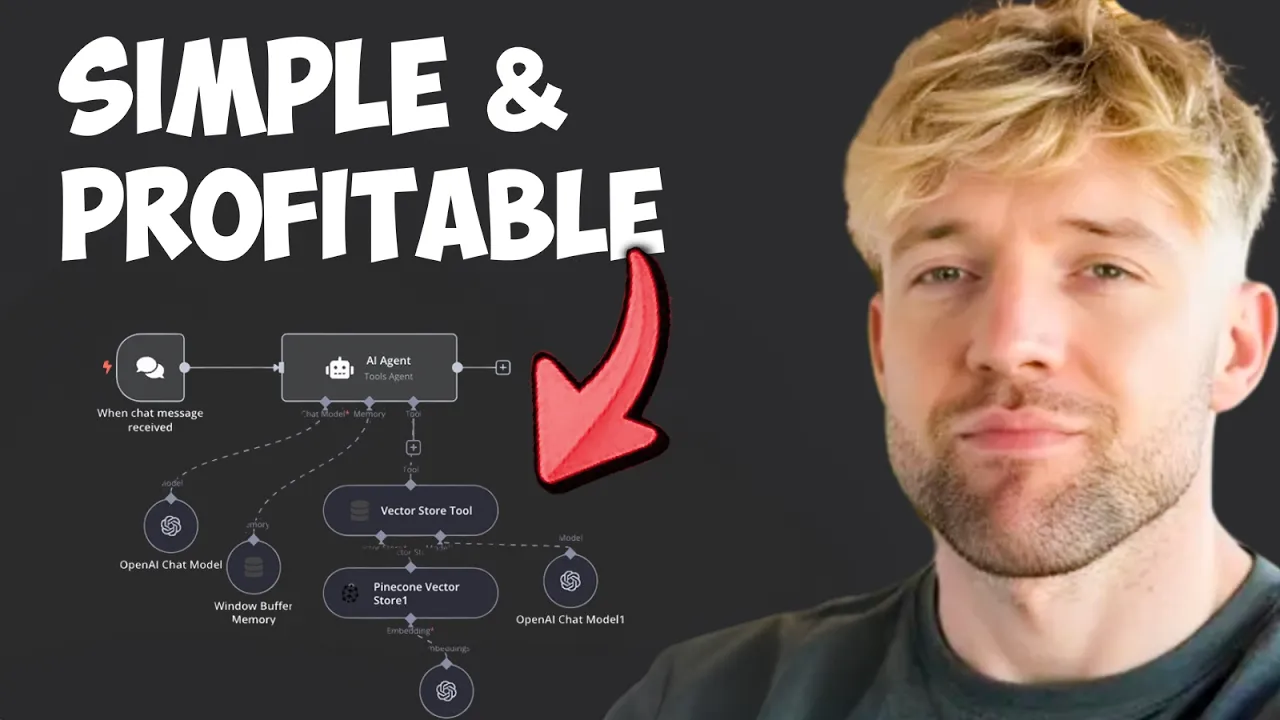
here by the dots and import from fire and it will look something like this but don't worry I'll also show you exactly how you build this from scratch so this is how it works high level okay now the AI agent is living in na10 and we should name it here right our 997 a month automation 997 Okay cool so how is this all working basically what we're doing in in na10 guys we can have triggers like Telegram and WhatsApp what we're doing here which is really cool is you can have this chat functionality here where
you can send it me messages ask it questions again answer back for example hey what day is it okay or whatever whatever we want to ask we can ask it we can get answers back it can it's using AI it's using a memory and it hous us it is February 6th 2025 what we can also do with this chat functionality guys is embed it on a website so we could put it on our website your website my website I've developed a specific code for this so you can just copy it enter some stuff and it's
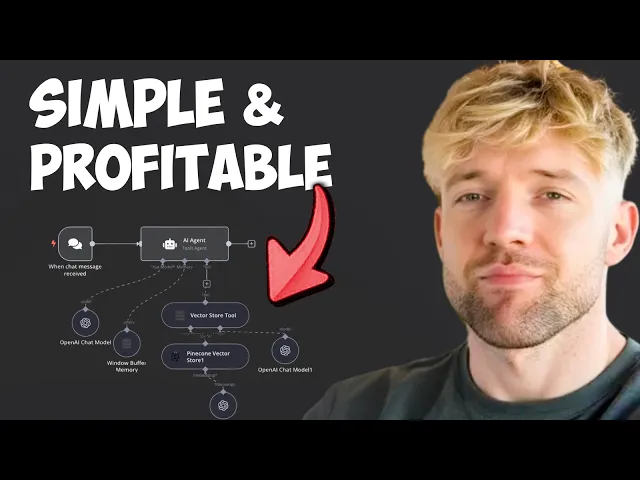
got some nice formatting in it to make a little B EAS for you so basically what we're going to do here is we've got the AI agent which I'm keeping very simple for this video which is basically we get a chat message the AI agent does its thing and it retrieves information from its database right basically this rag database retrieval augmented generation if that's a Brand New Concept to you don't worry it's a brand new concept to a lots of people I'll put a link on screen you can go check out a full video where
explain that in depth and what that all means but the tldr of it is basically it's a place to put loads of information we can grab what we need quickly bring bring it back and it makes it super intelligent it's the thing basically guys over here in this pine cone database is we're going to store the entire website of this business now the really cool thing is the fact that we don't even need to be working with a business what we can actually do is scrot their entire website before we even approach them download it
create a chat bot for them and then say hey chat to this chat bot or check it out and they can have a conversation with it about anything to do their website and it will know perfectly and we can get it to speak to them in their tone of voice which means it's an incredible lead magnet you don't even have have to have a conversation and the cost of doing that is essentially zero and then at the bottom here guys we've got this Vector database which is basically what it's going to do is we're going
to scrub the website we're going to put it into Google Drive so it starts off here number one is we say and we pick a website so the first thing we do if I grab this air table to show that looks like all you're ever going to do guys in this automation is Type in the Business website here that's it once that happens this scenario says Hey a website's been entered it triggers this sort of like really cool information data scraper and what appify will do is run over to that website and download all the
information now when that's downloaded it will appear this will watch out for it it will get all the data downloaded and then what we'll do guys is we're going to create a brand new Google Document for every single page of the website and every single page of that website will appear in this here so for example this is one example of a page that I script earlier now once it's been added to this document this is where our na1 sory kicks in and this will say hey great we've seen that the document's been added we're
going to download it we're going to upload it to Pine count and then it will be available for us and do some of the cool fancy stuff now and then basically once we got this situation scenario up here um we'll then be able to chat with the entire website so the use case is you type in a website it downloads the entire website and you have a chat but you can do meaning you can ask it silly questions like and for example if I just show you to proof what that actually looks like so if
I come back into this document guys we've got a quot here from a guy called Ben Pritchard what I can do is back over and just show you that this actually works so let me go to the chat database which is you know you got like a bazeline tabs and it's like d where on Earth is it okay we've got it we'll say hey what did Ben Richards say about the company again question mark hit enter and you'll see it will retrieve the vector database goes in there see what it's up and we'll see what
Ben Pritchard says Ben Pritchard Express his from te the can company to be extremely helpful and that's the whole basic process in a nutshot so we're going to start with the scraper then we're going to build the agent then I'll show exactly how you embed that into your website and then I'm going to discuss to you how I basically sold it and how I recommend that I would sell any automation like this for the stuff that's really working at the moment so let's come over here first thing I want to do is start from scratch
so we want to go over to air table again you could use Google Sheets or anything you want to this one is beautifully simple hey so we're going to head over to airtable.com once again you can use Google Sheets it doesn't really matter click on create I just like this because it's very very powerful and configurable now if you lazy you can just come straight over to the school community and we can just do the whole grab the air table data and obviously you can just come over p with in but I'll build them with
you as well so we're going to come here name is just going to be company name really quickly what I really like about this automation guys is actually mostly the fact that it's a really good lead magnet because you know you don't even have to have had the conversation to show your concept of what that physically looks like so we got company name here we're going to want a website which is going to trigger the whole automation which is really cool and then on this one here we're going to want um you could add status
like is it done is it not done that's really your call so we just type in status and we come down we can do um uh single select and then we can just have options like done you know this could be really for your for your sort of reference actually in progress and then maybe a not started beautiful and then we want to add two final Fields one is going to be the date like so and then finally once we've done the date we are going to have a look for last modifi time oh my
goodness beautiful that's what we like to see I believe this one should autop populate it does cool sweet and then we're going to call this one here uh rag agent 997 which is cool all right sweet now guys this may sound once you've seen this video simple to do but if you're not aware of this stuff this is essentially magic it's actually ridiculous cool we got rag agent 97 and I'm going to put a magnet on there because it's essentially going to be really cool lead magnet and then we're going to click on beautiful now
in AAR you're going to come here you're going to click on this button going to click on a table again all the links are down below so you can literally push the buttons and you're ready to go watch records beautiful now we come here let's just grab that particular thing the base looking for is rag rag lead agent 997 sweet give that a beautiful second to rock and roll table is one because we've only add one table which is decent and then we got the trigger field which is last modified that is last modified time
yes it is cool beautiful label field does really matter it can be company name limit to 10 it doesn't really matter for this instance then we click on Save and we can say from now on cool then we need to what we need to do is we're going to enter in our URL here the next thing we going to do guys is going to scrape that entire website so how do we do that well basically we're going to head over to a beautiful not code scraper called appify they've had a little bit of a change
now basically appify is like Willy wonkers and porum wonderful wonderful options meaning that you can just go and scrab and grab anything that you want to once you've signed in now you get five bucks of free credits when you sign up um you can increase it to $50 and get Lo for the benefits but $5 will be enough to get started depending on the sides of the website so you're going to come down here on the left hand side guys to actors not the Hollywood type a slightly different one uh actually we'll go to store
and just type in website content Cor in fact it's the most popular one right there we click on it right and then you're going to come over here to Json basically type you have the start URL which is cool go over to Json crl a contrl c then we're going to come straight back over to to Art scenario going to come here going to go for appify and crucially run an actor okay beautiful here we go which is decent and now we've got the actor which is going to be um website scraper now if you've
not had this one yet you just add a a new appify connection and select the one there we go for website content cor I believe beautiful input Json we come here and now we'll just paste all of this stuff in except for what we're going to do guys is find out where the website is and it's there now what we need to do is come over we need to run this module at once and do we have information no so we need to put some dummy data through let's come and do that here uh website
could be in fact why don't we just grab that actual specific website that we gave it come to manual and you can just run it with um obviously uh app five if you'd like to it's just that you know this enables us to be automated with it doesn't it so we're going to click off this right website so basically just get started type in any website that you want I've picked an account to for leads um maybe we're going to send them a bazillion dollars of business which is really cool all right cool that's done
and now we've got the data then click on appify run an actor okay sweet and where it says here this https we're just going to delete that and we're going to put in this website part here cool beautiful and then we're going to click on okay Ace now we need to do the second scenario so do the exact same thing in do make scenario we are going to call this one 997 automation 2 out of two we come over here we select appify once more time and this is going to be watching actor run so
his job basically is just to check out what that guy is doing called appify connection uh it's a very simple join in and then we just select the app actor that we've got these will appear for you once you've saved it and if it isn't appearing for you what you need to do over here is basically create task and then it should it should appear for you after you've done that um cool so pick on actor again this is website content corer this guy here which is save and then whenever this runs in the future
it will pull it down and grab it click on Save next thing want do appify again now it's a bit of a weird one but you basically got to do a second appify module to pull down the data set so I said get data set items like one guy is going to is on lockout and the other gu is actually doing all the hard work um why is that the case I don't know we need to be appify we need we need to get it sorted out we going to come down and then we are
adding in it is somewhere near the bottom right down there default data set ID transformation clean limit 100 increase that if you're doing a website with a significant number of items if not it will limit itself to 100 then we click on Save and then finally the third part of this is to create a Google Document which is really flipping cool now I want you to go over to drive.google.com and I want you to create a folder and in that folder is going to be per business so you'll have hey this is accountancy firm a
accounts firm B and each folder is going to represent a knowledge base for us so do that you don't need to worry about permissions per se uh just make sure you have unique folder in Google Drive now I click on this button here and what we're going to do is go down to Google like so I'm going to find this guy and we are going to create a document cool now we're not going to see any of that information yet so we need to run this whole modu once before that happens okay going to cancel
this now check this up I'm going to run this one once come back over uh we're going to go over to air table so we can trigger the entire automation let's copy this let's delete it um and then we can just re-enter it back in cool all right sweet so let's run this Automation and see what goes down we'll run the second one first beautiful and then we'll run this now this should grab the data and then kick off appify beautiful so appify is kicked off now this is waiting for it to complete now if
we got guys if we head over to appify can you see the bottom left it says memories 8 out of eight and I can come over on the left hand side to runs and look at this guys you see how it's starting the crawler the crawler has begun it's starting to work its magic in the background once that's complete in our make.com scenario the guy say hey I've seen it happen it's amazing and it'll add it to data set items for us which is really flipping cool now once it's done that we'll just add it
to Google Docs which is Ace and I think the fact now that we can just scrip an entire website very easily and get it into a chat but and here's the other thing you got to bear in mind it isn't even just about you know how do I have a conversation with the website what it is is a repository a database a a series of you know documents and data and information that you can repurpose for a million things whether you want to write something about it maybe you want to have an internal document of
reference to be able to ask questions you know the use cases are literally Limitless with this stuff and you can see here already that we've got all the information extracted from every page on the website which is really cool and by the way you could turn this into a SAS product if you wanted to on a website where you just type in the website you want to create a chatbot for and it's possible um there's a bazillion things that you could do with this it's literally crazy guys and just like that it has completed we've
got their entire website should we feel guilty about that maybe we should do even my what that beep in the background because it's so controversial all right what do we do that's all completed and look guys if I check on get data set items can you see how it's got this is URL this is what I've crawled here's a metadata if you want it by the way description title this is great for SEO uh workflows if you're interested in that sort of stuff and then crucially we've got the text which is all this crazy stuff
here when to come down and all we're going to do guys uh to create a document is we click on this guy what is the name of the document well the name is going to be the title of the page or we can call it the URL if we like it's completely your call uh I like the title uh content is going to be we can put a description and then crucially we are going to come down to text guys and then we just pick the document location we'll give that a beautiful second and I've
just got an n8n agent document that I showed you earlier I click save and that is literally 230 automation completely done so what does this mean let's just take a step back and reassess number one whenever you enter a URL into this website by way guys we could trigger this from you NH we could trigger this from building ways I'm just trying want to show this I think in what I perceive to be the simplest way to communicate this um that is just easy to get started and like works perfectly so you enter a website
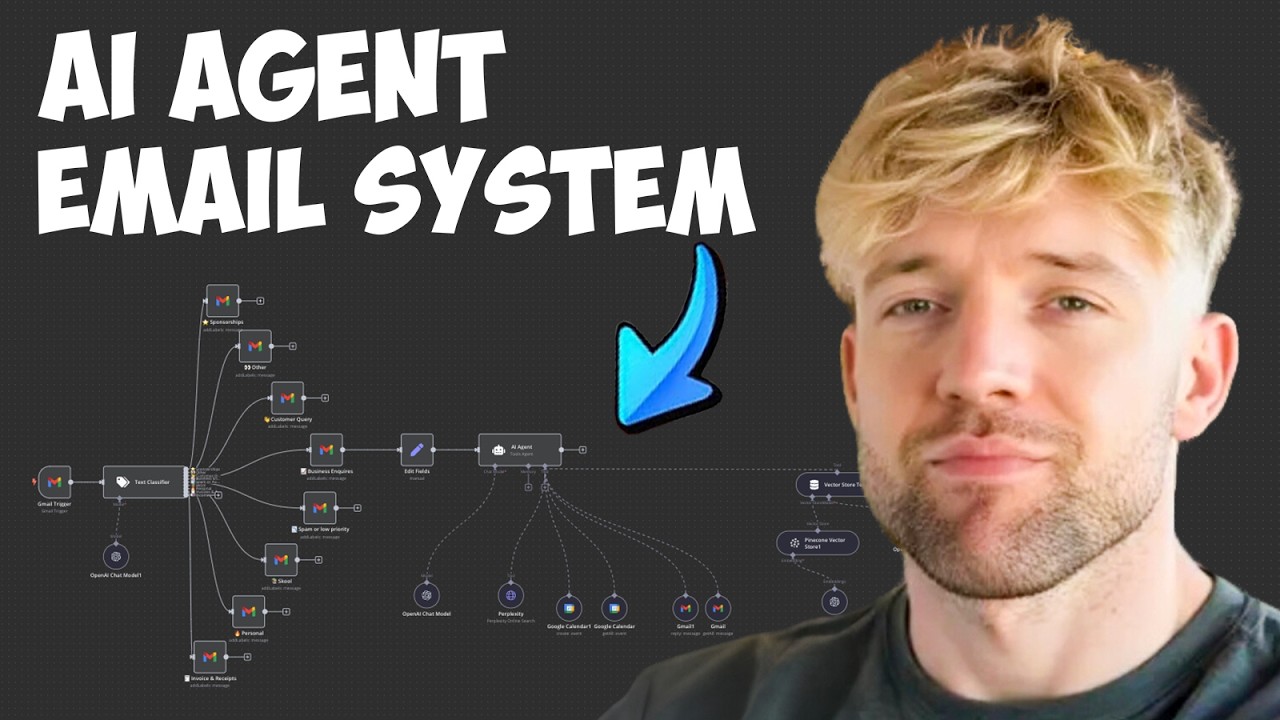
here this pulls off it then runs the ACT to scripts website adds it all into document which means it will have a Google drive folder absolutely full of lips ofal crazy stuff now next thing we're going to want to do is head over to n8n and build this beautiful workflow looks a little bit complicated it actually is quite straightforward um so let's build this one together and then I'll show you how it all fits together into beautiful field obviously if you haven't grabbed the blueprint uh we can start this from scratch together cool so we
start off with the first step all great Journeys begin with the first step trigger manually cool we don't need to worry about that just now so we're going to come down and put on chat message in the bottom right which is cool and then we click off cool we've got chat message here which is decent so when we get chat message stuff happens right so we going to come over go for advanced Ai and that's go for AI agent which is cool it's a tools agent previous T and module it's absolutely fine uh decent and
we'll we'll configure everything out in a moment now we want to pick on the chat model obviously you've seen some videos on deep seek if you want to use that as a power brand you can go wild and have a lot of good fun with it for this one we're going to use the beautiful open AI click on this guy chap pH mini is fine again if you haven't set your credentials you head over to platform. open.com I'll put a link down below for you and just go over to apis if you're not familiar with
that looks like it's on screen right now you click on create a new key you copy that code and then when you come back over to na10 you can just simply add it in that yourself and that's done by clicking the little thing here coming down entering the API key cool and then we click out and then we got memory memory just meaning its ability to remember what you said to it recently um so for this one it's going to be absolutely fine for us to use the Wonder buffer memory um in this particular scenario
it's fine we click off and then we're going to bring this guy over here beautiful and of course guys we can add different tools to it like its ability to search the internet but I'm just going to keep this automation very very simple for you um and you can see if you download it's got all those connections in the last video I went into a lot of detail about how you add those bells and but just bringing this to its core functionality for you okay so what do we do next then we want it its
ability to attach and retrieve some information from a rag database so the way this would work at the moment is it's just we're just chatting to chat GPT basically so if I said something like hey you know how many eggs can you fit in a basketball right this is just chat GPT basically and that's failed because the it doesn't like the API key so again we click on let's find out what's going on with that um it was going to be in the chat model which is cool open a account okay cool then we just
we'll just add new credential cool even in scenarios guys we are not immune we are not immune to API issues isn't that really funny okay come on how many eggs can you fit in basketball I actually really need to know the answer to this question and we'll figure it out many people using deep seek deep seek is pretty fliping epic but it's like can you even get it to work on a chat module fortunately I got my API key early but like everybody's really strugging with that so yep okay all information and what is the
answer 2,000 to 3,000 eggs in a basketball I actually don't believe that's true but anyway that is kind of besides the point we're going to get sidetracked in a second here so here's the point we've got a chat message we're using an AI agent and you need to retrieve data but retrieve from where and how the hell do we get started well we need to go to Pine Cone to create something so there's many different rag databases we can use in my opinion pine cone is the less H it's the most hassle-free one just to
jump in and get started if I'm being completely honest with you um based on all the stuff I look it's just easier to get up and running there are other ones you can do that have different bells and whistles and things but basically we're going to sign into the beautiful pine cone cool and as you can see I've got a couple of different uh databases on him but I'm going to delete one just so that we can build this one together uh and this is a fake one so call this one homoi and we'll delete
it so what you're going to do is create an index cool so let's come over here to the top right we'll call this one 997 because that seems to be the number of the day uh we'll go for text and betting three small that'll be relevant in a second that's decent Virginia Us East we're okay with that and then we click on great index which is beautiful and very very simple give that a hot second to complete Ace and so the automation you want to add now is that hey when something is added to this
this folder what I'd like you to do Mr pineco is basically add it to your database and your knowledge for me so that I can chat to it and have a conversation with it any time I want to so you can see there's no records in the 997 database yet so what we're going to do do is come back over to na10 and we're going to start with a G drive module now if you haven't connected Google what I'm going to do is I'm going to play a clip from my last video where explain it
step by step and then I think I'm wearing a cool hoodie that video so you can check it out and then we can pick it up in just a moment well guys so the first you want to do is sign in with Google just select on this and enter your email address and password I once you under the Google Cloud console guys you're going to to select a project in the top left uh you can create anyone that you want to it really depends on what you'd like so we'll call this one here new project
to the top uh let's call this one build to together or you can go na10 or whatever you'd like to come down and then click on create in the bottom left hand side beautiful now that's done guys click on select project to make sure that that is the one that is fully loaded up which is fantastic going to come back off this close this down for a second and as you can see we know it's right one here because we've got Build Together in the top left hand side cool guys on this page justrl F
API you'll see down here explore and enable apis like so which is awesome and then come down on the left hand side and click on our consent screen to load this page up right here beautiful so I'm going do external because got my name but otherwise it' be internal we come down and we click on create we give it the app name we call this one N8 and build together and crucially guys what's really important is you add in your email address into the support email so here for example I'm going to type in this
one here which is mine there no for logo app domain is fine develop a contact information authorized domain is really important so click on ADD domain you're going to type in nn. Cloud which basically means that n8n can use and access this which would be phenomenal devel the Conta information I'm just going to use the same email address I did before if it would let me copy it which it is is not doing so me just enter that one here uh that's AI automations beautiful phenomenal click on Save and continue once you enter the email
address in that's fine it's going to come down uh sensive Scopes no worries about that for the moment come down save and continue that's absolutely fine test users yes that's fine I'm going to enter in my information again once more click on ADD that's awesome beautiful and we've been added in then come down click on Save and continue that's fine scroll all the way down and click on back to dashboard at the bottom once we' Leed hey guys let's head to the library and select the things we wanted to use so uh for this particular
case it's going to be Google Drive top one here Google Drive API dun dunun come down click on enable which is flipping cool let that let up for a second phenomenal then we'll come back and also guys I guess anything else you want to add here at this stage you can do one of the things we'll be doing is Gmail so let's add in Gmail API on top of that click on this pretty much the same as before enable blah blah blah all the Google Cloud stuff that you could possi want to connect you may
as well at this stage just add it all in which is cool that'll load up and that is flipping complete decent now we going to head with to credentials on the left hand side so here we come now and click on create credentials it's our client idea that we're going to need for this one application type is web application web name client again call this edit and Build Together which is cool and then we've got these two things down here the key one is authorized redirect uis and guys if you come back to any 10
you should physically see this URI I haven't got it because I'm already in there but basically it is this one here uh which is decent and we come down and then we click on create uh that is pretty much the almost the end of the process and then guys on this page here you got client ID and client secret and all you do is copy those two things over and then paste it into na turn and that will connect you to all of the Google cloud services hopefully you find that helpful we're all connected now
ready to rock and RW we're going to go for Google Drive phenomenal and we are going to go for the triggers is at the bottom and that is going to be on changes involving a specific folder that's cool every minute is decent we pick from a list let's pick list we'll just go for uh n8n and we got here n8n agent which is cool watch for file created could be file updated whatever you like uh we'll just keep it nice and simple going by five CR there's stuff we can do where we upsert it basically
and do lots of crazy stuff but that's absolutely fine that's decent and then we click on fetch test event just so bring forward an example which it has Ace sweet and then we're going to come off this one here and where where's it put that dude did it just completely disappear oh my goodness okay it turns out it didn't disappear it was just starting up there all right cool now we're going to pull the file next thing you want to do is to download it so we come to this plus button here and again's go
for Google Drive in the right hand side that is one of the cool things about n andn that you can have multiple triggers in the same scenario it's quite handy uh come down to download file now operation download select from a file click on expression execute the previous node that just lets me just grab it and pull it in now we're going to do by ID and what we're looking for here is Json ID so let's see if we can just find that real quick actually I just do schemmer yeah that's just a billion times
easy to look at isn't it so we're looking for an ID of sorts but you can basically guys just enter this Json ID and actually work fine so we'll test the step and and it should pull a document so I can download our very first document which is flipping cool amazing next thing we need to do then we've got the document we've downloaded it we now need to put it into our fantastic Pine con and to do that guys we of course we click on the little blue little plus button and we go for pine
cone Vector store which is cool click this guy here and we click on ADD documents to a vector store now we want to connect our new pine cone which is going to be cool we'll get API key which is decent and then you'll be able to pick the list that you're adding to and you can see here I've got na1 which is great and you just pick the one that you want uh if you don't have an API you just flip over to pineco grab the a API key and bring it straight back and if
you're not sure what that is guys it's on left hand side under API Keys which is very apply named so we come back to our scenario and we've got this stuff and it's as simple as that I mean that is just as literally as easy as it is now we need an embedding this is basically like a unique key that we're using for everything we're going to use the open AI because if you remember in the actual pine cone as well that is what we're physically using to embed things text embedding three small perfect and
then we bring this guy over here cool and then on document we click on this guy default data loader is fine and we want to click onstead of Json just go for binary and the rest of that will be fine and then we just want to add in a text splitter which should be recursive character text splitter and personally I like 1,000 chunk size this is basically like how big do you want it to be how many like characters and then the chunking is for example document one like document two will have the first the
last 200 characters of the last document to provide context so we're getting the right things um maybe for a th we can actually bump that down to like 150 cool all right beautiful and then we are ready to rock and roll we can bring this up to make it nice and clean although I've made it slightly dirtier but you got to get the point that's how it works and essentially whenever we upload something there so I can test a workflow for example and has that worked it's added a panc cone lots of lots of things
are going off we like it when we see the thing the cogs turning it's code for good news and then if we head every now to a pinec con database and if I refresh it we should see something in here and we don't just yet ah it's CU him 997 I need to select the right one okay let me come back and just make sure that I've got the right thing selected okay guys turns out I was the wrong account but if I come on to n an can you see this one here guys accounts
preparation year own solder and it's added in for us automatically this is the problem when you got like 16 pine cone accounts the pine cone start getting a little bit confused and you can see guys 27 records and we have the guy at the top and it's added it a couple times which is really flipping cool all right so we come back over to our beautiful scenario and what we've done here guys is we've got the vector done that so we finally able to do that and the final thing we need to do is just
give it the ability to retrieve and and to do that guys we're going to click on tools I'm going to go for Vector store tool which is this guy here beautiful and let type in the description I've just put Vector data information how many documents you'd like it to bring I'd say the bigger the thing is the more complicated the query the higher the number of documents but we'll just put forth of those purposes and then we click off and let's bring him into his beautiful green thing then we click on the vector store and
then we are looking for pine cone Vector store which is decent and basically guys just choose the thing that you're using so this will be N1 based on the account that I'm in which is decent and then click down here at the bottom for add embedding and then embedding we going to use the exact same thing that we used before uh text embedding three small and then that should be decent for us here cool sweet and then we just want to give it a nice model over here which can just simply be GPT 4 mini
or whatever you want uh it doesn't really matter too much for the purpose of this and then that is all complete so if we now click on this this guy happy there a vector St happy just want to make sure he's he's looking a little bit red is he okay add the name okay yeah we'll just say like Jack vectors and then guys what we can do is set this scenario to active which is fine we can then come back over to our Automation and let's just run everything from the top to get all the
information so I'm going to run this guy once I'm going to come here I'm going to run this guy once and we are going to add all those documents then into the thing and come over let's grab the URL right here and see if this works but we hit that guy we hit enter we come to our first scenario okay let me rerun this one because it timed out there you go appify is kicked off appify now is working in the background to scrap the entire website once that's done it's going to crect Google Document
for everything and it's going to add it to our beautiful thing here we're going to have loads of different documents as those were uploaded that's s going to get captured by n10 by our new scenario n10 here it's going to upload everything to the pinec con database which means that we can then go ahead and chat with our AI agent now whilst that's working in the background what if you want to chat with this what if you want to use this as a lead magnet how does that work well you know you can kind of
chat with it here right you can ask it questions about what's in the database and all that sort of stuff but what you can also do guys if you click on chat received you can click on make publicly available and you can see this chat URL right here and then if we come back over to the school Community for a second what we can do if I head over to the classroom let's just grab this one here in the make money section and then we look at na10 chatbot code check this out right what we
can do here guys is if you copy all this information uh and then enter this link basically replace the URL that you got from your n scenario which is uh this guy right here with that link that's some really cool code that you can basically design custom code with clae chat gbt all these models that you can embed you can also have a naked URL but if you want to embed it you can just kind of put that in there there's also got docs if you want to do that yourself where you can kind of
like follow through all the processes of embedding that into a website and I've got really good guid in this link about import embed react I kind of just wanted to have something where like I could use the link and just have it embedded in the website was just one simple paste so for example this random website I just pulled and you just enter the code into a code block I could say hey enter and then it will hopefully give me a response back and you can start having conversations with which I think is pretty cool
and just like this guys this is now completed with 18 documents so if we come over to here and then if I load the nhn thing up we can see this is basically every page of the entire website and so what will now happen guys in the nhn scenario is it will basically pull through uh everything uh that automatically because that's triggered now something has been created the scenario is active will add to us in Pine Cone and then when we have conversations with it either on the website or just in the chat we can
have that full conversation with it which I think is pretty epic now I want to finish this by just talking about a way that you can actually use this automation then to actually get to clients this is what I call the whale strategy now there's many ways that you can get clients but it's often one of the most frequently asked questions that I get how do I get my first clients how do I get a repeatable sustainable web to get more customers which I think is really important because in the video we've just done we've
covered right how you can build an automation a chat bot and you know anytime we a do to that Google Drive they've now got the access to it right to do some epic stuff but how do we actually find the clients so my favorite way of getting clients that's worked for me so many times and I definitely recommend it is what I call the whale strategy because there's usually two ways you can approach it one is the spray and PR which is let's just Mass target loads of individuals that can be effective that does really
work I prefer being a little bit more targeted and doing less Outreach but doing more work up front and actually if you check out the podcast I did with Deon and Paul I'll try to put a link on the screen now for you I'd encourage you to listen to his story he makes between 30 to 80k per month using the strategy which is basically what he does is he has a niche and you define who that person is and effectively instead of doing like one communication which you can tell it with AI a million times
we're going to do more upfront investment you're going to spend 4 hours per client or maybe you can accelerate that with AI but the basic principle is that you add value and do do work for the business up front because if you think about the number of emails that you get like myself as an example like I I rarely check I don't check emails with that regularly it's a very saturated Channel but if you can invest and spend more time and say hey look I freaking specialize in dentistry it's what I do and actually you
work with loads of dentists and you actually spend time building a unique specific product for that dental practice and you send a message to the guys that run it that basically sounds like hey James um built this thing thought this could be really helpful for your marketing team um hope it's really beneficial thanks thanks Jack bam you know you're approaching more conversationally and you're adding value to that business up front I think it was Leo hzi actually I remember Alex talking up the story um and the unique thing with this guys is that the reason
why this works partly a because people want to reciprocate if you give to givers and you don't need a 100 of them to work if you do it 10 times and one works that pays off for the next 100 like it really is crazy because no one's willing to put the effort up front to make stuff happen happen they kind of want easy quick shortcuts and you don't get rich through shortcuts you get rich through leverage and working hard and applying yourself now very few people are willing to do this like Lea homi for example
her story is that the guy she hired to do her Twitter basically said dude like I've listened to freaking 20 of your podcasts and I've made like 500 tweets that I think represent everything that you're about and what you stand for here you go have it he did the work up front and it was like wow like even editors right like I get so many requests for like Jack can I edit your videos can I do thumbnails nobody ever comes and actually does the work up front like if someone sent me an email and said
Jack I think you can get more clicks on YouTube I love your channel you can get more clicks on YouTube by improving your thumbnails I've just redesigned the last three thumbnails for you here you go please have them I hope that really helps with your conversions uh I'd be curious when I how a do an AB test like that guy's getting hyped like if I got that email I'd be like dude these f is are great probably the product is good right I'd be like that's great it's like very few people are willing to do
the work up front and it isn't scalable because it requires effort and it requires time but I would rather do 3 4 hours you know on one client and just give that value to them than I would to do crazy Mass Market campaigns and we can do that and I can show you and we've done videos on my channel before about how you can actually make that unique and stuff and it does work I'm not saying that it doesn't work I just think it's better to catch whales and actually go down the kind of quality
route over the mass quantity route but in any case guys I really hope you enjoyed this video uh it's it's an automation that I've personally sold for that amount of money which is why I wanted to share it with you and like loads of people in the community are crushing with lots of different automations and I'll cover more examples of that if that's the kind of content that you like but in any case have a wonderful blessed week and I'll see you in the next video