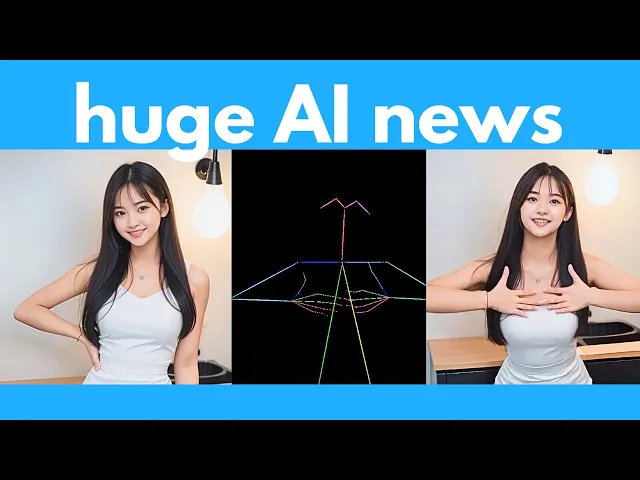
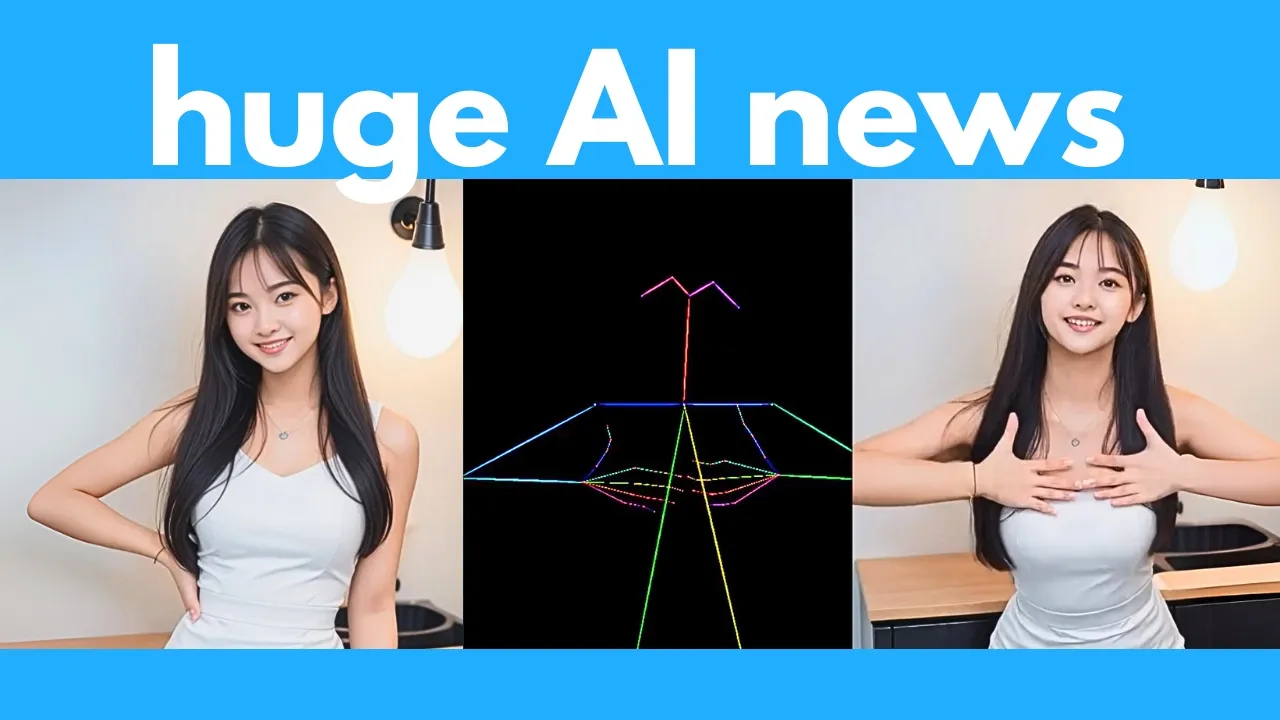
AI never sleeps and this week has been absolutely insane we have a new AI that can generate any video game with just a prompt or image and you can actually play and interact with it we have a new AI model which takes an image and any audio and it would lips sync the face to the audio and this is the best one I've seen yet we have another AI that can generate multiple views of a character and this is so useful for creating 3D models and textures we have a new open- source video generator and
this one crushes everything including commercial models like cing or Sora we have another AI that can take in one image and turn it into a 3D World which you can explore around and again this is the best quality one I've seen yet Google releases an AI that can predict weather and extreme events with extremely high accuracy and a lot more so let's Jump Right In First up this tool is already pretty insane it's called genie2 by Google Deep Mind and this can generate any playable 3D video game in real time based on only a prompt
or an input image it will generate a 3D interactive environment and this can respond to actions from the user as you can see in this example to move the character around this 3D environment now I've covered a few similar tools before which can also generate video games like Google's game engine which simulates a playable version of Doom or Microsoft's Diamond which simulates Counter Strike and more recently another one called The Matrix which can also generate any playable video game in real time however this new one genie2 is just much better quality and more consistent and
you can interact with this virtual world World a lot more and I think this will definitely be the future of video games where maybe we won't have games that are pre-programmed or pre-designed but instead the user would simply enter a prompt and the AI would generate something on the Fly for the user to play and Genie 2 has several features that make it better than all the previous tools that I mentioned first of all it has what they call Long Horizon memory so it remembers parts of the world that are no longer in view so
for example notice the walls on the left at the beginning of this video note that the wall disappears as the character enters this really big room but as soon as he turns left again that wall reappears which proves that it kind of has some spatial memory of all the objects in this 3D World here's another example where you're starting with a view of the pyramids as your start frame but as you move the camera to a top down View and then you move it back to a normal view it still remembers that there were pyramids
in the background and regenerates those in the video now it says here that it can generate a pretty consistent video for up to a minute long now I did feature another tool called The Matrix and this one can actually generate an infinitely long video it can keep going and going and going whereas for Genie 2 it seems like the maximum limit right now is just a minute anyways with this tool you can also generate video games in different perspectives so for example from first person to isometric or third person driving videos as you can see
in these examples so this opens up a lot of creative possibilities and you know the thing that I'm most impressed with is that it can also create objects that are interactive so for example here when the user jumps into the balloon it knows to create this effect of popping the balloon or here if the user walks into this door it knows to open the door and then in this example when the user shoots the barrel of explosives it knows to make it explode so this is way more interactive than all the other video game simulators
that we've seen so far plus it can even generate other characters which you can interact with so in this video on the left you can see that it has generated an additional character on the left and then in this middle generation note that it has generated this person walking across the scene and then in this last generation it has generated this character which seems to be like a boss or something and your goal is to destroy it and of course with this model it can also generate real world effects so for example it can generate
these splashes and ripples in water plus it can generate smoke effects as you can see in these two examples plus it can also generate gravity so you can see when this horse jumps it goes back to the ground when this car drives off the cliff it indeed falls down to the ground it also understands lighting very well so as you can see in these examples if the dude is holding a torch then it also simulates the light dynamics of a torch if the dude is holding a flashlight you can see that the light does illuminate
some of the trees in this Forest as he points the light around here is an example showing its understanding of Reflections so in this video on the left you can see that the puddles also reflect the city lights very accurately As you move around the scene and then for this video on the right you can see that the mirror on the right wall is also reflecting the room pretty accurately As you move around it's now so easy to prototype and create your own video game with just a single concept image so let's say you've created
this image well you can easily just plug it into this Ai and it would create an interactive video game for you based on this image now here's a really simple explanation on the architecture behind this so you can either enter in a prompt or an image if you enter a prompt it would actually use Google's image generator called imagine 3 to generate your initial image and then it would plug this image through an encoder and then into this diff Fusion model now depending on what actions the user takes or what keys the user presses it
would then slightly alter that frame and then after you decode this this is basically the next frame that you'll see in the generation and so this process keeps going as you press different keys on the keyboard and then the generated video will change accordingly one thing to note is that the videos I showed you were generated by an undistilled base model so this is a larger model and this is not in real time you can still interact with this AI in real time using a smaller distilled version but note that the quality of the output
would be lower anyways this is a huge leap forward compared to the other tools I featured before which mostly can generate one game whereas this can generate anything with just a prompt or image and although the quality right now is still not great this is the worst it's going to get I think Within a year or two we're going to get like AAA quality video games that can be generated with AI on the Fly anyways I'll link to this page in the description below so you can read further next up this free and open source
AI is also very useful it can take a prompt or an image and generate multiple views of a character so it's called multi view adapter or MV adapter for short and if you've been playing around with stable diffusion or flux you you could kind of generate consistent characters with tools like control Nets or other plugins but it's still not really consistent it's really hard to generate multiple views of a character consistently especially if the character has a lot of details but with this tool you can see that all the images are actually very consistent and
the nice thing about this is this is a plugin it's not like a separate base model so you can actually plug this into any stable diffusion model whether it's anime or 3D or watercolor or any other style and it would still be able to consistently generate multiple views of a character so for example at the top here if you're using this animag XL model which is specialized for generating anime then it can generate anime characters like this or if you're using this 3D render style Laura then it's able to generate these 3D looking characters or
or let's say if you're using this Lego brickhead model then it's able to generate multiple views of characters like this so this is a super versatile plugin and by the way not only can you enter a prompt but you can also just input an image and it would also generate multiple views of the character in the image as you can see here and this is really tricky by the way especially if you need to generate the back of the character it's really hard to guess what that would look like based on just one image but
for the most part you can see that especially for the generation of the back of the character this AI is able to get everything very accurately now instead of just uploading a full image of something you can also just sketch the rough outline of whatever character you want to create and then using control net and MV adapter you can also create multiple views of a character based on a simple sketch this is is such a powerful tool now of course with these images of multiple views of a character you can easily plug these into any
modeling tools to create 3D models like this here are some additional examples and note how the 3D model preserves all the details of the original image that you've uploaded so this is a super versatile and Powerful tool there are additional demos of 3D models that you can play around with and I mean look how detailed these Generations are this is very impressive I mean look at the detail of this Transformer this is super impressive the awesome thing is the models are already out so you can just go to their GitHub repo and if you scroll
to the middle somewhere it contains all the instructions on how to install this and use it locally on your computer so they have a gradio interface like this which is pretty self-explanatory you just enter in a prompt and then click run and it would generate multiple views of a character here's another example of an anime character here's yet another example and another example they even have a comfy UI integration so it's pretty easy to add this to an existing workflow you might have anyways the GitHub and the paper links are all up here so I'll
link to this main page in the description below for you to read further in other news we have a new open-source video model and this is the best one I've seen yet yet I think this is even better than commercial models like Sora or cing so this is called hun Yan video by 10cent and the quality is simply amazing I mean this easily beats all other open source video generators and even closed Source models note how consistent everything is and how detailed and sharp the entire scene is this is really high quality it even understands
complex sequences for example here if you prompted it with the cat walks down the stairs and eats a burger this is the result and everything as you can see looks super realistic you can also cut from one scene to the next as you can see in this example this is just one generation but you can specify in the prompt for it to cut to another scene like halfway in the video and yes this even works for higher action scenes and scenarios that it has never seen before in its training data for example like this Panda
riding a bicycle in the city notice how everything is extremely detailed and the Motions are very smooth everything is very consistent here's another high action scene of a cat riding a dinosaur with squirrels dancing around and you can see even with so much movement so many characters and people walking around in the background it's able to generate this really consistently and this is definitely on par or better than the best video generators we've seen so far and of course it can generate incredibly cinematic videos like this I mean this looks like a scene straight from
a movie it's really hard to tell that this was AI generated here's another example of scene transitions so in the prompt you can see first it's generating this wide shot of a caravan of camels in Golden dunes and then next it's cutting to this close-up shot and this AI model is able to handle it pretty seamlessly and here here's the crazy part not only does it do text to video but you can also upload some audio and using an input image it would lipsync the audio to that person's face as you can see in these
demonstrations so you can see the input images are at the top here and if you add in some audio this is what you [Music] get how insane is that not only does it make his face move but it also moves his entire body very fluidly plus it even moves the background so you can see if I play it like over here someone is walking across the scene in the background here's another [Music] example again a super fluid video you can see that it has the protected because she is at the beach I'm guessing it's adding
some wind so her hair is blowing in the wind plus it's also animating the waves she's singing and her body is moving accordingly this is super fluid and realistic here's another example I have to say out of all the AI tools I've reviewed so far that animate people and get them to talk this is by far the most realistic one I've seen yet if you've been following my channel you might have seen a recent video about this other tool called Echo mimic which does pretty much the same thing but forget about Echo mimic I mean
this Hunan video just crushes everything and we're not even done yet not only does it do like lipy sync to an input audio but it can also do video to video so here's an example of an input image and then an input video and it knows to map the Motions of this input video onto the image here's another example where the input image is a man and then the input video is this woman and note how it's animating The Man based on the movements of the woman by the way this is exactly the function of
another tool called live portrait which I featured like 4 months ago and live portrait is already pretty impressive but I think this new one from 10cent might be even better here's another example of video to video in action note that you don't need to just upload a real video of someone moving you can also just upload a pose skeleton video like this and also with an input image it will animate that image based on the movements of the pose video here's another example using a pose video as as the driving video and again note that
there are other tools that do this as well such as mimic motion but this new Hunan model is the best quality and most consistent one I've seen yet and if you're wondering if this works for anime the answer is yes so here's an example and note how consistent everything is there are pretty much no distortions on her face or limbs her movements match the pose video perfectly this is just a really smooth and consistent video now as I mentioned this is completely open source which is kind of ridiculous I can't believe they're actually offering this
to us for free to run locally I mean they could easily just make this closed source and make a lot of money from this but anyways here's their GitHub page and it already includes all the links to the model weights there's also a playground you can try out or a replicate space for you to test this out and on their to-do list it says they are going to release a cradio interface plus integration for comfy UI which is just fantastic however before you get too excited here are the requirements if you want to generate a
720x 1280 video note that you do need at least 60 GB of vram which I assume most of you do not have and even with a lower resolution of 544 by 960 that still requires 45 GB of vram in fact they recommend 80 GB of vram For Better generation quality so unfortunately you won't be able to run this on pretty much all consumer grade gpus however since this is open source I'm hoping that the open source Community will eventually fine-tune a quantized version that works well with lower-end gpus as well but if you do miraculously
have this much vram lying around then well here are all the instructions on how to download and run this locally if you don't for now there's a replicate space where you can test this out now note that each generation costs around 70 but I mean this is still way cheaper compared to commercial models like Runway anyways it's really impressive that open source has finally caught up or even Beat commercial models this is as good or even better than some of the best closed Source models out there anyways I will definitely do a full review video
on this and compare its generations with other top video models so stay tuned for that thanks to Nido AI for sponsoring this video invid AI is a powerful video creation tool that uses AI to bring your ideas to life it enables you to express your ideas in the form of stunning videos in the most seamless and intuitive way way possible regardless of your skill level in video editing whether you want to make a short film create YouTube videos or Tik Tok shorts inv video is the ultimate creative partner simply type in a prompt or select
a workflow and the AI will generate a video for you in minutes you can even edit whatever you like using simple prompts like add my voice unlike traditional video tools with steep learning curves that only do parts of your video creation process invid is the creative partner that removes all friction it makes the process intuitive and fluid letting users Focus entirely on their vision and idea whether you're a marketer social media influencer or Storyteller Nido is the perfect tool to help you create and customize videos you can try Nvidia AI for free but if you
want to use their generative abilities their generative plan starts at $96 per month and this gives you the most bang for the buck save hundreds of dollars that you would otherwise spend on editing animating or other production costs if you're already an Nvidia user you can simply go to the add-on section and buy generative seconds as well in other news we have another AI which can take an input image and any audio and it would lips sync the audio to the image this tool is called float and let me just show you a few demos
right now um but you can imagine I have a lot of questions so um I'd love to begin with you firstly just because I I read that you started out in advertising and now you run a wellness business sometimes it can feel like a tightening in your chest or a weight on your shoulders let's say you don't want to see this person again I still think that you should follow up with them you know just ghosting somebody after you guys had a good time together is not the nicest thing to do you know you want
text that person and let her know that you're still thinking about her even if you plan to go for a run and you don't have enough time to do a full run do part of a run if you plan to go to the gym today but you don't have the full hour that you normally work out now I featured similar tools on my channel before such as hello where you can also input an image and any audio and it would lips sync the face to the audio but I think this new one called float is
slight better quality and the cool thing is you can even specify the emotion of the person so here's an example where if you specify for the person to be happy or sad or surprised here's what you get when I was a kid I feel like you heard the thing you heard the term don't cry you don't need to cry crying is the most beautiful thing you can do I encourage people to cry I cry all the time and I think it's the most help healthy expression of how you're feeling and I I sometimes wish I
just could have been told you can cry you can even adjust the intensity of the emotions so for example here you can see the emotion scale is zero you can bump up the expressiveness slightly and set the scale to one or you can make it even more expressive and set the scale to two and not only does it take in an input audio but you can also upload a driving video of a person talking and it would map their movements onto your input image so here's an example of that where you can upload an image
of Messi and then upload another video of someone talking and it would map his motions onto messy note that this is exactly what another tool called live portrait does as well and actually live portrait is pretty good already in fact if you haven't heard of Life portrait before I highly recommend you watch this video where I do a tutorial on live portrait but anyways float is another tool you can use to animate an image of a face so pretty insane times we live in right now there are just so many tools being released which can
do so many things from creating videos to manipulating videos to making people move and dance and talk it's just a crazy time to be alive anyways if you scroll up to the top of the site they do say that they will release the code soon so stay tuned for that for now I'm going to link to this page in the description below next up this AI is super useful it's called gen cast by Google deepmind and this is an AI model that predicts extreme weather with very high accuracy now in contrast to other weather prediction
systems that are usually deterministic in other words they just provide one best estimate of future weather this new gen cast AI model actually gives you a combination of 50 or more predictions each representing a possible weather trajectory so for example if you task it with a 7-day forecast of a typhoon note that because this is going to be 7 days into the future there's a lot more uncertainty so genc actually gives you a ton of different possible scenarios of where or how the typhoon would move over these 7 days but as the forecast gets closer
and closer then you can see these possibilities get narrower and more accurate now the backbone behind gen cast is a diffusion model which is a term you should be familiar with if you've been following my channel so this is the same type of model that's used to generate images videos and audio now for Gen cast this diffusion model was basic basically trained on four Decades of historical weather data from this ra5 archive and this data includes things like temperature wind speed and pressure at various altitudes so after training this diffusion model on four Decades of
this data it knows how to pretty accurately predict weather and extreme conditions and note that gen cast predicts better forecasts of both day-to-day weather as well as a extreme events so if you compare gen cast which is the line in blue and then the gray line is the top operational system right now which is called ens note that gen cast is better at predicting extreme events in all instances in other words the blue line has a higher value and is therefore better than the Gray Line and not only is this more accurate but it also
takes less compute so here it says it takes a single good Google Cloud TPU just minutes to produce one 15-day forecast whereas current top methods takes hours on a supercomputer with tens of thousands of processors so this is definitely a game Cher for weather prediction it can help improve decision-making in various areas such as Disaster Response and food security and best of all they've made this open source so you can actually download the code and weights here so if you click on this link link it takes you to the GitHub repo which contains all the
instructions on how to download and use this locally anyways I'll link to this main page in the description below for you to read further in other news if you haven't heard f f Lee who is often considered the Godmother of AI has a startup called World labs and this week they just revealed their first major project this is an AI that can transform any object into an explorable interactive 3D environment and you can navigate around this in real time and I must say this is one of the most detailed and highest quality 3D world that
I've seen generated with a single image now there are a ton of other tools that can also take an image and generate a 3D scene from it but those are generally more incoherent with a lot of flaws but this one is surprisingly smooth and detailed as you can see from these examples so here's another example where you can just input one image and it would create a 3D world where the user can interact with the environment in real time and navigate around this environment using these controls again note how smooth everything is in fact on
this page which I'll link to in the description below you can actually explore some of the 3D worlds yourself so for example right now I am swiping around the scene and and note that for the most part this is very very consistent now this is obviously the main image but if I drag it all the way to the back it even kind of guesses what the scene at the back would look like and it generates something like this very impressive here's another example so this is quite a complicated scene with a lot of elements it's
quite an abstract scene but it's able to generate everything very smoothly and consistent L and again if I drag this to the back it can kind of guess what the back of the scene would look like even though it does not have this data from the one input image right so this is very very impressive and if I click and hold I can actually zoom in so overall very smooth and impressive here's another scene this is a more realistic photo and as I move around again everything is just very smooth and consistent and if I
drag this 180° it fills in the blanks it predicts that all right the back of the room might look like this here's another example of a nice scene from a hike and again it kind of knows how to fill in the blanks even though you know this data was not available from that one image now this AI not only creates a 3D world where you can move around it also features realtime camera effects like depth of field so for example here we have a depth of field slider and if this is your input image you
can actually Slide the slider to shift the focus of the lens nearer or farther as you can see in this example here's another example where not only can I move around but I can also shift the focus of the lens so here is a near Focus where the closest balls are in focus and then as I shift this further note that the next row of balls are now in focus and then on and on so this is actually a really powerful effect for photography and image editing it can also simulate a dolly Zoom effect so
let me show you what this does so let's say you have this one input image let me just slide this from wide so this is basically simulating what is called a dolly Zoom effect in photography how cool is that all right here's another example let's say your input image is this so I'm going to slide this dolly effect slider so you can see what it does this is a really cool effect you can apply to videos especially for like b-roll scenes and because this is a 3D world that means you can also create a depth
map from this world as you can see here or here's another example if this is the 3D World here's what the depth map would look like Plus you can even interact with these 3D worlds using some interactive lighting effects so for example for the sonar effect if I press anywhere on the world note that it emits this sonar like pulse throughout the scene very impressive and then let's see what Spotlight does all right so Spotlight is like shining a flashlight Illuminating a certain area of the scene very impressive and then Ripple let's see what that
does it basically creates a ripple in the scene anyways these examples are just an early preview of what this tool can do they're still building out this AI model and if you want to get access to this or future releases you can join their wait list unfortunately for now this is not something you can use right away anyways this is kind of like Google's Genie 2 which I featured at the beginning of this video which can create a 3D World from just a prompt and you can interact with this like a video game and this
AI by World Labs is actually very very similar and this is super useful for areas like games and films and virtual reality I think in the future we just need to prompt an AI or feed it an image and we could immerse ourselves in an entire 3D World which it has generated on the Fly anyways I'll link to this main page in the description below for you to read further next up for those of you who want to generate anime videos this is a game changer now I've tested out various AI video generators on anime
and most of them couldn't really generate anime or 2D scenes very well they tend to either turn that person into 3D or eventually morph the character into a real person or if you try to get the anime character to talk or move then it just looks very uncanny well finally minia Max has released a new image to video model called it 2V1 live and this is specialized for generating 2D videos and here are some examples of this live model in action as you can see it works really well for like 2D or even Disney Pixar
style animations and this is really simple to use all you have to do is log in to highw or Minimax if you haven't already and then in this image to video tab you can simply upload an image as your start frame so I'm going to use this image as the start frame and then the final step is over here you need to select this one I2 V1 live which is specialized for 2D or non-realistic images now you can also enter in a prompt here to guide it further but I'm just going to leave it blank
and click generate and let's see what that gives us all right and this is what we got and I must say this is really good there are still some minor flaws with it but this is indeed the best like 2D or non-realistic video generator I've come across very impressive and then for your comparison here's the live model compared with the original imageo video model using the same input image and as you can see in most cases this new live model is a lot better for animated or non-realistic images also this week Sam ultman tweeted this
starting toor at 10:00 a.m. Pacific we are doing 12 days of open AI each weekday we will have a live stream with a launch or demo some big ones and some stocking stuffers we've got some great stuff to share hope you enjoy Merry Christmas so how exciting it seems like for the next 12 weekdays we're going to get a launch or demo for each day and sure enough the day after this was tweeted open AI releases not one not two but three bangers chat GPT Pro 01 and 01 Pro now this is already a mouthful
so let's go over each one first of all chat GPT Pro is a new subscription plan that's priced at $200 per month which is 10 times more than the existing chat GPT plus plan however that being said it does include unlimited access to their smartest models including GPT 40 the advanced voice mode and and 01 and 01 Pro which we'll talk about right now so back in September open AI released this 01 preview model and this was their smartest model this has deep thinking and it can solve PhD level questions now back in September they've
only released the 01 preview version we could not actually access the 01 version but finally this week they've released the full 01 version but not only that they've also released an even smarter version called 01 Pro and both the 01 and 01 Pro as you can see from these charts they seem to perform even better on challenging benchmarks across Math Science and coding now to access both the 01 and 01 Pro Models you do need to have a paid subscription but to be honest for most of us I don't actually think the 01 models are
necessary keep in mind this is for like super technical or super complex PhD level questions so for day-to-day Q&A you won't actually need to use the 01 models but for more technical folks like mathematicians or lawyers developers scientists this might be a game changer anyways even though these benchmarks are impressive Google has also quietly released a new model this week which beats everything else apparently so if you go to this LM Arena this is where users can blind test different chat bots so really quickly here's how it works you are given two models and you
don't know which one is which and then you can enter in any prompts and both models will give you a response based on your prompt and you need to vote on which model you prefer and then after tens of thousands of votes you can see the rankings here on Which models were preferred most of the time now just today at the time of this recording on December 6th Google quietly released this new model Gemini experimental 126 and keep in mind they've already released like two other models in the span of a few weeks they've released
one on November 14th and 21st and now this new model they released this has an overall Arena score of 1379 which beats open ai's best model chat GPT 40 so now Google apparently is ranked number one on this chatbot Arena and you can actually try this new Gemini model out right now so you just need to go to Google's AI Studio which I'll link to in the description below and here's where you can enter in a prompt here's where you can select the model so if you scroll all the way down note that we have
this new Gemini experimental 1206 model over here so the race is heating up I assume as open AI releases new things in the coming 12 days other competitors like Google or maybe even anthropic are also going to release things to try to out compete open AI in other news Amazon has recently introduced its new series of AI models called Nova now Amazon has been quite lowkey in this AI space they are a major investor in anthropic which is obviously created one of the best models out there Claude but Amazon themselves haven't actually built any quote
unquote state-of-the-art models that we know of today well finally they've released this Nova family and this is actually quite close to the quality of GPT and clae now this family consists of four main models there's the Nova micro model which is a text only model optimized for Speed and cost and then there's the Nova lights which is a multimodal model in other words it can process images videos as well as text and then we have the Nova pro model which is more expensive but more performant and again this is multimodal so it can take in
text image and video and then they also have a Nova Premier model which is coming soon if I had to guess this is probably for more complex reasoning tasks now they've just released Nova this week so I'm trying to see how good this actually is and if I inspect some thirdparty leaderboards like LM Arena I don't actually see Nova listed anywhere here yet however for this other independent evaluator called artificial analysis they also have an llm leaderboard and I do see Nova Pro down here so it's not too good I mean it's out competed by
Claude and Quin and Gemini and of course the 01 models but it's still within like the top 10 I would say and note that they also have a Nova canvas model which is used for image generation and a Nova real model which is used for video generation however the images and videos that it is able to create are not great they're still noticeably worse than the best image and video models out there so there's not much worth sharing at this point anyways that sums up the highlights in AI this week let me know what you
think of all of this and which tool are you most looking forward to trying out as always I will be on the lookout for the top AI news and tools to share with you so if you enjoyed this video remember to like share subscribe and stay tuned for more content also there's just so much happening in the world of AI every week I can't possibly cover everything on my YouTube channel so to really stay up to date with all that's going on in AI be sure to subscribe to my free Weekly Newsletter the link to
that will be in the description below thanks for watching and I'll see you in the next one