[Music] hi I'm Ben from the Android developer relations team today we're going to go over more performance tips in Jetpack compose this talk is a sequel to the io 2022 talk common performance mistakes in Jetpack compose we're going to go further in depth in this talk so if you haven't watched the original talk I would recommend you start there make sure to wave to Chuck while you're there of course some points deserve repeating if you see performance issues in your compose app always ensure you're testing in release mode with R8 enabled it really does make
a significant difference and before we get started on the tips a small disclaimer compose is performant right out of the box you might not need to apply any of the tips in this talk but how do you know if they apply to you should you just blindly follow them of course not you should follow a defined process and not prematurely optimize your app doing so would just lead to hard to maintain code so the answer to all these questions is write a benchmark and find out performance optimization is not one- siiz fits all there are
just too many variables to be able to give any guarantees the key to Performance optimization a is just to inspect improve Monitor and repeat once you have identified a performance issue write a benchmark for it diagnose and try to fix it run your benchmark again and see if you have improved it continue monitoring your benchmarks to catch any regressions and repeat use tools not rules we won't go into all the details of writing a benchmark in this talk but they are just like UI tests here is a sample test that measures the scroll performance of
a lazy list first we get the reference to the lazy list then we drag the list three times to simulate a user touching and dragging if you run the test you will see results like this macro Benchmark runs your test multiple times and outputs the results as a statistical distribution to understand them you can think of it like this you can see how long each frame took to render and if it overran its rendered deadline or in other words janked for overrun negative numbers are good and positive numbers mean your app will show visible Jank
and start dropping frames p50 means 50% of cases rendered faster than this and 50% of cases rendered slower P90 90% of cases rendered faster than this and conversely 10% of cases rendered slower and so on why do we output a statistical distribution rather than an average well you might have an outlier that only occurs occasionally with just an average you would never get to find this out but with the distribution you can clearly see the outliers it is these outlier frames that often causing Jank in your apps for more details on how to write benchmarks
watch The Mad Skills inspecting performance video on YouTube another tool you can use to help find performance issues in your app is tracing we have new composed tracing tools just released and to find out about them check out this link now that we know about how to find out if we actually have a performance issue let's have a look at some common problems you might face and tips to fix them first up defer reading State while inspecting a screen in jet snack in the layout inspector in Android Studio dolphin again tools not rules we noticed
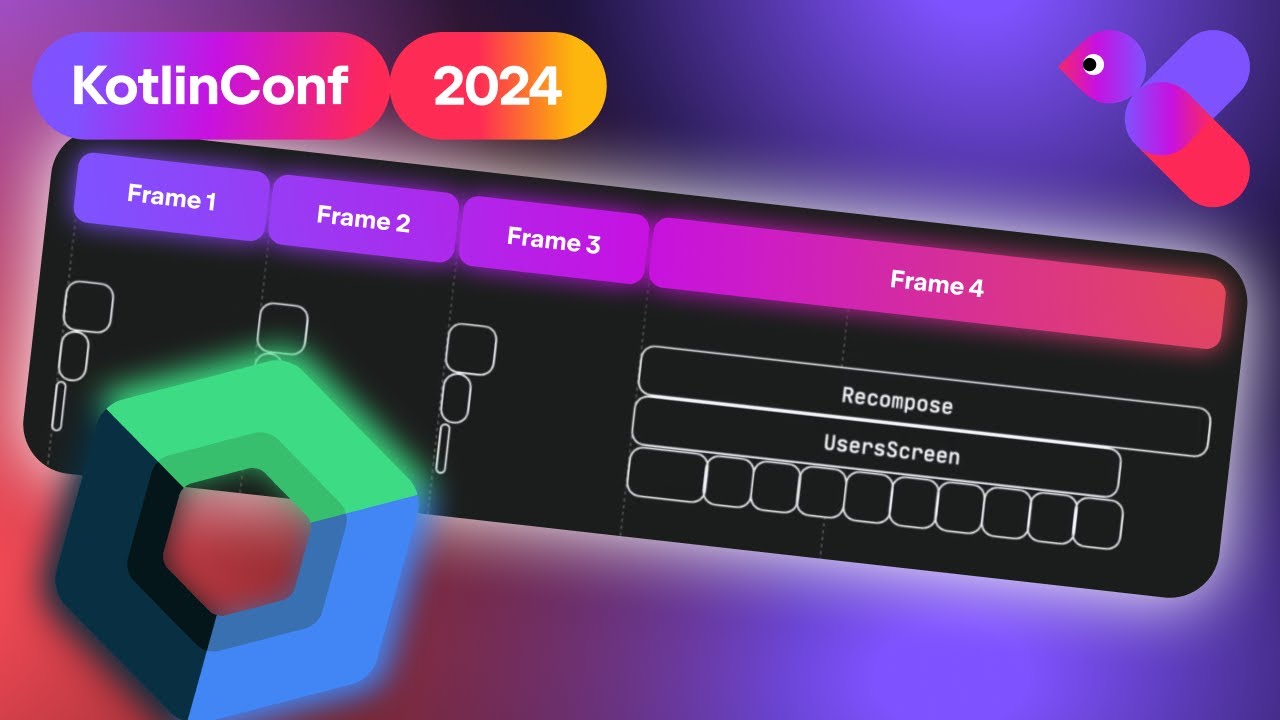
a large amount of recomposition when inspecting our app we know this could lead to janky frames but a quick look at the apps code doesn't reveal any clues what can we do to understand let's go over some Theory remember compose has three phases composition layout and draw composition determines what to show by building a tree of composes layout takes that tree and works out where on the screen they will be shown and draw well pretty self-explanatory draws it all to the screen here's the cool part compose can skip a phase entirely if nothing has changed
in it so if we can avoid changing our composition tree we can skip composition all together and this can lead to big performance gains but how do we do that here is a simplified version of jet snack's code with a parent and child composable the child composable needs to know some state from the parent and this is passed into it as the offset parameter this means the offset state is read in the parent and as such when the offset State changes parent will recompose first off we can defer reading of this offset State you should
always try and read State as late as possible if we can move the read of this state from the top level composable into the child we will limit how many composes need to be evaluated for recomposition and subsequently recomposed now to do that to further read you might think that this is a good idea passing the actual State object into your child composable well this does indeed defer reading of state it in turn makes your compose code much harder to work with for example you would no longer be able to use the bu delegate syntax
and you would have to add dot value to every read you would also be tying your composable to need to use State and you wouldn't be able to pass in a fixed value anymore a much better way to handle the deferring of reads is to use a Lambda by using a Lambda you can control when the state is readed without affecting the rest of your code too much you can still use the by property delegate inside the Lambda to read the value so we switched the read to the Lambda and now we can defer the
read inside the child composable this is good but we can do better if we can read this Lambda inside a modifier that isn't run during composition we can skip composition all together this is because we won't be changing our composition tree at all this is why our performance documentation States prefer Lambda modifiers when using frequently Changing State but why does this work how come just using a Lambda modifier means we can skip composition let's return to the composition tree and C the composition tree is also built up of any modifiers that are applied to the
composes modifiers are effectively a mutable objects when the offset changes and the modifier is reconstructed the old one is removed and the new one is added to the composition tree this happens every time the offset changes because the composition tree has changed recomposition occurs however if we use a Lambda modifier this modifier is not actually changing compos is smart enough just to rerun the Lambda function when it needs to and this is why our modifier object does not change which means the composition tree does not change and composition can be skipped so remember you shouldn't
have to recompose just to relayout a screen especially on scroll which would just lead to janky frames so whenever you see unnecessary recomposition think about how you could move the work to a later phase so in this case we can move the read of the offset into the offset modifier this offset modifier is run during the layout phase and doing this will mean composition is skipped all together how do you know what phase of compos a modifier runs in well if it's not a Lambda based modifier it will always be run in composition if it
is a Lambda based modifier it is almost certainly not running in composition while this is not guaranteed you can almost always assume it will be to start debugging for more information about this concept and a live demo of using it to fix a problem in jet snack check out the debugging recomposition blog post next up let's learn about stability here is the problem we've used the layout inspector again to inspect our app and we have noticed that some composes are recomposing even though none of their state has changed jumping into the code we see something
like this we have a simple screen with a checkbox and contact details now when the selected State changes to true this home screen composable starts to recompose it goes back to the nearest recomposition scope which in this case's home screen it then reruns this code first the checkbox is called again because its selected State changed but then as we step through we also see contact details being called again even though contact did not change what could be going on here to understand why this is happening first let's go back to the definition of recomposition recomposition
is the process of calling your composable functions again when inputs change when compos recomposes based on the new inputs it only calls the functions or lambdas that might have changed and skips the rest hang on might why might in order to skip a composable compose has to be sure it hasn't changed if compos started skipping composes that it shouldn't this would be very hard for you to diagnose and fix because of this the rules around what is skipped are strict compose determines the restart ability and Skip ability of each of your composable functions restartable functions
serve as a point recomposition can begin at skippable functions are able to be skipped if none of their inputs have changed compose works out if a function is skippable based on the stability of its parameters a mutable parameters are types where the value of any of its properties never change we'll see an example soon but think of this as a data class with with all Val parameters stable is a bit trickier stable types can have mutable properties but any mutations will notify the composed runtime of their changes in practice this most likely means their mutable
properties are defined with composed State objects unstable types are just none of the above unstable types are what lead to composes that can't be skipped let's see an example here is the definition of contact details composable it takes one parameter contact contact is a data class with one property name but it is defined as VAR and because it is defined as VAR it is not IM mutable and therefore contact is an unstable type this means that under the hood compose determines the contact details function to be restartable but not skippable as it has an unstable
type parameter to fix this we just have to make sure that all our parameters are constant of course that example was easy to find it would be pretty tedious to have to do that manually with all your classes though which is why the composed compiler can output a report for you when enabled the compiler will output reports about your functions and classes in each module the composed compiler is run on this will allow you to quickly look up what is being inferred about your code classes. text is the stability of the classes composes do text
is the restartability and Skip ability of each composable function there's also a CSV file output which can be used in a script or CI opening up composable do text you will see output like this we can see contact details is both restartable and skippable we can also see its contact parameter is a stable type but let's look at another one this is the contact list composable it's a composable that takes a list of contacts and displays them but there is something strange happening the list of contact is being declared unstable even though we know that
the contact class is stable because we just fixed it this is why compose treats list set and map as unstable this might seem strange but there's a good reason why it's because they are unstable the cotland collections provide no guarantee of immutability this code here is perfectly valid because of this the composed compiler cannot be sure they are immutable so what do you do there are two options for collection classes in particular there are the cotlin X IM mutable collections you can also annotate classes to override what is being inferred about them let's have a
look at the immutable collections first first add the immutable collections dependency then instead of list we can Define our type as a mutable list a mutable lists are easy to create you can convert a regular list into one just by using two immutable list once you've done that if you rebuild your app you should see that your list is now declared as stable importantly this was the fix needed to make our contact list composable skippable are we saying that you should always use a mutable list in compose no you should first ensure this it's actually
causing you a performance issue then this is just one possible fix you can use if it suits your use case but of course you aren't always dealing with collections let's look at another case here is a small data class for keeping logs it has a Tim stamp and a log string another common gotcha is that any classes from external modules the composed compiler is not run on will be treated as unstable we are currently working on a better solution to this but in the meantime let's see how you can use annotations to override the inferred
stability running the composed compiler on our data class we can see the Tim stamp gets declared unstable as we have no control over this class our only option here is to annotate the data class with a mutable you can also use stable but keep in mind the stable contract mentioned previously this will be enough to force our log entry class to be stable even though it still has that unstable parameter be careful incorrectly annotating a class is stable when it is not could cause composes not to recompose this brings us to the obvious question should
every composable be skippable no you should only do this if you have a verified performance issue chasing complete skipp ability is a premature optimization for example if you have a composable that never recomposes or recomposes very infrequently it probably doesn't matter if it's scoopable or not this topic is nuanced and quite detailed for more information about stability including how to enable the composed compiler reports see the jetpack composed stability explained blog post let's now have a look at derive state of a really common question we see is where and when is the correct place to
use this API derive state of is used when your state or key is changing more than you want to update your UI or in other words derived state of is like distinct until changed from coton flows remember that composes recompose when the state they read changes derive stateof allows you to create a new state that only changes as much as you need let's have a look at an example here we have a username field and a button that enables when the username is valid it starts off as empty and so our state is false now
when the user starts typing our state correctly updates and our button becomes enabled but here is the problem as our user keeps typing we are sending the state to our button over and over again needlessly this is where derive state of comes in our state is changing more than we need to update our UI and so derive state of can be used for this to optimize let's rerun this and see how the change goes our button starts off as enabled but as our user keeps typing this time we are only updating our username State and
of course if our username becomes invalid derive state of correctly updates again now this example was oversimplified in reality our button would most likely be skipped as we learned in the stability section but if your Downstream recomposition is expensive derive state of can be very useful F derive state of is just another tool in your belt to help with managing State let's have a look at another case in this example we have two states that we need to combine into one because we need to update our UI just as much as this state changes well
in this case deriv state of is pointless if though we were doing something a bit fancy or expensive that we wanted to C across recompositions well this is where remember with keys comes in we can remember the result of our expensive function and make sure it still updates whenever one of its Keys changes because we need to update our full name just as much as our inputs are changing we use remember that is the difference between derived stateof and remember with keys derive state of used when your state is changing more than you want to
update your UI remember with keys used when we need to change our state as much as our key changes the last tip of the day we will look at upcoming changes to help you call report fly drawn from compose report fly drawn is an API on activity that signals to Android that your app is ready to use this allows Android to optimize your app's startup in the future by pre-loading IO calls ahead of launch previously this API was difficult to call at the right time from compose but in activity compose 1.7 we have new apis
coming to fix this the new report drawn when composable function takes a bullying condition and will report to your activity when that condition is true this allows you to easily wait for your first list composition to happen or any other condition you need don't worry about it being called multiple times we handle that for you there is also a suspending version of this API report drawn after this will call report F drawn when the suspending function completes this allows you to easily wait for an animation to finish or for data to load we hope these
new apis make it easy for you to call report fully drawn and we recommend you do so macro Benchmark will also detect these calls and display the information in your startup benchmarks and we're done this talk had a lot of information here is a quick summary of what was covered macro Benchmark the answer to if your performance optimizations are working defer reading state reading State as latest possible can help avoid recomposition stability determines which composes can be skipped derve state of used when your state changes more than you need to update your UI and Report
fully drawn allows Android to optimize your apps startup there are lots of great talks at this year's ads in particular related to Performance is making apps blazing fast with Baseline profiles which goes over how to create and tune a baseline profile which can lead to big performance gains and that's it from me thanks for watching [Music]