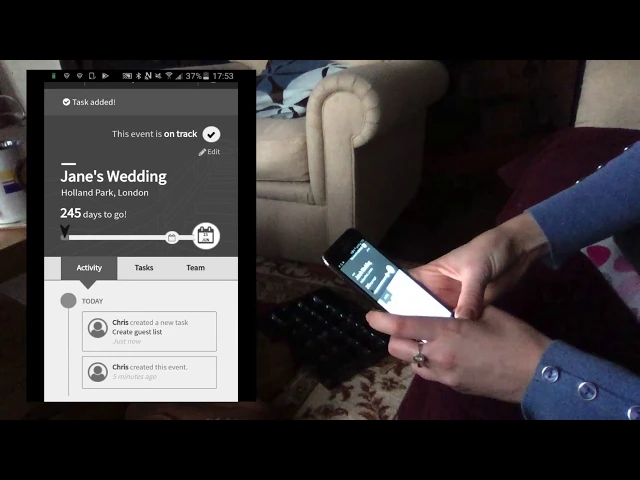
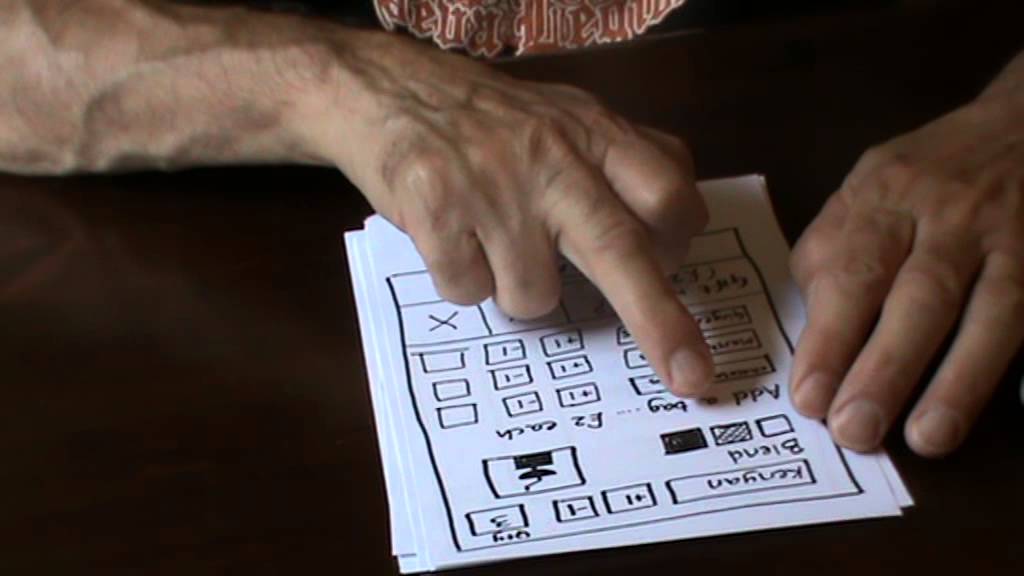
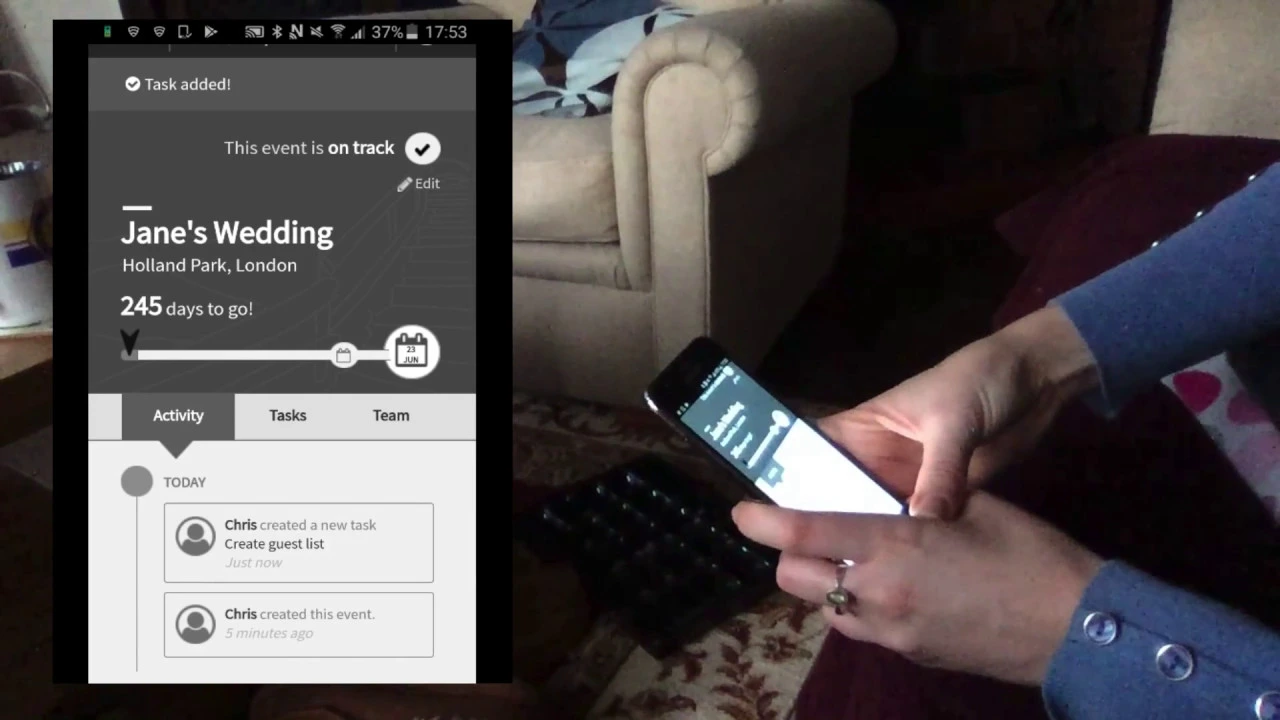
to plan an event okay I'd like you to imagine that you are planning a wedding to me to keep that name in sure that we fight oh yeah just put in any old day for them beside we imagine it's happening in Holland Park so what do you think's happening at the moment planning the elements of the wedding but so you've got to choose guess less cakes or I add them to the things you want to do so if you want to make it task like Jesus Frank yeah just click anywhere outside it okay sorry you
can't change the mumps apparently so they clear how that would work hmm yes I'm assuming it would give you a notification and tell you - wow this is laughs you guys amber when it's near it based on the date that you've put in and read when it goes past your latest completion date and you get a notification no I'm mathematic it's clicked on the wrong thing no it's okay it's just because it's a demo it only gives you a certain task so what do you think happened just now I created a task - is it
like a notification reminder okay now would you have a look at that task you just created declare to you how this would work um I don't really understand discuss um I don't know that's who you're discussing it with hmm so I don't really know what discusses team it's who you're presumably who your contact thing about I think it was a wedding cake in this case yes you add their contact details so pretty sure everybody that's just emails between the two of you but I don't really think the word discuss is the most useful what would
be I don't know I don't know email correspondence or something but not not discuss it doesn't really make sense okay how would you get back to the main event page from here so what I want to do show you what this event would look like after you've been using the app for about 50 days so just going off of this what do you think's going on here and apparently we're behind sugar and got some overdue tasks some things upcoming it's just telling you although sorry those ones were just telling you what's been done in February
and this is telling you what sort of do to do now and that part of the top how do you think that works mm-hm it's the timeline so these are tasks dates that you've got coming up this is something that is passed but I'm assuming the X means you've not done it how would you see what that was and not by clicking on it I'm a-gettin is in the list and it's I don't know this one maybe or it's the march on an its it was this over g1 how'd you learn more about what's going
on the pet task ok if you wanted to send the notification to the people who were kind of involved in this task don't you do that kind of an email ok if you wanted to update that starts to say actually this is done how would you do that did it edit tasks yeah oh no yeah what task was complete first place you thought to look was at the time yeah if I've been on this screen I would have clicked that but on the different screens all great about it