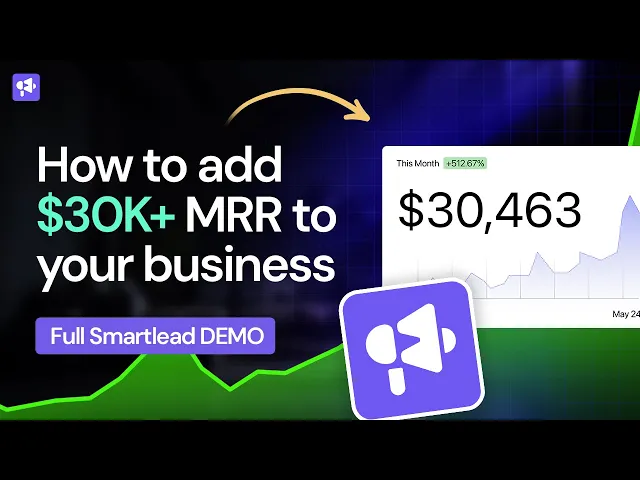
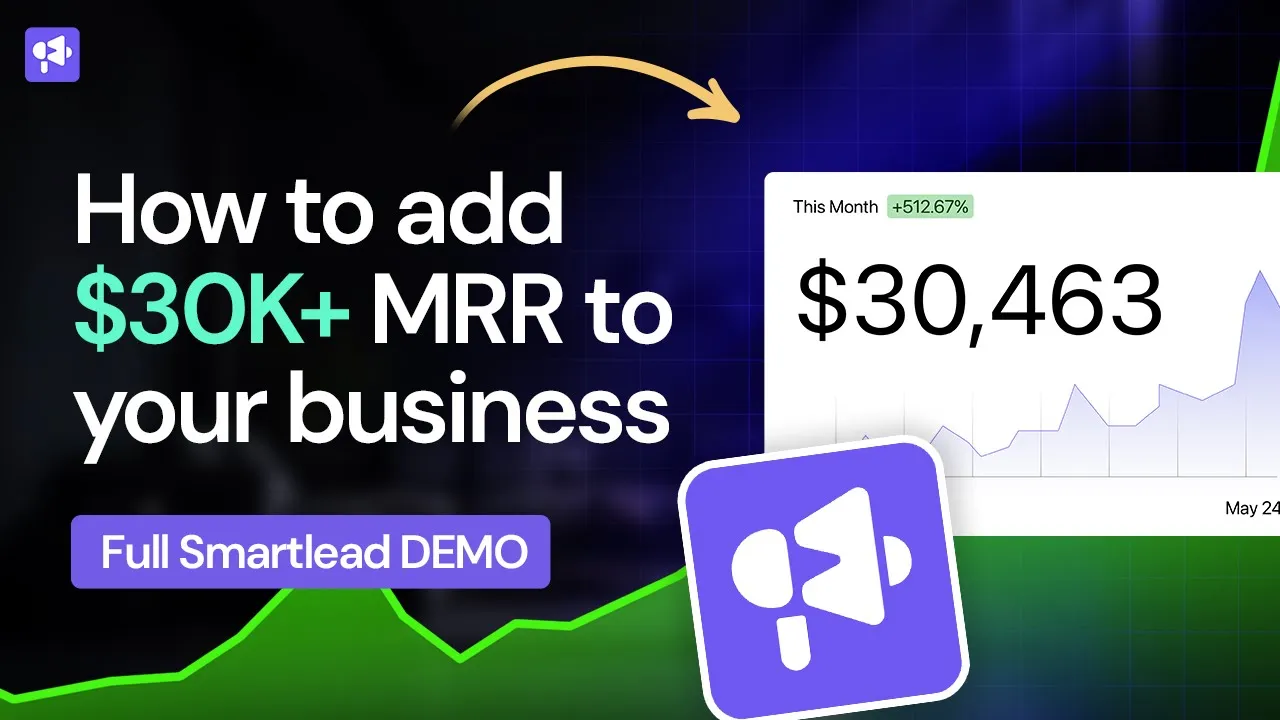
this is a step-by-step demo on how customers are using smart lead to boost their company's Revenue to whole new metrics and completely changing the projection of their business growth and this is how you can do the same too now what you're looking at is a dashboard of all the email accounts that I've got in one of my demo accounts over here and I'll show you how you can do the same and how you can optimally set up to best achieve success with us so you based upon where you are you might have absolutely nothing no
email accounts added you'll have a center prompt to add an email account you can do that from there or I'm going to go ahead and click on one over here so I'll click on Add accounts and you're given four options with Gmail you have oauth and two-factor authentication now our general suggestion is to go with oauth if you have the option to do that with the admin accounts all the instructions are given to you over there we won't waste time over here or you can do a two-factor authentication as well you've got SMTP and Outlook
which is oauth for Outlook and Zoho you've got normal SMTP approach as well now the cool part is if you are a Scale based business because we are built fundamentally for scale and a lot of agencies use us you can simply click on the click here button over here you'll see a sample CSV that shows you all the fields that you need with the variables that you need to put in based upon your outlook provider or SMTP or as a whole provider all these variables need to jump in and you can also select a bunch
of really cool things with respect to your warm-up total warm-up emails you want to send and so on and so forth and that can be added to that CSV and simply upload it over here you can add almost 100 accounts in a matter of few seconds cool now I'll break this part over here let's go into actually what it looks like when you've added an email account so I'm going to pick one of these old email accounts that I have over here let's just take this one for example and what you can see is a
nice dashboard that shows you the total number of form up emails sent the total number of form of emails received and even shows you the reply rate that I have for each single day and you can see it's random over here that randomization helps with humanizing the pattern for sending out emails now we also have a saved from spam the cool part about our platform is when an email lands in spam in the warm-up metric in box or that pool that we have we actually manually pull it out from there do some TLC ensure that
we optimize some of the IP addresses that your mailbox belongs to to ensure that its reputation is back up again to where we want it to be for the best delivery possible now once you've added an account you'll be thrown to this page over here where you have a bunch of really cool and important metrics to work with so let's go through that very quickly messages per day will let you go ahead and decide the total number of messages you can actually send out per day and you want to limit this to 40 or 50
that really helps ensure that your your email account stays for a long time it's taken care of it's healthy and reputable minimum time Gap is a very cool factor a metric that you can use if you're using this mailbox across multiple campaigns which might be the case you don't want to have this two mil two campaigns overlap when this mailbox is being used so this over here by setting it to five minutes or two minutes or four minutes keeps the safety metric or buffer to ensure that there's never a sudden overlap in emails being sent
that might trigger automation messages and so on and so forth you can drop in your signature right over here you can add an image and do whatever you want it got a powerful text editor you can also BCC in case you want to push message to the CRM and do custom domain tracking all of which is explained everything over here is optimally built to boost your emails into the leads master in or the leads primary inbox now let's go to the warm-up section because that's the important part over here in the warm-up section you have
really cool factors that can help you again optimize your emails Landing in your leads inbox the total number of warm-up emails per day decides obviously a number of emails that can be sent ramp up is important because you don't want to start sending warm-ups with 40 emails straight from the get-go you want to start with a certain ramp up and then once the ramp up is done it randomizes these emails the randomization is important because then it again brings that human Element no one's sending 40 emails every single day so that randomization piece again helps
the human aspect to the reply rate can be dynamic you can change to whatever number you want based upon the email volume that you're sending out and some two cool factors that we have over here that makes our warm-up Network extremely unique is we've got a custom identify tag manager what that means is these two these two words over here are magically injected into all the warm-up emails that you receive and what that does is in that body you can use that these two words over here to filter out so that your warm-up emails are
not Watering your master in your main inbox but also the uniqueness is because this is specific just to your mailbox that means these two words over here are just specific to this mailbox and every other mailbox has its own unique two-set of keywords that makes it very difficult for email service providers like Gmail Outlook Zoho to pick up that this is actually a warm-up message so that naturally boosts your reputation now one more cool thing we've added is auto adjusting because guess what when you're sending 40 messages per day you don't want to also send
40 emails per day so we we let you the option to automatically adjust the ratios we have some magic AI algorithms the back end that if you click this as an option and you start a campaign will automatically adjust the warm-up ratio for you so it's best optimized to counteract any reduction in your open race that our campaigns are automatically picking up for this particular mailbox and we automatically adjust the reply rates the total number of warm-ups sent to make sure that any reduction or any low values that we're seeing are counteracted with an improved
warm-up ratio so best again boost packet deliverability and get you back in your leads main primary inbox now some other housekeeping things you can do is you can easily tag these mailboxes based upon a client because guess what we are fully white label solution that you can create with your own branding and domain and additionally you can add tags to help you with filtering maybe you're using certain mailboxes for outbound using certain mailboxes with certain customers or certain maybe APAC emea and so on and so forth or you're just warming email concept that's what I'm
doing or sometimes if something's landed in spam you want to make sure you're taking them TLC care for it so you can do that and you can change these tags as much as you like all of it set there great so now that we've actually gone through how powerful our email management software is let's go into actually creating a campaign and how you can best set yourself up for success all right so this is obviously a demo account over here you can look at a bunch of campaigns that exist on our side so this gives
you an overall view of the total email sent how many emails have been applied your click rate your reply rate and obviously how many people have actually been interested in the messages that have been sent out and you also get to see some cool metrics such as total leads that have yet to be reached out and a bunch of other metrics that make it important for you to understand your campaign's overall growth or your progress now let's go ahead and click on ad campaign over here because that's the first thing we're going to do we're
going to go ahead and drag and drop a CSV that we've created and right before we kick off we have a nice little setting section that shows you some Paramount flexibility options you have here where you can actually override your block list override your unsubscribed listen even if they exist in other campaigns for example you might want to import a DOT import them so you can have that flexibility straight away over here then what I'm going to do is I'm going to map the fields that I have in the CSV to just be variables that
I have over here and also if I've got some first line variables I'm going to go ahead and use that as a custom field and you can add as many custom Fields as you like you might see this thing over here saying client ID this is again very important if you use us as a white label product for your agency you can simply select this as a client so if you have a client that is using our platform and that you've given to them you can simply allocate this campaign to the client then the client
can then log in and look at this campaign it makes it extremely cohesive for your customers to use one single platform that is completely branded to your domain to your logo to your branding to then boost your overall brand personality and brand consistency so let's go ahead and do this over here and I'm just ignoring website and I'm just going to go save it next now once that's done we'll import the leads and you get a nice little breakdown of total duplicates existing blocked and and so on and so forth that helps you understand what
your lead cycle or your lead cleanliness is looking like right so now that we're over here we're just going to go ahead and click some basic follow-ups and I'll explain that to you very quickly what I'm going to do is just to say hey first name by simply typing the two black curly brackets you get to see a drop down of variables that you have been mapped in the previous field now what I'm going to do is use our powerful spin tax manager say hey hi and then hello and to sorry to first name like
that and let's work together looking forward to it obviously this is not good copies but we're doing this for the demo what this does over here is increases the variability of your copy and ensures that there's more randomization in the wear Center remember we want to make sure our copy is different unique emails have the best chance of Landing in your leads inbox and this is one step an additional step that you get with us the power to go ahead and bring in more randomization that improves the chances of you Landing your leads inbox now
we've gone ahead and done that over here in this first name variable we'll go ahead and be injected with whatever your leads variable is and you can do a bunch of other cool things such as changing the font name color so on and so forth uh Additionally you go ahead and even go with the full code view as well if you want to do something very specific to the the code approach add an image insert a link and whatever you'd like you can also use our email template so we've got a few over here and
we have a lot more being added on based upon when you watch this video you can update this template to be you know whatever you want it to be and then that will show up as an option for you that is your own custom template that you can use later down the road wherever you want so you've got that full flexibility to build your template portfolio right within our own platform over here and save that and store it great now guess what sometimes you might want to use your signature and dynamically inject it somewhere within
the body so that you might have some section like the PS section where you want to put in your custom first line right and you can do that by simply typing in percentage signature that will then inject the signature of the email account that is going to send this email and signatures are allocated to individual email accounts just to show you so let's say you click on this let's just go with any email account over here and we click on edit and you can simply go ahead and make sure that you have a signature that
is associated just to this one email account which then this little thingy mobile over here is going to be nicely injected to wherever you want to put this thing cool so that's an awesome win for us if we want to go ahead and do that or just leave it and then it'll just be dumped straight at the bottom like you would expect it to be any any way through great so now we've got this over here we go to the Second Step before we do that guess what you can add over 26 different variants for
doing your a b testing on different parts of your copy experimentation or whatever you want it to be which then lets you to analytically measure your email marketing growth and make make sure that you got the best copy that powers through your offer and gets your leads excited about what you're selling them now in the second second follow-up over here you have a really cool option where if you leave the subject line empty it will be sent as a follow-up or a reply message in the same thread to the first email to maintain that consistent
emails right now you can change that obviously by typing in something you're saying hi there and which case it will be sent as a completely new email but you can just easily leave it empty over there you can change the number of days you want you can change all that that will also help you grow your overall follow-up sequence and ensure that your leads are interested and get back to you at your best optimal case so I'm just going to say something or you're saying following up obviously don't use anything I have here we have
enough videos to walk you through actual copywriting techniques and strategies um working together and you can maybe use a gif here an image that excites a customer and breaks the pattern a bit over here as well if you'd like and you've got a whole bunch of cool options over here that let you do that as well if you'd like sweet so now we've done these few things over here let's go to the next section which is effectively creating the sequence and again within this we give you hyper flexibility to help you ensure that you have
the best possible chance of impressing your leads now before we do this I did want to show you something that I've forgotten when you go back over here we have some really cool native features that will help you increase the overall dynamicity of your campaign your copy and so on and so forth such as let's just say hello hey first name and you want to say good morning right so you can do something like SL time off day and that will actually based upon your leads schedule wherever they're based it will say good morning good
afternoon good evening when on when the email is sent to them similarly so you can even say the time at the day of the week right so you can do SL day off week which will do something like hey Good Friday good Monday good Tuesday or happy Tuesday whatever you want it to be so it adds those extra layers of personalization that makes it look like you've sent this email just for them you've handwritten it right so we'll just uh I'm just gonna say that uh go back and say time of day um addition to
this you can do something called liquid syntax I won't jump into this but for those who aware that lets you do complex if else conditionals that lets you even break down further the power of a variable copy based upon different variables that you have within your CSV all of that can be found in the help section over here by just clicking the chat support button now let's do this let's just go save it next let's select Sydney again now that we're over here we've got a time period and some unique things for you to notice
so let's just say I dropped this to be eight minutes 67 emails will be sent per day per sender account but remember we set it to be 50. so 50 will be adhered to even though you set it to 67 but the cool part is you can go and attach multiple email accounts let's say you attach 10 email accounts boom we've just gone from 67 to 670 new emails that can be sent every single day so you can imagine how quickly you could scale with smartly then reach out to more and more customers every day
with us the max number of New Leads decides total New Leads that you reach out to versus follow-up messages that are sent so just keep that in mind I usually just you know make that as much as I want to be but if you got an agency billing model based upon New Leads that you can reach out to this is a great way for you to taper that and the final step is over here just to review your copy over here you can say good morning good afternoon it's morning because it's 3 55 morning at
3 55 am over here I'm recording it therefore it's going to say morning but if I change that to ET or some other part of the world that will change um all right so I get to review my copy before I send it out and I can also go ahead and make manual edits individually if I want to um manual edit and save that so that will be saved just for this particular individual over here and that is a really cool thing that you can do to again High professionals emails obviously you want to make
sure you can check your copy and everything makes sense by clicking on send test email but here's the magic moment it says hey you need to actually select an email no worries at all let's go to the Magic Moment the money shot over here which is pretty much all the email accounts that exist on our platform you can simply just go ahead and say look select and that will select all the email accounts that you want to use obviously you don't want to use all of them that's up to you I'm just going to go
ahead and select one two and three and the magic of our solution is we will auto rotate Auto Select and split every one of these leads according to these email accounts with the restrictions and optimizations that you put for them and of course let's say you use Smart lead smartlydues.com to reach out to this person throughout the entire sequence within this campaign they will obviously receive just emails from this it's not going to auto rotate and send emails from different emails for each sequence absolutely not for the entire sequence for this one individually They will
receive the email from the first email they received from and then obviously in this case they've got three leads three emails it will equally split across so Viva Gmail will go to this one smartwriter we'll go to this one Viber plus five two one will go to this one over here and obviously if you have more leads hundreds thousands of leads they will all be accordingly and evenly split across for yourself um over here this brings up that same feature that I mentioned where if you turn this nice little Nifty button over here we'll take
care of a bunch of headache for you because right now let's say you've got 40 warm-up emails being sent out and you've also sending out emails maybe there's 50 leads going out over here you need to go back adjust it manage it for the length of campaign and then come back turn it back on and increase your warm-ups none of that matters just turn this on we will automatically adjust and manage everything intelligently and reactively for you to ensure that you've got the best bet and best chance possible to land in your leads inbox and
save you a ton of time great so I'm just going to click save over here and that's that part but let's just go ahead and look at some very very important things and how you can dynamically improve your overall growth with our campaign management and settings section firstly you can decide what type of event ensures that a lead receives follow-up emails most of the time it's when they reply you can also ensure that they don't track anything if you wanted to we have some very cool optimization metrics like plain text emails if you click this
what this means is we remove all HTML all links or anything formatting that HTML approach and send a plain text email this will best position you to land in your leads inbox we've seen great results of this but obviously this does mean you're open with tracking and your link click tracking is completely turned off so you're only working through reply so use this if that is something you're comfortable with otherwise continue using the way you want but like I said if you turn this on it puts you in a really good position to land in
your leads inbox now sometimes what you want to do is you might see that your follow-ups are actually getting you better results than the fast emails in which case you can optimize your sending pattern to focus on follow-ups so when emails are distributed we will distribute sending emails to a follow-up of Viva by Gmail instead of reaching out to a new lead but you can easily flip that around as well you can manage it to be 50 50 whatever you like that you can see works best for your campaign now another really cool feature that
we recently added is called enhance email sending and delivery management which is we basically match ESP providers if you've uploaded this lead list over here we know what Lee meal this is this is a Gmail account this is a Zoho account this is a Gmail account and we automatically match and mix and match these ESP providers to match your mailboxes so if you got a Gmail account we'll optimize it so that your leads are matched to your mailboxes so Gmail to Gmail Outlook to Outlook and this itself has the incredible incredible results especially especially in
2023 which is when I'm recording this video where you see massive boost in your reply rate simply by doing ESP matching completely on the Fly completely dynamically all with a single click and that is the power that you get with smart lead in terms of the optimization and growth you can get with us over here just by click on the click click on it by clicking on this you get the full option we will over analyze and optimize everything for you and use our artificial intelligence engine to optimally match things to ensure that it works
to your best benefit to boost your delivery I'm just going to do that you can obviously add your unsubscribe links and all that fun stuff click save and then that's it you just start your campaign and you're Off to the Races now when the campaign is kicked off I just wanted to show you a quick demo campaign over here you can see the analytics it shows you how many open Harmony sent Harmony replied everything is manageable and available straight in our dashboard over here you can even work through the date range um you've got the
inbox that basically shows you all the emails that have been sent out with the reply details that you can also manage as a CSV by filtering through different things such as the first email second third email the status if they replied unsubscribed and so on and so forth in addition to that you've even got the lead list which shows you the leads and the variables that are attached to that particular lead everything is cracked and managed over here with the optimal filter options that you've got based upon the lead category maybe you've marked the leaders
interested not interested we'll go through that very quickly other status as well in progress means they're in the sequence completed means the full sequence is done and not contacted it means the first emails not actually even been sent to them all that can be managed and controlled over here subsequence is a really cool way for you to go ahead and automate scenarios based on your leads behavior let's see your lead replies with an out of office message your reader replies with a certain keyword based upon that keyword you can go ahead and put them into
whole new subsequence automatically so it's a great way for you to automate your overall process even further an example will be let's say you create your fast message saying if you're interested reply with interested then you can create a subsequence with the word interested and let's say it contains the word interested then automatically then you can send them a calendly link you can send them a bunch of other messages a follow-up tunes that then get them focused on booking a meeting with you without you having to manually track anything or type anything further way is
to reduce your overheads of hiring va's and doing all of it straight within smart lead itself if you want great now that we've done this let's go to the last two bits over here which is the master inbox because obviously you're adding tons and tons of email accounts to a platform it's going to be an absolute headache for you to go ahead and log into each individual account the goal of the master inbox is to aggregate all your mailboxes that you've connected to our platform uh to send cold emails to then aggregate all the replies
and then manage those replies and also reply directly from our platform itself so the really cool part is let's say I've got a reply over here I simply just click on reply to Michael saying sounds good here's my well let's just say here's my booking link right and then straight just from the beginning the lead uploaded to Smart lead reply comes here categorization happens and replied directly from here everything from start to end is managed straight with the smart lead itself and that is the power you have here now the cool part is once you're
going through all the replies that you get you can go into it and manage your categories say there's interested meeting requested book do not contact all these interesting categories you can create and also by the way you can create custom categories too straight from the settings section I'll show that to you in a quick moment and then you can allocate those categories to that particular lead so easy way for you to track that now other cool things is let's say this lead is replied over here but also maybe on LinkedIn and easy ways you can
go ahead and resubscribe the lead which means they will receive further uh the further messages in the rest of the sequence you can block a lead you can mark them as unread you can do a whole bunch of stuff powerful things that optimize your overall experience and sending uh optionality with the with smartly now the replies over here coming aggregated through all your accounts but sometimes you want to go ahead and see it get a refresh just click on fetch replies this is obviously part of the Pro Plan and you will automatically put into a
priority sequence to fetch new replies that have come through in your campaigns across all your mailboxes so that is one really cool way to manage everything over here that you can go through all these accounts reply to everyone directly over here and it individually score deals straight from the master remarks itself it's a lot of people spend a lot of time over here because this is where the money is made great so now that we've gone through this let's go through one last bit which is the client access which is our very very popular and
very powerful feature used by a lot of people white labeling there's full videos that I will link to at the description of this video to show you how you can use white labeling to boost your brand consistency you boost your overall brand value and also get a lot more money from your customers because it's a completely new experience that's going to cost you absolutely nothing as a pro planner above user so you can come to the client access and basically give them permissions go ahead and get full access to the application if you want to
give them full access or just read only access in which case you manage everything but they can reply to your leads the leads that you've generated for them directly so then another headache removed for you they just manage the replies and you've generated hot fresh content for them one important thing remember how I showed you that there's the option for you to Mark leads as interested you can actually remove all the other leads maybe there's some people who are not interested you obviously this you you might get some people who are not keen don't want
to be in contact you can decide what categories you want to hide from your client so your client is there just seeing bang after bang after bang interested interested interested leads and they're just loving what you're doing for them you can add the company name which is your company you know specific to what you want to showcase them and also you can go into the settings section over here and go to the white label environment and actually put in your own logo and change your brand color to match your exact brand color whatever that might
be again boosting that consistency of people getting into their head that you are building a business and you're adding value to them you build you've built really give them a completely custom solution that lets them log in view their growth view their success in cold emails straight from one account all those things can be done directly from now some cool things to look at in the settings section is you can go ahead and create web hooks you can manage your Global block list directly over here you can add as many team members as you'd want
you can manage your subscription and also change uh your profile so the team members part is really cool because you can add as many of your sdrs virtual assistants and give them permission layers as well instead of sharing one individual account across everyone else so these are some very very typically Iceberg features that I've explained to you with what smart lead can do there's so much more coming up based on when you watch this video we probably have omnichannel live coming as well which includes LinkedIn Twitter WhatsApp and a bunch of other avenues to do
your overall advance so welcome on board welcome to completely changing your business and I'm excited to have you here and I'm looking forward to having you share your success with us and see how you completely change the growth of your business to whole new levels in 2023 and above