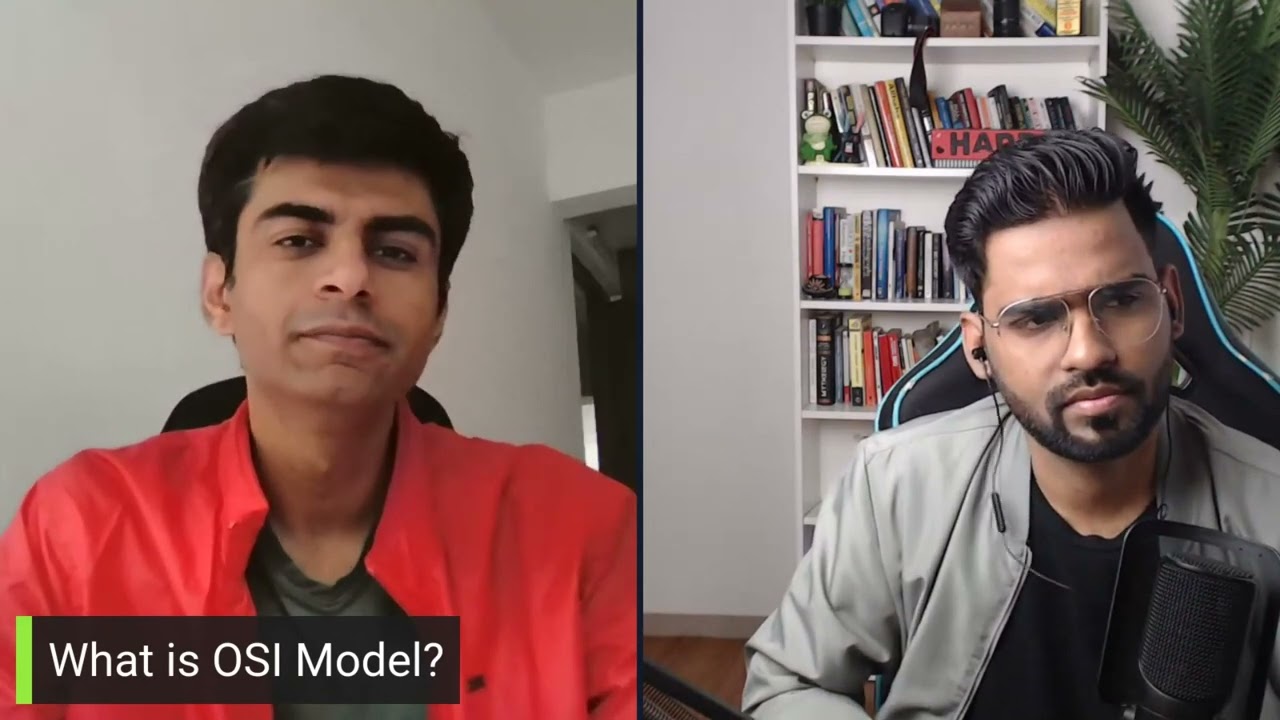
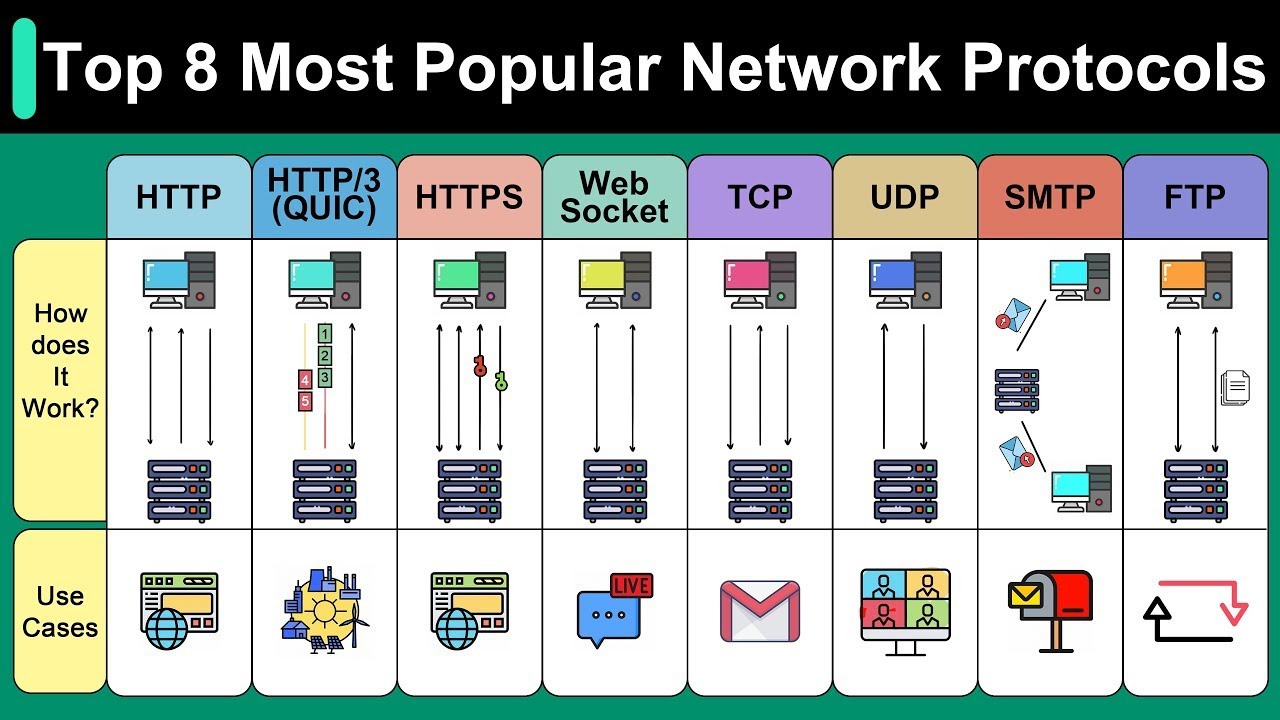
all right welcome everyone I'm rajes Gupta and with me Jam Pak is here um this is again another mock interview and um I see a lot of comments and I'm really enjoying it I'm really happy to see that it's really getting helpful for everyone uh uh today we are also going to do one more mock interview um we of course we are keep doing it so the process is going to be same uh Jim will be the interviewer I'll be the interview he will ask me questions and based on my answers he might ask some
uh counter questions as well okay so the format will be same um uh first I'll answer some direct and first I'll give some direct answers at the end I'll go in detail and give you some detail explanation as well so without taking much time let's get started hello Jim how are you I'm good how are you yeah I'm good I'm good I'm good thank you so much for having me here you're welcome so let's get started sure so rajish my first question is about uh TCP what is TCP IP three-way handshake uh well uh TCP
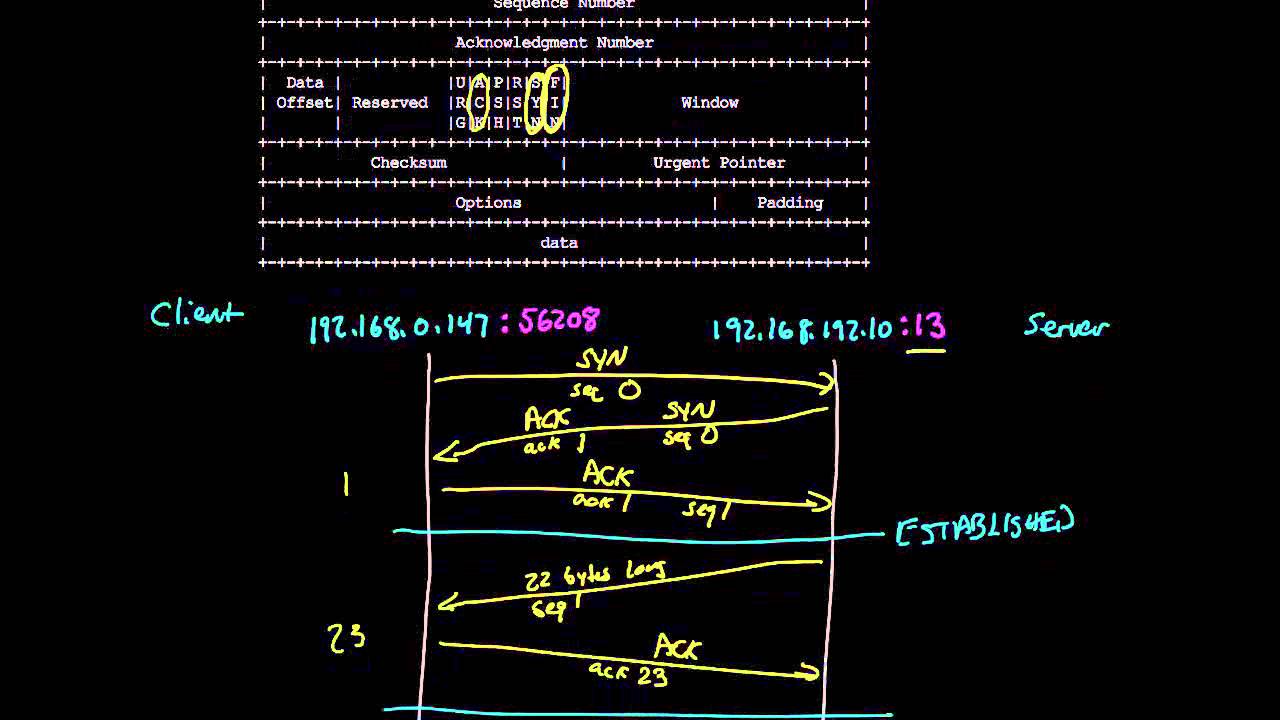
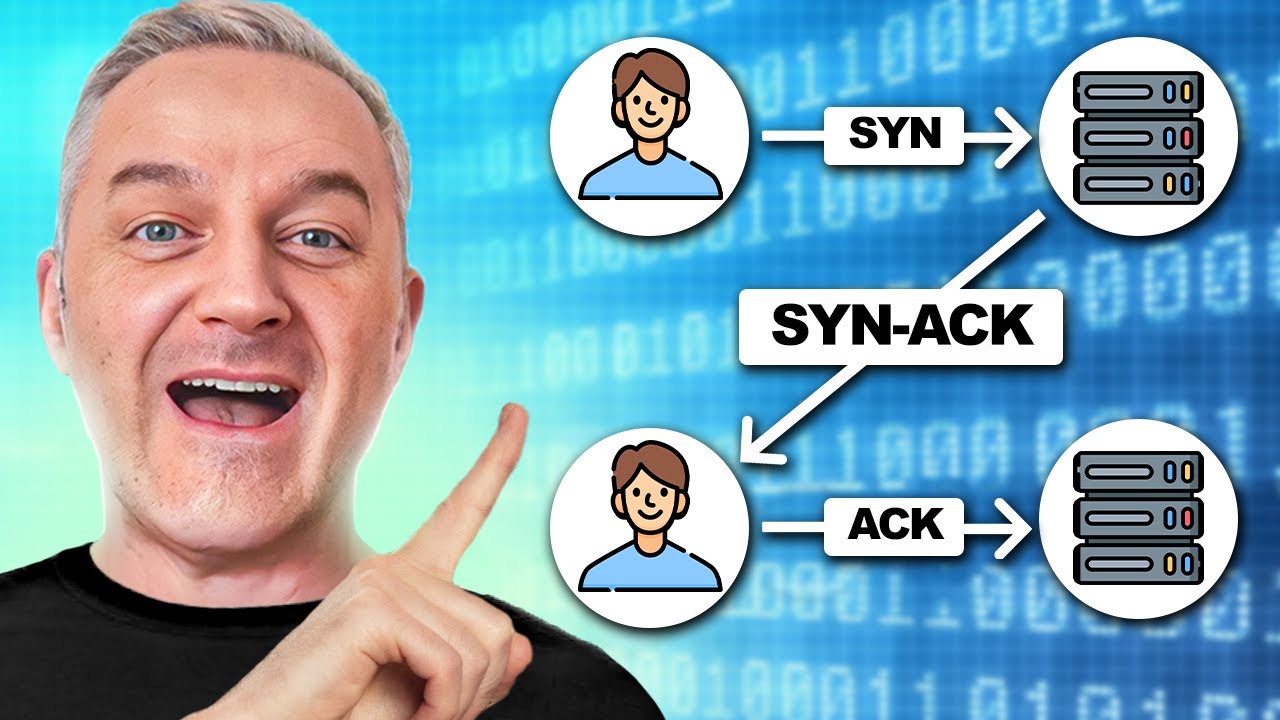
IP 3B handshake is useful to establish the connection uh between the uh client in the server okay so this is this is applicable for the client server communication so before the actual data can be sent the TCP 3-way hand trick need to be established okay in this in this TCP 3way hand trick the first client sent the sin message uh basically TCP packet with sin flag set to it okay okay so with TCP packet there are multiple Flags but Sy flag is about synchronization so this means like uh you know requesting that yes I want
to talk to you so the client send the request to the server first now this TCP packet with sin flag set goes to the server and it also have also consists of some more information like uh sequence number uh acknowledge number uh because it's uh it's a first packet it's not an acknowledgement so it's to zero uh now this goes to the server server will acknowledge it by by replying a TCP packet with acknowledge flag set to it h additionally it also said the sin flag that saying that yes I also want to talk to
you now this goes to the client and finally the client acknowledg the package okay acknowledge the earlier s packet which was sent by the server so at the end the client send the acknowledgement and this sin syak and a completes the three-way handshake after that the actual traffic goes through the network so yeah okay great got it yeah so my next question is uh what are other TCP Flags uh you mean uh other than what I just and okay so other than that uh there are some more Flags uh you know we have uh as
far as I remember we have uh we have rst which is like reset flag uh we have Finn flag as well which is to finish the session which is to terminate the session um we also have urgent flag as as well uh which is to send the data on a basis that's you know prioritizing the data uh we have Push flag as well which is like uh which is to uh which is to prioritize which is to inform the receiver that you know uh uh take this data without taking it to the buffer okay so
this is also kind of prioritizing the packet as well so these are some of the other flags so there are total Six Flags three which we have talked earlier including sin acknowledgment and uh we have fin flag we have urgent flag we have U push flag as well so yeah these are the these are the other flags okay got it so yeah what is the difference between rst and Finn flag okay rst rst is like reset so when we say reset that means we are restarting the session so it's it's kind of abruptly terminating the
session okay so when someone send the RSD flag that means he want to restart the session or you know terminate the session immediately but finish or fin flag is like finish flag it's a it's a gradual process if you say uh Finn flag that means you want to terminate the session you don't want to restart you want to terminate the session so again you go with the uh proper handshake and uh you terminate the session you will set Fin finac and acknowledgement so that's again a gradual teration of the session so that's that's the difference
yeah wonderful wonderful so have you worked on V shock yes I I worked with it yes so when you analyzing the packet capture and if you see TCP Transmission in the packet uhhuh what does it mean okay TCP retransmission um well uh what happened is TCP uh packet has got uh sequence number and acknowledgement so whenever any any device client or server send a packet it need to it require an acknowledgement okay so if I don't receive an acknowledgement it means the packet is not uh is not being received by the recipient so keeping that
in mind the sender will uh retransmitting that packet okay so it could it could be possible in case of let's say packet drop or po connection or slow connection that uh packet might have got dropped in between because of the PO poor connection or wi wi poor wireless network so in that case my packet might have got dropped so the recipient might not have received that so uh and it might not be able to send the acknowledgement maybe and acknowledgement might have got drop so there could be a lot of possibility but if the sender
could not receive the acknowledgement it will keep sending the same packet and that's where we see the PCP R transmission so yeah in the W shock we see that as TCP R transmission message again in a key so yeah great great it's wonderful so this is all I have for today's questions okay sure thank you so much thank you so much chairman um so now it's time for a detail explanation um you know I'll let me share my screen and take you to a detailed explanation of what is the TCP so here we are now
um you can see on on your uh on your uh on my screen basically what happened is PCP packet this is the entire packet basically and uh when we talk about OSI model the TCP packet resides on the layer four okay this is where you get the TCP packet and technically speaking the data on the layer four is not called is not a packet it's basically a segment although I've been saying packet packet but it's a segment okay the the information resides on the layer four is called uh segment the information resides on the layer
three is called packet Layer Two it is called frame if I'm not wrong okay so you can see on the um on the layer four we have two information first is the header this is header and this is the actual data okay and this goes into the data uh data portion of the IP packet so it's kind of encapsulation so all the data uh this layer four data become layer four information become part of the layer three data and the layer three data become part of layer three data become part of the layer two data
but it also has its own header at the end right so you can see the it adds the header but the layer four data becomes the IP data okay so you can see the TCP segment we have a source Port Source Port detail which is the 16bit address and destination Port which is again 16bit address okay and we also have a sequence number now sequence number is to track every segment it's to track every information and which is again four byte address and there's an acknowledge number as well so uh the acknowledg number decided based
on the sequence number so if I send the sequence number 10,000 so the acknowledgement number would be sent by the recipient as 10,1 so that's that's what that's how it is getting try okay and whenever recipient or a server if you remember uh while answering the question tcp3 handshake I talked about Sin flag and acknowledgement flag right so if it is a client because TCP uh three band start with the client right so it will first send the TCP packet by keeping sin flag set so it will set this sin flag as one okay while
keeping everything everything else is zero all the other flags will be zero when the server received it it also create a TCP packet and it will send the acknowledgement and sin flag gets one where everything will be zero and finally the acknowledgement will be set to one by the client okay so that's how it has been accomplished now we also talked about the reset flag which is here we talked about the fin flag which is here uh push uh push flag as I said it's to make sure if it is said that the receiving data
the receiving data is requesting to push the data directly to the receive receiving uh application without without buffering okay so that's again a kind of prioritization and when you talk about urgent that means you want to get this data on the you want to get this data processed on the Urgent basis so that's where you you know use that field finally you have option and padding which is used for uh better uh you know it's used for multiple other purpose and based on that the uh TCP data can vary from 20 uh by if the
option is not there if option is there it would be 40 byte and that's how it can range it can also go to 60 bytes as well so that's how the entire package size may vary okay uh then we have Windows size which says how window size controls the amount of data that can be sent it's like a flow control so specify the size of the data that receiver can receive or can accept Okay and uh that's how the entire process really works and uh urgent pointer talks about the urgency indicates the urgency needed by
the data and must be received as soon as possible okay so this is how the TCP packet uh really looks like and um I hope you got the idea if you have any question uh about this question about this mock interview do let let us know in the comment let us know how how you know if if if is there anything else we can improve on and if you have any of your question uh uh interview question that we could answer to let us know in the comment um we would be happy to hear that
okay thank you so much uh this is me rajnish Gupta and J Pak signing off byebye