hello and welcome to another walkthrough from web bunks today we are going to talk about conversion API and meta or Facebook so you may have come across that there is a new integration that is available in your meta ads manager apart from the metapixel which is called conversion API so today we are going to talk about what exactly it is and how it works so conversion API is a new method of tracking users on the website for your meta platforms via meta so what actually how is it different from your metapixel is because metapixel starter
is actually based on web events so the browser when a user goes to the website the user lands goes to different pages they look at events all this data is sent through to the through website browser and then it feeds back into the metapixel for you reporting in metam ads manager the issue with that is there is something called ITP 2.0 currently which is called intelligent tracking prevention which is actually limiting most of your browsers to stop sending data to third-party apps like meta so why that is going to affect you is in time at
the moment you may have noticed that Safari and iOS Apple devices are actually limiting any sort of data to be sent to to these data sources third-party data sources but this is actually going to change even more drastically by next year when most of the browser will follow the same suit and actually they will not send any data to any other third-party applications so this has some implications of how you're going to track the data today we are going to talk about a little bit more about this so I'll share my screen with you so
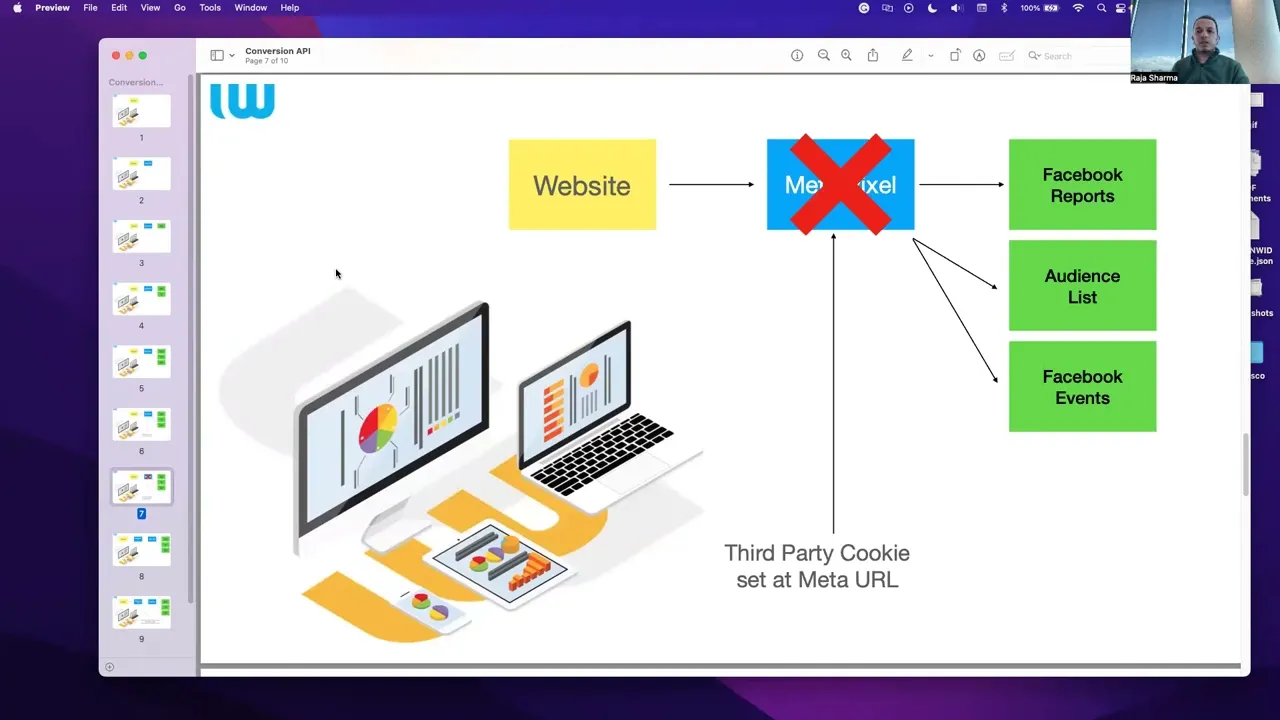
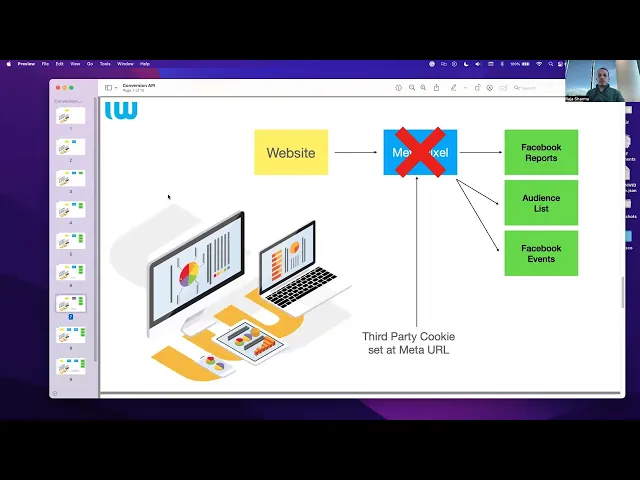
just to give you an update like how this actually works so for example you have your website currently this is how it works so you go to your website and this the data gets into the metapixel and that's how you Facebook reports are created your audience list is generated who has gone to which page what products they are interested in and all those Facebook events get aggregated into your reporting on meta ads manager actually this whole metapixel is set up on a third-party cookie which is on the meta URL which obviously is separate to your
first party cookie that is your domain so the browsers are not going to allow it and they will say they will not send any more data for this users or we will only send limited data so how meta actually came up with an idea is they actually introduced conversion API tracking so this actually API tracking is set up on your server container on tag manager or even your server side container so what actually it does because the server is connected on your first party cookie which is analytics Dot yourdomain.co.nz and that's when the con the
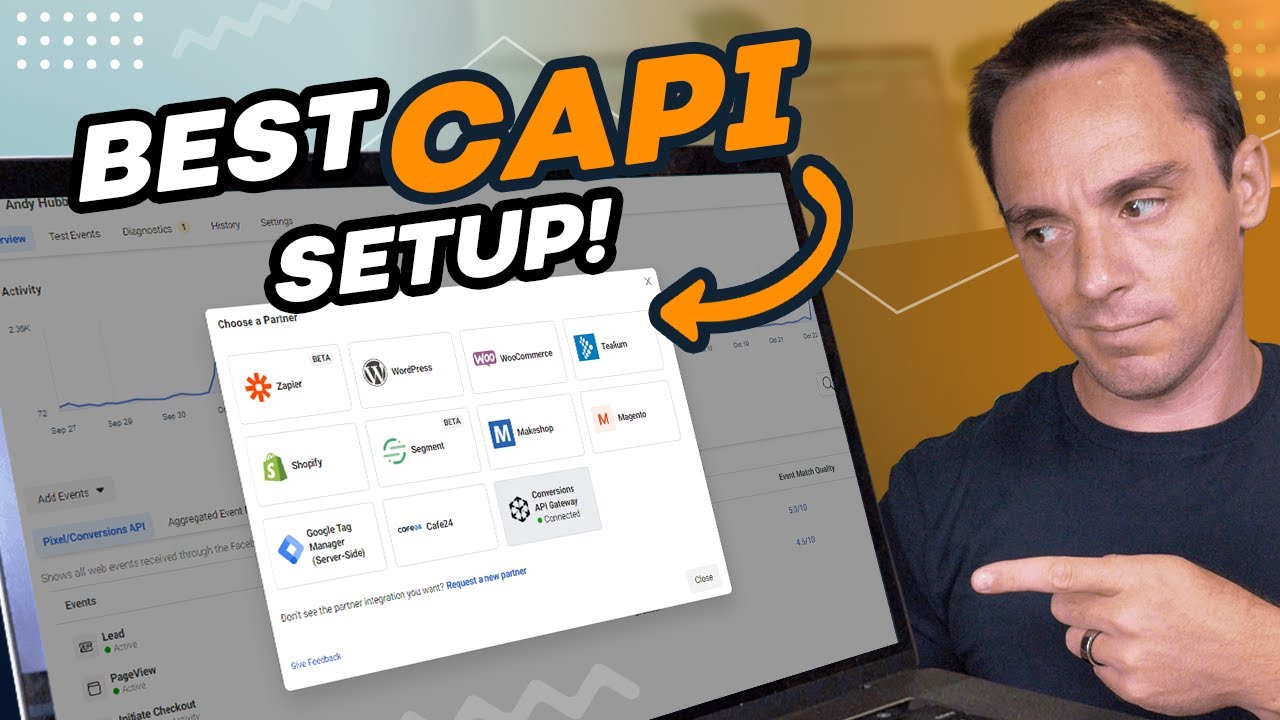
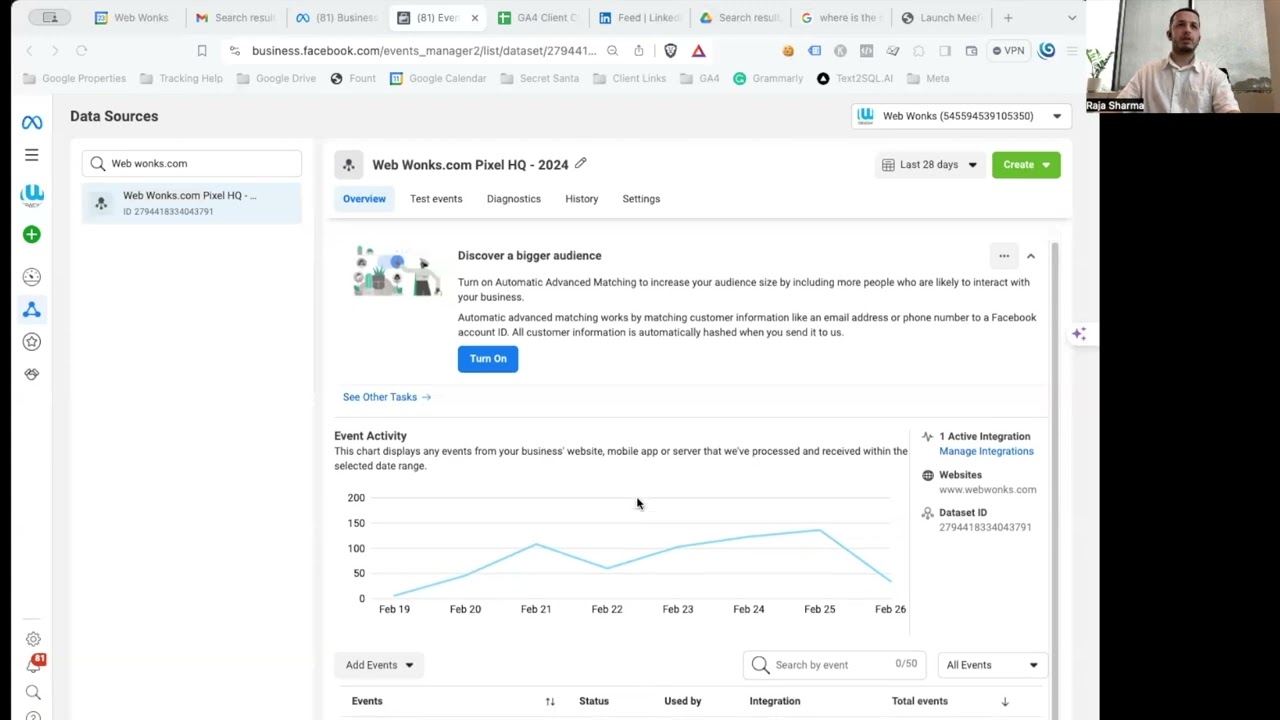
conversion API because it's on your server you change the third party cookie to a first party cooking so this is where you get your traffic get more aggregated in your reporting as compared to the limited and limited numbers how it was going to so how you can do this so if you actually go to your Facebook ads manager account under events manager and data sources you will see you have a pixel there and you can go to manage Integrations so you will see an option on it and when you select that and you can see
in this instance we have already simple implemented the conversion API tracking but if you've not done it yet you can go to add new integration and connect the conversion API and once you have done that connection through the server you will actually see this data comes up for conversion API tracking for all the other result that you're seeing here all the events on the website so this event could be add to cart or a page view or viewing a Content so if you see in this particular case we actually have not stopped the metapixel data
so we are using metapixel and conversion API both of them together the important of importance of like using both of them together is like meta has more data to show that report to you it can follow through the Journey of the user very well to know what this user is going to the website so there are certain benefits that you can actually use out of the meta conversion API as well so some of them are it can actually improve your connectivity for the data as I was saying earlier it can optimize your ads for actions
for what actually happens with the customer when they visit their website are they viewing a form are they viewing a product are they adding to the card or if they're not adding to the card all those events can be used to trigger certain uh ads for your campaigns so you can do that it actually improves your measurement like so previously if you were only able to get this data for 30 of the users you can only target 30 of the users effectively whereas you're getting a lot of noise out there whereas if you increase that
threshold and you get more people to have the measurement and you have more data points on them you can actually Target more people who are likely to purchase from you and it actually also increases the event matching and reduce the cost as per the result so this is great I think this is something what future holds and I think everyone should be looking at in changing their metapixel which is you call Facebook pixel from the website to a server and get more of these data points being tracked into it for most of our clients we
have already done the server side tagging so if you already have that setup it's a very easy for us to connect the conversion API to the same server so it's no extra points for you so we can use the same one and if you have not done the server side tagging we can do the server side tagging setup for you as well in the first place and also improve your Google analytics data at the same time conversion API as well yeah so that's about the conversion API today so I really hope you got some insights
out of this and and please talk to your project manager if you have any questions around this or give us a call and we can help you with that cheers thank you bye
![Facebook / Meta Conversion API setup + Event Deduplication [Step-by-step guide]](https://img.youtube.com/vi/ytNnSVodsA4/maxresdefault.jpg)