if you're looking to increase your watch hour then you should start going live if you can't go full life maybe you don't want your face to show or you don't want people to see you or you don't have time to show your full face you can start going silent live okay silent live stream can increase your watch hour so fast it's as similar as doing a full live stream there is no difference in it all you have to do is just to put your camera to do the necessary setup and the only difference is that
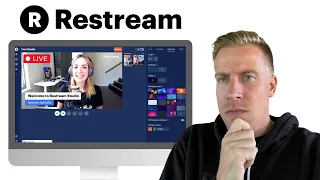
your face won't show but it will still accumulate enough watch hours for you to monetize your YouTube account okay I'm going to show you how to stream silent life using R stream which is very easy to navigate on this video I'm going to show you how to stream a silent live stream using the restream app and it is so easy to navigate so I urge you to follow through the process in this tutorial as I'm going to be showing you the step by step way and the easy way to stream live using restream App okay
so follow through this process and let's get into the video for of this tutorial I'm going to be using my phone to show you how to do it because I'll be following through the process also so the first thing we are going to do now is to head over to the browser so if you're using an Android phone you can go to your Chrome if you're using an iPhone you can go to your Safari so all of them are still the same so go to your browser and type restream.io so and when you type restream.io
the stream website will pop up when it comes up you click on get started and sign in using your email address okay so you're going to sign in using your email address now then enter the password of your choice so once you're done creating an account you go to your email and confirm your email address okay so once you confirm the link sent to you you're going to proceed to The Next Step so after that you go back to your restream you go back to the restream and you're going to choose how you'll be streaming
your life your silent life so I will choose myself because it's only that is going to be streaming on this R stream website so you're going to choose yourself don't choose a team because you're choosing you're streaming only you okay so select the type of content you create and go to the next so I choose order because I don't know what to inut there so they have a paid version and a free version but for the sake of this tutorial we are using the free version the free version allows you to do anything just literally
anything so you're going to use the free version so after choosing the free version the next thing you're going to click is you're going to click on next Once you click on next you're going to link your YouTube channel you have to link your YouTube channel because it's going to make your streaming so easy for you so click on connect Channel or add destination so for this destination will choose YouTube and use the email address linked to your YouTube account that's what you're going to use here so use the email address link to your YouTube
account and allow access so once you do this it's going to connect automatically so once you do that that you enter the title you want to be showing on your live stream each time you want to stream you can equally change this at any time so but for now you're going to choose the title we want to use to stream this time around so you choose your content type too so we have so many options to stream you can stream a prerecorded video you can also schedule your live stream okay so it has so many
options so for the sake of this life we stream using stream with studio so once you click on stream with Studio it will allow you access to your camera and your microphone but after that you will mute it to remove the background noise from your surrounding since we are doing silent life except if you want to talk okay this is where you add your picture that will display but it is optional so after which you click you enter you click on enter studio so but since our face is not going to be showing you have
to add you have to add a video so it could be anything so I choose my video make sure you don't have something that has music on it because of copyright infringement so you don't have to collect copyright strike so if it has if it has something with music you have to mute it okay so click on ADD say and choose media so this is going to pop up then tap the ad Source whatever and choose video then click on upload video so select a video from your library so it could be anything without a
sound to avoid copyright so after the video has upload loaded it will appear this way so you can unmute your mic if the video doesn't have any sound and you want to be communicating with your audience in the background so but I choose to mute because I don't have anything to say yet so there is also a chat box where you can chat with people and get to see what they are saying and communicate you can also use your chat box to communicate with people so click on the button here to Loop the video what
Loop means is that you want the video to be repeating itself so if it's a 15 minute video because which is the maximum video you have to select you have to Loop it so that after playing it will repeat again after playing it will repeat again after playing it will repeat again until you want to end the live stream so you're going to look the video this will enable the video to continue playing in the background without end so until you choose to end the live stream okay so if you have a guest this is
where you go to chat to communicate with yourself without the audience seeing it so there is also an option for music from the app so you can check if there is copyright free music in the app for you to choose okay then click on go live so you can start streaming okay remember you are trying to increase our watch hour so this is the only thing you're going to do if you want to increase your watch hour so quick so click on go live so you can start streaming then just like I did now you
have seen it so someone just joined and said something something so this is how it's going to look when people are watching it okay after streaming you can end your life instead of waiting to post a long video that is going to accumulate that 4,000 watch hour for you you can actually go silent live for you to increase your watch hour so quick so since I started streaming live doing silent like my watch hour there is a significant change in it and it's going up up up up so high so this is another chance for
you to increase your watch hour without having to stress yourself yourself to do long form video no it doesn't mean that you don't have to post long form video you can still post long form video but this will enable you monetize quickly and get your watch hour so fast because we are looking for ways on how to make things easy for us okay because this YouTube street is so hard and tough okay so you can utilize this opportunity and increase your watch hour so big on YouTube so that is just it so you just have
to follow this tutorial diligently and learn how to exem silent life so in everything you're doing don't make sure you don't get copyright strik so avoid music for now if you have to use any music on your video or your live stream you make sure you have to check it very well to see if there is any copyright on it okay so this is the end of this tutorial and I hope this helps okay so if you have not subscribed to the channel this is an opportunity for you to subscribe and also like this video
if it was beneficial to you and also drop a comment in the comment section and I would like to see you in my next video thank you for watching bye