are you tired of ads paywalls and other garbage infecting your browsing experience no I'm not talking about RSS again this one is some add-ons to take away paywalls and I did make a guide on my website just in case this video disappears because I don't think a lot of big companies are gonna like this one and it is so good we gotta get around so many different ways so many different methods and different types of paywalls we're going to approach and bypass all of them so let's get into it so right here we got some
first ones YouTube enhancer I'm not gonna mention you should check it out uh but I can't say much more than that because we're on YouTube moving on we got self-destructing cookies this is a fun one now I I don't really use this add-on but I wanted to include it in here mainly because self-destructing cookies will delete a lot of logins and other stuff it'll just destroy all cookies from websites so if you're really obsessed with privacy and security it's probably the add-on for you but for most people it's going to be more annoying than anything
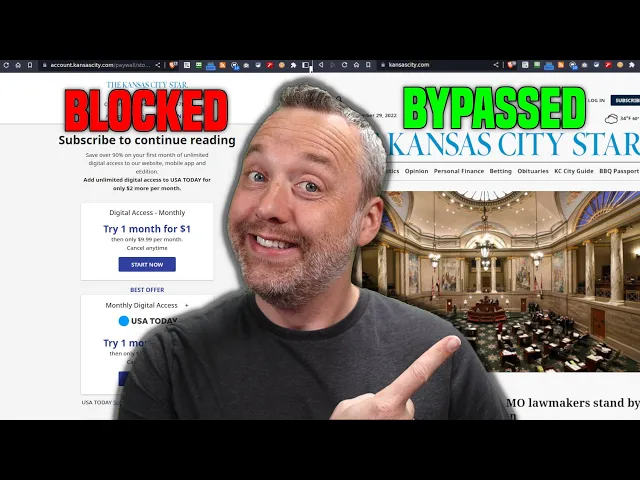
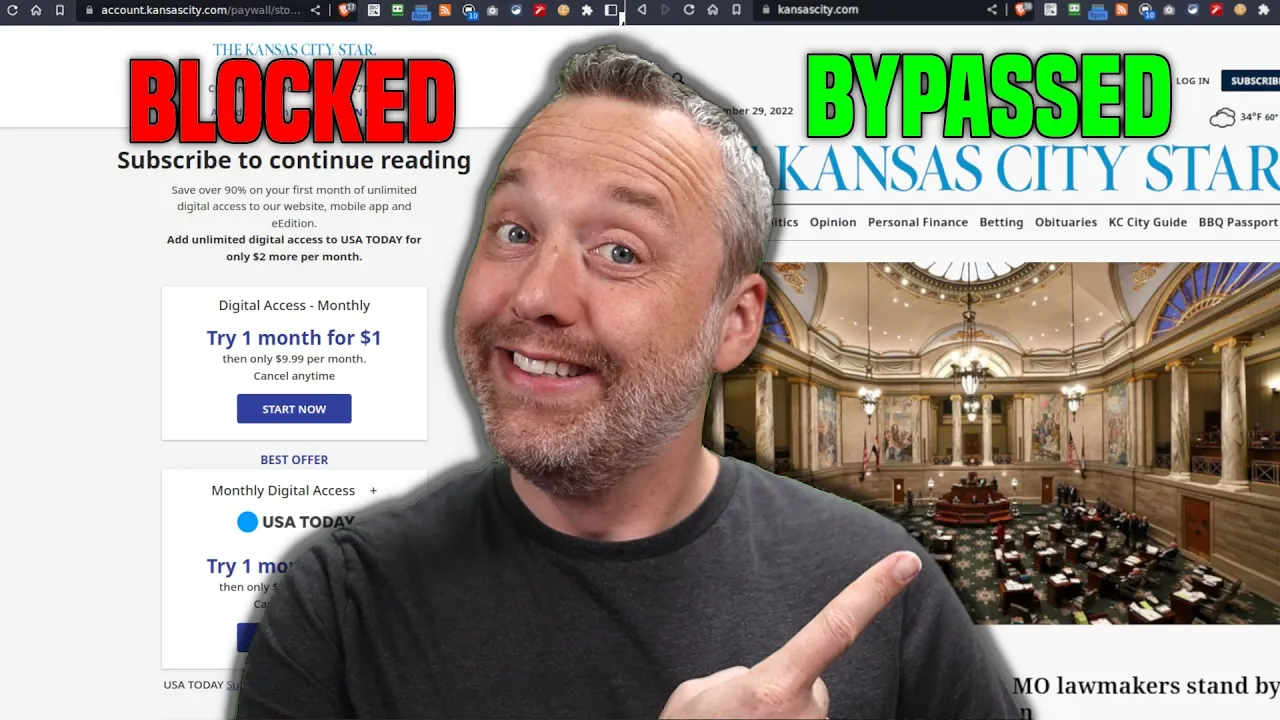
so that's why I put it there the big one I like to use those cookie remover so let's say I'm on a website and we're just gonna pull up my old Hometown where I grew up Kansas City uh and we'll pull up the Kansas City Star so let's uh pull this up continue reading okay I don't even have any uh things they have a paywall so I can remove cookies refresh sometimes this bypasses a paywall and look at that it did actually end up bypassing the paywall and let's see if we click this oh it's
doing it again I can go back click it all right removed oh look at that all right cool so it's a cookie based paywall these are the easiest to get around but a lot of times you don't want to be clicking that clicky cookie remover every single time if you're just doing a one-off on a site it's good but there's also another way we can bypass uh this uh paywall setting that's when we get into some GitHub now these are not sanctioned by Google but I have used them and we're going to install it today
because obviously clicking cookie remover for Kansas City Star in this instance uh kind of stinks every single time if you're just reading these things and you just want to say hey all these sites that have paywalls just go ahead and keep flushing cookies and you never have to worry about it so we're going to bypass Chrome and we're going to add an extension on this one we're gonna have to download the zip file from GitHub so we'll download that zip file we need to change and extract this to bypass pay walls at Chrome so we're
just going to open up our file explorer you can do this in Windows as well same process I'm going to extract this to my home folder so we'll just go titus's extract show extracted files they actually put it in my downloads we're going to put that up in the home folder because that the thing about that is it needs to reside in a spot that's not going to get deleted if you're on Windows I probably put this in your documents folder or something like that so we've downloaded the zip file we've done that now we
need to add the extension by enabling developer mode so let's copy this we'll come into a new tab type our extensions and we'll make sure developer mode is turned on so it is turned on over here uh and we'll be able to install or load an unpacked extension so let's load that we'll go to our home directory click on bypass paywalls okay now we're presented with this prompt this is all the stuff all the different paywalls that are already built into this extension we got Bloomberg in here we got Boston Globe business traveler Daily Press
oh man lots of stuff some some Spanish in Mexican uh websites we have oh just a whole host of things I think it was the Kansas City Star is the one we're looking for oh look at that it's in here uh Japan Irish Times uh some some Hindu or you know some Indian sites as well which is great so I think we're ready to do this we'll just hit save that sounds good on just bypass all those so close this out we'll relaunch the old Kansas City Star from here let's click on this all right
basketball KU basketball if you're in Kansas you want KU basketball uh what else we got oh look at that no paywall paywall be gone [Laughter] oh that's that's just a thing a beauty is it not I love it all right so this is the bypass of the paywall but it gets even better we got some other extensions we can explore here uh using the sights so this is the two ones the cookie remover and the bypass paywalls we got other ways to get around coming back to YouTube there was another fun one that was included
here click bait removal the one thing I hate about YouTube is making engaging titles and thumbnails and by using click bait removal it just grabs a scene from a video and then puts the thumbnail and then takes everything and removes all the Caps from the title of the video and you'd be shocked at how this changes your browsing experience I obviously can't really use this because I'm a YouTuber but I encourage more people to do it it kind of is like rewinding the clock 10 years of the YouTube of yesteryear and you have less to
that click bait stuff in your feed an interesting idea and I I kind of get I wanted to give props to that extension but those are really the extensions I wanted to go over in today's video bypassing paywalls I think this is going to help a lot of people and and frankly it's kind of how the internet should be I think it should be much more open like it used to be and not as you know locked down and just add written I use an ad blocker it's a big thing I use brave for my
ad blocker but you use u-block origin which is also not here but it should be I think I mentioned it in a prior video and with that let me know what I missed because I love the interaction I get from everyone I couldn't make videos like this because you all come up with some great ideas and then I just take them and run with it and this one bypass and paywalls was just so much fun and I loved the workarounds that people came up with so let me know in the comments and I'll see you
in the next one