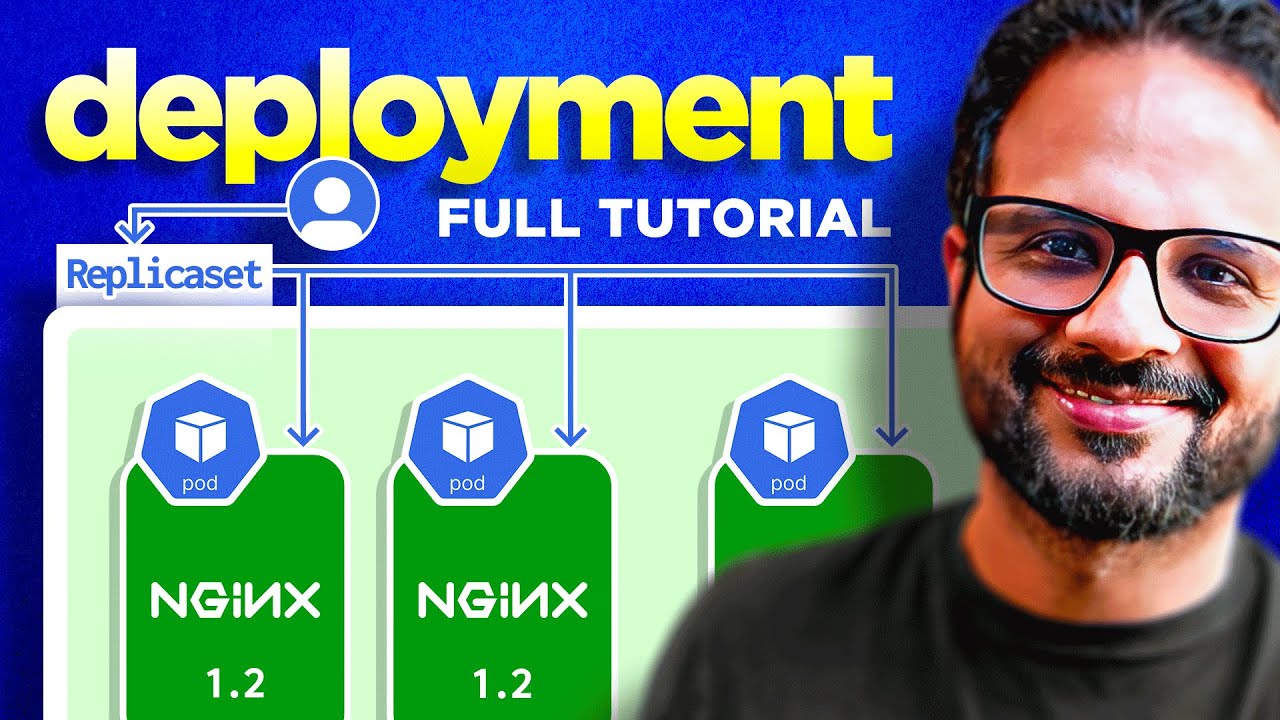
hello everyone welcome back to my channel my name is p and this is video number seven in the cies CK 2024 and in this video we'll be looking into pod and the fundamentals of yaml because yaml is the language that we'll be using throughout this series and it is heavily used in kubernetes I think this would be a good time to introduce you to yaml and provide you some basic fundamentals of it how to use it what's the best practices and how to make sure that you are are aware about all the syntax and everything inside the EML it and also we'll be looking into pod because from this video onwards we'll be starting the complete Hands-On so we'll be looking into all that and let's start the video with the introduction and then we'll move ahead with that okay so I hope you remember this diagram that we discussed in the fundamentals of kubernetes video basically a user interacts with an API server which resides in a control plane node or a master node and the user interacts with the help of a client utility such as cube CTL or if it's a manage service it will be you know the cloud console or any other you know client utility but for uh kubernetes series we'll be mostly using the cube CTL client utility and so user interacts with API server with Cube CTL to provision something on the cluster to update something to delete something or to get some d details from the cluster right so let's say user run create pod command actually create pod is not a command it's uh Cube CTL run pod but let's just say user is trying to create a pod on the kubernetes cluster the Pod resides over here in one of the worker nodes right so this is what we'll be doing but before that let's quickly have a look uh at this diagram right so here's your kubernetes cluster inside that you have to you know run a pod pod let's say you need to run an enginex pod okay so I'm just going to add enginex over here so this will be running as a pod in the kubernetes cluster add a text as well over here okay now to run a pod or to run a workload because running your workload on the containers or on the Pod is the main purpose why you are using kubernetes right and this is what you'll be doing a lot of time so there are different ways through which you can create the Pod so there are like two type of ways that you can use first is imperative call it imperative and the second way is declarative I'll explain each one of those just give me a second okay so in impared in which you run simple commands such as cube CDL run pod or basically you are instructing your API server or you are instructing your Cube CTL utility that you know do this run that uh get these details and so on so um this is something like running a command as cube CTL run engine X okay so that's what you do as part of the imperative workflow now to use declarative okay you actually create a file a configuration file that configuration file could be let's say in Json format or it could be yaml right yaml is something that is heavily used in kubernetes and I hardly know anyone who uses Json but is supported so you can use Json or yaml they both are supported and they both has their own syntax so we're looking into that um but what you will do as part of the declarative workflow you create a configuration file and in that configuration file you set the desired state of the object let's say you create a file and then that file you defined okay uh I need to use this API version I need to uh create the Pod with this name with this image Exposed on this this port number and so on so you define everything in your configuration file and then basically you run Cube CTL create or apply Command right so that's the two ways the two main ways of creating or interacting with your cluster via Cube CTL utilities it will be looking into both of those and you have to understand you have to know all like both of those because they both are equally important and uh even if you are working somewhere let's just keep exam aside for now even if you are working somewhere you use both of these C CDL uh run engine X or get parts or these commands are used to basically troubleshoot if there is an issue or if something that is wrong with the cluster or if you are doing it as a local deployment or you know not doing on the production but declarative way is something that you use as part of your production deployments your cicd uh it also is applicable in gitops and so on right so both of them are equally important and you should know both of those so let's start with the the imperative one uh deploying an engine X pod on the cluster so I'm going to go on my vs code right and here is I have created a readme file over here so that I could just write something over here if I have to explain and um here is my terminal window I hope this is not too small but let me is this it so now let's just try to create an engine xod okay I'm just going to write over here what I'm doing so create an engine xort okay through Cube CDL perative way now so for that you run Cube CTL run and the name of the Pod right uh engine X in this case or I can give engx pod just to be uh clear and then hyphen hyphen image equal to enginex and optional tag like if you have a tag you can specify it over here once you hit enter your pod will be created if your command is right if you have provided the correct image name and everything is right right so let's hit enter created so now let's it says it's created let's run Cube CTL get pods and I see the Pod is in running state it directly don't go into the running state it goes into container creating and then running okay so now over here as well the important thing to remember is it says ready one onone what that means is the Pod that we have created it has one container and out of those one container one is running right so this is important to look at when we have multiple containers in a pod well we'll have a separate video for that but for now just understand that there could be multiple containers in a pod these could be the helper containers or the init containers or containers that uh you know do some specific task and then they just keep on running or then it gets completed okay so if there were two containers inside it it could be two on one or two on two depending on how many containers are up and running right so that's uh what we do with that now let's try to understand the basics of EML okay because the second way that we'll be using is the declarative way and we'll be looking into a lot more commands so let's have a look at the declarative way I'm just going to create a new yaml file inside this folder let's call it A7 yaml do yl okay the other thing to remember is yaml file can be of either of those two extension yl the one that I've just used or yml they both are one and the same thing so you can use either of those so let's uh create the yaml and why we are using yaml because it is super easy to use it is uh clean and very intuitive right so mostly we'll be using uh yaml as the configuration language or as the serialized language that's what it's called and uh we'll be using that throughout the kubernetes series and it it is widely used in many other tools like and Prometheus we have Docker compose and many many other tools and utilities yaml is the preferred way of using a configuration file okay let's take an example and then it will be uh clear okay so I'll start with this uh so you can add comments in yl with the hash sign let's call it this is a comment right and this will not be executed at as part of yourl because uh it identified it as a comment because we have used the hash sign in front of it now yl support different data types it supports list supports dictionary string integer and a lot more right so have a we'll have a look at a few of the examp examples so let's say you have a field called spec okay I'm just going to keep it over here so this is spec is nothing but a dictionary it'll have various Fields inside it so I'm not explaining this on kubernetes terms this is just a you know normal example or let's let's just call it employee okay then I added a colon and hit enter after that everything there that goes inside this so so if it would have been a Json we would have use something like this syntax right and enter anything over here like name age and so on but in in yaml what we do is we do it with the help of indentation and spaces so uh you can use a double space single space or even a tab tab is not recommended because it just make your yaml file clumsy so I'm going to go ahe with double spaces so I have just put double spaces over here then uh let's say name okay I'll just give it a name even if it is a string I don't have to put that in double codes or you can put that in double codes is totally up to your wish then uh age let's say 4 and then we have address so 1 out7 so something like that so uh the way I wanted to explain it takes care of string integer float anything right uh any supported data type it supports but you have to take care of uh you know spaces and indentation so for example if you do like this it will not add age inside the employee it will create a separate field called age right and then this syntax will be wrong over here right so make sure you take care of spaces and indentation in that now you can also have a list data type right so for that you need to add a dash uh inside the value right and then you have to indent this again to the same line basically because this is a list it could have many values so I'm just going to copy this and paste this over here right and at the same level let's use another name okay another value8 okay something like that so now it became a list uh employer list with two values uh one is this second is this and its respective field so this is how it takes care of the list you can have Su list as well so for example in the address field let's remove this so inside address you can add let's say subl list so you can add uh your old address then you can also add your new address so something like this so you can have nested uh data types as well you can have at the top directory it doesn't matter if you are using a supported data type it should be uh okay for that now um what we have looked at is uh the basic synex of yaml it was not from the kubernetes perspective let's have a look at what we do as part of kubernetes yl configuration files so I'm just going to remove this okay so let's put the comment at this is a sample for DML all right okay so let's uh start with that it has four top level Fields first is your API version then you have kind then you have your metadata and then you have your spec okay now the other thing to remember I intentionally made a mistake other thing to remember this is Cas sensitive so you have to use uh the format that it supports so for example it should be API server with a small a kind and then metadata and then spec is also smallest now because this is a pod the version is V1 I'll tell you how you can uh verify the version later on or maybe let let's do that so when you uh run this command Cube CTL runp let's clear the screen and if you run Cube CDL explain Bo okay and if you go at the very top it will show you you know the kind and version of the B that you can use right so these versions could be you know beta alpha or V1 V2 and so so on so you have to use the one that is supported or one of the supported versions right so you can run this command to verify what are the versions available for that particular object because this is just a sample EML for a part we'll have a similar for deployment replica Set uh service and and many more objects right so make sure you are aware of this command so let's go back the kind is POD again it should be with capital P that's how it should be and in metadata we have different fields different fields such as your name again make sure you indent it properly name and let's give this a name engine XP then we have also Fields called labels at the same level and let's uh give this a name uh environment is demo okay now remember this inside metadata or inside spec we only specify the field that it supports right but inside labels you can have any key value pair any key value pair that you want uh your app to be associated with right so you can add multiple uh labels as well so let's say um environment is demo and type is let's call it front end okay so it supports anything now let's go inside spec and in Spec you basically specify other details such as your containers okay it will have one container but it could be a list so that is why you're specifying it with uh Dash so name of the container is engine X container and then image is engine X okay and then we can have ports on which it will be exposed so ports is a subl list with container Port as the field and the port number is 80 okay so this is let's say a sample PML make sure you don't uh you know let's say if you do labels at the same level it'll be wrong right so uh make sure you take care of indentation and spaces and these four are the top level Properties or yeah top level properties API version kind metadata and spec right and then inside that it goes containers and uh different containers and then different specification there'll be a lot more but this is just a basic hello word sort of uh odml and I will also show show you how you can you know you don't have to remember everything I'll show you how you can create your own yaml but for now let's just save this file okay and let's clear the screen and let's see where the file is I'm in day7 okay so day7 yl. DML let's rename it so I'm going to rename it with 7 mlml top. EML okay now I'm going to use Cube CTL create hyph F and the name of the file pod.
EML okay so you can also use apply instead of create apply can be used to create or update the resource right but we are creating we can use create or apply that's totally fine so if we hit enter it says the Pod already exist so we have to clean up the existing pod for that Cube CTL delete pod enginex or we can rename this pod that's totally fine too I just wanted to um show you how you can delete the Pod as well so Cube CTL delete pod and the name of the Pod hit enter it was enginex Hyphen pod it's delete it now let's clear the screen and run the create command again and it says pod created now Cube CTL get pods okay it's running now there are many other commands that I would like to introduce over here okay so now let's say this had some issues right let me just uh corrupt this so I'll just open the file Cub bi. EML and I'll just make a change over here to the image let's misspelled it okay 1 2 3 and I'll save it and I'm going to apply this again Cube CTL apply hyphen f and then P. L okay it says p is missing last configuration the missing annotation okay says configured so the first one is a warning message which you can ignore but it says pod configured now let's say if it is created get pods and you see over here the container ready is zero of one because the p has one container specific ification and that is not ready and it says the error is image pull back off that means it is facing issues while pulling the enginex image from the dockerhub registry that we have specified so to troubl shoot this what you can do is Cube CTL describe pod and then the name of the Pod okay so now when you do that it will show you the error in the latest events right so if you see the the error it says I'm sure it is visible yeah it is visible so it says fail to pull an unpack image from dockerhub says pull X is denied or repository does not exist or may require authorization insufficient authorization that means either there is a mistake in your image or tag or you don't have permissions to pull the image because we were using a Public Image so it should not ask us for authentication the next is we could have some error in the image okay so let's see how we can resolve it there was one way which we have already used in which we basically what we did we updated the yaml and applied it there's another way which you can directly update uh the object on the cluster itself so Cube CTL added pod and then the name of the Pod andx hyphen pod okay and it will open a VI sort of editor so you go ahead and you make the change because we know that image is not correct that is why it is showing the image pullback off error I'm just going to make the change over here and I'll save it with WQ clamation and it says pod edited I don't have to apply the change again because I have made the change directly on the running pod itself so if I do a get pod again it's running and if I do a describe pod again it says so the error is the one that we faced earlier now it did not show any error this is not the latest error okay so we don't have any errors at this moment because it's you know 1 minute old and if you hit enter again yeah you don't see any error now now the next command is let's say we have to get inside this board so if you remember how we get inside the docker or open an interactive shell with that we use similar Comm and Cube CTL exec hyph it for interactive mode and then the name of the container name of the pod which is engine X pod hyphen hyphen and the command so let's say we are using sh so we'll be using sh over here and once we do that we are inside the container now so let's PWD at the root directory and here are all the details so you can check logs and anything that you would want to check okay okay I'm going to do exit now and let's clear the screen now I said I'm going to show you how you can create your own yaml because you know this is a simple yl so maybe uh you know about the structure you know which field goes where but when the complexity increases when we have a lot of fields uh you know hundreds of lines of yaml code then it'll be difficult to type everything and it is you know a timec consuming task so so for that what you can do is you can write your imperative command and then you can output that in a yaml format I'll show you so you let's say you run Cube CTL run engine X okay and hyphen Hyphen Images engine X I mean this one is what we did already so along with that you add dry run hyph dryon equal to client dry run equal to client okay now this will dry run that means it will not apply the changes it will just show you what will happen when you run it without dry run okay so it says pod created but this is a dry run like if you apply this command it will create the pod that's what it's saying now what you can do is with this dry run you can output it to a yaml like hyphen o yaml that means share me the output of this in a yaml format you do that here is the yaml for you right the one that we created manually it will create for you automatically and then you can make your changes in that yaml like this is pretty neat right and you can then redirect it to a yaml file let's say pod new.
yam and you have to use this uh greater than sign to redirect the input of this command the entire command to a a new file so pod new. yml and hit enter now pod new. yl has been created click on that you make some changes like you don't need uh creation Tim stamp okay and label it has a run label or you can change it let's say EnV demo name is engine X fine image name engine X and you don't need these fields so you can remove it and basically that's it now you can go ahead and apply this AML it should be good enough right so this is how you can create the EML and the other thing is uh remember I said it also supports Json format so in the same command instead of hyph O yaml you can do Json okay over here as well and it will generate a pod new.