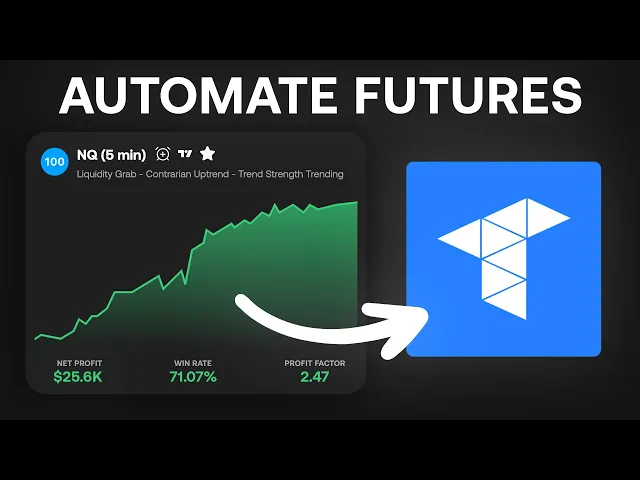
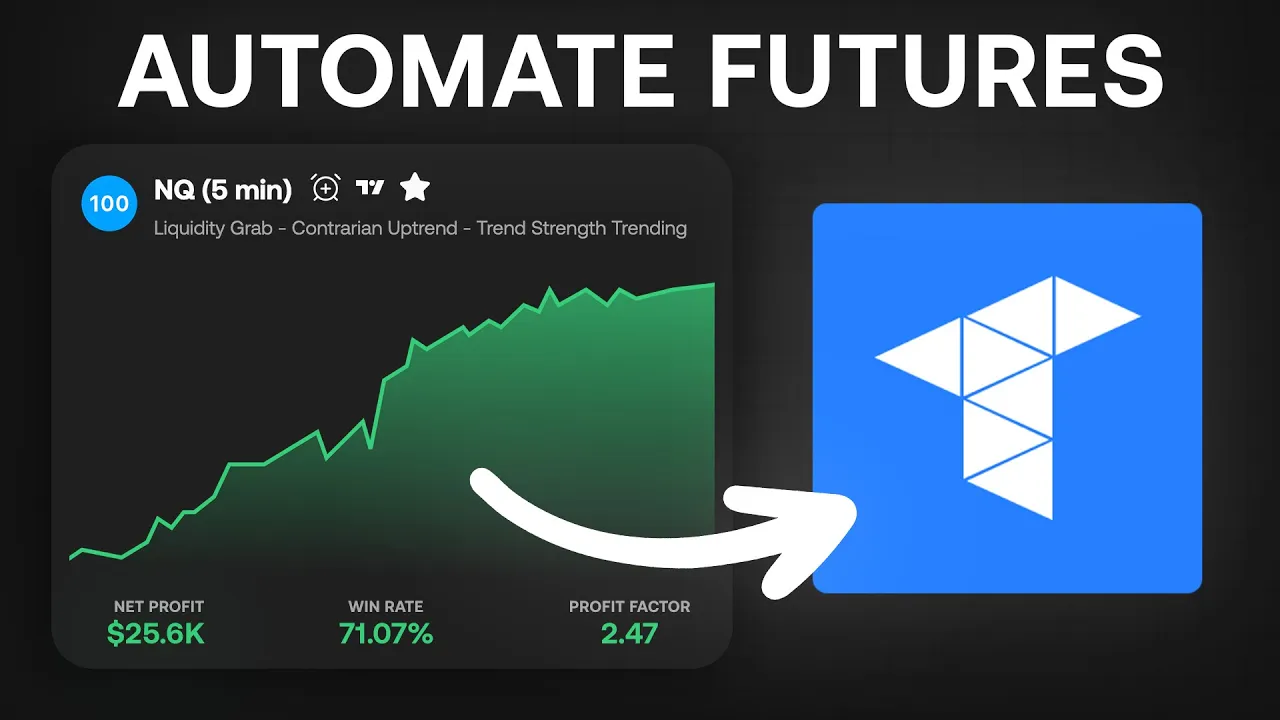
What's up guys? My name is Jacob and welcome to the full walkthrough video of how to set up Lux Algo AI from sign up until automation. This one is strictly for futures, US futures specifically trading on Trade of my personal setup.
We will have a future video for Forex trading and for um crypto trading and stock trading at some point, but I want to show you my personal setup. I know a lot of people have asked it, especially from the live streams. So, let's get into the full walkthrough setup here.
Now, if you uh are interested in setting up automation with our AI, I would recommend going to luxalgo. com/backtesting. You can get more details about it there.
But the first thing you're going to do if you're already convinced you want to get going, uh you can either go to luxalgo. com/hat, you can go to the back testing section here, hit start now, it'll take you to that same page. And from here, you can actually sign up for the AI.
If you uh also want, make sure that you do check out the yearly plan. We do have sales all the time going on with the yearly plan. Um so be on the lookout for more sales on the yearly.
That's going to usually give you the best deal um for the AI, especially if you're serious about it. Um but starting off the major thing I want to clarify is this is how the uh automation system works. It utilizes web hooks here.
web hooks essentially is just a URL that pretty much uh we send trade signals through that URL to either a third party that sends it to a broker like Trader Post, which is what we're going to go over today, or uh another third party that does a lot of crypto, which is three commas that can send it to something like Coinbase or Binance. Um but essentially, all those signals that are being sent from the Lux Algo AI go through what's called a web hook. So, just to clarify there, that's pretty much all it does.
Uh, but if we were to start off from step one, um, the first thing you're going to want to do once you sign up is come to the AI page at luxo. com/hat. And from here, you're going to want to try to find strategies for the um, asset that you want to trade.
Now, I like to trade futures. This video is for futures. So in this case, I know a lot of you like to trade the NQ, like to trade the ES, like to trade the YM, like to trade the RTY, all those major futures.
If you don't know what assets that um are um accessible on the platform, this is like any AI. It uses GPT5 engine. You can sit here and say, "What assets do you offer?
" And right here then you can go into seeing and utilizing um which uh futures contracts that we offer. Now you'll notice here we have NQRTY all the way up uh into some of the for not forex but the uh currency pair futures as well. These are all continuous contracts.
You'll notice that none of these are micro contracts and that doesn't necessarily matter because the uh mini contracts that we have back tests on have the same price action as micro contracts. So when it comes to limit orders, if you were to set up limit orders, that's where it gets a little crazy. But for now, to send signals directly from the AI to trade micros, you're going to want to use market orders anyway.
So, I'm not even going to touch on limit orders because it's not even needed in this specific video. In the future, there might be micro contracts included on here with more complex strategies. For now, we're just going to go over what I currently have set up that you've seen on the live stream.
So once you kind of have an idea of what specific uh asset that you want to trade, the one uh prompt that I always start off with, and we can start off with the NQ or the ES. I'll probably do ES in this scenario, is I'm going to type in um give me an ES strategy that has uh a profit factor of at least two. So we want a two profit factor.
um and 50 trades. So, we want to make sure it has at least 50 trades. That's going to pull um strategies that are performing in the current market.
And then, um trades uh 50 trades and is on the five minute time frame. You can label that a little bit differently. You could say, "Give me a five minute ES strategy.
" So long as you have it all written out within the prompt, it's going to return what you want. uh for the most part, but you can continue to chat with it to make sure you get that return as well. Um so, let's go ahead and see what this returns for us and move on from there.
I'm not going to really dial in what strategy to trade at the moment. Um based on, you know, finding strategies can sometimes take a minute. So, we're not going to go through the whole process of finding a bunch of strategies at the moment.
We're just going to go with what we get for now. Now, this is a strategy that I actually have not seen before, so that's good. I don't have it saved.
So, if this is a strategy that meets the criteria that you want, there's several things that you would probably want to go about before actually setting up automation when it comes to a specific strategy. Um, and I will go over in just a second the strategies that I'm currently running with automation, but I want to make sure that I touch on how to pull up strategies. So, this is a great little basic prompt to start from.
Now from here I can actually clarify if I want a better win rate, a lower draw down, a different profit factor, more trades, less trades, stuff like that. I just ask the AI. Um, so in this case, this is 13% draw down of 78,000 in profit.
Again, this is trading ES mini futures. If you want to trade micros, just think of this as a tenth of the size. So, a micro would be $7,01 $100 there in profit.
But I can also even ask it um in this case, what was the largest loss? And you can ask about any trade within each strategy. Um that can really help determine the risk that you want to take when setting up automation.
So, in this case, I want to see the largest loss. So, the largest loss was $4,000 on a mini contract. Um, and then in that case, this is a um if I was doing a micro, that would be $491.
So, as we know, um, ES and NQ and um, like gold right now are super volatile assets, especially in the futures market. So, these may be very far outside of your risk parameters. That's why I would recommend looking at other assets like NG or um which is natural gas or like the Euro FX futures which is 6E you can see down here bottom left um or even like um CL CL micro futures aren't crazy u when it comes to volatility and that's especially when you're trading um smaller account sizes which is what I am doing um and um So the another way to see what may have lower risk is I use trade of eight.
You can use Ninja Trader. Any of those they're all going to have the same margins because the margins are actually placed uh for um they're they're placed by the CME group. I'm actually going to open a new window and pull up uh the Trade of really quickly.
Now, if you go to trade ofate. com, if I if you go to trade ofate. com, this is uh super super helpful.
If you go to trade of. com and you go to the uh margins under trading here, you can see initial margin and day margin. And this is super important for you guys um that are interested in wanting to fund a real account.
And I would recommend that. It's a little bit better than um setting up systems for prop trading and I will go over that here in a little bit. This is going to be a decently long video.
So, please continue to watch to the end so you get full knowledge of what you need to think about when you're setting up automation because it's very crucial that you go through um everything to understand your risk and not actually lose money because you made a mistake in in some portion of risk or some portion of just setting up. uh because there are several things you need to do to make sure you're not trading minis versus micros and stuff like that. But if you're looking for a less risky asset to trade, I would recommend going on here finding initi initial margins that are low like this.
The higher the initial margin, the riskier it is, especially and the day margin. But you'll notice if I do click NQ here and hit search, the NQ day margin is $1,000 and the initial is $36,000. If I do MNQ, which dials back my risk by a tenth, you'll still see that an initial margin is $3,600.
So, that's still pretty risky for anybody that has an account that's under uh 3600, and you wouldn't even be able to hold an overnight position initial. What that means is that you can hold an overnight position. All right?
you have to have a um $3691 to hold an N MNQ contract overnight. And that goes for one single contract. Now, to day trade that contract, all you have to do is have $100 in your account.
And that's just simple margin um and how margin works. Um but again the initial is very important if you're using a live like a real funded account on trade of eight to understand risk to hold overnight you have to have that much money in your account. So make sure you understand initial if you have any questions make sure to message me in the discord but you can see all of that.
Now if I pull up MCL like I said there the initial overnight margin is $473. that means that uh micro crude oil futures aren't as volatile as the NQ or some of that. So really focusing on that initial is very key in my opinion.
You get that under trading and margins on trade. com. Um and you can see those margins there.
Like I said with the uh the um M6E or yeah M6E here, the initial margin is $300. So, that's a really good one to set up for automation if you have a smaller account, which is what we're doing on our live stream. On the live stream, as you know, we have the um the 13 the $1,300 account uh trading right now.
We started with $1,000. It's already at 1300. This one was just trading a CL strategy and an NG strategy.
I had it stop trading NG today because the strategy was kind of not performing the way I wanted it to. and we set up a um an uh M6E which is the Euro uh strategy just recently. So that's margin for you.
I that's something that's super important to understand when it comes to risking. Let's continue um the setup process for um the automation side. Now if I go back to the uh ES strategy here, right?
Um the first thing obviously you want to do is save the strategy. That's super super important. Now, when you save that strategy, um you uh it's going to go right to your left-hand side here.
It's going to be saved under um ES. Now, I have a bunch saved. You probably would only have one or two unless you have a bunch um as well.
But from there, um the next thing we need to do is we need to have a third-party platform that's going to facilitate the trades. Like I explained earlier with web hooks, you have to have a third party. In this video, we're going to be using Trader Post.
Now, you do have to sign up for a Trader Post account. If you do have um the overall upfront cost from for automation for us, if you got the sale at 50% off or you get a future sale at 50% off, it's going to be around $360 for the year. And then you have to sign up for a third party like Trader Post, which is what I use.
And they actually go for $50 a month if you do the starter. And for the year, you can actually get it for 500. But if you use our code lux lux, use the code lux, you'll get 20% off.
Um, and you know, it's it should be a little bit less. Um, and it won't be as bad. I don't know if that is month over month.
It might just be first purchase, but you will get 20% off when you first sign up. Now, you will get one live account, four paper accounts. Paper accounts do mean that it's prop accounts.
Um, and then it gives you some other, you know, live autosubmit stuff like that. You know, most people aren't going to have more than one live account, right? Um, so this obviously if you're doing live, if you wanted to have it trade on, you know, a crypto spot account and like if you wanted it to trade like stocks and then also futures, you would probably want to have one that can do three live accounts.
But in this case, one live account is fine um for that starter. So, you're looking around um you paid 360 for the year, but then you have, you know, a rough cost of $50 a month um for Trader Post to facilitate those trades to your trade of eight broker. Use the code lux and you can get 20% off.
Now, once you have a traders post account, that is pretty much all you need besides obviously your trade account. So, when you have uh a trade account, if you have a live account, there's one thing that's super important that you got to make sure you do, and that is you uh under your account um settings in subscriptions, you need to get a market data subscription. It's only 12 bucks.
You can get top of book as well. Make sure you do get um the uh market uh data subscription there as well. I don't necessarily know if um you need that or not, but in my opinion, I'm like I'm 90% sure that you need it just because otherwise your uh information on here will be delayed.
I would just get it just to be safe. That's $12 a month. So now you're looking at, you know, roughly 70 a month if after you've paid the yearly for us.
So you don't have to pay us you don't have to pay the monthly anymore on Luxalgo if you get the yearly. Um, but then you're looking at roughly 70 a month to maintain the automation, which in my opinion is not that bad. We made $370 in like 5 days on a 1K account.
That's pretty good. Now, completely negate all of this. Completely negate all this if you're trading a prop account because if you're doing a prop account, then the data is included.
Um, and uh the uh that would be really the only extra cost outside of funding an account. Uh but you would still have to pay for a um Trader Post account. So once you do have your Lux Algo account, right, once you have your Lux Algo account, which is the AI, and then you have your Trader Post account, you are pretty much ready to go.
And now we need to discuss web hooks and how a web hook works. Um and it's not that complicated. Once you do it for the first time, then it's super easy to set up and you'll probably start to understand how you could connect other platforms as well and do other things.
But once we have a strategy like we started off with here and we have saved it. The first thing we need to do for setting up automation is creating an alert. Right?
So, you're going to create an alert right here um via the either the um the strategy within the chat or if you go to your saved here, you can create an alert right from your saved ones. I'm just going to do it from here um because that's where we had it. So, I'm going to create alert.
And from here, I know this is trading ES. The first thing I'm going to want to do is I I personally want would want this strategy to trade micro. So, I'm just going to go ahead and label this MEES.
So, I know that this alert that I'm sending is going to be trading micros. Now, I could label this trader post or trade of eight or I could name it the account number, whatever I need to name it. I could put that in here if I wanted to um to clarify on my alert list what each alert means.
Um, but it's really up to you what you want to name it. I would just recommend keeping it all the same so you understand the linkage throughout. Now, once you have the alert window open, we're going to stop here for now.
Actually, let's go ahead and just click new web hook. That'd be the first thing you need to do. Everything here that's already uh checked off, just leave it checked off.
And now, the next thing you need to do to facilitate those trades to Trade of all you have to do is go to your Trader Post account and go to your dashboard. The first thing I would recommend doing is actually connecting your broker. You're going to click brokers, top right hand corner, connect brokers.
You might not see any brokers here at first. It might just look like a screen like this. And if it does, um, then you know, well, it should just look like that.
Sorry. Uh, you're first off, if you're going to do a live account, you're either going to click trade of eight here, or if you're going to do a, um, a prop account, you're just going to select your prop from here. It's all through trade of eight um, or projects.
So here you're just going to click trade of evapeate and you're going to uh from here you're going to hit I agree and then once you click here you're going to sign in to your account. So you can sign to your Apex or your u whatever other uh you know funded account you're looking for or your personal account. You're just going to sign in with trade.
Once you sign in there it's uh you pretty much are just giving it access to facilitate trades for you. And then it's going to show up like this. Um, in this case, here's mine right here.
It's going to show up uh like this. And uh you'll be able to see a list of your paper accounts and a list of your live accounts here on the lefth hand side under brokers. Now, what we're going to do next if we want to set up this specific strategy is we're going to go to um strategies here and we're going to create a new strategy.
Now, from new strategy, this is where I was saying when you label it, um, whatever you want to label it, make sure that this is the same name just to be organized. It's really just to be organized. And then from here, um, what you want to do is I'm trading futures, so I'm going to click futures here.
I'm going to allow any tickers. I don't have to be specific. Even with just saying MNQ or all that, I don't have to be specific yet.
We'll get into the how to trade micros here in just a minute. I'm going to go down and if I want to have notifications sent to an email, um I can have that sent there. Uh which is pretty good actually.
It usually does send you an email regardless if it has like a failed trade or something. Uh but for now, that's you don't have to do anything but click futures and then um that's it on this. You just hit save for that strategy.
Now from here if you look at the top right hand corner there is a web hook selection or web hook dropdown. You just click that it's going to open this up. Now if you can't find this again go back to strategies click on uh the strategy you just had labeled there and then hit web hook up here.
So here's this is the first step to connecting it to the Lux Aago AI. You're going to just copy this here. You can just click that button there.
Copy that. You're going to go back to the Lux Algo AI and under where it says URL after you created a new web hook here, you're just going to check that and you're going to paste that in there. That's the first step.
Now, do not hit create yet because we have to put in it what's called a JSON payload. That's what's going to that's what's going to tell um uh trade it that's what's going to tell Trader Post exactly what trade to make is this payload. So, this payload is going to give all the information for the trade from the Lux Algo AI.
So, from here, you just can hit exit out of here. You don't have to do anything else on Trader Post yet. We'll come back to it in just a minute because we're going to go over the payload situation.
Now, the nice part is for Trader Post, we have templates already set up for you. If you go to the Luxa website, you go to resources, you go to docs, you go all the way down to the bottom and click web hooks, then you scroll all the way down again, you'll start to see templates. Now, we only have templates for Trader Post and three commas.
At the moment, you can write your own JSON payload for whatever third party you're using. Um, you just have to make sure that you use our prop proper placeholders, and I'll explain that in a minute. for futures here.
This one's super crucial because it's going to give the current contract. You don't necessarily have to use the one for futures on traders post. I would recommend doing it because we're trading futures.
So, all I'm going to do is copy this. This is for traders post. I'm going to go back to the Lux Algo AI.
I'm going to paste that payload in here. Now, this is super important. Right now this strategy whenever it sends a entry signal it is going to send a signal via ES mini contracts.
Okay, I haven't changed anything in here. It's going to give whatever contract the AI is currently uh back testing which is minis. They don't it doesn't back test micros but again ES minis and ES micros are have the exact same price action so the results will be the same.
Um, I would not worry about the results not being the same there. You know, the only difference in results and the backend would be the um the fee structure differences. Right now, the fees aren't implemented into the strategies.
Um, so you can calculate that yourself before actually setting up automation if that's something you're worried about. But in this case, if I want this ES strategy to trade micros, all I'm going to do is right here where the ticker section is inside the quotations before these brackets, I'm just going to put a capital M. Okay?
So, I'm going to put a capital M there. And that's all I have to do. Now, if I want to adjust the quantity here, I can.
I could have, you know, it to trade two micros. I could have it trade three micros, four, however many. Obviously, if you trade 10 micros, it's the same as trading a mini contract pretty much.
Now, what I was explaining before about the placeholders, here's the placeholders we offer. So, if you're trying to connect another platform and they give you a in their docs, um they give you, you know, a JSON payload that you need to put into your web hook system, you can just replace all of uh the the um you know, strategy order action or all the bracket um the I always mix up the name of them, but all these brackets can be switched out just by inserting our own placeholders. But for now, we're not going to worry about that.
We're going to continue here. with our um with my setup for trade of eight. So that's all we have to enter here.
Just make sure you put that M in for micros and then hit create. Now that is done with the Lux Algo AI. We're completely done there.
um it is pretty much going to start sending signals to that web hook. But we are not set up yet for it to send signals to trade um on trade of there's another step we have to do on trader post. So after we set up the full alert with the JSON payload have the web hook linked through strategies on trader post you have to create a subscription on trader post.
on Trader Post. What a subscription is is what this is what connects to your broker. So, you're going to go to subscriptions.
You're gonna you're going to select new subscription. And then you're going to find the one that we just named. Now, I have a bunch.
And like me, eventually you're going to have a bunch as well. And the um strategy that we just did, let me double check the name because I didn't remember. I'm going to go back to alerts.
It was mees confirmation any week confluence. That was the name. So this is why you need to stay organized this week confluence.
You can see there's zero subscriptions. I'm going to click on this now when I'm creating a new subscription. And then I'm going to select what I want it to trade.
Which broker I want it to trade. I'm going to click trade ofate. This is my uh live account here.
I'm going to hit create. And then now this is where things get a little bit more complex, but not too complex. So don't freak out.
I I appreciate you staying with me 25 minutes in. So you have to make sure if you want it to auto trade that you click autosubmit here. Okay, autosubmit's very key.
After that, allow any tickers. We have it as futures. We have the connected broker.
Now I can select other ones. I'm going to stop here real quick before we get full we fully get going. There's one thing I would recommend doing if you uh want to make sure the strategy is trading properly.
Trade of actually offers uh demo accounts, which I like doing a lot on Trade of Specifically. If you uh go to a live if you uh sign up for a real account and you get your own account that isn't through a um prop account and you log in to that real account, you're going to see something like this where it says simulation. On simulation here, um you can pay for a demo account.
I think it's like $19 for the demo. Um $19 a month or something, which is, you know, it is another cost, but it is quite nice because you can create as many demo accounts as you want. It was just pulled up there.
Well, let's see. Right now, you can create as many as you want. So, I have one I have, you know, four set up here trading different strategies for me to see how a strategy might trade.
So, from there, you do the same process. you just uh once you connect your trade, they should all pop up. But that's what you'll see here is I can have strategies, practice trading, understand the risk, all of that to make sure that's maybe what I want to do.
Or if I want multiple to trade a single account, I can practice that way as well. And you can change the balance however you want on those demo accounts. But we're going for automation on real accounts.
So from here, autosubmit futures. I have my live account selected here. notifications.
If I want to put my email in, this is super super important. The sides section here. Okay.
Now, we want it to trade both sides. We want it to trade longs and we want it to trade shorts because that's what it's going to signal. It's going to signal longs and it's going to signal shorts.
Here, I need to click both. Now, this allow side swapping is what is the most important part besides making sure you trade micros. you need to allow sides swapping because a lot of the strategies on the Lux Algo AI will say that there's no exit conditions.
Now, that might be confusing to a lot of people. Essentially, what no exit conditions mean is it'll enter a long when these filters line up and then it'll flip short when these filters line up or it'll enter a short when these filters line up. That means that if when it goes long, it has to exit a short to enter a long.
When it goes short, it has to enter it has to exit a long to enter a short. It's a essentially all these trades that are happening are just reversing. They're just reverse trades.
And a lot of people may think that's not a a like that's not the most ideal way uh for strategies. Um, in my opinion, it's not the most ideal way for day trading strategies. When you have these strategies that are reversing um, for positions, it's really good for positions that are held.
Um, because usually that's it's pretty much entering a long when there's more bullish confluence and it's entering a short when there's more bearish confluence in the market versus it having a fixed TP or stop-loss. Now, that being said, there are many strategies that have exit conditions on the AI here. I can ask uh I can ask, give me a strategy with exit conditions, but we're not going to go too far into that because I want to make sure that we're staying on track with the allow sides swapping.
So, it's super important to allow sides swapping with automation for it to follow the strategy if it has no exit conditions. If it does have exit conditions, it's okay to still allow sides swapping because the AI will send a signal for an exit order. Now, this also when you click allow sides swapping means that when an order is sent through, it's going to tell it to sell an open position and open a uh the next position whether it's buy or sell.
So, it's going to send two orders by checking allow side swapping. That's why that's super important. Um, from here you can start having fun with it.
You can if when you want to get more into the customizable side, you can add trading windows. Um, here you can add a position size. If you don't want to add it in the alert like we showed before, sorry, in the alert like we showed before, you can either add your position quantity here.
I would just leave it as one or actually I would leave it as one or however many you want. It just it's really preference. Or you can do it here.
If you want to do it here, um you can just make sure that you have that fixed quantity. Um and then I think you uncheck um allow signal size. I would recommend just entering the quantity in on the uh payload from here.
You know, there's other options like disable cancelling open orders, stuff like that. Um and then the next thing you need to do, and that's all customization stuff. If you see things as your strategy is trading that you want to potentially change from here, I would recommend and honestly you need to do this.
I would put market orders on both of these. Now, it's going to say market order warning. It can fill out slightly different prices.
It's not that much different. It's maybe like decimals. It's very quick on uh how it sends.
The only time it may not be quick to enter a trade is if trade evate is having some downtime or something which sometimes they do. So for entries make that market. I would highly suggest doing market.
Same for the exits make that market. Um and so here if you want to get custom with it too there are ways you can have uh auto take profit and stop losses but again we want it to follow the AI strategy and how this trades. So we're not adding any customizations to the strategy.
We're just going to have enter market, exit market. We're making this very simple. Now, here retries, I wouldn't I wouldn't say do retries.
Um, if it fails, it fails. Uh, there's no point. There's usually going to give you an error of why it failed and then you can fix it later.
I would hit save. You can enable the strategy down here or you can click it up here to enable it. You just click on the disable.
I'm going to click enable. Once you click enable, this is live. That strategy is now live on my account, right?
I'm going to go ahead go ahead and hit disable because I connected that to my live account. If it takes a trade while we're making the video, there's no telling where it'll end up now. And then also, I don't think I have enough available margin, so it would fail anyway.
Now, from here, there's several things that are pretty cool about the Trader Post U website that I'm going to go over briefly. You're set up from there. What you can do now once you have a subscription enabled, you can click trades here and you can see the trades it's made.
If we go back to one that I've had going longer, like the MCL, you can see all these trades that it's made. You can get details about the trades. You can see this MCL trade had a $76 win.
Here is what the signal looks like from the payload. You can see from this payload here that we had set up with these placeholders, right? All the place holders there for the code.
It gets converted into look MCL buy long one. It gives the price and the time. So again, if you do limit orders, that is the part where there is can be a discrepancy, right?
If you're trading micros versus um trading minis now eventually or if you guys are trading prop accounts, minis can be super super um super super good to h potentially have limit orders because the price will get sent um and it's going to give the interval and all that. So there's the conversion of that and then it'll give you a little bit of a price slippage and all that. In my opinion, price slippage is can be good on both sides, good for you and bad for you.
I am I think they for the most part have offset but again over time there'll be more things that we can um see that might help you know if there's an issue with price slipping. In my opinion I don't think so. You can see the signal price was 59.
32. We got a fill price at 5930. So it's 2 cents off.
In my opinion that's not a huge deal especially for trades that are going to be held and not scalped. So, a lot of these um strategies are being held longer um than scalping trades. Um from there though, another cool thing you can do is if you go to strategies and you click on a strategy, you can actually see in here what subscribed accounts there are.
Um there's multiple ways to see what subscribed uh accounts and all that. Um, but there's, yeah, there's so many different brokers and strategies you can connect through Trader Post that are fun. Um, what I would also recommend on Trader Post is, um, the best thing it's used for, in my opinion, is going to be futures trading um, and potential stock trading.
Crypto is really good for spot trading and only spot trading. It can't do shorting on crypto. You can get more details on each broker.
If you click on it, you can see on the right hand side here what's supported and what isn't. Um it'll have a check next to it for things that are supported. So now let's go over some tips and tricks.
But that is the essential process of setting up. What's going to happen now is when this sends an alert from the AI, it's going to send it through here. It's going to look something like this signal like this.
and whatever account is connected, it's going to enter that trade. As you can um see, I will pull up a trade that it just had um tonight. Pull up a trade it had tonight on the live.
So, on this live account, it had a trade here for $16. 25. If I go to I can I can view the signal that it had for that.
Let's go to um that strategy there for the 6E. You can see the signals here. So, this was the um the trade for $16.
25. If I go here, you can see $16. 25.
Um these that's pretty much what it does. It sends the alert from the AI like this. Looks like this.
And then the uh trader post converts it to enter that trade right here on the chart. All right. Here are Jacob's tips and reminders that were super important earlier.
I just want to go over them one more time. Number one is all the futures contracts on the AI are back testing minis. So you need to make sure that you put an M on that payload or otherwise it will trade minis which is you know 10 times the risk.
And again I'm going to show you what it looks like. Just ticker inside the quotations before the brackets. Put that M there.
That's going to clarify that it trades micros. Um, and then from the next one is make sure s side swapping is enabled regardless if it has exit conditions. Make sure sides swapping is enabled on when you're setting up that subscription.
Next one is double check your risk when you're looking at uh, you know, your strategies. You know, think about the overall risk that uh, this strategy has. Think about the average winning trade, losing trade, and average trade, profit factor, stuff like that.
Just double check your risk. Now, you know, if you're not too sure about how the risk may be, try trading on demo accounts. Try having it auto trade demo accounts.
I kind of showed you that earlier. Um, essentially, if you have you just make an account with Trade of Eate, I think it's like $20 and you can make as many demo accounts as you want. Um, and those yeah, that those are in my opinion the most important things.
All right, last thing I want to touch on is prop trading because I know a lot of you guys obviously love um the funded accounts, love the challenges, and it is possible with the AI, but there's certain things that you need to understand and look at when you're finding strategies to trade via uh prop accounts. Now, this is an example of a strategy that could do pretty good on a prop account. And when you're going about finding a strategy, I would highly recommend asking for a strategy that one has exit conditions because a lot of the strategies that have exit conditions, you usually enter a trade and exit in a shorter period of time.
If you want to clarify, you can ask what is the average trade time. This one's a little higher, but that can also be okay if they are a little higher because the nice part about futures is that they trade 22 hours a day. So, another thing you can do if you're trading prop um and you know, let's say it doesn't have a built-in uh exit, right?
or it doesn't have an exit condition is at the end of the day, majority of prop accounts or prop companies are going to close your trade. Right? So, Monday through Friday, right, the market closes at 4 Eastern and then it opens back up at 6 Eastern.
Now, the nice part about it closing at 4 and opening back up at 6 is there's not enough time there for really price to change value very much. There will there can be days where news occurs and it does gap a bit between that two-hour period. What you can actually do is set an order that can open the same position right when market opens at 6 Eastern.
So all you do is go in, you can literally set a um market order at that time and it should open a market like immediately and then the strategy will continue to trade. The only downside to doing that and having strategies that may have longer trades is that over the weekend is when there can be somewhat of a discrepancy because you have a longer period of time and the market can gap over a weekend period. But that's why I would recommend looking for strategies that have uh lower uh trade times.
I've found plenty of strategies that have an average trade time about 4 hours and you usually don't get stuck in a trade. ones like this are pretty solid. It takes a lot of trades, has uh built-in exits.
You're going to find most of those if you search for strategies that have built-in exits. Just on the prompt, just say, you know, I want to trade NQ. I want an NQ strategy with built-in exits or whatever um one you want to trade and then figuring out your risk.
Uh but again, yeah, with a lot of the prop accounts, just make sure you understand the rules. Make sure you understand the risk parameters of a strategy you want to automate on a prop account and then pos uh adjust your quantity to fit that risk. Okay, so that's really all I wanted to touch on today.
I hope this video was super informative and broke it down in a clean way for you guys to set up full automation uh through Trade of Um if you have any questions please leave a comment below. Um if not join the discord. Um it's just Google search Lux Algo Discord or in the description there is a link to the Discord as well.
There's also all of our links down there for everything else. Um, but I'm happy to help you in that Discord. Just ping me at Jacob.
You should see me in there. Luxalgo Jacob. I'm happy to accept any messages and walk you through maybe some struggles you might be having with setting up.
But again, stick with it. All you have to do is set it up once and once it's working, it's a breeze to set up a bunch of them and have fun with it. Um, so if you do have any problems, feel free to reach out to me.
I'm happy to help. All right, guys. That was the full futures automation setup.
I will be making one for forex trading here soon and crypto trading and stock trading. I'm going to try to make one for every asset. So hopefully these can clear up any questions that you have for our support or for me.
But I'm happy to chat with you in the Discord. So join it. Uh but I will see you in the next video.
Thanks for watching.